
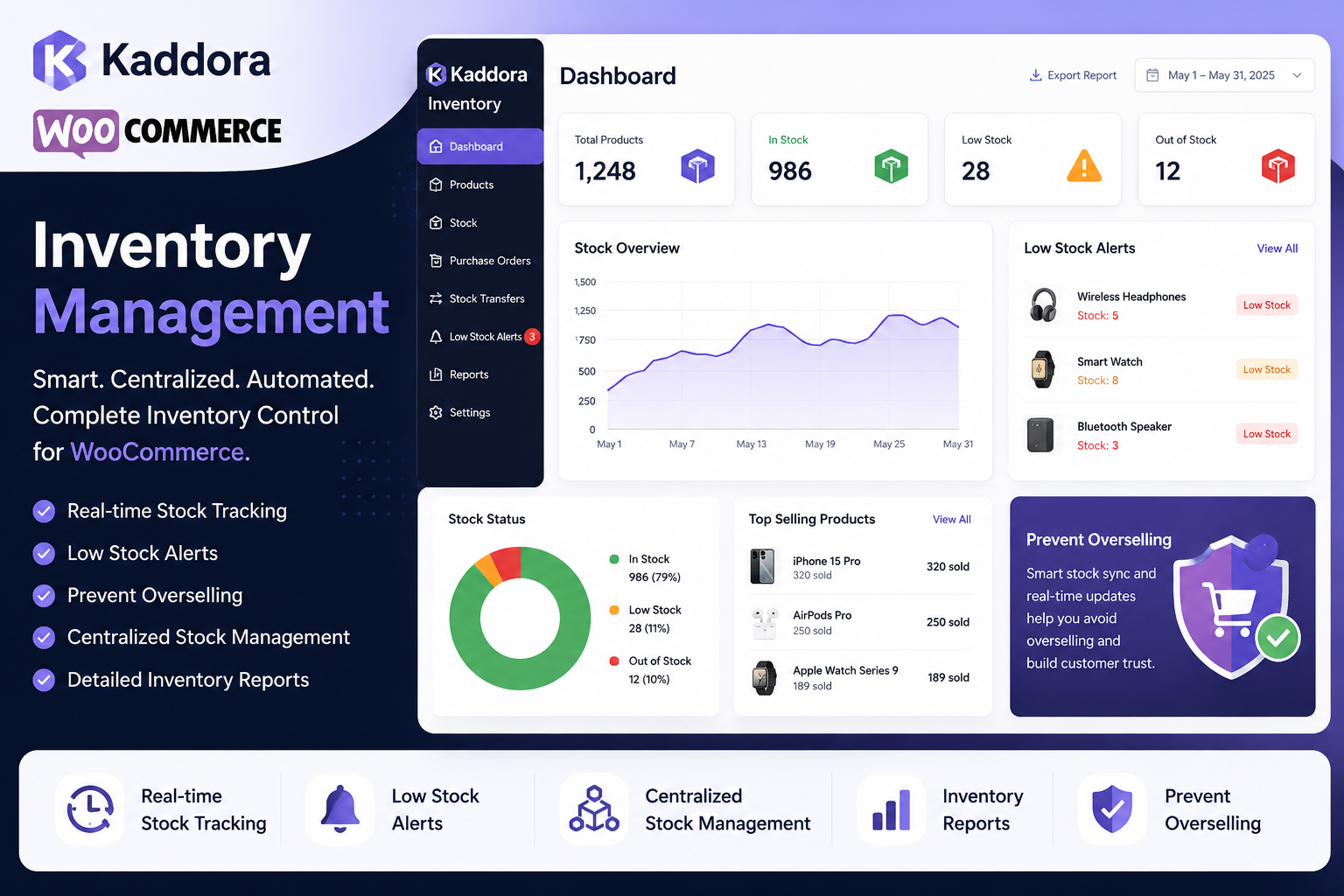
How Kaddora Helps Prevent Overselling in WooCommerce
Overselling is one of the most common inventory challenges faced by WooCommerce store owners. When customers purchase products that are no longer available, businesses often have to cancel orders, process refunds, or delay shipments. These situations can affect customer satisfaction and increase operational workload.
While no inventory system can eliminate every stock issue, good inventory management practices combined with the right tools can significantly reduce the likelihood of overselling.
The Kaddora WooCommerce Inventory Management Plugin is designed to improve inventory visibility, simplify stock management, and support more accurate inventory records. In this guide, we'll explore how its features help WooCommerce businesses reduce inventory-related problems.
Quick Answer
How does Kaddora help prevent overselling?
Kaddora helps reduce the risk of overselling by providing real-time inventory visibility, centralized stock management, low-stock monitoring, inventory reporting, and bulk inventory management tools that help businesses maintain more accurate stock records.
Why Overselling Happens
Overselling is usually caused by inventory inaccuracies rather than a single technical issue.
Common reasons include:
Manual stock updates
Delayed inventory changes
Outdated stock records
Missed replenishment
Human error
Growing product catalogs
High order volumes
As stores expand, these issues become more difficult to manage manually.
The Business Impact of Overselling
Overselling can lead to:
Order cancellations
Refund requests
Customer complaints
Lost repeat purchases
Increased support workload
Inventory confusion
Lower customer confidence
Reducing inventory errors helps create a smoother shopping experience and more efficient internal operations.
How Kaddora Helps
1. Real-Time Inventory Visibility
Knowing current stock levels is the foundation of effective inventory management.
Kaddora provides a centralized view of inventory, helping merchants monitor stock changes as products are sold or updated.
Business Benefit
Better inventory awareness
Faster response to stock changes
Improved operational visibility
2. Centralized Inventory Dashboard
Managing inventory across multiple screens increases the chance of overlooking important information.
A centralized dashboard allows teams to review inventory from one location.
You can quickly monitor:
Stock levels
Product availability
Inventory status
Low-stock products
Business Benefit
Simpler inventory monitoring
More organized workflows
Faster inventory reviews
3. Low-Stock Monitoring
Waiting until products are completely out of stock often creates unnecessary disruptions.
Low-stock monitoring helps identify products that may soon require replenishment.
Business Benefit
Earlier purchasing decisions
Better inventory planning
Improved product availability
4. Inventory Reports
Inventory reports provide a broader understanding of stock performance.
Businesses can review:
Inventory movement
Product performance
Stock trends
Inventory health
These insights help support purchasing and planning decisions.
Business Benefit
Data-informed inventory decisions
Better planning
Improved visibility into stock performance
5. Bulk Inventory Updates
For stores with large catalogs, updating products individually can be time-consuming.
Bulk inventory tools make it easier to apply stock updates across multiple products.
Business Benefit
Reduced administrative effort
Faster inventory maintenance
Improved workflow efficiency
6. SKU Management
Consistent SKU organization makes it easier to locate products, update inventory, and reduce administrative mistakes.
Business Benefit
Better product organization
Easier inventory management
Faster product identification
Best Practices Alongside Kaddora
Even with inventory software, businesses should follow strong inventory management practices.
Keep Inventory Records Accurate
Regularly verify stock quantities and product information.
Review Inventory Reports Weekly
Frequent reporting helps identify unusual inventory patterns before they become larger issues.
Perform Physical Inventory Audits
Periodic stock counts help confirm digital inventory accuracy.
Configure Appropriate Low-Stock Thresholds
Alert levels should reflect supplier lead times and expected sales volume.
Train Your Team
Consistent inventory processes reduce operational mistakes and improve data quality.
Who Benefits Most?
Kaddora is especially useful for:
Growing WooCommerce stores
Medium-sized product catalogs
Large inventories
Businesses with multiple inventory managers
Stores processing frequent orders
Related Resources
For a complete understanding of inventory management, read these guides:
Prevent Overselling in WooCommerce
Inventory Reports in WooCommerce
Real-Time Inventory Tracking in WooCommerce
Automated Inventory Management for WooCommerce
AI Inventory Management for WooCommerce
Inventory Forecasting Using AI
Best WooCommerce Inventory Management Plugins
Kaddora WooCommerce Inventory Management Review
Kaddora WooCommerce Inventory Management Features
Frequently Asked Questions
Can Kaddora completely eliminate overselling?
No software can guarantee that overselling will never occur. However, better inventory visibility, monitoring, and organized workflows can significantly reduce the risk when combined with good inventory management practices.
Does Kaddora include low-stock alerts?
Yes. The plugin includes low-stock monitoring features that help businesses identify products requiring attention.
Is it suitable for stores with large product catalogs?
Yes. Bulk inventory tools and centralized inventory management make it easier to manage larger WooCommerce inventories.
Does it support inventory reporting?
Yes. Inventory reports help businesses monitor stock movement, inventory performance, and product availability.
Is Kaddora only for WooCommerce?
Yes. It is developed specifically for WooCommerce stores.
Final Thoughts
Preventing overselling isn't about relying on a single feature—it's about combining accurate inventory records, regular monitoring, timely replenishment, and efficient workflows.
The Kaddora WooCommerce Inventory Management Plugin supports these practices with centralized dashboards, inventory reports, real-time stock visibility, bulk management tools, and low-stock monitoring, helping WooCommerce merchants manage inventory more confidently.
If your store is growing and manual inventory processes are becoming difficult to manage, Kaddora offers tools designed to improve inventory organization and reduce the likelihood of stock-related issues.
Comments (0)