
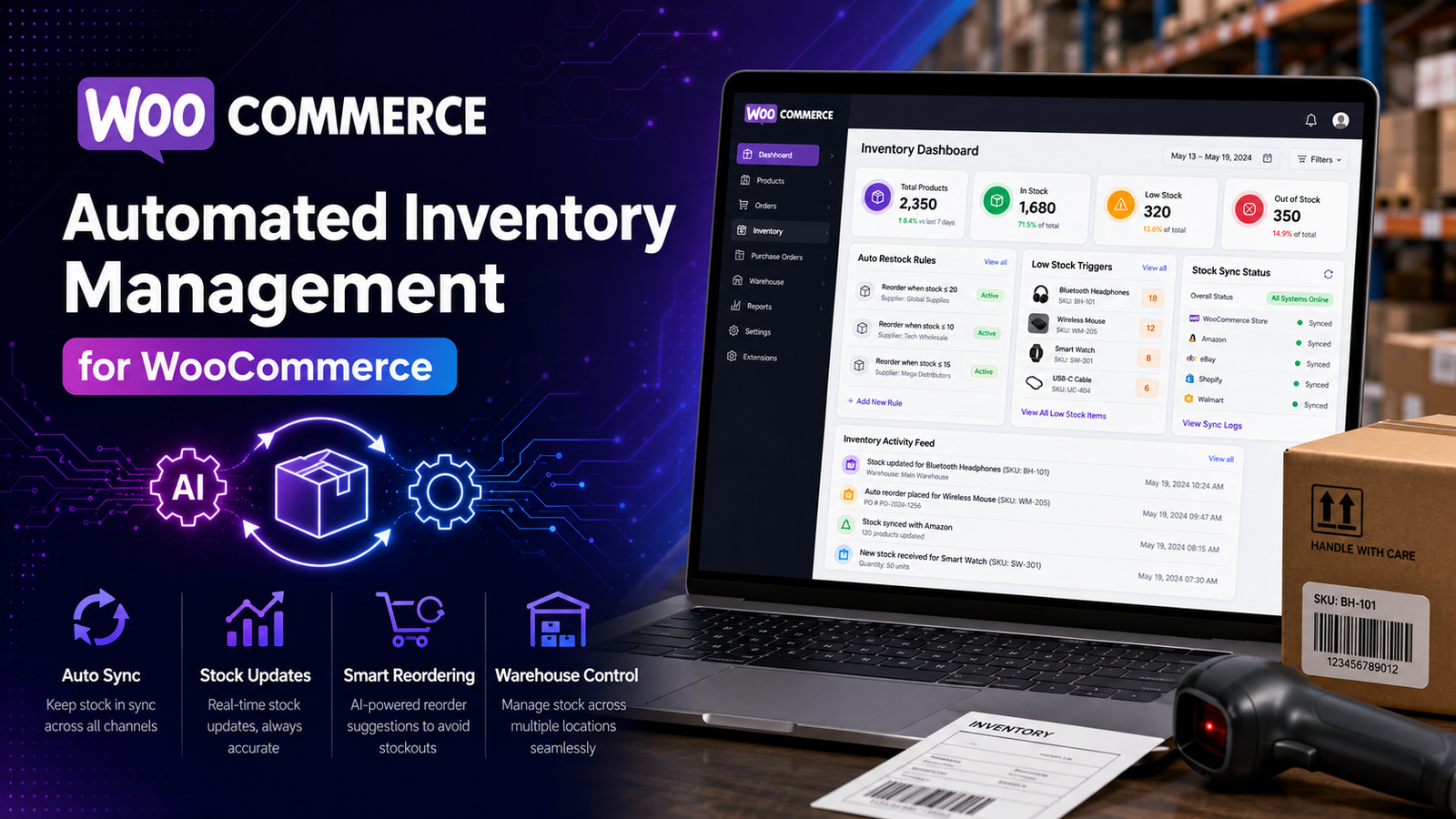
Automated Inventory Management for WooCommerce
As an online store grows, manually updating inventory becomes increasingly difficult. Every order, return, cancellation, restock, and stock adjustment requires attention. For businesses with hundreds or thousands of products, these repetitive tasks can consume valuable time and increase the risk of human error.
Automated inventory management solves this problem by allowing software to handle routine inventory tasks. Instead of manually updating stock after every change, automation keeps inventory synchronized, alerts your team about low stock, and provides insights that help improve purchasing decisions.
In this guide, you'll learn how automated inventory management works in WooCommerce, its benefits, best practices, and how it can support the growth of your online business.
Quick Answer
What is automated inventory management for WooCommerce?
Automated inventory management is the use of software to automatically monitor, update, and organize inventory in a WooCommerce store. It reduces manual work by keeping stock levels current, generating inventory alerts, tracking product movement, and supporting more efficient inventory operations.
Why Inventory Automation Matters
Manual inventory management may work for very small stores, but it often becomes inefficient as product catalogs and order volumes increase.
Automation helps businesses:
Reduce manual data entry
Improve inventory accuracy
Prevent overselling
Minimize stock shortages
Save operational time
Improve order fulfillment
Support business growth
Instead of spending hours updating inventory, teams can focus on customer service, marketing, and business development.
How Automated Inventory Management Works
Automation continuously monitors inventory and responds to predefined events.
Examples include:
Reducing stock after completed orders
Updating inventory after refunds or cancellations
Recording stock adjustments
Triggering low-stock notifications
Synchronizing inventory records
Generating inventory reports
These automated workflows reduce repetitive tasks while helping maintain accurate inventory records.
Benefits of Inventory Automation
Improved Inventory Accuracy
Automatic updates reduce the risk of manual inventory errors and keep stock records more reliable.
Time Savings
Automation eliminates many repetitive inventory tasks, allowing staff to focus on more valuable work.
Better Customer Experience
Accurate inventory information helps customers see current product availability and reduces the likelihood of canceled orders.
Faster Purchasing Decisions
Automated reports and inventory alerts provide the information needed to replenish stock on time.
Reduced Overselling
Keeping stock levels updated after inventory changes helps reduce the chances of selling unavailable products.
Better Inventory Visibility
Centralized dashboards make it easier to monitor inventory performance across the store.
Key Automation Features
An effective inventory automation solution should include:
Automatic Stock Updates
Update inventory quantities whenever orders, returns, or restocking activities occur.
Low-Stock Notifications
Receive automatic alerts before inventory reaches critical levels.
Inventory Dashboard
View current stock levels, inventory movement, and important inventory metrics from a single location.
Bulk Inventory Updates
Update multiple products simultaneously instead of editing each item manually.
SKU Management
Organize inventory using consistent product identifiers.
Inventory Reports
Automatically generate reports that highlight inventory trends, stock movement, and purchasing requirements.
Best Practices
Keep Product Data Accurate
Automation depends on accurate product information, including SKUs and inventory quantities.
Review Inventory Reports Regularly
Even with automation, inventory performance should be monitored to identify unusual trends.
Configure Realistic Alert Thresholds
Low-stock notifications should reflect supplier lead times and sales volume.
Perform Physical Inventory Audits
Regular inventory counts help confirm that digital records remain accurate.
Monitor Automation Workflows
Review automated processes periodically to ensure they continue functioning as expected.
Common Mistakes to Avoid
Avoid these common issues:
❌ Assuming automation eliminates the need for inventory audits
❌ Ignoring inventory reports
❌ Using incorrect SKU information
❌ Failing to update product records
❌ Setting unrealistic low-stock thresholds
Automation improves efficiency, but good inventory management practices remain essential.
How Kaddora WooCommerce Inventory Management Helps
As inventory becomes more complex, businesses need tools that simplify stock management without increasing administrative work.
Kaddora WooCommerce Inventory Management Plugin helps automate essential inventory processes while giving store owners better visibility into stock performance.
Key Features
Automated inventory tracking
Real-time stock monitoring
Centralized inventory dashboard
Low-stock alerts
Inventory reports
SKU management
Bulk inventory updates
WooCommerce integration
By combining automation with reporting and centralized inventory management, the plugin helps businesses reduce manual work while maintaining accurate stock records.
Inventory Automation Checklist
✅ Enable WooCommerce stock management
✅ Assign unique SKUs
✅ Configure automatic low-stock alerts
✅ Review inventory reports weekly
✅ Audit inventory regularly
✅ Monitor fast-selling products
✅ Verify automation workflows
✅ Keep inventory records up to date
Frequently Asked Questions
What is automated inventory management?
Automated inventory management uses software to monitor stock levels, update inventory records, generate alerts, and reduce manual inventory tasks.
Does WooCommerce support inventory automation?
WooCommerce includes basic automation such as automatic stock reduction after completed orders. Additional automation features are available through specialized inventory management plugins.
Can automation prevent overselling?
Automation helps reduce overselling by updating inventory promptly when stock changes occur, though overall results also depend on accurate inventory data and operational processes.
Is automated inventory management suitable for small businesses?
Yes. Even smaller WooCommerce stores can benefit from automation by saving time, improving inventory accuracy, and reducing repetitive administrative work.
Which WooCommerce plugin offers inventory automation?
Businesses looking for centralized dashboards, automated stock tracking, inventory reports, and enhanced inventory visibility can evaluate Kaddora WooCommerce Inventory Management Plugin.
Final Thoughts
Inventory automation allows WooCommerce businesses to spend less time on repetitive administrative work and more time growing their business.
By automating stock updates, monitoring inventory levels, and providing actionable insights, store owners can improve operational efficiency while delivering a better customer experience.
If your store has outgrown manual inventory management, Kaddora WooCommerce Inventory Management Plugin provides automated inventory tools, centralized reporting, and real-time visibility to help you manage stock with greater confidence.
Comments (0)