Newsletter by Kaddora – WordPress Newsletter Builder & Automation Plugin
✦ Product Overview
Newsletter by Kaddora – WordPress Newsletter Builder & Automation Plugin is a complete WordPress newsletter and email marketing solution designed for website owners, marketers, agencies, bloggers, WooCommerce stores, businesses, and developers who want to create professional email campaigns directly from the WordPress dashboard.
Build attractive newsletters with a modern drag-and-drop email builder, manage subscribers, create automated email workflows, schedule campaigns, track opens and clicks, import or export contacts, build subscription forms, and use professionally designed newsletter templates without relying on complicated external tools.
The plugin provides a streamlined WordPress email marketing workflow that combines newsletter design, subscriber management, marketing automation, email campaign management, analytics, and signup forms inside one organized interface.
Whether you need to send a welcome email, promotional newsletter, product announcement, weekly digest, business update, WooCommerce customer email, or automated follow-up campaign, Newsletter by Kaddora gives you the tools to manage the complete process from WordPress.
◆ Requirements
Before installing Newsletter by Kaddora, make sure your WordPress website meets the following basic requirements.
For improved email deliverability, using an SMTP plugin or transactional email provider with WordPress is recommended.
◆ Installation Process
Installing Newsletter by Kaddora – WordPress Newsletter Builder & Automation Plugin is simple and follows the standard WordPress plugin installation process.
✦ Method 1 – Install from WordPress Dashboard
✦ Method 2 – Manual FTP Installation
/wp-content/plugins/
◆ Main Features
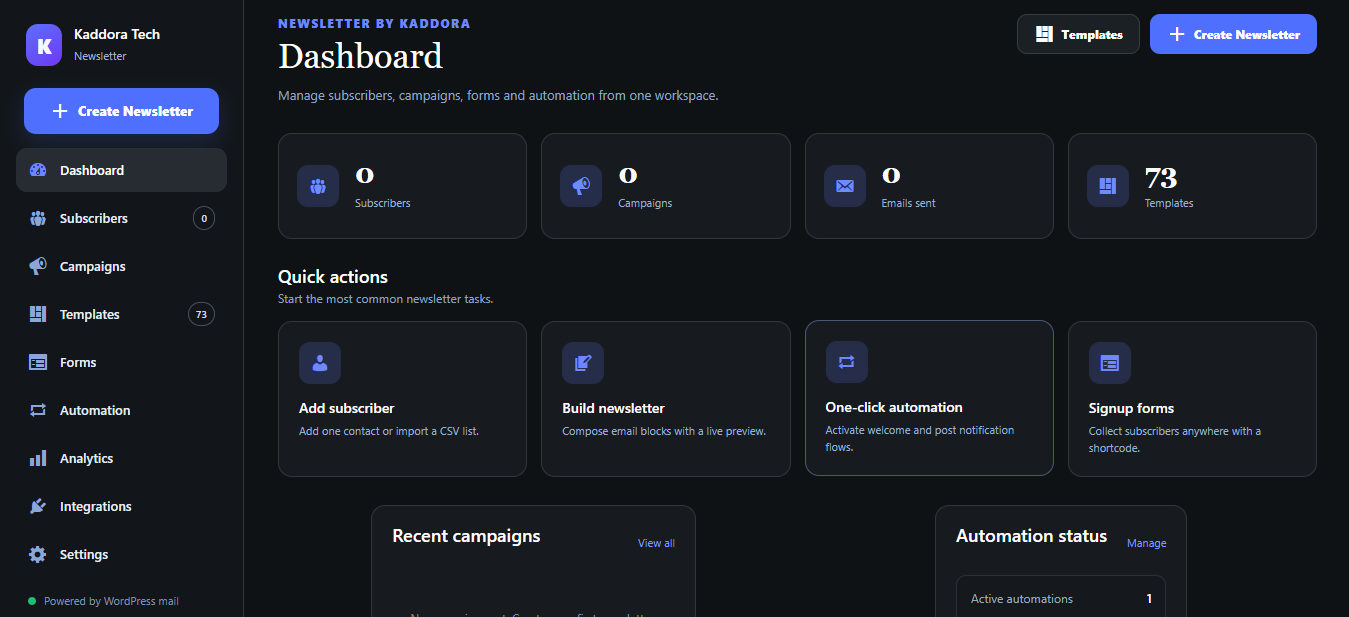
✦ Modern Newsletter Dashboard
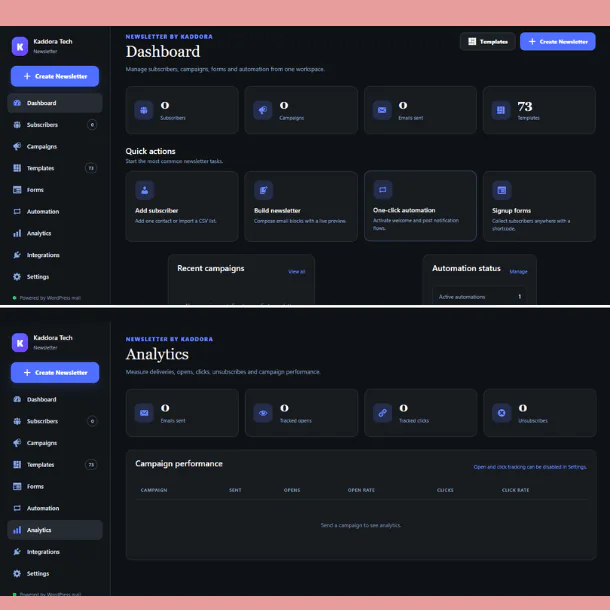
Newsletter by Kaddora includes a clean and modern WordPress email marketing dashboard designed to keep your newsletter workflow organized.
You can quickly access:
The interface is designed to reduce unnecessary complexity while still providing powerful email campaign management tools.
◆ Drag & Drop Newsletter Builder
Create professional newsletters without manually writing complex HTML.
The built-in WordPress drag-and-drop email builder provides a visual editing environment where newsletter blocks can be added, arranged, customized, previewed, and reused.
Available content blocks include:
This makes the plugin suitable for both beginners and experienced WordPress users.
◆ Content, Design & Advanced Controls
Newsletter content is fully customizable from the builder.
Modify important design properties including:
Create newsletters that match your brand identity without editing template source code.
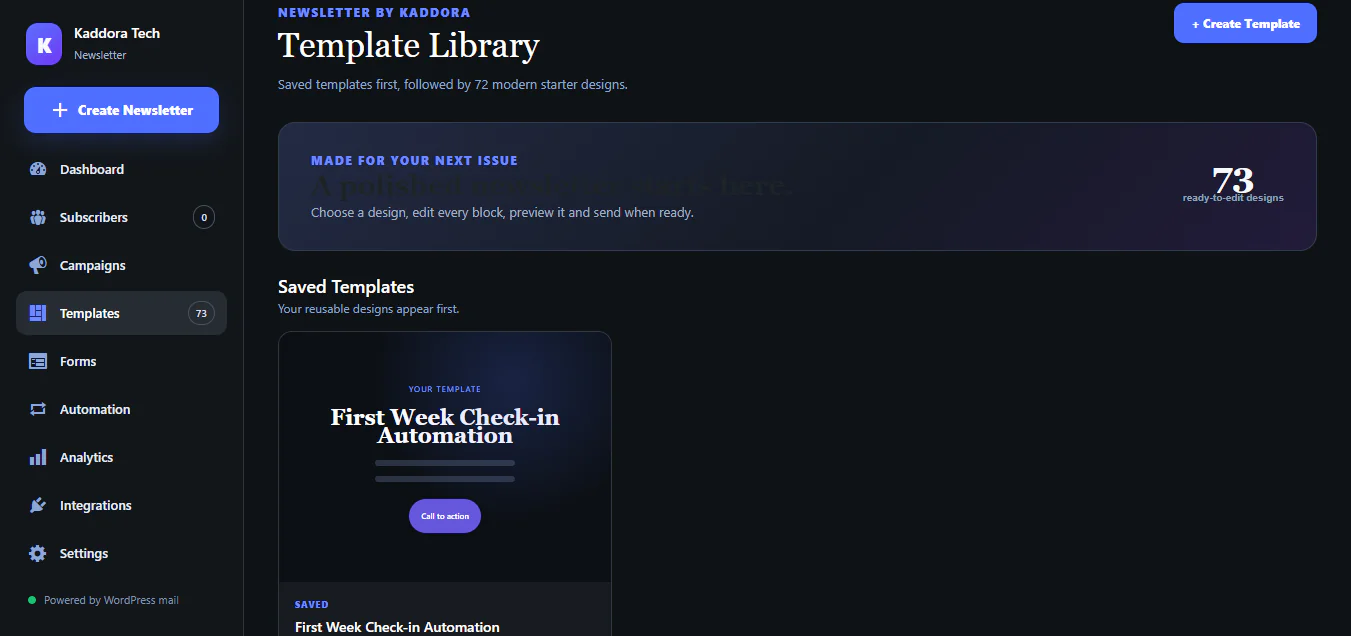
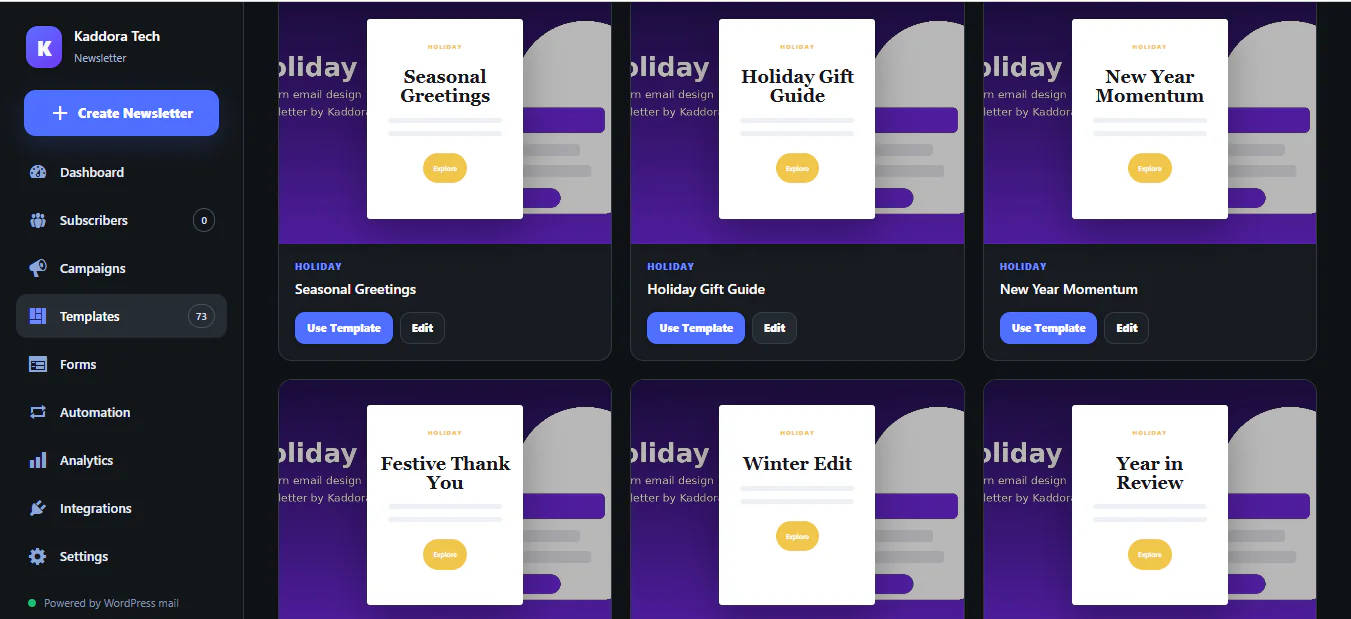
◆ 70+ Modern Newsletter Templates
Newsletter by Kaddora includes a large library of professionally designed responsive newsletter templates.
The plugin provides templates suitable for many different email marketing campaigns, including:
Templates can be customized to create completely unique newsletter designs.
◆ Saved Newsletter Templates
Create a newsletter once and save it for future campaigns.
Saved templates help businesses maintain consistent branding while reducing the amount of time needed to create recurring campaigns.
You can create reusable designs for:
◆ Responsive Email Preview
Preview newsletters before sending them.
The email builder includes responsive preview functionality so you can inspect the campaign layout across different screen sizes.
Available preview modes include:
This helps create mobile-friendly responsive newsletters for subscribers using different devices.
◆ Undo & Redo Editing
Newsletter creation becomes safer and more convenient with integrated Undo and Redo controls.
Quickly reverse accidental changes or restore previous modifications while designing your newsletter.
◆ Media Library Integration
Use your existing WordPress Media Library directly from the newsletter builder.
You can select previously uploaded images or add new images while designing campaigns.
This makes it easy to use:
◆ Newsletter Preview
Preview your newsletter before sending.
The preview system lets you check the final campaign design and verify content, links, images, buttons, formatting, and layout.
This reduces mistakes before sending newsletters to subscribers.
◆ Send Test Email
Before launching an email campaign, send a test email to yourself or your team.
Use the test-email feature to confirm:
◆ Subscriber Management
Newsletter by Kaddora includes a complete WordPress subscriber management system.
Manage subscribers directly from WordPress.
You can:
Add subscribers manually
Subscriber management is centralized inside one workspace.
◆ CSV Subscriber Import
Migrating an existing email list is simple.
Upload subscriber information using CSV files and add contacts to your WordPress newsletter database.
This is useful when migrating from another newsletter or email marketing platform.
◆ CSV Subscriber Export
Export your subscriber database to CSV whenever required.
This provides greater control over your mailing list and allows you to create backups or use subscriber data with other permitted business systems.
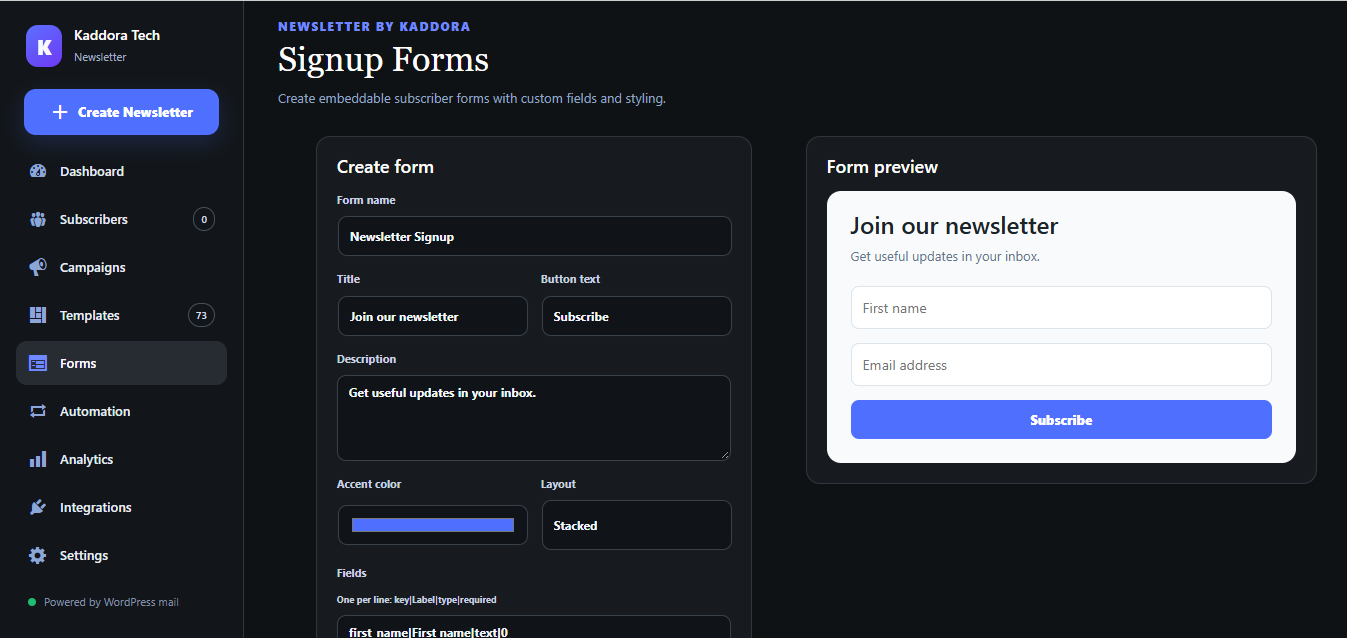
◆ Signup Forms
Create subscription forms that allow visitors to join your newsletter.
Newsletter forms can be embedded into WordPress pages, posts, landing pages, widgets, or supported content areas.
Use newsletter signup forms for:
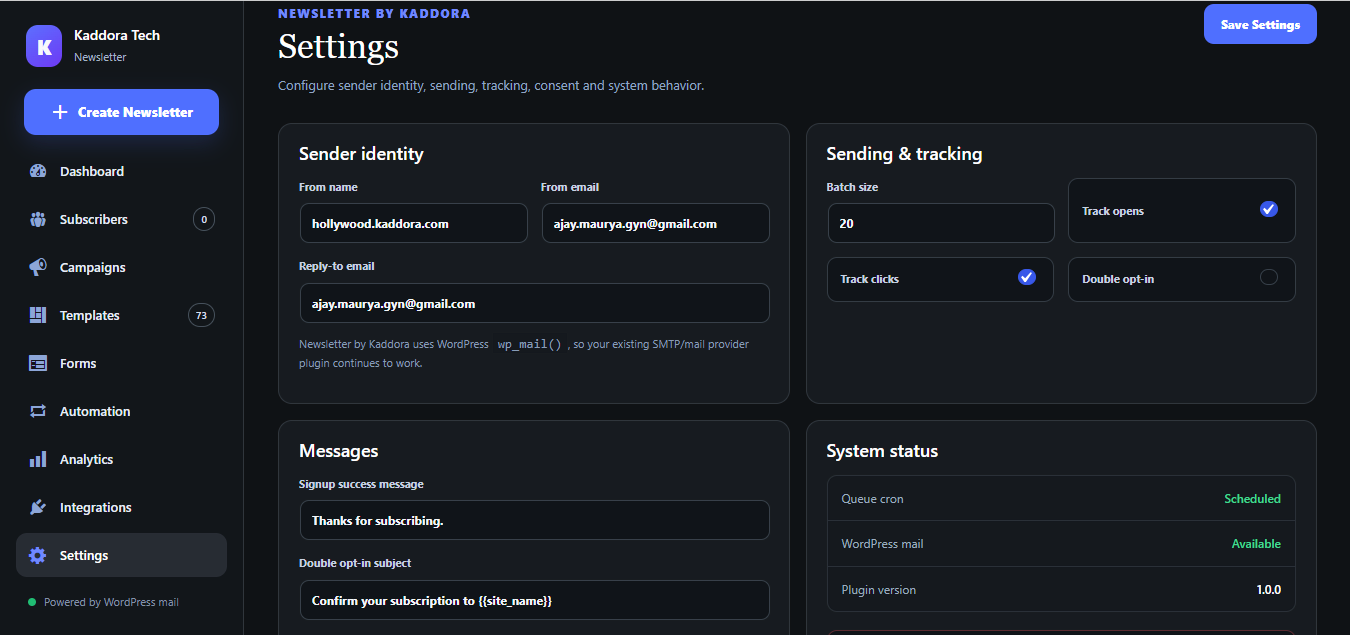
◆ Double Opt-In
Improve mailing-list quality with double opt-in subscription functionality.
Subscribers can be asked to verify their email addresses before becoming fully subscribed.
This helps maintain cleaner subscriber lists and reduces accidental subscriptions.
◆ Unsubscribe Management
Newsletter by Kaddora includes built-in unsubscribe handling.
Subscribers can remove themselves from your newsletter list using the unsubscribe workflow.
This helps you maintain responsible email marketing practices and cleaner subscriber databases.
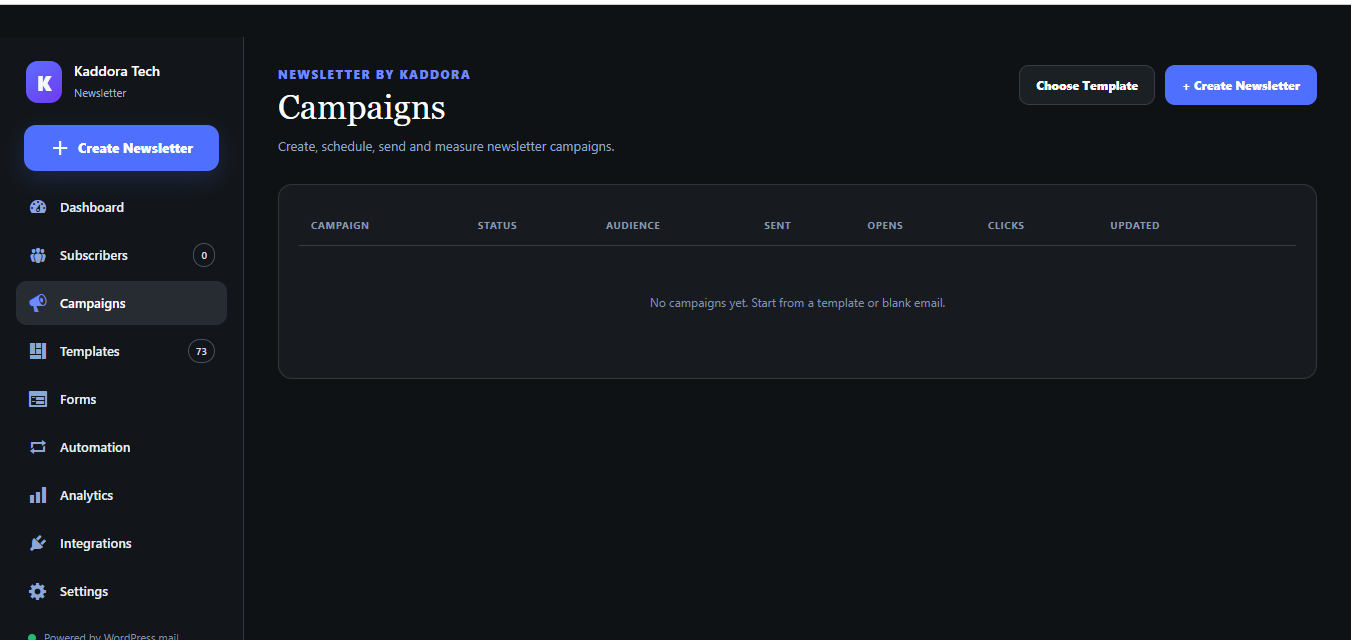
◆ Email Campaign Management
Create and manage multiple WordPress email marketing campaigns.
Campaign controls include:
This provides a complete campaign lifecycle inside WordPress.
◆ Schedule Newsletter Campaigns
Prepare newsletters in advance and schedule them for later delivery.
This is useful for:
◆ Batch Email Queue
Newsletter campaigns can be processed through a controlled email queue instead of trying to send every email simultaneously.
Batch sending provides a more structured workflow for managing larger subscriber lists using your WordPress mail configuration.
◆ Email Marketing Automation
Newsletter by Kaddora includes built-in WordPress email automation functionality.
Create automated email sequences and reduce repetitive marketing tasks.
Available automation possibilities include:
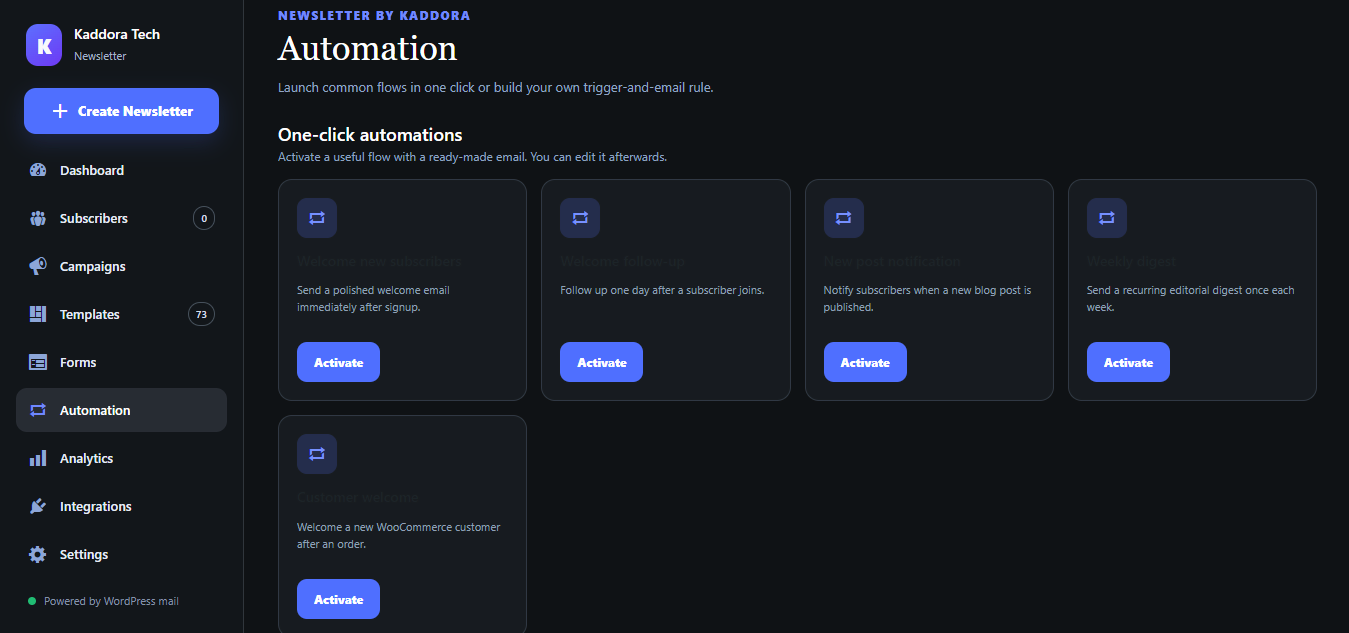
◆ One-Click Automation Presets
Start automation quickly with predefined workflows.
Instead of configuring everything manually, use ready-to-configure automation presets and customize them for your business.
This makes email marketing automation for WordPress easier for beginners.
◆ Custom Email Automations
Create custom workflows based on your newsletter strategy.
Automation can help businesses nurture subscribers continuously without manually creating every follow-up email.
Useful workflows include:
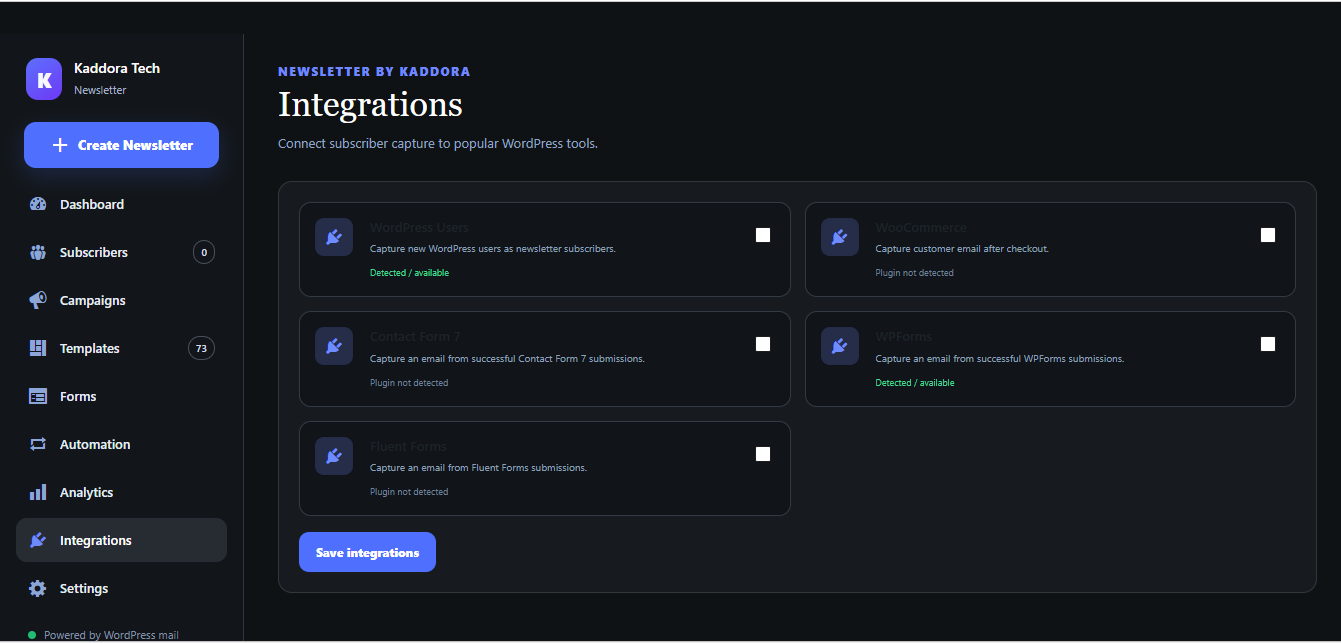
◆ WordPress User Capture
Newsletter by Kaddora can help capture eligible WordPress users into your subscriber workflow according to your configured settings and consent process.
This provides additional opportunities to manage subscribers from your existing WordPress ecosystem.
◆ WooCommerce Integration
WooCommerce website owners can use the plugin as part of their WooCommerce email marketing workflow.
Capture relevant customer information and build automated customer newsletter campaigns.
Possible use cases include:
WooCommerce must be installed separately when using WooCommerce-related features.
◆ Contact Form Plugin Integration
Newsletter by Kaddora supports subscriber capture workflows involving popular WordPress form plugins.
Supported integrations include:
This can help convert form submissions into newsletter subscribers when configured appropriately.
◆ Open Tracking
Track newsletter opens and view campaign engagement information from your WordPress dashboard.
Open tracking provides useful campaign-level performance data for evaluating newsletter engagement.
Email client privacy features may affect the accuracy of open tracking, so statistics should be treated as engagement indicators rather than perfect measurements.
◆ Click Tracking
Track campaign link clicks and understand which newsletter links attract subscriber interest.
This is useful for analyzing:
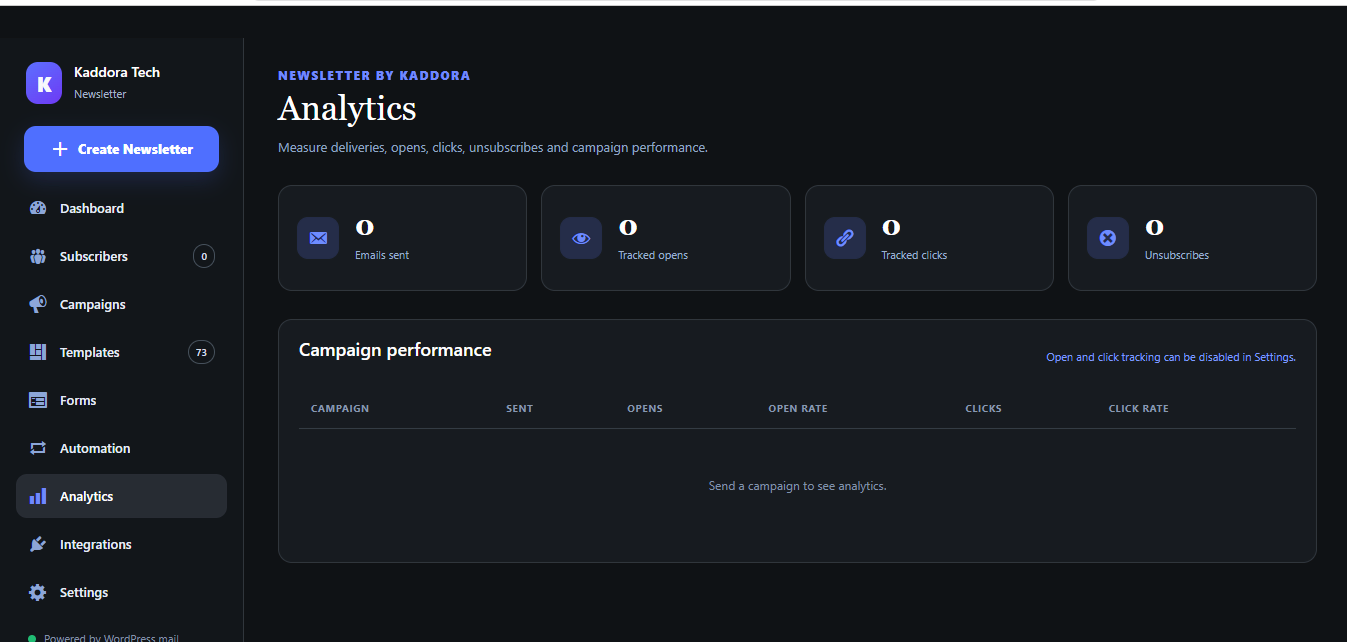
◆ Newsletter Analytics
Monitor email marketing activity directly from WordPress.
Campaign analytics can help you understand:
The analytics dashboard gives website owners an easier way to understand their email marketing campaigns.
◆ JSON Import & Export
Newsletter designs can be exported and imported using JSON.
This is useful for:
◆ Custom Newsletter Creation
You are not limited to prebuilt templates.
Start with a blank design and create your own custom email newsletter using the visual email builder.
Create newsletters for almost any business type or marketing campaign.
◆ This Plugin Is Useful For
Newsletter by Kaddora – WordPress Newsletter Builder & Automation Plugin is designed for a wide range of WordPress users.
✦ Bloggers
Send blog updates, weekly digests, article recommendations, and subscriber newsletters.
✦ WooCommerce Stores
Create product announcements, promotional campaigns, coupon emails, seasonal sales, and customer newsletters.
✦ Digital Marketing Agencies
Manage newsletter campaigns for business websites using a visual WordPress email builder.
✦ Small Businesses
Communicate with customers about services, promotions, company news, events, and special offers.
✦ SaaS Companies
Create onboarding sequences, product updates, release announcements, educational emails, and automated customer communication.
✦ Restaurants & Cafes
Send menu updates, promotions, event announcements, seasonal offers, and customer newsletters.
✦ Educational Websites
Send course updates, student announcements, learning resources, event information, and educational newsletters.
✦ Coaches & Consultants
Build subscriber lists and send lead nurturing, consultation follow-ups, educational content, and promotional campaigns.
✦ Content Creators
Build your audience using signup forms and regularly communicate using professional newsletter campaigns.
✦ WordPress Developers
Add newsletter and email campaign functionality to WordPress websites without building a complete email management interface from scratch.
✦ Marketing Teams
Manage campaign creation, templates, subscribers, automation, tracking, and analytics from one WordPress workspace.
◆ Why Choose Newsletter by Kaddora?★ All-in-One WordPress Newsletter Solution
Instead of managing newsletter creation, subscribers, forms, automation, and campaign statistics across multiple interfaces, Newsletter by Kaddora brings the core email marketing workflow together inside WordPress.
Published:
Sep 22, 2026 12:16 PM
Version:
v1.0.0
Category:
Tags: