
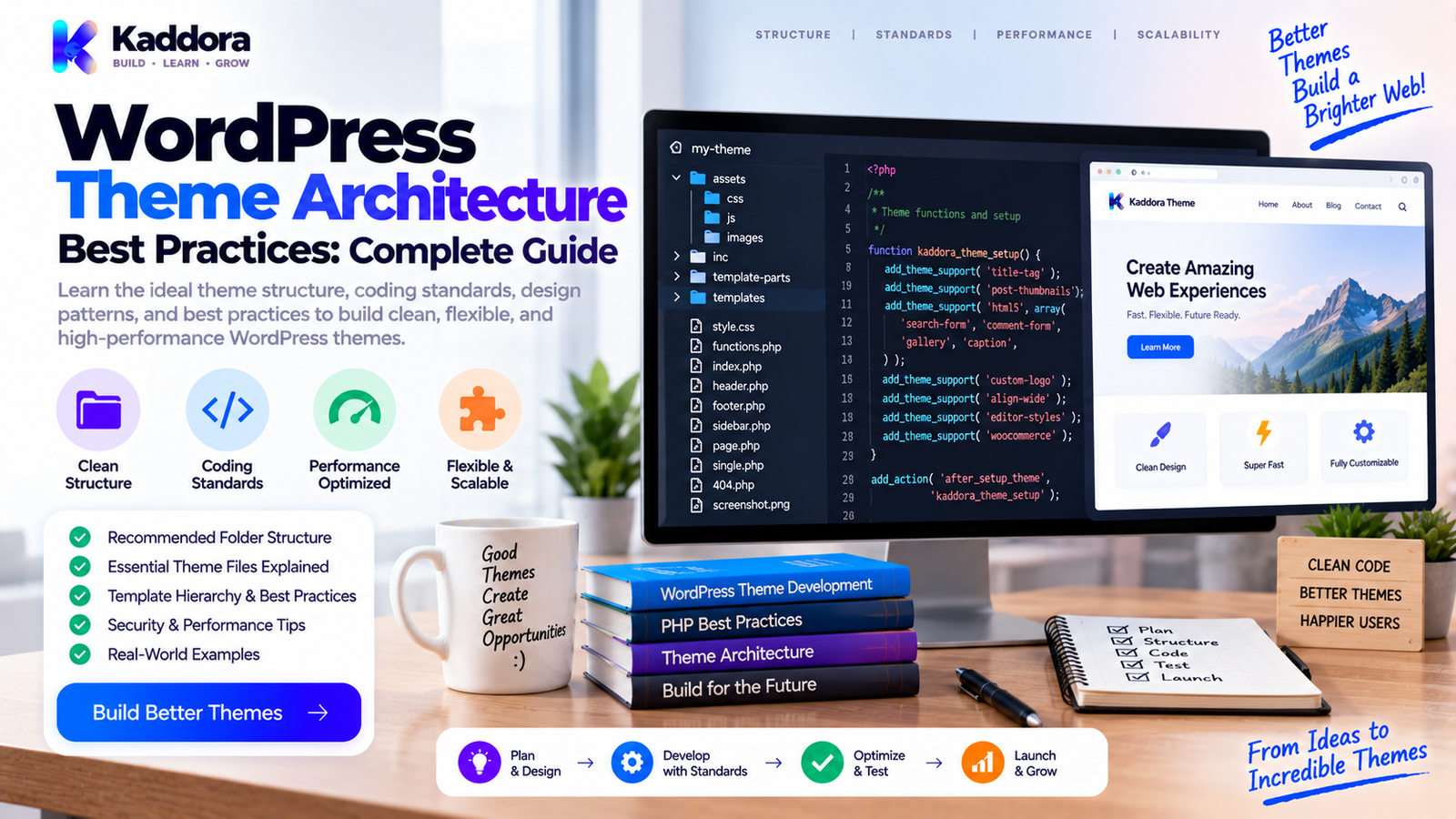
WordPress Theme Architecture Best Practices: Complete Guide
Introduction
A WordPress theme is more than a collection of templates and styles.
A professional theme controls how website content is presented, how templates are organized, how assets are loaded, how users interact with the interface, and how the design adapts across different devices.
A simple theme may begin with:
style.css index.php functions.php
But as the project grows, developers may add:
Header and footer templates
Page templates
Template parts
Custom blocks
CSS systems
Theme settings
Editor styles
WooCommerce templates
Accessibility improvements
Performance optimizations
Internationalization
Custom functionality
Without a clear architecture, the theme can quickly become difficult to maintain.
A well-designed theme architecture helps create software that is:
Organized
↓
Reusable
↓
Accessible
↓
Performant
↓
Maintainable
↓
Compatible
In this guide, you'll learn how WordPress theme architecture works, how to organize theme files, how the template hierarchy fits into the design, how to separate presentation from functionality, and which practices help create professional WordPress themes.
What Is WordPress Theme Architecture?
WordPress theme architecture is the structure used to organize a theme's templates, styles, scripts, functions, assets, configuration, and reusable components.
It defines how different parts of the theme work together to render pages.
A simplified architecture looks like:
WordPress Request ↓ Template Resolution ↓ Theme Template ↓ Template Parts ↓ Content + Components ↓ CSS / JavaScript ↓ Rendered Page
The exact architecture depends on whether you are building a classic theme, a block theme, a WooCommerce-compatible theme, or a specialized product theme.
Why Theme Architecture Matters
A poorly structured theme may still work.
The problem appears when you need to change it.
Without good architecture, developers may encounter:
Duplicate markup
Giant template files
Difficult CSS maintenance
Repeated logic
Asset-loading problems
Template conflicts
Accessibility issues
Difficult upgrades
Poor performance
Hidden dependencies
A thoughtful architecture makes changes safer.
For example, if a navigation component is reused across several templates, changing one template part should ideally update all required locations rather than requiring edits across many files.
Classic Themes vs Block Themes
WordPress currently supports two broad theme development approaches.
Classic Themes
Classic themes primarily use PHP templates and the traditional template hierarchy.
Typical files include:
index.php single.php page.php archive.php header.php footer.php sidebar.php functions.php
They provide extensive control through PHP templates and WordPress hooks.
Block Themes
Block themes use block-based templates and template parts.
They commonly organize templates through files such as:
theme/ ├── style.css ├── theme.json ├── templates/ ├── parts/ ├── patterns/ └── functions.php
Block themes make extensive use of the WordPress Site Editor and block markup.
The architectural principles discussed in this guide apply to both approaches, although implementation details differ.
Start With a Clear Theme Structure
A theme should have a predictable directory structure.
A classic theme might look like:
kaddora-theme/ │ ├── style.css ├── functions.php ├── index.php ├── front-page.php ├── home.php ├── single.php ├── page.php ├── archive.php ├── search.php ├── 404.php │ ├── header.php ├── footer.php ├── sidebar.php │ ├── template-parts/ │ ├── content.php │ ├── content-single.php │ └── content-page.php │ ├── inc/ │ ├── setup.php │ ├── enqueue.php │ ├── customizer.php │ └── accessibility.php │ ├── assets/ │ ├── css/ │ ├── js/ │ └── images/ │ ├── languages/ └── woocommerce/
This is an example rather than a mandatory structure.
The best structure is one that remains understandable as the theme grows.
Keep the Main Entry Files Focused
A common mistake is putting everything into functions.php.
For a small theme, that may be manageable.
For a large theme, it can become a maintenance problem.
Instead of:
functions.php ├── Theme setup ├── Admin settings ├── AJAX ├── API calls ├── WooCommerce ├── Widgets ├── Shortcodes ├── Scripts ├── Custom queries └── Everything else
Use focused modules:
inc/ ├── setup.php ├── enqueue.php ├── template-functions.php ├── customizer.php ├── accessibility.php └── integrations.php
The exact naming is flexible.
The architectural principle is more important: separate responsibilities.
Use the WordPress Template Hierarchy
One of the most important concepts in theme architecture is the WordPress template hierarchy.
WordPress determines which template should render a request based on the type of content being displayed.
For example, a single post may follow a sequence similar to:
single-{post-type}-{slug}.php ↓ single-{post-type}.php ↓ single.php ↓ singular.php ↓ index.php
The hierarchy allows developers to provide specific templates while maintaining sensible fallbacks.
Understanding it prevents unnecessary template duplication.
Avoid Duplicate Templates
Suppose five pages use nearly identical markup.
Creating five separate files may seem simple initially.
But later, a design change requires updating all five files.
Instead, reuse shared template parts when practical.
For example:
get_template_part( 'template-parts/content', 'card' );
This creates a reusable rendering component.
A strong theme architecture favors reuse without making the theme difficult to understand.
Build Reusable Template Parts
Template parts are useful for repeated interface sections.
Examples include:
Post cards
Author boxes
Related posts
Navigation
Breadcrumbs
Search forms
Hero sections
Content metadata
For example:
template-parts/ ├── content.php ├── content-card.php ├── content-single.php ├── author-box.php └── related-posts.php
Reusable components make future design changes easier.
Separate Presentation From Business Logic
Themes should primarily handle presentation.
A common architectural problem occurs when a theme begins containing business-critical functionality.
For example:
Payment processing
Customer management
Order workflows
Data synchronization
Complex CRM logic
These functions often belong in plugins or dedicated application components rather than the presentation layer.
A useful separation is:
WordPress Core ↓ Plugin / Application Logic ↓ Theme ↓ Presentation
This allows site functionality to survive when the theme changes.
Keep functions.php for Theme Responsibilities
The functions.php file is useful for:
Theme setup
Asset registration
Theme supports
Menus
Widgets
Theme-specific hooks
Template helpers
Avoid turning it into an entire application layer.
A large theme can load focused modules from an inc directory when appropriate.
Use a Clear Theme Initialization Process
Theme initialization may register several components.
For example:
require_once get_template_directory() . '/inc/setup.php'; require_once get_template_directory() . '/inc/enqueue.php'; function kaddora_theme_bootstrap() { kaddora_theme_setup(); kaddora_theme_register_assets(); } kaddora_theme_bootstrap();
For larger projects, initialization should remain predictable.
Developers should be able to identify where theme components are registered.
Register Theme Supports Properly
Themes may need to declare support for WordPress functionality.
For example:
function kaddora_theme_setup() { add_theme_support( 'title-tag' ); add_theme_support( 'post-thumbnails' ); add_theme_support( 'html5' ); register_nav_menus( array( 'primary' => __( 'Primary Menu', 'kaddora-theme' ), ) ); } add_action( 'after_setup_theme', 'kaddora_theme_setup' );
Theme setup should remain focused on supported presentation features.
Use theme.json Where Appropriate
Modern WordPress themes can use theme.json to define global settings and styles.
It can help centralize things such as:
Typography
Colors
Spacing
Layout settings
Block styles
Editor configuration
A theme architecture can therefore look like:
theme.json ↓ Global Design System ↓ Blocks + Templates ↓ Frontend Experience
Centralized design configuration can reduce unnecessary duplication.
Build Around a Design System
A scalable theme benefits from consistent design tokens.
Examples include:
Font sizes
Colors
Spacing
Border radius
Container widths
Shadows
Breakpoints
Instead of defining slightly different values throughout the theme, establish consistent values.
For example:
:root { --kaddora-spacing-sm: 8px; --kaddora-spacing-md: 16px; --kaddora-spacing-lg: 32px; }
The implementation can differ depending on the theme and whether theme.json is being used.
The principle is consistency.
Organize CSS by Responsibility
Avoid one enormous stylesheet when the project has grown significantly.
A possible organization is:
assets/css/ ├── base.css ├── layout.css ├── components.css ├── blocks.css ├── forms.css └── responsive.css
The exact structure depends on the build system and theme size.
What matters is that developers can identify where a specific style belongs.
Avoid Excessively Specific CSS
Deep selectors can make themes difficult to customize.
For example:
.site-header .container .navigation ul li a span { color: inherit; }
This can become difficult to override.
Prefer simpler component-level selectors where practical.
Readable CSS makes future customization easier.
Enqueue Styles and Scripts Properly
Themes should use WordPress enqueue functions.
Example:
function kaddora_theme_enqueue_assets() { wp_enqueue_style( 'kaddora-theme-style', get_stylesheet_uri(), array(), '1.0.0' ); wp_enqueue_script( 'kaddora-theme-navigation', get_template_directory_uri() . '/assets/js/navigation.js', array(), '1.0.0', true ); } add_action( 'wp_enqueue_scripts', 'kaddora_theme_enqueue_assets' );
Avoid unnecessarily hardcoding assets directly into templates.
Enqueueing gives WordPress better control over dependencies, versions, and loading.
Load Assets Only When Required
A theme shouldn't load every script on every page unless there is a genuine requirement.
For example, a specialized gallery script may only be needed on a gallery template.
Selective loading can reduce unnecessary frontend work.
This becomes particularly important for marketplace themes containing many optional components.
Use Semantic HTML
Theme architecture should produce meaningful HTML.
Instead of structuring everything around generic <div> elements, use elements such as:
<header> <nav> <main> <article> <section> <aside> <footer>
Semantic structure can improve:
Accessibility
Maintainability
Content structure
Search understanding
Use elements according to their actual purpose.
Build Accessibility Into the Architecture
Accessibility shouldn't be added after the theme is finished.
Consider accessibility from the beginning.
Important areas include:
Keyboard navigation
Focus states
Form labels
Semantic markup
Screen-reader support
Color contrast
Skip links
Accessible menus
Meaningful link text
For example:
<a class="screen-reader-text" href="#main-content"> Skip to content </a>
Accessibility becomes easier when reusable components are designed correctly from the start.
Keep Navigation Modular
Navigation frequently appears across multiple templates.
A theme should therefore treat menus as reusable components rather than duplicating navigation markup throughout the theme.
For example:
wp_nav_menu( array( 'theme_location' => 'primary', ) );
A separate navigation template part can also contain supporting markup where appropriate.
Build Mobile-First Where Practical
Responsive behavior should be considered during architecture, not only during final testing.
Think about:
Navigation
Grid layouts
Typography
Images
Tables
Forms
Touch targets
Content width
A responsive theme should adapt rather than simply shrink desktop layouts.
Optimize Template Queries
Themes can accidentally introduce expensive queries.
For example:
query_posts( ... );
is generally not a good default approach for customizing a page's primary query.
Use WordPress query APIs appropriately and avoid unnecessary secondary queries.
When a secondary query is needed, keep it focused and consider pagination, limits, and caching where appropriate.
Don't Put Database Logic Everywhere
Avoid placing direct database queries inside random template files.
Instead:
Template ↓ Theme Helper / Service ↓ WordPress API or Data Layer ↓ Database
This keeps templates focused on rendering.
It also makes database-related code easier to review and optimize.
Use WordPress APIs
Themes should use WordPress APIs where practical.
Examples include:
Navigation APIs
Metadata APIs
Options API
Query APIs
Enqueue API
HTTP API
Internationalization APIs
Block APIs
Using platform APIs usually provides better compatibility than reinventing equivalent functionality.
Handle Theme Customization Carefully
Themes may expose customization through:
theme.json
Customizer features where appropriate
Block settings
Template parts
Patterns
Child themes
Customization architecture should avoid creating dozens of unrelated configuration values.
Centralize related settings and document their purpose.
Child Theme Compatibility
If a theme is intended to support child themes, architecture should respect standard template override behavior.
Child themes can override templates and styles depending on the setup.
Therefore, avoid unnecessary hardcoded assumptions that make customization difficult.
A clean template hierarchy makes child-theme development easier.
WooCommerce Theme Architecture
WooCommerce themes require additional consideration.
If WooCommerce support is provided, the theme may contain compatible template overrides and styling.
For example:
woocommerce/ ├── archive-product.php ├── content-product.php ├── single-product.php └── ...
However, overriding WooCommerce templates creates maintenance responsibilities.
Template overrides should be kept to what the theme genuinely needs, and developers should monitor compatibility as WooCommerce evolves.
Keep Theme Functionality Independent From Plugin Functionality
A theme can provide design-focused features.
A plugin should generally own functionality that should remain when the theme changes.
For example:
Theme
Typography
Layout
Colors
Navigation
Templates
Visual components
Plugin
Custom post types
Payments
Membership logic
Analytics
Business workflows
Data management
This separation makes websites easier to migrate and maintain.
Internationalization
Themes should be translation-ready.
Example:
echo esc_html__( 'Read More', 'kaddora-theme' );
Use the appropriate WordPress internationalization function for the output context.
Keep the theme's text domain consistent.
Translation-ready architecture becomes especially important for themes distributed to international users.
Security in Theme Architecture
Themes don't usually handle as much data as complex plugins, but security remains important.
Follow practices such as:
Escape output
Validate user-controlled data
Sanitize theme settings
Use capability checks for administrative actions
Use nonces for appropriate state-changing requests
Avoid unsafe SQL
Avoid exposing sensitive information
For example:
echo esc_url( $theme_link );
or:
echo esc_html( $theme_title );
Security should be considered at every data boundary.
Theme File Loading
Avoid dynamically including arbitrary files based directly on user input.
For example, don't do this:
include $_GET['template'];
Instead, use controlled template loading mechanisms and validated identifiers.
WordPress provides APIs such as get_template_part() for reusable templates.
Use Hooks Carefully
Themes often use actions and filters.
For example:
add_action( 'wp_head', 'kaddora_theme_custom_head' );
Hooks should have clear responsibilities.
Avoid adding large amounts of unrelated functionality to broad hooks without a specific reason.
Document unusual hooks and dependencies.
Keep Template Files Readable
A template shouldn't contain huge amounts of business logic.
Prefer:
<?php get_header(); ?> <main id="main-content"> <?php get_template_part( 'template-parts/content', 'single' ); ?> </main> <?php get_footer();
This is easier to understand than combining:
Complex database queries
API requests
Business logic
HTML
JavaScript
Configuration
inside one file.
Performance Architecture
Theme performance depends on more than file size.
Review:
Asset count
CSS complexity
JavaScript execution
Image handling
Template queries
External requests
Font loading
DOM size
Third-party integrations
A theme should load only what the website actually needs.
Caching Considerations
Themes can work effectively with caching systems when they avoid unnecessary dynamic operations.
Avoid creating highly expensive operations on every page request.
For dynamic components, consider:
Transients where appropriate
Object caching where available
Efficient queries
Reduced external requests
Caching strategy should match the data's freshness requirements.
Avoid External Requests Without a Clear Reason
External services can introduce:
Latency
Privacy considerations
Availability dependencies
Additional network requests
A theme should not make unnecessary third-party requests merely for decorative features.
When external resources are required, their purpose and behavior should be understood clearly.
Theme Settings Architecture
If a theme provides configuration, organize settings logically.
For example:
Theme Settings ├── General ├── Typography ├── Colors ├── Header ├── Footer └── Performance
Avoid exposing low-level implementation details to ordinary users.
Settings should describe outcomes rather than technical internals whenever practical.
Use Patterns and Reusable Blocks
Modern WordPress theme development can benefit from reusable patterns.
Patterns can help package:
Hero sections
Pricing sections
Testimonials
Call-to-action sections
Feature grids
Blog layouts
This reduces duplicated design work and gives users reusable building blocks.
Theme Architecture for Marketplace Products
Marketplace themes often contain many optional features.
Architecture should therefore make it possible to maintain:
Core Theme ↓ Design System ↓ Templates ↓ Optional Components ↓ Integrations
Avoid making every feature dependent on every other feature.
A modular architecture allows developers to improve one component without destabilizing the entire theme.
Common WordPress Theme Architecture Mistakes
Giant functions.php
Makes the theme difficult to navigate and maintain.
Giant Template Files
Mixing rendering and business logic increases complexity.
Duplicate Markup
Repeated components make design changes harder.
Too Many Database Queries
Templates can accidentally introduce expensive operations.
Loading Everything Everywhere
Unnecessary assets can hurt performance.
Theme-Specific Business Logic
Important functionality can become dependent on the active theme.
Overusing Template Overrides
Excessive WooCommerce overrides create maintenance obligations.
Poor Accessibility
Retrofitting accessibility later is more difficult.
Inconsistent Design Tokens
Repeated values create visual and maintenance inconsistencies.
Excessive Abstraction
Architecture should simplify development rather than create unnecessary complexity.
Recommended WordPress Theme Development Workflow
A practical workflow is:
Requirements ↓ Design System ↓ Theme Structure ↓ Templates ↓ Reusable Components ↓ Assets ↓ Accessibility ↓ Performance ↓ Compatibility Testing ↓ Release
Before development, define:
Supported WordPress versions
Supported PHP versions
Classic or block theme approach
Required integrations
Responsive requirements
Accessibility expectations
WooCommerce support
Translation requirements
This prevents expensive architectural changes later.
WordPress Theme Architecture Checklist
Structure
Clear theme directory
Logical templates
Reusable template parts
Focused helper modules
Clear initialization
Templates
Template hierarchy understood
Minimal duplication
Readable template files
Appropriate fallbacks
Child-theme considerations
Performance
Assets enqueued correctly
Assets loaded selectively
Queries reviewed
External requests minimized
Images optimized
Caching considered
Accessibility
Semantic HTML
Keyboard support
Visible focus states
Accessible forms
Navigation support
Screen-reader considerations
Security
Output escaped
Input validated
Settings sanitized
Capability checks used
Nonces used where appropriate
SQL handled safely
Compatibility
WordPress versions tested
PHP versions tested
WooCommerce compatibility reviewed
Deprecated APIs reviewed
Browser compatibility checked
Why Choose ThemeKaddora?
ThemeKaddora provides WordPress themes, plugins, WooCommerce solutions, AI tools, analytics products, marketing tools, automation products, HTML templates, UI kits, and SaaS-focused digital solutions.
For professional themes, architecture matters because a theme must remain useful beyond its initial design.
A well-structured theme can make it easier to:
Maintain templates
Improve performance
Support responsive layouts
Add design components
Manage WooCommerce compatibility
Improve accessibility
Support translations
Release updates
Support customization
ThemeKaddora's theme-focused products can be built around practical WordPress architecture, clean template structures, reusable components, responsive design, performance-conscious asset loading, and compatibility-focused development.
The goal should never be to create the largest theme architecture.
The goal is to create a theme that developers and users can understand, customize, maintain, and extend.
Final Thoughts
WordPress theme architecture determines how easily a theme can grow without becoming difficult to maintain.
A professional architecture separates presentation from business logic, uses the template hierarchy effectively, encourages reusable components, organizes assets logically, considers accessibility and performance from the beginning, and keeps compatibility requirements visible.
A useful model is:
Clear Structure
Reusable Templates
Focused Responsibilities
Accessible Design
Efficient Assets
Compatibility Planning
=
Maintainable WordPress Theme
Whether you're building a simple blog theme, an eCommerce theme, a SaaS website theme, or a marketplace-ready WordPress product, architecture should be designed around the project's actual requirements.
Don't place every feature into functions.php.
Don't duplicate the same markup across dozens of templates.
Don't put business-critical functionality into the presentation layer unnecessarily.
Don't load every asset on every page.
Instead, build a theme where each part has a clear responsibility.
A strong theme architecture makes future development easier—not only for the original developer, but for everyone who works on the project afterward.
Frequently Asked Questions
What is WordPress theme architecture?
WordPress theme architecture is the organization of a theme's templates, styles, scripts, components, functions, settings, and assets.
Why is theme architecture important?
Good architecture improves maintainability, readability, accessibility, performance, compatibility, and future development.
What is the WordPress template hierarchy?
The template hierarchy is the system WordPress uses to determine which theme template should render a particular request.
What is the difference between a classic theme and a block theme?
Classic themes primarily rely on PHP templates, while block themes use block-based templates, template parts, patterns, and Site Editor functionality.
Should everything go inside functions.php?
No. Small themes may use it extensively, but larger themes benefit from separating setup, assets, helpers, customization, and integrations into focused modules.
Should themes use custom database queries?
Only when there is a genuine requirement. WordPress APIs should generally be preferred, and custom queries should be carefully designed and reviewed.
What is a scalable WordPress theme?
A scalable theme is structured so that new templates, components, styles, and supported integrations can be added without making the project unnecessarily difficult to maintain.
Should a WordPress theme support WooCommerce?
It depends on the product requirements. If WooCommerce support is provided, template overrides and styling should be maintained carefully as WooCommerce changes.
What are common WordPress theme architecture mistakes?
Common problems include giant files, duplicated templates, unnecessary database queries, poor asset loading, weak accessibility, excessive WooCommerce overrides, and mixing business logic with presentation.
Why should themes avoid storing important business data?
Important business functionality should generally remain independent of the theme so that changing the theme does not remove critical application behavior.
Can a child theme extend a well-structured theme?
Yes. Clear template structures, proper hooks, and predictable asset loading can make themes easier to extend through child themes.
How do I make a WordPress theme maintainable?
Use clear structure, reusable components, focused modules, consistent naming, the template hierarchy, WordPress APIs, documentation, testing, and controlled complexity.
How important is performance in theme architecture?
Performance should be considered during architecture rather than treated only as a final optimization step. Asset loading, queries, rendering, external requests, and frontend complexity all matter.
Why choose ThemeKaddora?
ThemeKaddora provides WordPress themes, plugins, WooCommerce solutions, AI tools, analytics, automation products, HTML templates, UI kits, and other digital solutions designed around modern website and business requirements.
Comments (0)