
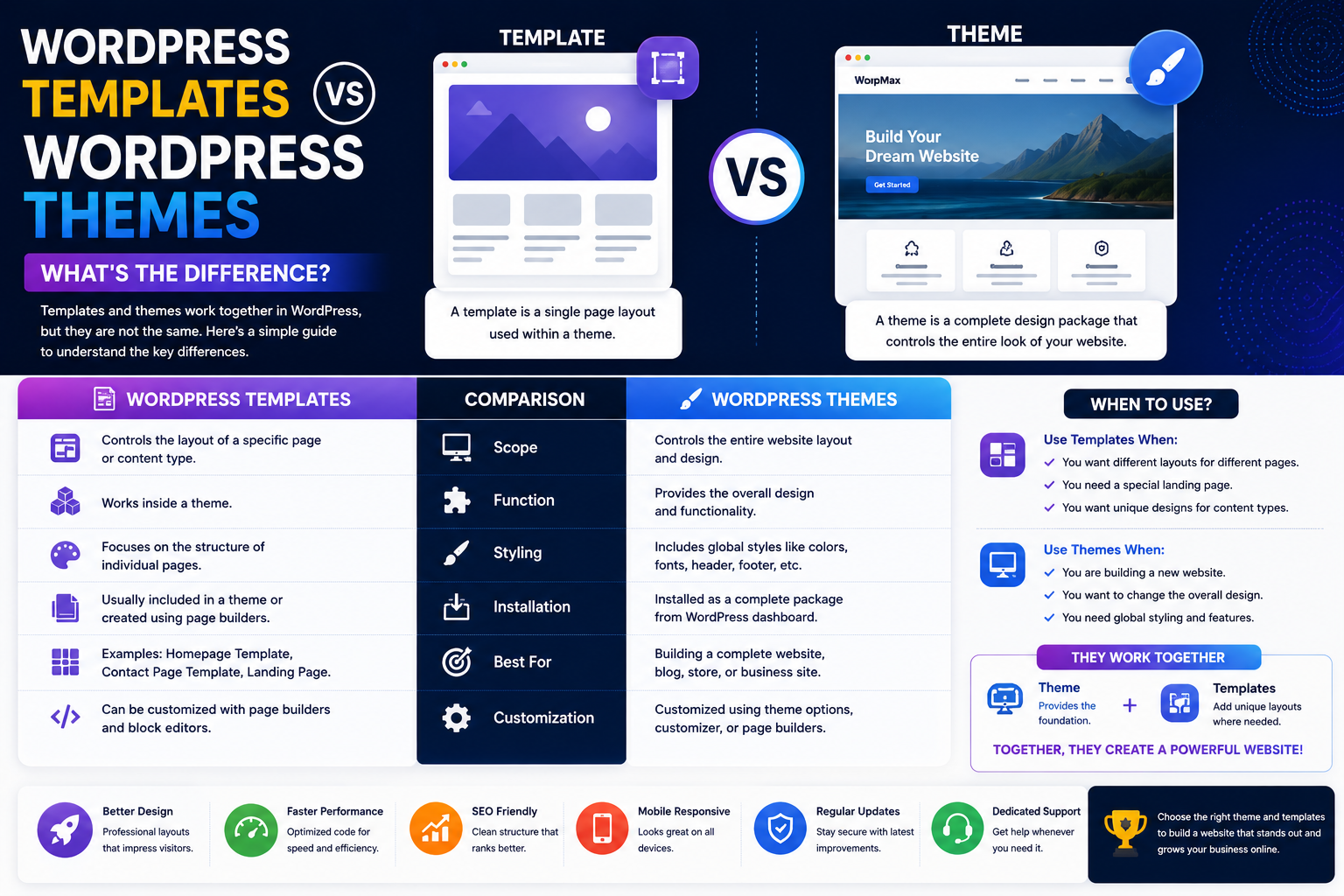
WordPress Templates vs WordPress Themes: What's the Difference?
If you're new to WordPress, you've probably come across the terms WordPress template and WordPress theme. They are often used interchangeably, which can make things confusing for beginners.
Although they're closely related, templates and themes are not exactly the same. Understanding the difference can help you choose the right design solution, customize your website more effectively, and make better purchasing decisions.
Whether you're building a blog, business website, portfolio, or WooCommerce store, knowing how templates and themes work together will save you time and help you create a better website.
In this guide, we'll explain the differences, compare their features, and help you decide which option best suits your needs.
What Is a WordPress Theme?
A WordPress theme is a complete design package that controls the overall appearance and layout of your website.
A typical theme includes:
Website styling
Header and footer layouts
Typography
Color schemes
Page layouts
Blog layouts
Widget areas
Theme options
Think of a theme as the foundation of your website's design.
What Is a WordPress Template?
A WordPress template is an individual layout used by a theme to display specific pages or types of content.
Templates can control layouts for:
Home pages
Blog posts
Contact pages
Landing pages
Archive pages
Category pages
Product pages
Portfolio pages
Templates work inside a WordPress theme rather than replacing it.
Key Differences
Feature
WordPress Theme
WordPress Template
Controls entire website
✅
❌
Controls individual pages
❌
✅
Includes styling
✅
Partial
Can contain multiple templates
✅
❌
Installed separately
✅
Usually included in a theme
Best for
Overall website design
Specific page layouts
When Should You Choose a Theme?
Choose a complete WordPress theme if you are:
Launching a new website
Rebranding an existing website
Building a business website
Creating a WooCommerce store
Designing a portfolio
Starting a blog
A theme provides everything needed to establish your website's overall look and functionality.
When Are Templates Useful?
Templates are ideal when you want different layouts for different sections of your website.
For example:
A custom homepage
A landing page for advertising campaigns
A full-width service page
A dedicated product page
A portfolio showcase
Using specialized templates allows you to create unique experiences without changing your entire theme.
Benefits of Modern WordPress Themes
Modern themes typically include:
Responsive design
SEO-friendly code
WooCommerce compatibility
Page builder integration
Custom widgets
Theme customization panels
Fast performance
Regular updates
These features make it easier to build professional websites.
Benefits of Using Multiple Templates
Templates provide greater flexibility by allowing different page designs across your website.
Examples include:
Homepage
About page
Service page
Pricing page
Contact page
Landing pages
Blog layouts
Product layouts
Different layouts improve user experience for different types of content.
Common Mistakes
Avoid these common misconceptions:
Thinking templates replace themes
Choosing a theme based only on appearance
Ignoring mobile responsiveness
Forgetting plugin compatibility
Installing poorly maintained themes
Understanding the relationship between themes and templates helps avoid unnecessary redesigns.
Best Practices
To build a successful website:
Choose a well-maintained theme.
Use templates only where needed.
Keep themes updated.
Test page layouts on mobile devices.
Optimize performance.
Maintain consistent branding across all templates.
These practices improve usability and long-term maintainability.
Final Thoughts
WordPress themes and templates work together rather than competing with each other.
A theme controls the overall appearance of your website, while templates allow individual pages to have unique layouts tailored to specific goals.
Understanding this difference makes it easier to choose the right products, customize your website efficiently, and create a professional user experience.
Whether you're building your first website or redesigning an existing one, selecting a quality theme and using templates strategically will help you create a faster, more engaging, and more successful WordPress website.
Frequently Asked Questions
Are WordPress themes and templates the same?
No. A theme controls the overall website design, while templates define layouts for individual pages within a theme.
Can one WordPress theme include multiple templates?
Yes. Most modern themes include multiple templates for different page types.
Can I change templates without changing my theme?
Yes. Many themes allow you to assign different templates to individual pages.
Which is more important: the theme or the template?
Both are important. The theme provides the site's foundation, while templates customize the experience for specific pages.
Are premium themes better than free themes?
Premium themes often provide better support, more features, regular updates, and advanced customization options.
Comments (0)