
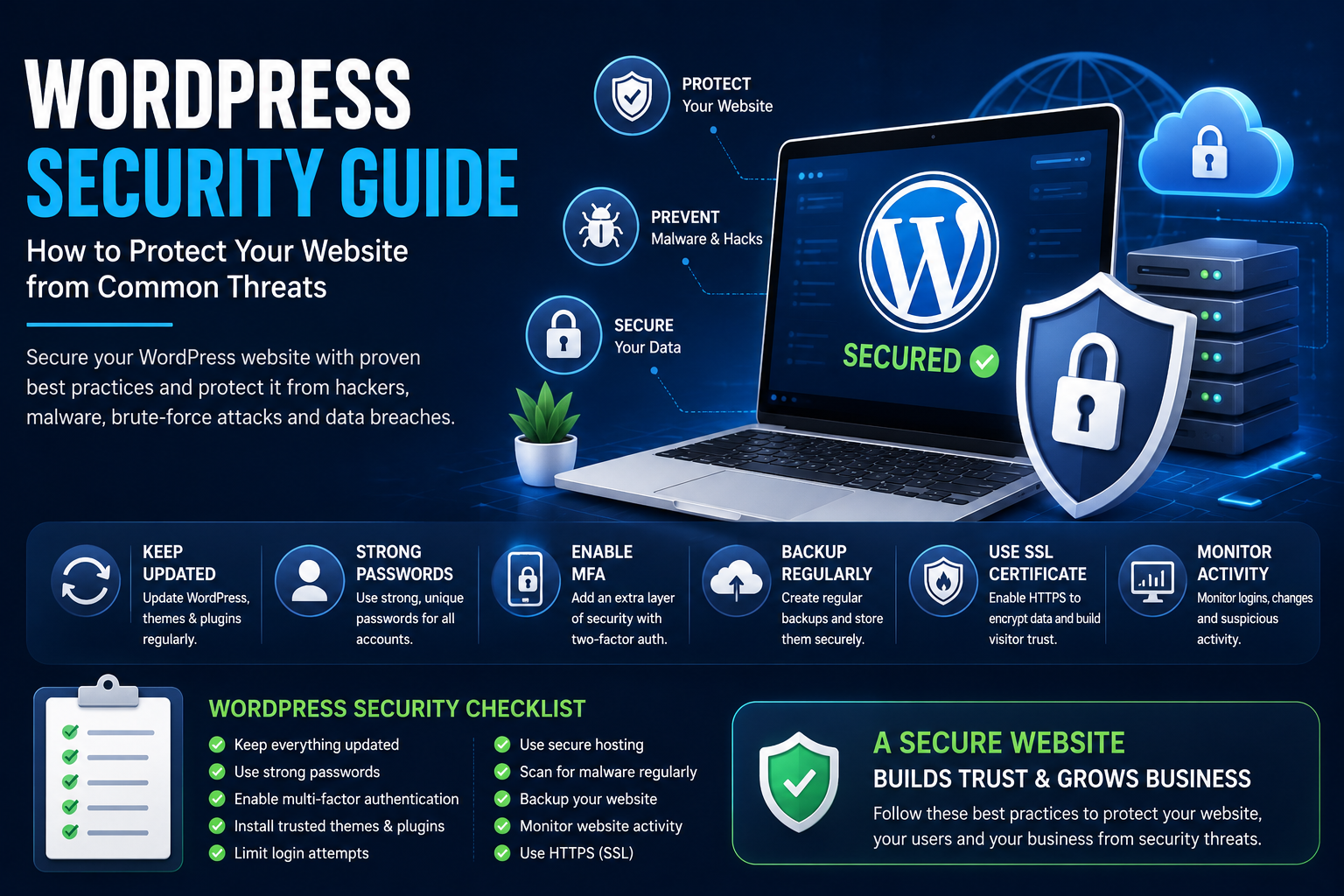
WordPress Security Guide: How to Protect Your Website from Common Threats
Introduction
WordPress is the world's most popular content management system, powering millions of websites ranging from personal blogs to enterprise applications. Its popularity makes it an attractive target for cybercriminals seeking to exploit vulnerable websites through malware, brute-force attacks, phishing campaigns, and unauthorized access.
The good news is that securing a WordPress website doesn't require advanced cybersecurity expertise. By following proven best practices and maintaining your website regularly, you can dramatically reduce security risks and create a safer experience for both you and your visitors.
This guide explains the most important WordPress security concepts and provides practical recommendations that every website owner should understand.
Why WordPress Security Matters
Website security protects far more than your website files.
A secure WordPress website helps you:
Protect customer information
Prevent malware infections
Reduce downtime
Protect your business reputation
Improve customer trust
Maintain search engine visibility
Avoid unnecessary recovery costs
Security should be considered part of regular website maintenance rather than something addressed only after an incident occurs.
Common WordPress Security Threats
Understanding common threats helps you take preventive action.
Some of the most common attacks include:
Brute-force login attacks
Malware infections
SQL injection
Cross-Site Scripting (XSS)
Cross-Site Request Forgery (CSRF)
Phishing attacks
Spam bots
Unauthorized administrator access
File inclusion attacks
Each of these threats targets different weaknesses, making a layered security approach essential.
Keep WordPress Updated
Outdated software is one of the leading causes of website vulnerabilities.
Regularly update:
WordPress Core
Installed themes
Installed plugins
PHP version
Server software
Updates frequently include important security patches that help protect your website from newly discovered vulnerabilities.
Use Strong Login Credentials
Administrator accounts are frequent targets for attackers.
To improve login security:
Use long, unique passwords.
Avoid common usernames like "admin."
Change passwords periodically.
Use password managers to generate and store secure passwords.
Strong credentials significantly reduce the risk of unauthorized access.
Enable Multi-Factor Authentication (MFA)
Multi-Factor Authentication adds an additional verification step during login.
Benefits include:
Stronger account protection
Reduced password-based attacks
Better administrator security
Increased confidence when managing your website
Even if a password is compromised, MFA makes unauthorized access much more difficult.
Install Trusted Themes and Plugins
Not all WordPress extensions follow the same quality standards.
Before installing any plugin or theme:
Verify the developer's reputation.
Review recent updates.
Check compatibility with your WordPress version.
Read user reviews.
Remove unused extensions.
Using trusted software helps reduce unnecessary security risks.
Secure Your Hosting Environment
Website security begins with reliable hosting.
Look for hosting providers that offer:
Web application firewalls
Malware scanning
Automatic backups
DDoS protection
Server monitoring
Secure infrastructure
A secure hosting environment provides an important first layer of defense.
Protect Against Malware
Malware can compromise website functionality, steal information, and damage your reputation.
Good security habits include:
Regular malware scans
File integrity monitoring
Reviewing suspicious activity
Removing infected files promptly
Early detection helps minimize damage.
Backup Your Website Regularly
Backups are essential for recovering from unexpected incidents.
Include backups of:
Website files
Database
Media uploads
Configuration files
Store backups securely and maintain multiple copies whenever practical.
Use HTTPS and SSL Certificates
HTTPS encrypts communication between visitors and your website.
Benefits include:
Secure data transmission
Increased visitor confidence
Better browser compatibility
Improved overall website trust
Every modern website should use HTTPS.
Limit Login Attempts
Unlimited login attempts make brute-force attacks easier.
Limiting login attempts helps:
Reduce automated attacks
Protect administrator accounts
Lower server resource usage
Improve overall security
This simple measure provides an additional layer of protection.
Monitor Website Activity
Continuous monitoring helps identify unusual behavior before it becomes a serious problem.
Regularly review:
Login history
Administrator activity
File modifications
Plugin installations
Security notifications
Monitoring supports faster detection and response.
Improve File and Database Security
Protecting your files and database strengthens your overall security posture.
Recommended practices include:
Restrict unnecessary file permissions.
Secure sensitive configuration files.
Use strong database credentials.
Remove unused user accounts.
Limit administrator access.
Reducing unnecessary exposure lowers potential attack surfaces.
WordPress Security Best Practices
Maintain good security habits by:
Updating WordPress regularly.
Using strong passwords.
Enabling Multi-Factor Authentication.
Performing regular backups.
Removing unused plugins and themes.
Monitoring website activity.
Using HTTPS.
Choosing reliable hosting.
Reviewing user permissions periodically.
Security is most effective when applied consistently.
Common Security Mistakes to Avoid
Avoid these common errors:
Ignoring software updates
Using weak passwords
Installing software from unknown sources
Forgetting website backups
Leaving unused plugins active
Granting unnecessary administrator access
Simple oversights can create significant vulnerabilities.
Final Thoughts
Protecting a WordPress website requires continuous attention rather than a one-time setup. By keeping WordPress updated, using strong authentication, choosing trusted themes and plugins, maintaining regular backups, and monitoring website activity, you can significantly reduce security risks and create a safer experience for your visitors.
A proactive approach to website security not only protects your data but also helps maintain customer trust, improve website reliability, and support long-term business growth.
Frequently Asked Questions
Is WordPress secure?
Yes. WordPress is considered secure when it is properly maintained and follows recommended security practices.
How often should I update WordPress?
Updates should be installed promptly after confirming compatibility with your website.
Why are backups important?
Backups allow you to restore your website after malware infections, hardware failures, accidental changes, or other unexpected issues.
Does HTTPS improve security?
Yes. HTTPS encrypts communication between your website and visitors, protecting sensitive information during transmission.
Do security plugins replace good security practices?
No. Security plugins can strengthen protection, but they work best alongside regular updates, strong passwords, secure hosting, backups, and ongoing monitoring.
Comments (0)