
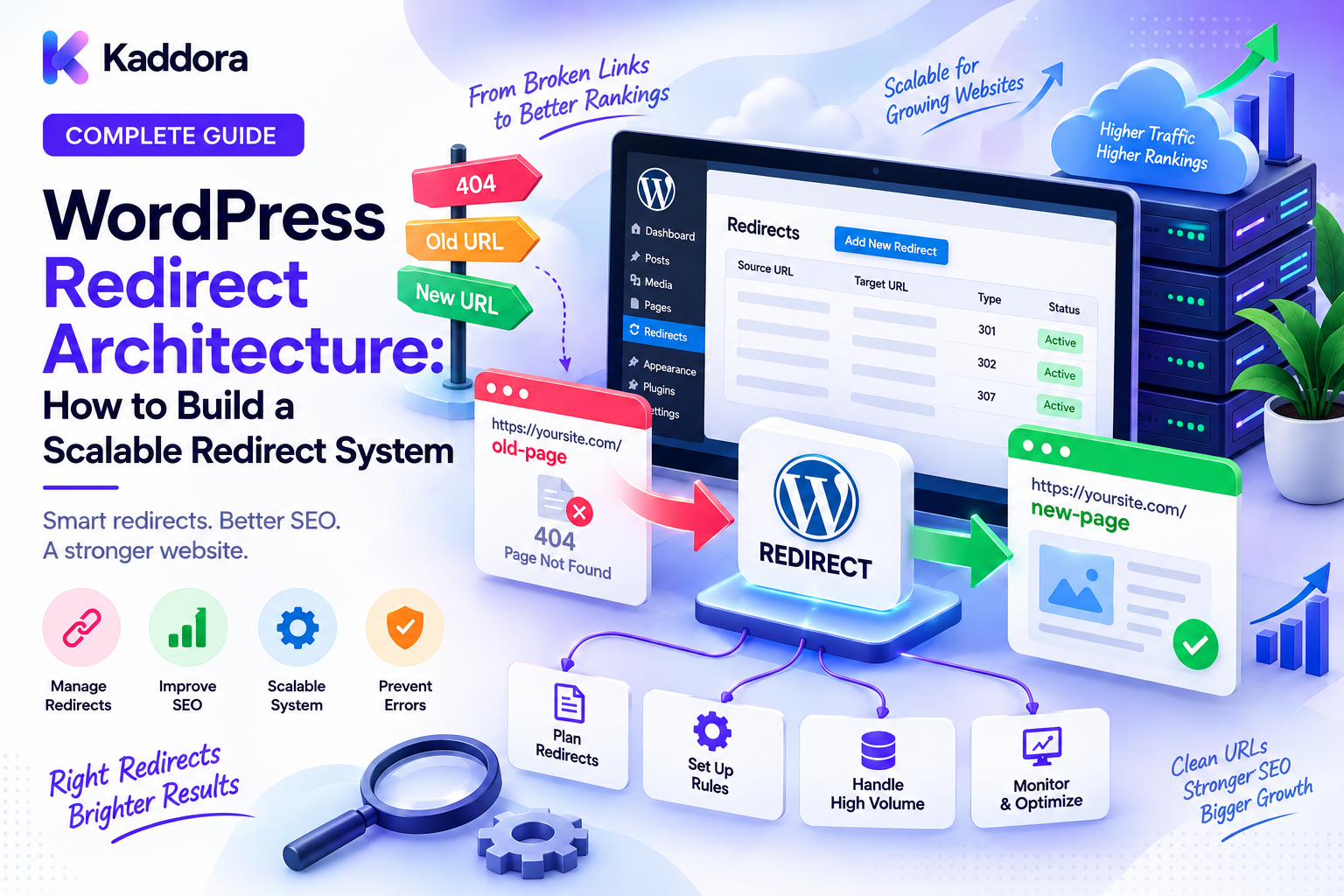
WordPress Redirect Architecture Explained: How to Build a Scalable Redirect System
Introduction
URLs are one of the most important structural elements of a website.
When a page moves, a product changes its URL, a site migrates to HTTPS, a domain changes, or old content is consolidated, visitors and search engines still need to understand where the original resource went.
That is where redirects come into play.
A redirect tells a browser, crawler, or other client that a requested URL should be accessed through another URL.
For small websites, a few redirects may be enough.
For large WordPress websites, however, redirect management can become a serious architectural concern.
A website may have thousands of historical URLs generated by:
Content migrations
Slug changes
Product changes
Category changes
Domain migrations
HTTP-to-HTTPS migrations
Site redesigns
Plugin changes
Deleted content
Multilingual structures
Marketing campaigns
Without a clear strategy, these redirects can become difficult to manage and may result in chains, loops, conflicts, poor performance, or incorrect destinations.
This guide explains WordPress redirect architecture, the different redirect types, where redirects can be implemented, how to organize redirect rules, and how to build a scalable system that protects usability and search visibility.
What Is WordPress Redirect Architecture?
WordPress redirect architecture is the system used to define, process, organize, and maintain URL redirects across a WordPress website.
A basic redirect relationship looks like:
Old URL ↓ Redirect Rule ↓ Final URL
For example:
/example-old-page/ ↓ /example-new-page/
A good redirect architecture goes beyond simply creating redirects.
It defines:
Where redirects are stored
Which redirect layer handles them
Which redirect type should be used
How rules are prioritized
How conflicts are avoided
How redirects are monitored
How old URLs are migrated
How redirects are retired
This becomes especially important on enterprise WordPress websites with large numbers of URLs.
Why Is Redirect Architecture Important?
Redirects affect several areas of website performance and SEO.
A well-designed redirect system can help:
Preserve useful URL paths
Guide users to the correct destination
Support website migrations
Prevent broken links
Preserve established URL relationships
Simplify content consolidation
Reduce unnecessary 404 errors
Improve long-term URL management
Poor redirect architecture can create the opposite problems.
For example:
URL A ↓ URL B ↓ URL C ↓ URL D
This is a redirect chain.
A cleaner architecture is:
URL A ↓ URL D
The objective is always to send the requester to the intended final destination as directly as practical.
Understanding Redirect Status Codes
Different redirects communicate different intentions.
301 Redirect
A 301 indicates that a resource has been permanently moved.
Typical use cases include:
Permanent URL changes
Site migrations
Domain migrations
HTTP-to-HTTPS migration
Permanent content consolidation
Example:
/old-url/ ↓ 301 /new-url/
308 Redirect
A 308 also indicates a permanent redirect while preserving the HTTP method semantics.
It can be useful in systems where preserving the request method matters.
For most conventional WordPress page migrations, 301 redirects remain common, but the correct choice depends on the application behavior.
302 Redirect
A 302 generally indicates a temporary redirect.
Typical uses include:
Temporary campaigns
Temporary maintenance routing
Short-lived tests
Temporary availability changes
Do not use a temporary redirect when the URL has actually moved permanently.
307 Redirect
A 307 is a temporary redirect that preserves the HTTP method semantics.
Like 302, it should be used when the redirect is temporary rather than permanent.
303 Redirect
A 303 indicates that the client should retrieve the target resource using a GET request.
It is more commonly associated with application workflow patterns than with ordinary SEO URL migrations.
The Core Principle: Every Redirect Should Have One Final Destination
A strong redirect architecture follows a simple rule:
Redirect users directly to the final canonical URL whenever possible.
Instead of:
old-page ↓ old-page-2 ↓ new-page
Prefer:
old-page ↓ new-page
This makes the redirect graph easier to understand and reduces unnecessary hops.
For large websites, redirect chains can become difficult to discover unless they are regularly audited.
Where Can WordPress Redirects Be Implemented?
Redirects can exist at multiple layers.
1. WordPress Application Layer
Redirects can be handled within WordPress itself.
This can be convenient for:
Content managers
Editors
Plugin-based redirect systems
Content-specific rules
However, application-level redirects may require WordPress to initialize before the redirect can happen.
2. Web Server Layer
Redirects can also be implemented at the server level.
Common environments include:
Apache
Nginx
Server-level redirects can be useful because they can happen before the WordPress application loads.
This can improve efficiency for large redirect inventories.
3. CDN or Edge Layer
Modern websites may also manage redirects at the edge.
An edge redirect can happen before the request reaches the origin server.
This can be especially useful for:
Large URL migrations
Global traffic
Domain migrations
High-volume redirect rules
Build a Single Source of Truth
One of the most common redirect problems is having redirect rules scattered across multiple systems.
For example:
Plugin + .htaccess + Nginx + CDN + Custom PHP
If every layer contains overlapping rules, troubleshooting becomes difficult.
A better architecture defines ownership.
For example:
Redirect Inventory ↓ Primary Redirect System ↓ Server / Edge Implementation
There may still be multiple layers, but each should have a clearly defined purpose.
Create a Redirect Mapping
For large URL migrations, maintain a structured redirect map.
Example:
Old URL
New URL
Status
Reason
/old-product/
/products/new-product/
301
Slug change
/legacy-page/
/services/example/
301
Content migration
/temporary-sale/
/sale/
302
Temporary campaign
A redirect inventory makes it easier to:
Review changes
Import rules
Detect duplicates
Identify conflicts
Audit old URLs
Handle URL Changes Systematically
Redirect architecture should account for common WordPress URL changes.
Slug Changes
/blog-old/ ↓ /blog-new/
Create a direct permanent redirect when the resource has permanently moved.
HTTP to HTTPS
http://example.com ↓ https://example.com
Ensure the destination is the canonical HTTPS version.
Avoid creating multiple protocol and hostname hops.
WWW and Non-WWW
Choose a canonical hostname strategy.
For example:
www.example.com ↓ example.com
The important point is consistency.
Domain Migration
A domain migration may look like:
oldsite.com/page-a ↓ newsite.com/page-a
Large migrations require URL-by-URL planning rather than relying solely on a broad domain rule.
Content Consolidation
Suppose several related pages are merged:
/page-a/ /page-b/
into:
/complete-guide/
Both old URLs may redirect directly to the new destination when appropriate.
Avoid Redirecting Everything to the Homepage
This is a common migration mistake.
For example:
500 old URLs ↓ homepage
A homepage is usually not a meaningful replacement for unrelated content.
Instead:
Old article → Relevant article Old product → Replacement product Old category → Equivalent category Truly obsolete URL → Appropriate 404/410 handling
The destination should make contextual sense.
Preserve Query Parameters Carefully
Some URLs contain query parameters:
/product/?ref=email
Not every parameter should automatically be preserved.
Different parameters can represent:
Tracking information
Filters
Sorting
Search queries
Application state
Redirect rules should intentionally determine what happens to those parameters.
Blindly copying every parameter can create duplicate or unnecessary URLs.
Regex Redirects: Powerful but Dangerous
Regex rules can simplify large migrations.
For example:
/blog/(.*) ↓ /resources/$1
This can replace hundreds of individual rules.
However, poorly designed regex rules can also cause unexpected redirects.
Always test:
Normal paths
Edge cases
Nested paths
Query strings
Unexpected characters
Already redirected URLs
Regex should reduce complexity, not create it.
Redirect Priority Matters
When several rules could match the same URL, rule ordering can affect the result.
For example:
/general-rule ↓ specific-rule
A broad rule might capture requests before a more specific rule gets a chance.
A good architecture generally places:
Specific rules
More targeted patterns
Broader fallback rules
This minimizes unexpected behavior.
Prevent Redirect Loops
A redirect loop occurs when URLs keep sending requests back to one another.
Example:
/page-a/ ↓ /page-b/ ↓ /page-a/
This can make the page inaccessible.
Redirect loops can be caused by:
Conflicting rules
Plugin settings
HTTPS configuration
Canonicalization rules
Reverse proxy configuration
CDN rules
Server redirects
Always test both directions when changing related URL rules.
Prevent Redirect Chains
Chains often appear after multiple migrations.
Example:
old-url ↓ previous-url ↓ current-url
Instead, update the original rule:
old-url ↓ current-url
Maintain a system where historical URLs ultimately point directly to the current destination.
Redirects and SEO
Redirect architecture should support a consistent canonical URL strategy.
Think of the system as:
Historical URLs ↓ Redirect layer ↓ Canonical URLs ↓ Indexable content
This creates a cleaner URL ecosystem.
Redirects should complement, not replace:
Canonical tags
XML sitemaps
Internal links
Robots directives
Content architecture
Redirects and Internal Links
Redirects should not become a substitute for updating internal links.
If your website contains:
Internal Link ↓ Old URL ↓ Redirect ↓ New URL
the better architecture is:
Internal Link ↓ New URL
This avoids unnecessary redirect requests.
During migrations, update internal links wherever practical.
Redirect Security
Redirect systems can introduce security problems.
One important risk is an open redirect, where attackers manipulate a website so that a trusted domain redirects visitors to an untrusted destination.
Avoid patterns such as:
/example/?redirect=https://attacker.example
unless destination URLs are properly validated.
Never trust arbitrary redirect targets supplied by users.
For application-driven redirects:
Validate destinations
Restrict allowed hosts
Avoid untrusted URL injection
Review redirect parameters
Log suspicious behavior
Redirect Performance
A redirect adds another request-response step.
Therefore:
Request ↓ Redirect ↓ Destination
is preferable to:
Request ↓ Redirect ↓ Redirect ↓ Redirect ↓ Destination
For large redirect inventories, server or edge-level handling may be more efficient than loading the entire WordPress stack for every redirect.
The best architecture depends on hosting and infrastructure.
Redirect Management During Website Migration
A safe migration process can look like this:
Step 1: Inventory Existing URLs
Export important URLs from the old website.
Step 2: Define New URLs
Determine the final structure.
Step 3: Build Redirect Mapping
Map old URLs to their final destinations.
Step 4: Classify Redirects
Separate:
Permanent changes
Temporary changes
Deleted content
Unchanged URLs
Step 5: Test on Staging
Validate the migration before production.
Step 6: Deploy Redirects
Publish the redirect rules.
Step 7: Update Internal Links
Point internal navigation directly to final URLs.
Step 8: Monitor
Review errors, chains, loops, and traffic patterns after launch.
Automated Redirect Management
For large websites, manual redirect creation may not scale.
A redirect management system can provide:
Central redirect inventory
Search and filtering
Bulk import
Bulk editing
Redirect status tracking
Conflict detection
Chain detection
Loop detection
Expiration dates
Audit logs
A database-backed redirect registry might look like:
redirect_id source_url destination_url status_code pattern_type priority enabled created_at updated_at
The exact schema should reflect the application's requirements.
Using AI for Redirect Management
AI can assist with migration analysis.
For example, an AI-assisted system could suggest:
Old URL ↓ Analyze content ↓ Compare candidate pages ↓ Recommend destination
AI can also help identify:
Similar URLs
Possible content replacements
Duplicate redirect rules
Migration patterns
Potential conflicts
However, redirect decisions should remain reviewable.
Automatically creating thousands of redirects without validation can produce incorrect mappings at scale.
Redirect Monitoring and Auditing
Redirect architecture should be monitored continuously.
Track:
Redirect volume
Status codes
Chains
Loops
Broken destinations
Unexpected redirects
High-frequency legacy URLs
404 responses
A redirect report can help identify problems before they become significant.
Common WordPress Redirect Mistakes
Using the Wrong Status Code
Don't use temporary redirects for permanent migrations.
Creating Long Chains
Always prefer direct final destinations.
Creating Loops
Test related rules together.
Scattering Rules Everywhere
Define ownership and system boundaries.
Redirecting Everything to the Homepage
Choose relevant destinations instead.
Ignoring Internal Links
Update links rather than relying on redirects forever.
Using Broad Regex Without Testing
Unexpected URLs may be redirected incorrectly.
Forgetting Security
Validate redirect destinations in application-driven systems.
Never Reviewing Old Rules
Redirect inventories can become outdated over time.
WordPress Redirect Architecture Checklist
Planning
Define canonical URL structure
Create redirect inventory
Identify migration requirements
Define redirect ownership
Implementation
Use appropriate status codes
Avoid duplicate rules
Avoid redirect chains
Prevent redirect loops
Test regex rules
SEO
Update internal links
Review canonical URLs
Update XML sitemaps
Monitor indexing signals
Review important legacy URLs
Security
Validate redirect targets
Prevent open redirects
Review user-controlled redirect parameters
Restrict unsafe destinations
Monitoring
Track redirect errors
Detect chains
Detect loops
Check destination availability
Review redirect logs
Recommended WordPress Redirect Architecture
A scalable architecture can look like:
Incoming Request │ ▼ CDN / Edge Layer │ ┌─────────┴─────────┐ │ │ Redirect Match Normal Request │ │ ▼ ▼ Final URL Web Server │ ▼ WordPress │ ▼ Application
The goal is to place high-volume, simple redirect rules as close to the edge as practical while keeping content-specific logic manageable.
For complex systems, maintain a centralized redirect inventory even if rules are ultimately distributed across infrastructure layers.
Why Choose ThemeKaddora?
At ThemeKaddora, modern WordPress products should be built with scalable architecture in mind.
Themes, plugins, templates, WooCommerce solutions, and business-focused WordPress products can all benefit from strong URL structures, predictable routing, compatibility, performance optimization, and maintainable redirect logic.
Whether you're developing a new website, migrating an existing platform, or managing a growing WordPress ecosystem, redirect architecture is an important part of long-term website maintenance.
A strong foundation helps ensure that URL changes remain manageable as the website grows.
Conclusion
WordPress redirect architecture is more than adding a few 301 rules.
It is a system for managing how old, moved, temporary, and transformed URLs connect to their intended destinations.
A strong redirect architecture should:
Use the correct redirect type
Send URLs directly to final destinations
Avoid chains and loops
Define clear rule ownership
Protect against open redirects
Support migrations
Update internal links
Monitor historical URLs
Scale with website growth
The most important principle is simple:
A redirect should have a clear purpose and a clear final destination.
For small websites, a simple redirect solution may be enough.
For large WordPress websites, migrations, WooCommerce stores, agencies, and enterprise platforms, redirect architecture should be treated as part of the overall technical SEO and application architecture.
When redirects are planned properly, URL changes become safer, migrations become more predictable, and the website maintains a cleaner relationship between historical URLs and current content.
Frequently Asked Questions
What is WordPress redirect architecture?
WordPress redirect architecture is the structured system used to create, organize, process, monitor, and maintain URL redirects across a WordPress website.
What is a 301 redirect?
A 301 redirect indicates that a URL has moved permanently and is commonly used for permanent URL changes and migrations.
What is the difference between 301 and 302 redirects?
A 301 is generally used for permanent moves, while a 302 is generally used for temporary changes.
What is a redirect chain?
A redirect chain occurs when one redirect points to another redirect before reaching the final destination.
What is a redirect loop?
A redirect loop occurs when redirect rules repeatedly send requests between URLs without reaching a final destination.
Should redirects point to the homepage?
Usually not. Redirects should normally point to the most relevant final destination. Unrelated old URLs may be better handled with an appropriate not-found response.
Can WordPress redirects affect SEO?
Yes. Redirect configuration can affect how users and search engines reach moved URLs, so incorrect chains, loops, or irrelevant destinations can create technical problems.
Should I update internal links after creating redirects?
Yes. Internal links should point directly to the current URL whenever practical instead of unnecessarily passing through redirects.
Where should WordPress redirects be handled?
Depending on the website, redirects can be handled at the CDN, web server, or WordPress application layer. High-volume simple redirects may benefit from being handled earlier in the request path.
Can AI automate WordPress redirects?
AI can help suggest mappings, detect patterns, and identify possible redirect problems, but large-scale redirect changes should be validated before deployment.
What is an open redirect?
An open redirect is a vulnerability where an application can be abused to send visitors from a trusted website to an untrusted destination.
Why is redirect architecture important for large WordPress websites?
Large websites may have thousands of historical URLs and frequent structural changes, making centralized redirect management important for maintainability, migrations, performance, and technical SEO.
Why choose Themekaddora?
Themekaddora provides lightweight, responsive, SEO-friendly WordPress themes with fast performance, WooCommerce compatibility, flexible customization, accessibility-conscious design, modern templates, regular updates, and professional support—providing a strong foundation for businesses building digital products and product-focused websites.
Comments (0)