
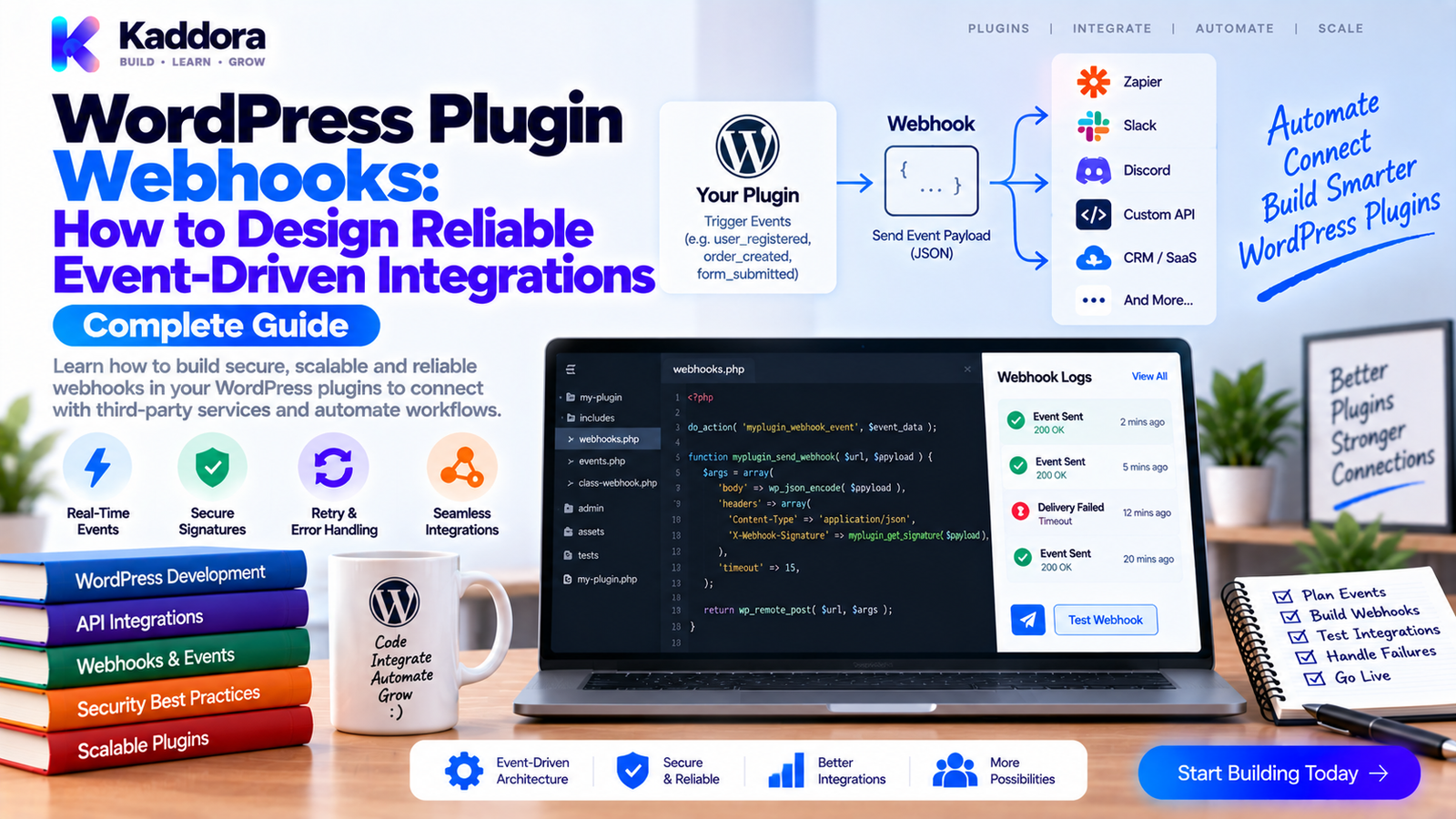
WordPress Plugin Webhooks: How to Design Reliable Event-Driven Integrations
Introduction
Modern WordPress plugins rarely operate alone.
A plugin may need to communicate with:
CRMs
Payment systems
Email platforms
Analytics tools
AI services
Marketing platforms
SaaS applications
Internal business systems
One common integration method is to repeatedly ask an external system whether something has changed.
That approach can create unnecessary requests.
Webhooks provide another option.
A webhook allows one system to notify another when a specific event occurs.
For example:
WordPress ↓ Order Completed ↓ Plugin Event ↓ Webhook ↓ External CRM
Instead of constantly polling WordPress for changes, the receiving system gets a notification when something important happens.
However, a webhook is more than an HTTP request.
A reliable webhook system needs to consider:
Event design
Payload structure
Authentication
Signatures
Retries
Idempotency
Timeouts
Delivery status
Duplicate events
Failure handling
Sensitive data
Versioning
In this guide, you'll learn how to design WordPress plugin webhooks that are secure, predictable, observable, and easier to maintain.
What Is a WordPress Plugin Webhook?
A webhook is an HTTP-based notification triggered by an event.
For example:
Event: customer.created ↓ Webhook Payload ↓ POST /external-endpoint ↓ External Application
A webhook usually represents:
Something happened.
An API request usually represents:
Please do something.
This distinction can help developers choose the right integration model.
Webhook vs REST API
The two technologies often work together.
REST API
The client actively requests data or performs an operation.
Client ↓ Request ↓ WordPress API ↓ Response
Webhook
The event producer pushes a notification.
WordPress Event ↓ Webhook ↓ External System
A common architecture combines both:
Webhook ↓ "Order updated" ↓ External System ↓ REST API ↓ Fetch complete order data
This keeps webhook messages small while allowing receivers to retrieve additional information when required.
Why Should WordPress Plugins Use Webhooks?
Webhooks are useful when other systems need near-real-time notification.
Examples include:
New customer created
Order completed
Subscription changed
Form submitted
Booking confirmed
Payment status changed
AI processing completed
Report generated
Potential benefits include:
Faster integrations
Reduced polling
Near-real-time events
Simpler automation
Better system coordination
But reliability depends heavily on implementation quality.
Design the Event Before Designing the HTTP Request
Don't begin with:
POST /webhook
Begin with:
What happened?
For example:
customer.created customer.updated order.completed order.refunded subscription.cancelled
Event names should be:
Predictable
Specific
Stable
Easy to understand
Avoid vague events such as:
something_changed update data_event
Clear event names make integrations much easier to build.
Create a Standard Webhook Envelope
A consistent payload structure can simplify integrations.
For example:
{ "id": "evt_12345", "type": "customer.created", "version": 1, "created_at": "2026-09-15T10:30:00Z", "data": { "customer_id": 123 } }
Useful fields include:
Event ID
Event type
Schema version
Timestamp
Data
The exact structure depends on your product.
The important principle is consistency.
Use Stable Event IDs
Every webhook delivery should have an event identifier.
For example:
evt_01JXYZ...
The receiving system can use this value to detect duplicates.
This becomes important because webhook systems should generally assume that the same event may be delivered more than once.
Design for Idempotency
A receiver should be able to safely process a duplicate event.
For example:
Event: evt_123 First Delivery ↓ Processed ✓ Retry ↓ Same Event ID ↓ Already Processed ↓ Ignore Duplicate
Without idempotency, a retry might:
Create duplicate records
Send duplicate emails
Charge twice
Trigger duplicate automation
A practical receiver can store processed event IDs.
The exact storage mechanism depends on the receiving system.
Secure Webhook Requests
Webhooks should not rely only on knowing the destination URL.
An attacker who discovers an endpoint may attempt to send fake events.
A common pattern is request signing.
For example:
Payload ↓ Secret Key ↓ HMAC Signature ↓ HTTP Header ↓ Receiver Verifies Signature
For example, an implementation may use an HMAC construction such as:
signature = HMAC(secret, timestamp + "." + payload)
The exact algorithm and canonicalization rules should be documented.
Protect Against Replay Attacks
A valid signature alone may not prevent an attacker from replaying an old request.
Use a timestamp or equivalent freshness mechanism.
For example:
Webhook ↓ Timestamp ↓ Signature ↓ Freshness Check ↓ Process
The receiver can reject events that are too old according to its defined tolerance.
Pair this with event IDs and duplicate detection.
Don't Put Secrets in the URL
Avoid designs such as:
https://example.com/webhook?secret=my-secret
URLs may appear in:
Logs
Browser history
Proxy records
Monitoring systems
Use secure headers for authentication information where appropriate.
For example:
X-Webhook-Signature X-Webhook-Timestamp
The exact header names are implementation-specific.
Validate the Destination
When a WordPress plugin allows administrators to configure webhook URLs, validate the configured endpoint.
At minimum, consider:
URL syntax
Allowed schemes
HTTPS requirement for production use
Host restrictions where the product requires them
Redirect behavior
SSRF protections when the server performs arbitrary outbound requests
A webhook feature that lets users enter any URL can become a security boundary.
Protect Against SSRF Risks
Server-side webhook requests can potentially be abused to access internal resources.
For example, a malicious URL might target:
localhost 127.0.0.1 Private Network Cloud Metadata Endpoint
A plugin that supports arbitrary destinations should consider server-side request protections appropriate to its threat model.
Don't assume that validating the URL format alone makes outbound requests safe.
Set Reasonable Timeouts
A webhook sender should not wait indefinitely for the receiver.
For example:
Send Request ↓ Wait ↓ Timeout ↓ Delivery Failed
Use an appropriate timeout for the operation.
Short webhook timeouts encourage receiving applications to acknowledge quickly rather than performing heavy processing inside the HTTP request.
Prefer Fast Webhook Receivers
A good webhook receiver should generally:
Verify the request.
Validate the payload.
Record the event.
Return a response.
Process heavier work asynchronously when appropriate.
Conceptually:
Webhook ↓ Authenticate ↓ Validate ↓ Store Event ↓ 200 OK ↓ Background Processing
This reduces timeout-related failures.
Implement Retry Logic
Networks fail.
External systems fail.
Servers restart.
A webhook delivery system should expect failures.
A common retry pattern is:
Attempt 1 ↓ Failed ↓ Wait ↓ Attempt 2 ↓ Failed ↓ Wait Longer ↓ Attempt 3
Exponential backoff can reduce pressure on an unavailable receiver.
For example:
1 min ↓ 5 min ↓ 15 min ↓ 1 hour
The exact schedule should reflect the product's requirements.
Use a Maximum Retry Count
Retries should not continue forever.
For example:
Max Attempts: 6 6 Failures ↓ Mark Delivery Failed ↓ Alert / Review
The plugin can expose a manual retry mechanism for administrators where appropriate.
Record Webhook Delivery Status
A delivery record can contain:
Event ID: evt_123 Event: order.completed Destination: configured endpoint Status: failed HTTP: 503 Attempts: 3 Last Attempt: 2026-09-15
This helps developers and support teams determine what happened.
Build a Webhook Delivery Log
A dedicated delivery log can show:
Webhook Deliveries order.completed ✓ 200 customer.created ✓ 200 order.refunded ✗ 503 subscription.update ✓ 200
For failed requests, provide enough information to diagnose the problem without storing unnecessary sensitive payload data.
Don't Store Full Sensitive Payloads Indefinitely
Webhook payloads may contain:
Customer details
Email addresses
Order information
Internal identifiers
Business information
Consider storing only what is necessary for:
Troubleshooting
Retry
Audit
Operations
Define an appropriate retention policy.
Version Your Webhook Payloads
Webhook schemas evolve.
For example:
Version 1 { "customer_id": 123 } Version 2 { "customer_id": 123, "external_id": "C-123" }
Include a version indicator.
This lets receivers determine how to interpret the payload.
Avoid silently changing field meaning in an existing version.
Use Backward-Compatible Changes Where Possible
Safe changes may include:
Adding optional fields
Adding new event types
Adding metadata
Riskier changes include:
Removing required fields
Renaming fields
Changing data types
Changing field meaning
Treat webhook schemas like public APIs.
Once customers integrate with them, changing them casually can break third-party systems.
Design Incoming Webhooks Carefully
WordPress plugins can also receive webhooks.
For example:
External Service ↓ POST ↓ WordPress Endpoint ↓ Authentication ↓ Validation ↓ Plugin Service
Incoming webhook endpoints should verify:
Signature
Timestamp
Event ID
Payload structure
Authorization
Content type
Never trust the incoming request simply because it comes from a known URL.
Test Incoming Webhook Permissions
Important negative cases include:
Valid Signature ↓ Accepted Invalid Signature ↓ Rejected Expired Timestamp ↓ Rejected Duplicate Event ↓ Ignored / Safely Handled
Security and reliability tests should cover these scenarios.
Use WordPress HTTP APIs
For outgoing webhooks, WordPress provides HTTP APIs that can be used to send requests.
A simplified example:
$response = wp_safe_remote_post( $webhook_url, [ 'timeout' => 10, 'headers' => [ 'Content-Type' => 'application/json', ], 'body' => wp_json_encode( $payload ), ] );
When making outbound requests, also consider:
Authentication
Signature generation
Error handling
Timeouts
Redirect policy
SSRF protections
Response validation
Choose the request helper appropriate to the URL and security requirements.
Separate Webhook Creation From Delivery
Avoid making business logic responsible for the full HTTP delivery process.
Instead:
Business Event ↓ Event Dispatcher ↓ Webhook Queue / Delivery Service ↓ HTTP Client ↓ Destination
This keeps business logic cleaner.
For example:
$this->event_dispatcher->dispatch( 'order.completed', [ 'order_id' => $order_id, ] );
The delivery layer can then determine which configured endpoints need the event.
Support Multiple Webhook Destinations
Some plugins may need more than one endpoint.
For example:
order.completed ↓ ┌────┼────┐ ↓ ↓ ↓ CRM ERP Analytics
Each destination should have its own:
Configuration
Secret
Delivery status
Retry history
Enabled events
Don't treat all destinations as one shared failure domain.
Handle Partial Failures
Suppose three endpoints exist:
CRM ✓ ERP ✗ Analytics ✓
The plugin should not necessarily consider the entire event a failure.
Track delivery independently:
Event ├── CRM → Success ├── ERP → Failed └── Analytics → Success
This makes retries much more precise.
Prevent Duplicate Event Generation
Sometimes the same WordPress event can trigger multiple internal paths.
For example:
Order Event ↓ Action A ↓ Webhook Same Order Event ↓ Action B ↓ Webhook
Use appropriate event IDs and business rules to ensure that one logical event does not accidentally produce multiple identical deliveries.
Build Webhook Testing Into CI
Webhook functionality should be part of automated testing.
Test:
Payload structure
Signature generation
Signature verification
Event IDs
Duplicate handling
Timeout handling
Retry behavior
HTTP failures
Authentication
Invalid payloads
A useful flow is:
WordPress Event ↓ Create Payload ↓ Sign Payload ↓ Send Test Request ↓ Receiver Validates ↓ Expected Result
Use local test services or mocks rather than production webhook endpoints.
Add Webhook Observability
Webhook systems benefit from measurable signals.
Useful metrics include:
Delivery count
Success rate
Failure rate
Retry count
Average latency
HTTP status distribution
Permanently failed deliveries
For example:
Webhook Health ────────────────── Sent: 4,850 Success: 4,742 Failed: 108 Retries: 190 Avg latency: 290 ms
This can reveal problems before customers report them.
Webhooks for WooCommerce
WooCommerce plugins commonly need event-driven integrations.
Examples include:
Order Created ↓ Webhook ↓ ERP Order Completed ↓ Webhook ↓ CRM Refund Created ↓ Webhook ↓ Accounting
Design each event around a clear business meaning.
Avoid exposing raw internal database structures as the webhook contract.
Webhooks for AI and Automation Plugins
AI-powered WordPress products may use webhooks to notify external systems when processing finishes.
For example:
AI Job Started ↓ Background Processing ↓ AI Provider ↓ Result ↓ Webhook ↓ External Automation
Useful events might include:
ai.job.started ai.job.completed ai.job.failed
Payloads should contain enough information for the receiving system without unnecessarily exposing the full AI prompt or response.
Common WordPress Webhook Mistakes
No Signature Verification
Anyone who discovers the endpoint may attempt to send fake events.
No Idempotency
Retries can create duplicate business operations.
Infinite Retries
A permanently unavailable endpoint can consume resources indefinitely.
Very Long Timeouts
Slow receivers can block application workflows.
Full Payload Logging
Sensitive data may remain in logs unnecessarily.
No Event Version
Schema changes become difficult to manage.
One Failure Blocks All Destinations
Independent webhook endpoints should generally have independent delivery states.
Business Logic Sends HTTP Directly
Coupling application behavior to network delivery makes the code harder to maintain.
No Replay Protection
Old valid requests may be accepted again.
No Delivery Visibility
Without logs and status information, troubleshooting becomes guesswork.
WordPress Plugin Webhook Checklist
Event Design
Clear event names
Stable event IDs
Versioned payloads
Consistent envelope
Documented schema
Security
HTTPS
Request signing
Timestamp validation
Replay protection
SSRF controls
Secret protection
Reliability
Timeouts
Retries
Exponential backoff
Maximum attempts
Idempotency
Partial failure handling
Operations
Delivery logs
Status tracking
Manual retry
Failure reporting
Useful metrics
Retention policy
Testing
Payload tests
Signature tests
Duplicate-event tests
Failure tests
Retry tests
Incoming webhook tests
Integration tests
Recommended WordPress Plugin Webhook Architecture
WordPress Event ↓ Event Dispatcher ↓ Webhook Event Store ↓ Delivery Manager ↓ ┌────────────────┼────────────────┐ ↓ ↓ ↓ CRM ERP Analytics ↓ ↓ ↓ HTTP Request HTTP Request HTTP Request ↓ ↓ ↓ Success/Retry Success/Retry Success/Retry └────────────────┼────────────────┘ ↓ Delivery Metrics
For incoming events:
External System ↓ HTTPS Webhook ↓ Authentication ↓ Signature Verification ↓ Timestamp / Replay Check ↓ Schema Validation ↓ Event Store ↓ Background Processing ↓ Plugin Service
This keeps network concerns separated from application logic.
AI-Assisted Webhook Development
AI can help developers with:
Designing event names
Drafting payload schemas
Generating validation code
Creating signature tests
Producing retry logic scaffolding
Reviewing webhook security
Generating documentation
Analyzing delivery failures
For example:
Business Requirement ↓ AI-Assisted Event Design ↓ Developer Review ↓ Schema ↓ Implementation ↓ Automated Tests
AI should not invent production secrets or decide that an external webhook endpoint is trustworthy.
Security-sensitive integration decisions should be verified against the actual architecture.
Why Choose ThemeKaddora?
ThemeKaddora-style WordPress products can integrate with WooCommerce, CRMs, ERP systems, analytics platforms, AI providers, email services, automation systems, and other business applications.
Webhooks can provide a clean event-driven bridge between these systems.
For example:
WordPress Plugin ↓ Business Event ↓ Webhook ↓ CRM / ERP / Analytics / Automation
A professional implementation can combine webhooks with:
REST APIs
Background processing
Structured logging
Security validation
Idempotency
Retry handling
Integration tests
This provides a strong foundation for connected WordPress products.
Conclusion
WordPress plugin webhooks provide a powerful way to connect WordPress events with external applications.
But reliable webhooks require more than sending an HTTP POST request.
A production-ready implementation should provide:
Clear Events
Stable Payloads
Secure Signatures
Replay Protection
Idempotent Processing
Retries
Delivery Logs
Versioned Schemas
Automated Tests
A practical workflow is:
Event → Payload → Sign → Deliver → Verify → Process → Record → Retry When Necessary
For outgoing webhooks, separate event generation from network delivery.
For incoming webhooks, verify authenticity before processing.
Use short timeouts.
Expect duplicate delivery.
Implement controlled retries.
Track each destination independently.
Protect sensitive payloads.
Version your contracts.
Test failures, not just successful requests.
The goal isn't to create a webhook endpoint that works once.
The goal is to create an integration mechanism that remains reliable when networks fail, external services change, requests are duplicated, and production traffic increases.
For simple plugins, a lightweight webhook implementation may be enough.
For complex WooCommerce, AI, analytics, ERP, CRM, and automation products, a dedicated event and delivery architecture provides much stronger reliability.
When webhooks are designed as durable integration contracts rather than quick HTTP callbacks, WordPress plugins become easier to integrate, easier to operate, and much more dependable in real-world environments.
Frequently Asked Questions
What are WordPress plugin webhooks?
WordPress plugin webhooks are HTTP-based notifications that allow a plugin to send or receive event information between WordPress and external systems.
Why should WordPress plugins use webhooks?
Webhooks allow external systems to receive near-real-time notifications without repeatedly polling WordPress for changes.
What is the difference between a webhook and a REST API?
A REST API generally responds to client-initiated requests, while a webhook is typically sent when an event occurs. Many integrations use both together.
What should a webhook payload contain?
A useful payload often contains an event ID, event type, schema version, timestamp, and event-specific data.
Why should webhook events have unique IDs?
Unique event IDs allow receivers to detect duplicate deliveries and implement idempotent processing.
What is webhook idempotency?
Idempotency means processing the same event more than once does not create an unintended additional business effect.
Why are webhook retries necessary?
Network failures, timeouts, temporary server errors, and unavailable services can prevent successful delivery, so retry logic helps recover from temporary failures.
Can WordPress plugins receive incoming webhooks?
Yes. Plugins can expose REST endpoints or other appropriate HTTP endpoints to receive events from external systems.
How should incoming WordPress webhooks be validated?
Verify authentication or signatures, check timestamps, detect duplicates, validate the payload schema, and then pass trusted data into the plugin's business logic.
Can webhook endpoints be vulnerable to SSRF-related problems?
A plugin that sends requests to administrator-configured URLs can introduce SSRF risks if arbitrary destinations are allowed without appropriate controls.
Should webhook destinations be restricted?
Depending on the plugin's requirements, destinations may need HTTPS enforcement, validation, network restrictions, or other controls to reduce security risks.
Can WordPress plugins support multiple webhook endpoints?
Yes. Each destination can have independent configuration, credentials, event subscriptions, delivery states, and retry histories.
Should failures for different webhook endpoints be tracked separately?
Yes. One unavailable destination should not necessarily cause successful destinations to be treated as failed.
Can AI plugins use webhooks?
Yes. AI plugins can use webhooks to notify other applications when AI jobs start, complete, fail, or reach another meaningful lifecycle state.
What about HTTP 4xx webhook failures?
Many 4xx responses indicate a client-side or configuration problem and may not benefit from repeated immediate retries. The correct behavior should depend on the status and integration contract.
Should webhook delivery happen synchronously during a WordPress request?
Not necessarily. For important or slow integrations, background delivery can prevent external systems from slowing down the user-facing WordPress request.
Can webhooks be monitored with metrics?
Yes. Useful metrics include delivery volume, success rate, failure rate, latency, retry count, and HTTP status distribution.
Can AI help design webhook schemas?
Yes. AI can assist with event naming, schema drafts, validation code, tests, and documentation. Developers should verify the final contract against actual integration requirements.
Why choose Themekaddora?
Themekaddora provides lightweight, responsive, SEO-friendly WordPress themes with fast performance, WooCommerce compatibility, flexible customization, accessibility-conscious design, modern templates, regular updates, and professional support—providing a strong foundation for businesses building digital products and product-focused websites.
Comments (0)