
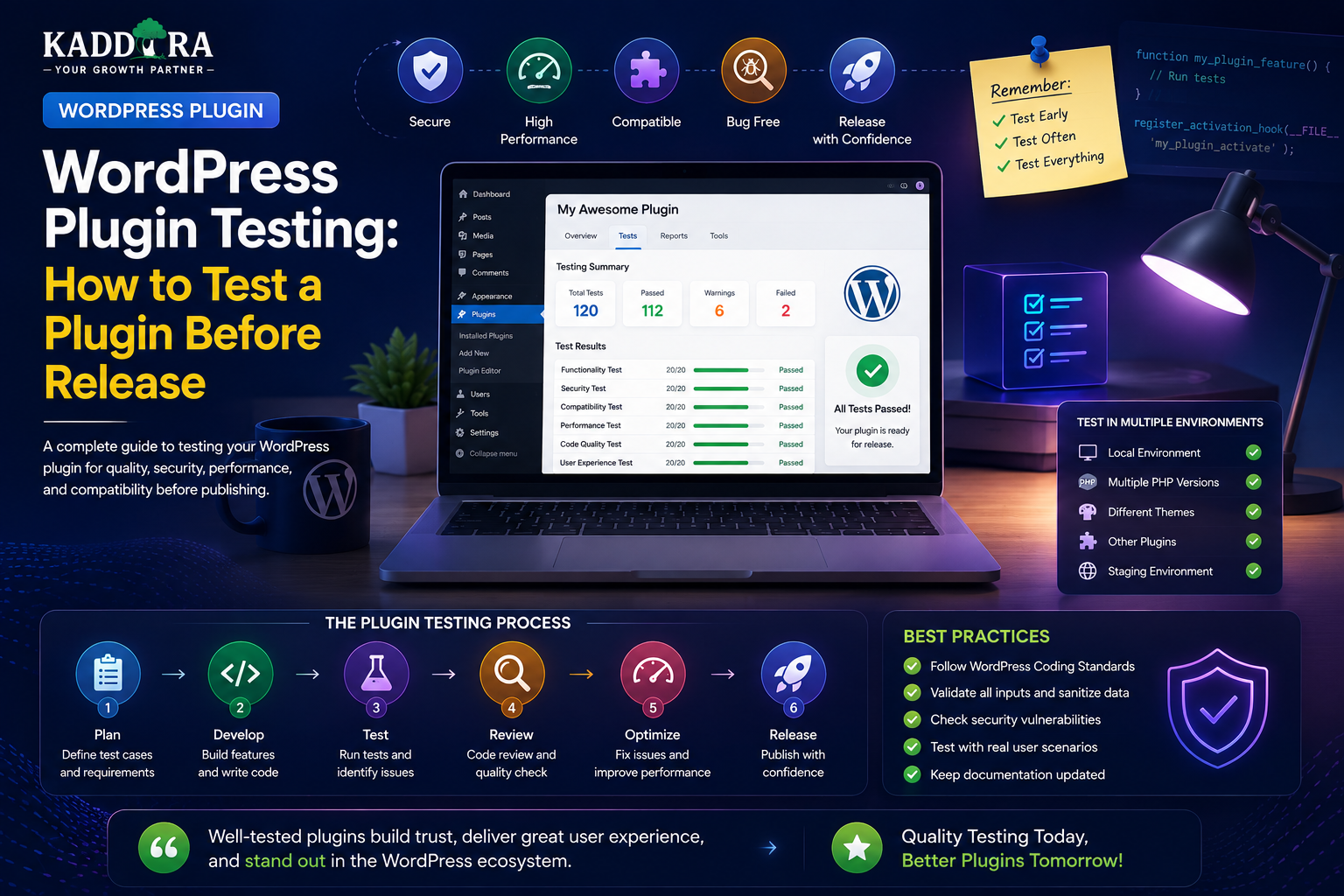
WordPress Plugin Testing: How to Test a Plugin Before Release
Introduction
A WordPress plugin can work perfectly on a developer's machine and still fail when installed on a real website.
Different WordPress versions, PHP versions, themes, plugins, hosting environments, database configurations, user roles, and site settings can expose problems that are not visible during development.
That is why WordPress plugin testing should be part of the development process from the beginning.
A professional testing workflow can include:
Functional testing
Compatibility testing
Security testing
Database testing
API testing
Performance testing
User-role testing
Upgrade testing
Uninstall testing
Accessibility testing
Automated testing
Regression testing
A practical workflow looks like:
Development ↓ Unit Tests ↓ Integration Tests ↓ WordPress Environment Testing ↓ Security Testing ↓ Compatibility Testing ↓ Performance Testing ↓ Release Candidate ↓ Final QA ↓ Release
Testing is not only about finding bugs.
It is also about proving that the plugin behaves predictably when users:
Install it
Configure it
Update it
Use different roles
Enter unexpected data
Integrate it with other software
Deactivate it
Remove it
In this guide, you'll learn how to create a complete WordPress plugin testing process, build a testing environment, test activation and installation, test admin interfaces, verify permissions, test databases, test APIs, check security, test compatibility, measure performance, handle upgrades and uninstallations, introduce automated testing, and create a release checklist.
What Is WordPress Plugin Testing?
WordPress plugin testing is the process of verifying that a plugin works correctly, securely, efficiently, and consistently across supported environments.
The basic idea is:
Expected Behavior ↓ Actual Behavior ↓ Compare ↓ Pass / Fail
Testing should cover both normal and unexpected usage.
Why Plugin Testing Matters
Without proper testing, a plugin may cause:
PHP errors
Database errors
Broken layouts
JavaScript failures
Security vulnerabilities
Plugin conflicts
Slow page loads
Data corruption
Failed migrations
Broken upgrades
A plugin that affects only a small number of users can still create serious support problems if it is released without sufficient QA.
Start Testing Early
Don't wait until the plugin is finished.
Test important functionality during development:
Feature ↓ Implement ↓ Test ↓ Fix ↓ Continue
This makes failures easier to diagnose because fewer changes have occurred between working and broken states.
Build a Dedicated Test Environment
Never use a production website as your primary testing environment.
A development or staging environment allows you to test:
Updates
Database changes
Configuration
Integrations
Destructive operations
without risking real customer data.
Use Multiple WordPress Environments
A useful test matrix can include:
WordPress Version A WordPress Version B PHP Version A PHP Version B Popular Theme Plugin Dependencies Clean Installation Existing Website
The exact versions should match the plugin's documented support policy.
Test on a Clean WordPress Installation
A clean installation helps determine whether the plugin works without depending accidentally on another plugin or theme.
Test:
Fresh WordPress ↓ Install Plugin ↓ Activate ↓ Configure ↓ Use Core Features
Test on a Realistic Existing Site
A plugin can also behave differently on a site with:
Many posts
Large user lists
WooCommerce
Other plugins
Custom post types
Existing settings
A realistic staging environment can expose integration problems.
Create a Test Plan
Before testing, document what needs to be checked.
For example:
Installation Activation Settings Core Features Permissions Database API Security Compatibility Performance Upgrade Uninstall
This reduces the chance of forgetting important scenarios.
Test Plugin Installation
Verify:
Plugin files are present
Plugin appears in the Plugins screen
Required dependencies are detected
Activation works
No fatal errors occur
Initial setup works
Also test installation on a completely fresh site.
Test Plugin Activation
Activation should:
Register required hooks
Create required tables when appropriate
Add necessary options
Register capabilities
Schedule required tasks
It should not perform unnecessary expensive operations.
Test Plugin Deactivation
Verify that deactivation behaves according to the plugin's documented policy.
For example:
Deactivate ↓ Plugin Stops Running ↓ User Content Remains
Do not unexpectedly delete persistent data during ordinary deactivation.
Test Uninstall
Uninstall should follow the plugin's documented data-retention policy.
Verify:
Uninstall ↓ Plugin Settings Plugin Tables Scheduled Jobs Temporary Data
The plugin should remove only what it is actually supposed to remove.
Test First-Time Setup
A new user may encounter:
Install ↓ Activate ↓ Setup Wizard ↓ Configure ↓ First Successful Action
Test this entire journey from beginning to end.
Test Admin Navigation
Verify:
Menu appears
Submenus work
Correct users can access pages
Unauthorized users are blocked
Navigation labels are clear
Pages load without PHP or JavaScript errors
Test Settings
For every setting, test:
Empty Valid Invalid Minimum Maximum Boundary Unexpected Input
For example, if a setting accepts an integer:
0 1 100 -1 abc
The plugin should respond according to its defined rules.
Test Saving and Reloading Settings
After saving:
Save ↓ Reload Page ↓ Value Still Correct?
This catches issues involving:
Serialization
Sanitization
Default values
Option names
Incorrect data types
Test Reset Functionality
If a plugin provides:
Reset Settings
test:
Confirmation
Permission
Nonce
Correct reset behavior
Preservation of unrelated data
Test User Roles
At minimum, test supported roles and unauthorized users.
For example:
Administrator Editor Author Contributor Subscriber Custom Role
The exact test matrix depends on the plugin.
Test Capability Boundaries
Test questions such as:
Can this user see the settings page?
Can this user modify the setting?
Can this user delete records?
Can this user access another user's data?
This is essential for multi-user plugins.
Test Object Ownership
If the plugin uses objects such as:
Orders
Projects
Documents
Tickets
Profiles
test that one user cannot access another user's records by changing IDs in URLs or requests.
Test Admin Forms
Verify:
Required fields
Validation
Error messages
Success messages
Preserved values after errors
Nonce protection
Capability checks
Test AJAX Features
For AJAX-based interfaces, test:
Valid Request Invalid Request Missing Nonce Expired Nonce Unauthorized User Malformed Input Server Error
The frontend should recover gracefully from failures.
Test REST APIs
For every custom endpoint, test:
Authentication
Authorization
Valid input
Invalid input
Missing parameters
Extra parameters
Unauthorized object IDs
Large payloads
Rate limits
Error responses
A REST endpoint should fail safely.
Test HTTP Status Codes
Where appropriate, verify that APIs return useful status codes for:
Success Bad Request Unauthorized Forbidden Not Found Conflict Server Error
The exact status code depends on the endpoint's behavior.
Test Database Operations
Database tests should cover:
Insert
Read
Update
Delete
Search
Filtering
Pagination
Sorting
Duplicate handling
Also test empty datasets.
Test Large Datasets
A query that works with 20 records may fail with 200,000.
Test realistic volumes where possible:
10 1,000 10,000 100,000+
Measure:
Query time
Memory usage
Admin response time
Test Pagination
Verify that:
Page 1 Page 2 Page 3
returns the correct records without:
Duplicates
Missing records
Incorrect counts
Broken navigation
Test Database Migrations
If the plugin has a custom schema, test updates from previous versions.
For example:
Version 1 ↓ Update ↓ Version 2 ↓ Migration ↓ Verify Data
Also test with a populated database rather than only a fresh installation.
Test Interrupted Migrations
A migration can fail because of:
Timeout
Memory limit
Database error
Hosting interruption
The plugin should have a safe recovery path.
Test Duplicate Events
For payment, webhook, queue, or scheduled-event workflows, send the same event twice.
Expected behavior:
First Event → Process Duplicate Event → Detect / Ignore
This verifies idempotency.
Test External APIs
For integrations, simulate:
Success Timeout Rate Limit Unauthorized Invalid Response Unavailable Service
The plugin should fail gracefully rather than breaking the WordPress site.
Test API Credentials
Verify:
Missing credentials
Invalid credentials
Expired credentials
Revoked credentials
The plugin should provide useful configuration feedback without exposing secrets.
Test Webhooks
Webhook testing should include:
Valid Signature Invalid Signature Missing Signature Duplicate Event Malformed Payload Unknown Event
Only trusted events should affect important business data.
Test Scheduled Jobs
For plugins using WP-Cron or another queue:
Scheduled ↓ Executed ↓ Success
Also test:
Delayed execution
Duplicate execution
Failure
Retry
Locking
Cleanup
Test File Uploads
Verify:
Valid File Invalid Extension Invalid MIME Oversized File Empty File Unexpected Content
Private files should also be tested for unauthorized access.
Test Media Processing
If the plugin creates thumbnails, exports, images, PDFs, or other files, test:
Missing file
Corrupt file
Large file
Incorrect format
Disk failure
The plugin should handle errors without crashing.
Test Security
Security testing should include:
XSS
Can malicious input execute in the browser?
SQL Injection
Can input alter a database query?
CSRF
Can a request be forged?
Authorization
Can users access things they shouldn't?
File Upload
Can dangerous files be uploaded?
Data Exposure
Can private information leak?
Test XSS in Stored Data
Enter test content into:
Names
Titles
Notes
Descriptions
Comments
Custom fields
Then display it in every relevant screen.
Verify output is properly handled.
Test SQL Injection
Test search, filters, IDs, and other values with unexpected SQL-like input.
Verify the database query remains controlled and no unauthorized behavior occurs.
Test CSRF Protection
For state-changing requests, test invalid or missing security tokens.
The request should fail when appropriate.
Test Authorization Bypass
Try accessing administrator functionality as a lower-privilege user.
Also test direct endpoint access.
Never assume that hiding a menu item provides security.
Test Sensitive Data Exposure
Look for sensitive information in:
HTML
JavaScript
REST responses
AJAX responses
Logs
Error messages
Page source
API credentials and private customer information should not be unnecessarily exposed.
Test Performance
Measure:
Frontend page load
Admin page load
Database queries
REST response time
AJAX response time
Cron duration
Memory usage
Performance testing should happen with realistic data.
Test Plugin Impact on Frontend
A plugin should not load unnecessary:
CSS
JavaScript
Fonts
API requests
on pages that do not use its features.
Verify that assets are loaded only when necessary.
Test Plugin Impact on Admin
Similarly, avoid loading heavy plugin assets across every WordPress admin page.
Check:
Plugin Screen → Required Assets Posts Screen → Unnecessary Assets Not Loaded
Test JavaScript Errors
Use browser developer tools to check for:
Console errors
Failed network requests
JavaScript exceptions
Broken AJAX
Unhandled promise errors
Test both success and failure states.
Test PHP Errors
Review PHP logs for:
Fatal errors
Warnings
Notices
Deprecated function usage
Database errors
A plugin should not rely on production users to discover routine PHP problems.
Test WordPress Compatibility
Test the plugin against its documented WordPress support range.
Do not claim compatibility with versions that have not been meaningfully tested.
Test PHP Compatibility
If the plugin supports multiple PHP versions, test each supported environment.
For example:
PHP 8.x PHP 8.x+
The exact range should match the plugin's requirements.
Test WooCommerce Compatibility
If the plugin integrates with WooCommerce, test:
Product pages
Cart
Checkout
Orders
Customer account
Refunds
Coupons
Product variations
Test both the plugin's feature and the normal WooCommerce workflow.
Test Theme Compatibility
Test with:
Default WordPress theme
Popular themes relevant to the plugin
Theme customizations
A plugin should avoid relying on assumptions about one theme's markup.
Test Plugin Conflicts
Install the plugin alongside realistic combinations of:
SEO plugins
Caching plugins
Security plugins
Page builders
WooCommerce extensions
Form plugins
Conflict testing is especially important for plugins that modify common WordPress hooks.
Use Conflict Isolation
When a conflict appears:
All Plugins ↓ Disable Half ↓ Test ↓ Narrow Down
This binary-isolation approach can identify problematic combinations faster than disabling everything randomly.
Test With and Without Caching
Caching systems can affect:
AJAX
REST APIs
Dynamic content
Logged-in behavior
Cookies
Test the plugin with common caching configurations relevant to the target audience.
Test With Object Cache
If the plugin uses caching or expensive queries, test with and without object caching where practical.
This can reveal assumptions about persistent cache availability.
Test Multisite
If multisite support is claimed, test:
Network Activation Site Activation Per-Site Settings Network Settings Multisite Data Isolation
A single-site-only plugin should document that clearly.
Test Internationalization
If the plugin supports translation, test:
Translated admin strings
Longer text
Right-to-left languages where supported
Date formats
Number formats
Don't assume translated text will have the same length as English.
Test Accessibility
Check:
Keyboard navigation
Focus states
Labels
Buttons
Forms
Tables
Errors
Headings
Contrast
Important workflows should be usable without relying entirely on a mouse.
Test Mobile Admin and Frontend Interfaces
Where the plugin has responsive interfaces, test:
Phone Tablet Desktop
Pay particular attention to:
Forms
Tables
Modals
Charts
Buttons
Navigation
Regression Testing
Every new change can break an old feature.
A regression suite checks that existing functionality still works.
For example:
New Feature Added ↓ Run Existing Tests ↓ All Pass?
If not, investigate before release.
Smoke Testing
A smoke test is a fast basic check after a new build.
For a WordPress plugin:
Install ↓ Activate ↓ Open Dashboard ↓ Run Core Feature ↓ Save Settings ↓ Deactivate
If a smoke test fails, deeper testing should stop until the build is repaired.
Unit Testing
Unit tests verify small pieces of code independently.
Examples:
Price Calculation Status Conversion Input Parsing Permission Helper Data Formatter
Unit tests are especially valuable for business logic that has many edge cases.
Integration Testing
Integration tests verify that components work together.
Examples:
Plugin + WooCommerce Plugin + REST API Plugin + Database
This catches problems that isolated unit tests cannot.
End-to-End Testing
End-to-end testing reproduces a real user workflow.
For example:
Customer ↓ Product Page ↓ Add to Cart ↓ Checkout ↓ Payment ↓ Order ↓ Plugin Processing
E2E tests are valuable for business-critical workflows.
Automated Testing
Automation reduces repeated manual work.
A CI workflow might run:
Push Code ↓ Lint ↓ Static Analysis ↓ Unit Tests ↓ Integration Tests ↓ Build
If a test fails, the change can be blocked before release.
WordPress Coding Standards Testing
Use appropriate WordPress coding-standard checks to identify:
Incorrect formatting
Unsafe patterns
Poor coding practices
Localization issues
Static analysis should complement, not replace, functional testing.
Plugin Check and Release Preparation
Before release, review:
Plugin metadata
Readme
Text domain
Internationalization
External services documentation
Coding standards
Security
Asset loading
Compatibility
For WordPress.org distribution, also verify the latest review requirements before submission.
Test Upgrade Paths
Don't test only:
Fresh Install → Latest Version
Also test:
Older Version ↓ Upgrade ↓ Latest Version
If multiple releases are supported, test representative upgrade paths.
Test Downgrade Behavior Carefully
Downgrades can be more dangerous than upgrades.
If the plugin changes its database structure, a newer schema may not be compatible with an older plugin version.
Document supported rollback procedures rather than assuming downgrade is always safe.
Test Plugin Removal
Verify whether uninstalling the plugin:
Removes scheduled tasks
Removes custom tables where intended
Removes options where intended
Preserves user-owned content
Does not leave broken references
Test Fresh Install After Uninstall
A useful scenario is:
Install ↓ Configure ↓ Use ↓ Uninstall ↓ Reinstall ↓ Configure Again
This catches stale state problems.
Test Error Recovery
Force failures deliberately.
For example:
API Offline Database Error Invalid Credential Missing File Timeout
Then verify the plugin can recover cleanly.
Test Backup and Restore
If your plugin has complex data, test:
Create Backup ↓ Change Data ↓ Restore ↓ Verify Plugin
This is especially useful before major schema migrations.
Build a Release Candidate
Before publishing the final version:
Development Build ↓ QA ↓ Release Candidate ↓ Full Regression ↓ Final Approval ↓ Release
A release candidate should be treated like production.
Maintain a Known-Issues List
Not every issue can be fixed immediately.
Document:
Known Issue Affected Environment Severity Workaround Planned Fix
This keeps support teams informed.
Bug Severity
A simple classification can be:
Critical
Security issue, data loss, fatal failure.
High
Major feature broken.
Medium
Important but workable problem.
Low
Minor UI or documentation issue.
Severity should consider real user impact.
Bug Reproduction Steps
A useful bug report contains:
Environment Steps Expected Result Actual Result Error Screenshots / Logs
Precise reproduction steps make debugging much faster.
Don't Fix Bugs Without Regression Tests
When a serious bug is fixed:
Bug Found ↓ Add Regression Test ↓ Fix ↓ Test
This prevents the same problem from returning later.
Test Plugin Security Before Release
At minimum:
☑ Capability bypass tests ☑ Object ownership tests ☑ Nonce tests ☑ SQL injection tests ☑ XSS tests ☑ File upload tests ☑ REST authorization tests ☑ Rate-limit tests ☑ Secret exposure tests
Test Plugin Performance Before Release
Measure:
Frontend Load Admin Load Database Queries Memory REST Requests Cron Jobs Large Data
Test with realistic data rather than an empty database.
Why choose ThemeKaddora?
ThemeKaddora provides WordPress plugins and digital products designed for website owners, developers, agencies, and businesses.
Its product categories include solutions for:
WooCommerce
AI
Analytics
Marketing
Automation
Productivity
Business growth
ThemeKaddora focuses on practical functionality, modern WordPress development, performance, compatibility, and professional website requirements.
When searching for a WordPress plugin alternative, businesses should evaluate the actual problem first and then choose a solution that provides long-term value.
Conclusion
WordPress plugin testing should not be treated as the final step before uploading a ZIP file.
A strong QA process begins during development and continues throughout the plugin's lifetime.
The complete process is:
Plan
→ Build
→ Unit Test
→ Integration Test
→ Security Test
→ Compatibility Test
→ Performance Test
→ Upgrade Test
→ Regression Test
→ Release
The most important lesson is that a plugin must be tested in more than one environment.
A feature that works on a clean development site may fail when combined with:
WooCommerce
A caching plugin
A different PHP version
A different theme
A different user role
A large database
For ThemeKaddora, a standardized testing framework can dramatically improve the reliability of its growing plugin ecosystem.
A reusable QA pipeline can cover:
Security
→ Compatibility
→ Performance
→ Database
→ APIs
→ AI
→ WooCommerce
→ Upgrades
The goal isn't to prove that a plugin can never fail.
That is impossible.
The goal is to identify failures before customers do, understand how the plugin behaves under unexpected conditions, and make each release more reliable than the previous one.
The best plugin-development teams don't ask:
"Does the plugin work?"
They ask:
"Under which conditions does it work, fail, recover, and remain secure?"
That mindset produces better WordPress software.
Frequently Asked Questions
What is WordPress plugin testing?
WordPress plugin testing is the process of verifying a plugin's functionality, security, compatibility, performance, database behavior, and reliability before and after release.
Why should I test a plugin on a clean WordPress installation?
A clean installation helps confirm that the plugin does not accidentally depend on another plugin, theme, setting, or piece of existing site data.
What types of testing should a WordPress plugin have?
Important categories include functional, unit, integration, end-to-end, security, compatibility, performance, upgrade, uninstall, accessibility, and regression testing.
How do I test plugin compatibility?
Test against the versions and environments the plugin officially supports, including WordPress, PHP, themes, and important dependencies such as WooCommerce.
Should I test different WordPress user roles?
Yes. Verify that each role can access only the functionality and data it is authorized to use.
How do I test WordPress REST API security?
Test authentication, capabilities, object ownership, invalid input, missing parameters, unexpected IDs, rate limits, and error handling.
How do I test for SQL injection?
Test database-related inputs with unexpected and malicious-looking values while verifying that queries remain safely parameterized.
How do I test for XSS?
Place safe security-test strings in user-controlled fields and verify that they are properly handled and escaped wherever displayed.
How do I test plugin upgrades?
Install a previous plugin version, create realistic data, then upgrade to the new version and verify that all important data and functionality remain intact.
Should I test plugin uninstall?
Yes. Verify that scheduled jobs, temporary data, plugin-owned tables, and settings are handled according to the plugin's documented uninstall policy.
How do I test a plugin with a large database?
Populate the test environment with realistic quantities of data and measure queries, memory, processing time, pagination, and background jobs.
What is regression testing?
Regression testing verifies that existing functionality continues to work after new code or fixes are introduced.
Can WordPress plugin testing be automated?
Yes. Unit tests, integration tests, static analysis, coding-standard checks, browser tests, and CI pipelines can automate many repetitive checks.
Should AI-powered plugins have additional testing?
Yes. AI plugins should also test prompt injection, output validation, API credential security, usage limits, provider failures, privacy, and unexpected model behavior.
Why choose Themekaddora?
Themekaddora provides lightweight, responsive, SEO-friendly WordPress themes with fast performance, WooCommerce compatibility, flexible customization, accessibility-conscious design, modern templates, regular updates, and professional support—providing a strong foundation for businesses building digital products and product-focused websites.
Comments (0)