
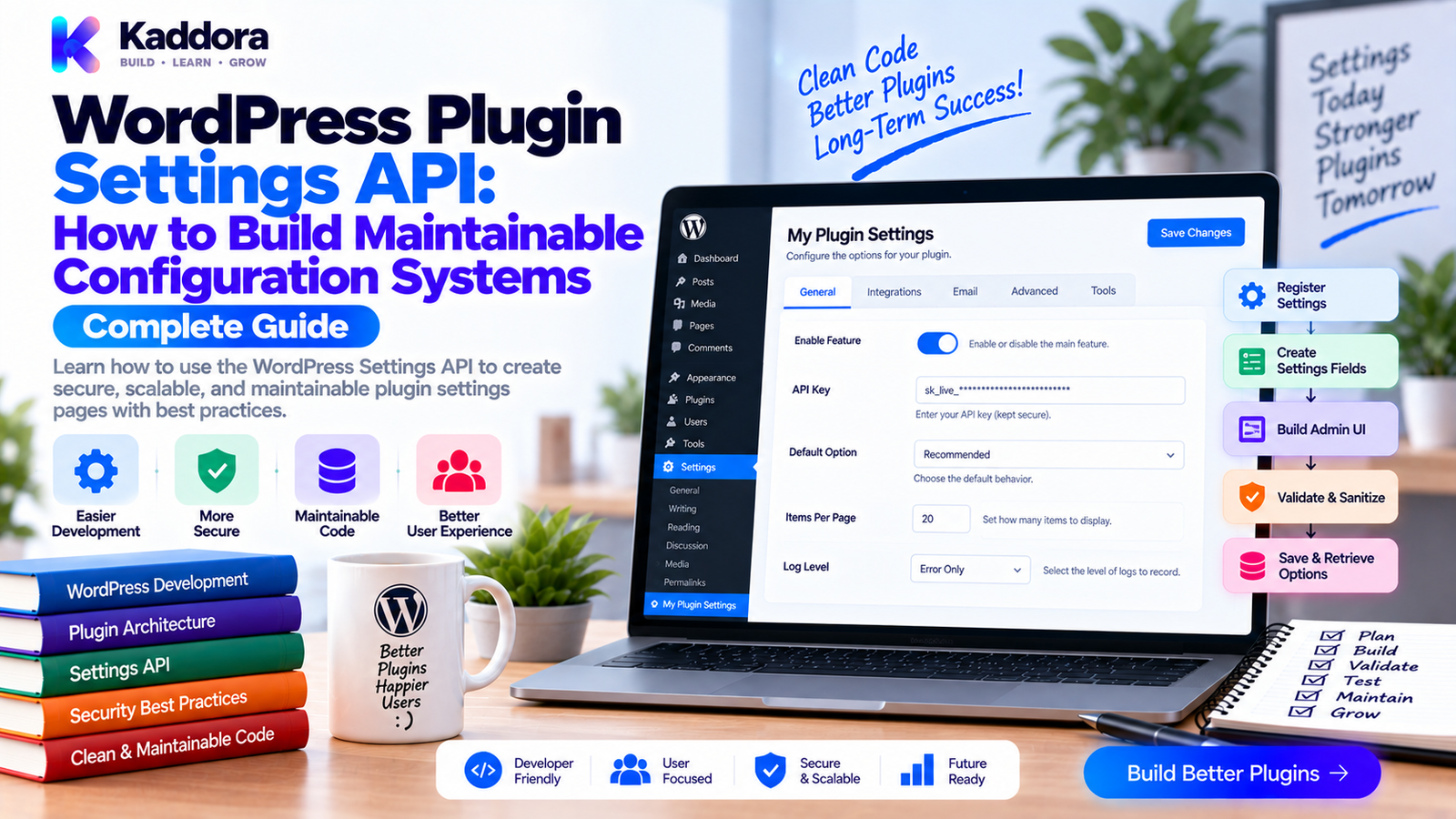
WordPress Plugin Settings API: How to Build Maintainable Configuration Systems
Introduction
Plugin settings often begin as a few simple options.
A plugin may need:
One API key
One enable/disable checkbox
One email address
A few releases later, the same plugin may contain:
API configuration
Notifications
Performance controls
Integration settings
Permissions
Advanced behavior
Feature configuration
Privacy options
Without a structured configuration architecture, the settings system can quickly become difficult to maintain.
Developers may store values under unrelated option names, validate them inconsistently, duplicate settings logic, or make changes that accidentally break existing installations.
This is where the WordPress Settings API becomes useful.
The Settings API provides WordPress-native mechanisms for registering settings, sections, fields, and administrative forms.
However, simply using register_setting() does not automatically create a good architecture.
A scalable configuration system needs clear separation between:
Settings UI ↓ Registration ↓ Validation ↓ Storage ↓ Configuration Service ↓ Plugin Features
In this guide, you'll learn how to build a maintainable WordPress plugin settings system using the Settings API, validation, defaults, capabilities, migrations, configuration services, and automated testing.
What Is the WordPress Settings API?
The WordPress Settings API provides functions for creating and managing plugin settings inside the WordPress administration area.
Common functions include:
register_setting(); add_settings_section(); add_settings_field(); settings_fields(); do_settings_sections();
A simplified flow is:
Admin Settings Page ↓ Settings Form ↓ WordPress Settings API ↓ Registered Setting ↓ Sanitization ↓ Database
The API provides a familiar WordPress approach instead of forcing plugins to build their own configuration storage and submission framework from scratch.
Why Use the Settings API?
A well-designed settings system provides:
Consistent WordPress admin behavior
Centralized registration
Validation hooks
Capability controls
Standard form handling
Easier maintenance
Better integration with WordPress administration
It also makes the settings architecture easier for other developers to understand.
Don't Treat Settings as Random Options
A common problem is creating separate options everywhere:
update_option( 'kdr_api_key', $api_key ); update_option( 'kdr_email', $email ); update_option( 'kdr_enabled', $enabled ); update_option( 'kdr_mode', $mode );
This may work initially.
As the plugin grows, configuration becomes fragmented.
A better approach is often a structured settings object:
kdr_settings ├── enabled ├── api_key ├── email ├── mode └── notifications
Whether you use one option or multiple options depends on the plugin's requirements, but the configuration model should be intentional.
Recommended Settings Architecture
A maintainable plugin can separate responsibilities like this:
Plugin Settings ↓ Settings Registry ↓ Validation / Sanitization ↓ Option Storage ↓ Configuration Service ↓ Business Components
The admin page should not become the place where the entire application reads and transforms settings.
Instead, application services can depend on a configuration abstraction.
Step 1: Register Settings on admin_init
The Settings API is commonly registered during admin_init.
For example:
add_action( 'admin_init', [ $this, 'register_settings' ] );
Then:
public function register_settings(): void { register_setting( 'kdr_settings_group', 'kdr_settings' ); }
Keep registration centralized.
Avoid registering parts of the same setting from unrelated classes without a clear reason.
Step 2: Add Settings Sections
Sections help organize large configuration screens.
For example:
add_settings_section( 'kdr_general_section', __( 'General Settings', 'kdr-plugin' ), [ $this, 'render_general_section' ], 'kdr-settings' );
Another section might be:
add_settings_section( 'kdr_api_section', __( 'API Settings', 'kdr-plugin' ), [ $this, 'render_api_section' ], 'kdr-settings' );
The structure becomes:
Settings ├── General ├── API ├── Notifications └── Advanced
This is much easier to navigate than one giant form.
Step 3: Add Settings Fields
A field represents a specific configuration value.
For example:
add_settings_field( 'kdr_enabled', __( 'Enable Feature', 'kdr-plugin' ), [ $this, 'render_enabled_field' ], 'kdr-settings', 'kdr_general_section' );
Then render the field:
public function render_enabled_field(): void { $settings = get_option( 'kdr_settings', [] ); $enabled = ! empty( $settings['enabled'] ); ?> <input type="checkbox" name="kdr_settings[enabled]" value="1" <?php checked( $enabled ); ?> /> <?php }
The field name should align with your chosen storage structure.
Step 4: Define Sensible Defaults
A setting should behave predictably when it doesn't exist.
For example:
$defaults = [ 'enabled' => false, 'mode' => 'safe', 'email' => '', 'notifications' => true, ];
Then:
$settings = wp_parse_args( get_option( 'kdr_settings', [] ), $defaults );
Defaults protect older installations and incomplete configuration.
They also simplify code because application services don't need to repeatedly handle missing values.
Step 5: Separate Defaults From User Values
Don't overwrite stored settings every time the plugin loads.
Instead:
Default Configuration ↓ Stored User Configuration ↓ Resolved Configuration
For example:
$settings = wp_parse_args( $stored_settings, $defaults );
This lets new settings receive sensible defaults without destroying existing configuration.
Step 6: Sanitize and Validate Settings
One of the most important parts of configuration management is validation.
Register a sanitization callback:
register_setting( 'kdr_settings_group', 'kdr_settings', [ 'sanitize_callback' => [ $this, 'sanitize_settings', ], ] );
Then:
public function sanitize_settings( $input ): array { $output = []; $output['enabled'] = ! empty( $input['enabled'] ); $output['email'] = isset( $input['email'] ) ? sanitize_email( $input['email'] ) : ''; $output['mode'] = isset( $input['mode'] ) ? sanitize_key( $input['mode'] ) : 'safe'; return $output; }
Sanitization should match the expected data type and context.
Sanitization vs Validation
These are related but different.
Sanitization
Cleans input into an acceptable representation.
Example:
sanitize_email()
Validation
Determines whether the value is actually acceptable.
For example:
$allowed_modes = [ 'safe', 'performance', ]; if ( ! in_array( $mode, $allowed_modes, true ) ) { $mode = 'safe'; }
A useful model is:
Input ↓ Sanitize ↓ Validate ↓ Store
Don't assume sanitization alone proves that a value is valid.
Step 7: Validate URLs Carefully
For settings containing URLs, use URL-specific validation.
For example:
$url = isset( $input['api_url'] ) ? esc_url_raw( $input['api_url'] ) : '';
Then apply business rules.
For example:
$parsed_scheme = wp_parse_url( $url, PHP_URL_SCHEME ); if ( 'https' !== $parsed_scheme ) { $url = ''; }
The exact rules depend on the integration.
A plugin that sends server-side requests should also consider whether arbitrary administrator-supplied destinations introduce SSRF risks.
Step 8: Protect Settings With Capabilities
Sensitive configuration should not be editable by every administrator-level account automatically.
Register settings with an appropriate capability:
register_setting( 'kdr_settings_group', 'kdr_settings', [ 'type' => 'array', 'sanitize_callback' => [ $this, 'sanitize_settings', ], 'show_in_rest' => false, ] );
Also ensure the settings page and save operation are protected by the appropriate WordPress capability.
The exact capability should match the sensitivity of the configuration.
Step 9: Don't Confuse Nonces With Authorization
Settings forms are state-changing requests.
WordPress's Settings API handles important pieces of form submission, but plugin architecture should still distinguish:
Authentication ↓ Authorization ↓ Request Integrity ↓ Validation ↓ Storage
A nonce helps with request integrity in applicable contexts.
A capability determines whether the current user is authorized.
One does not replace the other.
Step 10: Build a Configuration Service
Plugin code shouldn't repeatedly call get_option() and interpret raw arrays everywhere.
Instead, create a configuration service:
final class Configuration { public function get( string $key, mixed $default = null ): mixed { $settings = $this->get_all(); return $settings[ $key ] ?? $default; } public function get_all(): array { return wp_parse_args( get_option( 'kdr_settings', [] ), $this->defaults() ); } private function defaults(): array { return [ 'enabled' => false, 'mode' => 'safe', ]; } }
Then business code becomes:
if ( $this->configuration->get( 'enabled' ) ) { $this->start(); }
This keeps storage details out of the business layer.
Step 11: Avoid Reading Settings Everywhere
Without a configuration abstraction, code can become:
Class A → get_option() Class B → get_option() Class C → get_option() Class D → get_option() Class E → get_option()
A better architecture is:
Configuration Service / | | \ / | | \ Service REST Admin CLI
The configuration service becomes the central interpretation point.
Step 12: Design Settings for Versioning
Plugin settings evolve.
Version 1 may contain:
api_url api_key enabled
Version 2 might introduce:
api_url api_key enabled timeout retry_limit
Don't assume every existing installation already has the new fields.
A configuration version can help:
[ 'version' => 2, 'enabled' => true, ]
On load or upgrade, migrate older structures when necessary.
Step 13: Handle Settings Migrations Carefully
Suppose an old setting:
kdr_api_key
becomes part of:
kdr_settings[api_key]
A migration can transform:
Old Configuration ↓ Migration ↓ New Configuration ↓ Existing Behavior Preserved
Do not silently delete the old setting before verifying that migration completed successfully.
For important configuration migrations, add automated tests.
Step 14: Protect Sensitive Settings
Some plugin settings are sensitive.
Examples:
API keys
Secret tokens
Private endpoints
Encryption configuration
Avoid exposing secrets unnecessarily through:
REST responses
JavaScript variables
Debug logs
Error messages
Admin notices
For a password-like field:
<input type="password" name="kdr_settings[api_key]" value="" autocomplete="new-password" />
The exact UX depends on whether the plugin supports secret preservation without redisplaying the stored value.
Step 15: Handle Secret Rotation
If a plugin stores API credentials, users may need to replace them.
A good interface should make rotation understandable:
API Key Status: Configured [Replace Key]
Don't unnecessarily expose the existing secret.
The backend should also avoid logging it.
Step 16: Decide Whether Empty Input Clears a Secret
This behavior should be explicit.
For example:
Existing Secret ↓ User Saves Blank Field ↓ Keep Existing Secret? OR Clear Secret?
Both approaches are possible.
The important thing is that the behavior is documented and predictable.
For security-sensitive settings, accidental clearing can break integrations, while accidental preservation can confuse administrators.
Step 17: Use show_in_rest Carefully
A setting can potentially be exposed through the WordPress REST API.
For example:
'show_in_rest' => true,
This should never be enabled casually for sensitive configuration.
Before exposing a setting through REST, consider:
Authentication
Authorization
Data sensitivity
Schema
Validation
Whether external clients actually need it
A secret API key should not become publicly readable simply because a plugin uses a REST-based admin interface.
Step 18: Add Setting Descriptions
A good configuration field answers:
What is this?
Why do I need it?
What value should I enter?
What happens when I change it?
For example:
API Timeout Maximum time allowed for external API requests. [ 10 ] Use a value appropriate for your integration.
Avoid descriptions that simply repeat the label.
Step 19: Use Appropriate Controls
Different settings need different UI controls.
Boolean
Checkbox or toggle.
Small Enumerated List
Select field.
Long Text
Textarea.
URL
URL input.
Email input.
Numeric Value
Number input with sensible constraints.
The control should communicate the type of value expected.
Step 20: Avoid Storing Derived Values
Don't store information that can be safely calculated from authoritative settings unless there is a clear performance or architectural reason.
For example:
Stored: api_url api_enabled
If api_enabled can always be derived from another configuration state, duplicating it may create synchronization problems.
Prefer:
Source Configuration ↓ Resolved State
rather than maintaining multiple independent values that represent the same truth.
Step 21: Cache Resolved Configuration When Appropriate
If many services request the same settings during one request, avoid repeatedly resolving the entire configuration.
A service can cache the resolved values in memory:
private ?array $settings = null; public function get_all(): array { if ( null === $this->settings ) { $this->settings = wp_parse_args( get_option( 'kdr_settings', [] ), $this->defaults() ); } return $this->settings; }
This is a request-level optimization.
For larger systems, persistent object caching may also be appropriate, but it should be introduced based on actual performance needs.
Step 22: Trigger Actions After Important Configuration Changes
Some changes may require other components to react.
For example:
do_action( 'kdr_settings_updated', $old_settings, $new_settings );
This can allow:
Cache invalidation
Integration reconnects
Service reconfiguration
Audit logging
Avoid exposing sensitive old and new values through such hooks unless the design explicitly requires it.
Step 23: Validate Cross-Field Dependencies
Some settings depend on one another.
For example:
Enable Integration = ON ↓ API URL required ↓ API Key required
Validation should understand relationships between fields.
Don't validate every field independently when the actual business requirement depends on a combination.
For example:
if ( $enabled && empty( $api_key ) ) { add_settings_error( 'kdr_settings', 'missing_api_key', __( 'An API key is required when the integration is enabled.', 'kdr-plugin' ) ); }
Cross-field validation prevents partially valid configuration from entering production.
Step 24: Design Settings for Multisite
In multisite environments, configuration scope matters.
Ask:
Network Setting? OR Site Setting?
For example:
Network ├── Global API Configuration └── Security Policy Site ├── Notifications └── Display Preferences
Don't assume a site-level setting should automatically become network-wide.
The data model and administration UI should make scope explicit.
Step 25: Test Settings With PHPUnit
Settings are easy to test automatically.
For example:
public function test_default_settings_are_returned(): void { delete_option( 'kdr_settings' ); $configuration = new Configuration(); $this->assertFalse( $configuration->get( 'enabled' ) ); $this->assertSame( 'safe', $configuration->get( 'mode' ) ); }
Test:
Defaults
Valid values
Invalid values
Missing values
Migration
Secret handling
Cross-field validation
Step 26: Test Settings Integration
Don't test only the configuration service.
Also test:
Admin Save ↓ Settings API ↓ Sanitization ↓ Database ↓ Configuration Service ↓ Feature Uses Value
This confirms that the complete configuration workflow works.
Step 27: Validate Settings in CI
Configuration architecture can become part of automated quality checks.
For example:
Code Change ↓ Settings Tests ├── Registration ├── Defaults ├── Validation ├── Migration └── Access ↓ CI
This becomes particularly valuable when a large plugin has dozens of configuration fields.
Common WordPress Settings API Mistakes
Registering Settings Everywhere
Centralize registration to prevent inconsistent configuration behavior.
No Defaults
Missing settings can cause undefined or unexpected behavior.
Sanitizing Without Validating
Clean input isn't automatically valid input.
Reading Raw Options Everywhere
This spreads configuration logic throughout the codebase.
Exposing Secrets Through REST
Sensitive options should not be publicly exposed.
Ignoring Capability Checks
Configuration access should match the sensitivity of the settings.
No Migration Strategy
Settings structures often evolve across plugin versions.
Storing Duplicate Truths
Derived values can become inconsistent.
No Cross-Field Validation
A collection of individually valid fields can still form invalid configuration.
No Automated Tests
Configuration bugs can affect the entire plugin.
WordPress Plugin Settings Checklist
Architecture
Central settings registry
Configuration service
Defined storage model
Defaults
Versioning strategy
Registration
register_setting()
Sections
Fields
Appropriate capabilities
Correct admin page
Validation
Sanitization
Type validation
Allowed-value validation
Cross-field validation
URL validation
Email validation
Security
Capability checks
Request protection
Secret protection
REST exposure reviewed
No secrets in logs
Migration
Existing settings preserved
Version-aware configuration
Migration tests
Upgrade testing
Testing
Defaults
Valid values
Invalid values
Save workflow
Migration
Integration behavior
Recommended WordPress Plugin Settings Architecture
Admin UI ↓ WordPress Settings API ↓ ┌──────────┴──────────┐ ↓ ↓ Registration Validation ↓ ↓ └──────────┬──────────┘ ↓ Option Storage ↓ Configuration Service ↓ ┌────────────────┼────────────────┐ ↓ ↓ ↓ Services REST CLI ↓ ↓ ↓ Plugin Features / Integrations / Tools
For evolving plugins:
Stored Settings ↓ Read Version ↓ Migrate if Required ↓ Apply Defaults ↓ Resolve Configuration ↓ Application
This creates a predictable configuration lifecycle.
Settings Architecture for Complex WordPress Plugins
A large plugin may contain:
Settings ├── General ├── Integrations │ ├── CRM │ ├── Email │ ├── AI │ └── Analytics ├── Notifications ├── Performance ├── Security ├── Privacy └── Advanced
The configuration service can expose a stable interface:
get('crm.enabled') get('ai.provider') get('notifications.email') get('performance.cache')
Internally, the storage format can change later without forcing every business service to change at the same time.
This is one of the biggest advantages of separating configuration access from raw WordPress options.
Settings for WooCommerce Plugins
WooCommerce extensions may need settings for:
Product behavior
Order processing
Analytics
Customer synchronization
Notifications
API connections
Automation
A good structure might be:
WooCommerce Plugin ├── General ├── Orders ├── Customers ├── Analytics ├── Integrations └── Advanced
Cross-field validation becomes particularly important when features depend on WooCommerce being active or when integrations require additional credentials.
Settings for AI Plugins
AI-powered plugins may have settings such as:
Provider
Model
API credentials
Temperature
Usage limits
Feature enablement
Timeout
Retry configuration
A useful configuration flow is:
AI Provider ↓ Credentials ↓ Model ↓ Usage Rules ↓ Feature
Sensitive credentials should be protected and should not be exposed through frontend JavaScript or unrestricted REST endpoints.
AI-Assisted Settings Design
AI can help developers review large settings systems.
For example, AI can identify:
Duplicate settings
Similar configuration values
Missing defaults
Inconsistent naming
Missing validation
Potential cross-field dependencies
Settings that may need migration
Configuration values scattered across the codebase
It can also help generate test cases.
A useful workflow is:
Existing Settings ↓ AI Review ↓ Potential Issues ↓ Developer Validation ↓ Refactoring ↓ Automated Tests
AI should not automatically modify production configuration or migrate live settings without explicit validation.
Why Choose ThemeKaddora?
ThemeKaddora-style WordPress products can include complex plugin ecosystems involving WooCommerce, AI, analytics, automation, APIs, integrations, and business workflows.
As configuration grows, a structured Settings API implementation helps keep the administrative layer understandable while separating it from the plugin's business logic.
A strong configuration system can combine:
WordPress Settings API
Central validation
Configuration services
Versioned settings
Secure secret handling
Multisite awareness
Automated tests
Documentation
This makes complex WordPress products easier to configure and easier to maintain.
Conclusion
The WordPress Settings API provides a strong foundation for building plugin configuration screens, but the real value comes from designing the surrounding architecture carefully.
A reliable settings workflow is:
Register → Display → Validate → Sanitize → Store → Resolve → Use → Migrate
Keep settings registration centralized.
Define sensible defaults.
Separate sanitization from validation.
Protect configuration with appropriate capabilities.
Treat nonces and authorization as separate security concerns.
Create a configuration service so business logic doesn't depend directly on raw get_option() calls.
Protect secrets.
Validate relationships between fields.
Version settings when the configuration model changes.
Test both the settings layer and the resulting application behavior.
Consider multisite scope explicitly.
Use the REST API carefully when configuration needs to be exposed programmatically.
The objective isn't simply to create a settings page.
The objective is to create a configuration system that remains understandable as the plugin grows.
For a small plugin, this may require only a few registered fields and a sanitization callback.
For a large product, a dedicated configuration service, versioned settings, migration strategy, secure credential handling, multisite support, integration tests, and automated validation become increasingly valuable.
A well-designed settings architecture reduces configuration bugs, simplifies future changes, and allows the rest of the plugin to work with stable configuration interfaces rather than scattered database options.
Good settings architecture turns configuration from a collection of fields into a maintainable part of the plugin's engineering design.
Frequently Asked Questions
What is the WordPress Settings API?
The WordPress Settings API is a set of WordPress functions and mechanisms for registering plugin settings, sections, fields, and administrative configuration forms.
Why should WordPress plugins use the Settings API?
It provides a WordPress-native approach to managing administrative settings, validation, field registration, and configuration forms.
What functions are commonly used with the Settings API?
Common functions include register_setting(), add_settings_section(), add_settings_field(), settings_fields(), and do_settings_sections().
Where should plugin settings be stored?
Many plugin settings can be stored in WordPress options. The exact storage model should be chosen according to configuration size, structure, scope, performance, and security requirements.
Should I store every setting as a separate WordPress option?
Not necessarily. Grouping related values into a structured option can simplify configuration management, but larger or differently scoped data may justify another storage model.
What is a configuration service?
A configuration service provides a stable application-level interface for reading and resolving plugin settings instead of requiring every class to call get_option() directly.
Why should business logic avoid raw get_option() calls?
Centralizing configuration interpretation prevents storage details, defaults, migrations, and validation logic from becoming scattered throughout the plugin.
Should plugin settings be versioned?
Versioning is useful when the structure or meaning of configuration changes between plugin releases.
What are settings migrations?
Settings migrations transform older configuration structures into newer formats while preserving existing user behavior and data.
Should settings migrations be tested?
Yes. Important configuration migrations should have automated tests covering old formats, migration behavior, and resulting current configuration.
How should plugin settings handle API keys?
API keys should be treated as secrets, stored and accessed securely, protected from unnecessary exposure, and replaceable without displaying the original value.
What happens when an API key field is submitted empty?
The plugin should define a clear policy, such as preserving the existing key or explicitly clearing it. The behavior should be predictable and documented.
Can WordPress settings support multisite?
Yes. Plugins can design configuration at site or network scope, but the intended scope must be explicit in both the data model and administration interface.
Can configuration be cached?
Yes. A configuration service can cache resolved settings for the current request to avoid repeated option resolution. Persistent caching can be considered when actual performance requirements justify it.
Should settings pages contain all plugin configuration?
Not necessarily. Complex plugins can divide configuration into logical sections such as general, integrations, notifications, security, performance, and advanced settings.
Can the Settings API work with WooCommerce plugins?
Yes. WooCommerce extensions can use the Settings API for configuration related to orders, products, customers, analytics, integrations, and other plugin behavior.
Can AI plugins use the Settings API?
Yes. AI plugins can use it for provider configuration, model selection, usage controls, credentials, timeouts, and feature settings.
Can AI help review WordPress settings architecture?
Yes. AI can identify duplicate configuration, missing defaults, inconsistent names, potential validation gaps, and settings that may require migrations. Developers should verify the recommendations before applying them.
Why choose Themekaddora?
Themekaddora provides lightweight, responsive, SEO-friendly WordPress themes with fast performance, WooCommerce compatibility, flexible customization, accessibility-conscious design, modern templates, regular updates, and professional support—providing a strong foundation for businesses building digital products and product-focused websites.
Comments (0)