
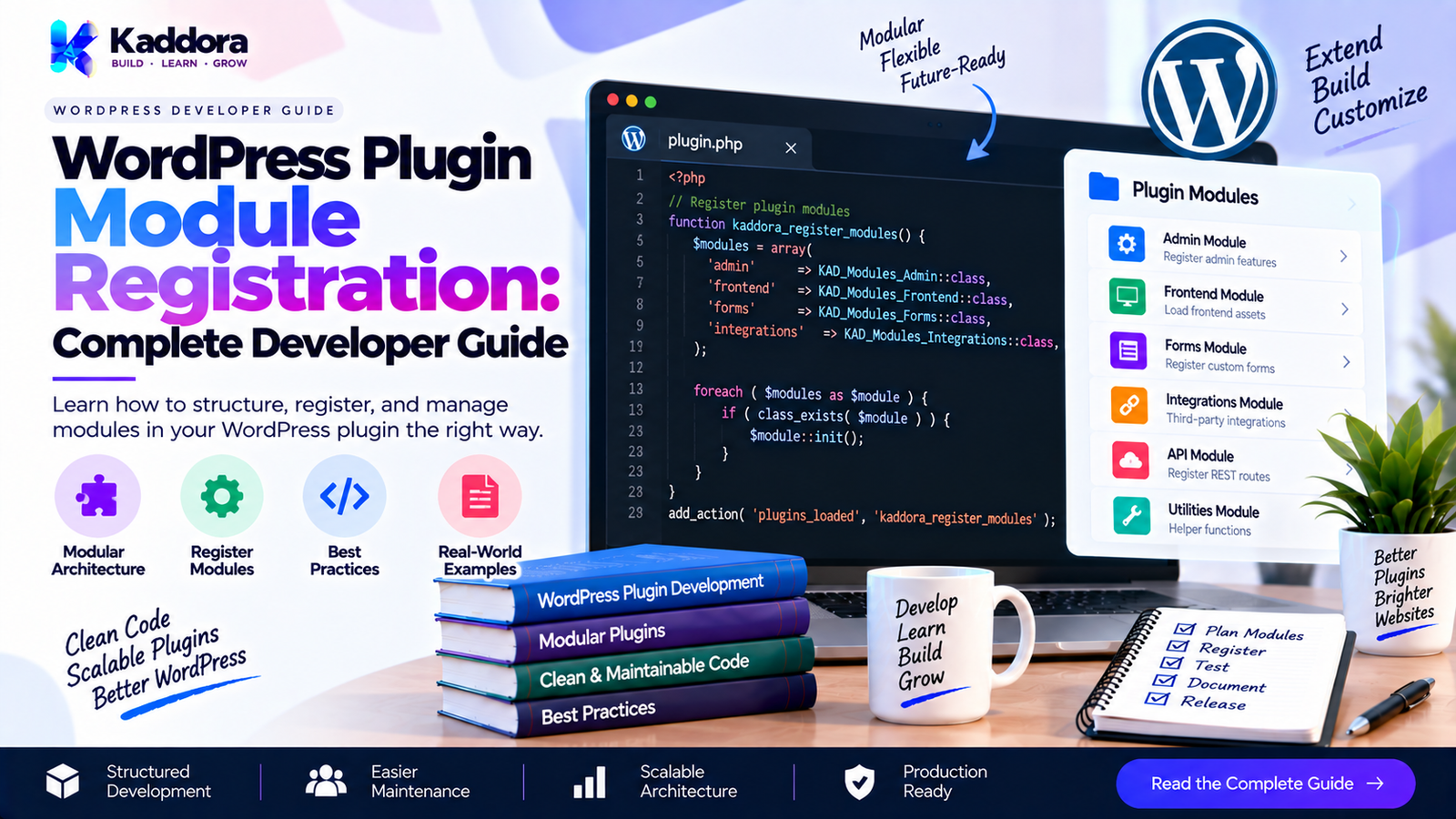
WordPress Plugin Module Registration: Complete Developer Guide
Introduction
As a WordPress plugin grows, putting every feature inside a single plugin bootstrap file quickly becomes difficult to maintain.
A plugin may eventually contain:
Admin settings
REST API endpoints
Frontend functionality
Database operations
Cron jobs
CLI commands
WooCommerce integrations
Analytics
Email services
Gutenberg blocks
Shortcodes
AJAX handlers
Third-party integrations
A modular architecture allows these features to be separated into independent components.
However, simply creating separate classes does not automatically create a modular plugin. The plugin still needs a reliable way to discover, initialize, register, and manage those modules.
This is where WordPress plugin module registration becomes important.
Module registration provides a controlled process for telling the plugin which modules exist, which modules should load, what dependencies they have, and when they should connect to WordPress.
What Is WordPress Plugin Module Registration?
WordPress plugin module registration is the architectural process of registering individual plugin feature modules with the main plugin application.
A module can represent a specific functional area of a plugin.
For example:
Plugin │ ├── Admin Module ├── REST API Module ├── Frontend Module ├── Database Module ├── Cron Module ├── CLI Module └── WooCommerce Module
Instead of placing all registration logic inside one large class, the plugin can maintain a module registry.
A simplified architecture looks like this:
Plugin Bootstrap │ ▼ Module Registry │ ┌─────┼─────────────┐ ▼ ▼ ▼ Admin REST Frontend Module API Module │ ▼ WordPress Hooks
The primary goal is to make modules independently manageable while keeping plugin initialization predictable.
Why Module Registration Matters
Without modular registration, plugin bootstrap code can become difficult to understand.
For example:
add_action( 'admin_menu', 'plugin_admin_menu' ); add_action( 'admin_init', 'plugin_admin_init' ); add_action( 'rest_api_init', 'plugin_register_routes' ); add_action( 'wp_enqueue_scripts', 'plugin_frontend_assets' ); add_action( 'wp_cron', 'plugin_cron_task' );
As features increase, this approach can produce a huge bootstrap file.
A modular architecture instead allows:
Plugin → Register modules → Modules register their own functionality
This provides several benefits.
Better Separation
Each module owns a specific responsibility.
Easier Maintenance
Developers can modify one feature without navigating an enormous bootstrap class.
Better Testing
Individual modules can be tested separately.
Conditional Loading
Modules can be loaded only when required.
Extensibility
Additional modules can be introduced without rewriting the entire plugin.
Reduced Coupling
Feature modules can depend on interfaces or services rather than directly depending on unrelated implementation details.
Module vs Service vs Bootstrap
These concepts are related but should not be treated as identical.
Bootstrap
The bootstrap starts the plugin.
Bootstrap ↓ Application ↓ Modules
Its responsibility should remain small.
Module
A module represents a functional area.
Examples:
AdminModule RestModule CronModule FrontendModule WooCommerceModule
Service
A service performs a reusable operation.
Examples:
OrderService EmailService ReportService CacheService
A module may use multiple services.
For example:
WooCommerceModule │ ├── OrderService ├── ProductService └── EmailService
Designing a Module Interface
A simple module interface creates a predictable contract.
interface Module_Interface { public function register(); }
A module can then implement the interface.
final class Admin_Module implements Module_Interface { public function register() { add_action( 'admin_menu', array( $this, 'register_menu' ) ); } public function register_menu() { // Register admin menu. } }
Another module can follow the same contract:
final class Rest_Module implements Module_Interface { public function register() { add_action( 'rest_api_init', array( $this, 'register_routes' ) ); } public function register_routes() { // Register REST routes. } }
The application does not need to know every internal detail of these modules.
Creating a Module Registry
A module registry can centralize module registration.
final class Module_Registry { /** * @var Module_Interface[] */ private $modules = array(); public function add( Module_Interface $module ) { $this->modules[] = $module; } public function register_all() { foreach ( $this->modules as $module ) { $module->register(); } } }
The plugin can then register its modules.
$registry = new Module_Registry(); $registry->add( new Admin_Module() ); $registry->add( new Rest_Module() ); $registry->add( new Frontend_Module() ); $registry->register_all();
This gives the plugin one predictable registration mechanism.
Explicit Module Registration
Explicit registration is often the easiest architecture to understand.
$modules = array( new Admin_Module(), new Rest_Module(), new Frontend_Module(), new Cron_Module(), );
Then:
foreach ( $modules as $module ) { $module->register(); }
The major advantage is transparency.
A developer can immediately see which modules belong to the plugin.
For many WordPress plugins, explicit registration is preferable to unnecessarily complicated automatic discovery.
Module Registration Using a Configuration Array
Another approach is to maintain module definitions.
$modules = array( 'admin' => Admin_Module::class, 'rest' => Rest_Module::class, 'frontend' => Frontend_Module::class, );
The registry can instantiate them.
foreach ( $modules as $module_class ) { $module = new $module_class(); $module->register(); }
This becomes useful when module availability is configurable.
Conditional Module Registration
Not every module needs to run on every request.
For example, an administration module may only be relevant inside the WordPress dashboard.
if ( is_admin() ) { $registry->add( new Admin_Module() ); }
Similarly, a CLI module can be conditionally registered when appropriate.
However, conditional registration should be designed carefully.
A module should not accidentally become unavailable when another execution context needs it.
The condition should reflect the module's actual responsibility.
Feature-Based Module Registration
A plugin may have optional features.
For example:
Core ├── Reports ├── Analytics ├── AI └── Integrations
The plugin can register only enabled modules.
if ( $settings->is_enabled( 'analytics' ) ) { $registry->add( new Analytics_Module() ); }
This is particularly useful for large plugins with optional functionality.
Module Registration and Dependencies
Modules can have dependencies.
For example:
Analytics Module ↓ Data Module ↓ Database Service
The analytics module should not initialize before its required data service is available.
A dependency-aware constructor can receive the required service:
final class Analytics_Module implements Module_Interface { private $analytics_service; public function __construct( Analytics_Service $analytics_service ) { $this->analytics_service = $analytics_service; } public function register() { add_action( 'admin_init', array( $this, 'register_admin_features' ) ); } public function register_admin_features() { // Use analytics service. } }
This keeps dependencies explicit.
Avoid Hidden Module Dependencies
A common architectural mistake is accessing global objects from inside modules.
For example:
global $plugin_manager; $plugin_manager->get_service();
This makes the module's dependencies difficult to understand.
Prefer explicit dependencies:
public function __construct( Report_Service $report_service ) { $this->report_service = $report_service; }
Now the module clearly communicates what it requires.
Module Registration Lifecycle
A scalable plugin can define a predictable lifecycle.
Plugin Loaded ↓ Bootstrap ↓ Build Services ↓ Create Modules ↓ Register Modules ↓ WordPress Hooks Execute ↓ Module Runtime
For larger applications, you may separate registration from booting.
For example:
interface Module_Interface { public function register(); public function boot(); }
Then:
foreach ( $modules as $module ) { $module->register(); } foreach ( $modules as $module ) { $module->boot(); }
This separation can be useful when some modules need all registrations to exist before runtime initialization begins.
Do not introduce this two-stage lifecycle unless the plugin actually benefits from it.
WordPress Hooks Inside Modules
Modules should generally own the hooks related to their functionality.
For example:
final class Admin_Module implements Module_Interface { public function register() { add_action( 'admin_menu', array( $this, 'register_menu' ) ); add_action( 'admin_enqueue_scripts', array( $this, 'enqueue_assets' ) ); } public function register_menu() { // Admin menu. } public function enqueue_assets() { // Admin assets. } }
A REST module can own REST-specific registration:
final class Rest_Module implements Module_Interface { public function register() { add_action( 'rest_api_init', array( $this, 'register_routes' ) ); } public function register_routes() { // Register REST API routes. } }
This keeps WordPress hook ownership close to the feature that uses it.
Module Folder Structure
A plugin can organize modules like this:
my-plugin/ │ ├── my-plugin.php ├── includes/ │ ├── class-plugin.php │ │ │ ├── Modules/ │ │ ├── class-admin-module.php │ │ ├── class-rest-module.php │ │ ├── class-frontend-module.php │ │ └── class-cron-module.php │ │ │ ├── Services/ │ │ ├── class-report-service.php │ │ └── class-email-service.php │ │ │ └── Interfaces/ │ └── interface-module.php
For larger projects, namespaces and PSR-4-compatible autoloading can make this structure easier to manage.
Preventing Duplicate Module Registration
A module should not accidentally be registered twice.
Without protection:
$registry->add( new Admin_Module() ); $registry->add( new Admin_Module() );
The same hooks may be attached repeatedly.
A registry can track module identifiers.
final class Module_Registry { private $modules = array(); public function add( $id, Module_Interface $module ) { if ( isset( $this->modules[ $id ] ) ) { return; } $this->modules[ $id ] = $module; } public function register_all() { foreach ( $this->modules as $module ) { $module->register(); } } }
Then:
$registry->add( 'admin', new Admin_Module() ); $registry->add( 'rest', new Rest_Module() );
This also makes modules easier to identify.
Module Registration with Priorities
Sometimes module initialization order matters.
A registry can maintain priority information.
$modules = array( array( 'priority' => 10, 'module' => new Core_Module(), ), array( 'priority' => 20, 'module' => new Admin_Module(), ), );
The registry can sort modules before registration.
However, avoid creating artificial dependencies through registration priority.
If one module genuinely depends on another service, make that dependency explicit instead.
Required and Optional Modules
A plugin can distinguish between required and optional functionality.
Required Modules
Examples:
Core Database Configuration
Optional Modules
Examples:
Analytics AI WooCommerce Marketing Integrations
This allows a plugin to remain functional even when optional components are unavailable.
Graceful Failure
Optional modules should fail safely.
For example:
if ( ! class_exists( 'WooCommerce' ) ) { return; }
A WooCommerce integration module should not break the entire plugin simply because WooCommerce is unavailable.
A better architecture is:
Core Plugin │ ├── Admin Module ├── REST Module └── WooCommerce Module │ └── Requires WooCommerce
Only the dependent module is disabled.
Module Registration and Third-Party Integrations
Integrations are excellent candidates for independent modules.
For example:
Integrations ├── WooCommerce ├── Mail ├── Payment Gateway ├── CRM └── Analytics
Each integration can implement the same module contract.
final class WooCommerce_Module implements Module_Interface { public function register() { if ( ! class_exists( 'WooCommerce' ) ) { return; } add_action( 'woocommerce_init', array( $this, 'initialize' ) ); } public function initialize() { // WooCommerce integration. } }
This keeps third-party dependencies isolated.
Module Registration and Dependency Injection
Dependency injection can make module registration more maintainable.
Instead of:
$module = new Report_Module();
Use:
$module = new Report_Module( $report_service, $logger );
The module then receives exactly what it needs.
final class Report_Module implements Module_Interface { private $report_service; private $logger; public function __construct( Report_Service $report_service, Logger_Interface $logger ) { $this->report_service = $report_service; $this->logger = $logger; } public function register() { // Register report functionality. } }
This makes the module easier to test and replace.
Lazy Module Registration
Large plugins may contain features that are rarely used.
Instead of initializing everything immediately, some functionality can be deferred.
For example, a module may attach only the hook necessary to initialize its heavier service later.
Plugin Bootstrap ↓ Lightweight Module Registration ↓ WordPress Event ↓ Feature Initialization
This can reduce unnecessary work.
However, lazy loading should not be added merely because it sounds advanced. The complexity should be justified by actual performance or architectural requirements.
Automatic Module Discovery
Automatic discovery can scan a directory and identify module classes.
Conceptually:
modules/ ├── Admin_Module.php ├── Rest_Module.php ├── Cron_Module.php └── Analytics_Module.php
The system discovers classes automatically.
This can be useful in very large plugin architectures.
But it also introduces complexity:
Discovery rules
Class loading
Ordering
Dependency resolution
Error handling
Debugging
Performance
For many WordPress plugins, explicit registration is easier to understand and maintain.
Module Registration and Testing
Because modules are separated, testing becomes easier.
You can test that a module registers the expected functionality.
For example:
$module = new Admin_Module(); $module->register();
Then verify that the expected WordPress hooks are attached.
You can also test conditional modules:
WooCommerce available ↓ Module registered WooCommerce unavailable ↓ Module skipped
The goal is to test both successful registration and safe failure.
Common Module Registration Mistakes
1. Putting Everything in the Bootstrap
A bootstrap should coordinate initialization, not contain every feature.
2. Doing Heavy Work in Constructors
Avoid database queries, remote API calls, or expensive calculations inside module constructors.
Prefer registration methods.
3. Hidden Dependencies
Do not rely on undocumented globals or initialization side effects.
4. Registering Every Module Everywhere
Admin-only functionality should not unnecessarily initialize frontend resources.
5. Duplicate Registration
Use stable module identifiers or registry protection.
6. Overengineering the Registry
A simple array and loop may be sufficient for a small plugin.
7. Ignoring Optional Dependencies
Integration modules should check whether their dependencies are available.
8. Mixing Business Logic with Registration
A module should connect functionality to WordPress rather than becoming a giant business-logic class.
Recommended WordPress Plugin Module Architecture
A practical architecture can look like this:
Plugin Bootstrap │ ▼ Application │ ▼ Module Registry │ ┌─────┼──────────┬───────────┐ ▼ ▼ ▼ ▼ Admin REST Frontend Cron Module Module Module Module │ │ │ │ ▼ ▼ ▼ ▼ Services / Repositories / APIs / WordPress Hooks
This provides a clear separation between:
Startup
Modules
Services
Data access
WordPress integration
Best Practices for WordPress Plugin Module Registration
Follow these practices when designing a modular plugin.
1. Give Every Module a Clear Responsibility
Avoid modules such as:
Everything_Module
Prefer:
Admin_Module Report_Module Rest_Module Cron_Module
2. Keep Bootstrap Small
The bootstrap should primarily coordinate application startup.
3. Make Dependencies Explicit
Use constructor dependencies or clear service contracts.
4. Prevent Duplicate Registration
Give modules stable identifiers.
5. Support Conditional Modules
Load optional functionality only when appropriate.
6. Keep Constructors Lightweight
Avoid side effects during object construction.
7. Keep Integration Modules Isolated
WooCommerce, payment, CRM, and external API integrations should not contaminate the core architecture.
8. Use WordPress Hooks Correctly
Let each module register the hooks related to its responsibility.
9. Prefer Simple Architecture
Do not introduce containers, auto-discovery, pipelines, or complex registries unless they solve a real problem.
10. Document Module Responsibilities
A developer should be able to understand what a module does without reading the entire plugin.
WordPress Plugin Module Registration Checklist
Before releasing a modular WordPress plugin, verify:
Bootstrap is small and focused.
Modules have clearly defined responsibilities.
Module dependencies are explicit.
Duplicate module registration is prevented.
Optional modules can be conditionally disabled.
Third-party integrations are isolated.
Constructors do not perform expensive operations.
WordPress hooks are registered inside appropriate modules.
Module loading order is predictable.
Required dependencies are validated.
Optional dependencies fail gracefully.
Module registration can be tested.
Module naming is consistent.
Module documentation exists.
No unnecessary architecture has been introduced.
Why Choose Kaddora?
At Kaddora, WordPress development focuses on practical plugin architecture that can grow without turning the codebase into an unnecessarily complicated framework.
A modular approach helps Kaddora-style WordPress plugins separate areas such as:
Admin functionality
WooCommerce integrations
AI features
REST APIs
Analytics
Automation
Database operations
Frontend features
Third-party integrations
The goal is not simply to create more classes. The goal is to create a plugin architecture where each component has a clear responsibility and can evolve independently.
For commercial WordPress plugins, this becomes especially important when a plugin needs to support new features, integrations, compatibility requirements, and future extensions.
Conclusion
WordPress plugin module registration provides a structured way to organize growing plugin functionality.
Instead of allowing the main plugin file to become responsible for every feature, a module-based architecture separates functionality into focused components.
A practical implementation can use:
Bootstrap ↓ Application ↓ Module Registry ↓ Feature Modules ↓ Services ↓ WordPress APIs
Start with explicit module registration when the plugin is small. Introduce dependency management, conditional modules, lifecycle separation, or automatic discovery only when the project genuinely requires them.
The most maintainable module architecture is usually not the most complicated one. It is the one that makes responsibilities, dependencies, registration, and runtime behavior easy to understand.
Frequently Asked Questions
What is WordPress plugin module registration?
WordPress plugin module registration is the process of registering individual plugin feature modules with the main plugin application so their functionality can connect to WordPress in a controlled way.
Why should a WordPress plugin use modules?
Modules separate functionality into focused components such as admin, REST API, frontend, cron, analytics, and integrations. This can make large plugins easier to maintain and test.
What is a module registry?
A module registry is a component that stores and registers plugin modules through a centralized mechanism.
Should every WordPress plugin use a module registry?
No. Small plugins may not need one. A simple bootstrap can be sufficient. A registry becomes more useful as the number of independent modules increases.
Should module constructors register WordPress hooks?
It is generally cleaner to use a dedicated registration method rather than performing registration as a constructor side effect.
Can modules have dependencies?
Yes. Modules can receive services or other dependencies through their constructors or through another dependency-management mechanism.
Can WordPress plugin modules be loaded conditionally?
Yes. Modules can be registered conditionally based on execution context, configuration, available dependencies, or enabled features.
Should WooCommerce functionality be a separate module?
For a plugin with substantial WooCommerce functionality, separating WooCommerce integration into its own module can keep the core plugin architecture cleaner.
What is the difference between a plugin module and a service?
A module generally connects a feature to the application and WordPress hooks, while a service typically performs reusable business or application operations.
Is automatic module discovery necessary?
No. Explicit module registration is often simpler and easier to debug. Automatic discovery is more appropriate when a project has a strong need for dynamically discovered modules.
How can duplicate module registration be prevented?
A registry can assign each module a unique identifier and reject or ignore attempts to register the same identifier more than once.
Can module registration improve WordPress plugin performance?
It can help when modules are conditionally loaded or unnecessary features are avoided. However, module registration itself is primarily an architectural technique, not automatically a performance optimization.
Why choose Themekaddora?
Themekaddora provides lightweight, responsive, SEO-friendly WordPress themes with fast performance, WooCommerce compatibility, flexible customization, accessibility-conscious design, modern templates, regular updates, and professional support—providing a strong foundation for businesses building digital products and product-focused websites.
Comments (0)