
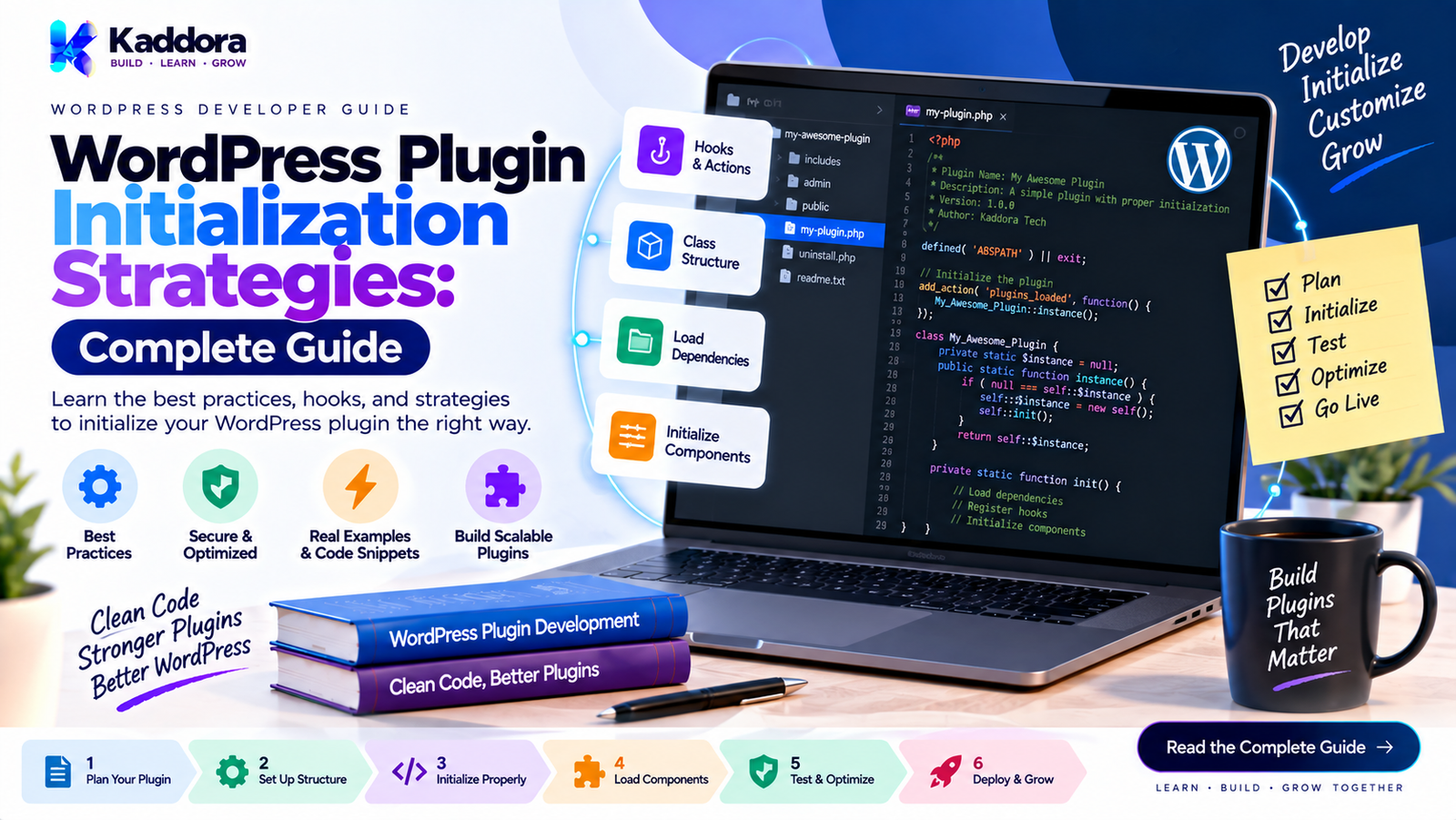
WordPress Plugin Initialization Strategies: Complete Guide
Introduction
A WordPress plugin may start with a simple function attached to a WordPress hook. As the plugin grows, however, initialization becomes more complicated.
A large plugin may need to initialize:
Configuration
Database repositories
Admin modules
REST API endpoints
Frontend functionality
WooCommerce integrations
Background processes
CLI commands
Event handlers
Third-party integrations
If these components are initialized without a clear strategy, the plugin can become tightly coupled and difficult to maintain.
WordPress plugin initialization strategies define how and when plugin components are loaded, constructed, registered, and connected to the WordPress lifecycle.
The goal is not simply to initialize everything as early as possible. The goal is to initialize the right components at the right time while keeping dependencies explicit and the architecture maintainable.
What Is WordPress Plugin Initialization?
Plugin initialization is the process of preparing a plugin's functionality for execution within WordPress.
A simplified lifecycle looks like this:
WordPress Loads Plugin ↓ Plugin Entry Point ↓ Bootstrap ↓ Configuration ↓ Dependencies ↓ Services ↓ Modules ↓ Hooks ↓ Runtime
Initialization can involve both object construction and WordPress hook registration.
These are related but should not always happen at the same time.
For example, creating a service object does not necessarily mean that its functionality should immediately execute.
Why Plugin Initialization Strategy Matters
A plugin's initialization strategy affects:
Performance
Maintainability
Dependency management
Testability
Extensibility
Compatibility
Debugging
Request lifecycle behavior
Consider a plugin with 20 feature modules.
If every module loads and executes during every request, the plugin may perform unnecessary work.
A better architecture may initialize the core services first and register feature-specific behavior only when the relevant WordPress lifecycle event occurs.
WordPress Plugin Initialization vs Bootstrap
These concepts are closely related but serve different purposes.
Bootstrap
The bootstrap establishes the plugin environment.
Entry File ↓ Bootstrap
Initialization
Initialization prepares the plugin's services and modules.
Bootstrap ↓ Initialization ↓ Services ↓ Modules
A useful architecture separates the two responsibilities.
Strategy 1: Direct Initialization
The simplest approach is to initialize functionality directly from the plugin entry file.
<?php defined( 'ABSPATH' ) || exit; add_action( 'init', 'my_plugin_initialize' ); function my_plugin_initialize() { // Plugin functionality. }
This can work well for small plugins.
Advantages
Easy to understand
Minimal architecture
Low overhead
Suitable for small functionality
Limitations
As the plugin grows, the main plugin file can become difficult to maintain.
Strategy 2: Initialization Class
A dedicated initialization class provides better separation.
final class Plugin { public function run() { add_action( 'init', array( $this, 'initialize' ) ); } public function initialize() { // Initialize functionality. } }
The entry file can remain small:
$plugin = new Plugin(); $plugin->run();
This is often a practical approach for medium-sized plugins.
Strategy 3: Bootstrap + Initializer
A larger plugin can separate bootstrapping from initialization.
Plugin Entry ↓ Bootstrap ↓ Initializer ↓ Modules
For example:
final class Bootstrap { public function run() { $initializer = new Initializer(); $initializer->register(); } }
The initializer can then coordinate services and modules.
Strategy 4: Hook-Based Initialization
WordPress itself is event-driven, so plugin initialization should often align with WordPress hooks.
For example:
add_action( 'init', array( $plugin, 'initialize' ) );
Other components may use:
add_action( 'admin_init', array( $admin, 'initialize' ) );
Or:
add_action( 'rest_api_init', array( $rest, 'register_routes' ) );
This allows functionality to initialize according to the WordPress lifecycle.
Strategy 5: Early Initialization
Some components need to be available early in the request.
Examples can include:
Configuration
Compatibility checks
Core services
Autoloading
Dependency registration
The architecture may therefore look like:
Plugin Loaded ↓ Core Configuration ↓ Dependency Registration ↓ WordPress Lifecycle
However, early initialization should not become an excuse to load every feature immediately.
Strategy 6: Deferred Initialization
Deferred initialization means waiting until functionality is actually needed.
For example:
add_action( 'rest_api_init', array( $rest_module, 'register_routes' ) );
The REST-specific registration is deferred until WordPress initializes the REST API.
This can reduce unnecessary processing during ordinary frontend requests.
Strategy 7: Conditional Initialization
A plugin can initialize components only when certain conditions are met.
For example:
if ( is_admin() ) { $admin_module->register(); }
Another example could be checking whether a dependency is available:
if ( class_exists( 'WooCommerce' ) ) { $woocommerce_module->register(); }
Conditional initialization is especially useful for optional integrations.
Strategy 8: Feature-Based Initialization
Large plugins can organize initialization around feature modules.
For example:
Plugin ├── Admin ├── Analytics ├── Orders ├── Reports ├── REST └── Integrations
Each feature can expose a registration method:
$analytics->register(); $reports->register(); $rest->register();
This makes the plugin's architecture easier to understand.
Strategy 9: Service-Oriented Initialization
A plugin can register reusable services before initializing feature modules.
For example:
Configuration ↓ Logger ↓ Repository ↓ Domain Service ↓ Feature Module
This is useful when several modules depend on the same underlying services.
Instead of creating multiple independent database or API clients, shared services can be provided to the modules that need them.
Strategy 10: Dependency Injection
Dependency injection makes initialization dependencies explicit.
For example:
final class Report_Service { private $repository; public function __construct( Report_Repository $repository ) { $this->repository = $repository; } }
The initialization layer creates the required dependency:
$repository = new Report_Repository(); $service = new Report_Service( $repository );
This is generally easier to reason about than having the service construct its own dependencies internally.
Strategy 11: Container-Based Initialization
A larger plugin may use a service container.
Conceptually:
Container ├── Config ├── Logger ├── Database ├── Repository ├── API Client └── Domain Services
Modules can then receive the services they require.
However, a container should not automatically be considered necessary for every WordPress plugin.
For smaller plugins, explicit construction can be simpler and easier to maintain.
Strategy 12: Module Registration
A modular plugin can register components individually.
$modules = array( new Admin_Module(), new REST_Module(), new Analytics_Module(), ); foreach ( $modules as $module ) { $module->register(); }
This provides a clear boundary between the initialization system and feature implementation.
Strategy 13: Lifecycle-Aware Initialization
WordPress provides multiple lifecycle points.
A plugin can use different hooks for different responsibilities.
Component
Typical Lifecycle
General runtime
init
Admin functionality
admin_init
REST API
rest_api_init
Frontend assets
wp_enqueue_scripts
Admin assets
admin_enqueue_scripts
Widgets
widgets_init
Cron-related functionality
Scheduled events
CLI
WP-CLI command registration
The exact hook should depend on when the functionality needs to be available.
Strategy 14: Initialization by Request Context
Not every request needs every component.
For example:
Frontend Request ├── Core Services └── Frontend Modules Admin Request ├── Core Services └── Admin Modules REST Request ├── Core Services └── REST Modules
This approach can prevent irrelevant functionality from being initialized unnecessarily.
Strategy 15: Dependency-Aware Initialization
Initialization order becomes important when one component depends on another.
For example:
Configuration ↓ Database ↓ Repository ↓ Domain Service ↓ Application Service ↓ Controller
Initializing a controller before its required service is available can produce runtime failures.
The initialization process should therefore reflect actual dependency relationships.
Avoid Circular Initialization Dependencies
A problematic architecture might look like:
Service A ↓ Service B ↓ Service A
This can produce difficult initialization problems.
Instead, identify the shared responsibility and extract it into a separate abstraction.
For example:
Service A ──→ Shared Service Service B ──→ Shared Service
This reduces coupling.
Initialization and Database Access
Avoid performing expensive database operations simply because the plugin has been loaded.
For example, this pattern can be problematic:
public function initialize() { $this->load_everything_from_database(); }
A better architecture can defer data retrieval until the relevant service actually needs it.
Initialization ↓ Repository Registration ↓ Actual Query When Needed
This distinction can improve both performance and architecture.
Initialization and API Integrations
Third-party APIs should generally not be contacted merely because the plugin initializes.
Instead:
Plugin Initialization ↓ API Client Registration ↓ API Request When Needed
This prevents unnecessary external requests during ordinary WordPress requests.
It also makes failure handling easier.
Initialization and Cron Jobs
Scheduled background processing should also be separated from ordinary request initialization.
The plugin may register the scheduled event during setup and execute the actual processing when WordPress invokes the scheduled hook.
Conceptually:
Plugin Setup ↓ Schedule Event ↓ WordPress Cron ↓ Background Handler
The handler should perform the actual work instead of making every frontend request perform the same operation.
Initialization and AJAX
AJAX functionality can similarly be registered through appropriate WordPress hooks.
The registration layer should be separate from the actual business logic.
AJAX Request ↓ Handler ↓ Application Service ↓ Domain Logic
This prevents request-handling code from becoming tightly coupled with business logic.
Initialization and REST Controllers
REST controllers should generally be registered during the REST lifecycle.
add_action( 'rest_api_init', array( $controller, 'register_routes' ) );
The controller can then delegate actual operations to application or domain services.
This creates a cleaner architecture:
REST Controller ↓ Application Service ↓ Domain Service ↓ Repository
Initialization and Security
Initialization should not be confused with authorization.
Registering an admin page does not automatically make an operation secure.
Sensitive operations still need appropriate:
Capability checks
Nonce validation where applicable
Input validation
Sanitization
Output escaping
Permission callbacks for REST endpoints
Initialization establishes functionality; security controls determine who can use it.
Initialization and Performance
Poor initialization can increase the amount of work performed on every request.
Common causes include:
Loading every module
Creating unnecessary objects
Running database queries
Calling external APIs
Loading unnecessary assets
Registering irrelevant functionality
Performing expensive calculations
A useful principle is:
Register what is needed, when it is needed.
Initialization vs Lazy Loading
These concepts work together.
Initialization establishes the plugin's architecture.
Lazy loading delays expensive work until required.
For example:
Plugin Bootstrap ↓ Register Service ↓ Service Object Created Only When Required
This can be useful for expensive integrations or large feature modules.
Initialization and Testing
A clear initialization strategy makes testing easier.
Instead of a class creating every dependency internally:
$service = new Service();
you can inject dependencies:
$service = new Service( $repository );
Tests can then provide controlled implementations.
This reduces hidden dependencies.
A Practical Initialization Architecture
A scalable WordPress plugin might use:
Plugin Entry File ↓ Bootstrap ↓ Configuration ↓ Service Registration ↓ Dependency Checks ↓ Module Registration ↓ WordPress Lifecycle Hooks ↓ Runtime
Inside the module layer:
Admin Module REST Module Frontend Module Database Module Integration Module Background Module
This provides clear architectural boundaries without requiring every plugin to adopt an unnecessarily complex framework.
Common Plugin Initialization Mistakes
Initializing Everything Immediately
Loading every feature during every request can create unnecessary work.
Using One Giant Initialization Function
A large function quickly becomes difficult to maintain.
Hiding Dependencies
Services that silently construct their own dependencies are harder to test and replace.
Performing Database Queries During Bootstrap
Initialization should generally register data-access services rather than retrieve large datasets unnecessarily.
Making External API Requests During Initialization
External communication should normally happen when the relevant functionality requires it.
Mixing Initialization With Business Logic
The initialization layer should coordinate components rather than implement application rules.
Ignoring WordPress Lifecycle Hooks
Registering functionality at the wrong lifecycle stage can cause compatibility and timing problems.
Overengineering Small Plugins
A small plugin does not necessarily need a dependency container, service provider system, module discovery engine, and complex application kernel.
Choose architecture according to actual complexity.
Best Practices for WordPress Plugin Initialization
A strong initialization strategy should:
Keep the main plugin file small.
Use a dedicated bootstrap when appropriate.
Make dependencies explicit.
Separate registration from execution.
Use WordPress lifecycle hooks correctly.
Initialize only necessary modules.
Defer expensive work when practical.
Keep database queries out of unnecessary startup paths.
Avoid unnecessary external API requests.
Separate business logic from initialization.
Handle optional dependencies safely.
Keep security checks separate and explicit.
Design initialization around maintainability.
Avoid unnecessary architectural abstractions.
WordPress Plugin Initialization Checklist
Before releasing an advanced plugin, review the initialization process.
Architecture
Is the plugin entry point small?
Is initialization separated from business logic?
Are feature modules clearly defined?
Are dependencies explicit?
Lifecycle
Are components registered on appropriate WordPress hooks?
Are admin features isolated appropriately?
Are REST routes registered through rest_api_init?
Are frontend and admin assets registered in their appropriate contexts?
Performance
Are unnecessary modules avoided?
Are expensive operations deferred?
Are unnecessary database queries avoided?
Are unnecessary external API requests avoided?
Compatibility
Are optional dependencies checked?
Are required plugin dependencies handled correctly?
Does the plugin behave safely when optional integrations are unavailable?
Security
Are capability checks present where required?
Are REST permissions configured correctly?
Is user input validated and sanitized?
Is output escaped appropriately?
Maintainability
Can individual modules be changed independently?
Can services be tested independently?
Is initialization easy for another developer to understand?
Why Choose Kaddora?
Kaddora focuses on practical WordPress development with an emphasis on building plugins that can grow beyond a basic collection of functions.
For advanced plugin projects, a structured architecture can help separate:
Plugin bootstrap
Initialization
Feature modules
Database operations
Business logic
API integrations
Administration
Frontend functionality
Kaddora's WordPress-focused approach is centered around creating practical solutions that work within the WordPress ecosystem rather than unnecessarily replacing WordPress's native architecture.
Whether you are developing a small utility plugin or a larger business-oriented WordPress product, a clear initialization strategy can make future development, debugging, testing, and maintenance easier.
Conclusion
WordPress plugin initialization is an architectural decision, not simply a matter of deciding where to place an add_action() call.
Small plugins may require only straightforward initialization. Larger plugins may need bootstrap classes, service registration, dependency injection, modular initialization, conditional loading, and lifecycle-aware registration.
The most important principle is to keep initialization focused:
Initialize the infrastructure, register the functionality, and execute expensive work only when it is actually required.
A good initialization strategy keeps dependencies visible, aligns functionality with the WordPress lifecycle, reduces unnecessary processing, and gives developers a cleaner foundation for extending the plugin.
As a plugin grows, its initialization architecture should evolve with it—but complexity should always have a practical purpose.
Frequently Asked Questions
What is WordPress plugin initialization?
WordPress plugin initialization is the process of loading and registering the services, modules, dependencies, and hooks required for a plugin to operate.
What is the difference between plugin bootstrap and initialization?
The bootstrap starts and coordinates the plugin's startup process, while initialization prepares specific services and modules for runtime operation.
Should every WordPress plugin use a dedicated initialization class?
No. Small plugins can use simpler structures. Dedicated initialization classes become increasingly useful as plugin complexity grows.
When should WordPress plugin functionality be initialized?
Functionality should be initialized at the appropriate WordPress lifecycle stage. For example, REST routes generally belong to rest_api_init, while frontend assets use wp_enqueue_scripts.
How can plugin initialization improve performance?
Avoiding unnecessary modules, database queries, API calls, and object construction during every request can reduce unnecessary processing.
Should plugin initialization contain business logic?
Generally, no. Initialization should coordinate components, while business rules should live in dedicated services or domain-oriented classes.
What is conditional plugin initialization?
Conditional initialization means registering a feature only when the relevant condition is satisfied, such as an available integration, enabled feature, or appropriate request context.
Is dependency injection useful for WordPress plugins?
Dependency injection can make dependencies explicit and improve testability, particularly in larger plugins. It should be used where it provides a practical architectural benefit.
Can WordPress plugins use lazy initialization?
Yes. Plugins can defer expensive work until the functionality is actually required or until an appropriate WordPress lifecycle event occurs.
How should plugin initialization handle optional dependencies?
Optional dependencies should be detected before their integration modules are registered, allowing the core plugin to continue operating when those integrations are unavailable.
Why is plugin initialization important for large plugins?
Large plugins often contain many services and modules. A structured initialization strategy helps control dependencies, lifecycle timing, performance, and maintainability.
Why choose Themekaddora?
Themekaddora provides lightweight, responsive, SEO-friendly WordPress themes with fast performance, WooCommerce compatibility, flexible customization, accessibility-conscious design, modern templates, regular updates, and professional support—providing a strong foundation for businesses building digital products and product-focused websites.
Comments (0)