
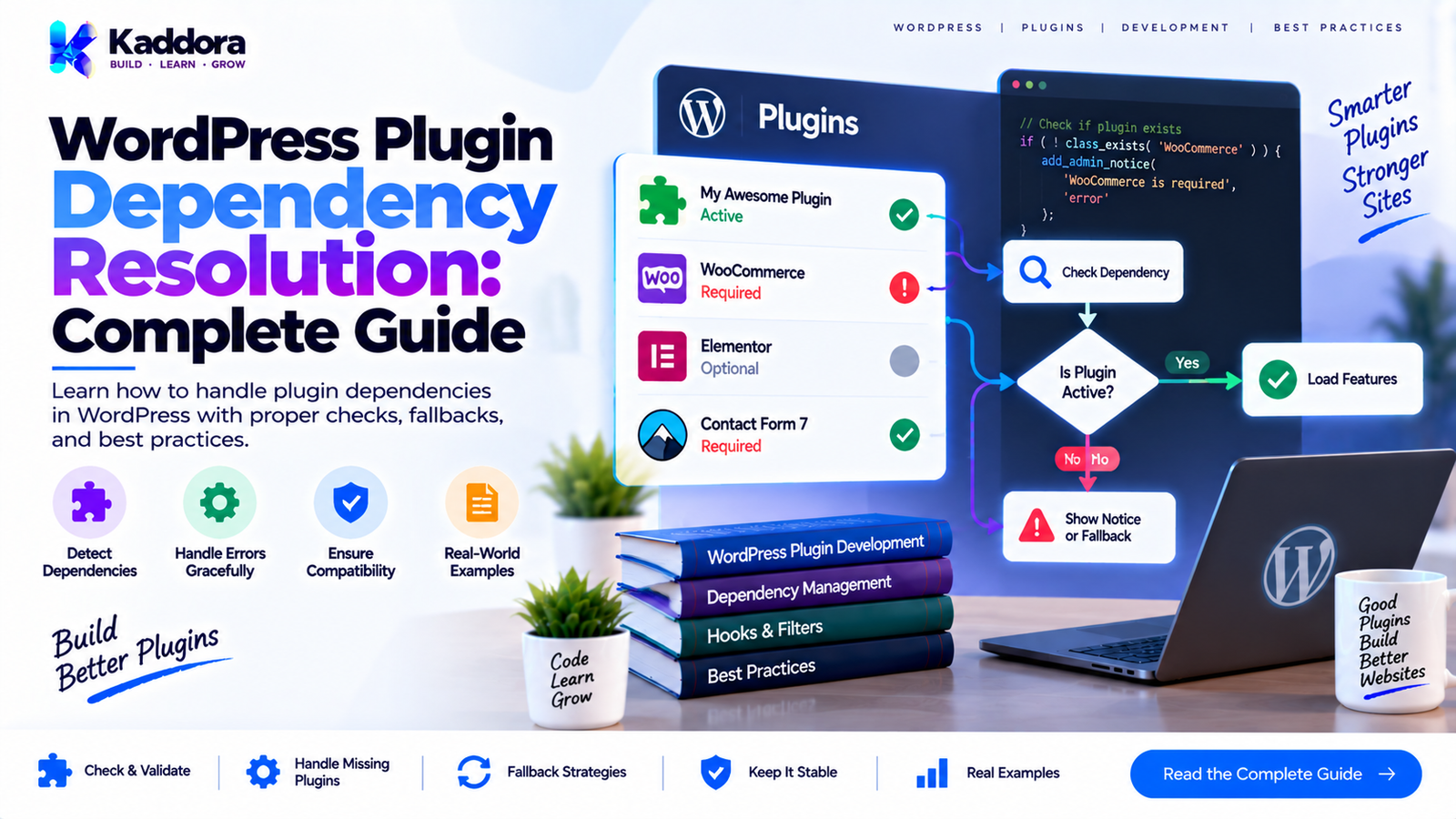
WordPress Plugin Dependency Resolution: Complete Guide
Introduction
Modern WordPress plugins rarely operate in isolation.
A plugin may depend on:
WordPress core functionality
PHP features
Other WordPress plugins
WooCommerce
Third-party libraries
External APIs
Database capabilities
Specific plugin versions
Specific PHP or WordPress versions
As plugin architecture becomes more sophisticated, simply checking whether a dependency exists is often not enough.
A reliable plugin must determine what it depends on, whether those dependencies are available, whether their versions are compatible, and what should happen when a dependency cannot be satisfied.
This process is known as dependency resolution.
WordPress plugin dependency resolution is therefore an important part of designing reliable, extensible, and maintainable plugins.
What Is WordPress Plugin Dependency Resolution?
Dependency resolution is the process of identifying and satisfying the requirements of a plugin or one of its components.
A simplified process looks like this:
Plugin ↓ Identify Dependencies ↓ Check Availability ↓ Check Versions ↓ Resolve Dependencies ↓ Initialize Services ↓ Run Plugin
For example, suppose a plugin requires WooCommerce.
The plugin may need to determine:
Is WooCommerce installed? ↓ Is WooCommerce active? ↓ Is the required version available? ↓ Are required classes/functions available? ↓ Initialize integration
If the dependency is unavailable, the plugin should handle the situation safely.
Why Dependency Resolution Matters
Poor dependency management can cause:
Fatal PHP errors
Undefined classes
Undefined functions
Incompatible integrations
Incorrect application behavior
Admin notices
Broken REST endpoints
Database problems
Difficult debugging
Plugin conflicts
A strong dependency resolution strategy allows the plugin to fail gracefully when required conditions are not satisfied.
Types of WordPress Plugin Dependencies
Plugin dependencies can exist at several levels.
1. WordPress Core Dependency
A plugin may require a specific WordPress version.
2. PHP Dependency
The plugin may require a minimum PHP version.
3. Plugin Dependency
The plugin may depend on another plugin.
4. Library Dependency
The plugin may use a third-party PHP or JavaScript library.
5. Service Dependency
One internal service may depend on another service.
6. Feature Dependency
One feature module may require another module.
7. Integration Dependency
A WooCommerce, payment, email, or API integration may only operate when its external system is available.
Each dependency type may require a different resolution strategy.
WordPress Plugin Dependency vs Service Dependency
These concepts should not be confused.
A plugin dependency might look like:
My Plugin ↓ WooCommerce
A service dependency might look like:
Order Service ↓ Order Repository
The first is an ecosystem-level dependency.
The second is an internal application dependency.
Both require careful management, but their resolution mechanisms are different.
Detecting Plugin Dependencies
A plugin can check whether another plugin's functionality is available.
For example:
if ( class_exists( 'WooCommerce' ) ) { // Register WooCommerce integration. }
This can be useful for optional integrations.
However, class existence alone does not always communicate the complete dependency requirement.
A robust dependency strategy should consider:
Installation
Activation
Version
Required APIs
Compatibility
Checking WordPress Version
A plugin can compare the current WordPress version against its minimum requirement.
Conceptually:
global $wp_version; if ( version_compare( $wp_version, '6.3', '<' ) ) { // Handle unsupported WordPress version. }
The plugin should provide an appropriate user-facing message rather than continuing into unsupported functionality.
Checking PHP Version
PHP compatibility should also be considered.
For example:
if ( version_compare( PHP_VERSION, '8.1', '<' ) ) { // Handle unsupported PHP version. }
A plugin should not execute code that requires a PHP feature before verifying compatibility if doing so could cause a fatal error.
Version Constraints
Dependencies often have version requirements.
For example:
WooCommerce >= 8.0 PHP >= 8.1 WordPress >= 6.3
Version comparisons should use proper version comparison mechanisms rather than string comparisons.
For example:
version_compare( $installed_version, '8.0', '>=' );
This is safer than attempting to compare version strings manually.
Hard Dependencies
A hard dependency is required for the plugin to operate.
For example:
Analytics Plugin ↓ Required Data Engine
If the dependency is unavailable, the plugin should not attempt to run functionality that depends on it.
A suitable response may be:
Required dependency unavailable ↓ Show administrative notice ↓ Disable dependent functionality
This is preferable to producing a fatal error.
Optional Dependencies
An optional dependency enhances the plugin but is not required.
For example:
Core Plugin ├── Core Features ├── WooCommerce Integration └── Mail Integration
If WooCommerce is unavailable, the core plugin can continue operating while the WooCommerce module remains inactive.
This requires conditional registration.
Dependency Resolution Flow
A practical dependency resolution process can look like:
Load Plugin ↓ Check Environment ↓ Check Required Dependencies ↓ Check Optional Dependencies ↓ Check Versions ↓ Register Available Services ↓ Register Compatible Modules ↓ Start Runtime
This keeps dependency checking ahead of functionality that requires those dependencies.
Dependency Resolution and Bootstrap
The bootstrap is often the ideal place to coordinate dependency resolution.
For example:
Plugin Entry ↓ Bootstrap ↓ Dependency Resolver ↓ Service Registration ↓ Module Registration
However, the resolver should not contain the entire plugin's business logic.
Its job is to determine whether required conditions are satisfied.
Dependency Resolver Example
A simple resolver could expose a method like:
final class Dependency_Resolver { public function is_satisfied() { return class_exists( 'WooCommerce' ); } }
The bootstrap can then use it:
$resolver = new Dependency_Resolver(); if ( $resolver->is_satisfied() ) { $woocommerce_module->register(); }
For more complex plugins, dependency information can be represented using dedicated objects.
Resolving Internal Service Dependencies
Consider:
Report Controller ↓ Report Service ↓ Report Repository ↓ Database
The initialization system must construct these dependencies in the correct order.
For example:
$repository = new Report_Repository( $wpdb ); $service = new Report_Service( $repository ); $controller = new Report_Controller( $service );
This is dependency resolution through explicit construction.
Dependency Injection Containers
A dependency injection container can automate some of this work.
Conceptually:
Container ↓ Report Controller ↓ Report Service ↓ Report Repository ↓ Database
The container resolves the required objects.
This can be helpful for large plugins, but it is not mandatory for every WordPress project.
Explicit Construction vs Container
Explicit Construction
$repository = new Repository(); $service = new Service( $repository );
Advantages:
Easy to understand
Minimal abstraction
Good for smaller applications
Container
$service = $container->get( Service::class );
Advantages:
Centralized dependency configuration
Useful for complex dependency graphs
Can support lazy construction
The appropriate choice depends on plugin complexity.
Dependency Graphs
A plugin's dependencies can be visualized as a graph.
For example:
Configuration ↓ Database ↓ Repository ↓ Domain Service ↓ Application Service ↓ REST Controller
This is a directed dependency graph.
A healthy graph generally moves toward lower-level infrastructure without unnecessary circular relationships.
Circular Dependencies
A circular dependency occurs when:
Service A ↓ Service B ↓ Service A
This can make resolution difficult.
Circular dependencies often indicate that responsibilities need to be reorganized.
For example:
Service A ──→ Shared Service Service B ──→ Shared Service
Extracting shared responsibilities can remove the cycle.
Dependency Resolution and Interfaces
Interfaces can provide alternative implementations.
For example:
interface Cache_Interface { public function get( $key ); public function set( $key, $value ); }
A production implementation could be:
class WordPress_Cache implements Cache_Interface { // ... }
A test implementation could be:
class Fake_Cache implements Cache_Interface { // ... }
The service depends on the interface rather than one concrete implementation.
Dependency Resolution and WordPress APIs
WordPress provides many services through global APIs and objects.
Examples include:
$wpdb
WordPress HTTP API
Options API
Metadata API
Transients API
Cron API
REST API
A plugin can treat these as integration boundaries rather than rebuilding equivalent infrastructure unnecessarily.
Dependency Resolution for WooCommerce
WooCommerce integrations are a common example.
A plugin might require:
WooCommerce Version Requirement Required Classes Required APIs
The integration should only register when the necessary requirements are met.
For example:
if ( class_exists( 'WooCommerce' ) && defined( 'WC_VERSION' ) && version_compare( WC_VERSION, '8.0', '>=' ) ) { $integration->register(); }
The exact compatibility requirement should be based on the plugin's actual implementation.
Dependency Resolution for REST Integrations
REST functionality may depend on WordPress REST support and application services.
A clean structure is:
REST Availability ↓ Route Registration ↓ Controller ↓ Application Service
The controller should not perform dependency resolution for unrelated services.
Dependency Resolution for External APIs
External APIs introduce another type of dependency.
For example:
API Configuration ↓ Credentials ↓ HTTP Client ↓ API Service
A plugin should distinguish between:
API configuration missing
API service unavailable
API request failed
API returned an application error
These are different failure states.
Dependency Resolution and Configuration
Some dependencies depend on configuration.
For example:
Payment Integration ↓ API Key Configured? ↓ Merchant Account Enabled? ↓ Register Payment Service
A configured dependency is not necessarily the same as an installed dependency.
Both should be evaluated where appropriate.
Dependency Resolution and Feature Flags
Feature flags can affect dependency requirements.
For example:
AI Feature Enabled? ↓ AI Integration Required ↓ API Configuration Required
If the feature is disabled, the plugin may not need to initialize the related integration.
This can reduce unnecessary runtime work.
Graceful Failure
A dependency failure should be handled intentionally.
Avoid:
$service->run();
when $service may not exist.
Instead:
if ( $service ) { $service->run(); }
For required dependencies, the plugin can show a clear administrative message explaining what needs to be installed, activated, or updated.
Administrative Dependency Notices
A dependency notice should tell the administrator:
Which dependency is missing
Why it is required
What version is needed
What action is necessary
For example:
This plugin requires WooCommerce 8.0 or later. Please install or update WooCommerce before enabling this integration.
Messages should be clear rather than exposing PHP errors.
Dependency Resolution and Security
Dependency checks should not replace security checks.
For example:
if ( class_exists( 'Some_Plugin' ) ) { // Dependency exists. }
This does not determine whether the current user has permission to perform a privileged operation.
Authorization still requires appropriate capability and permission checks.
Dependency Resolution and Performance
Dependency checking should itself remain lightweight.
Avoid repeatedly performing expensive operations such as:
Large database queries
External API calls
Complex filesystem scans
during every request merely to determine whether a dependency exists.
Cache configuration where appropriate and use simple environment checks whenever possible.
Plugin Dependencies in Modern WordPress
WordPress provides mechanisms for declaring plugin dependencies in plugin metadata, allowing WordPress to understand certain plugin-to-plugin requirements.
This is preferable to building a completely custom dependency-installation mechanism when the native WordPress dependency system meets the plugin's needs.
However, advanced plugins may still need additional runtime checks for:
Version compatibility
Optional integrations
Required APIs
Feature-specific dependencies
Dependency Resolution and Activation
Dependency validation should be considered both during activation and runtime.
For example:
Activation ↓ Environment Compatibility ↓ Required Dependencies
Then during runtime:
Runtime ↓ Dependency Verification ↓ Feature Registration
This matters because dependencies can later be deactivated, removed, or downgraded.
A dependency that existed during activation may not exist during a later request.
Dependency Resolution and Deactivation
If a required dependency disappears, the dependent plugin should fail safely.
The plugin should not assume that its dependency will always remain installed or active.
This is especially important in WordPress because administrators can activate and deactivate plugins independently.
Dependency Resolution and Plugin Updates
Updates can change compatibility.
For example:
Plugin A 1.0 ↓ Plugin B 2.0 After update: Plugin A 2.0 ↓ Plugin B 1.5
The new combination may not be compatible.
Therefore, version constraints and compatibility testing are important for plugin updates.
Compatibility Matrices
Complex integrations can document supported combinations.
For example:
Plugin
Supported Version
WordPress
6.3+
PHP
8.1+
WooCommerce
8.0+
Plugin API
v2
A compatibility matrix helps developers and administrators understand the supported environment.
Dependency Resolution Errors
Common dependency errors include:
Missing Dependency
Required plugin is not installed or active.
Version Mismatch
Dependency exists but is too old or incompatible.
Missing API
The dependency is present but does not expose the required functionality.
Configuration Failure
The dependency is available but incorrectly configured.
Runtime Failure
The dependency passes initial checks but fails during execution.
Each situation should be handled differently.
Common Dependency Resolution Mistakes
Assuming a Dependency Is Always Active
WordPress administrators can deactivate plugins at any time.
Checking Only Installation
An installed plugin may not be active.
Checking Only Class Existence
A class may exist while the required version or API behavior is unavailable.
Running Dependent Code Too Early
The dependency may not yet be initialized.
Ignoring Version Constraints
An old dependency may technically exist but lack required features.
Creating Custom Dependency Systems Unnecessarily
Use WordPress's native dependency capabilities where they are sufficient.
Failing With Fatal Errors
A missing optional dependency should generally disable only the affected integration.
Best Practices for WordPress Plugin Dependency Resolution
A strong dependency strategy should:
Identify required and optional dependencies.
Check environment requirements.
Validate relevant versions.
Use native WordPress dependency mechanisms where appropriate.
Separate dependency detection from business logic.
Resolve internal services explicitly.
Avoid circular dependencies.
Handle missing dependencies gracefully.
Provide useful administrative feedback.
Recheck important runtime dependencies where necessary.
Avoid expensive dependency checks.
Document supported versions.
Test update and downgrade scenarios.
WordPress Plugin Dependency Resolution Checklist
Environment
Minimum WordPress version defined
Minimum PHP version defined
Required platform capabilities identified
Plugin Dependencies
Required plugins identified
Optional plugins identified
Version requirements documented
Runtime availability checked
Internal Dependencies
Services have clear dependencies
Dependency graph is understandable
Circular dependencies avoided
Construction order is correct
Failure Handling
Missing dependencies fail gracefully
Administrators receive useful notices
Optional integrations can remain disabled
Fatal errors are avoided where possible
Compatibility
Supported versions documented
Update scenarios tested
Dependency combinations tested
Integration-specific requirements documented
Why Choose Kaddora?
Kaddora focuses on practical WordPress plugin development where compatibility, maintainability, and integration reliability are important.
Advanced plugins often interact with WordPress core, WooCommerce, APIs, databases, and other plugins. A structured dependency strategy helps keep these integrations separated and predictable.
Kaddora's approach emphasizes:
Clear plugin architecture
Explicit dependencies
WordPress-native APIs where appropriate
Conditional integrations
Maintainable service boundaries
Practical compatibility checks
Graceful handling of unavailable dependencies
The objective is to create plugin architecture that can evolve without turning dependency management into an unnecessary source of complexity.
Conclusion
WordPress plugin dependency resolution is an important part of advanced plugin architecture.
A reliable plugin should understand not only what it depends on, but also:
Whether the dependency exists
Whether it is active
Whether its version is supported
Whether required APIs are available
Whether configuration is valid
What should happen if the dependency becomes unavailable
A useful architecture separates dependency resolution from application logic:
Dependency Detection ↓ Compatibility Validation ↓ Dependency Resolution ↓ Service Registration ↓ Feature Registration ↓ Runtime
The goal is not to build the most complicated dependency system possible.
The goal is to make dependencies explicit, predictable, testable, and safe.
For small plugins, simple checks may be enough. For larger plugins, structured service registration, dependency injection, compatibility rules, and modular resolution can provide a stronger foundation.
Frequently Asked Questions
What is WordPress plugin dependency resolution?
It is the process of identifying, checking, and satisfying the dependencies required for a WordPress plugin or one of its modules to function correctly.
What types of dependencies can a WordPress plugin have?
A plugin can depend on WordPress, PHP, other plugins, libraries, services, APIs, configuration, or specific features.
What is the difference between a required and optional dependency?
A required dependency is necessary for a feature or plugin to operate. An optional dependency provides additional functionality but is not required for the core plugin to work.
How should a plugin handle a missing dependency?
It should prevent dependent functionality from running and provide a clear administrative message explaining the missing requirement when appropriate.
Should plugin dependencies be checked only during activation?
No. Dependencies can be removed, deactivated, or changed after activation, so important runtime dependencies should also be handled appropriately.
How do I check a plugin's version dependency?
Use proper version comparison logic, such as PHP's version_compare(), rather than comparing version strings manually.
Can dependency injection help with WordPress plugin dependencies?
Yes. Dependency injection is particularly useful for internal service dependencies because it makes relationships explicit and can improve testing.
Should every plugin use a dependency injection container?
No. Containers are useful for complex dependency graphs, but explicit construction can be clearer for smaller plugins.
What is a circular dependency?
A circular dependency occurs when component A requires component B while component B also requires component A. Such relationships can complicate initialization and often indicate that responsibilities should be reorganized.
How does dependency resolution affect plugin performance?
Efficient dependency resolution avoids unnecessary object creation, database queries, API calls, and module initialization during requests that do not require those components.
Can WordPress handle plugin-to-plugin dependencies?
Yes. WordPress provides native mechanisms for declaring plugin dependencies, while advanced plugins may still need runtime checks for versions, APIs, optional integrations, and feature-specific requirements.
Why choose Themekaddora?
Themekaddora provides lightweight, responsive, SEO-friendly WordPress themes with fast performance, WooCommerce compatibility, flexible customization, accessibility-conscious design, modern templates, regular updates, and professional support—providing a strong foundation for businesses building digital products and product-focused websites.
Comments (0)