
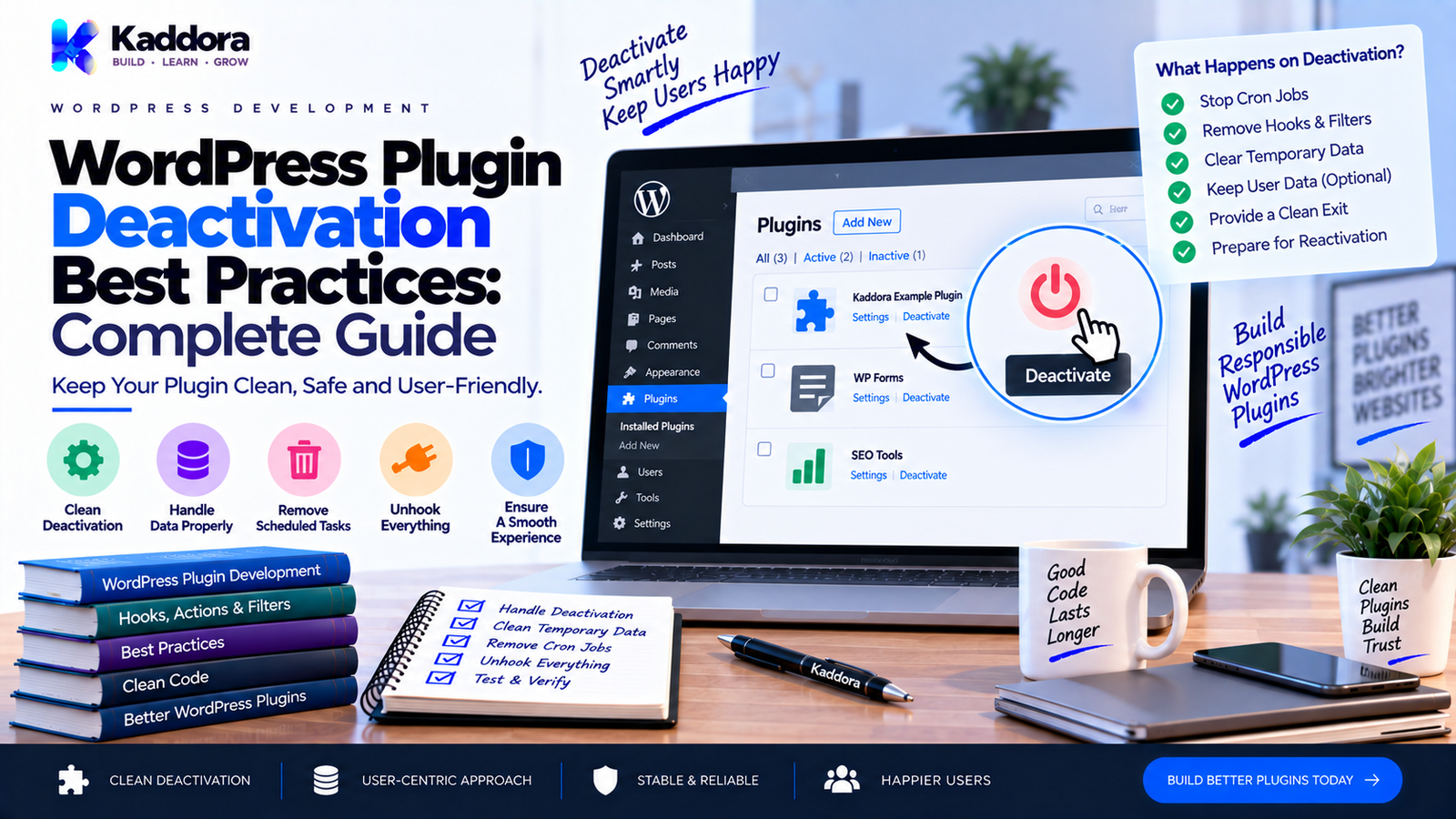
WordPress Plugin Deactivation Best Practices: Complete Guide
Introduction
Plugin activation prepares a plugin for use.
Deactivation does the opposite.
When a WordPress administrator deactivates a plugin, the plugin should stop its runtime functionality and perform only the cleanup that is appropriate for a temporary disabled state.
This distinction is extremely important.
A common mistake is treating deactivation like uninstall.
For example:
Deactivate Plugin ↓ Delete Everything
This is usually the wrong approach.
A better lifecycle is:
Plugin Active ↓ Deactivate ↓ Stop Runtime Features ↓ Clear Temporary Resources ↓ Preserve User Data ↓ Plugin Remains Installed
The administrator may deactivate a plugin temporarily because they are:
Troubleshooting a conflict
Testing performance
Switching themes
Debugging a problem
Temporarily disabling a feature
Preparing a migration
Investigating an error
They may later reactivate the same plugin and expect their settings and data to remain intact.
This is why WordPress plugin deactivation should be handled carefully.
A good deactivation strategy may include:
Unscheduling plugin-specific cron events
Clearing temporary runtime state
Removing temporary locks
Invalidating appropriate caches
Stopping background processes where appropriate
Preserving permanent settings
Preserving subscriber, customer, booking, order, or business data
In this guide, you'll learn how WordPress plugin deactivation works, how to use register_deactivation_hook(), what should happen during deactivation, what should not happen, how to handle WP-Cron, caches, queues, temporary data, database tables, WooCommerce, email systems, AI features, multisite, and how deactivation differs from uninstall.
What Is WordPress Plugin Deactivation?
Plugin deactivation is the lifecycle event that occurs when a WordPress plugin is disabled while remaining installed on the website.
A plugin can register a deactivation callback using:
register_deactivation_hook( __FILE__, 'kaddora_example_deactivate' );
When WordPress deactivates the plugin, the registered callback can perform appropriate cleanup.
A simplified lifecycle looks like:
Plugin Installed ↓ Activated ↓ Running ↓ Deactivated ↓ Still Installed
The key point is:
Deactivation does not mean permanent deletion.
Why Is Proper Deactivation Important?
A plugin can leave behind temporary runtime resources if deactivation is not handled properly.
Examples include:
Scheduled cron events
Temporary options
Background jobs
Runtime locks
Cache entries
Transient state
Temporary files
At the same time, aggressive cleanup can cause a different problem by destroying user data that should remain available after reactivation.
A correct deactivation strategy needs to balance both concerns.
The general principle is:
Clean temporary runtime resources while preserving persistent user data.
Deactivation vs Activation
These lifecycle events serve different purposes.
Activation
Used to prepare the plugin.
Activation ↓ Create Tables ↓ Create Defaults ↓ Schedule Tasks ↓ Store Installation State
Deactivation
Used to stop appropriate runtime behavior.
Deactivation ↓ Stop Runtime Tasks ↓ Clear Temporary Resources ↓ Preserve Persistent Data
The two should not simply be exact opposites.
Deactivation vs Uninstall
This is one of the most important distinctions in WordPress plugin development.
Deactivation
The plugin is disabled but remains installed.
Uninstall
The plugin is being permanently removed and may optionally clean up stored data.
For example:
Deactivate ↓ Keep Data Uninstall ↓ Optional Permanent Cleanup
A user may deactivate a plugin today and reactivate it tomorrow.
They generally should not lose all configuration because of that temporary action.
The WordPress Deactivation Hook
The standard API is:
register_deactivation_hook( __FILE__, 'kaddora_example_deactivate' );
The callback can be:
A function
A static class method
For a small plugin:
function kaddora_example_deactivate() { // Cleanup. }
For a larger plugin:
register_deactivation_hook( __FILE__, array( \Kaddora\Example\Deactivator::class, 'deactivate', ) );
A dedicated deactivator class can keep lifecycle logic organized.
What Should Happen During Deactivation?
Typical deactivation tasks can include:
Unscheduling plugin-specific cron events
Clearing temporary runtime data
Removing temporary locks
Stopping plugin-specific background activity
Invalidating appropriate temporary caches
Restoring temporary runtime state where appropriate
The exact tasks depend on what the plugin created while active.
What Should NOT Happen During Deactivation?
Avoid automatically deleting:
Custom database tables
Customers
Orders
Bookings
Subscribers
Campaign history
Plugin settings
User-generated content
Business records
unless there is a very specific and documented reason.
Permanent deletion generally belongs in uninstall functionality.
Basic Deactivation Example
A simple plugin might use:
function kaddora_example_deactivate() { wp_clear_scheduled_hook( 'kaddora_example_daily_sync' ); }
Then:
register_deactivation_hook( __FILE__, 'kaddora_example_deactivate' );
This stops the plugin's scheduled event while leaving persistent plugin data untouched.
Unschedule Plugin Cron Events
Plugins often create scheduled events.
For example:
wp_schedule_event( time(), 'daily', 'kaddora_example_daily_sync' );
During deactivation, the plugin can remove that event:
wp_clear_scheduled_hook( 'kaddora_example_daily_sync' );
This prevents a deactivated plugin from leaving its recurring scheduled callback behind.
Why Cron Cleanup Matters
Suppose a plugin registers:
kaddora_example_hourly_sync
and then gets deactivated.
If the scheduled event remains, WordPress may still attempt to run the event.
The plugin's callback may no longer be registered.
That can result in:
Unnecessary scheduled entries
Failed processing
Confusing logs
Wasted scheduling activity
Deactivation should therefore review all plugin-created scheduled events.
Clear Multiple Scheduled Hooks
A plugin may have several recurring jobs.
For example:
wp_clear_scheduled_hook( 'kaddora_example_daily_sync' ); wp_clear_scheduled_hook( 'kaddora_example_process_queue' ); wp_clear_scheduled_hook( 'kaddora_example_cleanup' );
Keep the list of scheduled hooks well documented.
Don't use broad cron cleanup that could remove events belonging to unrelated plugins.
Clear Temporary Transients
A plugin may use transients for temporary information.
For example:
set_transient( 'kaddora_example_runtime_status', $status, HOUR_IN_SECONDS );
During deactivation, some plugin-specific temporary transients may be cleared:
delete_transient( 'kaddora_example_runtime_status' );
Only remove transient data that the plugin owns and that is genuinely temporary.
Do not delete unrelated transients.
Deactivation and Persistent Options
Persistent plugin settings should normally remain after deactivation.
For example:
Plugin Settings ↓ Deactivate ↓ Settings Remain ↓ Reactivate ↓ Settings Available
This allows administrators to temporarily disable a plugin without reconfiguring it from scratch.
What About Temporary Options?
Some options are not permanent configuration.
For example:
Installation State Persistent Runtime Lock Temporary Queue Status Potentially Temporary
Identify the purpose of each stored value before deciding whether deactivation should remove it.
Don't delete an option merely because it is not a user-facing setting.
Deactivation and Database Tables
Custom database tables should normally remain after deactivation.
For example:
wp_kaddora_bookings wp_kaddora_subscribers wp_kaddora_campaigns
These may contain important user or business data.
The fact that the plugin is temporarily disabled does not mean the data is unwanted.
A better lifecycle is:
Activation ↓ Create Tables Runtime ↓ Use Tables Deactivation ↓ Keep Tables Uninstall ↓ Optional Cleanup
Deactivation and Database Schema
Deactivation is not the correct time to downgrade or remove the database schema.
Avoid:
Deactivate ↓ Drop Tables
If the plugin is reactivated, those tables may be needed immediately.
Schema changes should be handled through installation and migration logic.
Deactivation and Caching
A plugin may create cache entries while active.
When deactivated, temporary cache entries may sometimes be invalidated.
However, avoid clearing the entire WordPress cache without a specific reason.
Use targeted cleanup:
Plugin Cache ↓ Deactivate ↓ Invalidate Plugin Cache
instead of:
Deactivate ↓ Flush Everything
Broad cache flushing can affect unrelated functionality.
Deactivation and Object Caching
Object caching systems may contain plugin-specific cached data.
If the plugin has explicit cache keys, it can invalidate the keys it owns.
Use predictable prefixes:
kaddora_example_cache_*
This makes targeted cleanup easier.
Don't assume that every cached object needs to be manually removed.
Many cache systems manage expiration independently.
Deactivation and Background Processing
Modern plugins may use background jobs or queues.
For example:
Campaign Queue ↓ Background Worker ↓ Process Emails
When the plugin is deactivated, it should determine whether active processing should stop.
For some plugins:
Deactivate ↓ Stop New Jobs ↓ Leave Existing Data
may be appropriate.
For others, queued jobs may need to be cancelled or paused.
The correct behavior should be documented.
Deactivation and Queue Data
Do not automatically delete queue records simply because the plugin is deactivated.
Queue data may be needed if the plugin is reactivated.
For example:
Pending Jobs ↓ Deactivate ↓ Pause Processing ↓ Reactivate ↓ Resume
This can be safer than destroying queued work.
Deactivation and WP-Cron Queues
If a plugin uses WP-Cron to process a queue, deactivation can clear the scheduled processor while leaving queue records intact.
For example:
Queue Records ↓ Remain Stored Cron Processor ↓ Unschedule
When the plugin is reactivated, it can reschedule the processor.
This provides a clean separation between:
Data
and:
Execution
Deactivation and Email Marketing Plugins
An email marketing plugin may have:
Subscribers
Lists
Campaigns
Templates
Automation rules
Scheduled campaigns
Queue records
Deactivation should generally not delete those records.
A sensible pattern is:
Deactivate ↓ Stop Scheduled Sending ↓ Preserve Campaign Data ↓ Preserve Subscriber Data
When reactivated, the plugin can restore the required runtime scheduling.
Do not automatically send paused marketing campaigns simply because the plugin becomes active again unless that behavior is explicitly designed and controlled.
Deactivation and WooCommerce Plugins
WooCommerce-related plugins may contain important data such as:
Customer associations
Order metadata
Product configuration
Reports
Integration settings
Deactivation should not normally remove this information.
Instead:
Deactivate ↓ Stop Integration Hooks ↓ Preserve Data
When the plugin is reactivated, the integration can register again.
Deactivation and AI Plugins
AI plugins may have:
Prompt templates
Configuration
AI-generated content
Usage records
Cached responses
Provider settings
These should not normally be deleted during deactivation.
Temporary network or processing tasks may be paused or cleared where appropriate.
API credentials should remain protected.
Deactivation is not a signal to transmit or delete user data unnecessarily.
Deactivation and Analytics Plugins
Analytics systems may store:
Events
Reports
Aggregated data
Configuration
Scheduled processing jobs
Deactivation should usually stop collection or processing while preserving historical records.
For example:
Analytics Data ↓ Preserve Tracking ↓ Stop
The exact behavior depends on what the plugin promises to users.
Deactivation and REST APIs
When a plugin is deactivated, its REST routes are generally no longer registered because its runtime code is no longer loaded.
There is usually no need to manually delete REST route definitions from WordPress.
The important point is to avoid storing persistent route-related data unnecessarily during deactivation.
Deactivation and AJAX
Similarly, AJAX actions registered by the plugin stop being registered when the plugin is inactive.
There is usually no need to manually unregister every callback during deactivation.
Instead, focus cleanup on persistent or scheduled resources created by the plugin.
Deactivation and Rewrite Rules
Plugins that modify rewrite behavior may need to flush rewrite rules on deactivation when appropriate.
For example:
flush_rewrite_rules();
However, flushing rewrites can be relatively expensive.
Only do it when the plugin actually added or removed rewrite structures that require a refresh.
Don't flush rewrite rules indiscriminately for every plugin.
Deactivation and Custom Post Types
Custom post types registered by a plugin disappear from the runtime when the plugin is inactive.
Their stored posts may remain in the database.
For example:
Plugin Active ↓ CPT Registered ↓ Posts Visible Plugin Deactivated ↓ CPT Not Registered ↓ Posts Remain Stored
This is another reason deactivation should not be confused with deletion.
If the plugin is reactivated, the post type can be registered again.
Deactivation and User-Generated Content
Plugins can create:
Posts
Pages
Custom post types
Terms
User metadata
WooCommerce data
Bookings
Forms
Campaigns
Deactivation should generally preserve these records.
Deleting user-generated or business data simply because the plugin is inactive can create serious data-loss problems.
Deactivation and Files
Some plugins create temporary files.
For example:
Plugin Runtime ↓ Temporary Export ↓ Temporary Cache File
If the file is explicitly temporary and safe to remove, deactivation may clean it.
However, do not delete:
User uploads
Purchased assets
Generated business documents
Content
Media
Files that users may expect to remain
Define ownership and lifetime clearly.
Deactivation and Scheduled Cleanup
A plugin may create a cleanup job.
For example:
Daily Cleanup
When deactivated, the cleanup schedule may no longer be needed.
Remove only the events owned by the plugin.
If cleanup is required for permanent data retention or compliance, document how that process works independently of plugin activation state.
Deactivation and Multisite
Multisite makes deactivation more complicated.
A plugin can be:
Deactivated on one site
Deactivated across a network
Network activated
Re-enabled on selected sites
The plugin should distinguish:
Site-Level Deactivation
from:
Network-Level Deactivation
The appropriate cleanup strategy depends on whether resources are:
Site-specific
Network-wide
Shared
Don't remove network-wide data simply because one site deactivated the plugin.
Network Deactivation Considerations
If a plugin creates site-specific scheduled jobs, each site may have its own events.
For network-level management:
Network │ ├── Site A → Plugin Active ├── Site B → Plugin Active └── Site C → Plugin Active
Deactivating at the network level may require appropriate handling across all affected sites.
Avoid assumptions that single-site cleanup logic automatically handles every multisite situation.
Deactivation and Plugin Dependencies
A plugin may rely on another plugin.
For example:
Plugin A ↓ Requires ↓ Plugin B
If Plugin B is deactivated, Plugin A may also need to stop certain functionality.
However, deactivation should still preserve Plugin A's data.
A dependency failure is not an instruction to delete everything.
Deactivation and Optional Integrations
Suppose a plugin supports:
WooCommerce
CRM
AI
Email API
Deactivation should generally stop the plugin's integrations without destroying their configuration.
For example:
Plugin Deactivated ↓ Integration Hooks Stop ↓ Settings Preserved
This allows reactivation without reconfiguring every integration.
Should Deactivation Reset Plugin Settings?
Generally, no.
Consider:
Admin Settings ↓ Plugin Deactivated ↓ Settings Remain ↓ Plugin Reactivated ↓ Settings Restored
Resetting settings belongs to an explicit reset or uninstall workflow, not ordinary deactivation.
Should Deactivation Disable Features Permanently?
No.
Deactivation itself already means the plugin is no longer active.
There is usually no need to modify permanent settings merely to indicate that the plugin is disabled.
WordPress's plugin activation state provides that information.
Deactivation and Licenses
Commercial plugins may store licensing or subscription configuration.
Deactivation should not automatically delete valid licensing information.
The plugin may need to reconnect later after reactivation.
Any license-server communication should follow the product's intended architecture and data-handling policies.
Deactivation and External API Connections
A plugin may use external services.
For example:
WordPress Plugin ↓ External API
Deactivation may stop future API calls because the plugin's runtime code is inactive.
There is usually no reason to make unnecessary external requests merely because the plugin was deactivated.
Deactivation and Webhooks
Some integrations use webhooks.
Consider:
External Service ↓ Webhook ↓ WordPress Plugin
If the plugin is deactivated, its webhook endpoint may no longer be operational in the same way.
A plugin should document how integrations behave while inactive.
Do not silently delete external integration configuration unless it is explicitly part of the deactivation design.
Deactivation and Authentication
Deactivation does not mean that security checks can be removed from remaining WordPress data.
The plugin should preserve secure configuration.
When it is reactivated:
Capabilities should still be checked
Nonces should still be required
REST permissions should remain enforced
Input validation should be applied
Lifecycle events do not replace runtime security.
Deactivation and Temporary Locks
Background processes may create locks.
For example:
Queue Worker ↓ Lock
If the plugin is deactivated while the lock remains, reactivation may incorrectly believe a job is still running.
If the lock is clearly temporary and plugin-owned, deactivation may remove it.
Use expiration times as an additional safeguard where practical.
Deactivation and Transient State
A plugin may use transient state for:
API rate limits
Temporary results
One-time notifications
Short-lived processing state
Only remove data that is intentionally temporary.
Don't treat every transient as disposable.
Some transient values may be recreated automatically and don't require manual cleanup.
Deactivation and Cache Invalidation
If deactivation changes the behavior of content generation or filtering, cached output can potentially remain stale.
For example:
Plugin Active ↓ Modified Output ↓ Cached Page Plugin Deactivated ↓ Plugin No Longer Modifies Output
A plugin may need targeted cache invalidation where stale output would be misleading.
However, cache behavior varies greatly by hosting and caching layer.
Don't assume one generic cache flush is appropriate.
Deactivation and Front-End Assets
Once a plugin is inactive, its normal runtime code won't enqueue its scripts and styles.
There is usually no need to manually remove files from the server just because the plugin is deactivated.
Assets should remain available for future reactivation.
Deactivation and Admin Assets
Similarly, admin JavaScript and CSS files should generally remain in the plugin directory.
Deactivation changes whether they are enqueued, not whether the physical files exist.
Deactivation and Plugin Dependencies in Composer
If a plugin uses Composer:
vendor/ ↓ Runtime Dependencies
deactivation should not remove the vendor/ directory.
The plugin remains installed and may be reactivated later.
Permanent package cleanup is a separate deployment or uninstall concern.
Deactivation and PSR-4
If a plugin uses PSR-4, deactivation does not require dismantling its class structure.
The plugin's files and autoload mappings remain installed.
When the plugin is inactive, its runtime code simply isn't loaded as part of normal active-plugin execution.
Do You Need to Unregister Every Hook During Deactivation?
Usually no.
When a plugin is inactive on future requests, its PHP code is not loaded as an active plugin, so its normal callbacks are not registered in the first place.
The important cleanup work is persistent state and scheduled resources that exist independently of callback registration.
Don't build unnecessary deactivation logic that manually mirrors every add_action() and add_filter() call.
Common WordPress Plugin Deactivation Mistakes
Deleting Database Tables
This can cause permanent data loss.
Deleting Plugin Settings
Users may expect settings to remain after reactivation.
Removing User Content
Posts, bookings, orders, subscribers, and other business data should not normally be deleted.
Clearing All WordPress Cache
This can affect unrelated plugins and site performance.
Removing All Transients
Only clear temporary values owned by the plugin.
Forgetting Cron Events
Scheduled callbacks may remain behind.
Deleting Queue Records
Queued work may still be needed after reactivation.
Disabling External Integrations Permanently
Preserve configuration unless permanent removal is explicitly intended.
Treating Deactivation Like Uninstall
This is the most serious conceptual mistake.
Running Expensive Cleanup
Deactivation should not become a massive database maintenance process.
Ignoring Multisite
Network-level and site-level resources can differ.
Resetting Licensing Configuration
Temporary deactivation should not necessarily erase licensing state.
Deactivation vs Uninstall: Practical Example
Consider an email marketing plugin.
During activation:
Create Tables Create Settings Schedule Queue
During runtime:
Subscribers Campaigns Automation Queue
During deactivation:
Unschedule Queue Pause Runtime Preserve Data Preserve Settings
During uninstall:
Optional: Remove Tables Remove Options Remove Plugin Data
This separation protects user data while keeping lifecycle responsibilities clear.
Deactivation Testing Strategy
Test more than simply clicking the Deactivate button.
Basic Deactivation
Does the plugin deactivate without fatal errors?
Cron Cleanup
Are plugin-owned scheduled events removed?
Data Preservation
Are settings and database records preserved?
Reactivation
Does the plugin recover correctly afterward?
Queue Recovery
Can pending jobs resume as designed?
Cache Behavior
Does stale plugin-generated content get handled appropriately?
Multisite
Does site-level and network-level deactivation behave correctly?
Integrations
Are optional integrations safely stopped?
Testing Reactivation After Deactivation
A critical lifecycle test is:
Activate ↓ Configure ↓ Create Data ↓ Deactivate ↓ Reactivate ↓ Verify Everything
Check:
Settings
Database data
Scheduled jobs
Templates
Integrations
Admin screens
Front-end features
A plugin that loses important state after reactivation has a lifecycle design problem.
Testing With Active Background Jobs
For plugins with queues, test what happens when deactivation occurs during processing.
For example:
Queue Running ↓ Deactivate Plugin ↓ What Happens?
Possible strategies include:
Finish current short task
Stop future tasks
Mark processing state appropriately
Leave unfinished work for reactivation
Choose deliberately and document the behavior.
Deactivation Checklist
Temporary Runtime Resources
Plugin cron events identified
Plugin cron events unscheduled
Temporary locks reviewed
Temporary transients reviewed
Temporary files reviewed
Data Preservation
Settings preserved
Database tables preserved
User data preserved
Customer data preserved
Order data preserved
Subscriber data preserved
Campaign data preserved
Background Processing
Queue behavior defined
Scheduled processors removed or paused
Pending data preserved where required
Reactivation behavior tested
Caching
Plugin cache keys identified
Targeted cache invalidation considered
Global cache flushing avoided unless necessary
Integrations
WooCommerce behavior checked
External API behavior checked
AI integration behavior checked
Email processing checked
Webhook behavior documented
Multisite
Site-level behavior tested
Network-level behavior tested
Shared resources protected
Lifecycle
Activation separated
Deactivation separated
Uninstall separated
Migration logic separated
Testing
Fresh activation tested
Deactivation tested
Reactivation tested
Upgrade tested
Background processing tested
Multisite tested where applicable
How to Build a WordPress Plugin Deactivation Class
For a larger plugin, a dedicated class can keep the lifecycle logic organized.
For example:
namespace Kaddora\Example; defined( 'ABSPATH' ) || exit; class Deactivator { public static function deactivate() { self::clear_scheduled_events(); self::clear_temporary_state(); self::flush_rewrites_if_needed(); } private static function clear_scheduled_events() { wp_clear_scheduled_hook( 'kaddora_example_daily_sync' ); wp_clear_scheduled_hook( 'kaddora_example_process_queue' ); } private static function clear_temporary_state() { delete_transient( 'kaddora_example_runtime_status' ); } private static function flush_rewrites_if_needed() { // Only when plugin rewrite structures require it. } }
The exact cleanup should match what the plugin actually creates.
Register the Deactivation Class
The main plugin file can register it:
register_deactivation_hook( __FILE__, array( \Kaddora\Example\Deactivator::class, 'deactivate', ) );
The entry point remains small.
The lifecycle logic stays separate.
Deactivation and Modular Plugin Architecture
A modular plugin may contain:
Core ├── Analytics ├── WooCommerce ├── Email ├── AI └── Automation
Each module may create different temporary resources.
A central deactivator can coordinate cleanup:
Deactivator ↓ Core Cleanup ↓ Analytics Cleanup ↓ Email Cleanup ↓ Automation Cleanup
Keep the process focused.
Avoid turning deactivation into a second plugin bootstrap system.
Deactivation and Extensible Plugins
If third-party developers can extend your plugin, consider how deactivation affects those extensions.
For example:
do_action( 'kaddora_example_before_deactivation' );
and:
do_action( 'kaddora_example_after_deactivation' );
Such hooks can be useful when extensions genuinely need lifecycle notifications.
However, don't automatically add public hooks for every internal cleanup step.
Only expose stable extension points that solve real integration requirements.
Should Deactivation Have Public Hooks?
It can.
For example:
do_action( 'kaddora_example_deactivated' );
A third-party integration might use this to clear its own temporary state.
If you expose a public lifecycle hook, document:
Hook name
When it fires
Parameters
Intended use
Version introduced
Treat it as part of your public API.
Keep Deactivation Idempotent
Deactivation may be executed in different installation states.
For example:
Cron Exists ↓ Clear Cron Doesn't Exist ↓ Continue
Cleanup operations should generally tolerate already-cleaned resources.
Calling:
wp_clear_scheduled_hook( 'kaddora_example_cleanup' );
when there is no scheduled event should not be treated as a reason to fail the entire deactivation process.
Don't Use Deactivation as a Repair System
A plugin should not attempt to fix every historical problem during deactivation.
Avoid:
Deactivate ↓ Repair Database ↓ Rebuild Indexes ↓ Clean Million Rows ↓ Flush Everything
This makes deactivation slow and unpredictable.
Use dedicated maintenance tools or background processes for large repairs.
Deactivation and Database Cleanup
Database cleanup is usually not the purpose of deactivation.
Instead:
Temporary State ↓ May Clean During Deactivation Persistent Data ↓ Keep Permanent Data Removal ↓ Uninstall
This rule keeps the lifecycle predictable.
Deactivation and Privacy
If a plugin handles personal data, deactivation does not automatically mean the data should be deleted.
For example:
Subscriber Data Customer Data Booking Data Order Data
These records may remain necessary for the site or business.
Data retention and deletion should be handled according to the plugin's functionality, documented controls, and applicable requirements.
Do not treat deactivation as an automatic privacy deletion command.
Why Choose ThemeKaddora?
At ThemeKaddora, we develop WordPress plugins, WooCommerce solutions, AI tools, analytics products, email marketing systems, automation tools, HTML templates, UI kits, SaaS solutions, and business-focused digital products.
As plugins become more sophisticated, lifecycle management becomes increasingly important.
A well-designed deactivation strategy helps products safely handle:
Scheduled tasks
WooCommerce integrations
AI processing
Email queues
Analytics jobs
Automation workflows
Temporary caches
Runtime locks
ThemeKaddora focuses on practical WordPress development patterns where:
Activation prepares.
Bootstrap initializes.
Runtime operates.
Deactivation stops temporary runtime resources.
Uninstall handles intentional permanent cleanup.
Keeping these responsibilities separate helps protect user data and makes plugins easier to maintain.
Final Thoughts
WordPress plugin deactivation should be treated as a temporary state transition, not a deletion process.
The most important rule is:
Deactivate the plugin, not the user's data.
A practical lifecycle is:
Activation
↓
Prepare Resources
↓
Runtime
↓
Execute Features
↓
Deactivation
↓
Stop Runtime Resources
↓
Preserve Persistent Data
↓
Reactivation
↓
Restore Runtime
And when the user intentionally removes the plugin:
Uninstall
↓
Optional Permanent Cleanup
This distinction prevents one of the most dangerous mistakes in WordPress plugin development: deleting valuable data when an administrator only wanted to disable a plugin temporarily.
Use register_deactivation_hook() to handle lifecycle-specific cleanup.
Unschedule plugin-owned cron events.
Review temporary transients, locks, cache entries, and temporary files.
Preserve settings, database tables, customer records, bookings, orders, subscribers, campaigns, and other persistent business data unless permanent removal is explicitly intended elsewhere.
Don't rebuild the database during deactivation.
Don't run massive cleanup operations.
Don't flush every cache.
Don't make unnecessary external API requests.
Handle WooCommerce, email, analytics, AI, queues, and multisite resources according to their actual lifecycle requirements.
For larger plugins, a dedicated deactivator class can keep cleanup logic organized while the main plugin entry point remains small.
Finally, test the complete lifecycle:
Activate ↓ Configure ↓ Use ↓ Deactivate ↓ Reactivate ↓ Verify
A plugin with reliable lifecycle management is easier to trust, easier to troubleshoot, and safer to maintain over time.
The goal of deactivation is not to erase the plugin.
The goal is to safely stop the plugin while preserving the installation for future use.
Frequently Asked Questions
What is WordPress plugin deactivation?
Plugin deactivation disables a WordPress plugin while leaving it installed on the website.
What is register_deactivation_hook()?
register_deactivation_hook() registers a callback that WordPress executes when a plugin is deactivated.
What should happen during plugin deactivation?
A plugin can unschedule its own cron events, clear temporary runtime resources, remove temporary locks, and perform other appropriate non-destructive cleanup.
Should plugin deactivation delete database tables?
Usually no. Custom database tables often contain persistent user or business data and should generally remain until intentional uninstall cleanup.
Should deactivation delete plugin settings?
Generally no. Keeping settings allows users to reactivate the plugin without configuring everything again.
What is the difference between deactivation and uninstall?
Deactivation temporarily disables the plugin. Uninstall is the permanent removal stage where optional plugin data cleanup may be performed.
Should scheduled marketing campaigns be deleted?
Generally no. Preserve campaign configuration unless the user intentionally removes it.
Should a plugin send emails during deactivation?
No, not as a normal lifecycle action. Deactivation should focus on safe cleanup rather than sending marketing messages.
Should AI plugins delete AI-generated data during deactivation?
Generally no. AI-generated content, settings, or historical records may need to remain after temporary deactivation.
Should an AI plugin contact its external provider during deactivation?
Usually not unless a specific lifecycle operation requires it. Avoid unnecessary external communication during deactivation.
Why choose ThemeKaddora?
ThemeKaddora develops WordPress plugins, WooCommerce solutions, AI tools, analytics products, email marketing systems, automation tools, templates, UI kits, SaaS solutions, and business-focused digital products using practical and maintainable WordPress development patterns.
Comments (0)