
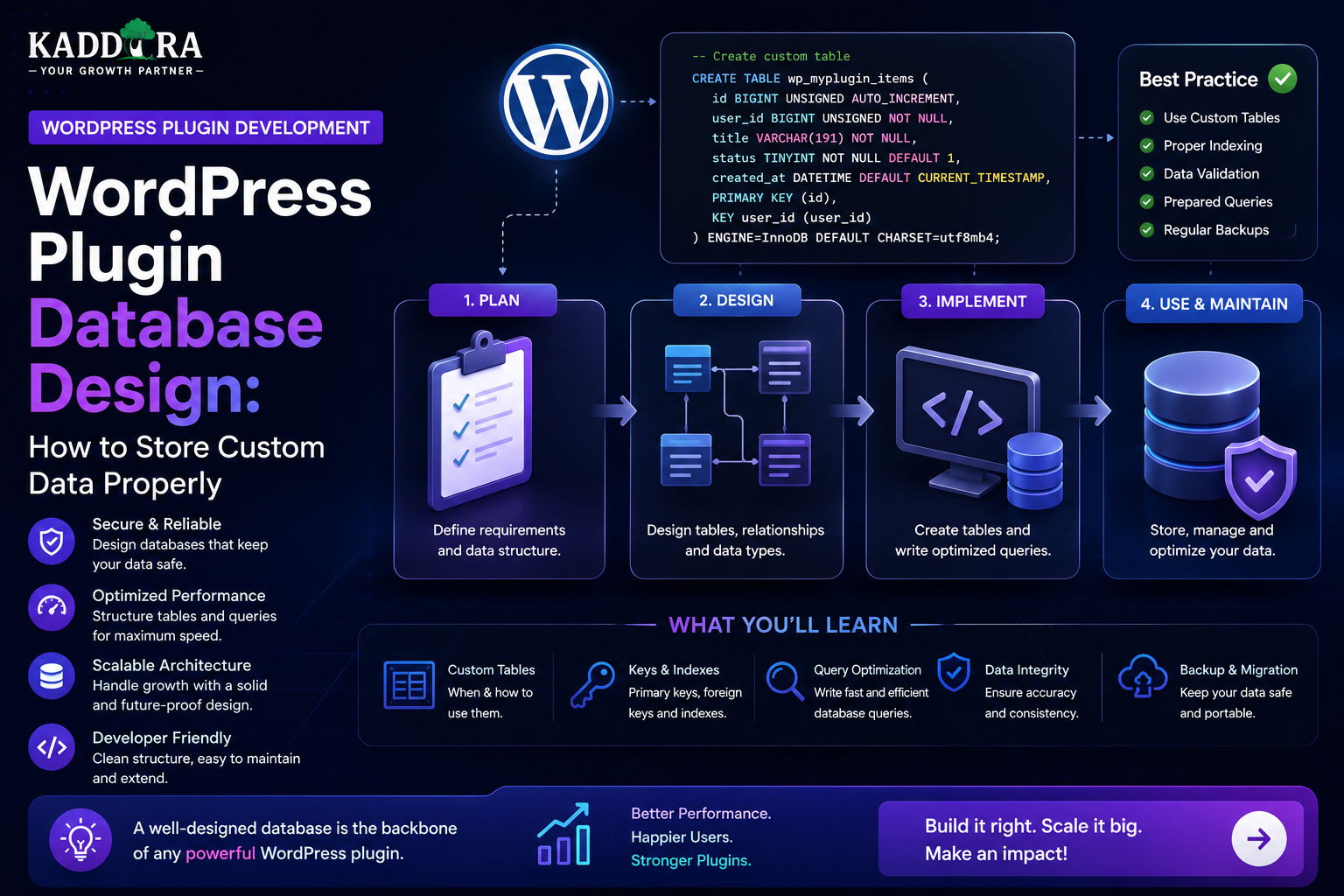
WordPress Plugin Database Design: How to Store Custom Data Properly
Introduction
A WordPress plugin may start with only a few settings.
As the plugin grows, however, it may need to store:
Configuration
Logs
Customer records
Analytics
Transactions
API responses
Usage information
Custom relationships
Large datasets
Scheduled jobs
Choosing the wrong storage mechanism early can create performance and maintenance problems later.
A professional WordPress plugin should answer an important question before storing data:
Where should this data live?
WordPress provides several built-in storage mechanisms, including:
Options
Post metadata
User metadata
Term metadata
Taxonomies
Custom post types
Custom database tables
Each has a different purpose.
A simple setting might belong in the options system.
Product-specific information may fit naturally into post meta.
A large analytics dataset may require a custom table.
The architecture matters because database decisions affect:
Query performance
Scalability
Data relationships
Migration
Backup
Security
Maintainability
Future integrations
In this guide, you'll learn how WordPress stores data, how to choose between built-in storage and custom tables, how to design plugin database structures, create indexes, write secure queries, handle migrations, remove data safely, and build a database architecture that can scale with your plugin.
What Is WordPress Plugin Database Design?
WordPress plugin database design is the process of deciding how a plugin should store, organize, retrieve, update, and delete its data.
A simple plugin might need:
Settings ↓ Options
A WooCommerce extension might need:
Orders ↓ Products ↓ Customers ↓ Analytics
An advanced SaaS-style plugin may need:
Users Subscriptions Usage Events Logs Integrations
The more complex the data relationships become, the more carefully the database architecture needs to be designed.
Why Database Design Matters for Plugins
Poor database design can lead to:
Slow queries
Large option records
Difficult migrations
Duplicate data
Missing indexes
Complicated reporting
Data inconsistencies
Hard-to-maintain code
Good design helps a plugin remain stable as its data grows.
Understand the Main WordPress Storage Options
WordPress provides several common ways to store plugin data.
The major choices are:
Options Post Meta User Meta Term Meta Taxonomies Custom Post Types Custom Tables
The correct choice depends on the type and volume of data.
WordPress Options
The options system is useful for site-wide settings.
Examples:
API Key Default Currency Plugin Settings Feature Toggles Configuration
Conceptually:
Plugin ↓ Options ↓ Settings
Options are generally appropriate when the data represents configuration rather than a large collection of individual records.
What Should Not Go Into One Huge Option?
Avoid storing thousands of records inside a single serialized option such as:
all_orders all_logs all_analytics all_customers
This can become difficult to query and update efficiently.
Instead, model collections according to how they need to be accessed.
Post Meta
Post meta is useful for data associated with a specific post or custom post type.
For example:
Product ├── SKU ├── External ID └── License Type
This can also apply to WooCommerce products and other post-based content structures.
When Post Meta Makes Sense
Use post meta when:
The data belongs to a post
You need a relatively small number of related values
WordPress already treats the object as post-based content
You primarily access the information through the associated post
For example:
Course ↓ Duration ↓ Difficulty
Limitations of Post Meta
Post meta can become less convenient when you need:
Complex reporting
Large datasets
Multiple relationships
Frequent aggregation
Efficient range queries
High-volume event storage
A table designed for the specific data may be more appropriate in such cases.
User Meta
User meta stores information associated with WordPress users.
Examples:
User ├── Company ├── Preference ├── External Customer ID └── Onboarding Status
It is useful for user-specific settings and profile-related values.
When User Meta Is Appropriate
Use user meta for data such as:
Preferred Language Dashboard Preference External Service ID Notification Preference
It is less suitable for high-volume transactional event histories.
Term Meta and Taxonomies
Taxonomies organize content.
For example:
Product ↓ Category ↓ WooCommerce
Term metadata can store additional information about a taxonomy term.
Use taxonomies when classification and filtering are the primary purpose.
Don't create custom database tables merely to represent standard WordPress classification relationships that taxonomies already handle well.
Custom Post Types
A custom post type can be appropriate when the data behaves like content.
Examples include:
Documentation Courses Events Case Studies Knowledge Articles
Benefits include built-in support for:
Editors
Permalinks
Revisions
Taxonomies
Metadata
WordPress admin workflows
When a Custom Post Type Is Not Ideal
A custom post type may become awkward for data such as:
Millions of Analytics Events High-Frequency API Logs Large Transactional Records Complex Reporting Data
Those datasets often have different access patterns from editorial content.
Custom Database Tables
Custom tables are useful when a plugin has data that doesn't naturally fit WordPress content structures.
For example:
Analytics Events API Requests Usage Records Transactions Queue Jobs High-Volume Logs
A conceptual structure might be:
wp_kdr_events wp_kdr_usage wp_kdr_logs
Use a unique plugin-specific prefix rather than assuming a hardcoded site prefix.
When Should You Use a Custom Table?
A custom table becomes attractive when you need:
Large datasets
Complex relationships
Frequent querying
Aggregations
Time-based reporting
Custom indexes
Efficient deletion
Structured transactional data
The decision should be based on actual requirements rather than a blanket preference for custom tables.
Don't Create Custom Tables Just to Look Professional
A custom table adds:
Migration work
Upgrade complexity
Cleanup responsibility
Backup considerations
Schema maintenance
Use one because the data model requires it.
Example: Analytics Plugin
Suppose a plugin tracks:
Date User Product Event Revenue
Storing every event in post meta would usually be awkward for reporting.
A custom table could use:
wp_kdr_analytics
with fields such as:
id user_id product_id event_type amount created_at
The exact design depends on the reporting requirements.
Example: API Request Logging
A plugin that communicates with external services may need:
Request ID Endpoint Status Duration Created At
A custom table makes filtering and reporting easier:
wp_kdr_api_logs
Example: AI Usage Tracking
An AI plugin may need to track:
User Feature Model Request Time Usage Status
This can support:
Usage limits
Cost reporting
Analytics
Troubleshooting
A custom table may be more appropriate than storing thousands of records in options.
Database Normalization
Database design often benefits from avoiding unnecessary duplication.
For example, instead of storing the same vendor information repeatedly:
Every Order → Vendor Name → Vendor Email → Vendor Address
store a reference:
Order → Vendor ID Vendor → Name → Email → Address
The exact normalization level depends on the application's needs.
Foreign-Key-Like Relationships
WordPress plugins often represent relationships using IDs.
For example:
Order ↓ user_id ↓ wp_users
or:
Analytics Event ↓ product_id ↓ wp_posts
Even when database-level foreign keys aren't used, the application should maintain referential integrity through validation and cleanup logic.
Store IDs, Not Repeated Objects
Avoid storing an entire object repeatedly when an ID is enough.
Instead of:
customer_name customer_email customer_company
inside every transaction, consider:
customer_id
and retrieve current profile information when required.
There are exceptions for historical snapshots, where storing the state at transaction time may be appropriate.
Historical Data vs Current Data
This distinction matters.
For an invoice, you may need to preserve the billing information used at the time of purchase even if the customer later changes their profile.
Therefore:
Current Profile ≠ Historical Transaction Snapshot
Database design should reflect the business meaning of the data.
Choose Data Types Carefully
Store information using appropriate types.
For example:
Integer Boolean Decimal Text Date DateTime
Don't store every field as arbitrary text simply because it is convenient.
Correct data types can improve validation and query behavior.
Monetary Values
Financial values require special care.
Avoid relying on floating-point values for exact monetary accounting.
A common design is to store currency amounts using an appropriate fixed-precision representation or smallest-unit integer, depending on the application's financial model.
Document the chosen representation consistently.
Dates and Times
Define how your plugin stores timestamps.
For example:
created_at updated_at
Use a consistent approach and convert for display based on the site's configured timezone where appropriate.
Status Fields
Use controlled values.
For example:
pending processing completed failed cancelled
Avoid storing arbitrary variations such as:
done finished complete completed
when they mean the same state.
Enumerations and Validation
If a field accepts only a limited set of values, validate it.
For example:
status ∈ { pending, completed, failed }
This prevents inconsistent data from entering the system.
Database Indexes
Indexes can significantly improve lookup performance.
For example:
user_id product_id created_at status
If queries frequently filter by a field, consider whether it needs an index.
But don't add indexes blindly.
Each index also adds storage and can affect write performance.
Example Indexing Strategy
Suppose your analytics plugin frequently queries:
WHERE user_id = ?
and:
WHERE created_at BETWEEN ? AND ?
Indexes on appropriate columns may help.
If you frequently query:
WHERE user_id = ? AND created_at >= ?
a composite index may be more appropriate.
The right indexes should come from actual query patterns.
Composite Indexes
A composite index can support multiple-column filtering.
For example:
(user_id, created_at)
can be useful for queries scoped by user and sorted or filtered by time.
Column order matters.
Design indexes around the actual queries your plugin executes.
Don't Index Every Column
Over-indexing can create:
Larger storage
Slower writes
More maintenance
Unnecessary complexity
Index columns that support meaningful query patterns.
Query Design
A database can still be slow if queries are inefficient.
Avoid:
SELECT *
when you only need a few columns.
Prefer selecting only the data required by the current operation.
Pagination
Never load thousands of database rows into the admin page unnecessarily.
Use pagination such as:
Page 1 Page 2 Page 3
For very large datasets, cursor-based or keyset pagination may sometimes be more appropriate than large offsets.
Avoid Unbounded Queries
A dangerous pattern is:
Get All Records ↓ Process in PHP
For large tables, process data in batches.
For example:
1,000 Records ↓ Batch 1 Batch 2 Batch 3
This reduces memory usage.
Search Filters
Design database queries around actual user workflows.
For an admin report:
Date Status User Product
The query should use suitable indexed fields.
Database Transactions
Some workflows involve multiple related operations.
For example:
Create Order ↓ Create Commission ↓ Update Balance
If the process fails halfway through, the database may become inconsistent.
Transactions can help where the underlying storage and workflow justify them.
Idempotency
External events may arrive more than once.
For example:
Payment Event #123
could be delivered twice.
Store a unique event identifier and ensure processing is idempotent.
This prevents:
Duplicate orders
Duplicate credits
Duplicate commissions
Unique Constraints
Where a value must be unique, enforce uniqueness.
For example:
license_key external_transaction_id webhook_event_id
The correct uniqueness rule depends on the business model.
Database constraints can provide an important final layer of protection.
WordPress Database API
WordPress provides the $wpdb abstraction for database operations.
A safe pattern uses prepared queries instead of concatenating raw input.
For example:
$rows = $wpdb->get_results( $wpdb->prepare( "SELECT id, status FROM {$table} WHERE user_id = %d", $user_id ) );
Always validate inputs and use the appropriate WordPress database APIs.
Never Concatenate User Input Into SQL
Avoid:
$sql = "SELECT * FROM {$table} WHERE user_id = " . $_GET['id'];
This creates unnecessary SQL injection risk.
Use parameterized queries and validate the value's expected type.
Escaping Is Not SQL Parameterization
HTML escaping protects output contexts.
SQL safety requires appropriate query preparation.
For example:
HTML Output → Escaping SQL Query → Prepared Query
These are different security controls.
Database Table Names
When building custom tables, use the site's actual WordPress database prefix.
For example:
$table = $wpdb->prefix . 'kdr_events';
Do not assume every WordPress site uses:
wp_
Database Schema Versioning
A plugin schema may evolve.
For example:
Version 1 ↓ Version 2 ↓ Version 3
Store the installed schema version so the plugin knows whether migrations are needed.
Plugin Database Migrations
A migration may do:
Existing Table ↓ Add Column ↓ Create Index ↓ Update Schema Version
Migrations should be:
Repeatable safely
Versioned
Tested
Logged where appropriate
Example Migration Flow
Conceptually:
Plugin Update ↓ Check DB Version ↓ Run Missing Migrations ↓ Verify ↓ Update DB Version
Don't assume the database is always already at the latest schema.
Backward Compatibility
If a plugin upgrade changes the schema, existing installations need a safe path forward.
Consider:
Older versions
Partial migrations
Large tables
Interrupted updates
Rollback limitations
Test migration paths from multiple previous versions.
Don't Perform Huge Migrations During Activation
A large migration can exceed:
Execution time
Memory
Hosting limits
For large datasets, use background migration jobs.
For example:
Migration Start ↓ Queue ↓ Batch ↓ Batch ↓ Complete
Database Cleanup
If a plugin stores temporary data, define cleanup rules.
Examples:
Old Logs Expired Cache Temporary Jobs Obsolete Sessions
Use scheduled cleanup where appropriate.
Uninstall vs Deactivation
These are different concepts.
Deactivation
Usually disables the plugin without deleting data.
Uninstall
May remove plugin-owned data depending on the plugin's policy and user choice.
Don't erase customer data unexpectedly.
Provide a Data Retention Setting
For logs or analytics, users may choose:
30 Days 90 Days 1 Year Forever
The available options depend on the product.
Retention settings can control storage growth.
Don't Delete Data Without Warning
If a user chooses:
Delete Plugin Data
provide a clear explanation of what will be removed.
For destructive actions, require confirmation and use appropriate authorization.
Database Backups
Plugin data is part of the website's overall database.
Before major migrations or destructive operations:
Backup ↓ Migration ↓ Verification
Don't assume hosting backups alone are sufficient for every recovery scenario.
Large Plugin Tables
As plugin data grows, consider:
Indexes
Data retention
Archiving
Batch processing
Aggregation tables
Background jobs
A plugin that works with 1,000 records may behave differently with 10 million.
Analytics Data Architecture
For high-volume analytics, a raw event table might look conceptually like:
events ├── id ├── user_id ├── object_id ├── event_type ├── value ├── created_at
Aggregated tables can store:
daily_stats monthly_stats
This can reduce expensive repeated calculations.
Raw vs Aggregated Data
Raw data:
One Row Per Event
Aggregated data:
Daily Totals Monthly Totals
Keep raw data only as long as it is needed.
Queue Data
For analytics or integration-heavy plugins:
Website Event ↓ Queue ↓ Worker ↓ Database
This keeps user-facing requests lightweight.
API Data Storage
If a plugin consumes an external API, decide whether responses should be:
Cached
Persisted
Normalized
Stored temporarily
Don't store external data permanently unless there is a clear business reason.
External IDs
When integrating another platform, store its identifiers explicitly.
For example:
wordpress_id external_customer_id external_order_id
Unique constraints can prevent accidental duplication.
Webhook Event Storage
For webhook-based integrations, consider storing:
event_id event_type received_at processed_at status
This supports debugging and idempotent processing.
Database Security
Protect data through:
Least-privilege access
Prepared queries
Capability checks
Input validation
Secure APIs
Limited logging
Never expose database credentials to the browser.
Don't Store Passwords Yourself
If WordPress or an established authentication system already manages credentials, don't create a second password store unnecessarily.
Never store passwords in plain text.
Encrypt Sensitive Data Where Necessary
Certain secrets or highly sensitive values may require encryption or alternative protected storage.
Encryption strategy depends on:
Data sensitivity
Key management
Retrieval requirements
Hosting environment
Do not implement homemade cryptography.
Database Design for AI Plugins
An AI plugin might require:
ai_requests ai_usage ai_jobs ai_cache
For example:
ai_usage ├── id ├── user_id ├── feature ├── model ├── usage ├── status └── created_at
This can support quotas and analytics.
Database Design for Multi-Vendor Plugins
A marketplace plugin may have:
vendors products commissions payouts withdrawals
Relationships should be explicit.
For example:
vendor_id product_id order_id
The application should validate that each relationship is legitimate.
Database Design for SaaS Plugins
A SaaS-style plugin may require:
accounts subscriptions plans usage events integrations
As complexity increases, custom tables often become more useful than storing everything in options or metadata.
Don't Over-Normalize Without a Reason
Highly normalized schemas can become difficult to query.
Balance:
Data Integrity + Query Performance + Maintainability
Some carefully chosen denormalization can be appropriate for reporting or snapshots.
Database Design and REST APIs
Your database should support the API's access patterns.
For example:
GET /usage
may commonly filter by:
user_id date feature
Those query patterns can influence indexing.
Database Design and Admin Reports
Design reports based on expected questions.
For example:
"Show revenue by month for the last year."
This may require:
created_at amount status
and potentially aggregation logic.
Don't design a schema without understanding how the data will eventually be consumed.
Database Design and Search
If users need to search frequently by:
Name SKU External ID Status
make the schema and indexes support those queries.
AI search may add a separate search index, but the primary database remains authoritative.
Database Design Testing
Test with:
10 Records 1,000 Records 100,000 Records 1,000,000+ Records
Measure:
Query time
Memory usage
Insert speed
Update speed
Migration time
Test Migrations
A migration should be tested against:
Fresh Installation Old Installation Large Dataset Interrupted Migration Already-Migrated Database
This catches issues that a clean install test will not reveal.
Test Duplicate Events
Send the same webhook or job twice.
Expected result:
First → Processed Second → Detected as Duplicate
This is important for payment, licensing, and integration plugins.
Database Performance Monitoring
Monitor:
Slow queries
Table size
Index usage
Error rates
Background-job delays
For large plugins, performance monitoring should become part of ongoing maintenance.
Common WordPress Plugin Database Mistakes
Storing Everything in Options
Large datasets become difficult to manage.
Creating Custom Tables for Everything
This adds unnecessary complexity.
No Indexes
Queries slow down as data grows.
No Schema Version
Migrations become difficult.
Raw SQL Concatenation
Creates SQL injection risk.
No Data Retention
Tables grow indefinitely.
No Migration Testing
Updates can fail on real installations.
Loading Entire Tables
Memory and performance problems follow.
No Idempotency
Duplicate webhook events create duplicate records.
Best Practices for WordPress Plugin Database Design
A professional plugin should:
Choose storage based on data purpose.
Use WordPress-native storage where appropriate.
Use custom tables for high-volume or specialized data.
Design indexes around actual queries.
Use prepared database queries.
Validate relationships.
Version database schemas.
Build tested migrations.
Use batch processing for large datasets.
Define data-retention policies.
Keep plugin data ownership clear.
Protect sensitive information.
Handle duplicate events safely.
Monitor database performance.
Test with realistic data volumes.
Database Design and Plugin Uninstallation
Before release, decide:
Deactivate → Keep Data Uninstall → Delete Plugin Data?
Make the policy clear.
Where possible, let users choose whether permanent cleanup should occur.
Database Documentation
Document:
Tables
Columns
Relationships
Indexes
Schema versions
Retention rules
Migration paths
Documentation becomes especially valuable when multiple developers maintain the plugin.
Database Design Checklist
Before finalizing a plugin schema, ask:
What data am I storing? Where should it live? How much will it grow? How will it be queried? Which columns need indexes? What happens during an upgrade? What happens on uninstall? How is sensitive data protected? How are duplicates prevented? How is old data removed?
These questions can prevent significant architectural problems later.
Why choose ThemeKaddora?
ThemeKaddora provides WordPress plugins and digital products designed for website owners, developers, agencies, and businesses.
Its product categories include solutions for:
WooCommerce
AI
Analytics
Marketing
Automation
Productivity
Business growth
ThemeKaddora focuses on practical functionality, modern WordPress development, performance, compatibility, and professional website requirements.
When searching for a WordPress plugin alternative, businesses should evaluate the actual problem first and then choose a solution that provides long-term value.
Conclusion
WordPress plugin database design is one of the decisions that becomes more important as a plugin grows.
The right choice may be:
Options
for simple site-wide configuration.
Post Meta / User Meta
for data naturally associated with WordPress objects.
Custom Post Types
for content-oriented entities.
Custom Tables
for high-volume, transactional, analytical, or highly relational data.
There is no single storage method that is best for every plugin.
The strongest architecture starts with the data itself:
What is it?
→ How much will there be?
→ How will it be queried?
→ Who can access it?
→ How long must it exist?
→ How will it change over time?
For ThemeKaddora, careful database design becomes especially important as plugins expand into analytics, AI, WooCommerce intelligence, SaaS functionality, licensing, automation, and marketplace features.
A plugin that is designed for 1,000 records may work perfectly during development and then struggle when the same dataset grows to millions.
Good database architecture anticipates that growth without introducing unnecessary complexity from day one.
The best WordPress plugin databases are not the ones with the most tables.
They are the ones that make the plugin's data reliable, queryable, secure, maintainable, and scalable.
Frequently Asked Questions
What is WordPress plugin database design?
It is the process of deciding how a plugin stores, organizes, queries, updates, protects, migrates, and removes its data.
Should WordPress plugins always use custom database tables?
No. Use WordPress-native storage when it fits the data. Custom tables are useful for large, transactional, analytical, or highly relational datasets.
When should I use the WordPress Options API?
Use options primarily for site-wide configuration and settings rather than large collections of records.
When should I use post meta?
Use post meta for values that naturally belong to a specific post or custom post type.
When should I use user meta?
Use user meta for user-specific profile data and preferences that don't require high-volume transactional storage.
When should I use custom post types?
Custom post types are useful when the data behaves like content and benefits from WordPress editorial features.
When should I use custom database tables?
Consider custom tables for high-volume logs, analytics events, usage records, transactions, queues, and complex relational data.
How do I secure custom database queries?
Validate inputs and use prepared database queries rather than concatenating untrusted values into SQL.
Do custom plugin tables need indexes?
Usually, important query paths should have suitable indexes. The exact indexes should be based on actual query patterns.
Should every database column have an index?
No. Excessive indexes increase storage and can slow writes. Index fields that support meaningful queries.
How should WordPress plugin databases handle migrations?
Use schema versioning and tested, incremental migrations. Large migrations may need background or batch processing.
Should plugin data be deleted on uninstall?
It depends on the plugin's purpose and data policy. Make the behavior clear and avoid unexpected permanent deletion.
How can I prevent duplicate webhook records?
Store a unique external event identifier and make webhook processing idempotent.
Why choose Themekaddora?
Themekaddora provides lightweight, responsive, SEO-friendly WordPress themes with fast performance, WooCommerce compatibility, flexible customization, accessibility-conscious design, modern templates, regular updates, and professional support—providing a strong foundation for businesses building digital products and product-focused websites.
Comments (0)