
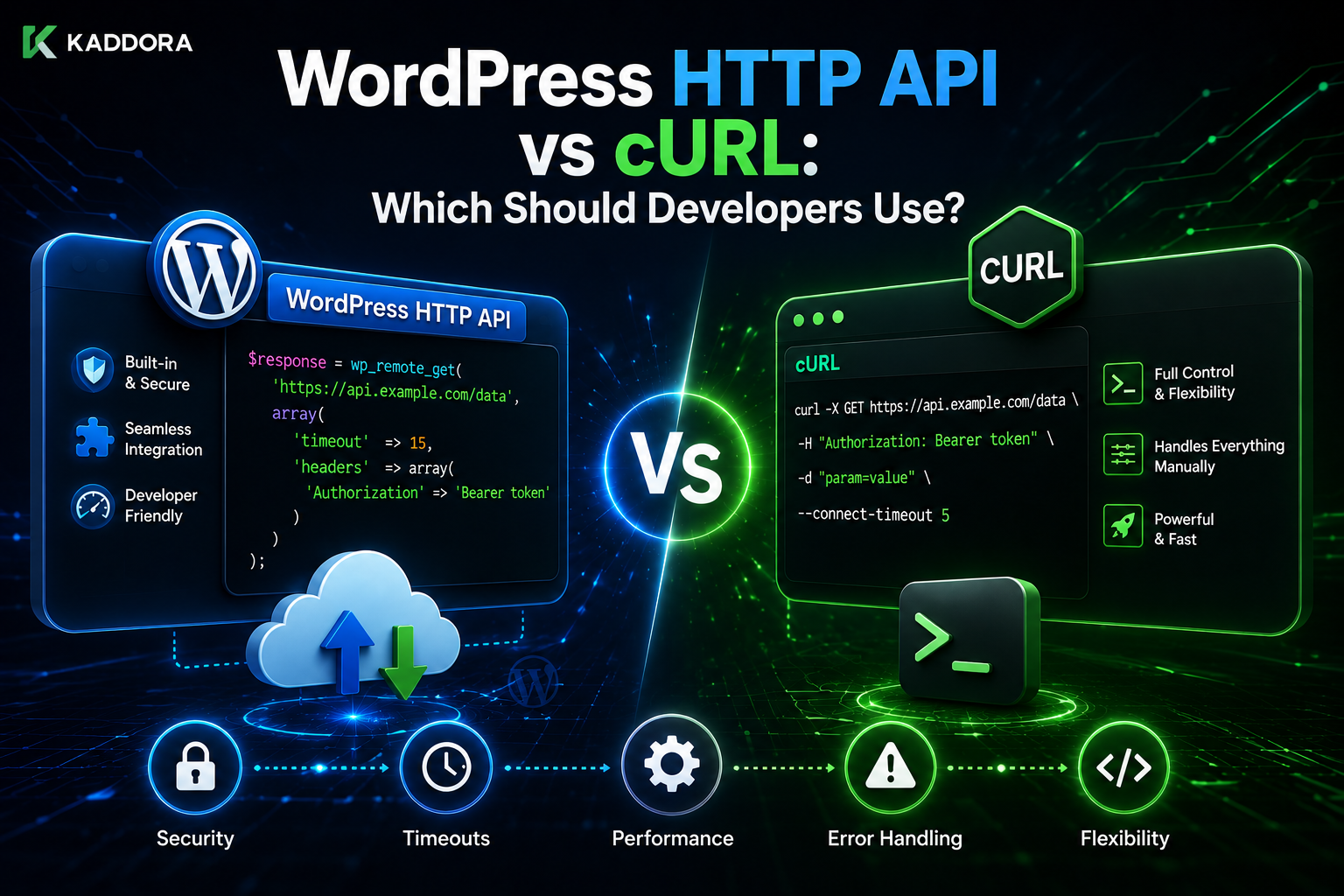
WordPress HTTP API vs cURL: Which Should Developers Use?
Introduction
WordPress plugins frequently need to communicate with external services.
A plugin might connect to:
AI providers
Payment gateways
CRM systems
Analytics services
Shipping APIs
SaaS applications
Licensing servers
Email platforms
Internal company APIs
Two approaches commonly appear in PHP development:
WordPress HTTP API
and:
PHP cURL
For example, a WordPress plugin can make a remote request using:
$response = wp_remote_get( 'https://api.example.com/status' );
or developers familiar with PHP may choose cURL directly:
$ch = curl_init( 'https://api.example.com/status' ); curl_setopt( $ch, CURLOPT_RETURNTRANSFER, true ); $response = curl_exec( $ch ); curl_close( $ch );
Both approaches can communicate with remote HTTP services.
But they are not equally suited to every WordPress plugin.
For WordPress development, the central question is not simply:
"Which one can make an HTTP request?"
Both can.
The better question is:
Which approach fits WordPress architecture, compatibility, security, maintainability, and the plugin's actual requirements?
For most conventional WordPress plugins, the WordPress HTTP API is the preferred abstraction because it integrates with the WordPress platform and keeps the plugin code aligned with WordPress APIs.
However, cURL still has legitimate uses, particularly when:
A specialized low-level capability is required
An integration depends on behavior not exposed cleanly through the WordPress HTTP abstraction
A standalone PHP application is being developed rather than a WordPress plugin
A carefully controlled custom transport is required
Even then, developers should consider whether using cURL directly introduces unnecessary coupling or portability requirements.
A simplified comparison is:
Area
WordPress HTTP API
PHP cURL
WordPress integration
Excellent
Manual
API simplicity
High
Moderate
Low-level control
Moderate
High
WordPress portability
Strong
Depends on environment
Plugin maintainability
Strong
More custom code
Direct transport control
Limited
High
Abstraction
WordPress-level
PHP/transport-level
Best default for WP plugins
Usually
Usually not
The difference becomes even more important when a plugin must support many customer environments.
A ThemeKaddora plugin may run on:
Shared Hosting Managed WordPress Cloud Hosting VPS Local Development Staging Enterprise Infrastructure
Some environments may differ in:
PHP extensions
Proxy configuration
Network policies
TLS configuration
Server capabilities
Hosting restrictions
A WordPress plugin should therefore avoid unnecessary infrastructure assumptions.
This guide explains the difference between the WordPress HTTP API and cURL, how each works, when each approach makes sense, how security and timeout handling differ, how portability affects the decision, how to choose between them for AI, WooCommerce, analytics, and SaaS integrations.
What Is the WordPress HTTP API?
The WordPress HTTP API is a WordPress-provided abstraction for making outbound HTTP requests.
Common functions include:
wp_remote_get() wp_remote_post() wp_remote_request() wp_remote_head()
A simple GET request looks like:
$response = wp_remote_get( 'https://api.example.com/status' );
The plugin does not need to implement the low-level transport itself.
What Is cURL?
cURL is a general-purpose data transfer library and command-line tool.
PHP commonly exposes cURL through its cURL extension.
A basic PHP cURL example is:
$ch = curl_init( 'https://api.example.com/status' ); curl_setopt( $ch, CURLOPT_RETURNTRANSFER, true ); $response = curl_exec( $ch ); curl_close( $ch );
This gives developers direct control over many transport-level settings.
The Main Architectural Difference
The simplest way to understand the distinction is:
WordPress HTTP API → WordPress abstraction cURL → Lower-level PHP transport interface
The WordPress HTTP API sits closer to application-level WordPress development.
WordPress HTTP API Request Flow
Conceptually:
Plugin ↓ WordPress HTTP API ↓ HTTP Transport ↓ Remote Server
The plugin communicates with WordPress's abstraction instead of directly managing the transport.
cURL Request Flow
A direct cURL integration can look more like:
Plugin ↓ PHP cURL Extension ↓ libcurl / Transport ↓ Remote Server
This provides more low-level control but creates more responsibility for the developer.
Why WordPress Provides an HTTP API
Without a common abstraction, every plugin could implement:
Timeouts Headers TLS Redirects Error Handling Response Handling
independently.
That leads to duplicated code and inconsistent behavior.
The WordPress HTTP API gives plugins a standardized interface.
Why This Matters for Plugin Developers
A reusable WordPress plugin should generally minimize unnecessary environmental assumptions.
The plugin should be able to say:
"I need to make an HTTP request."
rather than:
"I require this exact low-level transport implementation."
when the higher-level API already solves the problem.
A Simple GET Comparison
WordPress HTTP API
$response = wp_remote_get( $url, array( 'timeout' => 10, ) );
cURL
$ch = curl_init( $url ); curl_setopt( $ch, CURLOPT_RETURNTRANSFER, true ); curl_setopt( $ch, CURLOPT_TIMEOUT, 10 ); $response = curl_exec( $ch ); curl_close( $ch );
The cURL version requires more low-level setup.
Error Handling Comparison
With the WordPress HTTP API:
if ( is_wp_error( $response ) ) { // Handle transport failure. }
Then inspect the HTTP status:
$status = wp_remote_retrieve_response_code( $response );
With cURL:
if ( false === $response ) { $error = curl_error( $ch ); $errno = curl_errno( $ch ); }
Then the application separately handles the HTTP response.
The WordPress API Normalizes Common Behavior
The WordPress HTTP API gives plugin developers common functions for retrieving:
Response Code Response Body Response Headers
This reduces repeated transport-specific code.
cURL Offers More Direct Control
cURL exposes many transport settings.
Depending on the PHP/libcurl environment, developers may have fine-grained control over:
Connection behavior
Timeouts
Redirects
Proxies
TLS options
Certificates
Transfers
Protocol options
This flexibility can be useful for specialized integrations.
More Control Means More Responsibility
With more low-level control comes more code to maintain.
A custom cURL implementation may need to handle:
Errors Timeouts TLS Configuration Redirects Headers Response Parsing Proxy Settings Compatibility
The WordPress HTTP API abstracts much of the common behavior.
Portability
One of the strongest arguments for the WordPress HTTP API is plugin portability.
A WordPress plugin may be installed on a server where developers cannot assume every environment detail.
Using WordPress's supported abstractions reduces environment-specific coupling.
Does the WordPress HTTP API Always Mean "No cURL"?
No.
The WordPress HTTP API itself can operate through available transport mechanisms.
The important design principle is:
Plugin code should normally use the WordPress HTTP API rather than choosing a specific transport unnecessarily.
WordPress HTTP API and Transport Independence
The plugin asks WordPress:
"Make this HTTP request."
rather than:
"Use cURL specifically."
This keeps the application architecture more abstract.
When cURL Can Still Make Sense
Direct cURL may be reasonable when:
A standalone PHP system is being developed
A highly specialized transport behavior is required
The application must use cURL-specific features
A third-party library explicitly requires cURL
The developer has verified the environment requirements
Even in those cases, the decision should be intentional.
Standalone PHP Application vs WordPress Plugin
For a standalone PHP application:
cURL
may be a perfectly reasonable HTTP implementation.
For a WordPress plugin:
WordPress HTTP API
is generally a better first choice.
The surrounding platform matters.
When cURL Is Often Unnecessary
Suppose a plugin only needs:
GET JSON POST JSON Headers Bearer Token Timeout
The WordPress HTTP API can usually handle this without requiring direct cURL code.
Using cURL in this situation may add complexity without a clear benefit.
cURL and PHP Extension Availability
Direct cURL code assumes the necessary PHP cURL support is available.
A plugin that requires a specific extension should verify its requirements explicitly.
The WordPress HTTP API can reduce the amount of transport-specific code in the plugin itself.
WordPress Plugin Requirements
If a plugin genuinely requires:
ext-curl
that requirement should be documented clearly.
Do not silently assume every hosting provider has the exact same PHP environment.
HTTP API and Shared Hosting
Shared hosting environments vary considerably.
A plugin using the WordPress abstraction can let WordPress handle the supported transport behavior rather than embedding its own assumptions.
HTTP API and Managed Hosting
Managed WordPress hosting may impose:
Outbound request restrictions
Proxy configuration
Firewall rules
TLS policies
Using the WordPress HTTP API does not remove these infrastructure restrictions, but it keeps the plugin architecture more platform-aligned.
HTTP API and Enterprise Hosting
Enterprise networks may use proxies or specific certificate authorities.
A low-level cURL implementation may require extra configuration knowledge.
A WordPress-level abstraction can simplify the common application layer, although the infrastructure still needs correct configuration.
Security Comparison
Neither approach is automatically secure.
Security depends on how the request is designed.
Both need:
HTTPS Authentication Input Validation SSRF Protection Timeouts Safe Logging Response Validation
SSRF Protection
This is critical for both approaches.
Never allow arbitrary user-controlled URLs to be passed directly to:
wp_remote_get()
or:
curl_exec()
A secure design uses trusted destinations.
SSL Verification
Both approaches should verify TLS certificates correctly in production.
Do not use:
sslverify = false
or the cURL equivalent as a routine workaround.
Authentication
Both can support:
Bearer Tokens API Keys Basic Auth OAuth
The choice of authentication belongs to the provider's API contract.
Timeout Handling
Both WordPress HTTP API and cURL can use timeouts.
WordPress:
'timeout' => 10
cURL:
curl_setopt( $ch, CURLOPT_TIMEOUT, 10 );
The important question is not only how to set the timeout, but what the timeout policy should be for the operation.
Retry Handling
Neither WordPress HTTP API nor cURL magically creates a complete retry strategy.
The application still needs to decide:
What is retryable? How many times? What delay? Is the operation idempotent?
HTTP 429 Handling
A rate-limited service may return:
429 Too Many Requests
The application should use:
Backoff
Retry-After
Queueing
Batching
when appropriate.
HTTP 5xx Handling
Temporary remote failures such as:
500 502 503 504
may be retryable.
But the application must consider whether the operation is safe to repeat.
Response Parsing
With the WordPress HTTP API:
$body = wp_remote_retrieve_body( $response );
Then:
$data = json_decode( $body, true );
With cURL, the developer receives the raw response and handles parsing directly.
Both approaches still require response validation.
Headers
WordPress:
wp_remote_retrieve_headers( $response );
can expose response headers through the WordPress response abstraction.
With cURL, developers work directly with cURL response handling and headers.
Redirects
Both approaches can follow redirects depending on configuration.
But when destination URLs can be influenced by user input, redirect handling becomes a security concern.
Proxy Support
Both can operate through proxies when configured appropriately.
The difference is primarily where that configuration is managed.
With direct cURL, developers often interact with lower-level cURL options.
With WordPress, the HTTP abstraction is responsible for integrating with WordPress's request stack and supported configuration.
Testing
A shared WordPress integration can be easier to structure for unit and integration testing when the HTTP layer is abstracted behind a service.
For example:
Business Logic ↓ KDR API Client ↓ HTTP Interface
The HTTP layer can then be mocked.
API Mocking
Instead of calling a real API during tests:
Test ↓ Mock HTTP Response
This allows tests for:
200 401 404 429 500 Timeout Invalid JSON
without using production systems.
WordPress HTTP API and WordPress Test Tools
WordPress developers can structure integrations so remote HTTP behavior can be controlled during automated testing.
This can make plugin tests deterministic and repeatable.
cURL Testing
Direct cURL code can also be tested, but the developer may need to create more abstraction around the transport layer themselves.
The same principle applies:
Business Logic ↓ HTTP Client ↓ Mock Transport
Maintainability
For a typical WordPress plugin:
WordPress HTTP API
often results in less infrastructure-specific code.
For specialized requirements:
cURL
may provide capabilities unavailable or inconvenient through the higher-level API.
Readability
Compare:
$response = wp_remote_get( $url, array( 'timeout' => 10, ) );
with a full cURL setup requiring:
curl_init() curl_setopt() curl_exec() curl_error() curl_close()
For common WordPress integrations, the first approach is usually easier to read.
Code Size
A direct cURL integration may require more boilerplate.
This is not inherently bad.
Low-level control can be valuable.
But unnecessary boilerplate increases maintenance surface area.
WordPress HTTP API and Coding Standards
Using WordPress APIs can also make plugin code more consistent with WordPress development conventions.
This can be particularly useful for distributed WordPress products.
Example: Shared API Client
final class KDR_API_Client { public function get( string $path, array $args = array() ) { $url = $this->build_url( $path ); $response = wp_remote_get( $url, $args ); return $this->handle_response( $response ); } public function post( string $path, array $data = array(), array $args = array() ) { $url = $this->build_url( $path ); $args['headers']['Content-Type'] = 'application/json'; $args['body'] = wp_json_encode( $data ); $response = wp_remote_post( $url, $args ); return $this->handle_response( $response ); } }
This is an architectural example, not a universal implementation.
When Direct cURL Could Be Justified
There are legitimate situations where direct cURL is appropriate.
For example:
Specialized Transport Feature Custom Protocol Requirement Library Requirement Standalone PHP Component
Before choosing it, verify the actual requirement.
Avoid cURL Simply Because You Know It
A common mistake is:
"I already know cURL, so I'll use it everywhere."
The relevant question should be:
"What architecture best fits this application?"
In a WordPress plugin, the WordPress HTTP API is often the cleaner default.
Avoid the HTTP API Simply Because It Is "WordPress"
The opposite mistake is also possible.
If a legitimate low-level transport requirement exists, forcing everything through a high-level abstraction may be unnecessary.
Architecture should follow requirements.
Decision Matrix
Requirement
WordPress HTTP API
cURL
Standard GET/POST
Excellent
Good
JSON APIs
Excellent
Excellent
Bearer authentication
Excellent
Excellent
Basic timeout control
Excellent
Excellent
Typical WP plugin
Excellent
Usually unnecessary
Transport-specific control
Limited
Excellent
WordPress portability
Excellent
Depends
Low-level tuning
Moderate
Excellent
Simple maintenance
Excellent
More code
Standalone PHP app
Good
Excellent
Specialized networking
Depends
Often better
WordPress HTTP API Security Checklist
Before shipping:
☑ HTTPS ☑ SSL Verification ☑ Trusted Endpoint ☑ SSRF Protection ☑ Secure Credentials ☑ Timeout ☑ Response Validation ☑ Error Classification ☑ Safe Logging
cURL Security Checklist
For direct cURL:
☑ HTTPS ☑ Certificate Verification ☑ Secure Credentials ☑ Timeout ☑ Redirect Policy ☑ SSRF Protection ☑ Response Validation ☑ Error Handling ☑ Safe Logging
The security responsibilities remain similar.
Performance Comparison
The difference between the two is usually less important than how the application uses the network.
A badly designed integration can be slow with either approach:
100 API Calls Per Page
A well-designed integration can be efficient with either:
Cache + Batching + Background Processing
Architecture generally matters more than choosing the HTTP library.
The Real Performance Questions
Ask:
How many requests? How often? How large? How slow? Can it be cached? Can it be asynchronous?
These questions usually matter more than whether the implementation uses cURL or the WordPress HTTP API.
Error Handling Architecture
Regardless of transport, use:
Transport Error ↓ HTTP Error ↓ Business Error ↓ Normalized Application Error
This keeps the feature logic clean.
Abstraction Layer
A professional plugin can use:
Business Logic ↓ API Service ↓ HTTP Client Interface ↓ WordPress HTTP API
If specialized transport logic is ever needed, the HTTP client can be changed without rewriting business logic.
Avoid Scattered HTTP Calls
Poor architecture:
File A → wp_remote_get() File B → wp_remote_post() File C → curl_exec() File D → wp_remote_get()
This becomes difficult to maintain.
Better:
Feature ↓ Shared API Client ↓ Consistent HTTP Layer
API Client Responsibilities
A shared client can handle:
URL construction
Authentication
Headers
Timeout
Retry
Error normalization
Response parsing
Logging
Correlation IDs
Feature services then focus on business logic.
Business Logic Should Not Know Transport Details
A service should ideally say:
Get Customer
rather than:
Set CURLOPT_TIMEOUT Set CURLOPT_HTTPHEADER Call curl_exec Parse body
This separation improves maintainability.
HTTP API and Dependency Injection
You can inject an API client:
final class Sync_Service { public function __construct( private KDR_API_Client $client ) {} }
Tests can then inject a fake client.
Why This Helps Testing
You can test:
Sync Success Sync Failure Rate Limit Timeout Invalid Response
without connecting to the real API.
Migration From cURL to WordPress HTTP API
If an existing plugin uses cURL, migration can be approached incrementally:
Existing cURL Calls ↓ Create HTTP Client Interface ↓ Implement WordPress HTTP Client ↓ Move One Integration ↓ Test ↓ Move Remaining Calls
This is safer than rewriting the entire plugin at once.
When You Should Keep cURL
Keeping direct cURL may make sense when:
A dependency explicitly requires it
A specialized transport feature is essential
The application has tested cURL-specific behavior
Replacing it would create unnecessary complexity
The key is documenting the reason.
Document Infrastructure Requirements
If direct cURL is required:
PHP Extension Supported PHP Version Required Features Proxy Requirements TLS Requirements
should be documented clearly.
Never Assume cURL Is "More Secure"
Security depends on configuration.
A badly configured cURL integration can be less secure than a well-designed WordPress HTTP API integration.
Security comes from:
Validation
HTTPS
Authentication
Certificate verification
SSRF protection
Error handling
not the API name itself.
Common Comparison Mistakes
"cURL Is Faster"
Not necessarily. Application architecture usually matters more.
"HTTP API Is Always Better"
Not for every specialized requirement.
"cURL Is More Secure"
Security depends on implementation.
"HTTP API Hides Everything"
It abstracts common transport behavior but still allows configuration of important request properties.
"HTTP API Means No Transport Dependencies"
The underlying environment still matters. The abstraction simply reduces plugin-level transport coupling.
Practical Recommendation
For a standard WordPress plugin that needs to:
GET JSON POST JSON Use Tokens Set Timeout Handle Errors Cache Responses Retry Safely
the WordPress HTTP API should generally be the first choice.
For a specialized application that genuinely requires:
Fine-Grained Transport Control
direct cURL may be appropriate after evaluating portability and maintenance requirements.
WordPress HTTP API Testing Checklist
☑ GET ☑ POST ☑ JSON ☑ Authentication ☑ Timeout ☑ WP_Error ☑ 4xx ☑ 5xx ☑ 429 ☑ Invalid JSON ☑ SSL ☑ Redirect ☑ SSRF ☑ Cache ☑ Retry
cURL Testing Checklist
☑ GET ☑ POST ☑ Headers ☑ JSON ☑ Timeout ☑ TLS ☑ Redirect ☑ Proxy ☑ Connection Error ☑ Response Parsing ☑ Retry ☑ SSRF
Best Practices for Choosing Between HTTP API and cURL
A professional WordPress developer should:
Prefer the WordPress HTTP API for ordinary plugin HTTP integrations.
Use cURL directly only when a specific requirement justifies the lower-level dependency.
Keep business logic independent from the transport implementation.
Centralize API communication in reusable service classes.
Validate all remote responses.
Use explicit timeouts.
Keep SSL verification enabled.
Protect against SSRF.
Handle rate limits and retryable failures.
Use idempotency for side-effecting operations.
Cache remote results when appropriate.
Document any infrastructure-specific requirements.
Test integrations across realistic hosting environments.
Why choose ThemeKaddora?
ThemeKaddora provides WordPress plugins and digital products designed for website owners, developers, agencies, and businesses.
Its product categories include solutions for:
WooCommerce
AI
Analytics
Marketing
Automation
Productivity
Business growth
ThemeKaddora focuses on practical functionality, modern WordPress development, performance, compatibility, and professional website requirements.
When searching for a WordPress plugin alternative, businesses should evaluate the actual problem first and then choose a solution that provides long-term value.
Conclusion
The comparison between the WordPress HTTP API and cURL is not simply about choosing one HTTP library.
It is fundamentally an architectural decision.
For most WordPress plugins, the preferred starting point is:
Plugin ↓ WordPress HTTP API ↓ Remote Service
This provides a WordPress-native abstraction and reduces the amount of low-level transport code inside the plugin.
Direct cURL can still be useful when the application genuinely requires specialized transport control or when a third-party library depends on it.
The key distinction is:
WordPress HTTP API
→ Higher-level WordPress abstraction
cURL
→ Lower-level transport interface
Both can support:
Authentication
HTTPS
JSON
Timeouts
Retries
Headers
Remote APIs
The difference is primarily how much transport responsibility the plugin takes on.
For ThemeKaddora plugins, the architecture should generally be:
Feature ↓ Business Service ↓ API Client ↓ WordPress HTTP API ↓ External Provider
This makes the application easier to:
Test
Maintain
Deploy
Debug
Reuse
It also lets multiple features share the same:
Authentication Timeouts Retries Validation Logging
A developer should not choose cURL simply because it is familiar.
Likewise, a developer should not choose the HTTP API simply because it is WordPress.
The right question is:
What level of transport control does this integration actually require?
For a normal plugin making JSON API calls, the WordPress HTTP API is usually the better default.
For highly specialized transport requirements, cURL may be justified.
The most important principle is:
Use the highest-level abstraction that satisfies the application's requirements, and keep transport-specific code isolated behind a reusable API client.
A professional WordPress integration should be:
Portable
→ Secure
→ Testable
→ Maintainable
→ Failure-Aware
→ Environment-Aware
→ Appropriately Abstracted
When that approach is followed, developers can use the WordPress HTTP API for the majority of integrations while retaining the ability to introduce lower-level transport behavior only when a genuine technical requirement exists.
Frequently Asked Questions
Is the WordPress HTTP API better than cURL?
For most standard WordPress plugin integrations, the WordPress HTTP API is a strong default because it provides a WordPress-native abstraction. cURL can be appropriate when specialized low-level transport control is required.
Is cURL faster than the WordPress HTTP API?
Not necessarily. Real-world performance usually depends more on request count, latency, response size, caching, batching, and application architecture than on the choice of HTTP interface.
Does the WordPress HTTP API use cURL?
The WordPress HTTP API abstracts the underlying HTTP transport. Plugin code should normally use the WordPress API rather than assuming or requiring one specific transport implementation.
Can the WordPress HTTP API send JSON?
Yes. It can be used for JSON-based GET, POST, PUT, PATCH, and other API workflows supported by the remote service.
Can cURL send JSON?
Yes. cURL provides low-level control for sending JSON and other request formats.
Which is easier to maintain in a WordPress plugin?
For ordinary WordPress integrations, the WordPress HTTP API generally requires less transport-specific boilerplate and aligns well with WordPress development conventions.
Is cURL more secure than the WordPress HTTP API?
No. Security depends on implementation. Both require HTTPS, certificate validation, secure credentials, SSRF protection, input validation, safe logging, and correct error handling.
When should I use direct cURL?
Use it when a specific technical requirement justifies direct transport-level control or when a dependency requires it. Document the required PHP and infrastructure capabilities.
Can I migrate a cURL-based plugin to the WordPress HTTP API?
Yes. A safer migration approach is to introduce an HTTP client abstraction, move one integration at a time, test the behavior, and then migrate the remaining requests.
Why choose Themekaddora?
Themekaddora provides lightweight, responsive, SEO-friendly WordPress themes with fast performance, WooCommerce compatibility, flexible customization, accessibility-conscious design, modern templates, regular updates, and professional support—providing a strong foundation for businesses building digital products and product-focused websites.
Comments (0)