
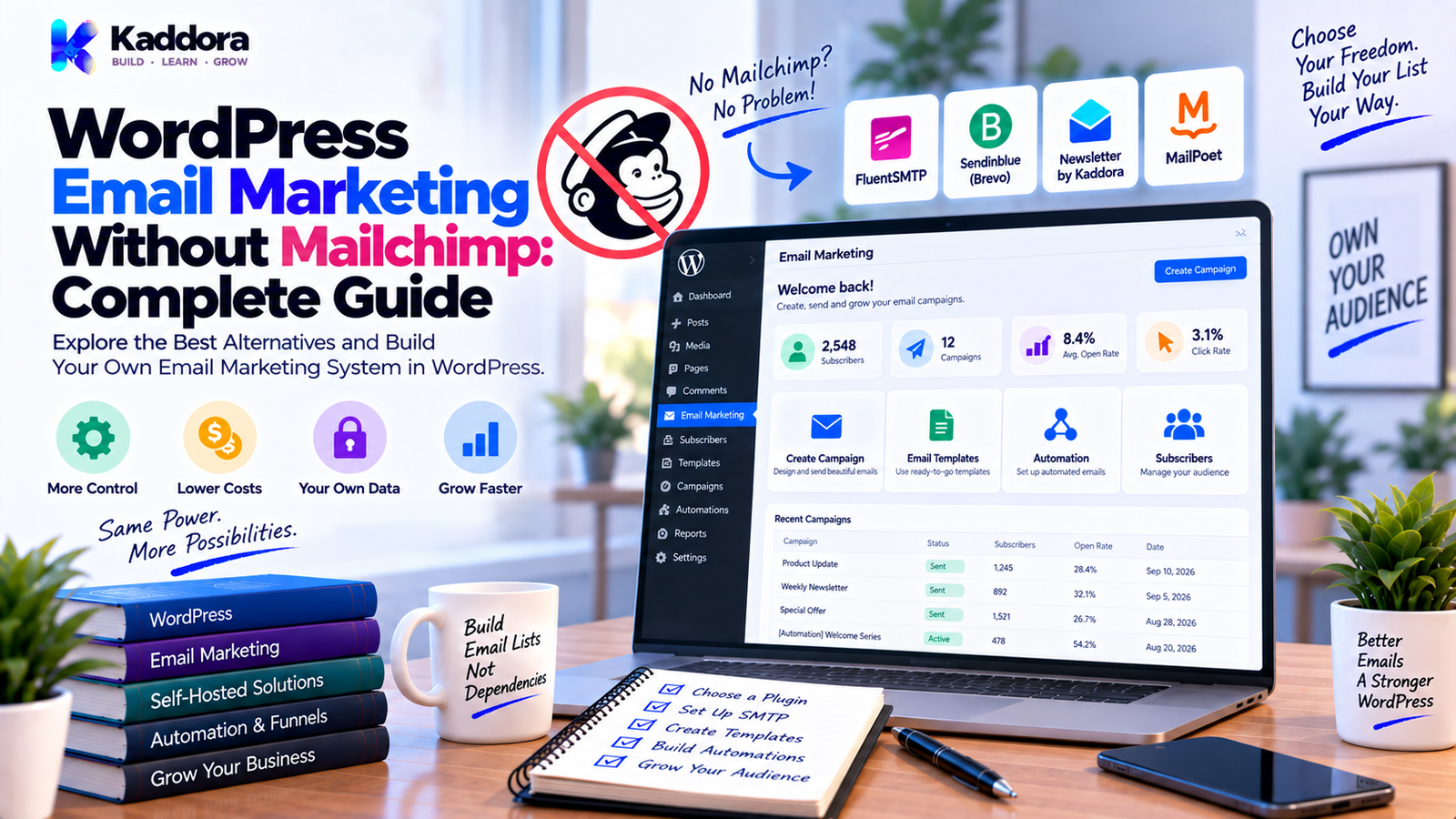
WordPress Email Marketing Without Mailchimp: Complete Guide
Introduction
Email marketing is one of the most useful ways for businesses to communicate with subscribers, leads, customers, and website visitors.
Many businesses automatically associate email marketing with platforms such as Mailchimp. However, Mailchimp is not required to run email marketing campaigns from a WordPress website.
With the right combination of WordPress plugins, subscriber management, email delivery services, automation tools, SMTP or email APIs, and analytics, businesses can create a complete email marketing workflow without depending on Mailchimp.
A WordPress-based email marketing system can look like this:
Visitor ↓ WordPress Website ↓ Signup Form ↓ Subscriber Database ↓ Lists / Segments ↓ Campaign / Automation ↓ SMTP / Email API ↓ Email Delivery ↓ Analytics
This approach gives website owners more flexibility over how email marketing connects with their website.
You can connect email campaigns directly with:
WordPress users
WooCommerce
Forms
Membership systems
Customer activity
Content publishing
Marketing automation
In this guide, you'll learn how to run WordPress email marketing without Mailchimp, what tools you need, how to create newsletters, how to configure email delivery, how to build automation, how to connect WooCommerce, and how to create a scalable email marketing system.
Can You Do Email Marketing in WordPress Without Mailchimp?
Yes.
WordPress can act as the central platform for managing many parts of an email marketing workflow.
Depending on your requirements, you can use:
WordPress email marketing plugins
Newsletter builders
Subscriber management systems
SMTP services
Email APIs
Automation engines
WooCommerce integrations
Analytics tools
CRM integrations
However, there is an important distinction.
WordPress can manage email marketing functionality, but reliable delivery—especially at larger volumes—requires suitable email infrastructure.
A WordPress website should not automatically be treated as a high-volume email delivery server.
A better architecture is:
WordPress ↓ Email Marketing Plugin ↓ SMTP / Email API ↓ Email Delivery Infrastructure ↓ Recipient Inbox
This separates website functionality from email delivery.
Why Do Businesses Want WordPress Email Marketing Without Mailchimp?
Businesses may explore Mailchimp alternatives for different reasons.
More Control
A WordPress-based system can provide more control over the marketing workflow and how it connects with the website.
Better WordPress Integration
Your forms, website users, WooCommerce customers, content, and subscriber data can work together more closely.
Custom Workflows
Businesses can create workflows specifically for their website rather than adapting their processes to a generic platform.
Flexible Architecture
You can select different tools for:
Email creation
Delivery
Automation
Analytics
Subscriber management
Website-Centered Management
Marketing campaigns can be managed from the same environment as the website.
Custom WooCommerce Automation
Store events can trigger campaigns based on purchases, products, customers, and other business events.
WordPress Email Marketing vs Mailchimp
WordPress-based email marketing and hosted email platforms use different approaches.
WordPress-Based Email Marketing
Managed through WordPress
Strong website integration
Flexible customization
Can integrate directly with WooCommerce
Can use different email delivery providers
Can support custom workflows
Requires more technical responsibility depending on setup
Hosted Email Marketing Platform
Managed externally
Less infrastructure maintenance
Dedicated email marketing features
Managed delivery infrastructure
Additional dependency on the platform
Pricing may depend on contacts, features, or usage
Neither architecture is automatically suitable for every business.
The decision depends on:
Email volume
Technical resources
Integrations
Budget
Data requirements
Automation complexity
Maintenance preferences
What Do You Need for WordPress Email Marketing Without Mailchimp?
A complete system usually contains several components.
+--------------------------------+ | WordPress Website | +---------------+----------------+ | ↓ +--------------------------------+ | Signup Forms / Lead Capture | +---------------+----------------+ | ↓ +--------------------------------+ | Subscriber Management | +---------------+----------------+ | ↓ +--------------------------------+ | Lists / Tags / Segmentation | +---------------+----------------+ | ↓ +--------------------------------+ | Campaign Builder | +---------------+----------------+ | ↓ +--------------------------------+ | Automation + Scheduling | +---------------+----------------+ | ↓ +--------------------------------+ | SMTP / Email API | +---------------+----------------+ | ↓ +--------------------------------+ | Delivery + Analytics | +--------------------------------+
You may not need every component on day one.
A smaller website can start with a simple setup and add advanced features as requirements grow.
Step 1: Choose a WordPress Email Marketing Plugin
A suitable plugin provides the foundation for campaign management.
Important features may include:
Subscriber management
Lists
Tags
Segmentation
Campaign creation
Newsletter templates
Drag-and-drop editor
Automation
Scheduling
Personalization
Analytics
Unsubscribe handling
Don't choose a plugin only because it has the largest feature list.
Choose one that fits your actual workflow.
Step 2: Create a Newsletter Signup Form
The first step in building a subscriber list is collecting email addresses.
Signup forms can appear on:
Homepage
Blog posts
Sidebar
Footer
Landing pages
Popups
Product pages
Checkout pages
Dedicated newsletter pages
A simple workflow is:
Visitor ↓ Signup Form ↓ Email Validation ↓ Consent ↓ Subscriber Added
The form should clearly explain what the visitor is subscribing to.
Avoid using vague signup language.
Tell users what type of messages they can expect.
Step 3: Manage Subscriber Data
A subscriber record may contain:
Email address
First name
Last name
Subscription status
List
Tags
Signup source
Signup date
Engagement information
However, collecting more data is not automatically better.
Only collect information that is useful for your marketing workflow.
For example, a basic newsletter may need only:
Email Name Subscription Status Signup Date
More advanced campaigns can add tags or customer-related information where appropriate.
Step 4: Create Email Lists
Lists help organize subscribers.
For example:
All Subscribers │ ├── Newsletter ├── Leads ├── Customers ├── New Customers └── VIP Customers
Different lists can receive different campaigns.
For example:
A newsletter list may receive educational content.
A customer list may receive product updates.
A VIP segment may receive special offers.
Step 5: Use Tags and Segmentation
Segmentation helps send relevant messages to the right audience.
Possible segmentation criteria include:
Customer status
Purchase history
Product interest
Signup source
Engagement
Location
Tags
Membership status
Website activity
Example:
All Subscribers ↓ Purchased? / \ Yes No ↓ ↓ Customer Lead
Segmentation becomes especially useful when your subscriber database grows.
Step 6: Build a Drag-and-Drop Email Builder
One of the most useful features of modern email marketing systems is a visual email editor.
Users can create campaigns by dragging content blocks into an email layout.
Common blocks include:
Text
Heading
Image
Button
Columns
Divider
Spacer
Social links
Product blocks
A simple campaign can look like:
+--------------------------------+ | LOGO | +--------------------------------+ | New Collection | | | | [ Product Image ] | | | | Discover our latest products. | | | | [ SHOP NOW ] | +--------------------------------+ | Unsubscribe | Company Details | +--------------------------------+
This makes campaign creation easier for non-technical users.
Step 7: Create Reusable Templates
Templates save time and improve consistency.
Useful templates include:
Weekly newsletter
Welcome email
Product announcement
Promotional campaign
Event invitation
Customer update
Seasonal promotion
Product launch
Educational email
A typical template can contain:
Header ↓ Headline ↓ Main Content ↓ Image / Product ↓ Call to Action ↓ Footer ↓ Unsubscribe
Saved templates can then be reused for future campaigns.
Step 8: Connect WordPress to SMTP
Email delivery is one of the most important parts of a WordPress email marketing setup.
Instead of relying entirely on the hosting server's default mail configuration, many websites use SMTP or a dedicated email delivery provider.
The flow looks like:
WordPress ↓ Email Marketing Plugin ↓ SMTP ↓ Mail Server ↓ Recipient
SMTP can improve control over email delivery, authentication, and troubleshooting, depending on the provider and configuration.
SMTP vs Email API
SMTP is not the only option.
Another approach is an email API.
SMTP
SMTP can be useful for:
General WordPress email delivery
Smaller campaigns
Transactional emails
Businesses using an existing mail server
Email API
An email API can be useful for:
Programmatic sending
Larger campaign volumes
Delivery events
Queue-based processing
Advanced integrations
The choice depends on your architecture and the provider you use.
Step 9: Configure SPF, DKIM, and DMARC
Email authentication is an important part of sender infrastructure.
Common technologies include:
SPF
DKIM
DMARC
These mechanisms help receiving mail systems verify and evaluate messages sent using your domain.
A typical setup involves:
Your Domain ↓ DNS Records ↓ SPF DKIM DMARC ↓ Email Provider ↓ Recipient
The exact DNS records depend on the delivery provider.
Always follow the provider's current configuration instructions.
Step 10: Create Automated Email Campaigns
Automation can turn WordPress into a much more capable marketing system.
For example:
New Subscriber ↓ Welcome Email ↓ Wait 2 Days ↓ Educational Email ↓ Wait 3 Days ↓ Offer Email
Possible triggers include:
New subscriber
User registration
Form submission
Purchase
Abandoned cart
Tag added
Membership signup
Date-based event
Automation should include safeguards to prevent duplicate messages.
Step 11: Create a Welcome Email Sequence
A welcome sequence is an easy place to start.
Example:
Email 1 — Welcome
Introduce the business and set expectations.
Email 2 — Helpful Content
Share educational resources.
Email 3 — Products or Services
Introduce relevant products or services.
Email 4 — Call to Action
Encourage the subscriber to take a relevant next step.
The exact sequence depends on the audience and business model.
Step 12: Connect WooCommerce
WooCommerce provides useful events for customer-focused email marketing.
For example:
Order Completed ↓ Customer Identified ↓ Segment Updated ↓ Automation Triggered ↓ Follow-Up Email
Possible campaigns include:
New customer emails
Product recommendations
Repeat-purchase campaigns
Customer win-back campaigns
Review requests
Product announcements
Promotional campaigns
Abandoned-cart workflows
Marketing automation should use appropriate consent and messaging practices.
Step 13: Add Email Personalization
Personalization can make campaigns more relevant.
For example:
Hi {{first_name}},
Or:
Thanks for purchasing {{product_name}}.
Possible dynamic fields include:
First name
Last name
Customer name
Product name
Order ID
Account URL
Always provide fallback values when fields may be missing.
For example:
Hi {{first_name|there}},
The exact syntax depends on your email marketing system.
Step 14: Schedule Campaigns
Not every campaign should be sent immediately.
A WordPress system can support:
Send now
Schedule later
Recurring newsletters
Automated sequences
Time-zone-aware delivery
For larger campaigns, background processing is generally safer than trying to send every email during one web request.
Step 15: Use Queue-Based Email Sending
Large campaigns should not depend on a single long-running web request.
A better workflow is:
Campaign ↓ Select Audience ↓ Create Queue ↓ Process Batch ↓ Send Email ↓ Record Result ↓ Retry Failed Item
Batch processing can help manage:
Server resources
Provider rate limits
Delivery failures
Large subscriber lists
API limits
For high-volume applications, dedicated workers or external queue infrastructure may be appropriate.
Step 16: Track Campaign Analytics
Analytics help marketers understand how campaigns perform.
Useful metrics include:
Sent
Delivered
Failed
Bounced
Opened
Clicked
Unsubscribed
Example:
Campaign Report Sent 10,000 Delivered 9,700 Opened 3,500 Clicked 540 Bounced 300 Unsubscribed 25
These metrics should be interpreted carefully.
For example, open tracking may be affected by privacy protections and email-client behavior.
Clicks and conversions can often provide additional context.
Step 17: Add Unsubscribe Management
Every marketing workflow should include an appropriate unsubscribe process.
A simple workflow is:
Marketing Email ↓ Unsubscribe Link ↓ Subscriber Status Changed ↓ Future Marketing Messages Disabled
The system should prevent unsubscribed recipients from accidentally re-entering active marketing campaigns.
Step 18: Keep Transactional and Marketing Email Separate
Transactional and marketing messages serve different purposes.
Marketing Email
Examples:
Newsletters
Promotions
Product announcements
Educational campaigns
Transactional Email
Examples:
Order confirmations
Password resets
Account notifications
Receipts
Separating these workflows can make delivery management and troubleshooting easier.
Step 19: Protect Subscriber Data
A WordPress email marketing plugin should protect subscriber information throughout the system.
Important controls include:
Capability checks
Nonces
Input validation
Sanitization
Escaping
Prepared database queries
Secure API credentials
Restricted access
Backups
Avoid exposing subscriber data through unsecured AJAX or REST endpoints.
Also avoid sending subscriber information to third-party services unless the integration and data flow are intentional and appropriately disclosed.
Step 20: Monitor Deliverability
Email marketing doesn't end when the message leaves WordPress.
Monitor:
Bounce rates
Delivery failures
Authentication
Sending limits
Spam complaints
Unsubscribe rates
Provider responses
A technically correct WordPress configuration cannot guarantee inbox placement.
Sender reputation, recipient behavior, message content, authentication, and provider policies all influence deliverability.
Self-Hosted Email Marketing vs External Delivery
Businesses can choose different infrastructure models.
Self-Managed Infrastructure
You control more of the infrastructure.
Potential benefits include:
Greater customization
More infrastructure control
Custom workflows
However, it also creates more responsibility for:
Mail reputation
Authentication
Monitoring
Rate limiting
Queue management
Deliverability
External Email Delivery Provider
A specialist provider handles much of the delivery infrastructure.
Potential benefits include:
Easier scaling
Delivery monitoring
API support
Managed infrastructure
The trade-off is dependence on a third-party provider and its pricing and policies.
How Much Does WordPress Email Marketing Without Mailchimp Cost?
There is no single fixed cost.
Your expenses may include:
WordPress email marketing plugin
Hosting
SMTP service
Email API
Subscriber management
Automation
Analytics
Premium integrations
A typical cost structure looks like:
Plugin + Hosting + Email Delivery + Optional Integrations + Automation / Analytics = Total Cost
The cheapest individual component isn't necessarily the lowest overall cost.
Evaluate the complete workflow.
How to Build a Mailchimp Alternative in WordPress
Businesses with custom requirements can build their own WordPress email marketing plugin.
A scalable architecture could look like:
WordPress Email Marketing Plugin │ ├── Subscriber Management ├── Lists ├── Tags ├── Segmentation ├── Campaign Manager ├── Drag-and-Drop Builder ├── Template Manager ├── Automation Engine ├── Scheduler ├── Queue Processor ├── Email Renderer ├── SMTP / API Integration ├── Analytics └── Settings
Campaigns can be stored as structured data rather than only storing generated HTML.
For example:
{ "campaign": { "subject": "New Product Launch", "blocks": [ { "type": "heading", "text": "Introducing Our New Product" }, { "type": "button", "text": "Learn More", "url": "https://example.com" } ] } }
The system can then convert this structure into email-safe HTML.
This makes the system easier to extend with features such as:
A/B testing
AI-assisted writing
Advanced segmentation
Smart recommendations
WooCommerce automation
Lead scoring
Multiple delivery providers
WordPress Email Marketing Architecture
A practical complete architecture can look like this:
+------------------+ | WordPress Site | +--------+---------+ | ↓ +------------------+ | Signup Forms | +--------+---------+ | ↓ +------------------+ | Subscribers | +--------+---------+ | +--------+---------+ | | ↓ ↓ Segmentation WooCommerce | | +--------+---------+ ↓ +------------------+ | Campaign Builder | +--------+---------+ | ↓ +------------------+ | Automation | +--------+---------+ | ↓ +------------------+ | Queue / Scheduler| +--------+---------+ | ↓ +------------------+ | SMTP / Email API | +--------+---------+ | ↓ +------------------+ | Recipients | +--------+---------+ | ↓ +------------------+ | Analytics | +------------------+
This architecture separates campaign creation, recipient management, processing, delivery, and reporting.
Common WordPress Email Marketing Mistakes
Using Only the Hosting Mail Server
Basic hosting email infrastructure may not be designed for large-scale marketing.
Sending Without Authentication
Poor sender authentication can contribute to delivery problems.
Buying Email Lists
Permission-based subscriber acquisition is generally safer and more sustainable than using purchased lists.
Ignoring Unsubscribes
Marketing recipients need an appropriate way to stop receiving future messages.
Sending Every Campaign to Every Subscriber
Segmentation can help keep communication relevant.
Sending Thousands of Emails in One Request
Use queues or batches for larger campaigns.
No Test Email
Always test:
Links
Personalization
Layout
Images
Rendering
Mixing Transactional and Marketing Mail
Separating workflows can simplify management.
No Backup
Subscriber and campaign data should have an appropriate recovery strategy.
Ignoring Deliverability
A successful send operation doesn't automatically mean the message reached the inbox.
WordPress Email Marketing Without Mailchimp Checklist
Setup
Choose an email marketing plugin
Configure sender identity
Configure SMTP or API
Configure SPF
Configure DKIM
Review DMARC
Test email delivery
Subscriber Management
Signup forms
Consent management
Subscriber lists
Tags
Segments
Import/export
Unsubscribe management
Campaigns
Drag-and-drop builder
Reusable templates
Personalization
Desktop preview
Mobile preview
Test sending
Scheduling
Automation
Welcome sequence
Trigger events
Delays
Conditions
WooCommerce events
Duplicate-send protection
Delivery
SMTP or email API
Queue processing
Retry logic
Rate-limit handling
Delivery logging
Analytics
Delivery tracking
Bounce tracking
Click tracking
Unsubscribe tracking
Campaign reports
Security
Capability checks
Nonces
Validation
Sanitization
Escaping
Prepared queries
Secure credentials
Backups
How to Start Small
You don't need to build a complete marketing platform on day one.
A practical progression is:
Phase 1 — Basic Newsletter
Build:
Signup form
Subscriber list
Newsletter editor
Templates
Test email
Phase 2 — Better Campaign Management
Add:
Segmentation
Tags
Scheduling
Personalization
Analytics
Phase 3 — Automation
Add:
Welcome sequences
Triggers
Delays
Conditions
WooCommerce events
Phase 4 — Advanced Marketing
Add:
A/B testing
AI content assistance
Smart segmentation
Advanced analytics
Additional delivery providers
Lead scoring
A phased approach helps keep the initial system manageable.
When Should You Use WordPress Email Marketing Without Mailchimp?
A WordPress-centered email marketing approach can make sense when you need:
Strong WordPress integration
WooCommerce automation
Custom workflows
Custom templates
Website-specific triggers
Greater control over campaign management
A unified WordPress administration experience
A hosted platform may be more suitable for businesses that prefer managed infrastructure and minimal technical responsibility.
The right choice depends on:
Subscriber volume
Sending volume
Technical skills
Budget
Integrations
Data requirements
Automation complexity
Why Choose ThemeKaddora?
At ThemeKaddora, we create WordPress plugins, themes, HTML templates, UI kits, SaaS solutions, and business-focused digital products designed for modern websites and digital workflows.
ThemeKaddora's product ecosystem covers areas such as:
WordPress
WooCommerce
Email marketing
AI
Automation
Analytics
Marketing
Business productivity
For businesses exploring WordPress email marketing without Mailchimp, a WordPress-centered setup can provide a flexible foundation for newsletters, subscriber management, campaigns, automation, and WooCommerce customer workflows.
When evaluating an email marketing solution, consider the complete system rather than only the email editor.
Subscriber management, delivery infrastructure, authentication, automation, analytics, security, maintenance, and scalability all matter.
Final Thoughts
Mailchimp is not required to run email marketing on WordPress.
A well-designed WordPress email marketing system can combine:
Signup Forms
Subscriber Management
Lists & Segmentation
Drag-and-Drop Email Builder
Templates
Personalization
Automation
SMTP / Email API
Queue-Based Sending
Analytics
=
Complete WordPress Email Marketing System
The goal isn't simply to replace Mailchimp.
The goal is to create an email marketing workflow that fits your website, audience, integrations, technical requirements, and business operations.
For a small website, a lightweight WordPress email marketing plugin connected to reliable email delivery may be enough.
For a larger business, you may need automation, segmentation, WooCommerce integration, queue processing, advanced analytics, and dedicated delivery infrastructure.
Start with the core requirements.
Build the system in manageable stages.
Test email rendering and delivery before large campaigns.
Protect subscriber data.
Monitor deliverability.
And continuously improve the workflow based on real campaign data.
With the right setup, WordPress can become the central platform for newsletters, customer engagement, lead nurturing, product promotions, automated campaigns, and business communication.
Frequently Asked Questions
Can I do WordPress email marketing without Mailchimp?
Yes. WordPress can manage subscribers, newsletters, campaigns, automation, templates, segmentation, and integrations through suitable plugins and delivery infrastructure.
Is Mailchimp required for WordPress newsletters?
No. WordPress newsletters can be managed using WordPress-based email marketing plugins and appropriate SMTP or email delivery services.
What is a Mailchimp alternative for WordPress?
A Mailchimp alternative can be a WordPress email marketing plugin, self-hosted system, external email service, or a combination of these tools.
Can WordPress send marketing emails directly?
WordPress can initiate email sending, but larger marketing campaigns should generally use suitable email delivery infrastructure rather than relying only on basic web-hosting mail.
Do I need SMTP for WordPress email marketing?
SMTP is one option. You can also use an email API or another suitable email delivery method depending on your requirements.
Is WordPress email marketing cheaper than Mailchimp?
It can be, but the total cost depends on hosting, plugins, email delivery, subscriber volume, automation, analytics, integrations, and maintenance.
Can I create newsletters directly in WordPress?
Yes. WordPress email marketing plugins can provide newsletter builders, reusable templates, campaign scheduling, and subscriber management.
Can I build a drag-and-drop email builder in WordPress?
Yes. A custom WordPress plugin can provide a visual email editor with text, images, buttons, columns, social links, and other reusable blocks
Can I use AI in WordPress email marketing?
Yes. AI can assist with subject lines, campaign copy, content suggestions, personalization, segmentation ideas, and campaign generation, provided data handling is designed responsibly.
Can agencies use WordPress email marketing?
Yes. Agencies can use WordPress-based email systems for newsletters, lead nurturing, customer communication, website-specific campaigns, and automation.
Why choose ThemeKaddora?
ThemeKaddora provides digital products across WordPress, WooCommerce, email marketing, AI, automation, analytics, and business productivity, helping businesses build flexible website and marketing workflows.
Comments (0)