
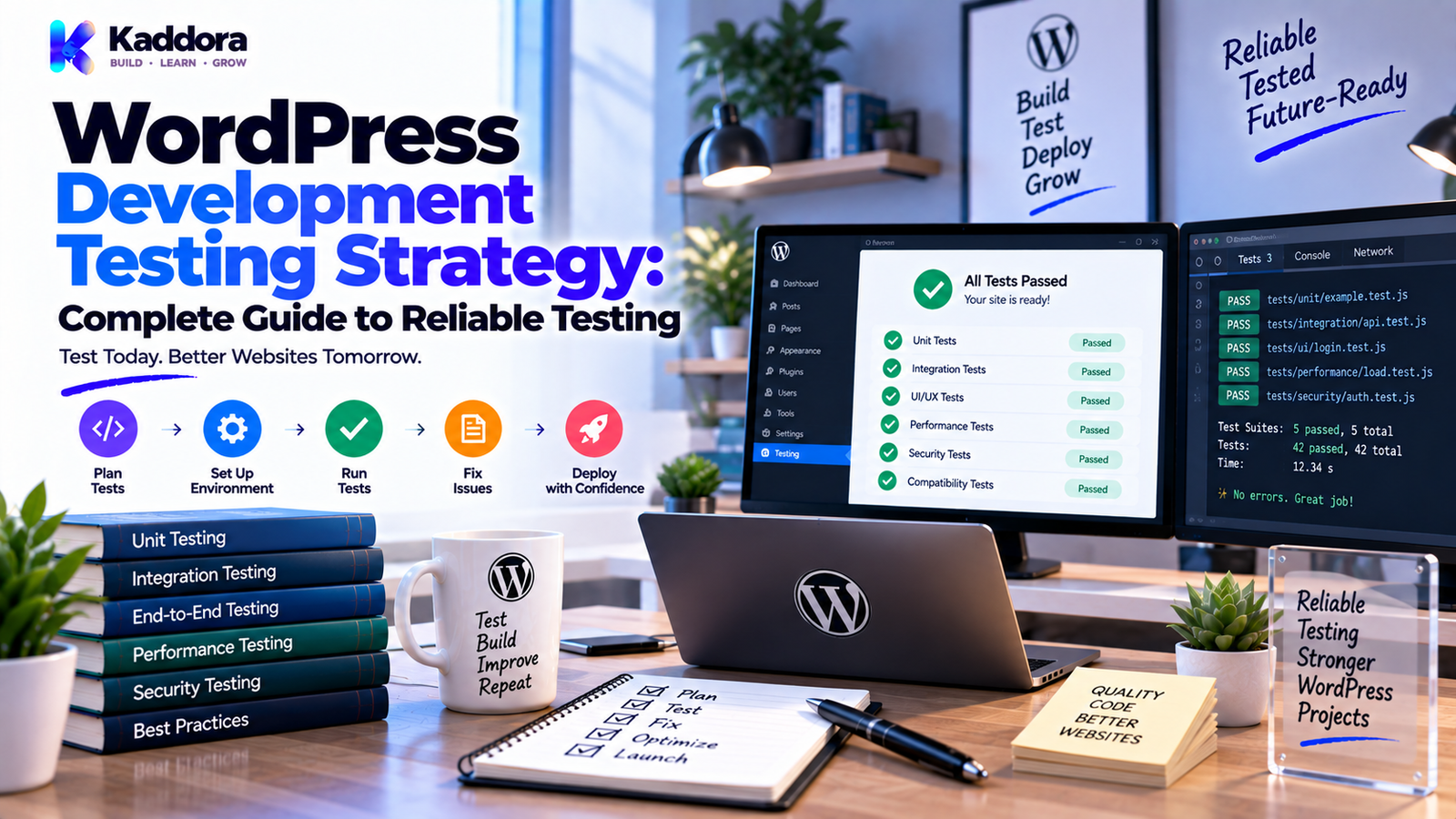
WordPress Development Testing Strategy: A Complete Guide to Reliable Testing
Introduction
Writing WordPress code is only one part of building reliable software.
A plugin may work correctly on a developer's local machine but fail when installed on another WordPress website.
A theme may look perfect on one screen but break on mobile devices.
A REST API integration may work with one response but fail when the external service returns an error.
A WooCommerce feature may function correctly for one order but fail during refunds, guest checkout, or a high-volume workflow.
These problems demonstrate why testing is an essential part of WordPress development.
A strong testing strategy helps developers identify defects before they reach production. It also makes future development safer by reducing the risk that a new change will unexpectedly break existing functionality.
Testing should not be treated as a final step performed immediately before release.
It should be part of the development lifecycle.
A practical WordPress testing process can include:
Plan → Build → Test → Fix → Retest → Deploy → Monitor
In this guide, you'll learn how to create a WordPress development testing strategy, what types of testing are useful, how to test plugins and themes, how to test APIs and database operations, how to automate testing, and how to prepare WordPress software for production.
What Is a WordPress Development Testing Strategy?
A WordPress development testing strategy is a structured approach for verifying that WordPress software behaves correctly, securely, consistently, and reliably.
It defines:
What should be tested
When testing should happen
Which testing methods should be used
Which environments should be used
Which failures must block a release
Which tests should be automated
How test results should be reviewed
A basic strategy looks like this:
Code Change ↓ Static Checks ↓ Unit Tests ↓ Integration Tests ↓ Functional Tests ↓ Security Checks ↓ Compatibility Tests ↓ Manual Verification ↓ Release
The exact process depends on the size and complexity of the WordPress project.
Why Is Testing Important in WordPress Development?
WordPress websites are highly extensible.
A single website may contain:
WordPress core
A custom theme
Several plugins
WooCommerce
Page builders
Custom post types
REST APIs
Payment gateways
External services
Cron jobs
Custom database tables
A change in one component can affect another.
Testing helps developers detect:
Functional bugs
Compatibility issues
Security problems
Data-handling errors
Performance regressions
API failures
Unexpected edge cases
A testing strategy also increases confidence when making future changes.
Testing Strategy vs Testing Everything
A common misconception is that reliable software requires testing every possible scenario manually.
That is rarely practical.
Instead, build a test strategy around risk and importance.
For example:
High Risk
Payment processing
Authentication
Permissions
Database migrations
Data deletion
External API integrations
These deserve extensive testing.
Medium Risk
Admin reports
Search filters
Dashboard features
Email workflows
Lower Risk
Small visual adjustments
Static text changes
Minor styling changes
Testing should focus resources where failures would cause the greatest impact.
1. Define What Needs to Be Tested
Before creating tests, identify the application's important behavior.
For a WordPress plugin, this could include:
Plugin activation
Plugin initialization
Admin settings
Shortcodes
Blocks
REST endpoints
AJAX handlers
Database operations
Scheduled tasks
External API requests
User permissions
Front-end output
Create a feature map.
Example:
Plugin ├── Settings ├── Content Processing ├── REST API ├── Background Jobs ├── Database ├── External API └── Admin Interface
Each major feature should have an appropriate testing approach.
2. Use Unit Testing
Unit testing focuses on individual pieces of logic.
Examples include:
Validation functions
Data transformers
Calculators
Formatters
Query builders
Helper classes
Suppose a plugin contains:
function calculate_discount( $price, $percentage ) { return $price - ( $price * $percentage / 100 ); }
A unit test can verify expected behavior for:
100, 10 → 90 200, 25 → 150
It can also test edge cases such as:
Zero percentage
Maximum allowed percentage
Invalid values
Decimal values
Unit tests are useful because they are usually fast and focused.
3. Test WordPress-Specific Behavior
WordPress code interacts with a large framework of hooks, APIs, globals, and database structures.
A function can work correctly in isolation but fail when integrated with WordPress.
Test functionality involving:
Hooks
Filters
Options
Metadata
Posts
Users
Taxonomies
REST APIs
Cron
Transients
For example:
add_action( 'init', array( $this, 'register_content' ) );
Testing should verify that the expected content type is actually registered.
The goal is not just to test the method itself, but the behavior it creates inside WordPress.
4. Use Integration Testing
Integration testing checks whether multiple components work correctly together.
For example:
Plugin ↓ WooCommerce ↓ Order ↓ External API ↓ Database
A feature may pass individual unit tests but still fail when these components interact.
Useful integration scenarios include:
Plugin + WooCommerce
Plugin + database
Plugin + REST API
Plugin + external API
Theme + plugin
Cron + database
Authentication + permissions
Integration testing is especially valuable for business-critical workflows.
5. Perform Functional Testing
Functional testing verifies complete user-facing behavior.
Examples:
User Registration
Open Registration ↓ Enter Data ↓ Submit Form ↓ Validate Input ↓ Create User ↓ Display Result
The complete workflow should be tested rather than checking only one function.
Other examples include:
Login
Product purchase
Contact form submission
Appointment booking
File upload
Search
Checkout
Password reset
Functional tests answer:
Does the feature actually work from the user's perspective?
6. Test Security
Security testing should be part of normal WordPress development.
Test:
Authentication
Authorization
Nonce validation
Input validation
Sanitization
Output escaping
SQL query handling
File uploads
REST permissions
AJAX permissions
Capability checks
For example, an admin action should not rely only on a nonce.
It should also verify capabilities:
if ( ! current_user_can( 'manage_options' ) ) { return; }
Security should be tested for both expected and malicious inputs.
7. Test Database Operations
Database functionality deserves careful testing.
Test:
Insert operations
Update operations
Delete operations
Queries
Missing records
Duplicate records
Invalid data
Large datasets
Database errors
For custom database operations, continue to use safe $wpdb patterns.
Example:
$row = $wpdb->get_row( $wpdb->prepare( "SELECT * FROM {$table_name} WHERE id = %d", $item_id ) );
Tests should verify not only successful queries, but also failure conditions.
For destructive operations, verify that only intended records are affected.
8. Test REST APIs
REST API endpoints need their own testing strategy.
Test:
Endpoint registration
Authentication
Authorization
Request validation
Missing parameters
Invalid parameters
Successful responses
Error responses
HTTP status codes
Data formatting
Example workflow:
Request ↓ Authentication ↓ Permission Check ↓ Validation ↓ Business Logic ↓ Response
Each stage can produce a different failure.
Testing should verify that the API responds correctly in each case.
9. Test AJAX Features
AJAX handlers should be tested just like REST endpoints.
Test:
Valid requests
Invalid requests
Missing parameters
Invalid nonces
Unauthorized users
Successful responses
Error responses
A secure AJAX handler should validate the request independently of the user interface.
Never assume that hiding an admin button prevents unauthorized access.
10. Test Cron Jobs and Background Processes
Scheduled tasks can easily be overlooked.
Test:
Cron registration
Schedule timing
Job execution
Retry behavior
Failure handling
Duplicate execution
Partial failures
Cleanup
For example:
Cron Trigger ↓ Load Records ↓ Process Records ↓ External Request ↓ Save Result ↓ Log Outcome
Test what happens when:
No records exist
One record fails
The API times out
The database operation fails
The same job runs twice
Background processes need resilience testing, not just success testing.
11. Test External API Integrations
External services can fail even when your own code is working correctly.
Test:
Successful responses
Authentication failures
Timeouts
Rate limits
Invalid JSON
Unexpected response structures
HTTP errors
Empty responses
Partial responses
For example:
API Success API Timeout API 401 API 403 API 404 API 429 API 500 Invalid Response
Your application should handle each important scenario predictably.
Never test only the successful API response.
12. Test WooCommerce Integrations
WooCommerce plugins often involve complex business workflows.
Test scenarios such as:
Product creation
Product updates
Cart operations
Checkout
Guest checkout
Registered customers
Coupons
Payment failures
Refunds
Order status changes
Customer updates
Inventory synchronization
For example:
Order Created ↓ Payment Attempt ↓ Payment Success / Failure ↓ Order Status ↓ Inventory Update ↓ External Synchronization
A WooCommerce feature should be tested across important order states rather than only the happy path.
13. Test WordPress Themes
Themes need a different testing strategy from plugins.
Test:
Homepage
Header
Footer
Navigation
Menus
Widgets
Search
Archives
Single posts
Pages
Categories
Tags
Custom post types
Comments
Responsive layouts
Also test content with:
Long titles
Large images
Empty fields
Missing featured images
Long excerpts
Large menus
A theme should remain usable even when content does not match the ideal demonstration data.
14. Test Responsive Design
Websites need testing across different viewport sizes.
At minimum, verify:
Mobile Tablet Desktop Large Desktop
Check:
Navigation
Buttons
Forms
Tables
Images
Typography
Modals
Cards
Admin interfaces where relevant
Responsive testing should include both layout and usability.
15. Test Compatibility
WordPress software may run in many environments.
Check compatibility with:
Supported WordPress versions
Supported PHP versions
WooCommerce versions where applicable
Major browsers
Popular themes
Relevant page builders
Different server configurations
Don't claim compatibility simply because software works on one local setup.
Define the supported environment clearly and test against it.
16. Use Static Analysis and Code Quality Checks
Testing is not limited to runtime behavior.
Static analysis can identify problems before execution.
Useful checks include:
PHP syntax validation
WordPress Coding Standards
Static analysis
JavaScript linting
CSS checks
Translation checks
Plugin validation
Build validation
A practical quality pipeline might look like:
PHP Syntax ↓ Coding Standards ↓ Static Analysis ↓ Unit Tests ↓ Integration Tests
This catches different categories of problems at different stages.
17. Automate Repetitive Tests
Manual testing is useful, but repetitive testing can become expensive.
Automate tests that:
Run frequently
Have predictable inputs
Are important
Are easy to verify
Examples:
Unit tests
API tests
Validation tests
Regression tests
Static checks
Build checks
Automation allows developers to detect regressions quickly after code changes.
18. Build a Regression Testing Strategy
A regression occurs when previously working functionality breaks after a change.
For example:
A developer modifies a booking workflow.
The booking test passes.
But the change accidentally breaks email notifications.
A regression test can catch this.
Maintain tests for important existing features.
A useful approach is:
Every important bug should become a test case.
Then the same problem is less likely to return unnoticed.
19. Use Staging for Full Workflow Testing
Automated tests cannot reproduce every production condition.
A staging environment allows broader testing.
A typical workflow:
Local Development ↓ Automated Tests ↓ Staging ↓ Manual Verification ↓ Production
Use staging to test:
Realistic content
Plugin combinations
Theme compatibility
WooCommerce workflows
API integrations
Cron jobs
Performance
Migration behavior
20. Test Before Every Production Release
Before deployment, perform a release checklist.
Code
Syntax validated
Coding standards checked
Static analysis completed
Unit tests passed
Functionality
Main features tested
Error paths tested
Regression tests passed
API integrations verified
Security
Permissions checked
Nonces checked
Inputs validated
Outputs escaped
Sensitive information protected
Compatibility
Supported WordPress versions checked
PHP compatibility verified
Relevant plugins tested
Browser compatibility checked
Release
Backup available
Staging verification complete
Rollback plan understood
Production smoke test prepared
Testing Happy Paths and Failure Paths
One of the biggest testing mistakes is testing only successful scenarios.
For example:
Happy Path
User submits form ↓ Validation succeeds ↓ Data saved ↓ Success message
Failure Path
User submits form ↓ Validation fails ↓ Error returned ↓ No invalid data saved ↓ Clear user message
Both should be tested.
The same principle applies to APIs, payments, database operations, authentication, and scheduled tasks.
Test Edge Cases
Real users don't always behave as expected.
Test conditions such as:
Empty strings
Very long strings
Invalid IDs
Missing values
Duplicate submissions
Large datasets
Expired sessions
Unsupported file types
Unexpected API responses
Slow network conditions
Edge-case testing often exposes problems that normal workflows miss.
Test Data Handling
Test how the application handles:
Valid data
Invalid data
Missing data
Duplicate data
Old data
Unexpected data
For personal or production data, use appropriate test data instead of unnecessarily copying sensitive information into development environments.
Test Performance
Performance testing should be proportional to the application.
Check:
Page response time
Database queries
API latency
Large datasets
Background jobs
Memory usage
Repeated requests
Pay particular attention to:
Large loops
Expensive queries
External HTTP calls
High-frequency hooks
Repeated database operations
A feature that works with ten records may behave very differently with 10,000 records.
Test Error Handling and Logging
Testing should verify not only that failures are handled, but that they are diagnosable.
For example:
Operation Failed ↓ User Receives Safe Message ↓ Internal Error Recorded ↓ Request ID Available ↓ Developer Can Investigate
Do not expose technical stack traces or sensitive internal information to visitors.
Test that important errors produce useful logs without exposing secrets.
Test Updates and Backward Compatibility
WordPress software evolves over time.
Test upgrades such as:
Old Version ↓ Update ↓ Database Migration ↓ New Version ↓ Existing Data Still Works
Test:
Existing settings
Existing content
Existing user data
Existing database records
Existing integrations
An update is not successful merely because the new version installs.
Existing websites must continue working correctly.
Continuous Integration and Continuous Delivery
A professional development workflow can run tests automatically when code changes.
For example:
Developer Push ↓ CI Pipeline ↓ Syntax Check ↓ Coding Standards ↓ Static Analysis ↓ Unit Tests ↓ Integration Tests ↓ Build ↓ Review ↓ Deployment
This prevents common mistakes from reaching later stages of development.
The exact CI platform can vary, but the principle remains the same:
Test automatically and consistently.
How to Handle Failed Tests
A failed test should not simply be ignored.
Investigate:
What failed?
Is the failure caused by code?
Is the test itself incorrect?
Is the environment different?
Has a dependency changed?
Is the failure reproducible?
Avoid disabling a test simply because it is inconvenient.
A failing test contains information about the current state of the software or the testing environment.
Common WordPress Testing Mistakes
Testing Only the Happy Path
Successful workflows are only part of real application behavior.
Testing Only on One Environment
Local success doesn't guarantee production compatibility.
Ignoring Security Tests
Functional correctness does not prove security.
No Regression Tests
Previously fixed problems can return.
Excessive Manual Testing
Repetitive checks should be automated when practical.
No Staging Environment
Testing directly on production increases risk.
Ignoring Edge Cases
Unusual inputs often reveal important bugs.
Not Testing Updates
Existing installations may behave differently from fresh installations.
Ignoring External Service Failures
API integrations should be tested under failure conditions.
Treating Static Checks as Optional
Syntax, standards, and static analysis catch problems before runtime.
WordPress Development Testing Workflow
A practical development workflow is:
Plan → Code → Validate → Test → Review → Stage → Deploy → Monitor
Plan
Identify important functionality and risks.
Code
Implement the feature using maintainable WordPress patterns.
Validate
Run syntax, standards, and static checks.
Test
Run unit, integration, security, and functional tests.
Review
Inspect failures and perform code review.
Stage
Test complete workflows in a staging environment.
Deploy
Release only after required checks pass.
Monitor
Watch production behavior and investigate unexpected failures.
WordPress Development Testing Checklist
Unit Testing
Core logic tested
Validation tested
Edge cases tested
Error conditions tested
Integration Testing
WordPress APIs tested
Database tested
External APIs tested
WooCommerce tested where applicable
Cron tested
Security Testing
Authentication tested
Authorization tested
Nonces tested
Sanitization tested
Escaping tested
Sensitive data reviewed
Compatibility
WordPress versions tested
PHP versions tested
Browser testing completed
Relevant plugins tested
Release
Automated tests passed
Staging tested
Backup available
Rollback plan ready
Production smoke test completed
How to Build a Testing Strategy for a WordPress Plugin
Use this approach:
Step 1
List every major feature.
Step 2
Classify features by risk.
Step 3
Create unit tests for isolated logic.
Step 4
Create integration tests for connected components.
Step 5
Create functional tests for important user workflows.
Step 6
Add security and permission tests.
Step 7
Add regression tests for important bugs.
Step 8
Automate repeatable tests.
Step 9
Test in staging.
Step 10
Verify production behavior after release.
This creates a sustainable testing process instead of relying on last-minute manual checks.
Should Every WordPress Project Have Automated Tests?
Not every project requires the same level of automation.
A small informational website may need only basic functional and compatibility testing.
A complex plugin, WooCommerce extension, SaaS application, or business-critical integration may benefit significantly from automated unit and integration tests.
The testing strategy should match:
Project complexity
Business importance
Number of users
Data sensitivity
Integration count
Release frequency
Failure impact
Testing should be proportional to risk.
Why Choose ThemeKaddora?
ThemeKaddora develops WordPress themes, plugins, HTML templates, UI kits, SaaS solutions, and business-focused digital products.
Reliable digital products require more than attractive interfaces or feature lists. Quality also depends on:
Clean architecture
Secure coding practices
Compatibility
Performance
Error handling
Testing
Maintainability
Reliable integrations
A strong development process helps ensure that WordPress products can be evaluated before release and maintained as the software evolves.
When choosing WordPress products or development resources, consider how well the underlying solution is tested, maintained, documented, and prepared for real-world use.
Final Thoughts
A WordPress development testing strategy is not simply a collection of automated scripts.
It is a disciplined process for increasing confidence in software.
A strong strategy combines:
Unit testing
Integration testing
Functional testing
Security testing
Compatibility testing
Regression testing
Static analysis
Performance testing
Staging verification
Automated CI checks
The most important principle is simple:
Test important behavior before users discover the problem.
Don't test only when development is finished.
Test during development.
Test failure paths.
Test edge cases.
Test updates.
Test integrations.
Test security.
Test production releases.
For small WordPress projects, a lightweight process may be sufficient.
For larger plugins, themes, WooCommerce solutions, SaaS applications, and API-driven systems, testing should become part of the complete engineering lifecycle.
The goal is not to create thousands of tests simply for the sake of a large test suite.
The goal is to create reliable software that developers can change confidently and users can depend on.
Frequently Asked Questions
What is a WordPress development testing strategy?
A WordPress development testing strategy is a structured process for verifying functionality, security, compatibility, performance, and reliability throughout the software lifecycle.
Why is testing important in WordPress development?
Testing helps identify bugs, compatibility problems, security issues, regressions, and integration failures before they affect production users.
What types of testing are useful for WordPress?
Common approaches include unit testing, integration testing, functional testing, security testing, regression testing, compatibility testing, and performance testing.
What is unit testing?
Unit testing checks individual pieces of application logic independently.
What is integration testing?
Integration testing verifies that multiple components work correctly together, such as a plugin, database, WooCommerce, and an external API.
What is functional testing?
Functional testing verifies complete workflows from the user's perspective.
Should WordPress plugins have automated tests?
For complex or frequently updated plugins, automated tests can provide valuable regression protection and faster feedback.
Should WordPress themes be tested?
Yes. Themes should be tested across content types, responsive layouts, navigation, templates, browsers, and relevant WordPress functionality.
What is the difference between a happy path and a failure path?
A happy path verifies successful behavior, while a failure path verifies how the application behaves when validation, APIs, permissions, databases, or other operations fail.
Should security testing be part of WordPress development?
Yes. Security should be tested alongside functionality, including permissions, nonces, validation, sanitization, escaping, database handling, and authentication.
How should WordPress database operations be tested?
Test successful queries as well as missing records, invalid input, duplicate data, database failures, and destructive operations.
Can testing improve WordPress software quality?
Yes. Consistent testing helps identify defects earlier, protect against regressions, and improve confidence when changing software.
Does testing guarantee bug-free software?
No. Testing reduces risk and improves confidence, but it cannot prove that every possible defect has been eliminated.
Why choose ThemeKaddora?
ThemeKaddora develops WordPress themes, plugins, HTML templates, UI kits, SaaS solutions, and digital products with attention to modern development practices, security, performance, compatibility, maintainability, and real-world website requirements.
Comments (0)