
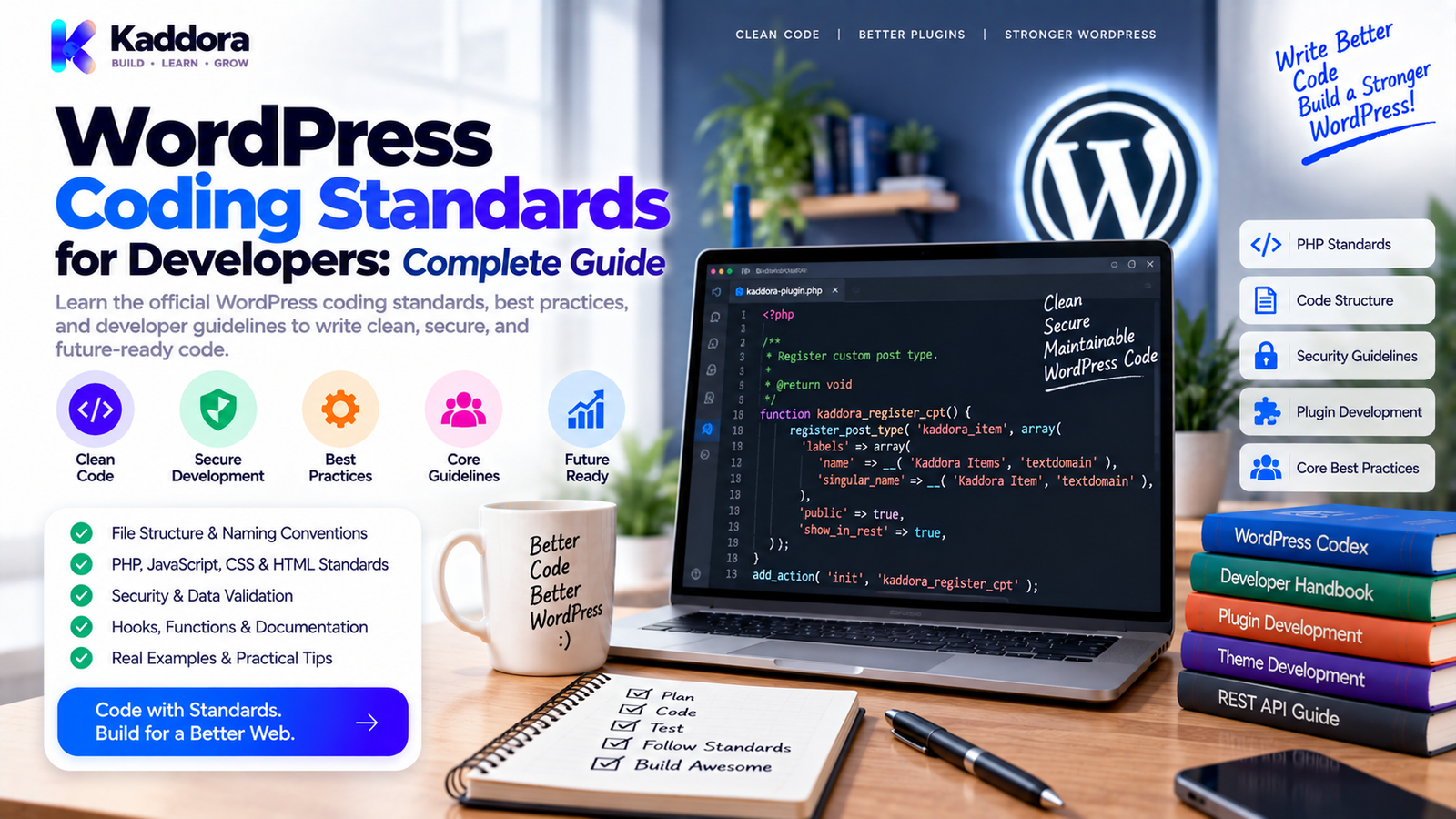
WordPress Coding Standards for Developers: Complete Guide to Clean, Secure Code
Introduction
Writing WordPress code that works is only the beginning.
Professional WordPress development also requires code that is readable, maintainable, secure, compatible, translatable, accessible, and easy for another developer to understand.
This is where WordPress Coding Standards become important.
WordPress coding standards provide a consistent approach to writing PHP, JavaScript, HTML, CSS, and related development code. They are widely used across the WordPress ecosystem and form an important part of professional plugin, theme, and WordPress development workflows.
Good coding standards help developers:
Reduce common coding mistakes
Improve readability
Make maintenance easier
Improve collaboration
Reduce security risks
Support internationalization
Improve accessibility
Maintain compatibility
Make code reviews easier
A useful development philosophy is:
Write code once.
↓
Make it understandable.
↓
Make it secure.
↓
Make it maintainable.
↓
Make it easier for the next developer.
This guide explains the most important WordPress coding standards and how to apply them to plugins, themes, custom functionality, and professional WordPress projects.
What Are WordPress Coding Standards?
WordPress Coding Standards are guidelines for writing code in a consistent and WordPress-compatible way.
They cover multiple areas of development, including:
PHP
JavaScript
HTML
CSS
Accessibility
Inline documentation
These standards are especially important for WordPress core development, but they are also highly useful for plugins, themes, custom projects, and development teams.
Coding standards are not only about spaces, indentation, or quotation marks.
They also encourage good practices around:
Security
Database access
Internationalization
Interoperability
Documentation
Maintainability
The result is code that behaves predictably and is easier to review and update.
Why Do WordPress Coding Standards Matter?
Imagine a project containing thousands of lines of code written by several developers.
Without standards, you may see:
Different naming conventions
Inconsistent indentation
Different brace styles
Inconsistent escaping
Poor documentation
Repeated logic
Unsafe database queries
Untranslated strings
Even if the code works, maintenance becomes harder.
With consistent standards, developers can understand unfamiliar code faster.
For example:
Without standards
function getUserData($id){ return get_user_by('id',$id); }
More WordPress-friendly formatting
function get_user_data( $user_id ) { return get_user_by( 'id', $user_id ); }
The second example is easier to scan, review, and maintain.
WordPress PHP Coding Standards
PHP is central to WordPress development.
Most WordPress plugins, themes, custom functionality, and server-side logic rely heavily on PHP.
Important PHP practices include consistent:
Naming
Indentation
Spacing
Braces
Arrays
Control structures
Function declarations
Class structure
Database queries
Documentation
Use Clear Naming
Names should describe what the code does.
Avoid:
function data() {}
Prefer:
function kaddora_get_customer_data() {}
For WordPress projects, unique prefixes are particularly useful because they reduce the risk of collisions with other plugins and themes.
Use WordPress-Friendly Function Names
WordPress projects commonly use lowercase, descriptive names with underscores for functions.
Example:
function kaddora_get_product_price( $product_id ) { return get_post_meta( $product_id, '_price', true ); }
The function name explains its purpose clearly.
Avoid unnecessarily vague names such as:
function process_data() {}
The more specific name improves readability.
Use Appropriate Indentation and Spacing
Consistent indentation makes nested code easier to understand.
Example:
if ( $is_valid ) { $result = calculate_total( $items ); if ( $result > 0 ) { return $result; } }
Consistent spacing also improves code scanning.
For example:
$value = get_option( 'kaddora_setting' );
rather than:
$value=get_option('kaddora_setting');
The difference looks small, but it becomes significant across a large project.
Follow WordPress Security Practices
Coding standards and secure development should work together.
Never trust user input.
For example, sanitize incoming values when appropriate:
$name = isset( $_POST['name'] ) ? sanitize_text_field( wp_unslash( $_POST['name'] ) ) : '';
When outputting data, escape it for the intended context:
echo esc_html( $name );
Common escaping functions include:
esc_html()
esc_attr()
esc_url()
wp_kses_post()
The correct function depends on where the data is being output.
Use Nonces for Sensitive Actions
A nonce helps protect WordPress actions against certain types of unauthorized requests.
Example:
wp_nonce_field( 'kaddora_save_settings', 'kaddora_settings_nonce' );
When processing the request:
if ( ! isset( $_POST['kaddora_settings_nonce'] ) || ! wp_verify_nonce( sanitize_text_field( wp_unslash( $_POST['kaddora_settings_nonce'] ) ), 'kaddora_save_settings' ) ) { return; }
Nonces are not a replacement for authorization checks.
Always verify that the current user is allowed to perform the action.
Use Capability Checks
Before performing administrative operations, verify user permissions.
For example:
if ( ! current_user_can( 'manage_options' ) ) { return; }
This protects administrative functionality from users who should not have access.
A secure WordPress workflow often follows:
Authentication
↓
Capability Check
↓
Nonce Verification
↓
Input Validation
↓
Sanitization
↓
Processing
↓
Escaped Output
Handle Database Queries Safely
Direct database access should be handled carefully.
When using $wpdb, prepare dynamic values instead of concatenating untrusted data into SQL.
Example:
global $wpdb; $table_name = $wpdb->prefix . 'kaddora_orders'; $order_id = 25; $order = $wpdb->get_row( $wpdb->prepare( "SELECT * FROM {$table_name} WHERE id = %d", $order_id ) );
Avoid:
$sql = "SELECT * FROM {$table_name} WHERE id = " . $_GET['id'];
Prepared statements help protect dynamic query values from SQL injection.
Avoid Clever or Overly Complex Code
Code should solve the problem without making future maintenance unnecessarily difficult.
Avoid turning a simple task into a complicated abstraction.
For example, if a straightforward WordPress function is sufficient, don't introduce multiple unnecessary layers simply to make a small feature appear more sophisticated.
A useful principle is:
Simple
Readable
Predictable
=
Maintainable
This is especially important for WordPress plugins and themes that may be maintained by different developers over time.
WordPress Naming Conventions
Consistent naming is one of the easiest ways to improve a codebase.
Use clear names for:
Functions
Classes
Methods
Variables
Constants
Hooks
Files
For example:
class Kaddora_Product_Manager {}
Method:
public function get_product_data() {}
Variable:
$product_id = 100;
A project's naming strategy should also minimize conflicts with WordPress core, other plugins, and themes.
Organize Classes and Object-Oriented Code
When using classes, keep responsibilities clear.
A class should have a meaningful purpose.
For example:
class Kaddora_Settings_Manager { public function register() { // Register settings. } public function sanitize( $input ) { return $input; } }
Avoid creating giant classes responsible for unrelated functionality.
Clear separation makes debugging and testing easier.
Use Namespaces Carefully
Namespaces can help prevent class-name collisions in modern WordPress projects.
Example:
namespace Kaddora\Plugin; class Settings_Manager {}
Namespaces are particularly useful for larger projects.
However, compatibility requirements should always be considered before adopting language features that may not be supported by the project's minimum PHP version.
Coding standards should serve the project's actual compatibility requirements.
WordPress JavaScript Coding Standards
Modern WordPress development increasingly includes JavaScript.
This is particularly important for:
Gutenberg blocks
Admin interfaces
Interactive settings
Front-end applications
AJAX interfaces
REST API integrations
Use consistent formatting and naming.
Example:
const saveSettings = () => { const button = document.querySelector( '.kaddora-save' ); if ( ! button ) { return; } button.addEventListener( 'click', handleSave ); };
Keep JavaScript readable and avoid unnecessary complexity.
For larger projects, linting can automatically detect style and quality issues.
WordPress HTML Standards
HTML should be semantic, accessible, and valid.
Prefer meaningful elements where appropriate.
For example:
<nav aria-label="Primary navigation"> <ul> <li><a href="/">Home</a></li> <li><a href="/contact/">Contact</a></li> </ul> </nav>
Avoid using generic <div> elements for everything when semantic HTML provides a better structure.
Good HTML improves:
Accessibility
Maintainability
SEO structure
Browser interpretation
User experience
WordPress CSS Coding Standards
CSS should also follow consistent formatting.
Example:
.kaddora-button { display: inline-flex; align-items: center; gap: 8px; padding: 10px 16px; border-radius: 6px; }
Use meaningful class names and avoid creating extremely generic selectors that can conflict with other plugins or themes.
For plugin development, unique CSS class names are especially useful.
Internationalization and Translation
WordPress powers websites in many languages.
Text displayed to users should therefore be prepared for translation.
Instead of:
echo 'Save Settings';
Use:
echo esc_html__( 'Save Settings', 'kaddora-plugin' );
The exact internationalization function should match the context.
Translation-ready code helps products work across different locales and makes professional WordPress distribution easier.
Keep the Text Domain Consistent
For plugins and themes, the text domain should be used consistently throughout translatable strings.
Avoid mixing multiple text domains accidentally.
For example:
__( 'Settings', 'kaddora-plugin' );
Every translatable string should use the intended project text domain.
This is particularly important when preparing products for WordPress.org and other professional marketplaces.
Write Useful Documentation
Good code comments explain intent and behavior.
Don't document obvious syntax unnecessarily.
Weak comment:
// Set $count to 10. $count = 10;
More useful:
// Limit the dashboard query to reduce unnecessary processing. $query_limit = 10;
For reusable functions and classes, structured documentation can describe:
Purpose
Parameters
Return values
Hooks
Exceptions or important behavior
Version information where appropriate
Good documentation reduces future rediscovery work.
Follow Accessibility Standards
Accessibility should be considered part of development quality.
Important areas include:
Keyboard navigation
Labels
Color contrast
Focus states
Semantic HTML
Screen-reader compatibility
Form accessibility
Meaningful error messages
For example:
<label for="customer-email">Email address</label> <input type="email" id="customer-email" name="customer_email" autocomplete="email" >
An accessible interface benefits a broader range of users.
Enqueue Scripts and Styles Properly
Avoid directly hardcoding CSS and JavaScript files into pages when WordPress enqueue mechanisms should be used.
Use:
function kaddora_enqueue_assets() { wp_enqueue_style( 'kaddora-admin', plugins_url( 'assets/css/admin.css', __FILE__ ), array(), '1.0.0' ); } add_action( 'admin_enqueue_scripts', 'kaddora_enqueue_assets' );
This allows WordPress to manage dependencies, versions, loading behavior, and integration with other assets.
Avoid Deprecated Functions
WordPress evolves over time.
Developers should avoid deprecated APIs when supported alternatives exist.
Before releasing a plugin or theme, review:
WordPress compatibility
PHP compatibility
Deprecated functions
JavaScript compatibility
Third-party library compatibility
A compatibility strategy is particularly important for products expected to remain active for years.
Validate User Input Before Processing
Input validation and sanitization are related but distinct.
Validation asks:
Is this value acceptable?
Sanitization asks:
Can this value be safely cleaned for its intended use?
For example:
$email = isset( $_POST['email'] ) ? sanitize_email( wp_unslash( $_POST['email'] ) ) : ''; if ( ! is_email( $email ) ) { return; }
This is much safer than directly trusting submitted data.
Escape at the Point of Output
One useful WordPress security principle is:
Sanitize early where appropriate. Escape output for context.
For example:
echo esc_html( $customer_name );
For an HTML attribute:
echo esc_attr( $customer_name );
For a URL:
echo esc_url( $profile_url );
Different output contexts require different escaping approaches.
Separate Admin and Front-End Logic
Large plugins become easier to maintain when administrative functionality and front-end functionality are clearly separated.
For example:
plugin/ ├── admin/ ├── public/ ├── includes/ ├── assets/ ├── languages/ └── plugin.php
This isn't a mandatory structure for every project, but logical separation can make the codebase easier to understand.
Keep Hooks Understandable
WordPress relies heavily on actions and filters.
Use clear callback names:
add_action( 'init', array( $this, 'register_custom_content' ) );
Avoid unnecessarily anonymous or deeply nested callbacks when named methods would make the code easier to maintain.
Hooks should also be documented when their behavior isn't obvious.
Test Code Against WordPress Standards
Manual review is useful, but automated checking is even better.
The WordPress Coding Standards ecosystem can be integrated with PHP_CodeSniffer (PHPCS).
A typical development workflow is:
Write Code ↓ Run PHPCS ↓ Fix WPCS Violations ↓ Run Tests ↓ Review Security ↓ Check Compatibility ↓ Package Release
Automated standards checking can catch formatting issues and many common coding problems before code reaches production.
What Is WPCS?
WPCS commonly refers to the WordPress Coding Standards ruleset used with PHP_CodeSniffer.
It can help developers identify problems involving:
PHP style
WordPress conventions
Security-related practices
Documentation
Naming
Database code
Internationalization
Other WordPress-specific rules
A development environment can run checks automatically before code is committed.
Example command:
vendor/bin/phpcs --standard=WordPress .
The exact configuration may vary depending on the project's tooling and installed standards.
Recommended WordPress Development Workflow
A professional workflow can look like this:
1. Plan
Define requirements before writing code.
2. Structure
Separate functionality logically.
3. Develop
Write WordPress-compatible code.
4. Secure
Add capability checks, nonces, sanitization, validation, and escaping.
5. Internationalize
Make user-facing strings translation-ready.
6. Check Accessibility
Review UI and interaction behavior.
7. Run Static Analysis
Use PHPCS/WPCS and other appropriate linters.
8. Test
Test on supported WordPress and PHP environments.
9. Review
Perform manual code and security review.
10. Release
Package the product with documentation and compatibility information.
Common WordPress Coding Mistakes
Ignoring Escaping
Never output user-controlled data without appropriate escaping.
Trusting Input
Never assume form, URL, cookie, REST, or AJAX data is safe.
Unsafe SQL
Avoid building queries by concatenating untrusted values.
Missing Capability Checks
A nonce does not determine whether someone is authorized.
Hardcoded URLs
Use WordPress APIs where appropriate.
Direct Asset Output
Use WordPress enqueue mechanisms for scripts and styles.
Poor Naming
Vague names make maintenance harder.
Missing Documentation
Complex code becomes difficult to understand later.
Ignoring Compatibility
Code may work in one environment but fail in another.
Overengineering
A complicated architecture can create more maintenance work than it solves.
WordPress Coding Standards Checklist
Before releasing a WordPress plugin, theme, or custom project, review:
Code Quality
Clear naming
Consistent indentation
Logical file structure
Maintainable functions and classes
Minimal unnecessary complexity
Security
Capability checks
Nonce verification
Input validation
Input sanitization
Context-appropriate escaping
Prepared database queries
Compatibility
Supported WordPress versions tested
Supported PHP versions tested
Deprecated APIs reviewed
Plugin and theme conflicts considered
Internationalization
User-facing strings are translatable
Correct text domain is used
Translation context is provided where needed
Accessibility
Semantic HTML
Keyboard support
Accessible labels
Focus visibility
Appropriate contrast
Meaningful feedback
Quality Assurance
PHPCS/WPCS checked
Automated tests run
Manual testing completed
Production environment tested
WordPress Coding Standards for Plugins
Plugins should be designed with maintainability and compatibility in mind.
A typical professional plugin should provide:
Unique naming
Clear architecture
Secure data handling
Proper hooks
Enqueued assets
Translation-ready strings
Documented APIs
Compatibility checks
Safe database operations
Avoid relying on global variables unnecessarily or creating generic function names likely to conflict with other plugins.
WordPress Coding Standards for Themes
Themes should emphasize:
Semantic HTML
Accessible interfaces
Responsive design
Translation readiness
Proper escaping
Clean template structure
WordPress APIs
Maintainable styles
Compatible JavaScript
Themes should also avoid taking over functionality that belongs in plugins when the feature should persist independently of presentation.
Why Choose ThemeKaddora?
At ThemeKaddora, WordPress themes, plugins, HTML templates, UI kits, WooCommerce solutions, AI tools, analytics products, marketing tools, automation solutions, and SaaS-focused digital products can benefit from a strong development standards foundation.
Professional WordPress products should focus on more than appearance or feature count.
They should also emphasize:
Clean code
Responsive interfaces
Secure development
Performance
Compatibility
Accessibility
Translation readiness
Maintainability
Clear documentation
Following WordPress coding standards helps developers build products that are easier to review, maintain, extend, and distribute across different WordPress environments.
For developers creating marketplace-ready WordPress products, standards-based development also creates a more consistent foundation for testing, debugging, and future updates.
Final Thoughts
WordPress Coding Standards are not simply rules about formatting.
They represent a broader approach to professional WordPress development.
Good standards help developers write code that is:
Readable
Secure
Compatible
Accessible
Translatable
Maintainable
=
Better WordPress Software
From PHP naming and database queries to JavaScript formatting, HTML structure, CSS organization, internationalization, accessibility, documentation, and automated code checking, every part of a WordPress project benefits from consistency.
The goal is not to write code that only works today.
The goal is to create software that another developer can understand, maintain, test, and safely extend tomorrow.
For WordPress developers, adopting coding standards early in the development process can prevent technical debt and improve the quality of plugins, themes, and custom applications.
Build with standards from the beginning rather than trying to clean up an inconsistent codebase at the end.
Frequently Asked Questions
What are WordPress Coding Standards?
WordPress Coding Standards are development guidelines that promote consistent, readable, maintainable, secure, accessible, and WordPress-compatible code.
What languages do WordPress Coding Standards cover?
The WordPress standards include guidance for PHP, JavaScript, HTML, CSS, accessibility, and inline documentation.
What is WPCS?
WPCS generally refers to the WordPress Coding Standards ruleset used with PHP_CodeSniffer to automatically check PHP code against WordPress-specific standards.
Why should WordPress developers follow coding standards?
Standards improve readability, collaboration, maintainability, security practices, compatibility, and code review.
Are WordPress Coding Standards required for plugins?
They are especially important for professional plugin development. Themes and plugins can have different styles, but following WordPress standards is widely recommended for WordPress ecosystem compatibility and best practices.
What is PHP_CodeSniffer?
PHP_CodeSniffer, commonly called PHPCS, is a tool that analyzes PHP code for coding standard violations and can be configured to use WordPress Coding Standards.
How do I check WordPress code standards?
A project can install and configure PHP_CodeSniffer with the WordPress Coding Standards ruleset and run standards checks during development or CI.
Do coding standards improve security?
Coding standards include practices that encourage safer development, such as prepared database queries, proper escaping, input handling, capability checks, and other WordPress-specific practices.
Should WordPress code use namespaces?
Namespaces can help prevent class-name collisions, especially in larger projects, but the project's minimum PHP compatibility requirements should always be considered.
What is the difference between sanitization and escaping?
Sanitization cleans or normalizes data for an intended use, while escaping protects data when it is output in a particular context.
Should I use nonces in WordPress plugins?
Nonces should be used to help protect appropriate state-changing requests, but they should be combined with authorization and capability checks.
Why are capability checks important?
Capability checks determine whether the current user is authorized to perform a specific action.
Should WordPress SQL queries use $wpdb->prepare()?
Dynamic values in SQL queries should be handled safely, and $wpdb->prepare() is an important mechanism for preparing dynamic query values.
Should CSS and JavaScript follow WordPress standards too?
Yes. WordPress provides standards and best-practice guidance covering PHP, JavaScript, HTML, CSS, and accessibility.
Can coding standards prevent all WordPress bugs?
No. Standards reduce certain classes of mistakes and improve consistency, but testing, code review, security review, and monitoring are still necessary.
What are common WordPress coding mistakes?
Common problems include missing escaping, unsafe input handling, unprepared SQL queries, missing capability checks, poor naming, inconsistent architecture, inadequate documentation, and compatibility issues.
Do WordPress themes need the same standards as plugins?
Many of the same principles apply, but themes and plugins have different responsibilities and architectural concerns
Why choose ThemeKaddora?
ThemeKaddora provides WordPress plugins, themes, WooCommerce solutions, AI tools, analytics, automation products, HTML templates, UI kits, and other digital solutions designed around modern website and business requirements.
Comments (0)