
Introduction
WordPress plugins are increasingly integrating artificial intelligence to perform complex operations such as content generation, customer support, product recommendations, SEO analysis, document processing, and business automation.
As these capabilities expand, plugins are no longer limited to processing traditional form submissions and database queries. They may retrieve information from multiple sources, communicate with external AI providers, maintain conversation context, and execute actions through AI agents.
These additional capabilities introduce security risks that developers may not identify through ordinary plugin testing alone.
Consider an intelligent WordPress assistant that can access WooCommerce products, retrieve customer order information, generate content, and send emails. A malicious user might manipulate its prompts, exploit an insecure integration, or attempt to make the AI execute an unauthorized operation.
Without a systematic security assessment, developers may overlook the connections between these components and their potential weaknesses.
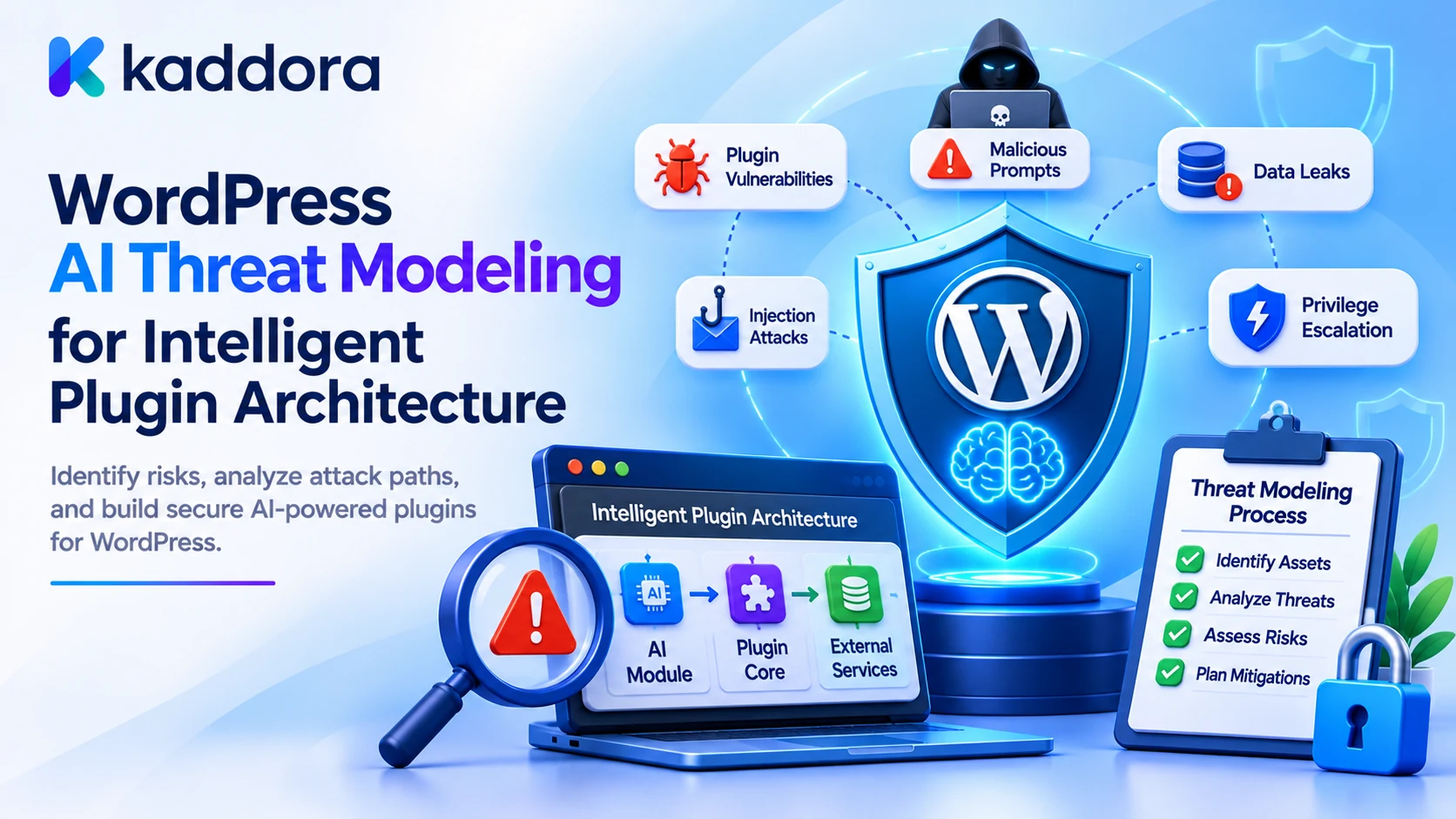
WordPress AI threat modeling is the process of identifying assets, users, trust boundaries, attack surfaces, and potential threats across an intelligent plugin architecture before implementing or deploying its functionality.
It helps developers understand how an attacker could exploit the system, what damage could result, and which security controls should be implemented to reduce the risk.
This guide explains how to perform practical threat modeling for WordPress AI plugins using architectural analysis, attack scenarios, risk classification, PHP examples, and mitigation planning.
What Is AI Threat Modeling?
Threat modeling is a structured security process that examines an application's architecture to identify potential attacks and determine how they can be prevented or mitigated.
Traditional WordPress threat modeling may focus on:
Unauthorized admin access.
SQL injection.
Cross-site scripting.
Cross-site request forgery.
Insecure file uploads.
Authentication weaknesses.
Exposed API credentials.
An AI-powered plugin introduces additional attack surfaces.
For example, an AI chatbot may retrieve documents containing malicious instructions. An AI agent may generate a tool request that attempts to modify a private record. A content generator may send confidential information to an external provider.
Threat modeling must therefore consider both conventional application vulnerabilities and AI-specific security risks.
Traditional threat modeling versus AI threat modeling
Traditional plugin threat modeling
AI plugin threat modeling
Examines form inputs and database queries
Also examines natural-language inputs and retrieved context
Reviews user authentication
Also examines AI-agent identity and tool authorization
Protects application data
Also controls information supplied to external models
Tests PHP functions and endpoints
Also tests prompt injection and manipulated model responses
Restricts application actions
Also restricts model-requested operations
Examines server and database security
Also examines provider integrations, model usage, and AI context
An effective threat model combines both approaches rather than treating AI security as a separate concern.
Why Intelligent WordPress Plugins Need Threat Modeling
An intelligent plugin can connect several components that previously operated independently.
For example, an AI-powered WooCommerce assistant might communicate with:
WordPress user accounts.
WooCommerce products and orders.
An AI model provider.
A product retrieval system.
An email automation plugin.
A custom database containing conversation history.
Every connection creates a potential security boundary.
Early vulnerability identification: Developers can identify weaknesses before implementing complex AI workflows.
Reduced data exposure: Threat modeling reveals where private information might enter prompts, logs, caches, or external requests.
Safer automation: Developers can identify operations that need additional permission checks or human approval.
Better integration security: Connected plugins and external services can receive clearly defined access boundaries.
Improved incident preparation: Teams can understand likely attack scenarios and prepare appropriate response procedures.
More reliable architecture: Security requirements become part of the original design instead of being added after a vulnerability is discovered.
Threat modeling is particularly useful before introducing AI agents, tool calling, private-data retrieval, and automated publishing.
1. Identify the Assets That Need Protection
Start by identifying what an attacker might try to access, manipulate, modify, or disrupt.
An asset is any information, resource, capability, or system component that requires protection.
For a WordPress AI plugin, important assets may include:
Asset
Potential security impact
AI provider API keys
Unauthorized API usage and financial losses
Customer information
Personal-data exposure
WordPress user accounts
Account compromise
WooCommerce orders
Unauthorized access or modification
Private content
Confidential information disclosure
AI conversation history
Exposure of customer messages
System instructions
Disclosure of internal application configuration
AI tool functions
Unauthorized application operations
Generated content
Malicious or misleading published information
Usage records
Exposure of operational and billing information
Provider configuration
Unauthorized changes to AI integrations
Do not focus only on assets stored in the WordPress database.
Information transmitted to an AI provider, temporary context stored in memory, cached retrieval results, and background job parameters can also require protection.
Classify assets by sensitivity
Assign each asset an appropriate classification.
Public: Published articles, publicly visible product information, and public documentation.
Internal: Plugin configuration, internal workflow information, and technical diagnostics.
Confidential: Unpublished content, business records, and restricted documents.
Sensitive: Customer information, private account records, authentication credentials, and financial information.
This classification helps determine which data can enter an AI request and which users or application components can access it.
2. Identify Threat Actors and Their Capabilities
Next, identify who or what might attempt to exploit your AI plugin.
Threat actors are not limited to anonymous website visitors.
An intelligent plugin ecosystem may face threats from:
Unauthenticated visitors.
Malicious authenticated users.
Compromised WordPress accounts.
Users with excessive permissions.
Malicious document or content contributors.
Compromised connected plugins.
Untrusted external services.
Automated bots.
Attackers exploiting AI-provider integrations.
Each actor may have different access and capabilities.
For example, an unauthenticated visitor might attempt to manipulate a public chatbot. A malicious editor might add hidden instructions to a WordPress article that an AI assistant later retrieves.
A compromised plugin integration might attempt to access records outside its intended scope.
Create an actor table.
Threat actor
Possible objective
Anonymous visitor
Manipulate public AI endpoints or increase API usage
Authenticated attacker
Access records beyond their permissions
Malicious content contributor
Introduce indirect prompt injection
Compromised administrator account
Modify AI settings or credentials
Malicious integration
Access unauthorized information or operations
External attacker
Exploit provider communication or exposed services
Threat modeling should consider realistic attack capabilities rather than assuming every attacker has complete access to the website.
3. Map the Intelligent Plugin Architecture
A threat model becomes much more useful when developers understand how information moves through the application.
Create a data-flow diagram containing the major components and interactions.
For example:
WordPress User | v Frontend AI Interface | v REST API Endpoint | v Authentication and Access | v Context Retrieval Layer | v Prompt Preparation Layer | v External AI Provider | v Response Validation Layer | v AI Tool Authorization | v WordPress Application | v Database and Integrations
Identify the movement of information between every component.
For example:
User messages enter through an interface.
A REST endpoint receives the request.
The retrieval layer searches WordPress data.
The prompt builder creates the model context.
The provider processes the request.
The response validator checks the result.
An approved tool may execute a WordPress operation.
For each connection, ask:
What information is transmitted?
Who controls the information?
Is the communication authenticated?
Is the destination trusted?
Can the receiving component perform additional operations?
What happens when the connection fails?
A data-flow diagram helps expose security weaknesses that might be difficult to identify by examining PHP functions individually.
4. Identify Trust Boundaries Between AI Components
A trust boundary is a point where information moves between components with different security responsibilities.
For example, a user message entering a server-side AI service crosses a trust boundary. Similarly, retrieved WordPress content entering a model context crosses from application-controlled data retrieval into AI processing.
Important trust boundaries include:
User to WordPress: Determines whether the request is authenticated and authorized.
WordPress to AI provider: Controls what information is transmitted externally.
Retrieved content to model context: Determines how untrusted documents are supplied to the AI.
Model response to tool execution: Prevents generated instructions from directly controlling application operations.
Plugin to plugin: Defines which information and functionality can be shared.
Background worker to application data: Controls automated processing without an ordinary user session.
Each boundary needs explicit security rules.
For example, the AI model may receive an approved product description, but it should not automatically receive permission to update the product.
The application must independently authorize that operation.
5. Use STRIDE to Identify Traditional Security Threats
STRIDE is a threat-modeling classification method that organizes security risks into six categories.
It provides a useful starting point for assessing traditional application vulnerabilities in WordPress AI plugins.
STRIDE category
WordPress AI plugin example
Potential consequence
Spoofing
An attacker impersonates an authorized user
Unauthorized AI feature access
Tampering
A user modifies stored tool parameters
Unexpected application operations
Repudiation
An AI action has no associated audit record
Difficulty investigating incidents
Information Disclosure
A chatbot exposes another user's order
Private-data leakage
Denial of Service
Automated requests overwhelm an AI endpoint
Service disruption and increased costs
Elevation of Privilege
A limited user triggers an administrator-level operation
Unauthorized administrative control
Apply STRIDE to individual components
Consider an AI REST endpoint.
Spoofing: Can an attacker impersonate an authenticated user?
Tampering: Can request parameters be modified after validation?
Repudiation: Is it possible to investigate who initiated an operation?
Information Disclosure: Can errors expose prompts, credentials, or private records?
Denial of Service: Can an attacker generate excessive AI requests?
Elevation of Privilege: Can a user access tools beyond their capabilities?
Repeat this analysis for retrieval, provider communication, tool execution, and background jobs.
STRIDE helps organize traditional threats, but it does not fully capture AI-specific risks. Add a separate assessment of prompt injection, untrusted context, model misuse, and excessive agent autonomy.
6. Identify AI-Specific Threat Scenarios
Intelligent plugins introduce attack patterns that deserve separate consideration.
Direct prompt injection
An attacker submits instructions intended to override the application's original prompt.
Potential impact: The model may generate inappropriate responses or attempt to access information outside its intended task.
Indirect prompt injection
Malicious instructions are embedded in retrieved posts, documents, comments, or external information.
Potential impact: The model may follow instructions originating from an untrusted source.
Excessive tool permissions
An AI agent receives access to more WordPress operations than its feature requires.
Potential impact: A manipulated response can result in unauthorized content updates or other application actions.
Sensitive-data exposure
Private information is included unnecessarily in an AI request.
Potential impact: Confidential information may be exposed through provider processing, responses, or application logs.
Model-output manipulation
A generated response contains malicious or malformed content that another plugin component processes without validation.
Potential impact: Unsafe links, unexpected HTML, or unintended operations may reach the application.
Denial of wallet
An attacker repeatedly triggers expensive AI operations.
Potential impact: Provider usage increases unexpectedly, creating financial losses or exhausting configured quotas.
Retrieval poisoning
An attacker manipulates information that the AI retrieval system considers relevant.
Potential impact: The model may generate misleading answers based on unsuitable source material.
These threats should be connected to specific components in the data-flow diagram. That makes mitigation planning more precise.
7. Assess and Prioritize the Identified Risks
Not every threat needs the same level of attention.
Prioritize risks according to their likelihood and potential impact.
A simple approach uses a numerical risk score:
[
\text{Risk Score} =
\text{Likelihood} \times \text{Impact}
]
For example:
Likelihood: 1–5.
Impact: 1–5.
Maximum score: 25.
An illustrative classification could be:
Score
Risk category
Suggested response
1–4
Low
Monitor and review
5–9
Moderate
Apply appropriate controls
10–16
High
Prioritize mitigation
17–25
Critical
Restrict the feature until suitable controls exist
These thresholds are examples, not universal security standards.
Example threat register
Threat
Likelihood
Impact
Score
Priority
Prompt injection in retrieved documents
4
4
16
High
Unauthorized order retrieval
3
5
15
High
Excessive AI request usage
4
3
12
High
Exposed provider credentials
2
5
10
High
Invalid generated HTML
3
3
9
Moderate
The example scores illustrate prioritization, not measured attack probabilities.
For each risk, also record the affected component, existing controls, planned mitigation, responsible owner, and remaining risk after mitigation.
Do not consider a risk resolved merely because a control has been added. Test whether the control actually prevents or limits the identified attack.
8. Implement Resource-Specific Authorization
One of the most important threat mitigations is preventing unauthorized access to WordPress resources.
A chatbot may be allowed to retrieve public articles, while a customer-support assistant may need access to a specific order belonging to the authenticated customer.
Do not rely on a general plugin permission when the operation concerns a specific resource.
The following PHP example verifies whether a user can edit an individual post.
<?php /** * Verify resource-specific post access. * * @param int $kaddora_ai_post_id WordPress post ID. * @return true|WP_Error */ function kaddora_ai_authorize_post( $kaddora_ai_post_id ) { $kaddora_ai_post_id = absint( $kaddora_ai_post_id ); if ( ! $kaddora_ai_post_id ) { return new WP_Error( 'kaddora_ai_invalid_post', 'The requested post is invalid.' ); } $kaddora_ai_post = get_post( $kaddora_ai_post_id ); if ( ! $kaddora_ai_post ) { return new WP_Error( 'kaddora_ai_post_not_found', 'The requested post was not found.' ); } if ( ! current_user_can( 'edit_post', $kaddora_ai_post_id ) ) { return new WP_Error( 'kaddora_ai_post_access_denied', 'You cannot access this operation.' ); } return true; }
This example uses WordPress's resource-specific capability check.
Use equivalent checks for orders, products, user records, and custom post types.
For operations executed by background jobs, establish a trusted execution identity and verify the original authorization and approval conditions. Do not simply remove permission checks because a scheduled process lacks a logged-in user.
9. Restrict AI Tool Execution Through an Allowlist
An AI agent should never receive unrestricted access to PHP functions or database operations.
Define exactly which application operations are available.
For example:
<?php /** * Return approved AI tool definitions. * * @return array */ function kaddora_ai_get_registered_tools() { return array( 'search_public_content' => array( 'capability' => 'read', 'callback' => 'kaddora_ai_search_content', ), 'create_content_draft' => array( 'capability' => 'edit_posts', 'callback' => 'kaddora_ai_create_draft', ), ); }
The registry identifies approved functionality. Each execution must still validate its arguments and resource permissions.
Consider these restrictions:
A search tool retrieves only eligible records.
A draft tool creates unpublished content.
An update tool verifies permission for the exact post.
A publishing tool requires the appropriate capability and approval.
A deletion tool requires strict authorization and additional safeguards.
For sensitive operations, require human approval.
The model can recommend an operation, but the application must decide whether it is permitted.
10. Protect Against Prompt Injection and Unsafe Context
Prompt injection should be included in the threat model whenever the AI feature processes user messages, retrieved content, or uploaded documents.
Developers should:
Inventory every source of untrusted content.
Screen for suspicious patterns as one detection layer.
Separate trusted application instructions from reference content.
Retrieve only authorized information.
Restrict available AI tools.
Validate every tool request.
Prevent model responses from overriding application permissions.
For example:
TRUSTED APPLICATION INSTRUCTIONS: Answer using approved reference information. Never reveal private records or credentials. Do not execute unauthorized operations. UNTRUSTED REFERENCE CONTENT: [Retrieved WordPress document] USER REQUEST: [Current user question]
This prompt structure helps distinguish application instructions from retrieved information, but it does not guarantee protection.
A secure architecture must remain safe even when the model follows a malicious instruction.
Pattern matching, AI-based detection, and content screening can provide additional signals. They should not replace permission checks or restricted tool execution.
11. Protect External AI Integrations and Credentials
AI providers introduce external communication boundaries.
A threat model should examine what information leaves WordPress, which credentials are used, and how responses are handled.
Important threats include:
API key exposure.
Unauthorized provider configuration changes.
Requests to unapproved destinations.
Insecure communication.
Excessive request usage.
Unvalidated provider responses.
Sensitive information stored in provider or plugin logs.
Follow these controls:
Server-side credentials: Keep provider API keys out of frontend JavaScript and public HTML.
Approved endpoints: Do not allow untrusted users or AI-generated output to select arbitrary provider URLs.
Secure transport: Use HTTPS with certificate verification enabled.
Request limits: Apply timeouts, usage quotas, and suitable rate limits.
Response validation: Check provider responses before using their content.
Data minimization: Transmit only the information required for the requested task.
Provider assessment: Review retention and data-handling arrangements.
Also consider server-side request forgery when a plugin retrieves external URLs. Validate permitted hosts and avoid passing arbitrary AI-generated destinations directly into server-side HTTP requests.
12. Assess Denial-of-Service and AI Usage Abuse
AI requests can consume provider resources and create financial costs.
An attacker may repeatedly submit requests to an AI endpoint, generate unnecessarily large prompts, or trigger multiple model calls through one operation.
This can cause both service disruption and unexpected API expenses.
Identify the following risks:
Unlimited chatbot requests.
Automated repeated generation.
Excessively large user input.
Repeated retry loops.
Unrestricted batch processing.
Expensive model selection.
Unauthorized background-job scheduling.
Implement controls such as:
Per-user request limits.
Per-feature usage quotas.
Maximum context and output sizes.
Bounded retry policies.
Provider-level budget monitoring.
Duplicate request protection.
Restrictions on concurrent processing.
Use a shared usage-tracking system to understand which features generate the most requests and costs.
For high-volume systems, budget checks should happen before requests are submitted. Monitoring expenses only after provider processing has completed is insufficient to prevent uncontrolled usage.
13. Create a Threat Mitigation Register
Once risks have been identified, translate them into specific security requirements.
A mitigation register helps developers understand what must be implemented and how completion should be verified.
Threat
Mitigation
Verification method
Unauthorized private-data access
Resource-specific capability checks
Test access with different user roles
Direct prompt injection
Input screening and restricted tools
Submit malicious test instructions
Indirect prompt injection
Untrusted-source isolation
Retrieve documents containing malicious text
API credential exposure
Server-side secret management
Inspect frontend assets and logs
Unauthorized AI action
Tool allowlist and approval checks
Attempt unregistered tool execution
Data leakage between sessions
Context isolation
Run simultaneous multi-user tests
Excessive AI usage
Quotas and request limits
Simulate repeated requests
Unsafe generated HTML
Output filtering and validation
Test unexpected HTML payloads
Audit gaps
Structured security event logging
Verify event records for test operations
For every mitigation, record:
Implementation status.
Responsible developer.
Related feature.
Test results.
Remaining risk.
Next review date.
This converts threat modeling into an actionable development process.
14. Integrate Threat Modeling Into the Plugin Development Lifecycle
Threat modeling should happen during architecture planning and continue as the plugin evolves.
For example, adding a new AI tool may create a completely new attack path even when the existing chatbot remains unchanged.
Make threat assessment part of important development activities.
Before development: Identify assets, actors, components, and trust boundaries.
During implementation: Apply the required permissions, validation, and data controls.
Before release: Test identified attack scenarios and verify mitigation behavior.
After deployment: Monitor events and investigate unexpected behavior.
During updates: Reassess risks when models, prompts, tools, providers, or data sources change.
Maintain versioned threat models so that developers can compare architectural changes and understand which security assumptions were modified.
For complex systems, review the threat model with developers, security owners, and the people responsible for the affected business workflows.
15. Build a Threat Monitoring and Review Process
Threat modeling should not end when the plugin passes its initial security tests.
New features, provider changes, and newly discovered attack techniques can create additional risks.
Monitor indicators such as:
Unauthorized access attempts.
Suspicious prompt injection events.
Rejected AI tool requests.
Unusual provider usage.
Unexpected data retrieval.
Repeated output-validation failures.
Background-job authorization errors.
Security-event logging failures.
Use these records to identify recurring problems and update the threat model.
When an incident occurs, document the affected asset, the attack path, the impact, the existing controls, and the additional mitigation required.
Avoid logging complete customer conversations or API credentials simply to improve monitoring.
The objective is to maintain sufficient security evidence without creating another source of sensitive-data exposure.
Common Mistakes to Avoid
Starting development without identifying important assets.
Modeling only traditional WordPress vulnerabilities.
Ignoring indirect prompt injection.
Treating every installed plugin as a trusted component.
Giving AI agents unrestricted access to application functions.
Checking permissions only when a user logs in.
Ignoring provider-side data processing.
Underestimating AI usage abuse and cost attacks.
Treating pattern-based detection as complete protection.
Adding security controls without testing them.
Failing to update the threat model when new tools are introduced.
Recording sensitive information unnecessarily in security logs.
Best Practices Checklist
Identify all important assets and information.
Document threat actors and their capabilities.
Create an architectural data-flow diagram.
Identify trust boundaries between components.
Use STRIDE to assess traditional security threats.
Assess AI-specific threats such as prompt injection and excessive agent permissions.
Classify and prioritize risks according to impact and likelihood.
Apply resource-specific WordPress capability checks.
Restrict AI tools through explicit allowlists.
Require approval for sensitive automated operations.
Protect API credentials and external integrations.
Apply request quotas and context-size limits.
Maintain a threat mitigation register.
Test security controls before production releases.
Review threat models whenever the architecture changes.
Why Choose Kaddora?
Kaddora focuses on WordPress-oriented digital products and development solutions for website functionality, AI integration, and business automation.
Building intelligent WordPress plugins requires more than implementing AI features. Developers also need to understand the security risks introduced by data retrieval, external providers, automated tools, and connected application components.
Kaddora's WordPress development focus aligns with creating practical solutions that combine intelligent functionality, maintainable architecture, and responsible security practices.
Whether you are developing an AI chatbot, content generator, WooCommerce assistant, or connected plugin ecosystem, threat modeling can help identify weaknesses before they become operational security problems.
Conclusion
WordPress AI threat modeling helps developers identify and address security risks across intelligent plugin architectures before those risks affect users and business operations.
A practical process begins with asset identification, threat actor analysis, data-flow mapping, and trust-boundary identification. Developers can then use STRIDE and AI-specific threat scenarios to prioritize risks and select suitable mitigations.
The most important principle is to assess the complete AI workflow rather than focusing only on the model or API integration. User requests, retrieved content, external services, tool execution, WordPress data, and background jobs all need appropriate security controls.
Start by threat-modeling one AI feature, document its attack paths, and create a mitigation register with testable requirements. Extend the same process whenever new providers, tools, data sources, or automated actions are introduced.
With systematic threat modeling, WordPress developers can build intelligent plugin architectures that are more secure, resilient, and maintainable.
Frequently Asked Questions
What is WordPress AI threat modeling?
WordPress AI threat modeling is the process of identifying assets, threat actors, trust boundaries, attack surfaces, and security risks in AI-powered WordPress plugins before selecting and implementing mitigation controls.
Why is threat modeling important for AI plugins?
AI plugins process natural-language inputs, retrieve information, communicate with external services, and may execute automated actions. Threat modeling identifies weaknesses across these operations before they create security problems.
What are the main threats to intelligent WordPress plugins?
Important threats include prompt injection, unauthorized data access, insecure AI tools, credential exposure, context leakage, malicious retrieved content, output vulnerabilities, and excessive AI usage.
What is STRIDE in WordPress AI threat modeling?
STRIDE is a threat-classification approach covering spoofing, tampering, repudiation, information disclosure, denial of service, and elevation of privilege. It helps developers organize security risks across plugin components.
How can developers identify AI plugin trust boundaries?
Map the flow of information between users, WordPress endpoints, databases, retrieval systems, AI providers, tools, and connected plugins. Identify where data crosses components with different security responsibilities.
Should every AI tool be included in the threat model?
Yes. Every tool that retrieves information, modifies content, communicates externally, or triggers an application operation should be assessed for permissions, input validation, and potential misuse.
When should a WordPress AI threat model be updated?
Update it whenever significant changes occur to AI providers, models, prompts, retrieval systems, permissions, tools, data sources, or application workflows. Periodic reviews should also identify outdated assumptions and unresolved risks.
How can Kaddora help with WordPress AI security?
Kaddora's WordPress development focus is relevant to building intelligent plugins with structured security controls, controlled integrations, data protection, and maintainable application architecture.
Why choose ThemeKaddora?
ThemeKaddora offers WordPress plugins, themes, and templates that help developers, agencies, and website owners find practical digital resources for building and expanding their website projects.
Comments (0)