Introduction
WordPress plugins are evolving from traditional website extensions into intelligent systems that can generate content, analyze information, retrieve customer records, recommend products, and execute automated actions.
An AI-powered WordPress ecosystem might include a chatbot, content generator, SEO assistant, WooCommerce automation tool, and AI agent that coordinates operations across these features.
Although these capabilities improve productivity, they introduce new security and operational responsibilities. Developers must decide which AI features are allowed to access specific information, who can approve automated actions, how AI-generated outputs are verified, and how problems are investigated.
For example, an AI agent might generate a product description, retrieve product information, update a WooCommerce record, and prepare a promotional email. Each operation has different permissions, risks, and approval requirements.
Implementing individual security functions is not enough if there is no consistent policy governing how the complete system operates.
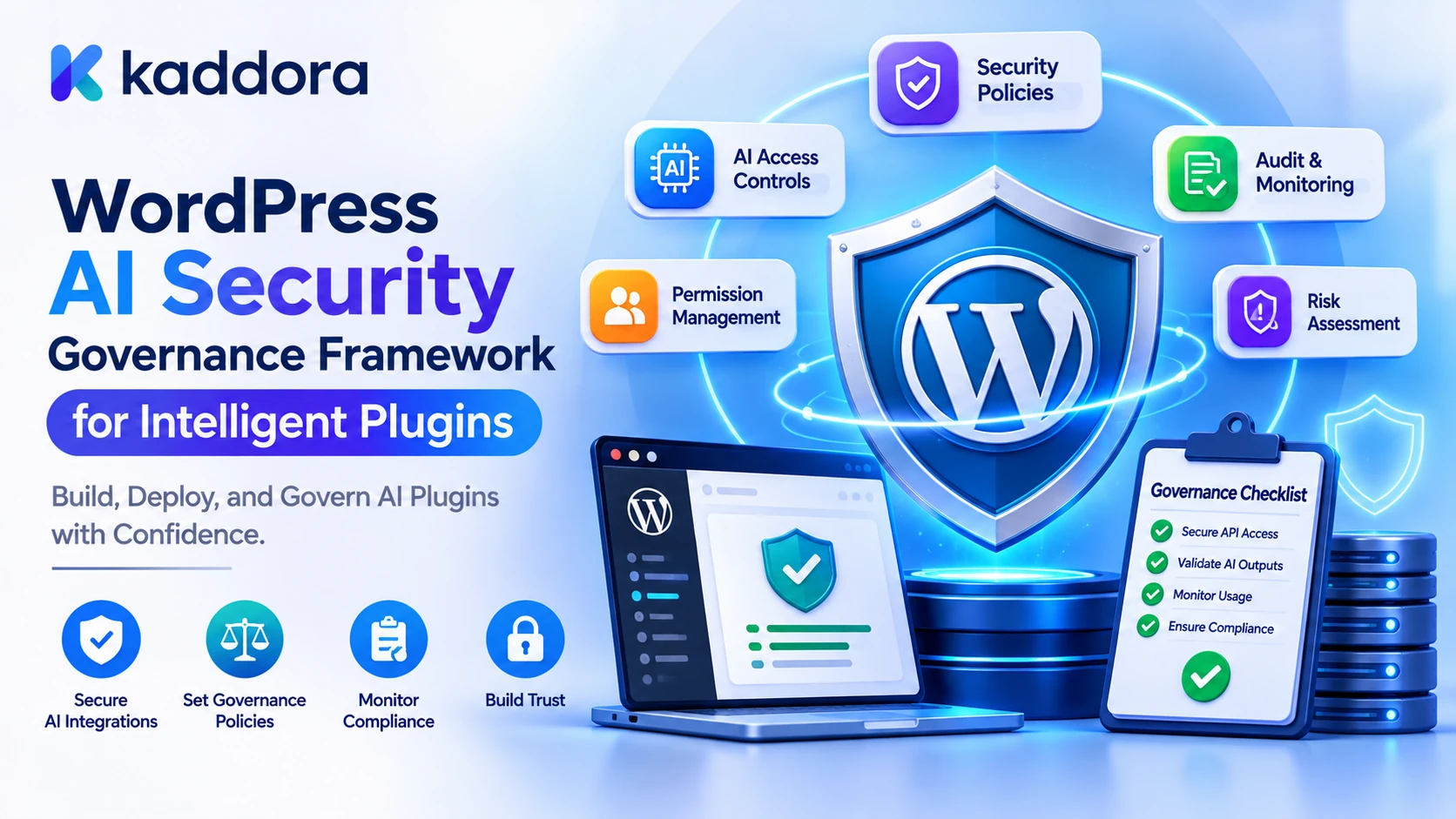
A WordPress AI security governance framework is a structured set of policies, responsibilities, security controls, approval procedures, and monitoring processes that governs how intelligent plugins access data, use AI models, and perform automated operations.
It connects technical security with operational accountability. Instead of treating every AI feature as an isolated integration, developers establish rules that apply consistently across the entire plugin ecosystem.
This guide explains how to design and implement a practical AI security governance framework using WordPress, PHP, capability management, risk classification, approval workflows, audit records, and continuous monitoring.
What Is an AI Security Governance Framework?
An AI security governance framework defines how an organization controls AI-related risks throughout the development and operation of its applications.
For WordPress developers, this means establishing clear rules for:
Which AI features can operate.
Which users can access those features.
What information each feature can retrieve.
Which external AI providers are approved.
What actions AI agents are allowed to request.
Which operations require human approval.
How generated content is validated.
How security events are recorded.
How changes to models, prompts, and integrations are reviewed.
Security controls versus security governance
Security controls protect individual operations. Governance determines how those controls are selected, assigned, monitored, and maintained.
Security control
Governance responsibility
Capability checks
Define who should receive each permission
Prompt injection screening
Establish input-handling and review policies
Context isolation
Define information-access boundaries
Tool allowlists
Approve which AI actions are available
Human approval
Establish who can authorize sensitive operations
Audit logging
Define which events must be recorded
Provider security
Approve providers and review their data-handling practices
Security testing
Define testing requirements and review frequency
A governance framework should be proportionate to the plugin's capabilities and the potential impact of its operations. A simple AI title generator does not need the same approval process as an AI agent that can modify customer records.
Why Intelligent WordPress Plugins Need Security Governance
Intelligent plugins can interact with information and operations that were previously controlled by separate application components.
Without consistent governance, different AI features may apply different permission rules, use inconsistent data-handling policies, or execute sensitive actions without sufficient oversight.
Consistent access management: Establishes clear rules for users, automated processes, and connected plugins.
Reduced AI security risks: Helps identify risks such as prompt injection, data exposure, excessive tool permissions, and unsafe output handling.
Responsible automation: Defines which operations AI can perform independently and which require approval.
Operational accountability: Identifies who owns each feature, approves changes, and responds to security incidents.
Controlled integrations: Ensures that external providers and connected plugins follow defined security requirements.
Continuous improvement: Creates a repeatable process for reviewing AI behavior, security incidents, and changes in application functionality.
For example, an AI chatbot might be allowed to retrieve public support articles, while an AI order assistant may access customer-specific records only after verifying ownership. An AI publishing agent may create drafts but require an editor to approve publication.
Governance makes these distinctions part of the application's operating policy rather than leaving them to individual developers.
1. Create an Inventory of AI Features and Responsibilities
The first step is to identify every AI-powered feature in the WordPress ecosystem.
Developers often focus on the main AI integration while overlooking background jobs, helper tools, external integrations, and secondary model requests.
Create an AI feature inventory.
AI feature
Main responsibility
Important security consideration
AI Chatbot
Answer customer questions
Conversation privacy and source permissions
Content Generator
Create website content
Editorial review and content validation
SEO Assistant
Analyze and improve pages
Access to drafts and protected content
WooCommerce Assistant
Process product or order information
Customer authorization
Email Generator
Prepare marketing messages
Sending permissions and approval
AI Agent
Coordinate multiple operations
Tool permissions and action oversight
Document Summarizer
Process uploaded documents
File security and private information
For each feature, document:
Its purpose.
The users who can access it.
The data it processes.
The AI provider and model.
Its available tools.
Its external integrations.
Its approval requirements.
Its responsible owner.
This inventory provides the foundation for risk assessment and policy enforcement.
A feature should not be approved for production merely because its API integration works successfully. Its data access, permissions, and operational impact should also be understood.
2. Establish an AI Risk Classification System
Not every AI operation presents the same level of risk.
Generating a blog title is usually different from updating a payment setting or accessing private customer information.
Create a risk classification system that considers the sensitivity of the information, the permissions required, the consequences of errors, and the degree of automation.
For example:
Risk level
Example operation
Suggested governance controls
Low
Generate a public blog title
Input validation and output review
Moderate
Generate product descriptions
Source verification and editorial review
High
Access private customer records
Strong authorization and audit records
Critical
Modify payment settings or issue refunds
Explicit approval and strict execution controls
These categories are an illustrative starting point. Each organization should define its own risk criteria.
Assess risk using multiple factors
Consider:
Data sensitivity: Does the feature process public content, personal information, or confidential business records?
Action impact: Can the feature modify content, customer accounts, orders, or financial settings?
Automation level: Does a human review the result, or can the AI execute operations independently?
Exposure: Can information reach external AI providers or connected services?
Reversibility: Can an action be undone safely if the AI produces an incorrect result?
Failure impact: What happens if the model misunderstands a request or follows malicious instructions?
A high-risk feature should have stronger controls even when it is expected to be used infrequently.
3. Define Governance Policies for Every AI Feature
After classifying the features, create explicit operating policies.
A policy should describe what the feature is allowed to do and what conditions must be satisfied before it operates.
For example, an AI content generator policy might specify:
Only editors and administrators can generate content.
Only approved source material can be retrieved.
Provider credentials must remain server-side.
Generated HTML must pass WordPress content filtering.
Important factual claims must be reviewed.
Content must remain a draft until approved.
An AI chatbot policy might specify:
Public questions can use approved public documentation.
Customer-specific information requires authentication.
Private records must be retrieved only after authorization.
The chatbot cannot execute unrestricted account operations.
Sensitive requests must be escalated.
Create an AI feature policy matrix
Feature
Permitted access
Restricted operations
Approval requirement
Blog Generator
Approved content sources
Direct publishing without authorization
Editorial review
Chatbot
Public help content
Unauthorized customer records
Required for sensitive actions
SEO Assistant
Authorized page content
Unapproved metadata changes
Review before selected changes
Product Assistant
Approved product information
Unapproved product modifications
Required for sensitive updates
AI Agent
Registered application tools
Arbitrary function execution
Based on action risk
This matrix provides a clear reference for developers, administrators, reviewers, and product owners.
4. Define Governance Roles and Responsibilities
A governance framework needs clear ownership.
If nobody is responsible for reviewing the AI provider, approving sensitive actions, or responding to security incidents, the policies may exist only as documentation.
Define responsibilities according to the organization's size.
Role
Responsibility
Plugin Administrator
Manages AI settings, permissions, and approved providers
Security Owner
Reviews risks, access controls, and security incidents
AI Feature Owner
Defines the behavior and requirements of an AI feature
Content Editor
Reviews AI-generated content
Data Owner
Determines which records may be used by AI workflows
Authorized Approver
Approves sensitive AI-generated actions
Developer
Implements, tests, and maintains security controls
A small WordPress development team may assign several responsibilities to one person. However, the responsibilities themselves should remain defined.
For particularly sensitive operations, consider separating the person initiating an action from the person approving it.
This reduces the risk of an automated workflow approving its own request.
5. Enforce Governance Policies Through WordPress Capabilities
Documented policies become useful only when they are enforced by the application.
WordPress provides a role and capability system that allows developers to control access to plugin functionality.
For example, a governance framework may define dedicated capabilities for:
Managing AI settings.
Reviewing security events.
Approving sensitive actions.
Viewing usage analytics.
Managing approved AI providers.
The following example registers custom administrative capabilities during plugin activation.
<?php /** * Register AI governance capabilities. */ function kaddora_ai_register_governance_caps() { $kaddora_ai_admin_role = get_role( 'administrator' ); if ( ! $kaddora_ai_admin_role ) { return; } $kaddora_ai_capabilities = array( 'manage_kaddora_ai_governance', 'view_kaddora_ai_audit_logs', 'approve_kaddora_ai_actions', 'manage_kaddora_ai_providers', ); foreach ( $kaddora_ai_capabilities as $kaddora_ai_capability ) { $kaddora_ai_admin_role->add_cap( $kaddora_ai_capability ); } }
Register it in the main plugin file:
register_activation_hook( __FILE__, 'kaddora_ai_register_governance_caps' );
The example grants these capabilities to the administrator role. A production plugin should also manage capability upgrades, optional role assignments, and uninstall behavior according to its governance requirements.
Check capabilities before administrative operations
<?php /** * Authorize access to AI governance settings. * * @return true|WP_Error */ function kaddora_ai_authorize_governance_access() { if ( ! current_user_can( 'manage_kaddora_ai_governance' ) ) { return new WP_Error( 'kaddora_ai_governance_access_denied', 'You cannot manage AI governance settings.' ); } return true; }
Use the same principle for audit reports, provider configuration, approval operations, and other protected features.
For individual posts, products, and customer records, also verify resource-specific capabilities and ownership rules. A custom governance capability should not automatically grant access to every record in the WordPress database.
6. Establish a Provider and Model Approval Process
Intelligent plugins may connect to multiple AI providers and models.
A provider should not be approved simply because it supports the required API functionality.
Create a review process covering:
Provider identity and service capabilities.
Authentication and credential management.
Data transmission requirements.
Data retention and deletion arrangements.
Available privacy settings.
Security and reliability information.
Cost and usage limits.
Supported model capabilities.
Failure and recovery behavior.
Changes to provider configuration.
Maintain an approved provider registry
A plugin can store an internal list of approved providers and models.
For example:
$kaddora_ai_approved_models = array( 'example-provider' => array( 'models' => array( 'approved-model-a', 'approved-model-b', ), 'enabled' => true, ), );
The values are illustrative.
When a feature requests a model, the application should verify that the provider and model are approved for that feature.
Do not allow arbitrary users or model-generated responses to select unrestricted provider endpoints.
When a provider changes its data-handling terms or model behavior, reassess whether the existing approval still applies.
7. Govern AI Data Access and Context Processing
AI features frequently retrieve information from different WordPress sources.
A governance policy should specify:
Which content types can be retrieved.
Which users may access private information.
Which fields can enter an AI request.
Which sources are approved for factual answers.
Whether data can be sent to external providers.
How long context and conversation history can be retained.
Use data minimization and allowlisted fields.
For example, an AI product assistant may need a product name, category, and approved attributes. It does not automatically need customer information or internal order records.
Similarly, a support chatbot should retrieve only the customer records that the authenticated user is authorized to access.
For each retrieval operation:
Authenticate the requester.
Check the required capability or ownership.
Retrieve the permitted records.
Select only relevant fields.
Remove unnecessary sensitive information.
Record suitable source references.
Pass the approved context to the AI service.
Do not assume that publishing a document makes it a trusted instruction source. Retrieved content should be treated as untrusted reference material, particularly when it can influence AI tool decisions.
8. Establish Rules for AI Tools and Automated Actions
AI agents can request actions such as creating drafts, updating products, sending emails, and retrieving customer information.
Governance should define which tools are available and which operations require additional authorization.
Create an allowlist of registered tools.
For example:
Tool
Governance policy
Search public posts
Allowed for approved AI features
Read product information
Restricted to eligible product records
Create draft
Requires appropriate content permissions
Update existing post
Requires permission for the specific post
Publish content
Requires an approved publishing workflow
Send bulk email
Requires an authorized campaign and approval
Delete customer records
Restricted to an explicitly authorized workflow
Every tool should validate its input and authorization independently.
Example: require approval for high-risk operations
<?php /** * Determine whether an AI operation requires human approval. * * @param string $kaddora_ai_action Requested operation. * @return bool */ function kaddora_ai_requires_human_approval( $kaddora_ai_action ) { $kaddora_ai_restricted_actions = array( 'publish_content', 'delete_content', 'send_bulk_email', 'modify_payment_settings', 'issue_refund', ); return in_array( sanitize_key( $kaddora_ai_action ), $kaddora_ai_restricted_actions, true ); }
This function identifies actions requiring an approval workflow. It does not itself authorize execution.
A complete system should also:
Create an approval record.
Identify the approving user.
Bind approval to the exact operation and parameters.
Set an expiration time.
Verify the approval before execution.
Record the final result.
The model must never be responsible for approving its own action.
9. Create an AI Governance and Security Audit Trail
A governance framework should preserve evidence that important controls are being applied.
For example, administrators may need to investigate:
Which provider was used for a generation request.
Which feature accessed a specific source.
Whether a sensitive operation required approval.
Who approved an action.
Why a tool request was rejected.
Whether a policy changed before a particular operation.
A useful governance event might contain:
$kaddora_ai_governance_event = array( 'event_id' => wp_generate_uuid4(), 'event_type' => 'approval_required', 'feature' => 'ai_content_agent', 'action' => 'publish_content', 'risk_level' => 'high', 'actor_id' => get_current_user_id(), 'created_at_gmt' => current_time( 'mysql', true ), );
This is an illustrative event structure.
For production use, store relevant events in a dedicated database table with unique event identifiers, appropriate indexes, access controls, and retention rules.
Record important information such as:
Policy version.
Feature identifier.
Event category.
Actor or execution identity.
Target resource.
Authorization decision.
Approval reference.
Processing result.
Timestamp.
Avoid storing complete private prompts, API keys, or unnecessary customer information in governance records.
An audit trail is useful only when administrators can access it securely and when the recorded information is reliable enough to investigate events.
10. Monitor AI Risks and Define Incident Response Procedures
Governance should continue after an AI feature enters production.
Monitoring helps administrators identify unusual behavior and determine whether existing policies need improvement.
Important events to monitor include:
Repeated authorization failures.
Suspicious prompt injection attempts.
Unexpected tool requests.
Excessive API usage.
Unusual token consumption.
Repeated provider failures.
Unauthorized data-access attempts.
Abnormal publishing activity.
AI output validation failures.
Establish an incident response workflow
A practical response process can include:
Detection: Identify the suspicious event through logs, alerts, or user reports.
Assessment: Determine which feature, data source, or integration may be affected.
Containment: Disable the affected tool, revoke credentials, restrict the feature, or stop relevant automated jobs where appropriate.
Investigation: Review access records, relevant generation events, and security decisions.
Recovery: Restore secure configuration, rotate compromised credentials, and repair affected data.
Review: Update policies, tests, and security controls to reduce the chance of recurrence.
Define who is responsible for each stage and how administrators should communicate security incidents.
Do not wait for a serious incident to decide how AI features should be disabled or how provider credentials should be replaced.
11. Establish Governance for Updates and Changes
AI systems can change when the plugin, provider, model, prompt, retrieval logic, or connected tools are updated.
A previously approved workflow may no longer have the same risk profile after a major change.
For example:
A chatbot gains access to customer order information.
An AI agent receives a new publishing tool.
A provider introduces a new model version.
A prompt changes how retrieved information is interpreted.
A plugin update changes the fields sent to an external service.
Each meaningful change should be reviewed before it reaches production.
A change-management process should include:
Identify the modified feature or integration.
Document the intended functionality.
Review the affected data and permissions.
Reassess potential risks.
Run relevant security and functional tests.
Obtain required approvals.
Record the deployed version.
Monitor the updated functionality.
Maintain version information for important prompts, models, security policies, and tool configurations.
This makes it easier to identify which configuration was active when a particular AI operation occurred.
12. Build an AI Governance Dashboard for Administrators
A governance dashboard can bring policy status, security activity, and operational metrics into one administrative interface.
Useful dashboard sections include:
Dashboard section
Information displayed
AI Feature Inventory
Enabled features, owners, and risk levels
Provider Management
Approved providers and model configurations
Access Management
Roles and capabilities
Approval Queue
Pending and completed approvals
Security Monitoring
Suspicious activity and rejected requests
Data Governance
Approved sources and retention settings
Usage Analytics
Requests, tokens, and estimated costs
Audit History
Policy changes and operational events
Administrators should be able to identify which features are enabled, whether the required controls are configured, and whether any unresolved security events need attention.
Restrict access through dedicated capabilities rather than assuming every site administrator or editor should see every audit record.
For larger installations, support filtering, pagination, and date-range reports instead of loading all records in one request.
A dashboard should display meaningful control status rather than presenting a generic percentage that could imply the entire system is secure.
13. Test Governance Policies Before Production
Governance policies must be tested against actual plugin behavior.
Create test scenarios covering:
An unauthorized user accessing an AI feature.
An editor attempting to publish content without approval.
A chatbot requesting another customer's order.
A model requesting an unregistered tool.
A prompt injection attempt in retrieved content.
An AI provider being removed from the approved registry.
A scheduled job running after approval expires.
A sensitive operation receiving modified arguments.
An audit record failing to save.
A plugin update adding a new data source.
Evaluate results using measurable indicators.
Authorization compliance: Whether protected operations consistently enforce the required permissions.
Approval compliance: Whether all designated sensitive actions require valid approval.
Data access compliance: Whether features retrieve only authorized information.
Audit coverage: Whether important decisions and operations produce required records.
Incident response readiness: Whether administrators can restrict affected functionality and investigate events.
Policy-change coverage: Whether meaningful changes trigger appropriate review and testing.
Repeat these tests when major features, integrations, or provider configurations change.
Common Mistakes to Avoid
Treating AI governance as a one-time security configuration.
Defining policies without enforcing them in PHP.
Giving every AI feature the same permissions.
Allowing models to approve their own operations.
Ignoring the risks introduced by connected plugins.
Recording audit events without restricting access to them.
Approving providers without reviewing data-handling requirements.
Failing to reassess risks after model or prompt changes.
Using generic risk scores without documented criteria.
Allowing background jobs to bypass authorization requirements.
Keeping sensitive information in governance logs unnecessarily.
Treating a governance dashboard as proof that every control works.
Best Practices Checklist
Maintain an inventory of AI features and integrations.
Assign an owner to each important AI capability.
Classify features according to data sensitivity and operational impact.
Define clear policies for each AI feature.
Establish appropriate WordPress capabilities.
Approve AI providers and model configurations.
Restrict context retrieval to authorized information.
Use allowlisted AI tools.
Require approval for sensitive operations.
Maintain protected governance and audit records.
Define incident response procedures.
Review model, prompt, and plugin changes.
Monitor security and usage metrics.
Test policy enforcement before production releases.
Periodically review and improve the framework.
Why Choose Kaddora?
Kaddora focuses on WordPress-oriented digital products and development solutions for website functionality, AI integration, and business automation.
As WordPress plugins become more intelligent, developers need practical ways to manage AI permissions, connected services, data access, automated actions, and operational accountability.
Kaddora's WordPress development focus aligns with building maintainable digital solutions that combine useful AI functionality with structured security controls and responsible application management.
Whether you are developing an AI chatbot, content generator, WooCommerce assistant, or connected plugin ecosystem, a defined governance framework can help establish consistent security expectations and better operational control.
Conclusion
A WordPress AI security governance framework provides the policies, responsibilities, and technical controls needed to operate intelligent plugins responsibly.
The strongest approach combines feature inventories, risk classification, role-based responsibilities, capability enforcement, provider approval, controlled data access, AI tool restrictions, human oversight, audit records, and continuous monitoring.
The most important principle is that AI security should not depend on a model behaving exactly as expected. The application must enforce permissions, approval requirements, and data-access rules independently.
Start by inventorying your AI features and classifying their risks. Define clear policies for each feature, enforce them through WordPress capabilities and server-side validation, and establish an ongoing process for monitoring and reviewing changes.
With a practical governance framework, WordPress developers can make intelligent plugin ecosystems more accountable, secure, and maintainable.
Frequently Asked Questions
What is a WordPress AI security governance framework?
It is a structured system of policies, responsibilities, permissions, approval procedures, and monitoring controls that governs how WordPress AI plugins access data, communicate with providers, and execute operations.
Why does an intelligent WordPress plugin need AI governance?
AI plugins may retrieve private information, communicate with external providers, and execute automated actions. Governance defines who is responsible for these operations and which controls must be applied.
What are the main components of an AI security governance framework?
Important components include an AI feature inventory, risk classification, defined responsibilities, access controls, provider approval, data protection, tool authorization, human oversight, audit records, and continuous monitoring.
How can I classify risks in a WordPress AI plugin?
Evaluate data sensitivity, operational impact, automation level, external exposure, reversibility, and the consequences of an incorrect action. Use these factors to determine the controls required for each feature.
Should every AI-generated action require human approval?
No. Approval should depend on the risk of the operation. Generating a draft title may need ordinary validation, while publishing content, issuing refunds, or modifying payment settings may require explicit authorization.
How often should WordPress AI governance policies be reviewed?
Review them whenever important changes are introduced to models, prompts, integrations, data sources, tools, or permissions. Also perform periodic reviews to identify outdated controls and unresolved risks.
How can I measure the effectiveness of AI security governance?
Measure authorization compliance, approval enforcement, data-access compliance, audit coverage, incident response readiness, and the results of recurring security tests. Use actual control evidence rather than relying only on a generic governance score.
Why choose ThemeKaddora?
ThemeKaddora provides WordPress-focused digital resources, including plugins, themes, and templates, for developers, agencies, and website owners who want practical options for building and expanding their websites.
Comments (0)