
Introduction
WordPress plugins increasingly rely on third-party AI model providers to generate content, answer questions, analyze website information, recommend products, and automate business workflows.
For example, an AI-powered WordPress plugin might retrieve product information from WooCommerce, prepare a prompt, send it to an external AI model, receive a generated recommendation, and display the result to a customer.
Although this workflow appears straightforward, it involves multiple security boundaries. Information leaves the WordPress environment, enters an external provider's infrastructure, passes through model processing, and returns to the plugin.
The WordPress application does not automatically control every operation performed inside the provider's environment. Developers must therefore decide what information can leave their website, which services are allowed to receive it, how credentials are protected, and how returned information is handled.
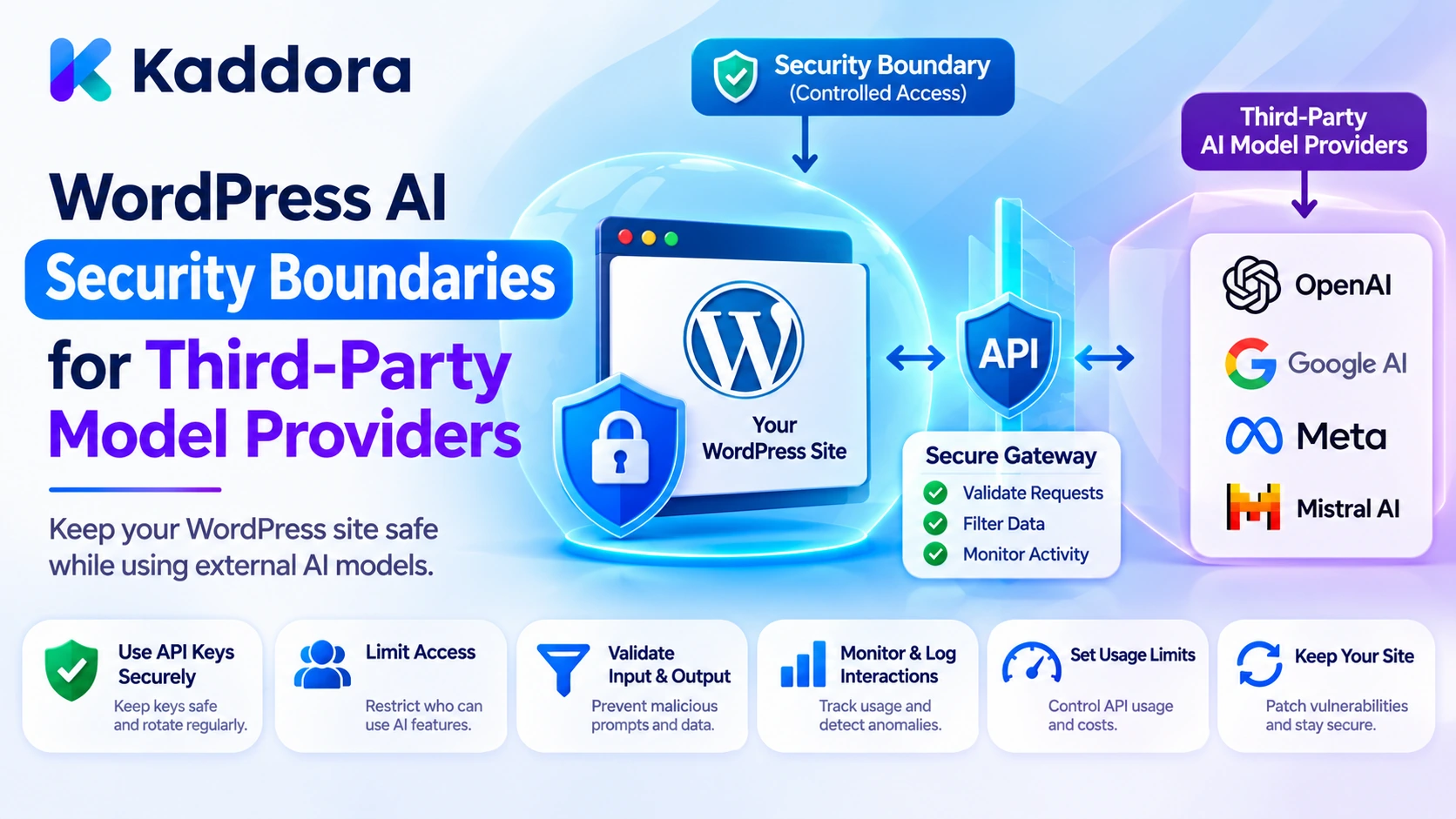
WordPress AI security boundaries for third-party model providers define the separation of responsibilities, data access, credentials, communication, and authorization between a WordPress plugin and external AI services.
A secure architecture treats the provider as an external processing service rather than an extension of the WordPress application's trusted environment.
This guide explains how to establish these boundaries using PHP, WordPress HTTP API functions, provider allowlists, data minimization, response validation, and practical security policies.
What Are AI Security Boundaries?
A security boundary separates components that operate under different trust, access, or administrative controls.
In a WordPress AI integration, the main components might include:
WordPress frontend and administration interfaces.
Plugin application logic.
WordPress database.
Context retrieval services.
AI provider gateway.
Third-party model infrastructure.
External storage or processing services.
AI response validation.
WordPress actions and connected plugins.
For example, WordPress may control which posts a user can access. However, when selected post content is transmitted to an external AI provider, additional processing takes place outside the WordPress environment.
The plugin must apply privacy and security rules before transmitting the information and evaluate the provider's response before using it.
The main security boundaries
Boundary
Primary responsibility
User to WordPress
Authentication and request authorization
WordPress to plugin
Input validation and application permissions
Plugin to AI provider
Data minimization, endpoint control, and secure authentication
Provider to plugin
Response validation and error handling
AI output to WordPress tools
Independent authorization and action validation
Plugin to external storage
Data retention and access control
These boundaries should be explicitly defined rather than assuming that an external model operates with the same permissions and security controls as the WordPress application.
Why Third-Party AI Providers Require Separate Security Controls
Third-party AI services introduce processing environments that your WordPress plugin does not directly administer.
A plugin may send customer questions, product information, document excerpts, or internal business context to an external provider.
If the plugin does not control this exchange, several risks can arise.
Sensitive-data exposure: Unnecessary personal or confidential information may be transmitted.
Credential compromise: An exposed API key can be used outside the intended plugin workflow.
Unauthorized endpoints: Manipulated configuration or requests may send information to an unapproved destination.
Provider-side retention: Submitted information may be subject to the provider's applicable processing and retention arrangements.
Unsafe responses: Returned model output may contain incorrect, malformed, or unexpected information.
Tool execution abuse: A model response may request an operation that the current WordPress user is not authorized to perform.
Service dependency: Provider failures, outages, or configuration changes can affect the plugin's functionality.
The objective is to limit what crosses each boundary and ensure that WordPress retains control over its own data and operations.
1. Map the Communication Between WordPress and AI Providers
Start by documenting how information moves between your plugin and each external model provider.
A typical architecture looks like this:
WordPress User | v AI Plugin Interface | v Authentication and Authorization | v Context Retrieval and Preparation | v Provider Security Gateway | v Approved External AI Provider | v Model Processing | v Provider Response | v Output Validation | v Authorized WordPress Operation | v User Interface
Each stage should have a defined responsibility.
For example, the context retrieval layer should select only authorized information. The provider gateway should validate the destination and manage credentials. The output validation layer should inspect the returned response before another component uses it.
The model provider should not independently determine what WordPress records a user can access.
Document the provider communication contract
For every provider, record:
Provider identity.
Approved API endpoint.
Authentication method.
Supported models.
Data categories transmitted.
Request and response formats.
Timeout and retry settings.
Provider usage information.
Data retention considerations.
Error-handling requirements.
This documentation makes it easier to understand exactly what happens when an AI feature communicates externally.
2. Establish an Approved Provider and Endpoint Allowlist
A WordPress AI plugin should not allow ordinary users or AI-generated output to select arbitrary external destinations.
For example, a malicious request might attempt to modify the provider endpoint so that private WordPress context is sent to an attacker-controlled server.
Prevent this by using predefined, approved provider configurations.
An allowlist can identify permitted providers and endpoints.
<?php /** * Return approved AI provider endpoints. * * @return array */ function kaddora_ai_get_approved_providers() { return array( 'example_provider' => array( 'endpoint' => 'https://api.example-provider.test/v1/generate', 'models' => array( 'example-model-a', 'example-model-b', ), 'enabled' => true, ), ); }
The provider and model identifiers are illustrative placeholders.
A production plugin should use actual provider endpoints and documented model identifiers. The allowlist should be controlled through trusted server-side configuration or a protected administrator interface.
Validate the configured endpoint
If an administrator can configure an endpoint, validate it before making a request.
<?php /** * Validate an approved provider endpoint. * * @param string $kaddora_ai_endpoint Endpoint URL. * @return bool */ function kaddora_ai_validate_provider_endpoint( $kaddora_ai_endpoint ) { if ( ! is_string( $kaddora_ai_endpoint ) ) { return false; } $kaddora_ai_parts = wp_parse_url( $kaddora_ai_endpoint ); if ( ! is_array( $kaddora_ai_parts ) ) { return false; } if ( empty( $kaddora_ai_parts['scheme'] ) || 'https' !== strtolower( $kaddora_ai_parts['scheme'] ) ) { return false; } if ( ! empty( $kaddora_ai_parts['user'] ) || ! empty( $kaddora_ai_parts['pass'] ) ) { return false; } $kaddora_ai_allowed_hosts = array( 'api.example-provider.test', ); $kaddora_ai_host = isset( $kaddora_ai_parts['host'] ) ? strtolower( $kaddora_ai_parts['host'] ) : ''; if ( ! in_array( $kaddora_ai_host, $kaddora_ai_allowed_hosts, true ) ) { return false; } if ( isset( $kaddora_ai_parts['port'] ) && 443 !== (int) $kaddora_ai_parts['port'] ) { return false; } return true; }
This example checks HTTPS, credentials embedded in the URL, the hostname, and the port.
For a production integration, also restrict the permitted path and query structure, validate configuration changes, and use a provider-specific endpoint registry.
Prefer fixed endpoints whenever possible. Hostname validation is not a reason to accept arbitrary URLs from frontend users or model responses.
3. Keep Provider Credentials Inside the WordPress Server Environment
AI providers commonly require API keys or other authentication credentials.
These credentials should remain on the server.
Never expose them in:
Frontend JavaScript.
Public HTML.
Browser network responses.
Shortcodes.
Localized JavaScript configuration.
AI prompts.
Error messages.
Unrestricted plugin logs.
A frontend request should communicate with your WordPress backend, which then communicates with the approved provider.
For example, a protected server-side configuration might define a provider key through the site's configuration environment:
define( 'KADDORA_AI_PROVIDER_KEY', 'configured-secret-value' );
The example illustrates configuration structure. Do not insert a real credential into publicly distributed plugin source code. Store secrets in an appropriate protected server-side configuration or secret-management system.
Apply credential management policies
Restrict who can configure provider credentials.
Do not display complete saved keys in administration screens.
Allow authorized administrators to replace credentials.
Rotate credentials when compromise is suspected.
Use separate credentials for development and production where appropriate.
Revoke credentials that are no longer required.
Prevent credentials from entering diagnostics and audit records.
If an application supports multiple providers, keep their credentials separate. A feature that uses one provider should not automatically receive credentials belonging to another.
4. Minimize Information Before Sending AI Requests
One of the most important security boundaries is the point at which information leaves WordPress.
Do not send complete database records simply because an AI provider can process them.
First determine which fields are necessary for the requested operation.
For example, a customer-support assistant might need an order status and delivery estimate. It does not automatically need the customer's full name, billing address, email address, or payment reference.
The following PHP function builds a limited context using explicitly approved fields.
<?php /** * Build an allowlisted AI provider context. * * @param array $kaddora_ai_data Application data. * @return array */ function kaddora_ai_build_provider_context( $kaddora_ai_data ) { if ( ! is_array( $kaddora_ai_data ) ) { return array(); } $kaddora_ai_allowed_fields = array( 'product_name', 'product_category', 'approved_description', ); $kaddora_ai_context = array(); foreach ( $kaddora_ai_allowed_fields as $kaddora_ai_field ) { if ( ! isset( $kaddora_ai_data[ $kaddora_ai_field ] ) || ! is_scalar( $kaddora_ai_data[ $kaddora_ai_field ] ) ) { continue; } $kaddora_ai_context[ $kaddora_ai_field ] = sanitize_textarea_field( (string) $kaddora_ai_data[ $kaddora_ai_field ] ); } return $kaddora_ai_context; }
An allowlist prevents newly added database fields from automatically becoming part of the provider request.
However, field selection and authorization are separate controls. The plugin must verify that the requester can access the underlying records before creating the context.
Also, sanitization does not automatically remove all personal or confidential information. Review fields that contain user-generated text and apply additional redaction or privacy checks where necessary.
5. Create a Centralized Provider Gateway
When a WordPress plugin supports multiple AI features, each feature should not implement external provider communication independently.
A centralized gateway provides one controlled place to:
Validate approved endpoints.
Retrieve credentials.
Apply request limits.
Construct provider requests.
Transmit minimized context.
Handle provider errors.
Normalize responses.
Record operational metadata.
For example, the chatbot and content generator can both call a shared provider service while supplying different feature identifiers and context.
The following example shows a simplified server-side provider request.
<?php /** * Send an authorized context to an approved AI provider. * * The endpoint and response structure are illustrative. * * @param array $kaddora_ai_context Minimized context. * @return array|WP_Error */ function kaddora_ai_send_provider_request( $kaddora_ai_context ) { if ( ! is_array( $kaddora_ai_context ) || empty( $kaddora_ai_context ) ) { return new WP_Error( 'kaddora_ai_invalid_context', 'The AI request context is invalid.' ); } if ( ! defined( 'KADDORA_AI_PROVIDER_KEY' ) || '' === KADDORA_AI_PROVIDER_KEY ) { return new WP_Error( 'kaddora_ai_missing_credentials', 'AI provider credentials are not configured.' ); } $kaddora_ai_endpoint = 'https://api.example-provider.test/v1/generate'; if ( ! kaddora_ai_validate_provider_endpoint( $kaddora_ai_endpoint ) ) { return new WP_Error( 'kaddora_ai_unapproved_endpoint', 'The provider endpoint is not approved.' ); } $kaddora_ai_payload = array( 'input' => $kaddora_ai_context, ); $kaddora_ai_body = wp_json_encode( $kaddora_ai_payload ); if ( false === $kaddora_ai_body ) { return new WP_Error( 'kaddora_ai_payload_encoding_failed', 'The provider request could not be prepared.' ); } $kaddora_ai_response = wp_safe_remote_post( $kaddora_ai_endpoint, array( 'timeout' => 30, 'redirection' => 0, 'sslverify' => true, 'headers' => array( 'Authorization' => 'Bearer ' . KADDORA_AI_PROVIDER_KEY, 'Content-Type' => 'application/json', ), 'body' => $kaddora_ai_body, ) ); if ( is_wp_error( $kaddora_ai_response ) ) { return new WP_Error( 'kaddora_ai_provider_connection_failed', 'The AI provider request could not be completed.' ); } $kaddora_ai_status = wp_remote_retrieve_response_code( $kaddora_ai_response ); if ( $kaddora_ai_status < 200 || $kaddora_ai_status >= 300 ) { return new WP_Error( 'kaddora_ai_provider_http_error', 'The AI provider returned an unsuccessful response.' ); } $kaddora_ai_response_body = wp_remote_retrieve_body( $kaddora_ai_response ); $kaddora_ai_decoded = json_decode( $kaddora_ai_response_body, true ); if ( ! is_array( $kaddora_ai_decoded ) ) { return new WP_Error( 'kaddora_ai_invalid_provider_response', 'The provider response has an invalid format.' ); } return $kaddora_ai_decoded; }
The endpoint and payload are placeholders and must be adapted to the actual provider's documented API contract.
The example uses the WordPress HTTP API and a server-side credential. wp_safe_remote_post() provides additional protection against unsafe request destinations, while explicit endpoint validation ensures that the plugin communicates only with its configured provider.
For production use, consider response-size limits, provider-specific response schemas, request identifiers, rate limits, and suitable retry policies.
Do not return raw provider responses or authentication errors directly to frontend users.
6. Treat Provider Responses as Untrusted External Data
Securing outgoing requests is only half of the provider boundary.
Information returned by an external model must also be treated as untrusted.
A response might contain:
Incorrect factual statements.
Unexpected HTML.
Invalid JSON.
Unexpected fields.
Fabricated source references.
Unsafe URLs.
Unrecognized tool requests.
Malformed structured arguments.
A successful HTTP response does not prove that the result is suitable for WordPress.
Define a response contract for every AI feature.
For example, a content generator might expect:
{ "title": "Example Article", "content": "Generated article content.", "status": "draft" }
The application should validate all expected fields and reject unexpected values before using the response.
For HTML intended for WordPress post content, apply the appropriate WordPress content filtering:
$kaddora_ai_safe_content = wp_kses_post( $kaddora_ai_generated_content );
This filters HTML according to WordPress's permitted post-content rules. It does not establish factual accuracy or guarantee that citations support the generated claims.
For other response types, use their own validation rules rather than assuming that one sanitation function is appropriate for every output.
7. Prevent Third-Party Models From Controlling WordPress Permissions
An external AI model may return a suggested tool call or an instruction to perform an operation.
For example, a model might request:
{ "tool": "update_product", "arguments": { "product_id": 184, "regular_price": "49.00" } }
This is a proposed action, not an authorization.
The WordPress application must independently establish whether the current user can modify that product and whether the requested change complies with business rules.
Use an allowlisted tool architecture.
Each registered tool should define:
Its identifier.
Its input schema.
Its required capability.
Its execution callback.
Its resource-specific authorization checks.
Its approval requirements.
Never execute arbitrary PHP functions, SQL statements, or URLs returned by a third-party model.
Keep model decision-making separate from action authorization
The provider can help determine what operation might be useful. WordPress must determine whether the operation is permitted.
For sensitive operations such as publishing content, issuing refunds, deleting records, or changing payment settings, require the appropriate human approval or independent authorization.
This ensures that an external provider cannot directly control protected WordPress operations.
8. Establish Provider Data-Retention and Privacy Policies
Different AI providers may have different data-handling, retention, deletion, and processing arrangements.
Before sending information to a provider, review the applicable service configuration and contractual terms.
Important questions include:
What information is transmitted?
How is submitted information processed?
How long is request data retained?
Can submitted information be used for model improvement?
Are retention controls available?
What deletion options exist?
Which additional services or subprocessors may process the data?
Where is the data processed or stored?
How are provider-side incidents communicated?
Do not assume that every provider or plan follows the same retention policy.
Define which information can leave WordPress
Create a provider data policy for each feature.
For example:
Data category
Provider transmission policy
Public product descriptions
Permitted when necessary
Approved published articles
Permitted for relevant AI tasks
Customer email addresses
Exclude unless specifically required and authorized
Payment credentials
Never include in ordinary AI prompts
Private customer records
Restrict to approved, necessary use cases
API keys and internal secrets
Never transmit as model context
Unpublished business documents
Require explicit eligibility and access controls
The policy should also define how the WordPress plugin handles prompt storage, temporary context, cached results, and deletion requests.
Removing information from WordPress does not automatically remove copies previously transmitted to an external provider. Provider-side retention and deletion must be assessed separately.
9. Prevent Cross-Provider and Cross-Feature Data Leakage
A plugin may integrate with several AI providers to support different features or model capabilities.
For example, a content generator may use one provider while a chatbot uses another.
Do not automatically share request context and credentials across these integrations.
Use separate provider configurations and task-specific data policies.
A useful configuration structure might be:
$kaddora_ai_feature_providers = array( 'blog_generator' => array( 'provider' => 'example_provider', 'allowed_context' => array( 'topic', 'approved_sources', 'keywords', ), ), 'support_chatbot' => array( 'provider' => 'example_provider', 'allowed_context' => array( 'question', 'approved_documentation', ), ), );
The identifiers are illustrative.
The plugin should resolve provider configuration through a trusted server-side registry and build the context according to the feature's policy.
Also isolate user-specific sessions and cached results.
A response retrieved for one user should not automatically become available to another user simply because both requests use the same prompt or retrieval query.
For multisite plugins, define whether provider credentials, budgets, approved models, and data-access rules belong to the network or an individual site.
10. Handle Provider Failures Without Weakening Security
Third-party providers can experience timeouts, authentication failures, rate limits, outages, and unexpected response formats.
Your plugin should define a safe failure policy.
For example:
Provider problem
Recommended behavior
Connection timeout
Return a controlled error and retry only when appropriate
Authentication failure
Stop requests and require credential review
Rate limit
Apply a bounded backoff strategy
Invalid response
Reject the response
Unknown model
Reject the configuration
Provider unavailable
Offer a safe alternative or indicate temporary unavailability
Usage information missing
Mark usage as unknown rather than inventing zero
Be careful with automatic provider fallback
Switching to another provider may appear convenient, but it can change where information is transmitted.
Do not automatically send the same private context to a fallback provider unless that provider has already been approved for the same data category and task.
A provider change should preserve the applicable privacy, authorization, and security policies.
Also prevent retries from executing sensitive operations more than once. Use appropriate idempotency controls for operations that can create records, send messages, or modify business data.
Security requirements should not be relaxed simply because the preferred provider is unavailable.
11. Monitor Provider Requests and Security Events
A secure provider boundary should be observable.
Record appropriate operational metadata such as:
Provider identifier.
Model identifier.
Feature identifier.
Request ID.
Request status.
Processing duration.
Usage information.
Error category.
Timestamp.
Avoid storing complete private prompts, API credentials, or customer records unnecessarily.
A provider request event might look like:
$kaddora_ai_provider_event = array( 'event_id' => wp_generate_uuid4(), 'provider' => 'example_provider', 'feature' => 'blog_generator', 'event_type' => 'provider_request_completed', 'request_status' => 'success', 'created_at_gmt' => current_time( 'mysql', true ), );
This is an illustrative record.
Administrators can use such information to identify unusual provider activity, authentication failures, excessive request volumes, and changes in model usage.
For higher-assurance environments, maintain protected audit records and define access, retention, backup, and integrity controls.
12. Establish a Provider Security Review Process
Provider approval should not be a one-time decision.
Review the integration when:
A new provider is introduced.
A model changes significantly.
A provider changes its data-handling arrangements.
New information categories are transmitted.
New tools or agent capabilities are introduced.
Endpoint or authentication settings change.
A provider-related security incident occurs.
A practical provider review checklist includes:
Review area
Assessment
Identity
Is the provider an approved service?
Endpoint
Does the plugin use an approved destination?
Authentication
Are credentials protected and manageable?
Data handling
Are transmitted information categories understood?
Retention
Are provider-side retention controls acceptable?
Privacy
Are applicable data-processing requirements addressed?
Reliability
Are timeouts and failure conditions handled?
Output
Are provider responses validated?
Monitoring
Can request failures and usage be investigated?
Recovery
Is there a safe provider-disable or fallback procedure?
Assign an owner to the review and maintain a record of the decision.
This keeps provider security aligned with changes in the plugin's functionality.
Common Mistakes to Avoid
Treating a third-party AI provider as part of the trusted WordPress environment.
Sending complete database records to external models.
Allowing frontend users to select arbitrary provider URLs.
Exposing API credentials in JavaScript or HTML.
Assuming HTTPS controls provider-side retention.
Trusting generated output without validation.
Allowing AI models to authorize their own tool calls.
Sharing private context between different providers or features.
Switching to unapproved fallback providers.
Retrying sensitive operations without duplicate-execution protection.
Logging complete prompts and provider credentials.
Failing to reassess providers after configuration or policy changes.
Best Practices Checklist
Map communication boundaries between WordPress and external providers.
Maintain an approved provider and endpoint registry.
Validate provider URLs and restrict destinations.
Keep API credentials on the server.
Use separate credentials and policies where appropriate.
Retrieve only authorized information.
Minimize context before transmission.
Use a centralized provider gateway.
Validate every provider response.
Keep AI tool authorization inside WordPress.
Review provider data retention and privacy arrangements.
Isolate feature and user-specific context.
Define safe timeout, retry, and fallback behavior.
Monitor provider requests without exposing sensitive data.
Reassess provider security when integrations change.
Why Choose Kaddora?
Kaddora focuses on WordPress-oriented digital products and development solutions for website functionality, AI integration, and business automation.
Connecting WordPress plugins to external AI models requires more than making API requests. Developers need controlled communication boundaries, secure credential handling, data-minimization policies, response validation, and clear responsibility for application operations.
Kaddora's WordPress development focus aligns with creating maintainable digital solutions that combine intelligent functionality with practical security architecture and responsible data management.
Whether you are developing an AI chatbot, content generator, SEO assistant, WooCommerce integration, or intelligent plugin ecosystem, properly defined provider boundaries can help protect website information while keeping AI functionality manageable.
Conclusion
WordPress AI security boundaries for third-party model providers help developers maintain control over information and operations when integrating external AI services.
A reliable approach separates WordPress application responsibilities from provider processing, restricts external destinations, protects credentials, minimizes transmitted context, validates responses, and keeps action authorization inside the application.
The most important principle is that an external AI provider should never become an unrestricted extension of WordPress. It should receive only approved information and return data that the application validates before use.
Start by mapping every provider connection in your plugin. Document the information transmitted, protect the credentials, establish approved endpoints, and define how responses and failures are handled.
With clear security boundaries and consistent provider reviews, WordPress developers can build AI integrations that are more controlled, privacy-conscious, and maintainable.
Frequently Asked Questions
What are WordPress AI security boundaries for third-party model providers?
They are the security controls and responsibility limits that separate a WordPress application from external AI providers, covering data transmission, credentials, authentication, response validation, and application permissions.
Why should third-party AI providers be treated as separate security boundaries?
External providers operate outside the direct administrative control of a WordPress installation. Separate boundaries help developers control transmitted information, protect credentials, validate responses, and understand provider-side data handling.
How can I protect API keys in a WordPress AI plugin?
Keep credentials in protected server-side configuration or an appropriate secret-management system. Do not expose them in frontend JavaScript, HTML, prompts, or unrestricted logs. Restrict configuration access and rotate credentials when necessary.
Should WordPress AI plugins use multiple providers?
They can use multiple providers when different features require different models or capabilities. Each provider should have an approved configuration, separate credentials where appropriate, and a data-sharing policy that matches the tasks it performs.
How can I prevent sensitive data from reaching external AI models?
Use permission-aware retrieval, task-specific field allowlists, data minimization, and appropriate redaction. Transmit only the information required for the authorized AI task.
Can a third-party AI model directly execute WordPress operations?
It should not have unrestricted direct access. Model-generated tool requests must pass through WordPress-controlled allowlists, input validation, resource-specific permission checks, and approval workflows where necessary.
How often should WordPress developers review AI provider security?
Review providers when new integrations are introduced, models or endpoints change, data-sharing requirements are modified, or security incidents occur. Periodic reviews should also confirm that existing configurations and provider arrangements remain appropriate.
Why choose ThemeKaddora?
ThemeKaddora brings together WordPress plugins, themes, and templates that help developers, agencies, and website owners find suitable digital resources for building and improving their websites.
Comments (0)