
Introduction
Artificial intelligence is becoming an important part of the WordPress plugin ecosystem. Plugins now use AI to generate content, analyze website information, process documents, recommend products, interact with customers, and automate business workflows.
As these capabilities expand, multiple plugins may introduce their own AI models, external providers, data sources, tools, and automated operations.
This creates a significant security and governance challenge.
One plugin may allow an AI assistant to read website content, while another may provide access to customer information or WooCommerce data. A third plugin may allow AI-generated actions such as publishing posts, updating records, or communicating with external services.
Without centralized rules, every plugin may implement permissions and restrictions differently. This can create inconsistent security boundaries, duplicate policy logic, unauthorized access, and unpredictable AI behavior.
A WordPress AI policy enforcement engine provides a structured way to evaluate AI-related requests and operations before allowing them to proceed.
Instead of relying entirely on system prompts or individual plugin settings, a policy engine uses application-controlled rules to determine what an AI feature is allowed to access, process, and execute.
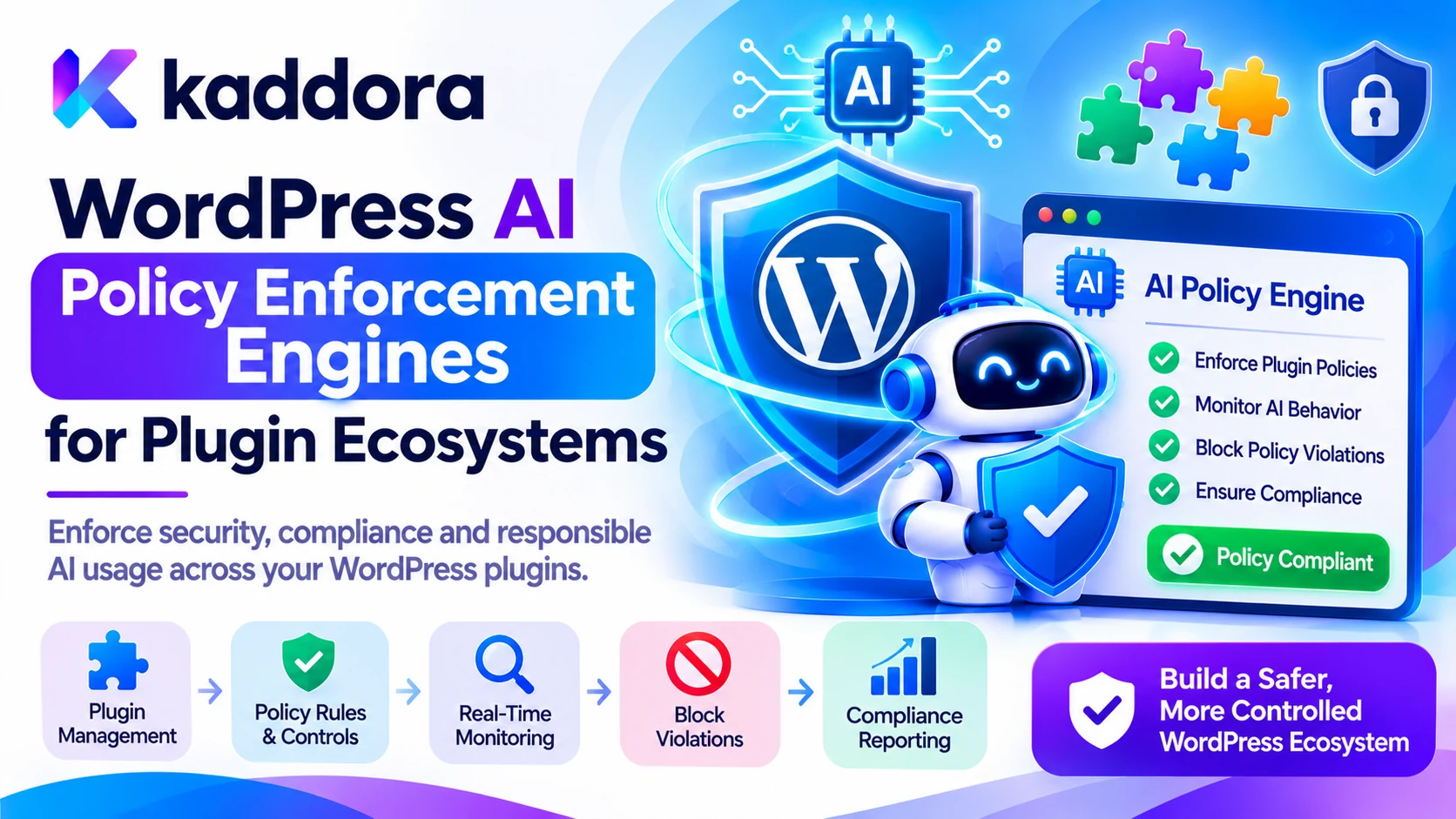
This guide explains how to design WordPress AI policy enforcement engines for plugin ecosystems, establish centralized governance, enforce permissions, control AI tools, and create a consistent security architecture.
What Is a WordPress AI Policy Enforcement Engine?
A WordPress AI policy enforcement engine is an application-level component that evaluates AI-related operations against predefined security, privacy, permission, and business rules.
Its purpose is to determine whether a requested operation should be allowed, restricted, modified, reviewed, or blocked.
For example, consider a WordPress installation containing three AI-powered plugins:
An AI content generation plugin.
An AI customer support chatbot.
An AI-powered WooCommerce assistant.
Each plugin may use different AI providers and perform different operations.
Without shared governance, the plugins may independently decide which user requests, data sources, or AI actions are permitted.
A policy enforcement engine provides a consistent mechanism for evaluating these operations.
It can check:
Which user initiated the request.
Which plugin is requesting access.
What data the AI feature wants to process.
Which AI provider is being used.
Whether the requested tool is permitted.
Whether the operation requires user approval.
Whether privacy or security restrictions apply.
Whether usage limits have been reached.
The engine then returns an application-controlled decision.
Typical decisions include:
Allow: The operation satisfies the required policies.
Deny: The operation violates an applicable rule.
Restrict: The operation can continue with reduced permissions or limited data.
Require Approval: A human must review the operation before execution.
Escalate: The request requires a higher level of review or a specialized authorization process.
A policy enforcement engine does not replace WordPress authentication or authorization. It provides another security and governance layer specifically for AI-related functionality.
Why Do WordPress Plugin Ecosystems Need AI Policy Enforcement?
A single WordPress plugin can usually manage its own configuration and security rules.
However, as websites install multiple AI-powered plugins, managing every AI operation independently becomes more difficult.
Maintain Consistent Security Rules
Different plugins may implement different permission checks, content restrictions, and AI usage policies.
A shared enforcement approach helps establish consistent rules across participating plugins.
Prevent Unauthorized AI Operations
AI assistants may request access to website data or connected tools.
A policy engine can evaluate whether the initiating user and plugin are permitted to perform the requested operation.
Protect Sensitive Website Information
AI workflows may process customer details, private documents, internal posts, user records, and business information.
Policies can restrict which categories of information are available to particular AI features.
Manage Multiple AI Providers
A plugin ecosystem may use OpenAI, Google Gemini, OpenRouter, or other compatible AI services.
A policy engine can apply common rules before sending requests to different providers.
Support Responsible AI Governance
Businesses may need rules covering consent, data retention, content moderation, human approval, usage monitoring, and automated decisions.
A policy engine provides a mechanism for applying these requirements consistently.
Improve Security Auditing
Centralized policy decisions can help administrators investigate why an AI request was approved, restricted, or rejected.
This creates better visibility into AI-related operations across the website.
Understand the Main Components of an AI Policy Enforcement Engine
A reliable policy enforcement architecture should separate policy definition, decision-making, and actual operation execution.
These responsibilities should not be combined into a single AI prompt or one large plugin function.
Policy Administration Component
This component manages the rules that govern AI operations.
Administrators or authorized developers can define policies for:
AI provider usage.
Data access.
Tool execution.
File processing.
Content generation.
Privacy restrictions.
User permissions.
Resource limits.
Human approval.
Policies should have clear names, scopes, versions, and descriptions.
Policy Decision Point
The Policy Decision Point (PDP) evaluates a request against applicable policies.
For example, an AI content plugin requests permission to publish a generated article.
The PDP evaluates the user, plugin, requested action, target post, and relevant approval requirements.
It then returns a decision such as allow, deny, restrict, or require approval.
Policy Enforcement Point
The Policy Enforcement Point (PEP) is the component that actually enforces the decision.
It prevents an operation from continuing when the policy engine denies permission.
For example, if the decision is deny, the plugin must not publish the article even if the AI model has generated a valid-looking tool request.
Policy Evaluation Context
The engine needs reliable information to evaluate a request.
Relevant context may include:
WordPress user ID.
User capabilities.
Plugin identifier.
Requested operation.
Target object.
Data sensitivity category.
AI provider.
Session or workflow identifier.
Consent status.
Current usage limits.
Do not accept security-sensitive context directly from an AI-generated response.
Build it from authenticated application state and verified request data.
Policy Audit Component
The audit component records important decisions and enforcement events.
It can help administrators understand which rules were applied and why an operation was permitted or rejected.
Avoid logging credentials, complete private prompts, confidential documents, or unnecessary personal information.
Design a Centralized AI Policy Architecture for WordPress Plugins
A WordPress installation may contain several independent plugins, each with its own AI workflows.
A centralized policy architecture can help participating plugins follow common governance rules without requiring them to share unrestricted access to each other's data.
The architecture should separate policy evaluation from plugin-specific business operations.
Central Policy Management
Create a shared policy service that provides approved decision-making functionality to participating plugins.
It should manage common security principles, such as:
Allowed AI providers.
Permitted operation categories.
Data access restrictions.
Tool allowlists.
Human approval requirements.
Usage quotas.
Privacy restrictions.
Centralization does not mean that every plugin must expose all its internal data to a common service.
Each plugin should remain responsible for providing only the relevant context needed for a policy decision.
Plugin-Specific Enforcement Adapters
Each plugin can use an adapter to communicate with the policy engine.
For example:
An AI SEO plugin may request permission to generate metadata.
An AI chatbot plugin may request permission to retrieve approved knowledge-base content.
An AI WooCommerce plugin may request permission to access selected product information.
The policy engine evaluates the requests using common rules, while the individual plugins remain responsible for their own functionality.
Shared Policy Interfaces
Define consistent interfaces for requesting policy decisions.
A conceptual request might look like this:
{ "plugin_id": "example-ai-plugin", "user_id": 42, "operation": "generate_content", "resource_type": "post", "risk_level": "normal", "requires_external_ai": true }
The application should construct this information from verified WordPress state.
Do not allow an untrusted browser request or AI model response to decide its own permissions by supplying arbitrary identity or authorization values.
Avoid Tight Plugin Dependencies
A centralized policy service should not make every plugin dependent on undocumented internal functions.
Use documented interfaces, stable hooks, versioned contracts, and clearly defined error handling.
Provide a safe behavior when the policy service is unavailable. For sensitive operations, the default should generally be to deny or pause the operation rather than silently bypass enforcement.
Establish Different Categories of AI Policies
A useful policy engine should evaluate more than whether a user is logged in.
Different AI operations create different types of risks.
User Permission Policies
Determine which users can access specific AI features.
For example:
Administrators may manage AI provider settings.
Editors may generate and review content.
Authors may use approved content-generation features.
Customers may access limited chatbot functionality.
Guests may use only explicitly permitted public features.
WordPress capabilities should remain the foundation of user authorization.
Data Access Policies
Control which information an AI feature can retrieve or process.
For example, a public chatbot may access published posts but should not automatically receive private customer records or unpublished internal documents.
Data access policies should enforce object-level permissions and ownership restrictions.
AI Provider Policies
Define which external AI providers and models are permitted.
Rules may cover:
Approved providers.
Supported models.
Data transmission restrictions.
API credential requirements.
Usage budgets.
Provider-specific processing rules.
A plugin should not silently switch to an unapproved external provider when its preferred service fails.
Tool Execution Policies
Control which actions an AI assistant can request.
Examples include:
Creating WordPress drafts.
Updating approved post metadata.
Retrieving permitted product details.
Searching published content.
Sending an email.
Modifying business records.
High-impact operations should require stricter authorization and, where appropriate, human approval.
File Processing Policies
Define which file formats can be accepted and how they may be processed.
These rules can cover file size, document type, OCR processing, malware inspection, privacy restrictions, and external provider transmission.
Content Generation Policies
Apply rules to generated text, images, and other outputs.
These policies can address:
Prohibited content categories.
Brand requirements.
Publishing permissions.
Copyright review.
Disclosure requirements.
Output validation.
Privacy and Consent Policies
Control how personal and confidential information is collected, processed, stored, and transmitted.
The engine should verify that the relevant processing purpose and permissions are satisfied before an AI request proceeds.
Enforce AI Policies at Every Stage of the Workflow
A common mistake is to evaluate permissions only when an AI request begins.
A workflow may change after the initial check. The AI model may retrieve additional data, request a tool, generate a new operation, or produce output that requires validation.
Policy enforcement should therefore cover the complete AI workflow.
Before Sending a Request to an AI Provider
Evaluate whether the user and plugin are allowed to use the selected AI provider.
Check whether the data can be transmitted externally and whether the request exceeds usage or privacy restrictions.
Remove unnecessary private information before building the provider request.
Before Retrieving Data
Check whether the AI feature can access the requested WordPress content.
For example, a chatbot should not retrieve unpublished posts or private customer records merely because an AI-generated query requests them.
Before Executing AI Tools
Validate every requested operation against the permissions of the initiating user.
Check the target object, action type, permitted arguments, and approval requirements.
Never assume that a model-generated tool call is automatically authorized.
After Receiving the AI Response
Inspect the generated response before displaying it or using it in another system.
Validate output formats, sanitize rendered content, and reject unexpected tool arguments or unauthorized operations.
Before Publishing or Modifying Website Data
Require suitable approval for consequential operations.
For example, an AI content workflow may generate a post draft automatically but require an authorized editor to approve publication.
This creates an important separation between AI assistance and final business authority.
Implement Policy Enforcement Using Native WordPress Security APIs
A policy engine should integrate with WordPress rather than replace its established authentication, capability, and request-security mechanisms.
Use WordPress Capabilities
Use current_user_can() to determine whether the current user has the required permission.
For example:
if ( ! current_user_can( 'edit_posts' ) ) { wp_die( 'You are not allowed to perform this action.' ); }
This provides a basic authorization check for operations that require permission to edit posts.
For sensitive operations, verify access to the specific target object as well.
Use Nonces for Protected Requests
Protect forms and AJAX actions using appropriate WordPress nonces.
Verify the nonce on the server before processing the request.
A nonce helps protect against certain request-forgery attacks, but it does not prove that the user is authorized to perform the operation.
Always combine nonce verification with capability checks. <Cite refs={["turn664352search3","turn664352search4"]}/>
Validate and Sanitize Policy Inputs
Validate policy identifiers, operation types, plugin identifiers, target objects, and configuration values.
Use appropriate WordPress sanitization functions for incoming data.
Reject unsupported operations rather than silently accepting unexpected input.
Escape Output
Escape policy descriptions, audit information, error messages, and other stored or generated content when displaying them.
Use context-appropriate WordPress escaping functions.
AI-generated output should also be treated as untrusted data.
Use Prepared Database Queries
If the policy engine stores custom policy records or audit information in its own database tables, use $wpdb->prepare() for queries containing variable values.
Avoid constructing SQL queries using untrusted input.
Protect External API Requests
Use WordPress HTTP APIs for communication with external services.
Validate destinations, use secure connections, apply timeouts, and verify provider responses.
Keep API credentials on the server and never expose them through public frontend code.
Build Policy Rules for Multiple Plugins
A policy engine becomes more useful when its rules can be applied consistently across different AI-powered plugins.
Consider a WordPress website with an AI chatbot, an AI SEO tool, and an AI content generator.
Each plugin has different responsibilities, but the same security policies may apply.
For example:
Plugin
Requested operation
Example policy
AI Chatbot
Retrieve website information
Allow published content only
AI SEO
Generate metadata
Allow for authorized posts
AI Content Generator
Create an article
Save as draft
WooCommerce AI
Read product details
Check product access rules
AI Automation
Publish a post
Require authorized approval
Use Plugin Identifiers
Assign stable identifiers to participating plugins.
This helps determine which plugin is requesting an operation and which policies apply.
Avoid relying on display names, as they may change.
Define Operation Allowlists
Each plugin should expose only the operations it needs.
For example, an SEO plugin may support metadata generation and analysis without receiving permission to delete WordPress posts.
A chatbot may need content retrieval without receiving unrestricted write access.
Apply Object-Level Permissions
A user who can edit one post should not automatically be allowed to modify every post.
Policy decisions should include the specific target object and relevant ownership or capability checks.
Support Independent Policy Scopes
Some rules may apply globally, while others apply to an individual plugin or feature.
A useful policy structure can include:
Site-wide rules.
Plugin-specific rules.
Feature-specific rules.
User-role restrictions.
Individual operation restrictions.
Resource-specific restrictions.
When multiple policies apply, define a predictable conflict-resolution strategy. Security denials should not be overridden by a more permissive plugin-specific setting.
Use Policy-as-Code for Consistent Enforcement
Policy-as-code means expressing security and governance rules in a structured, version-controlled format instead of relying entirely on manual configuration or scattered conditional statements.
For WordPress AI plugins, this approach can improve consistency and make policy changes easier to review.
A simple conceptual policy might look like this:
{ "policy_id": "content-publishing-policy", "plugin_id": "ai-content-plugin", "operation": "publish_post", "allowed_roles": [ "administrator", "editor" ], "approval_required": true, "default_decision": "deny" }
This example illustrates a policy definition, not a complete WordPress authorization implementation.
The application must still verify the authenticated user, actual WordPress capabilities, target post, approval record, and current policy version.
Version Policy Definitions
Every important policy change should have a version.
This helps administrators determine which rules were active when a particular AI operation was approved.
Review Changes Before Deployment
Policy modifications can affect multiple plugins.
Test policy updates in a staging environment before deploying them to production websites.
Maintain Backward Compatibility
When changing shared policy interfaces, document the changes and avoid unexpectedly breaking plugins that depend on earlier versions.
A policy engine should communicate unsupported policy versions clearly rather than silently ignoring security restrictions.
Manage Policy Conflicts and Enforcement Failures
In a plugin ecosystem, more than one policy may apply to the same operation.
For example, a global policy may allow AI content generation, while a plugin-specific rule may prohibit external processing of particular data.
The engine needs a clear approach for resolving such conflicts.
Apply Deny-by-Default Behavior
If a requested operation does not match an approved rule, do not assume it is safe.
Deny the operation or request further authorization.
Give Security Restrictions Priority
A plugin should not be able to override site-wide restrictions simply by requesting a more permissive policy.
Global security controls should establish the minimum requirements for every participating plugin.
Handle Missing Policy Services
If the central policy engine is unavailable, determine what operations can safely continue.
For example, generating a local draft without private data may be acceptable under an approved fallback, while publishing content or accessing confidential records should remain blocked.
Do not automatically bypass enforcement to preserve convenience.
Report Clear Errors
Provide useful error messages that explain whether an operation was denied, restricted, or paused for approval.
Avoid exposing internal policy secrets or sensitive information in public error messages.
Monitor AI Policy Decisions Across the Plugin Ecosystem
Policy enforcement should include monitoring and auditability.
Administrators need a way to understand how AI features are being used and which security decisions have been applied.
A centralized audit process can record:
Policy identifier.
Policy version.
Plugin identifier.
User identifier.
Requested operation.
Decision.
Approval status.
Timestamp.
Enforcement result.
Monitor Repeated Denials
Repeated policy violations may indicate a misconfigured plugin, unauthorized access attempts, or suspicious AI activity.
Administrators can investigate these patterns without automatically assuming that every rejected operation is malicious.
Track Approval Decisions
Record whether an action required human approval and whether an authorized person approved or rejected it.
Use appropriate retention rules to avoid storing unnecessary personal or confidential information.
Identify Policy Gaps
Review operations that frequently require manual review.
They may indicate missing policy rules, unclear permissions, or workflows that need redesign.
Measure Enforcement Performance
Monitor policy evaluation time, decision failures, and service availability.
The engine should apply security consistently without introducing unnecessary delays to ordinary WordPress operations.
Common Mistakes to Avoid When Building AI Policy Enforcement Engines
Relying Only on System Prompts
Prompts can describe model behavior, but they cannot reliably enforce authorization.
Use server-side policy checks before executing actions.
Allowing Every Plugin to Define Its Own Permissions
Independent policies may create inconsistent security behavior.
Establish common site-wide restrictions while preserving necessary plugin-specific rules.
Treating a Nonce as Authorization
A valid nonce does not prove that a user has permission to perform an action.
Always check the relevant WordPress capabilities and object-level permissions.
Giving AI Models Direct Access to Backend Credentials
AI models should not receive database passwords, WordPress secrets, or unrestricted service credentials.
Let application code perform authorized operations using protected server-side credentials.
Ignoring Policy Conflicts
If different policies apply to one operation, unclear resolution rules can result in unexpected permission grants.
Define conflict handling before deployment.
Allowing Unrestricted Plugin Overrides
A plugin-specific setting should not be able to disable mandatory global security policies.
Protect central policy administration with appropriate capabilities and audit records.
Logging Too Much Sensitive Information
Audit records should support investigations without exposing complete private prompts, API keys, customer documents, or confidential records.
Failing to Test Policy Updates
A small policy change can affect multiple plugins.
Use test cases and staging environments before applying changes to production websites.
Best Practices for Building WordPress AI Policy Enforcement Engines
Define common AI security and governance rules.
Separate policy administration from policy enforcement.
Use a centralized policy decision service where appropriate.
Assign stable identifiers to participating plugins.
Validate authenticated user identity and capabilities.
Enforce object-level permissions.
Use operation allowlists and deny-by-default behavior.
Separate trusted instructions from external AI content.
Restrict AI tools and provider permissions.
Require approval for sensitive operations.
Apply data privacy and consent policies.
Version policy definitions and interfaces.
Resolve conflicting policies predictably.
Fail safely when enforcement is unavailable.
Maintain privacy-conscious audit records.
Test policies across different user roles and plugins.
Review policy decisions regularly.
Keep WordPress and plugin dependencies updated.
Why Choose Kaddora?
Kaddora focuses on creating practical digital products, WordPress solutions, AI integrations, HTML templates, and business-focused development resources.
Through ThemeKaddora, developers and website owners can explore digital products designed for different technical and business requirements.
For developers building intelligent WordPress ecosystems, responsible AI development involves more than connecting a model to a plugin. It requires clear security boundaries, controlled data access, reliable permission checks, and consistent governance.
Kaddora's development approach emphasizes practical functionality, secure integrations, responsible AI workflows, and maintainable WordPress architecture.
The goal is to encourage developers to build AI-powered solutions that remain manageable, secure, and adaptable as their plugin ecosystems grow.
Conclusion
AI-powered WordPress plugins introduce powerful capabilities, but multiple plugins can also create inconsistent permissions, data access, and automation rules.
A WordPress AI policy enforcement engine provides a structured way to control these operations through centralized security policies and application-level authorization.
WordPress AI Policy Enforcement Engines for Plugin Ecosystems explains how to design policy administration, decision-making, enforcement points, plugin-specific adapters, policy-as-code, audit logging, and approval workflows.
Developers should remember that AI models must not become the final authority for access permissions or business actions. WordPress capabilities, object-level checks, server-side validation, and deterministic enforcement must remain in control.
By combining centralized governance, least-privilege access, secure plugin interfaces, versioned policies, and continuous testing, developers can create more consistent and trustworthy AI-powered WordPress plugin ecosystems.
Frequently Asked Questions
What is a WordPress AI policy enforcement engine?
A WordPress AI policy enforcement engine is an application-level component that evaluates AI requests and operations against predefined security, privacy, permission, and business rules before allowing them to proceed.
Why do WordPress AI plugins need centralized policy enforcement?
Centralized policy enforcement helps multiple AI-powered plugins follow consistent security and governance rules. It reduces duplicated permission logic and provides better control over AI data access, tools, providers, and automated operations.
What is the difference between a policy decision point and a policy enforcement point?
A Policy Decision Point evaluates an operation and returns a decision such as allow, deny, or require approval. A Policy Enforcement Point applies that decision and prevents unauthorized operations from continuing.
Can a WordPress AI policy engine control multiple plugins?
Yes. A shared policy service can evaluate requests from participating plugins through documented interfaces and plugin-specific adapters. Each plugin should still enforce its own business logic and provide only the information needed for policy evaluation.
How can AI policy enforcement protect sensitive WordPress data?
It can restrict which users, plugins, and AI features may access specific information. The application can also minimize the context sent to external providers and enforce object-level permissions before retrieving data.
Should AI policy engines require human approval for every operation?
Not necessarily. Routine low-risk operations can follow approved rules automatically. Sensitive actions such as publishing content, deleting records, sending communications, or modifying important business data may require human approval.
Can a WordPress AI policy enforcement engine guarantee complete AI security?
No. A policy engine is one layer of a broader security architecture. It should work alongside WordPress capabilities, input validation, secure API integrations, prompt-injection defenses, output validation, audit logging, and regular security testing.
Why choose ThemeKaddora?
ThemeKaddora provides WordPress plugins, themes, HTML templates, and digital resources designed around practical website and development requirements. Its solutions offer useful foundations for developers and businesses building modern digital experiences.
Comments (0)