
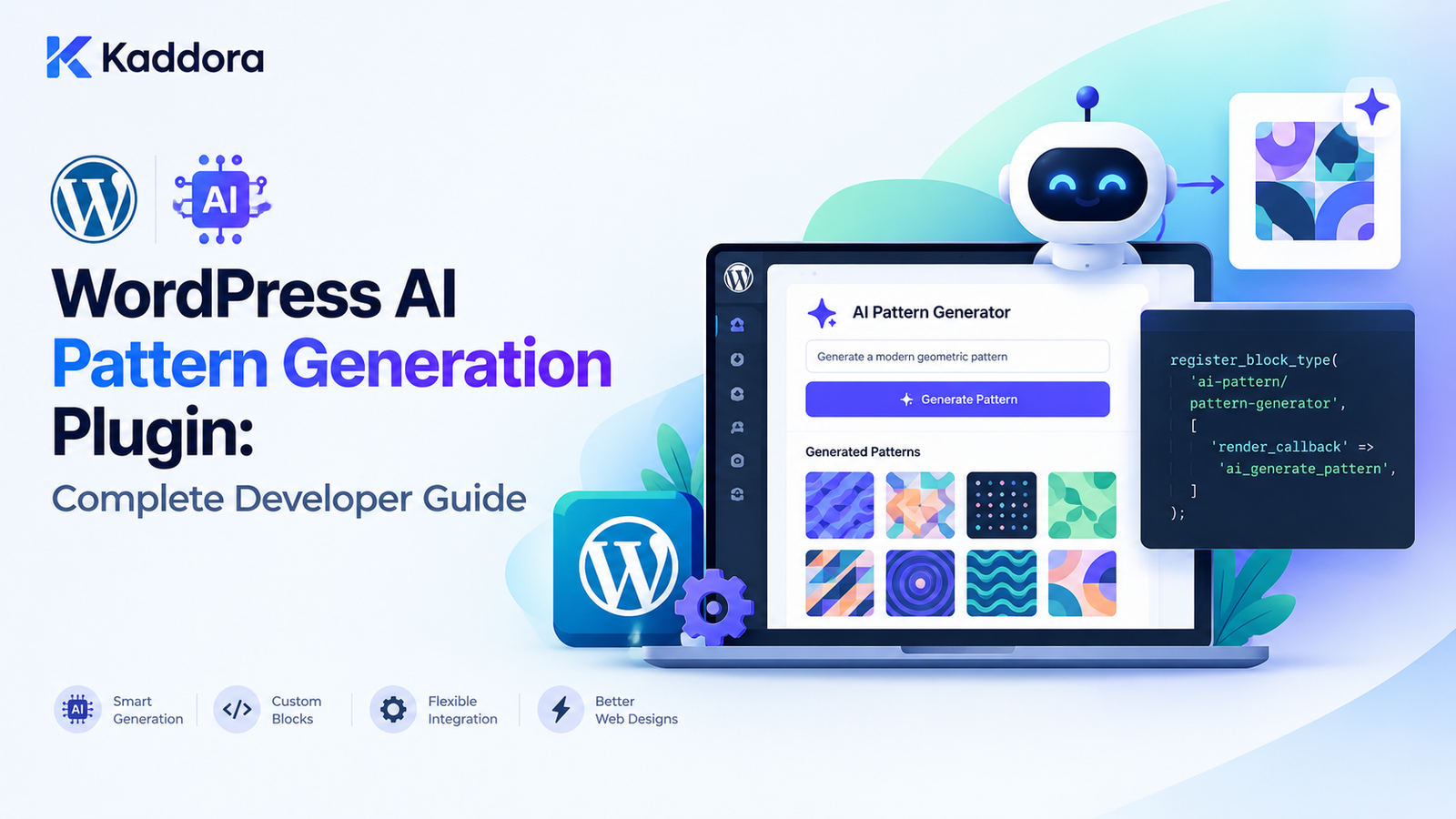
WordPress AI Pattern Generation Plugin: Complete Developer Guide
Introduction
Gutenberg block patterns provide WordPress developers and content creators with a practical way to build reusable page sections from collections of blocks.
Instead of creating a page section manually every time, a pattern can combine multiple blocks into a ready-to-use layout.
For example:
Hero Section ├── Heading ├── Paragraph ├── Buttons └── Image
or:
Testimonials Section ├── Section Heading ├── Testimonial ├── Testimonial └── Testimonial
Artificial intelligence can make this workflow even more powerful.
A WordPress AI Pattern Generation Plugin can allow users to describe the section they want in natural language and then generate an appropriate Gutenberg pattern.
For example:
Create a modern SaaS hero section with a headline, short description, two buttons, and an image area.
The plugin can transform that request into a structured block composition:
User Prompt ↓ AI Pattern Planner ↓ Structured Pattern ↓ Validation ↓ Gutenberg Blocks ↓ Preview ↓ Insert Into Editor
The important architectural principle is that AI should plan and configure approved WordPress structures, rather than being allowed to execute arbitrary PHP, JavaScript, CSS, or database commands.
What Is a WordPress AI Pattern Generation Plugin?
A WordPress AI Pattern Generation Plugin uses artificial intelligence to create or configure Gutenberg block patterns.
A traditional pattern might be manually registered by a developer:
register_block_pattern( 'kaddora/hero-section', array( 'title' => __( 'Hero Section', 'kaddora' ), 'content' => '<!-- wp:heading -->...', ) );
An AI-powered pattern system can allow the user to describe the desired design:
Create a product launch hero section.
The system can then determine:
Section structure
Heading
Supporting text
Buttons
Image placement
Columns
Spacing
Visual hierarchy
Design tokens
The resulting pattern can be previewed and inserted into the WordPress editor.
Why Generate Gutenberg Patterns With AI?
AI-powered pattern generation can simplify several WordPress workflows.
1. Faster Page Building
Instead of manually selecting blocks and configuring each one, users can describe the desired layout.
Create a three-column services section.
The plugin can produce the initial structure.
2. Faster Landing Page Creation
A marketing page can be assembled from generated sections:
Hero ↓ Features ↓ Testimonials ↓ Pricing ↓ FAQ ↓ CTA
This can significantly reduce repetitive layout work.
3. Design Consistency
An AI pattern generator can be connected to predefined design tokens.
For example:
Brand Colors Typography Spacing Button Styles Border Radius Container Width
The AI can then create patterns that follow the site's existing visual system.
4. Agency Workflows
Agencies can use pattern generation to accelerate client projects.
For example:
Client Brief ↓ AI Pattern Suggestions ↓ Designer Review ↓ Gutenberg Pattern ↓ Client Website
AI becomes a production assistant rather than a replacement for design review.
Gutenberg Blocks vs Patterns vs Templates
These concepts should not be confused.
Block
A single content or interface component.
Heading Paragraph Button Image
Pattern
A reusable composition of multiple blocks.
Heading Paragraph Buttons Image
Template
A broader page or site structure.
Header Content Sidebar Footer
A useful hierarchy is:
Block ↓ Pattern ↓ Template ↓ Website Structure
An AI pattern generation plugin primarily focuses on the pattern layer.
Recommended AI Pattern Architecture
A practical architecture looks like:
User Prompt ↓ Pattern Planner ↓ Structured AI Output ↓ Schema Validation ↓ Allowed Block Validation ↓ Pattern Composer ↓ Preview ↓ User Approval ↓ Insert / Save
This architecture creates a security boundary between the AI model and WordPress.
The AI should not directly control WordPress.
Instead, the application interprets the AI's structured response.
Why Structured AI Output Matters
One of the biggest mistakes in AI plugin development is allowing the model to return arbitrary executable code.
Avoid workflows such as:
Prompt ↓ AI ↓ PHP Code ↓ Execute PHP
This is dangerous.
A safer workflow is:
Prompt ↓ AI ↓ Structured Pattern Definition ↓ Validate ↓ Convert to WordPress Blocks
For example:
{ "type": "hero", "heading": "Build Better Websites", "description": "Create professional WordPress websites faster.", "buttons": [ { "text": "Get Started", "url": "/contact/" } ] }
The plugin can interpret this structure using trusted application code.
Designing a Pattern Schema
A plugin can define its own internal pattern schema.
For example:
$pattern = array( 'type' => 'hero', 'title' => 'SaaS Hero', 'heading' => 'Build Better Products', 'description' => 'Launch your next product faster.', 'buttons' => array( array( 'text' => 'Get Started', 'url' => '/contact/', ), ), );
The application can then transform this into valid Gutenberg block markup.
This provides a controlled boundary between AI output and WordPress.
Use an Allowlist of Block Types
Do not allow the AI system to generate arbitrary block types without validation.
For example:
$allowed_blocks = array( 'core/group', 'core/columns', 'core/column', 'core/heading', 'core/paragraph', 'core/buttons', 'core/button', 'core/image', );
The pattern generator can reject unsupported blocks.
This makes the system more predictable and secure.
Registering Gutenberg Patterns
WordPress provides APIs for registering block patterns.
A simple example is:
register_block_pattern( 'kaddora/saas-hero', array( 'title' => __( 'SaaS Hero', 'kaddora' ), 'description' => __( 'A SaaS hero section.', 'kaddora' ), 'categories' => array( 'kaddora-business' ), 'content' => '<!-- wp:heading -->...</!-- wp:heading -->', ) );
The exact block markup should be valid serialized Gutenberg content.
For a production implementation, the plugin should generate and validate this content rather than trusting arbitrary AI-generated markup.
Register Pattern Categories
A plugin can organize its patterns into categories.
For example:
Kaddora AI Patterns ├── Heroes ├── Business ├── Services ├── Testimonials ├── Pricing ├── FAQs ├── WooCommerce └── Call to Action
A category can be registered using WordPress's pattern category API.
This makes large generated pattern libraries easier to navigate.
Generate Patterns From Predefined Components
The safest AI pattern systems do not need to invent every layout from scratch.
Instead, create approved components:
Hero Services Features Testimonials Pricing FAQ CTA
The AI can choose and configure them.
For example:
User: Create a SaaS landing page. AI: Hero Features Pricing Testimonials FAQ CTA
Each section is generated using known, validated structures.
AI Pattern Generation and Design Systems
A pattern generator becomes significantly more useful when it understands the site's design system.
A design system may define:
Primary Color Secondary Color Font Family Heading Scale Spacing Scale Button Style Border Radius Container Width
Instead of generating arbitrary styling, the plugin can map AI requests to these approved values.
For example:
$design_tokens = array( 'primary_color' => 'var(--wp--preset--color--primary)', 'spacing' => 'var(--wp--preset--spacing--40)', );
This keeps generated layouts visually consistent.
Avoid Arbitrary CSS Generation
Allowing AI to generate unlimited CSS can lead to:
Inconsistent designs
Accessibility problems
Performance issues
Security concerns
Difficult maintenance
A better approach is:
AI ↓ Design Intent ↓ Approved Design Tokens ↓ WordPress Blocks
For example:
AI: Use a large primary button. Plugin: core/button + approved button style
Generate Patterns From Existing Patterns
A powerful approach is to use an existing pattern library as the building material.
Suppose a website already has:
Hero A Hero B Pricing A Pricing B CTA A Testimonial A
The AI can select appropriate components based on the user's request.
For example:
Build a professional SaaS homepage.
The system could select:
Hero B Features A Pricing B Testimonial A CTA A
This is often more reliable than asking AI to invent an entire design system.
AI Pattern Generation for Landing Pages
A landing-page generator can produce a structured sequence:
Hero ↓ Problem ↓ Solution ↓ Features ↓ Benefits ↓ Social Proof ↓ Pricing ↓ FAQ ↓ CTA
The AI determines the content and section selection, while the plugin controls the actual block structure.
This creates a useful balance between creativity and reliability.
Dynamic Pattern Content
Patterns can contain content that users edit after insertion.
For example:
AI generates: Heading: Launch Your Business Faster Paragraph: Build professional websites with WordPress. Button: Get Started
Once inserted, the user can edit all of these values directly in Gutenberg.
This is one of the advantages of generating editor-ready patterns rather than rendering AI output only on the frontend.
Dynamic Blocks Inside Patterns
Some patterns may contain blocks that retrieve dynamic data.
For example, a WooCommerce pattern might include product-related blocks.
The architecture can be:
AI ↓ Pattern Structure ↓ WooCommerce Blocks ↓ Current WooCommerce Data
The AI should not invent:
Prices
Stock levels
Product IDs
Order information
WooCommerce remains the source of truth.
AI + WooCommerce Pattern Generation
A user could request:
Create a product category promotion section.
The plugin could generate:
Section ├── Heading ├── Intro ├── Product Grid └── CTA
The actual products and pricing should come from WooCommerce.
This keeps generated design separate from real store data.
AI + Custom Post Types
Pattern generation can also work with custom post types.
For example:
Property Course Event Portfolio Case Study Team Member
The AI can determine the layout while WordPress provides the actual content.
For example:
AI: Create a case-study section. WordPress: Retrieve approved case-study posts. Pattern: Display the selected content.
This approach is safer than asking AI to invent database content.
Pattern Generation Through REST APIs
A custom plugin may expose an authenticated endpoint for generating patterns.
For example:
/wp-json/kaddora-ai-patterns/v1/generate
The endpoint should use an appropriate permission callback.
For administrative functionality:
'permission_callback' => function () { return current_user_can( 'edit_posts' ); },
The exact capability should match the operation.
Never use an unrestricted callback simply because the endpoint is convenient.
Validate AI Pattern Requests
Before processing a request, validate:
Prompt length
User permissions
Requested pattern type
Block types
Number of blocks
Attribute values
URLs
IDs
Nesting depth
For example:
$prompt = sanitize_textarea_field( wp_unslash( $request->get_param( 'prompt' ) ) ); if ( '' === $prompt ) { return new WP_Error( 'kaddora_ai_pattern_empty_prompt', __( 'Please enter a pattern description.', 'kaddora' ) ); }
Also impose a reasonable maximum length.
Validate Generated Blocks
AI output should never be trusted simply because it came from an AI model.
For every generated block, validate:
Block Name Attributes Inner Blocks Depth Allowed Block Types URLs Content Length
A validator can reject unsupported structures before they reach Gutenberg.
Use parse_blocks() and serialize_blocks()
WordPress provides useful APIs for working with block markup.
For example:
$blocks = parse_blocks( $content );
After modifying a block structure:
$content = serialize_blocks( $blocks );
This is preferable to manipulating large amounts of serialized block markup with fragile string replacements.
Preview Before Inserting
A strong AI pattern workflow should provide a preview.
For example:
Prompt: Create a SaaS hero section. ↓ Generated Pattern ┌──────────────────────────────┐ │ Build Better Websites │ │ │ │ Create modern websites... │ │ │ │ [ Get Started ] [ Demo ] │ │ │ │ [ Image ] │ └──────────────────────────────┘ [Insert Pattern] [Regenerate]
The user should be able to review the result before modifying their page.
Human Approval Is Important
AI-generated patterns can contain:
Poor hierarchy
Incorrect content
Weak accessibility
Wrong links
Unsupported blocks
Unwanted styling
A human review step provides an important quality-control layer.
A useful workflow is:
Generate ↓ Validate ↓ Preview ↓ Approve ↓ Insert
Pattern Registration vs User-Created Patterns
There is an important distinction between:
Plugin-Provided Patterns
Patterns registered by the plugin for users to insert.
User-Created Patterns
Patterns created and managed by the site administrator.
The plugin should not unexpectedly overwrite user-created patterns.
AI-generated patterns can initially exist as temporary editor content or drafts before the user explicitly saves them.
Store Generated Patterns Carefully
If the plugin provides a pattern library, it may store pattern metadata.
For example:
Pattern ID Pattern Name Pattern Category Pattern Content Author Created Date Status
The storage mechanism should match the plugin's requirements.
Do not create a custom database table simply because one is possible.
Use WordPress APIs where they adequately support the workflow.
AI Pattern Generation and Accessibility
Generated patterns should follow accessibility principles.
The plugin should encourage:
Logical heading hierarchy
Meaningful button labels
Descriptive link text
Appropriate image alt text
Sufficient contrast
Keyboard-accessible layouts
Semantic content structure
For example, avoid generating:
Click Here
when:
View Pricing Plans
would provide more meaningful context.
AI Pattern Generation and Responsive Design
Patterns must work across different screen sizes.
A layout that looks good on desktop may fail on mobile.
Generated patterns should use responsive WordPress blocks and theme-supported layout controls where possible.
For example:
Desktop [ Column ][ Column ][ Column ] Tablet [ Column ][ Column ] [ Column ] Mobile [ Column ] [ Column ] [ Column ]
Avoid relying on fixed pixel-based layouts whenever WordPress's responsive layout system can handle the requirement.
Background Pattern Generation
If the plugin generates many patterns at once, avoid processing everything inside a single browser request.
For example:
Generate 100 Patterns ↓ Task Queue ↓ Batch Processing ↓ Pattern Validation ↓ Pattern Library
Background processing can reduce timeouts and improve reliability.
For a small number of patterns, synchronous generation may be sufficient.
Rate Limiting AI Pattern Generation
AI generation can consume external API resources.
A public-facing pattern generator should consider:
Requests per user Requests per IP Requests per hour Maximum prompt size Maximum generated patterns
For administrator-only tools, capability checks may provide the primary access control.
For public tools, stronger abuse prevention is necessary.
Cache Suitable Pattern Requests
Some pattern requests may be repeated.
For example:
"Create a SaaS hero section"
could occur frequently.
A normalized request can sometimes be cached:
Prompt ↓ Normalized Prompt ↓ Cache
However, cache generated output only when doing so is appropriate for the user, site, brand, and content context.
Privacy and External AI Services
If an external AI provider is used, the plugin may transmit:
User prompts
Pattern requirements
Website content
Product information
Do not transmit unnecessary private data.
Never send:
Passwords
API keys
Authentication tokens
Private database contents
Sensitive customer information
The plugin should clearly disclose relevant external processing and provide appropriate controls or consent where required.
Do Not Let AI Execute WordPress Code
This is one of the most important security principles.
Avoid:
AI ↓ PHP ↓ eval()
or:
AI ↓ SQL ↓ $wpdb
or:
AI ↓ JavaScript ↓ Execute
Instead:
AI ↓ Structured Intent ↓ Validation ↓ Trusted Plugin Code ↓ WordPress API
The AI should never become an unrestricted code execution layer.
Testing an AI Pattern Generation Plugin
A production plugin should test several areas.
Pattern Registration
Verify that valid patterns register correctly.
Block Validation
Verify unsupported blocks are rejected.
AI Output
Test malformed and incomplete responses.
Serialization
Verify generated block structures serialize correctly.
Permissions
Ensure unauthorized users cannot generate or save patterns where restrictions apply.
Accessibility
Review headings, links, buttons, images, and keyboard behavior.
Responsive Layout
Test desktop, tablet, and mobile layouts.
WooCommerce
Verify product information comes from current store data.
Recommended Plugin Architecture
A practical plugin structure could look like:
kaddora-ai-pattern-generator/ │ ├── kaddora-ai-pattern-generator.php │ ├── includes/ │ ├── class-pattern-generator.php │ ├── class-pattern-validator.php │ ├── class-pattern-composer.php │ ├── class-ai-client.php │ ├── class-design-tokens.php │ └── class-pattern-storage.php │ ├── admin/ │ ├── class-admin.php │ └── views/ │ ├── assets/ │ ├── css/ │ └── js/ │ ├── patterns/ │ ├── languages/ │ └── uninstall.php
The exact architecture should remain proportional to the plugin's actual requirements.
Example Pattern Generation Flow
A complete request could look like this:
User: Create a modern agency hero section. ↓ Prompt Validation ↓ AI Pattern Plan ↓ { type: "hero", layout: "two-column", heading: "...", description: "...", buttons: [...] } ↓ Schema Validation ↓ Allowed Block Validation ↓ Pattern Composer ↓ Gutenberg Block Structure ↓ Preview ↓ User Approval ↓ Insert Into Editor
This approach provides AI flexibility without giving the model direct control over WordPress execution.
Common WordPress AI Pattern Generation Mistakes
1. Allowing Arbitrary Code
Never execute AI-generated PHP, SQL, or JavaScript.
2. Skipping Validation
AI output must be validated before it reaches WordPress.
3. Ignoring Existing Design Systems
Generated patterns should respect the site's design language.
4. Inventing WooCommerce Data
Prices, products, and inventory should come from WooCommerce.
5. Automatically Publishing Everything
Provide preview and approval workflows.
6. Generating Excessive CSS
Use WordPress blocks and design tokens where possible.
7. Ignoring Accessibility
Generated layouts should be accessible by design.
8. Sending Private Data to AI
Only transmit information necessary for the requested generation task.
9. Generating Everything From Scratch
A library of approved components often produces more reliable results.
10. Overengineering the Plugin
Use native WordPress APIs before creating custom infrastructure.
Best Practices for WordPress AI Pattern Generation
Use structured AI output.
Validate every generated pattern.
Maintain a block allowlist.
Use WordPress block APIs.
Keep AI credentials server-side.
Never execute arbitrary AI-generated code.
Use design tokens for consistent styling.
Reuse approved pattern components.
Preview patterns before insertion.
Keep humans in control of publishing.
Protect administrative endpoints with capabilities and nonces where appropriate.
Validate URLs and IDs.
Preserve existing user-created patterns.
Use WooCommerce and WordPress as the source of truth for real data.
Consider rate limiting and caching.
Use background processing for large pattern-generation jobs.
Design patterns responsively.
Test accessibility.
Minimize external data transmission.
Keep the architecture proportional to the plugin.
WordPress AI Pattern Generation Checklist
AI
AI output uses a defined schema.
Prompt length is limited.
AI output is validated.
AI cannot execute arbitrary code.
External AI processing is documented.
Gutenberg
Generated content uses valid block markup.
Allowed block types are defined.
parse_blocks() is used where appropriate.
serialize_blocks() is used for block serialization.
Pattern categories are organized.
Generated patterns work correctly in Gutenberg.
Security
REST endpoints use meaningful permission callbacks.
Capabilities are checked.
Nonces are used for relevant admin actions.
URLs are validated.
API credentials remain server-side.
AI output is never executed as PHP, SQL, or JavaScript.
UX
Generated patterns can be previewed.
Users can edit generated content.
Regeneration is supported where appropriate.
Loading states are available.
Errors are clearly communicated.
Accessibility
Heading hierarchy is considered.
Button labels are meaningful.
Links are descriptive.
Image alt text is considered.
Generated layouts work with keyboard navigation.
Responsive behavior is tested.
Performance
AI requests are controlled.
Pattern assets are not unnecessarily loaded.
Large generation jobs use background processing.
Caching is considered where appropriate.
API usage is monitored.
Why Choose Kaddora?
Building an AI pattern generator requires more than connecting a language model to Gutenberg.
A production-quality solution needs to combine:
WordPress block architecture
Gutenberg patterns
AI prompt processing
Structured output
Pattern validation
Design systems
Accessibility
Security
Performance
Human approval
Kaddora focuses on practical WordPress development and AI-powered solutions that solve real website-building problems.
An AI pattern generation system can help developers, agencies, store owners, and content teams create reusable website sections faster while keeping WordPress's native editing experience at the center.
The goal is not to allow AI to control the entire website.
The goal is to make AI a controlled design and content assistant that generates useful Gutenberg structures while WordPress remains responsible for the final website.
Conclusion
A WordPress AI Pattern Generation Plugin can turn natural-language design instructions into reusable Gutenberg layouts.
Instead of manually assembling every section, users can describe what they want:
Create a modern SaaS hero with a headline, supporting text, two buttons, and an image.
The plugin can transform that request into a structured pattern, validate the result, preview it, and allow the user to insert it into Gutenberg.
The strongest architecture separates AI generation from WordPress execution:
Natural Language ↓ AI Pattern Plan ↓ Structured Output ↓ Validation ↓ Approved Blocks ↓ Pattern Composer ↓ Preview ↓ User Approval ↓ Gutenberg
The most important principle is controlled generation.
AI should not execute arbitrary code or become an unrestricted administrator of the WordPress installation. Instead, it should operate inside clearly defined schemas, block allowlists, design systems, permissions, and validation rules.
When combined with Gutenberg's native block architecture, WooCommerce data, custom post types, reusable components, and design tokens, AI pattern generation can become a powerful way to accelerate WordPress website creation without sacrificing security, accessibility, maintainability, or user control.
Frequently Asked Questions
What is a WordPress AI Pattern Generation Plugin?
It is a WordPress plugin that uses AI to generate or configure Gutenberg block patterns from natural-language instructions.
What is a Gutenberg pattern?
A Gutenberg pattern is a reusable collection of WordPress blocks arranged into a predefined layout or design.
Can AI generate WordPress blocks dynamically?
Yes. A plugin can use AI to determine which approved blocks should be included and how their attributes should be configured.
Can AI generate custom post type patterns?
Yes. A plugin can use custom post type data to create patterns for properties, events, courses, portfolios, case studies, and other content types.
Should AI-generated patterns be published automatically?
Usually, a preview and approval workflow is safer. Users should be able to review generated content and layout before inserting or publishing it.
How can AI pattern generation remain secure?
Use structured output, block allowlists, schema validation, capability checks, input limits, secure API credentials, and strict application-level controls. Never execute AI-generated PHP, SQL, or JavaScript directly.
Can AI pattern generation work with existing Gutenberg patterns?
Yes. A plugin can provide an approved pattern library and allow AI to select, configure, and combine existing components.
Can an AI pattern plugin follow a website's branding?
Yes. The plugin can provide the AI with controlled design information such as approved colors, typography, spacing, button styles, and layout rules.
How should AI-generated patterns handle accessibility?
Generated patterns should use meaningful heading hierarchy, descriptive buttons and links, appropriate image alternatives, sufficient contrast, and responsive, keyboard-friendly structures.
Should AI API credentials be stored in JavaScript?
No. Secret credentials should remain server-side. WordPress should communicate with the external AI service from the server.
Can generated patterns be stored for later use?
Yes. A plugin can provide a pattern library or other storage mechanism for approved generated patterns. Existing user-created content should not be overwritten unexpectedly.
Why choose Themekaddora?
Themekaddora provides lightweight, responsive, SEO-friendly WordPress themes with fast performance, WooCommerce compatibility, flexible customization, accessibility-conscious design, modern templates, regular updates, and professional support—providing a strong foundation for businesses building digital products and product-focused websites.
Comments (0)