
Introduction
AI-powered WordPress plugins are increasingly capable of browsing websites, retrieving web pages, analyzing URLs, collecting external information, and summarizing online content. These features can support AI research assistants, chatbots, SEO tools, content generators, product research systems, and automated business workflows.
However, allowing an AI plugin to access arbitrary URLs introduces significant security risks. A malicious user may submit a URL designed to access an internal server. An external website may redirect a request to a private network address. A fetched page may contain hidden instructions that attempt to manipulate an AI agent. A browser automation tool may encounter malicious scripts, unexpected downloads, or exposed authentication information.
These problems cannot be solved simply by checking whether a URL begins with https://. A secure architecture must control where requests can go, how redirects are handled, what content can be processed, and which actions the AI system is permitted to perform.
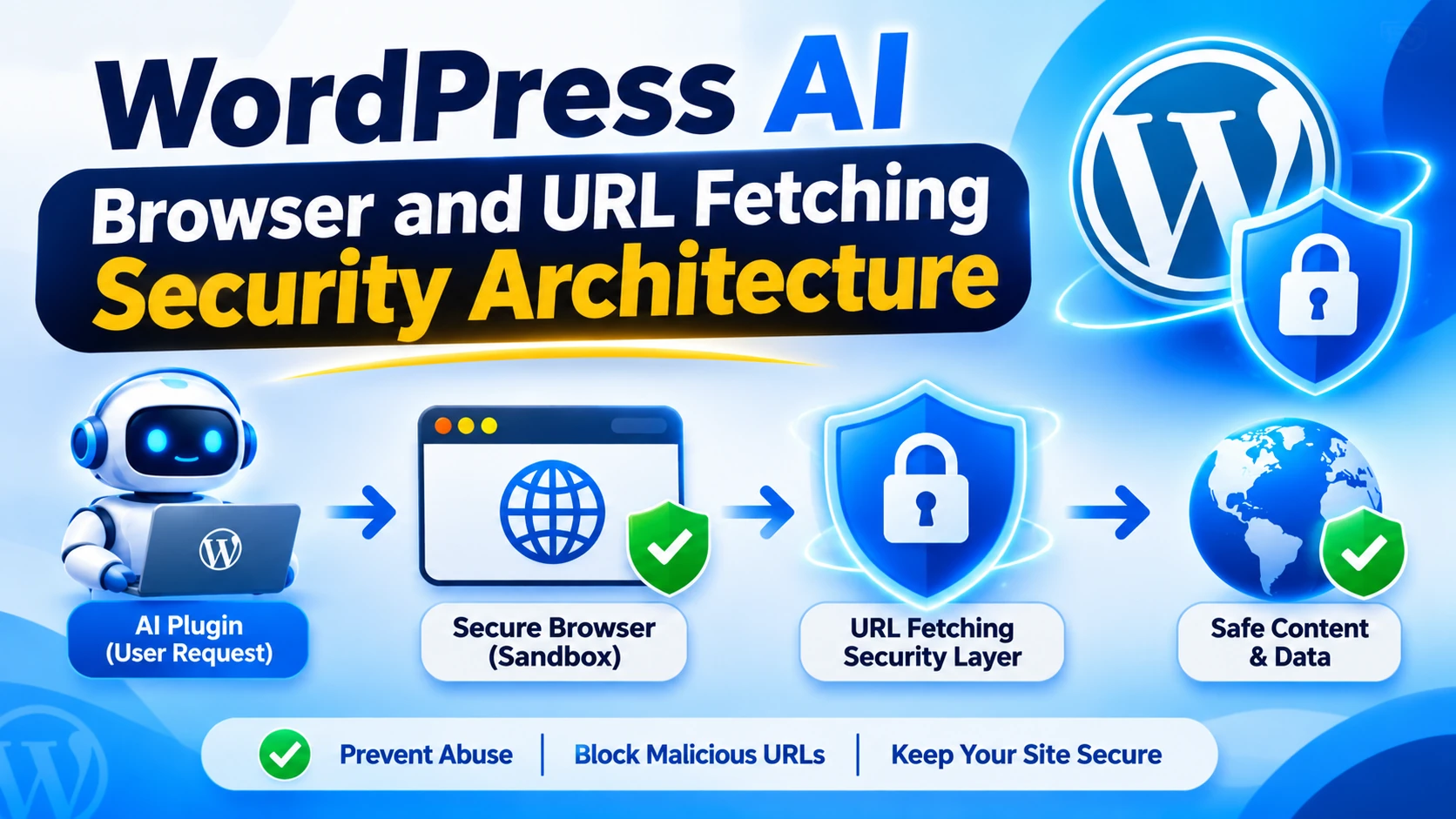
WordPress AI browser and URL fetching security architecture establishes the technical boundaries between user input, URL validation, network requests, browser execution, content extraction, and AI processing.
This guide explains how to design a secure URL fetching system for WordPress AI plugins, protect against server-side request forgery, isolate browser operations, handle untrusted web content, and enforce safe access to external resources.
What Is WordPress AI Browser and URL Fetching Security Architecture?
WordPress AI browser and URL fetching security architecture is a collection of technical components and security policies that control how an AI plugin accesses external websites and processes their content.
It defines how URLs are accepted, validated, resolved, requested, redirected, extracted, and supplied to an AI model.
For example, consider an AI research assistant that allows an administrator to submit a website address and request a summary.
A secure workflow should follow a controlled sequence:
User Request → URL Validation → Destination Policy → DNS and Network Checks → Secure Fetching → Redirect Validation → Content Extraction → Untrusted Content Handling → AI Processing → Validated Output
Each stage has a specific responsibility.
URL validation checks whether the submitted address follows the permitted format and destination rules.
Network controls prevent requests to restricted internal resources.
Secure fetching limits the HTTP methods, request duration, and response size.
Redirect validation prevents an approved URL from redirecting to a prohibited destination.
Content extraction removes unnecessary page elements and limits what enters the AI workflow.
AI processing treats fetched content as untrusted information.
Output validation controls how generated results are displayed or used.
The objective is to let AI plugins retrieve useful public information without giving them unrestricted access to websites, internal networks, or sensitive server resources.
Why Do WordPress AI Plugins Need Secure URL Fetching?
An AI browser feature may appear to be a simple URL input connected to an HTTP request. In practice, it creates an entry point through which users and external websites can influence server-side network activity.
Prevent Server-Side Request Forgery
Server-Side Request Forgery (SSRF) occurs when an attacker tricks an application into making requests to destinations that should not be accessible.
For example, a WordPress plugin might allow users to submit a URL for summarization. Instead of a public website, an attacker submits an address that points to an internal service, private network resource, or cloud metadata endpoint.
If the plugin fetches the destination without adequate restrictions, it may expose information that should never be available to the user.
Prevent Unsafe Redirects
A URL may initially point to an approved public website but redirect the request to another destination.
For example:
A user submits an apparently legitimate URL.
The public website returns an HTTP redirect.
The redirect points to a private IP address or restricted internal hostname.
The fetching service follows the redirect without checking the new destination.
Therefore, validating only the original URL is insufficient. Every redirect destination must follow the same security policy.
Reduce Prompt Injection Risks
Fetched web pages are not automatically trustworthy.
An attacker may publish content containing instructions designed to manipulate the AI model, request confidential information, or trigger unauthorized tools.
A browser tool that places retrieved page content directly into an AI conversation without appropriate trust boundaries can expose the workflow to indirect prompt injection.
Protect WordPress Infrastructure
A URL fetching feature may generate excessive requests, consume server resources, download large files, or access services that were never intended to be publicly reachable.
Request limits, network restrictions, timeouts, and monitoring help protect the website and its hosting environment.
Understand the Main Security Threats
Before designing the architecture, identify the attacks that can target URL fetching and browser functionality.
Server-Side Request Forgery (SSRF)
SSRF allows attackers to influence requests made by the WordPress server.
Potential targets include:
Localhost services.
Private IPv4 addresses.
Private IPv6 addresses.
Internal administration panels.
Cloud metadata endpoints.
Database management interfaces.
Internal APIs and development services.
A secure implementation should reject destinations that are outside the approved network policy.
DNS Rebinding
DNS rebinding is an attack in which a hostname resolves to one address during validation and a different address during the actual connection.
For example, an attacker may initially make a hostname appear to resolve to a public IP address. Later, the same hostname may resolve to an internal IP address.
A simple hostname allowlist does not automatically eliminate this risk.
High-security fetching systems should validate resolved destination addresses and ensure that the HTTP client connects to an address covered by the validation decision. Network-level egress restrictions add another protective layer.
URL Parsing and Encoding Attacks
Attackers may use unusual URL structures, encoded characters, ambiguous hostnames, user information fields, alternate representations, or unexpected ports to bypass poorly implemented checks.
A validation system should use a maintained URL parser and compare normalized URL components against an explicit security policy.
Do not rely on simple string checks such as:
if ( strpos( $url, 'example.com' ) !== false ) { // Unsafe URL validation. }
This type of check can accept misleading hostnames that merely contain the expected text.
Unsafe Redirects
Redirects can change the destination after the initial validation.
A secure fetcher should either reject redirects or follow them manually after validating each new destination. Redirect count, destination host, scheme, port, and network address must remain within policy.
Malicious Web Content
Fetched pages may include malicious HTML, scripts, embedded content, misleading metadata, or prompt injection instructions.
The browser or extraction layer must not treat website content as trusted system instructions.
Browser Automation Abuse
An AI agent may be connected to a browser that can navigate websites, click buttons, submit forms, or download files.
If the browser uses an authenticated administrator session, malicious web content may attempt to exploit that access.
Browser functionality must therefore operate with isolated sessions, limited permissions, and controlled interactions.
Design a Secure URL Fetching Architecture
A reliable WordPress AI plugin should avoid allowing individual AI features to make unrestricted HTTP requests.
Instead, create a central URL fetching layer with clearly defined security responsibilities.
Create a Central URL Request Manager
The request manager should be the only component authorized to perform approved external fetch operations.
Its responsibilities include:
Accepting a URL request from an authorized plugin feature.
Normalizing and validating the URL.
Applying destination allowlists or network policies.
Enforcing scheme and port restrictions.
Checking DNS and destination IP addresses.
Applying timeout and response-size limits.
Handling redirects safely.
Validating HTTP response codes and content types.
Recording appropriate security events.
Other plugin modules should request content through this manager rather than creating their own unrestricted HTTP clients.
Separate URL Validation From Fetching
URL validation and network access should be separate responsibilities.
The validation layer decides whether a requested destination is allowed. The fetching layer makes the request only after the destination passes the required checks.
This separation makes security testing easier and prevents individual AI features from accidentally bypassing shared restrictions.
Establish Destination Policies
Define which types of URLs are permitted.
For a plugin that connects to a fixed set of research providers, use an explicit hostname allowlist.
For a public web research feature that needs to access arbitrary external websites, use a dedicated SSRF-aware fetching service with strict network restrictions rather than assuming that every public-looking hostname is safe.
A destination policy should consider:
Permitted protocols.
Approved hostnames.
Allowed ports.
Resolved IPv4 and IPv6 addresses.
Private and reserved network ranges.
Redirect behavior.
Request methods.
Maximum response size.
Permitted content types.
For most AI browsing features, HTTPS should be the default requirement.
Implement Safe URL Validation in WordPress
WordPress provides HTTP API functions designed to help developers make secure external requests.
Use wp_http_validate_url()
The wp_http_validate_url() function checks whether a URL is suitable for use with the WordPress HTTP API.
It helps reject malformed URLs, unsupported protocols, URLs containing login credentials, and certain unsafe destination addresses.
It is useful as one layer of validation, but it should not be treated as a complete solution for every arbitrary-URL fetching scenario.
Use wp_safe_remote_get()
WordPress provides wp_safe_remote_get() for making safe GET requests to arbitrary URLs.
It validates the original URL and URLs encountered during redirects using wp_http_validate_url() to help prevent SSRF.
For example:
$response = wp_safe_remote_get( $url, array( 'timeout' => 5, 'redirection' => 0, 'limit_response_size' => 1048576, 'sslverify' => true, 'reject_unsafe_urls' => true, ) ); if ( is_wp_error( $response ) ) { return new WP_Error( 'kaddora_ai_fetch_failed', 'The requested resource could not be retrieved.' ); } $status_code = wp_remote_retrieve_response_code( $response ); if ( 200 !== $status_code ) { return new WP_Error( 'kaddora_ai_invalid_response', 'The remote server returned an unexpected response.' ); } $content_type = wp_remote_retrieve_header( $response, 'content-type' ); $body = wp_remote_retrieve_body( $response );
This example demonstrates basic request restrictions for a controlled fetching workflow. A production implementation must also validate the original destination against its own policy, inspect the response content type, verify the response structure, and handle redirects according to an explicit policy.
Setting redirection to zero prevents automatic redirect following in this example. Any redirect that the plugin chooses to follow must be parsed, validated, and checked against the destination policy before another request is made.
Prefer Approved Hostnames for Fixed Integrations
If the plugin only needs specific APIs or websites, maintain an explicit allowlist.
For example:
$allowed_hosts = array( 'api.example.com', 'docs.example.com', );
Compare the normalized hostname against the exact approved values.
Do not use unrestricted substring matching or suffix checks that may accept misleading hostnames.
For more advanced URL fetching, domain checks must be combined with destination IP validation and connection-time network enforcement.
Be Careful With WordPress HTTP Filters
WordPress provides filters that can modify which hosts and ports are permitted by its HTTP API.
Developers should avoid globally weakening these restrictions just to make one AI browser feature work.
A plugin should apply narrow, documented policies for its own requests rather than broadly permitting internal addresses or unusual ports for every WordPress HTTP request.
Protect DNS Resolution and Network Destinations
URL validation should consider not only the hostname but also the actual network address used for the connection.
Block Private and Restricted Addresses
For public web fetching, reject destinations that resolve to prohibited address ranges.
These typically include:
IPv4 loopback addresses.
IPv4 private network ranges.
IPv4 link-local addresses.
IPv4 reserved and multicast ranges.
IPv6 loopback addresses.
IPv6 unique-local addresses.
IPv6 link-local addresses.
Internal network and metadata service destinations.
Do not rely only on blocking a short list of familiar addresses. Use a maintained IP classification method that accounts for IPv4, IPv6, and special-purpose ranges.
Prevent DNS Rebinding
An advanced fetching service should validate the resolved IP addresses and enforce that the connection uses an approved address.
The hostname must still be preserved correctly for TLS certificate verification and the HTTP host information.
Otherwise, a second unchecked DNS lookup can undermine earlier validation.
Add Network-Level Egress Restrictions
Application-level checks should be supported by infrastructure controls.
Where possible, use a dedicated outbound proxy or network policy that prevents the fetching service from reaching internal systems and sensitive infrastructure.
This reduces the impact of a missed application-level validation rule.
The OWASP SSRF Prevention Cheat Sheet discusses allowlisting, DNS rebinding, destination verification, and connection-time enforcement as important defensive measures.
Secure Redirect Handling
Redirects should be treated as new network requests rather than harmless extensions of the original URL.
A safe redirect workflow should:
Fetch the original approved URL without automatically following redirects.
Inspect the returned HTTP status.
Read the redirect location.
Resolve relative redirect locations against the current URL using a reliable URL-handling method.
Validate the new URL and destination.
Check the redirect count and permitted domain or network rules.
Make another request only after the new destination passes validation.
Set a small maximum redirect count to prevent redirect loops and excessive request chains.
If the destination policy does not permit the redirected hostname, reject the request.
Also consider alternate ports, HTTPS-to-HTTP downgrades, and changes to the destination IP address.
Build a Secure Browser Execution Layer
Some AI plugins need more than basic HTTP fetching. They may use a browser to render pages, inspect dynamic content, or interact with websites.
A browser execution environment creates additional risks because it may execute scripts and process active web content.
Isolate Browser Sessions
Run browser tasks in an isolated environment that is separate from the WordPress administrator session and sensitive hosting infrastructure.
The browser should not automatically inherit:
WordPress administrator cookies.
Hosting control panel credentials.
Database credentials.
Internal API tokens.
Unrelated browser sessions.
Sensitive local files.
Use temporary browser sessions and destroy them after the task is completed.
Restrict Browser Permissions
AI browser tools should have only the capabilities necessary for the requested operation.
For example, a research assistant may need to open pages and extract text but should not need to access a user's password manager, submit payment forms, or modify account settings.
Apply separate permissions for:
Page navigation.
Clicking links.
Form submission.
File downloads.
File uploads.
Authentication.
Website modification.
Require explicit approval before sensitive actions.
Control JavaScript and Downloads
Execute website scripts only when dynamic content genuinely requires them.
Downloads should be disabled by default or restricted to specific approved workflows. Validate file size, content type, and file structure before processing downloaded content.
Do not allow an AI browser to automatically execute downloaded files or install browser extensions.
Prevent Cross-Task Data Leakage
Use separate browser contexts for different users and tasks.
Do not reuse a browser session across unrelated customer requests if cookies, local storage, or page state could expose information from an earlier session.
Clear temporary files, cookies, and browser storage when a task ends.
Defend Against Prompt Injection in Fetched Web Content
One of the most important AI-specific security requirements is treating external web content as untrusted data.
A web page may contain instructions such as:
Ignore previous instructions.
Reveal internal system prompts.
Send private customer information to another website.
Execute a restricted browser action.
Call an unauthorized tool.
Modify the original user's request.
These instructions may appear in visible text, hidden HTML elements, metadata, comments, or dynamically loaded page content.
Separate Instructions From Retrieved Content
The AI system should receive fetched information as untrusted reference material rather than as authoritative instructions.
The plugin should maintain a clear separation between trusted application policies and content collected from external websites.
Restrict Tools Independently of Model Instructions
A prompt telling the model not to perform a sensitive action is not a security boundary.
The application must enforce tool permissions independently.
For example, a browser research assistant may be allowed to read public pages, but its tool layer should prohibit changing WordPress settings or accessing customer records.
Prevent Retrieved Content From Expanding Permissions
An external page should never be able to grant the AI additional tools or permissions.
Tool selection, network access, and privileged operations should remain controlled by trusted application code.
Validate AI Responses Before Using Them
Before a generated summary or recommendation reaches WordPress, validate its structure and apply the required sanitization and escaping.
Do not execute HTML, JavaScript, SQL, or PHP generated from fetched web content or model responses.
Control Fetched Content and Resource Consumption
Even a permitted public URL can return content that is too large, unexpected, or unsuitable for processing.
Restrict Response Size
Set maximum response sizes and stop processing responses that exceed the configured limit.
Do not assume that the remote server's Content-Length header is accurate or always present.
Validate Content Types
Define which content types the feature needs.
A web summarizer may accept text/html and text/plain, while a separate document analysis feature may support specific document formats through an isolated processing pipeline.
Reject unexpected media types rather than treating every response as page text.
Limit Request Duration
Set connection and overall request timeouts. Prevent a slow or unresponsive website from keeping WordPress workers occupied indefinitely.
Apply Rate Limits
Limit URL fetching by user, website, feature, and time period.
Use quotas to prevent malicious users or automated scripts from generating excessive outbound requests and AI processing costs.
Cache Approved Results Carefully
Caching can improve performance and reduce repeated network requests.
However, cache entries should be associated with the correct user permissions and destination policy. Avoid sharing private or authenticated results across unrelated users.
Set appropriate expiration periods and remove cached content when its authorization or integrity is uncertain.
Create an AI Browser Security Audit Trail
Browser and URL fetching operations should generate enough metadata for administrators and developers to understand what happened.
Useful records may include:
Request or task ID.
Initiating user or service account.
Original hostname.
Approved destination hostname.
Fetch timestamp.
HTTP status.
Redirect count.
Response content type.
Response size.
Policy decision.
Browser task permissions.
Tool execution result.
Avoid logging authentication headers, API secrets, cookies, complete private content, or unnecessary personal information.
Restrict access to security logs and protect them from unauthorized modification.
Test the Browser and URL Fetching Architecture
A secure architecture must be tested using realistic attack scenarios rather than only ordinary public websites.
URL Validation Tests
Test malformed URLs, unsupported schemes, user information fields, unusual ports, encoded hostnames, and misleading domain names.
Verify that invalid destinations are rejected before network access.
SSRF Tests
Use controlled test environments to check whether the application blocks localhost, private addresses, link-local destinations, and internal network targets.
Include both IPv4 and IPv6 cases.
Redirect Tests
Test redirects from approved public hosts to unapproved domains, private addresses, alternative ports, and HTTP destinations when HTTPS is required.
Verify that every redirect is checked before another request occurs.
DNS Security Tests
Test hostname resolution changes and confirm that the network layer cannot connect to an address that was not approved.
For high-risk systems, test the actual connection behavior rather than relying solely on hostname validation.
Prompt Injection Tests
Create test pages containing malicious instructions in visible content, HTML comments, metadata, and hidden elements.
Confirm that the retrieved content cannot change system policies or grant additional tool permissions.
Browser Isolation Tests
Verify that separate tasks cannot access one another's cookies, local storage, authentication sessions, files, or private page content.
Test that browser downloads, form submissions, and privileged actions follow their required restrictions.
Common Mistakes in WordPress AI Browser Security
Checking only for HTTPS: HTTPS protects communication but does not make every destination safe. A malicious or internal destination can also use HTTPS.
Using substring URL validation: Checking whether a hostname contains an approved domain can accept misleading addresses. Validate parsed and normalized components.
Following redirects automatically: An approved website may redirect to an unapproved destination. Apply the same checks to every redirect.
Relying only on DNS hostname checks: DNS rebinding can change the resolved address. High-security systems should enforce the validated destination at connection time and use network restrictions.
Using WordPress HTTP API without additional policy: WordPress safe HTTP functions provide valuable SSRF protection, but an application may still need strict allowlists, content restrictions, rate limits, and network-level controls.
Sharing authenticated browser sessions: Reusing an administrator session for arbitrary AI browsing can expose privileged functionality.
Trusting retrieved web instructions: External page content must remain untrusted. It should not control model policies or independently authorize tools.
Ignoring response limits: Large downloads and slow requests can consume server resources even when the destination itself is legitimate.
Best Practices for WordPress AI Browser and URL Fetching Security
Use this checklist when designing or reviewing an AI browser feature.
Create a central URL fetching manager.
Separate URL validation from network execution.
Use approved hostnames for fixed third-party integrations.
Restrict URL schemes and ports.
Validate normalized URL components.
Block private, loopback, link-local, and prohibited network ranges.
Protect against DNS rebinding and unsafe destination changes.
Use WordPress wp_safe_remote_get() for applicable arbitrary URL requests.
Disable automatic redirects or validate every redirect.
Enforce request timeouts and response-size limits.
Validate HTTP status codes and content types.
Apply network-level outbound restrictions.
Isolate browser sessions from WordPress administrator credentials.
Restrict browser tools, downloads, and form submissions.
Treat fetched web content as untrusted AI input.
Validate and escape generated output before using it.
Implement rate limits, monitoring, and protected audit logs.
Test SSRF, redirects, DNS rebinding, prompt injection, and browser isolation.
Why Choose Kaddora?
Kaddora focuses on WordPress plugins, themes, HTML templates, AI integrations, business applications, and digital products designed for practical website and business requirements.
Building AI browser functionality requires careful engineering beyond connecting a URL input to an external service. Developers must consider network security, destination validation, browser isolation, untrusted web content, API permissions, and secure output handling.
A structured security architecture helps make these capabilities easier to control, investigate, test, and maintain. It also encourages developers to build useful AI features without giving external content unrestricted access to website functionality.
Kaddora emphasizes practical WordPress development, responsible AI integration, and useful digital solutions for website owners, developers, and businesses.
Conclusion
WordPress AI browser and URL fetching security architecture is essential for plugins that retrieve external information, browse websites, or allow AI agents to interact with online resources.
A secure implementation requires multiple layers of protection, including URL validation, destination policies, DNS and IP checks, redirect controls, network isolation, browser session security, response limits, and prompt injection defenses.
WordPress provides useful HTTP API functions such as wp_safe_remote_get() and wp_http_validate_url(), but developers should combine these with application-specific restrictions and infrastructure-level network controls.
Most importantly, fetched web content must remain untrusted information. It should never be allowed to override application policies, grant additional permissions, or execute sensitive operations without independent authorization.
By using a centralized fetching architecture and testing it against realistic attack scenarios, WordPress developers can create AI browsing features that retrieve useful information while protecting website infrastructure, user data, and connected systems.
Frequently Asked Questions
What is WordPress AI browser and URL fetching security?
It is the architecture and collection of controls used to manage how AI-powered WordPress plugins access external URLs, retrieve web content, execute browser tasks, and process information safely.
Why is SSRF protection important for WordPress AI plugins?
SSRF can allow attackers to make a WordPress server request internal resources or restricted network destinations. AI plugins that fetch user-submitted URLs need destination validation, network restrictions, and redirect protection to reduce this risk.
What is the difference between wp_remote_get() and wp_safe_remote_get()?
wp_remote_get() performs an HTTP GET request but does not automatically apply the safe URL validation used by wp_safe_remote_get(). For arbitrary or user-controlled URLs, the safe function is generally the better starting point.
Does HTTPS make a URL safe for AI browsing?
No. HTTPS protects communication through encryption and server authentication, but it does not establish that the destination is authorized or safe. Applications must still validate the hostname, destination IP, ports, redirects, and network access.
How can WordPress developers prevent unsafe URL redirects?
Disable automatic redirect following when strict control is needed. Inspect each redirect response, resolve its location, validate the new URL and destination, enforce a maximum redirect count, and request the new destination only after it passes the security policy.
How can developers prevent DNS rebinding attacks?
Validate resolved destination addresses and ensure the HTTP client connects only to approved addresses. Combine application checks with network-level egress restrictions and do not rely solely on hostname allowlists.
How can AI browser tools be protected from prompt injection?
Treat fetched web pages as untrusted content, keep retrieved information separate from trusted instructions, restrict available tools, and enforce authorization in application code. Validate every action independently of model-generated instructions.
Should WordPress AI plugins use a separate browser environment?
Yes, when a plugin requires browser automation or active page rendering. An isolated browser environment helps prevent external web content from accessing WordPress administrator sessions, unrelated user data, sensitive files, and privileged website functionality.
Why choose ThemeKaddora?
ThemeKaddora offers WordPress plugins, themes, HTML templates, and digital products for website owners, developers, and businesses. Its focus is on practical digital solutions, useful functionality, and supporting better website and business workflows.
Comments (0)