
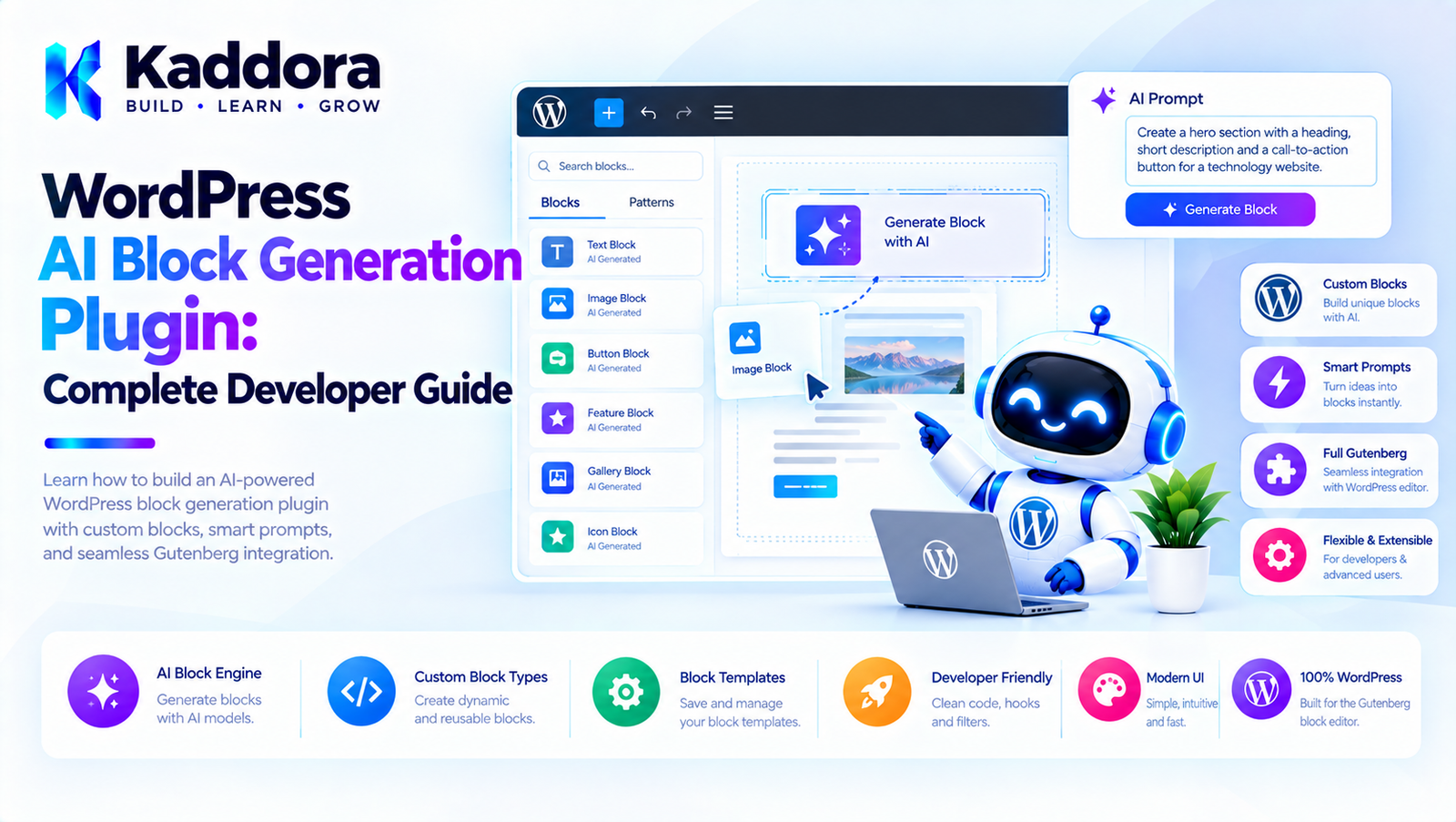
WordPress AI Block Generation Plugin: Complete Developer Guide
Introduction
The WordPress block editor has changed how websites are created.
Instead of building every page manually, developers and site owners can compose websites using:
Gutenberg blocks
Block patterns
Reusable layouts
Template parts
Columns
Groups
Buttons
Images
Headings
Query blocks
Custom blocks
AI can take this concept further.
Instead of asking a user to manually assemble a section, an AI-powered WordPress plugin can allow the user to describe what they want:
Create a three-column services section with icons, headings, descriptions, and a button below each service.
The plugin can convert that request into a structured Gutenberg block layout.
For example:
User Prompt ↓ AI Block Planner ↓ Structured Block Definition ↓ Validation ↓ Gutenberg Block Markup ↓ Editor Preview ↓ User Approval
This creates a powerful foundation for AI-assisted WordPress page building.
However, a production-quality WordPress AI block generation plugin should not simply allow an AI model to generate arbitrary HTML, JavaScript, PHP, or WordPress code.
The application should control what can be generated and how it is inserted into WordPress.
This guide explains how to design such a system using practical WordPress and Gutenberg architecture.
What Is a WordPress AI Block Generation Plugin?
A WordPress AI block generation plugin allows users to describe a desired website section or layout using natural language and then generates a Gutenberg-compatible structure.
For example:
Create a hero section for a SaaS company.
The system could generate:
Group ├── Heading ├── Paragraph ├── Buttons │ ├── Button │ └── Button └── Image
Another request might be:
Create a testimonial section with four customer reviews.
The generated structure could be:
Group ├── Heading └── Columns ├── Quote ├── Quote ├── Quote └── Quote
The AI determines the intended structure, while WordPress controls the actual block implementation.
Why Generate WordPress Blocks With AI?
AI-generated blocks can help solve several common website-building problems.
1. Faster Page Creation
Users can describe a section instead of manually adding and configuring multiple blocks.
2. Faster Prototyping
Developers and designers can quickly test page concepts.
3. Better Content Workflows
AI can combine content generation with block layouts.
4. Easier Website Creation
Non-technical users can describe layouts using natural language.
5. Reusable Design Systems
AI can generate sections using predefined design patterns.
6. Agency Productivity
Agencies can accelerate the creation of common website sections.
What Can AI Generate?
A well-designed plugin can support many block structures.
Content Blocks
Heading
Paragraph
List
Quote
Table
Layout Blocks
Group
Columns
Stack
Row
Cover
Spacer
Interactive Blocks
Buttons
Links
Accordions
Tabs, where supported by the site's block system
Media Blocks
Image
Gallery
Video
Audio
Business Sections
Hero
Services
Features
Testimonials
Pricing
FAQ
Team
Contact
Call to action
The plugin should only generate blocks that are actually registered and supported by the WordPress environment.
AI Block Generation Architecture
A practical architecture looks like:
User ↓ Block Generation Interface ↓ WordPress REST/AJAX Layer ↓ Prompt Builder ↓ AI Service ↓ Structured Block Definition ↓ Validator ↓ Block Renderer ↓ Gutenberg Editor
The important principle is:
AI should describe the requested block structure, while the WordPress application controls how that structure is executed.
Natural Language to Gutenberg
Consider this request:
Create a pricing section with three plans. The middle plan should be highlighted. Each plan should have a title, price, five features, and a CTA button.
AI can convert the request into a structured representation:
$block_definition = array( 'type' => 'pricing-section', 'plans' => array( array( 'name' => 'Starter', 'highlight' => false, ), array( 'name' => 'Professional', 'highlight' => true, ), array( 'name' => 'Business', 'highlight' => false, ), ), );
The application then maps this definition to approved Gutenberg blocks.
Why Structured AI Output Is Important
Allowing AI to return arbitrary markup creates unnecessary risks.
For example, avoid treating this as trusted input:
<script> // Arbitrary JavaScript. </script>
Instead, request structured data:
array( 'type' => 'hero', 'title' => 'Build Better Websites', 'description' => 'Create professional websites faster.', );
The plugin decides how that structure becomes WordPress blocks.
This approach provides significantly more control.
Define a Block Schema
A block-generation plugin should define what the AI is allowed to produce.
For example:
$allowed_block_types = array( 'core/group', 'core/heading', 'core/paragraph', 'core/buttons', 'core/button', 'core/image', 'core/columns', 'core/column', );
The generated structure can then be checked against the supported block list.
Unknown or unsupported block types should be rejected or ignored.
Use WordPress Block APIs
The plugin should work with WordPress's block system instead of inventing an unrelated page-builder format.
Depending on the use case, this can include:
Block registration
Block metadata
Block attributes
Block serialization
Block patterns
Block templates
Block editor APIs
This allows AI-generated content to remain compatible with the WordPress editing experience.
Core Blocks vs Custom Blocks
There are two main approaches.
Core WordPress Blocks
Use blocks such as:
core/heading core/paragraph core/group core/columns core/buttons
This provides broad compatibility.
Custom Blocks
A plugin can also provide custom blocks:
kaddora/hero kaddora/testimonials kaddora/pricing kaddora/feature-grid
AI can then select these blocks when they match the user's request.
Custom blocks can provide better design consistency because their attributes and rendering are controlled by the plugin.
AI Block Generation With Design Systems
One of the strongest approaches is combining AI with predefined design systems.
For example:
Design System │ ├── Hero ├── Feature Grid ├── Service Cards ├── Testimonials ├── Pricing ├── FAQ └── CTA
The AI does not invent every visual detail.
Instead, it chooses and configures approved components.
For example:
User: Create a SaaS landing page. AI: Hero Feature Grid Pricing Testimonials FAQ CTA
The plugin maps these sections to predefined patterns.
AI Block Generation vs AI HTML Generation
These approaches are different.
AI HTML Generation
Prompt ↓ HTML/CSS ↓ Render
AI Block Generation
Prompt ↓ Block Structure ↓ Validated Attributes ↓ Gutenberg Blocks
The second approach is generally better suited to WordPress because the resulting content remains part of the block editor ecosystem.
Generate a Hero Section
Suppose the user asks:
Create a modern SaaS hero section.
The plugin could produce:
Group ├── Heading ├── Paragraph ├── Buttons │ ├── Start Free Trial │ └── View Demo └── Image
The actual styling can come from:
Block attributes
Theme styles
Plugin styles
Block patterns
Design tokens
This keeps the generated structure consistent with the website.
Generate a Services Section
User request:
Create a four-column services section.
Possible structure:
Group ├── Heading └── Columns ├── Column │ ├── Image │ ├── Heading │ └── Paragraph ├── Column │ ├── Image │ ├── Heading │ └── Paragraph ├── Column ├── Column
The AI can generate the content while the plugin controls the available layout.
Generate a Testimonial Section
The user might request:
Create a testimonial section with three customer testimonials.
The plugin could generate:
Group ├── Heading └── Columns ├── Quote ├── Quote └── Quote
If the plugin has a custom testimonial block, it can instead generate:
kaddora/testimonial-grid
with validated attributes.
Generate a Pricing Section
Pricing sections require additional caution.
AI should not invent actual commercial prices unless the user explicitly provides them.
A safer approach is:
Plan: Professional Price: Provided by user Features: Provided by user
The AI can organize the information without becoming the source of truth for business pricing.
AI and WooCommerce Blocks
An AI block generation plugin can also work with WooCommerce.
For example:
Create a product showcase with four featured products.
The AI should generate the appropriate WooCommerce block structure while product information comes from WooCommerce.
It should not invent:
Product IDs
Prices
Stock levels
Product availability
Customer data
Actual ecommerce information should be retrieved from WordPress and WooCommerce.
Generate FAQ Sections
AI can generate an FAQ layout and, where appropriate, draft FAQ content.
For example:
FAQ ├── Question │ └── Answer ├── Question │ └── Answer └── Question └── Answer
However, generated answers should be reviewed for accuracy.
For business-critical information, the site owner should remain the authoritative source.
AI Block Generation for Gutenberg Patterns
A plugin can combine AI with block patterns.
For example:
Pattern Library │ ├── Hero ├── Services ├── Testimonials ├── Pricing ├── FAQ └── CTA
The AI selects a pattern:
User: Create a consulting homepage. AI: Hero Services Case Studies Testimonials CTA
The application inserts the selected patterns into the editor.
This can provide more predictable results than generating every block individually.
AI Block Generation and Templates
AI can also work at the template level.
For example:
Single Post ├── Header ├── Post Title ├── Featured Image ├── Content ├── Related Posts └── Footer
However, template generation should be separated from ordinary block generation.
Changing a site-wide template can affect many pages.
Therefore, template changes should require stronger validation and explicit approval.
Generate Blocks Without Publishing
A safe workflow is:
Prompt ↓ Generate ↓ Preview ↓ Edit ↓ Insert
The AI should not automatically publish generated content.
For an editor assistant, the generated block can be inserted into the editor where the user can modify it.
Block Preview
A good user experience should show the generated result before applying it.
For example:
AI Generated Section ┌──────────────────────────────┐ │ Build Better Websites │ │ │ │ Create professional websites │ │ with our platform. │ │ │ │ [ Get Started ] [ Demo ] │ └──────────────────────────────┘ [Insert] [Edit] [Regenerate]
This gives the administrator control.
Regenerate Specific Sections
Users should not always need to regenerate the entire page.
For example:
Generate hero Generate services Regenerate testimonials Rewrite CTA
This makes the AI assistant more useful during editing.
A section-level generation system can also reduce unnecessary API usage.
AI Block Generation With Context
The AI can produce better blocks when it understands the existing page.
For example:
Page Title: Digital Marketing Services Existing Sections: Hero Services Case Studies User Request: Generate a CTA section.
The plugin can provide limited page context:
Existing page structure: Hero Services Case Studies Requested section: CTA
The AI can then generate a section that fits the existing structure.
Avoid sending unnecessary private content.
Context Should Be Limited
Do not automatically send the entire website to an external AI service.
Only provide the information necessary for the generation request.
For example:
Required: Page title Existing section names Brand tone Requested block Not required: Passwords API keys Private user data wp-config.php Entire database
This improves privacy, performance, and cost control.
AI Block Generation and Brand Guidelines
A plugin can provide brand settings such as:
Brand Name: Kaddora Tone: Professional Primary Color: Emerald Secondary Color: White Button Style: Rounded Typography: Modern Sans Serif
The AI can use these settings when choosing appropriate blocks and patterns.
However, visual styling should ideally be controlled through the site's theme and design system rather than arbitrary AI-generated CSS.
Use Design Tokens
A more scalable approach is to provide approved design tokens.
For example:
Spacing: small medium large Colors: primary secondary surface text Typography: heading body caption
The AI selects token names rather than generating arbitrary CSS values.
This keeps generated layouts consistent.
Avoid Arbitrary CSS Generation
Allowing AI to generate large amounts of CSS can create:
Conflicting styles
Poor responsive behavior
Theme compatibility issues
Security concerns
Maintenance problems
Prefer:
Block ↓ Approved attributes ↓ Theme styles
instead of:
AI ↓ Random CSS ↓ Inline styles everywhere
AI Block Generation and Accessibility
Generated blocks should also satisfy accessibility requirements.
For example:
Headings should have logical hierarchy.
Buttons should have meaningful labels.
Images should have appropriate alternative text.
Links should describe their destination.
Color should not be the only way information is communicated.
Interactive elements should remain keyboard accessible.
AI can assist with these decisions, but the application should validate important attributes where possible.
AI Image Blocks
AI can generate an image block definition, but the image itself should come from an approved source.
For example:
Image Block ├── Attachment ID ├── Alt Text ├── Width └── Height
Do not allow the AI to invent attachment IDs.
The plugin should resolve real WordPress media IDs.
Generate Block Attributes Safely
Consider a button block.
The AI may request:
array( 'text' => 'Get Started', 'url' => '/contact/', 'class' => 'primary', );
The application should validate:
Text → sanitize URL → validate Class → allowlist
Do not blindly trust AI-generated attributes.
WordPress REST API for AI Blocks
A plugin can expose a protected endpoint for block generation.
For example:
register_rest_route( 'kaddora-ai-blocks/v1', '/generate', array( 'methods' => WP_REST_Server::CREATABLE, 'callback' => array( $this, 'generate_block', ), 'permission_callback' => array( $this, 'can_generate_block', ), ) );
The permission callback should verify that the current user is allowed to use the feature.
The request should also validate:
Prompt length
Requested block type
Context size
Page/post ID where applicable
Generation options
Server-Side AI Communication
The AI provider should be contacted from the server.
The architecture should be:
Gutenberg Editor ↓ WordPress REST API ↓ AI Client ↓ External AI Provider ↓ Structured Response ↓ Validation ↓ Gutenberg
API credentials should never be embedded in frontend JavaScript.
AI Response Validation
Never assume the AI response is valid simply because it looks correct.
A validator can check:
Is the response structured? Are block types allowed? Are required attributes present? Are values valid? Are URLs permitted? Is nesting valid? Is the block count within limits?
For example:
if ( ! in_array( $block_name, $allowed_block_types, true ) ) { return new WP_Error( 'kaddora_ai_block_invalid', 'The generated block type is not supported.' ); }
Convert Structured Data to Blocks
After validation, the plugin can create block markup.
For example:
$blocks = array( array( 'blockName' => 'core/heading', 'attrs' => array( 'level' => 2, ), 'innerBlocks' => array(), 'innerHTML' => '<h2>Build Better Websites</h2>', ), );
WordPress block serialization utilities can then be used to convert structured block data into content.
The exact implementation should follow the supported WordPress block APIs rather than manually concatenating arbitrary markup wherever possible.
Use parse_blocks() and serialize_blocks()
WordPress provides block parsing and serialization capabilities.
For example:
$blocks = parse_blocks( $content );
After manipulating a block structure:
$content = serialize_blocks( $blocks );
This can be useful when an AI plugin needs to modify or extend existing block content.
The application should still validate which blocks and attributes it allows.
AI Block Generation for Existing Content
A particularly useful feature is:
Select Existing Content ↓ AI Analyze ↓ Generate Layout ↓ Preview ↓ Insert
For example, an existing paragraph can become:
Heading Paragraph Image CTA
This can help convert older classic-editor content into modern block-based layouts.
Classic Editor to Gutenberg Workflow
A migration assistant could:
Classic Content ↓ Analyze Structure ↓ AI Layout Recommendation ↓ Block Mapping ↓ Preview ↓ Convert
However, conversion should preserve the original content and provide a rollback mechanism.
AI Block Generation and Reusable Patterns
Generated sections can become reusable patterns.
For example:
Generated Services Section ↓ Review ↓ Save as Pattern
This allows a user to reuse the section across multiple pages.
The plugin should distinguish between:
One-time block content
and:
Reusable design pattern
because they have different editing behavior.
AI Block Generation for Agencies
Agencies can benefit significantly from AI block generation.
An agency may define:
Approved Components ├── Hero ├── Service Grid ├── Feature Section ├── Testimonial ├── Pricing ├── FAQ └── CTA
AI can assemble these components based on the client's requirements.
This creates a controlled workflow:
Client Brief ↓ AI Layout Plan ↓ Approved Components ↓ WordPress Page
The agency maintains design consistency while reducing repetitive work.
AI Block Generation for WooCommerce
WooCommerce stores can use AI to generate:
Product comparison sections
Buying guides
Feature highlights
Category introductions
Promotional sections
FAQ blocks
Product recommendation layouts
Actual product data should remain connected to WooCommerce.
For example:
AI: Generate product comparison layout. WooCommerce: Provide product names, prices, images, and availability.
This prevents the AI from inventing ecommerce information.
Rate Limiting AI Block Generation
AI generation can consume API resources.
A public or multi-user plugin should consider:
Requests per user
Requests per hour
Maximum prompt size
Maximum generated block count
Maximum context size
Daily quotas
For example:
Administrator: Higher generation limit Editor: Standard limit Subscriber: No generation access
The exact permissions should depend on the plugin's use case.
Caching Generated Blocks
Some requests may be repeated.
For example:
Create a simple contact CTA.
could produce similar results.
Caching can reduce unnecessary API requests when the result is deterministic enough for the use case.
However, avoid caching responses when they depend on private or rapidly changing content without appropriate isolation.
Background Processing
Generating a single section can usually happen interactively.
Generating an entire page or website may require multiple AI requests.
For larger tasks:
Page Request ↓ Generation Queue ↓ Hero ↓ Services ↓ Testimonials ↓ FAQ ↓ CTA
Background processing prevents long-running browser requests and improves reliability.
Error Handling
AI block generation can fail.
Possible failures include:
API timeout
Invalid response
Rate limit
Authentication error
Unsupported block
Malformed structured output
Network failure
The plugin should provide useful messages:
The block could not be generated. Please try again.
Technical details should be logged securely for administrators rather than exposed to visitors.
Audit Logging
For professional AI plugins, it can be useful to record:
User Action Requested Block Timestamp Result Status
For example:
Editor: admin@example.com Action: Generate Hero Status: Approved Time: 14:32
Do not log API credentials or unnecessary sensitive content.
Human Approval
AI-generated blocks should remain under user control.
A strong workflow is:
Prompt ↓ AI Generation ↓ Validation ↓ Preview ↓ Human Review ↓ Insert
For high-impact operations:
Generate ↓ Review ↓ Approve ↓ Apply
This is especially important when AI can modify existing pages.
Common Mistakes
1. Allowing Arbitrary HTML
Do not blindly insert AI-generated HTML into WordPress content.
2. Allowing Arbitrary PHP
AI should never be allowed to execute generated PHP.
3. Allowing Arbitrary JavaScript
Generated scripts can introduce serious security and compatibility problems.
4. Trusting AI Block Attributes
Validate every important attribute before using it.
5. Ignoring Existing Design Systems
AI-generated layouts should work with the active theme and approved design system.
6. Generating Too Many Blocks
Set reasonable generation limits.
7. Exposing API Keys
Keep credentials server-side.
8. Automatically Publishing
Use drafts or preview workflows.
9. Ignoring Accessibility
Generated layouts still need accessible headings, links, buttons, and images.
10. Overengineering
A simple block generator does not necessarily need a massive page-builder framework.
Recommended WordPress AI Block Generation Architecture
A scalable architecture can look like:
Gutenberg Editor | v Generation Interface | v REST API Layer | +-----------+-----------+ | | Permission Validation | | +-----------+-----------+ | AI Planner | v Structured Block Data | v Block Validator | v Block Serializer | v Gutenberg
This keeps AI generation separate from WordPress execution.
Recommended Plugin Structure
A practical plugin could use:
kaddora-ai-block-generator/ │ ├── kaddora-ai-block-generator.php │ ├── includes/ │ ├── class-ai-client.php │ ├── class-block-generator.php │ ├── class-block-validator.php │ ├── class-block-serializer.php │ ├── class-pattern-manager.php │ ├── class-rate-limiter.php │ └── class-audit-logger.php │ ├── admin/ │ ├── class-admin.php │ └── views/ │ ├── assets/ │ ├── css/ │ └── js/ │ ├── languages/ │ ├── uninstall.php └── readme.txt
The exact architecture should remain proportional to the plugin's actual complexity.
WordPress AI Block Generation Best Practices
Generate structured block definitions rather than arbitrary code.
Maintain an explicit allowlist of supported blocks.
Validate AI-generated attributes.
Keep API credentials server-side.
Use WordPress REST APIs securely.
Use meaningful permission callbacks.
Sanitize and validate user input.
Keep generated content editable.
Provide a preview before insertion.
Use approved block patterns where possible.
Respect the active theme's design system.
Avoid arbitrary CSS generation.
Never execute AI-generated PHP.
Never blindly execute AI-generated JavaScript.
Keep sensitive data out of AI prompts.
Preserve existing content by default.
Use background processing for large generations.
Add rate limits for expensive AI operations.
Log important AI actions without storing secrets.
Keep administrators in control of significant changes.
WordPress AI Block Generation Checklist
Before releasing an AI block generation plugin, verify:
AI Integration
AI requests are handled server-side.
API credentials are protected.
Timeouts are configured.
API errors are handled.
Rate limiting exists where appropriate.
Block Safety
Supported block types are allowlisted.
Block attributes are validated.
Arbitrary PHP is prohibited.
Arbitrary JavaScript is prohibited.
Unsafe markup is rejected.
Block nesting is validated.
WordPress
Gutenberg APIs are used appropriately.
Existing blocks can be parsed safely.
Generated content can be serialized correctly.
WordPress permissions are respected.
REST endpoints use meaningful permission callbacks.
User Experience
Users can preview generated blocks.
Users can edit generated content.
Users can regenerate sections.
Errors are clearly displayed.
Loading states are implemented.
Generated content is not published automatically.
Accessibility
Heading hierarchy is considered.
Image alt text is supported.
Button labels are meaningful.
Links are descriptive.
Keyboard accessibility is preserved.
Performance
Large generations use background processing.
Prompt size is limited.
Context is minimized.
Duplicate requests can be avoided.
Generated block counts are limited.
Why Choose Kaddora?
AI block generation can become a powerful part of a modern WordPress development workflow.
Kaddora focuses on practical WordPress and AI development where automation should improve productivity without removing developer or administrator control.
A WordPress AI block generation solution can help with:
Gutenberg layouts
AI-assisted page building
Block patterns
Landing pages
WooCommerce sections
Content formatting
Website prototyping
Agency workflows
Reusable components
Existing-content conversion
The strongest implementation is not one where AI generates unlimited code.
It is one where AI understands the user's intent and selects from a controlled WordPress component system.
This creates a better balance between:
AI Creativity + WordPress Control + Design Consistency + Security
Conclusion
A WordPress AI Block Generation Plugin can transform the way users build Gutenberg websites.
Instead of manually assembling every section, users can describe what they need:
Create a modern three-column services section with icons, descriptions, and CTA buttons.
The AI can translate that request into a structured block definition.
A reliable architecture should follow:
User Prompt ↓ AI Planner ↓ Structured Block Data ↓ Validation ↓ Block Serialization ↓ Preview ↓ User Approval ↓ Gutenberg
The key principle is to keep AI generation separate from WordPress execution.
AI should not receive unrestricted access to PHP, SQL, JavaScript, or sensitive WordPress data.
Instead, the plugin should define the blocks and attributes that are allowed, validate AI responses, use WordPress-native APIs, and give users control over the final result.
For simple use cases, this may mean generating a single hero section.
For advanced platforms, the same architecture can support:
Complete landing pages
Gutenberg patterns
WooCommerce layouts
AI website builders
Design systems
Content transformation
Agency workflows
Existing-content conversion
Reusable block libraries
When implemented carefully, AI block generation can become a powerful extension of Gutenberg while preserving the flexibility, editability, and ecosystem compatibility that make WordPress useful.
Frequently Asked Questions
What is a WordPress AI block generation plugin?
A WordPress AI block generation plugin allows users to describe a desired website section or layout using natural language and generates a Gutenberg-compatible block structure.
Can AI generate pricing tables?
Yes. AI can create the structure of a pricing table, but actual prices and commercial terms should come from trusted business data.
How can AI-generated blocks be secured?
Use block allowlists, validate attributes, restrict permissions, keep API credentials server-side, reject arbitrary PHP and JavaScript, limit context, and require approval before applying important changes.
Should generated blocks be published automatically?
Generally, no. A preview and approval workflow is safer, especially when AI generates content for a production website.
Can AI generate blocks from existing page content?
Yes. A plugin can analyze selected existing content and suggest a Gutenberg layout around it.
Can AI convert Classic Editor content into Gutenberg blocks?
Yes. AI can help identify content structure and map it to Gutenberg blocks. The original content should be preserved until the conversion is reviewed.
Can AI-generated blocks follow a website's design system?
Yes. A plugin can provide approved patterns, block types, colors, spacing tokens, and typography options so AI-generated layouts remain consistent with the site's design system.
How should AI block attributes be validated?
Validate every attribute according to its expected type and purpose. URLs, block names, classes, IDs, colors, dimensions, and text should not be accepted blindly from AI output.
Does AI block generation replace a page builder?
Not necessarily. It can complement Gutenberg by making the block editor faster and more accessible. The actual value depends on how well the AI integrates with the site's existing block system.
Can AI generate responsive layouts?
AI can recommend responsive structures, but the resulting blocks should rely on WordPress, theme, and block styling systems that properly handle responsive behavior.
How can AI block generation reduce API costs?
Use smaller prompts, provide only relevant context, cache appropriate results, generate sections instead of entire sites when possible, and use background processing for large jobs.
Can agencies use AI block generation?
Yes. Agencies can combine AI with approved Gutenberg patterns and reusable components to accelerate client website production while maintaining design consistency.
Why choose Themekaddora?
Themekaddora provides lightweight, responsive, SEO-friendly WordPress themes with fast performance, WooCommerce compatibility, flexible customization, accessibility-conscious design, modern templates, regular updates, and professional support—providing a strong foundation for businesses building digital products and product-focused websites.
Comments (0)