
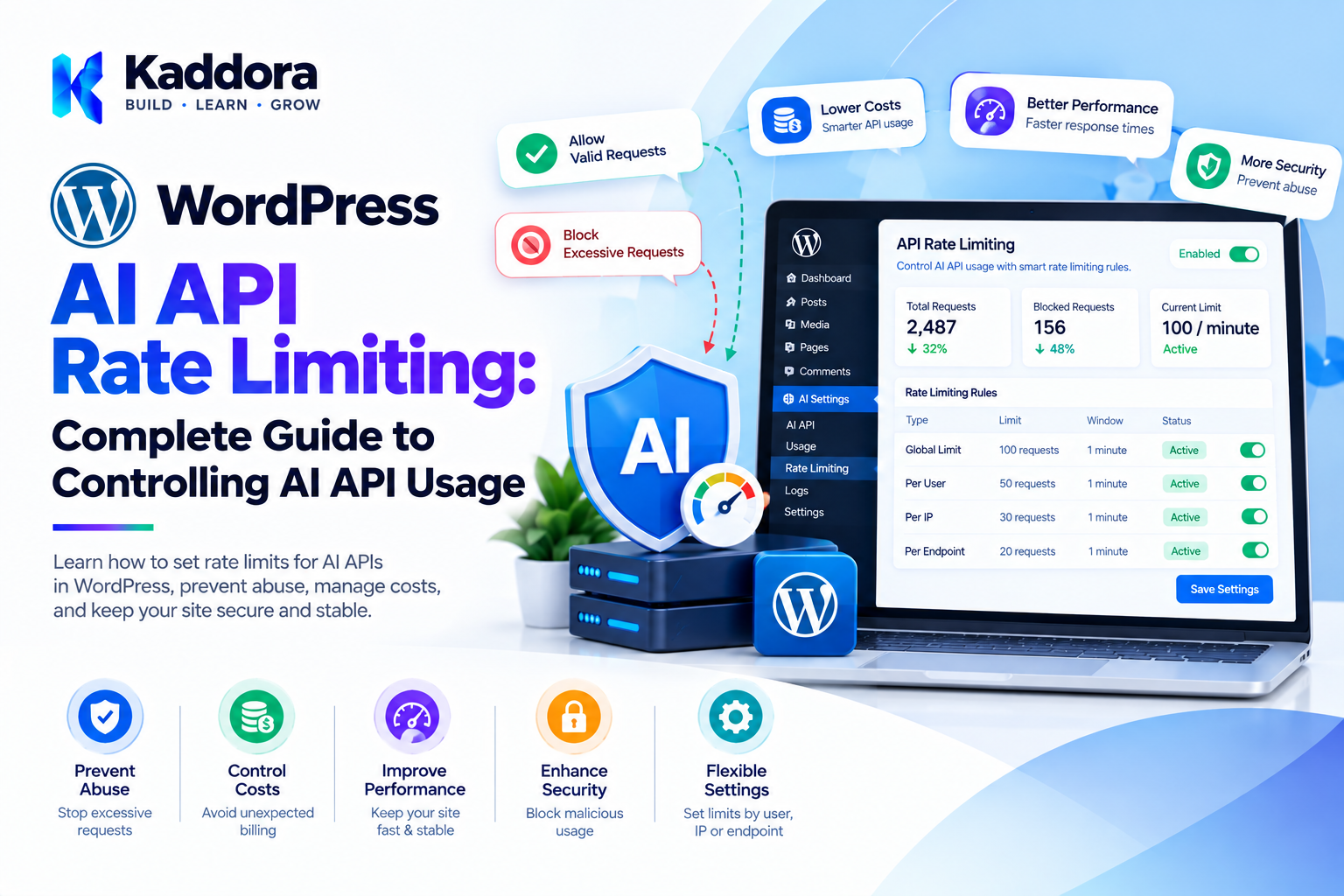
WordPress AI API Rate Limiting: Complete Guide to Controlling AI API Usage
Introduction
AI-powered WordPress plugins can provide powerful functionality such as:
Content generation
Customer support
AI search
Product recommendations
SEO automation
Translation
Image generation
Form automation
WooCommerce AI features
However, every AI request can consume server resources or external API usage.
If an AI endpoint is publicly accessible and does not have usage controls, a single user, bot, or automated script could potentially generate a large number of requests.
For example:
Visitor ↓ AI Endpoint ↓ AI API ↓ AI Provider
An attacker could repeatedly call:
Request Request Request Request Request ...
This can result in:
Excessive API usage
Unexpected costs
Server load
Provider rate-limit errors
Service degradation
Resource exhaustion
This is where AI API rate limiting becomes important.
A controlled architecture looks like:
User ↓ Authentication ↓ Rate Limit Check ↓ Request Validation ↓ Cache Check ↓ AI API ↓ Response
Rate limiting gives developers a way to control how frequently AI-powered functionality can be used.
What Is WordPress AI API Rate Limiting?
WordPress AI API rate limiting is the process of restricting how frequently users, applications, IP addresses, sessions, or other clients can make AI-related requests within a defined period.
For example:
10 Requests ↓ Per User ↓ Per Minute
or:
100 Requests ↓ Per Hour ↓ Per Website
The appropriate limit depends on the feature.
A public chatbot may need different controls from an administrator-only AI content generator.
Why Rate Limiting Matters for AI Plugins
Traditional WordPress requests may consume server resources.
AI requests can additionally consume external resources.
A request may involve:
WordPress ↓ AI Plugin ↓ External API ↓ AI Processing ↓ Response
Without controls, repeated requests can multiply external usage.
Rate limiting helps establish predictable boundaries.
Common AI API Abuse Scenarios
AI endpoints can be abused through:
Automated scripts
Bots
Repeated form submissions
Rapid button clicks
API loops
Credential sharing
Public chatbot abuse
Automated scraping
Malicious traffic
Not every high-volume request is malicious.
A poorly designed frontend can also accidentally generate duplicates.
Rate Limiting vs Quotas
These concepts are related but different.
Rate Limit
Controls how frequently requests can happen.
20 requests / minute
Quota
Controls total usage within a longer period.
500 requests / month
A robust AI plugin may use both.
Rate Limit + Daily Quota + Monthly Quota
Basic AI Rate Limiting Architecture
A simple architecture can look like:
Incoming Request ↓ Identify Client ↓ Read Usage ↓ Limit Exceeded? ↙ ↘ Yes No ↓ ↓ Reject Process ↓ AI API
The important point is that the rate limit should be checked before an expensive AI request is sent.
Identify the Client
The plugin needs a way to determine who is making the request.
Possible identifiers include:
User ID
IP address
Session ID
API key
Application ID
Combination of identifiers
The correct identifier depends on the endpoint.
Rate Limiting by WordPress User
Authenticated AI features can often use the WordPress user ID.
For example:
User ID 105 ↓ 20 requests / hour
This provides a more stable identity than relying solely on IP addresses.
Rate Limiting by IP Address
Public AI endpoints may use IP-based controls.
For example:
IP Address ↓ 10 Requests / Minute
However, IP-based limits have limitations.
Multiple legitimate users may share an IP address, while a single attacker may use multiple IP addresses.
Therefore, IP limits should be treated as one layer rather than a complete security solution.
Combining User and IP Limits
A stronger strategy can combine multiple identifiers:
User Limit + IP Limit + Endpoint Limit
For example:
Authenticated User ↓ User Limit + IP Limit ↓ AI Request
This can provide more control.
Session-Based Rate Limiting
For certain public interactions, session-based limits can complement IP controls.
For example:
Session ↓ 5 AI Requests ↓ 10 Minutes
Session-based controls should not be treated as a strong identity mechanism because sessions can potentially be recreated.
Endpoint-Specific Rate Limits
Different AI endpoints may have different costs.
For example:
Chat Endpoint → 20 requests/minute Image Generation → 3 requests/minute Bulk Content → Admin-controlled queue
Rate limits should reflect the resource requirements of each feature.
Cost-Based Rate Limiting
Counting requests alone may not accurately represent resource usage.
Consider:
Request A Small Prompt Request B Very Large Prompt
Both are one request, but they may consume very different amounts of processing.
Where practical, an application can use usage-based controls in addition to request counts.
Token-Based Usage Limits
Text AI systems may measure usage in tokens.
A plugin could potentially track applicable input and output usage and establish limits around that usage.
For example:
User ↓ Usage Budget ↓ AI Requests
The exact implementation depends on the AI provider's usage information and pricing model.
Fixed Window Rate Limiting
One simple strategy is a fixed time window.
Example:
10 Requests Per 60 Minutes
The application counts requests during the window.
When the window expires, the counter resets.
Sliding Window Rate Limiting
A sliding window considers requests across a continuously moving period.
For example:
Last 60 Seconds
The system checks how many requests occurred during that period.
This can provide more precise control than fixed windows.
Token Bucket Rate Limiting
The token bucket model allows controlled bursts while maintaining an overall rate.
Conceptually:
Bucket [●][●][●][●][●] Each request ↓ Consumes Token
Tokens are replenished over time.
This can be useful when a small amount of burst traffic is acceptable.
Leaky Bucket Rate Limiting
A leaky bucket model processes requests at a controlled rate.
Conceptually:
Requests ↓↓↓↓↓ Queue ↓ Controlled Processing ↓ AI API
This can help smooth traffic spikes.
Choosing a Rate Limiting Strategy
Different AI features may benefit from different approaches.
Feature
Possible Control
Public chatbot
IP + session
Logged-in AI assistant
User ID
AI image generator
User + quota
Admin content generator
User + capability
Bulk AI processing
Queue
REST API
API key + rate limit
Expensive AI feature
Usage quota
The implementation should match the feature's threat model and resource requirements.
WordPress REST API Rate Limiting
AI plugins often expose custom REST endpoints.
For example:
/wp-json/kaddora-ai/v1/chat
The endpoint should consider:
Authentication
Authorization
Input validation
Request limits
Request body size
Error handling
AI usage limits
Rate limiting should happen before sending the request to the external AI provider.
Rate Limiting AJAX AI Requests
Some plugins use WordPress AJAX actions instead of REST APIs.
The same principles apply:
AJAX Request ↓ Nonce / Authentication ↓ Capability Check ↓ Rate Limit ↓ Validation ↓ AI API
A nonce should not be treated as a replacement for rate limiting.
Rate Limiting Public AI Chatbots
Public chatbots are common AI features.
A simple control could be:
Visitor ↓ 5 Requests ↓ 10 Minutes
If the limit is reached:
HTTP Response ↓ Rate Limit Message
The exact limits should be based on expected usage and API costs.
Rate Limiting AI Forms
AI-powered forms can be vulnerable to repeated submissions.
For example:
Visitor ↓ AI Form ↓ AI API
An automated script could repeatedly submit the form.
Rate limiting can help control this behavior.
Rate Limiting AI Content Generation
AI content generation is usually more expensive than simple database operations.
An administrator could accidentally trigger repeated generation.
The interface should:
Disable duplicate submissions
Show processing status
Prevent duplicate jobs
Use queues for bulk operations
Enforce appropriate limits
Rate Limiting AI Image Generation
Image generation may have different resource characteristics from text generation.
A plugin can establish separate controls:
Text AI 20 / minute Image AI 3 / minute
The exact values depend on the application's requirements and provider pricing.
Rate Limiting WooCommerce AI Features
WooCommerce AI plugins may use AI for:
Product descriptions
Recommendations
Product search
Customer support
Upselling
Image processing
Each feature may need separate controls.
For example:
Product Description ↓ Admin Queue Customer Chatbot ↓ Per-User Limit Recommendations ↓ Cache
Rate Limiting AI Search
AI search may receive many requests because users can repeatedly change queries.
Possible optimization:
Search Request ↓ Normalize Query ↓ Cache Check ↓ Rate Limit ↓ AI Search
Caching can reduce repeated requests before they reach the AI API.
Rate Limiting AI Recommendations
Recommendation systems can potentially execute automatically for many visitors.
Instead of generating a new AI recommendation on every request:
Visitor ↓ AI
consider:
Visitor ↓ Cached Recommendation
and refresh recommendations according to the application's requirements.
Rate Limiting Background AI Jobs
Background processing also needs controls.
For example:
10,000 Products ↓ Queue ↓ Worker ↓ Limited Concurrency ↓ AI API
Running thousands of requests simultaneously can create unnecessary load.
Queue Concurrency Limits
A queue worker can limit how many AI tasks run at once.
For example:
Queue ├── Job 1 → Processing ├── Job 2 → Processing ├── Job 3 → Waiting ├── Job 4 → Waiting └── Job 5 → Waiting
The exact concurrency depends on:
Server capacity
AI provider limits
API costs
Task complexity
Prevent Duplicate AI Jobs
Rate limiting does not solve duplicate jobs by itself.
A plugin should also detect whether the same operation is already running.
For example:
Generate Description ↓ Already Processing? ↙ ↘ Yes No ↓ ↓ Return Create Job
This prevents repeated operations from being queued unnecessarily.
WordPress Transients for Simple Rate Limits
For simple WordPress plugins, transients can sometimes be used for temporary counters.
Conceptually:
Rate Limit Key ↓ Transient ↓ Request Count ↓ Expiration
However, transient behavior and storage characteristics should be understood before relying on them for strict distributed rate limiting.
Object Caching for Rate Limiting
Sites using persistent object caching may use cache systems to store counters.
Potential advantages include:
Fast access
Temporary storage
Reduced database activity
The exact implementation depends on the site's infrastructure.
Database-Based Rate Limiting
A plugin can store usage information in a dedicated table when more detailed tracking is required.
Possible fields include:
user_id identifier endpoint request_count window_start created_at
Database-based approaches should be designed carefully to avoid creating excessive write load.
External Rate Limiting
High-traffic applications may implement rate limiting at an infrastructure layer.
For example:
Visitor ↓ CDN / Firewall ↓ Web Server ↓ WordPress ↓ AI Plugin
This can block certain abusive traffic before it reaches WordPress.
Layered AI Rate Limiting
A strong architecture can use multiple layers:
Infrastructure Limit ↓ WordPress Limit ↓ User Limit ↓ Feature Limit ↓ AI Provider Limit
Each layer handles a different part of the problem.
AI Provider Rate Limits
AI providers may impose their own limits.
Your plugin should not assume that its internal rate limit automatically matches the provider's limit.
For example:
Plugin Limit 20 requests/minute Provider Limit 10 requests/minute
The provider may still reject requests.
Developers should understand the current limits of the AI service they integrate with.
Handling HTTP 429 Responses
External APIs may return a rate-limit response such as:
HTTP 429 Too Many Requests
The plugin should handle this gracefully.
A possible workflow:
AI API ↓ 429 ↓ Read Retry Information ↓ Backoff ↓ Retry if Appropriate
Retries should be limited.
Retry-After Handling
If the provider supplies retry timing information, the plugin should respect it where appropriate.
Avoid immediately repeating a request after a rate-limit response.
Exponential Backoff
For retryable failures:
Attempt 1 ↓ Wait ↓ Attempt 2 ↓ Longer Wait ↓ Attempt 3
After a reasonable retry limit, the plugin should stop.
Do Not Retry Everything
Not every API error should trigger a retry.
For example:
Invalid API Key
should generally not be treated like a temporary network problem.
Classify errors before retrying.
Rate Limit Error Responses
When a user exceeds an application limit, return a clear response.
For example:
You've reached the AI request limit. Please try again later.
Avoid exposing internal implementation details.
HTTP Status Codes
For REST APIs, appropriate HTTP status codes should be used according to the API design.
A rate-limited request commonly uses:
429 Too Many Requests
The response can also provide information about when another request may be attempted, when appropriate.
Rate Limit Headers
API developers may expose headers describing limits.
For example:
X-RateLimit-Limit X-RateLimit-Remaining Retry-After
Header naming and behavior should be documented consistently if used.
AI Usage Dashboard
An administrative dashboard can show:
AI API Usage Requests Today: 2,450 Blocked Requests: 135 Active Jobs: 12 Rate Limit Events: 48
This helps identify traffic patterns.
Monitor Rate Limit Events
Rate-limit events can reveal:
Legitimate heavy usage
Automated bots
Misconfigured applications
Frontend bugs
API abuse
Monitoring helps developers distinguish between these situations.
Logging Rate Limit Events
Useful information can include:
Endpoint
User ID where appropriate
Request timestamp
Limit type
Outcome
Avoid unnecessarily logging sensitive prompts or personal information.
Rate Limiting and Privacy
Rate limiting may require identifiers such as:
User ID
IP address
Session ID
The plugin should collect and retain only information necessary for the feature and should handle it according to applicable privacy requirements.
Rate Limiting and Authentication
Authentication can improve identity-based rate limiting.
For example:
Logged-in User ↓ User ID ↓ Usage Limit
However, public features may still need additional protections.
Rate Limiting Unauthenticated Visitors
For public AI tools, possible controls include:
IP limits
Session limits
CAPTCHA
Request throttling
Short-term quotas
Infrastructure-level protection
These controls should be combined appropriately.
Avoid Overly Aggressive Rate Limits
A rate limit that is too restrictive can block legitimate users.
For example:
1 Request / Hour
may be unsuitable for an interactive chatbot.
The correct limit depends on:
User behavior
Feature purpose
API cost
Provider restrictions
Expected traffic
Avoid Extremely Loose Limits
The opposite problem is also possible.
For example:
10,000 Requests / Minute
may provide little protection for a public AI endpoint.
Limits should be based on measured usage and realistic requirements.
Adaptive Rate Limiting
Some systems can dynamically adjust limits based on behavior.
For example:
Normal Usage ↓ Normal Limit Suspicious Spike ↓ Stricter Limit
This can be useful for high-volume applications, although it introduces additional implementation complexity.
AI API Rate Limiting Architecture
A mature architecture can look like:
USER ↓ Authentication ↓ Client Identity ↓ Global Rate Limit ↓ Feature Limit ↓ Quota Check ↓ Duplicate Check ↓ Cache Check ↓ Input Validation ↓ AI API ↓ Provider Rate Limit ↓ Response Handling ↓ Usage Tracking
This layered approach provides multiple controls.
How to Implement AI API Rate Limiting in WordPress
Step 1: Identify AI Endpoints
List every endpoint that can trigger AI processing.
Step 2: Identify Clients
Determine whether the feature uses:
Users
IPs
Sessions
API keys
Step 3: Define Limits
Create realistic limits for each feature.
Step 4: Choose Storage
Consider:
Transients
Object cache
Database
External infrastructure
Step 5: Add the Rate Check
Perform the check before the expensive AI request.
Step 6: Track Usage
Record relevant usage information.
Step 7: Handle Limits
Return appropriate responses when the limit is reached.
Step 8: Handle Provider Limits
Respect external API rate limits and retry guidance.
Step 9: Monitor
Track blocked requests and unusual usage.
Step 10: Adjust
Review limits based on real-world behavior.
Example AI Request Flow
A secure request flow can be:
POST /ai/chat ↓ Authenticate ↓ Identify User ↓ Check Rate Limit ↓ Check Quota ↓ Validate Input ↓ Check Cache ↓ Send AI Request ↓ Handle Response ↓ Update Usage ↓ Return Result
This is more robust than directly forwarding every request to an AI provider.
WordPress AI API Rate Limiting Checklist
Identity
Client identity defined
User-based limits considered
IP-based limits considered for public endpoints
Limits
Per-minute limit
Per-hour limit
Daily quota where appropriate
Feature-specific limits
Security
Authentication
Authorization
Nonce checks where applicable
Input validation
Request-size limits
AI Provider
Provider limits reviewed
HTTP 429 handled
Retry behavior controlled
Backoff implemented where appropriate
Performance
Cache checks
Duplicate request detection
Queue controls
Worker concurrency limits
Monitoring
Usage tracking
Rate-limit event tracking
Error monitoring
Admin visibility
Common WordPress AI Rate Limiting Mistakes
1. No Rate Limit on Public AI Endpoints
A public AI endpoint can be repeatedly called by automated clients.
2. Relying Only on IP Addresses
Shared networks and changing IPs make IP-only controls imperfect.
3. Checking Limits After the AI Request
The rate check should occur before expensive processing.
4. No Duplicate Detection
Repeated button clicks can create unnecessary requests.
5. Unlimited Retries
Retry loops can increase API consumption.
6. One Limit for Every Feature
Text, image, search, and bulk processing may have very different resource requirements.
7. Ignoring Provider Limits
Internal limits should be designed with external API restrictions in mind.
8. No Monitoring
Without usage monitoring, it can be difficult to identify abuse or configuration problems.
9. Excessively Strict Limits
Users may experience unnecessary blocking.
10. Excessively Loose Limits
The system may remain vulnerable to excessive usage.
Best Practices for WordPress AI API Rate Limiting
Rate-limit AI endpoints before external API calls.
Use appropriate client identification.
Combine user and IP controls when appropriate.
Create feature-specific limits.
Use quotas for longer-term usage control.
Prevent duplicate requests.
Cache reusable responses.
Control background job concurrency.
Handle HTTP 429 responses.
Respect provider retry guidance.
Use bounded retries.
Implement backoff for appropriate failures.
Monitor usage.
Monitor rate-limit events.
Avoid logging unnecessary sensitive information.
Keep limits configurable where appropriate.
Test limits under realistic traffic.
Review limits periodically.
Use infrastructure-level controls for high-volume applications.
Document the plugin's usage limits clearly.
Why Choose Kaddora?
Kaddora focuses on WordPress plugins, AI-powered solutions, WooCommerce tools, automation, SEO, analytics, themes, and templates.
AI functionality becomes more reliable when it is designed with controlled resource usage and secure application architecture.
A well-designed AI plugin can combine:
API rate limiting
Usage quotas
AI caching
Background processing
Request deduplication
Secure REST APIs
WordPress authentication
Capability checks
AI API monitoring
Cost optimization
Kaddora's WordPress-focused ecosystem covers AI, WooCommerce, SEO, analytics, automation, security, plugins, themes, and templates for modern WordPress websites.
ThemeKaddora provides WordPress plugins, themes, templates, WooCommerce tools, AI solutions, SEO resources, analytics products, and automation-focused solutions.
Conclusion
WordPress AI API rate limiting is an important part of building secure, predictable, and sustainable AI-powered websites.
Without usage controls, a public or poorly designed AI feature can generate unexpected requests and increase external API consumption.
A strong implementation combines:
Authentication + Rate Limiting + Quotas + Caching + Duplicate Detection + Background Processing + Monitoring
Developers should not rely on a single rate-limiting mechanism.
For authenticated users, user-based limits can provide clear usage boundaries.
For public endpoints, IP, session, bot, and infrastructure controls may be useful.
For expensive AI operations, feature-specific quotas and background queues can provide additional control.
External AI providers also have their own limits, so WordPress plugins should handle provider responses such as HTTP 429 appropriately and avoid uncontrolled retries.
Most importantly, rate limiting should be implemented before expensive AI processing takes place.
A practical architecture is:
Request ↓ Identify Client ↓ Check Rate Limit ↓ Check Quota ↓ Check Cache ↓ Validate ↓ AI API ↓ Track Usage ↓ Response
This approach helps WordPress developers build AI features that can handle legitimate users while controlling unnecessary or excessive API usage.
Frequently Asked Questions
What is WordPress AI API rate limiting?
It is the process of restricting how frequently users, clients, IP addresses, or applications can send AI-related requests within a defined period.
Why is rate limiting important for WordPress AI plugins?
AI requests can consume external API resources and may create additional costs. Rate limiting helps control usage and reduce abuse.
Should every AI plugin use rate limiting?
Any AI feature exposed to users can benefit from appropriate usage controls. Public and expensive AI features generally require particular attention.
What is the difference between rate limiting and quotas?
Rate limiting controls request frequency over a short period, while quotas control total usage over a longer period.
Can I rate-limit AI requests by WordPress user ID?
Yes. User IDs can be useful for authenticated AI features.
Can I rate-limit AI requests by IP address?
Yes. IP-based controls can be useful for public endpoints, although they should not necessarily be the only protection.
Is IP-based rate limiting enough?
Usually not for a complete AI security strategy. Shared networks, proxies, changing addresses, and distributed traffic can make IP-only controls imperfect.
What HTTP status code is commonly used for rate limiting?
HTTP 429, Too Many Requests, is commonly used to indicate that a client has exceeded a request limit.
What should happen after a 429 response from an AI provider?
The plugin should handle the response gracefully and follow the provider's retry guidance where applicable. It should avoid immediate uncontrolled retries.
Should every API error be retried?
No. Only appropriate temporary or retryable errors should normally be retried.
What is exponential backoff?
Exponential backoff increases the delay between retry attempts to reduce repeated immediate requests during temporary failures.
Can rate limiting reduce AI API costs?
Yes. By preventing unnecessary or excessive requests, rate limiting can help control AI API usage and associated costs.
Does rate limiting improve security?
It can help reduce certain forms of automated abuse and resource exhaustion, but it should be combined with authentication, authorization, validation, and other security controls.
Can rate limiting prevent all AI API abuse?
No. Rate limiting is one security and resource-control layer. It should be combined with other measures.
Should AI plugin limits be the same for every user?
Not necessarily. Different roles, plans, features, or use cases may require different limits.
Can administrators have higher AI limits?
A plugin can implement different limits according to its application requirements and user roles, provided the authorization model is secure.
Why choose Themekaddora?
Themekaddora provides lightweight, responsive, SEO-friendly WordPress themes with fast performance, WooCommerce compatibility, flexible customization, accessibility-conscious design, modern templates, regular updates, and professional support—providing a strong foundation for businesses building digital products and product-focused websites.
Comments (0)