
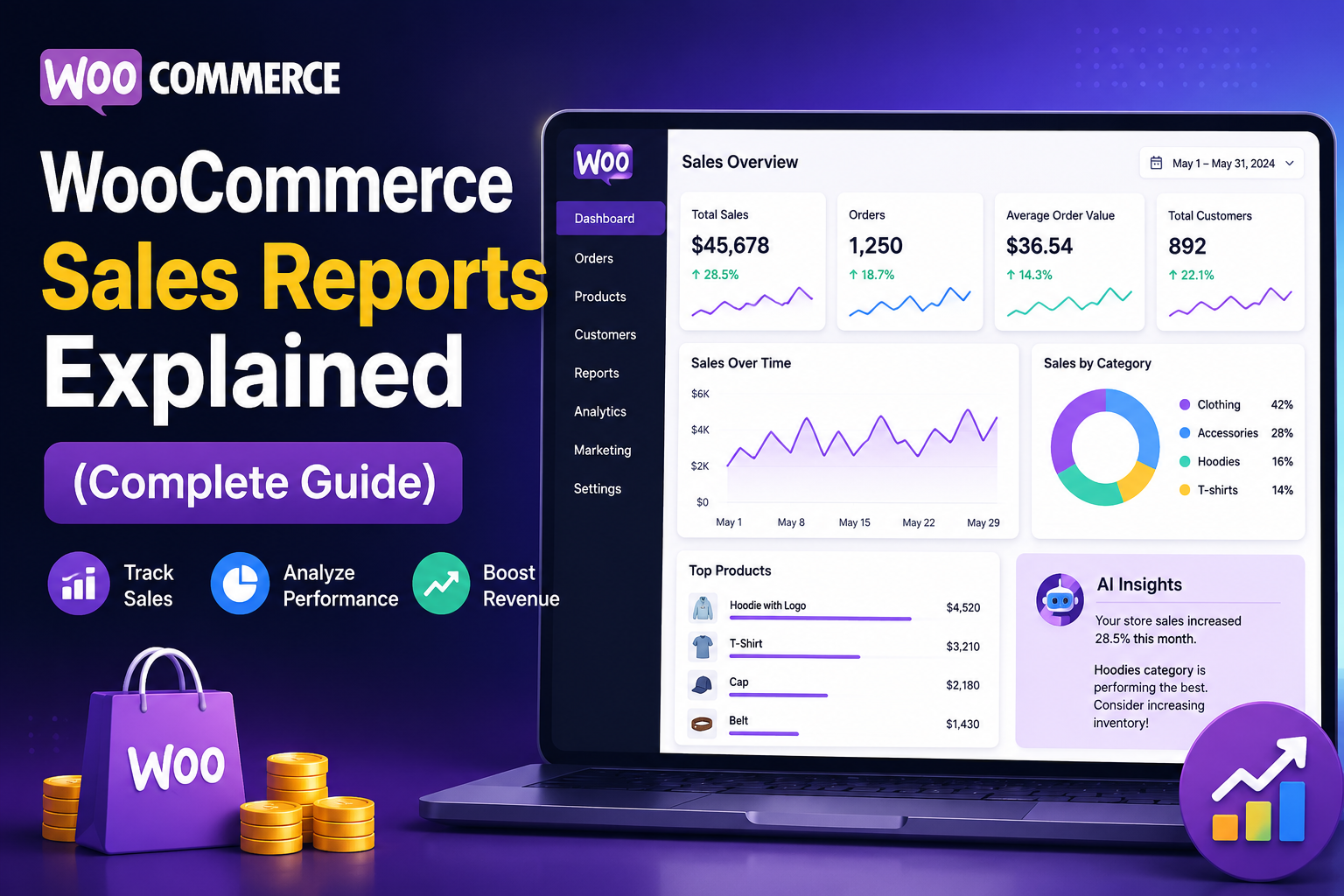
WooCommerce Sales Reports Explained
WooCommerce generates valuable sales data every day, but collecting data is only the first step. The real value comes from understanding what your reports are telling you and using those insights to improve your business.
Sales reports help answer important questions such as:
Which products generate the most revenue?
Who are your most valuable customers?
Is your store growing month after month?
Which marketing campaigns bring the highest sales?
Where are you losing potential revenue?
Whether you're managing a small online store or a rapidly growing eCommerce business, understanding WooCommerce sales reports is essential for making informed decisions.
In this guide, we'll explain the most important WooCommerce sales reports, how to analyze them, common mistakes to avoid, and how AI-powered analytics can simplify reporting.
Quick Answer
What are WooCommerce sales reports?
WooCommerce sales reports are dashboards and data summaries that show revenue, orders, products, customers, refunds, and other business metrics. These reports help store owners monitor performance, identify trends, and make data-driven decisions.
Why Sales Reports Matter
Without reports, business decisions are often based on assumptions.
Sales reports help you:
Track business growth
Measure marketing performance
Monitor revenue trends
Improve inventory planning
Understand customer behavior
Optimize pricing
Increase profitability
Instead of guessing what works, reports provide measurable insights.
Types of WooCommerce Sales Reports
Revenue Reports
Revenue reports show how much your store earns over different time periods.
Monitor:
Daily revenue
Weekly revenue
Monthly revenue
Annual growth
Revenue trends reveal seasonal demand and long-term business performance.
Order Reports
Order reports help you understand purchasing activity.
Track:
Total orders
Completed orders
Pending orders
Cancelled orders
Refunded orders
These reports highlight operational efficiency and customer purchasing patterns.
Product Reports
Product reports identify which items contribute the most to your revenue.
Monitor:
Best-selling products
Low-performing products
Revenue by product
Sales by category
These insights help with inventory planning and promotions.
Customer Reports
Customer reports provide valuable information about buying behavior.
Important metrics include:
Repeat customers
New customers
Customer Lifetime Value (CLV)
Average purchase frequency
Understanding your customers supports better retention strategies.
Refund Reports
Refund reports help you identify products or processes causing customer dissatisfaction.
Regularly reviewing refunds can reveal:
Product quality issues
Shipping problems
Pricing concerns
Customer service gaps
Tax Reports
Tax reports summarize collected taxes, helping with accounting and compliance.
For Indian WooCommerce stores, accurate GST reporting is especially important.
Key Metrics to Watch
Every WooCommerce business should regularly monitor:
Total Revenue
Total Orders
Average Order Value (AOV)
Conversion Rate
Customer Lifetime Value (CLV)
Refund Rate
Repeat Purchase Rate
Best-Selling Products
Revenue by Category
Sales Growth
Common Reporting Mistakes
Avoid these common mistakes:
❌ Looking only at total revenue
❌ Ignoring customer metrics
❌ Reviewing reports too infrequently
❌ Tracking too many irrelevant metrics
❌ Failing to compare historical performance
❌ Not acting on insights
Reports are only valuable if they influence better decisions.
Best Practices for Sales Reporting
Review Reports Weekly
Consistent reviews help identify opportunities and problems early.
Compare Time Periods
Analyze month-over-month and year-over-year performance to spot trends.
Focus on KPIs
Prioritize metrics that directly affect growth rather than vanity numbers.
Combine Multiple Reports
Revenue, customer, and product reports together provide a more complete understanding than any single report.
Use AI for Faster Insights
AI-powered reporting can automatically detect trends, identify anomalies, and recommend actions, saving time and uncovering insights that manual analysis may miss.
How Kaddora AI Sales Analytics Enhances Reporting
Standard WooCommerce reports provide useful information, but growing businesses often need deeper insights and faster analysis.
Key Features
Real-time sales dashboards
AI-powered trend analysis
Revenue forecasting
Product performance insights
Customer behavior analytics
Automated reports
KPI monitoring
WooCommerce integration
Easy-to-understand visual reports
With AI-driven reporting, you spend less time analyzing spreadsheets and more time making strategic decisions.
WooCommerce Reporting Checklist
✅ Review Revenue Reports
✅ Analyze Orders
✅ Monitor Product Performance
✅ Track Customer Metrics
✅ Review Refund Trends
✅ Compare Historical Data
✅ Monitor KPIs
✅ Use AI-Powered Reports
✅ Schedule Weekly Reviews
Frequently Asked Questions
What are WooCommerce sales reports?
They are reports that summarize revenue, orders, products, customers, refunds, and business performance to help store owners make informed decisions.
Which sales report is most important?
Revenue reports are essential, but combining revenue, product, customer, and order reports provides a more complete picture.
How often should I review reports?
Weekly reviews are ideal for monitoring performance, while monthly reviews help evaluate long-term growth.
Can AI improve WooCommerce reporting?
Yes. AI can detect patterns, forecast sales, identify opportunities, and automate reporting, making business analysis faster and more effective.
Which plugin is best for advanced WooCommerce reporting?
For AI-powered dashboards, automated reports, customer insights, and revenue forecasting, Kaddora AI Sales Analytics is designed to help WooCommerce businesses make smarter decisions.
Final Thoughts
WooCommerce sales reports are far more than numbers on a dashboard—they're a roadmap for improving your business.
By consistently reviewing revenue, customer behavior, product performance, and other key metrics, you can identify opportunities, solve problems faster, and make confident decisions based on real data.
Comments (0)