
Introduction
Running a WooCommerce store is not only about adding products and processing orders.
As an ecommerce business grows, store owners need to understand what is actually happening inside the store.
Questions quickly become important:
How much revenue are we generating? Which products sell the most? Which products are underperforming? Which customers generate the most value? What are our order trends? Which days or periods perform best? Are sales increasing or decreasing?
WooCommerce stores generate a large amount of useful data, but raw order data is not always easy to interpret.
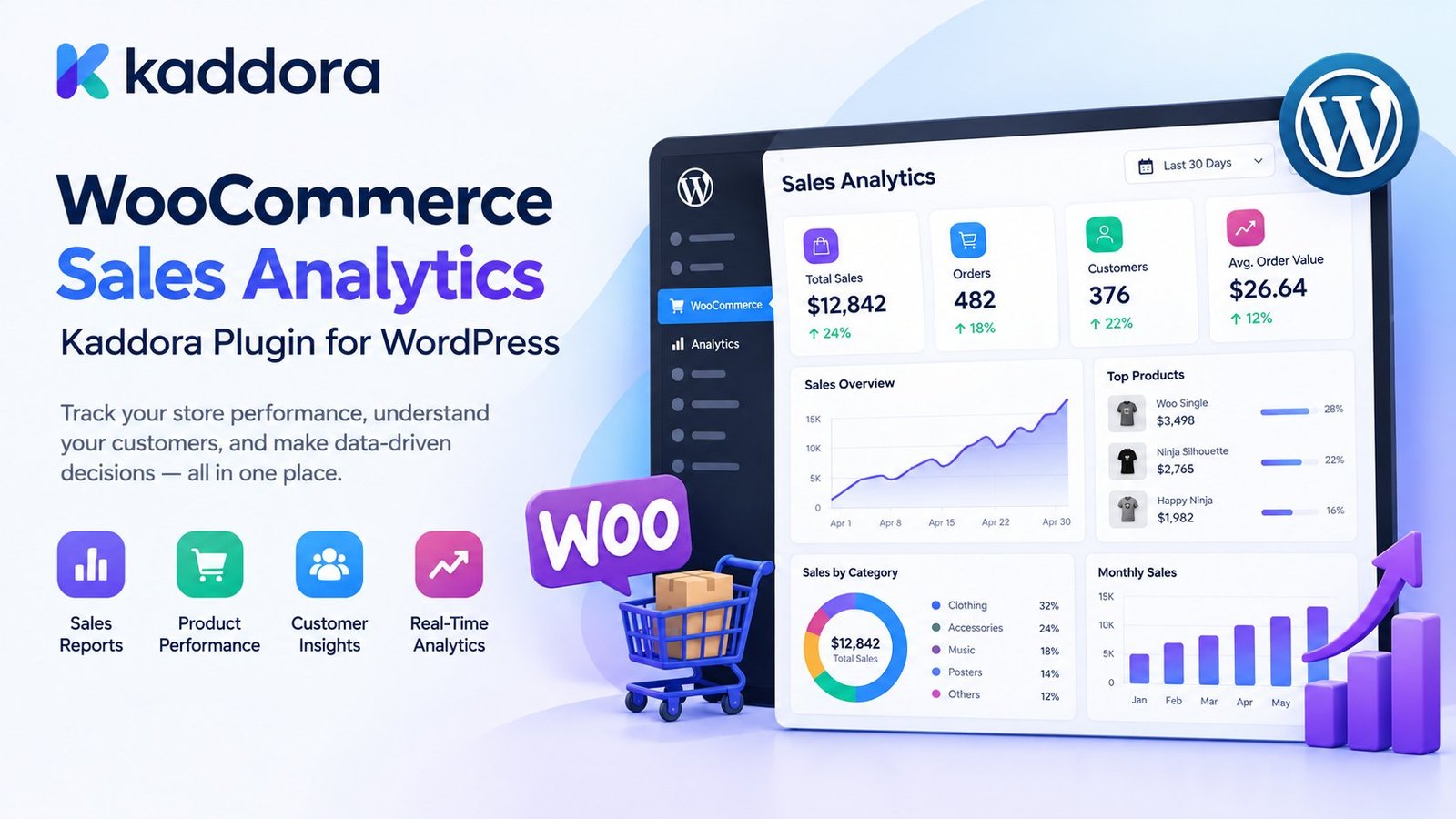
This is where WooCommerce Sales Analytics Kaddora Plugin for WordPress can help.
Kaddora is designed to bring sales analytics and reporting closer to the WooCommerce dashboard so store owners can review important ecommerce performance information in a more organized way.
Instead of manually examining orders and exporting spreadsheets for every analysis, businesses can use an analytics-focused workflow to understand sales performance more efficiently.
The basic concept is:
WooCommerce Data ↓ Sales Analytics ↓ Reports & Metrics ↓ Business Insights ↓ Better Decisions
What Is WooCommerce Sales Analytics?
WooCommerce sales analytics is the process of analyzing ecommerce data to understand store performance.
Important metrics may include:
Revenue
Orders
Average order value
Product sales
Customer purchases
Sales trends
Refund activity
Best-selling products
Sales by date
Sales by category
Order status
Product performance
Analytics transforms raw transaction data into information that can support business decisions.
For example:
Orders: 1,250 Revenue: ₹18,50,000 Average Order Value: ₹1,480 Top Product: Product A Growth: Increasing
The exact metrics available depend on the plugin configuration and supported WooCommerce data.
Why WooCommerce Sales Analytics Matters
Without analytics, store management can become guesswork.
A store owner might know:
"We received many orders."
But analytics can help answer:
How many? From which products? During which period? From which categories? At what average order value? Which customers purchased repeatedly?
This creates a more informed approach to ecommerce management.
Analytics can help with:
Inventory planning
Product strategy
Marketing decisions
Customer retention
Pricing decisions
Sales forecasting
Campaign evaluation
Store optimization
What Is Kaddora WooCommerce Sales Analytics?
Kaddora WooCommerce Sales Analytics is designed as a WordPress-based analytics and reporting solution for WooCommerce stores.
The plugin can help businesses organize important sales information into a more accessible reporting workflow.
A typical analytics process can look like:
WooCommerce Orders ↓ Data Processing ↓ Sales Metrics ↓ Dashboard ↓ Reports
Depending on the supported configuration, store administrators can use analytics to review sales performance across different dimensions.
WooCommerce Sales Dashboard
A sales dashboard provides a quick overview of ecommerce performance.
A typical dashboard could present information such as:
-------------------------------------- WooCommerce Sales Analytics -------------------------------------- Revenue Orders AOV ₹18.5L 1,250 ₹1,480 -------------------------------------- Top Products 1. Product A 2. Product B 3. Product C -------------------------------------- Sales Trend ↗ Increasing --------------------------------------
The main benefit of a dashboard is visibility.
Instead of opening multiple WooCommerce screens, administrators can review important sales signals from a centralized analytics interface.
Track WooCommerce Revenue
Revenue is one of the most important ecommerce metrics.
A sales analytics system can help administrators evaluate revenue across selected time periods.
For example:
Today This Week This Month Custom Date Range
A store owner might compare:
January → ₹8,50,000 February → ₹9,40,000 March → ₹11,20,000
This can make revenue trends easier to understand.
The exact revenue calculation should follow the plugin's reporting logic and the WooCommerce data available to the store.
WooCommerce Order Analytics
Orders provide another important view of store performance.
Analytics can help answer:
How many orders were placed? How many orders were completed? How many orders were cancelled? How many orders were refunded?
For example:
Total Orders: 1,250 Completed: 1,120 Pending: 45 Cancelled: 30 Refunded: 55
Order status analysis can help businesses identify operational issues that raw sales totals may hide.
WooCommerce Average Order Value
Average Order Value, or AOV, helps store owners understand the average amount spent per order.
Conceptually:
AOV = Revenue ÷ Number of Orders
For example:
Revenue = ₹10,00,000 Orders = 500 AOV = ₹2,000
AOV can be useful when evaluating:
Upselling
Cross-selling
Bundles
Promotions
Free shipping thresholds
Product recommendations
WooCommerce Product Sales Analytics
Product-level analytics can show which products are contributing to store revenue.
For example:
Product Units Revenue Product A 520 ₹5,20,000 Product B 310 ₹3,10,000 Product C 180 ₹2,70,000
This can help store owners identify:
Best sellers
Slow-moving products
High-revenue products
Products requiring promotion
Products requiring inventory attention
Best-Selling Product Reports
Best-seller reports are useful for quickly identifying popular products.
For example:
Top Selling Products 1. Wireless Headphones 2. Running Shoes 3. Office Chair 4. Laptop Bag 5. Smartwatch
Store owners can use this information to support:
Inventory planning
Promotions
Merchandising
Homepage placement
Cross-selling
Underperforming Product Analysis
Sales analytics should not only identify winners.
It can also help identify products that are not generating expected sales.
For example:
Product D Views: High Sales: Low
This may indicate that the product needs:
Better pricing
Better product content
Stronger promotion
Improved images
Better positioning
Different targeting
Analytics does not automatically explain the reason, but it can highlight products that deserve further investigation.
WooCommerce Sales by Date
Date-based reporting can reveal important business patterns.
A store might discover:
Monday → ₹42,000 Tuesday → ₹48,000 Wednesday → ₹44,000 Thursday → ₹51,000 Friday → ₹67,000 Saturday → ₹72,000 Sunday → ₹39,000
This can help businesses identify stronger sales periods.
Date-based analysis can also support campaign comparisons:
Before Campaign ↓ Campaign Period ↓ After Campaign
Custom Date Range Analytics
Different businesses need different reporting periods.
A useful analytics system can support reporting such as:
Today Yesterday This Week Last Week This Month Last Month Custom Range
Custom date ranges are particularly useful for comparing:
Campaign A vs Campaign B Quarter A vs Quarter B Season vs Season Before Promotion vs After Promotion
WooCommerce Sales Trends
A single sales number does not always tell the full story.
Trend reporting can help visualize movement over time.
For example:
Revenue ₹ │ ● │ ● │ ● │ ● │ ● └──────────────────── Time
A trend can indicate:
Growing Stable Declining
This can help businesses respond more quickly to changes in performance.
WooCommerce Sales by Category
Category-level analytics can show which product categories contribute most to revenue.
For example:
Electronics ₹8,50,000 Fashion ₹6,20,000 Accessories ₹2,80,000 Home & Office ₹1,90,000
This can help store owners make better decisions about:
Inventory
Marketing budgets
Category promotions
Merchandising
Product expansion
Customer Sales Analytics
WooCommerce analytics can also be used to understand customer purchasing behavior.
Examples include:
New Customers Returning Customers High-Value Customers Repeat Buyers Inactive Customers
For example:
New Customers: 620 Returning Customers: 410
This distinction can be useful for understanding whether growth is coming from customer acquisition or repeat purchases.
WooCommerce Customer Lifetime Value
Customer Lifetime Value can be an important ecommerce metric where sufficient historical data is available.
Conceptually, it represents the value generated by a customer over their relationship with the store.
A store might identify:
Customer A → ₹2,500 Customer B → ₹18,000 Customer C → ₹42,000
High-value customer analysis can support:
Retention campaigns
VIP programs
Personalized marketing
Loyalty strategies
Actual lifetime-value calculations depend on the data and methodology used.
New vs Returning Customer Sales
A store that only tracks total orders may miss an important business signal.
For example:
New Customer Revenue: ₹6,00,000 Returning Customer Revenue: ₹8,50,000
This could suggest that customer retention is contributing significantly to revenue.
Analytics can therefore connect sales reporting with customer strategy.
WooCommerce Refund Analytics
Refunds affect real business performance.
Analytics can help administrators understand:
Refund Count Refund Value Refund Trends Products With Frequent Refunds
For example:
Product A Sales: High Refunds: High
This could encourage the store owner to investigate:
Product quality
Product expectations
Shipping issues
Description accuracy
Customer support
Analytics provides a signal for investigation rather than automatically identifying the root cause.
WooCommerce Sales by Payment Method
Payment methods can also provide useful operational information.
A report might show:
UPI → ₹4,20,000 Card → ₹3,80,000 COD → ₹2,10,000 Wallet → ₹95,000
This can help store owners understand how customers prefer to pay.
The availability of this type of report depends on the underlying WooCommerce order data and plugin support.
WooCommerce Sales Reporting
Sales reporting turns analytics data into a format that can be reviewed, compared, shared, or exported.
Useful reports can include:
Daily Sales Monthly Sales Product Sales Category Sales Order Reports Customer Reports Revenue Reports Refund Reports
A reporting system can be especially useful for:
Store owners
Ecommerce managers
Account teams
Agencies
Marketing teams
Export WooCommerce Sales Data
Businesses sometimes need data outside WordPress.
For example:
WooCommerce ↓ Sales Analytics ↓ Export ↓ CSV / Spreadsheet
Export functionality can support:
Accounting workflows
Management reports
Offline analysis
Agency reporting
Business presentations
The exact export formats depend on the plugin's supported capabilities.
WooCommerce Analytics for Marketing Decisions
Sales analytics can improve marketing decisions by showing what is actually selling.
For example:
Campaign ↓ Sales Increase ↓ Identify Best Products ↓ Optimize Future Campaign
Store owners can compare product performance before and after marketing campaigns.
Analytics should be combined with campaign and traffic information where available for a more complete picture.
WooCommerce Analytics for Inventory Planning
Sales trends can help businesses think about inventory requirements.
For example:
Product A Weekly Sales: 120 → 135 → 150 → 170
A rising trend may indicate increasing demand.
Likewise:
Product B Weekly Sales: 90 → 70 → 55 → 32
could indicate declining demand.
Sales analytics does not replace inventory forecasting systems, but it provides useful historical information for planning.
WooCommerce Analytics for Pricing Decisions
Pricing decisions should be based on multiple factors, but sales data can be one useful input.
For example:
Price Change ↓ Monitor Orders ↓ Monitor Revenue ↓ Compare Performance
A store owner can use analytics to evaluate how sales changed after a pricing adjustment.
WooCommerce Analytics and Business Growth
Analytics becomes especially important when a WooCommerce store grows.
A small store may manage performance manually.
A larger store may have:
1,000+ Orders 10,000+ Products Multiple Categories Multiple Customer Segments Multiple Marketing Channels
At that scale, centralized sales analytics can save significant time.
The goal is to move from:
Raw Data
to:
Actionable Information
Kaddora WooCommerce Sales Analytics Dashboard Architecture
A practical analytics workflow could look like:
WooCommerce ↓ Order Data ↓ Analytics Engine ↓ Metrics ↓ Dashboard ↓ Reports ↓ Business Decisions
Additional components may include:
Filters Date Ranges Product Reports Customer Reports Charts Exports
The exact dashboard depends on the plugin implementation and supported features.
Filters for WooCommerce Sales Analytics
Filtering makes analytics more useful.
For example:
Date: This Month Category: Electronics Product: Headphones Customer: Returning Status: Completed
Then the analytics system can display results for only that selected segment.
This is much more useful than reviewing every order together.
WooCommerce Analytics for Agencies
Agencies managing ecommerce websites often need clear reports for clients.
For example:
Client Store Performance Revenue: ₹14.8L Orders: 1,120 AOV: ₹1,321 Top Category: Electronics Top Product: Product A
A centralized analytics dashboard can make client reporting easier.
Agencies can use these insights to support recommendations around:
Marketing
Product strategy
Promotions
Conversion optimization
Customer retention
WooCommerce Analytics for Small Businesses
Analytics is not only for large enterprises.
Small businesses can use sales reports to understand:
What's selling? What's not selling? Which customers are returning? When do customers buy?
This can help reduce reliance on assumptions.
WooCommerce Analytics for Managers
Store managers often need quick answers rather than raw transaction tables.
A dashboard can provide:
Today's Sales This Month's Revenue Order Count Best Sellers Sales Trend
This creates a faster management workflow.
WooCommerce Analytics and Performance
Analytics should not become a performance problem.
An efficient implementation should consider:
Query optimization
Limited data loading
Pagination
Efficient aggregations
Appropriate caching
Background processing for heavy reports
Avoiding unnecessary calculations on every page load
Large stores may require more careful analytics architecture than small stores.
Avoid Loading Every Order Into PHP
An inefficient analytics system might do this:
Load All Orders ↓ Loop Through Orders ↓ Calculate Totals in PHP ↓ Display Dashboard
This can become expensive on stores with large order histories.
A better architecture generally performs appropriate aggregation through optimized queries and only retrieves the information required for the report.
Analytics Caching
Repeated reports can sometimes benefit from caching.
For example:
Dashboard Request ↓ Cache Check ┌────┴────┐ Hit Miss ↓ ↓ Metrics Calculate ↓ Cache
Caching should be implemented carefully because sales data changes.
After new orders, refunds, cancellations, or other updates, stale analytics can become misleading.
WooCommerce Sales Analytics Security
Sales data can contain sensitive business information.
A professional analytics plugin should protect access using appropriate WordPress permissions.
For example:
if ( ! current_user_can( 'manage_woocommerce' ) ) { wp_die( esc_html__( 'You do not have permission to view sales analytics.', 'kaddora' ) ); }
The exact capability should match the sensitivity and intended audience of the report.
Other important practices include:
Capability checks
Nonce protection for administrative actions
Input validation
Sanitization
Output escaping
Secure AJAX handling
Safe data access
Protect Analytics Data From Unnecessary Exposure
Sales information should not be unnecessarily exposed to:
Public visitors
Unauthenticated REST requests
Frontend JavaScript
Third-party scripts
Debug logs
Analytics dashboards should remain restricted to authorized users.
WooCommerce Analytics and Privacy
Analytics can include customer-related information.
Depending on the reports, data may include:
Customer Order Purchase Revenue Date Product
Businesses should follow their applicable privacy obligations and avoid exposing personal information unnecessarily.
Where customer-level reporting is not required, aggregated analytics can reduce exposure of individual data.
How to Install Kaddora WooCommerce Sales Analytics
A typical installation workflow is:
Step 1: Upload the Plugin
Go to:
WordPress Dashboard → Plugins → Add New → Upload Plugin
Upload the Kaddora WooCommerce Sales Analytics ZIP package.
Step 2: Install
Click:
Install Now
Step 3: Activate
Select:
Activate Plugin
Step 4: Open Analytics
Open the plugin's analytics or reporting area from the WordPress dashboard.
Step 5: Configure Reporting
Configure available dashboard options, date filters, reporting preferences, and other supported settings.
Step 6: Review Data
Check that WooCommerce order and sales information is being represented correctly.
Recommended Setup for WooCommerce Sales Analytics
A practical analytics setup may focus on:
Revenue ✓ Orders ✓ Average Order Value ✓ Top Products ✓ Sales Trends ✓ Category Performance ✓ Customer Performance ✓ Refunds Optional Exports Where supported
Start with the metrics that directly support business decisions.
Example WooCommerce Sales Analytics Workflow
Imagine a store owner wants to understand monthly performance.
The workflow could be:
Select: This Month ↓ View Revenue ↓ View Orders ↓ Check AOV ↓ Review Best Sellers ↓ Analyze Categories ↓ Review Customer Trends ↓ Export Report
The objective is to turn a large amount of WooCommerce data into a small number of useful business insights.
Common WooCommerce Analytics Mistakes
1. Looking Only at Revenue
Revenue alone does not explain the full business picture.
2. Ignoring Refunds
High refund activity can change the interpretation of sales performance.
3. Never Comparing Time Periods
Trends are often more informative than single-point metrics.
4. Ignoring Product-Level Data
Knowing total revenue without knowing which products contribute to it limits decision-making.
5. Loading Too Much Data
Analytics pages should avoid unnecessary large-scale data processing.
6. Giving Everyone Access
Sales analytics should be protected with appropriate permissions.
7. Ignoring Returning Customers
Repeat customers can be important to long-term ecommerce growth.
8. Creating Too Many Reports
Reports should answer business questions rather than simply generating more numbers.
9. Ignoring Data Quality
Incorrect product, order, or customer data can lead to misleading conclusions.
10. Treating Analytics as a Guarantee
Analytics supports decisions, but it does not guarantee future sales or business performance.
WooCommerce Sales Analytics Best Practices
Focus on Actionable Metrics
Track numbers that help answer real business questions.
Use Date Comparisons
Compare periods rather than looking at isolated totals.
Analyze Products
Identify both top-performing and underperforming products.
Monitor Customer Behavior
Understand the difference between new and returning customers.
Review Refunds
Look beyond gross sales.
Use Filters
Segment reports by time, category, product, or other supported dimensions.
Protect Data
Restrict analytics to authorized users.
Optimize Queries
Large reports should use efficient data processing.
Cache Carefully
Cache repeated calculations only when the data freshness requirements allow it.
Export When Necessary
Use exports for deeper offline analysis and reporting workflows.
WooCommerce Sales Analytics Checklist
Before using an analytics system in production, verify:
Dashboard
Revenue metrics are clearly displayed.
Order metrics are available.
Product performance can be reviewed.
Date ranges are easy to change.
Important trends are visible.
Reporting
Reports use accurate WooCommerce data.
Refunds and relevant order statuses are handled correctly.
Product and category reports are understandable.
Customer reporting follows privacy requirements.
Export functionality is tested where available.
Performance
Large order histories do not load unnecessarily.
Queries are optimized.
Pagination or aggregation is used where appropriate.
Heavy reports do not block customer-facing requests.
Caching is introduced only where justified.
Security
Dashboard access is restricted.
Capabilities are checked.
Administrative actions use nonce protection where appropriate.
Inputs are sanitized and validated.
Outputs are escaped.
Sensitive analytics data is not publicly exposed.
Why Choose ThemeKaddora?
ThemeKaddora focuses on practical WordPress, WooCommerce, AI, automation, performance, and business solutions designed around real-world website requirements.
For an ecommerce store, sales data is one of the most valuable resources available.
A useful analytics solution should make that data easier to understand without forcing store owners to manually analyze large numbers of orders and spreadsheets.
The Kaddora WooCommerce Sales Analytics approach is centered around practical reporting and business visibility, helping store owners review areas such as:
Revenue
Orders
Product performance
Sales trends
Categories
Customers
Average order value
Refund activity
Reporting workflows
The broader ThemeKaddora ecosystem is built around WordPress products and solutions intended to help businesses manage modern websites and ecommerce operations more efficiently.
The goal is simple:
Turn WooCommerce data into useful business information while keeping analytics practical, understandable, and manageable.
Conclusion
WooCommerce Sales Analytics Kaddora Plugin for WordPress is designed to help WooCommerce store owners understand sales performance through organized analytics and reporting.
Instead of relying only on raw order lists, businesses can review important ecommerce metrics such as:
Revenue + Orders + Average Order Value + Products + Categories + Customers + Sales Trends
Analytics can help answer important business questions:
What is selling? When are customers buying? Which products perform best? Which categories generate the most revenue? Are repeat customers contributing to growth?
A strong WooCommerce analytics strategy should combine:
Accurate sales data
Clear dashboards
Useful filters
Product reporting
Customer insights
Revenue analysis
Trend comparison
Performance optimization
Secure access
Privacy-aware reporting
Kaddora provides a practical foundation for bringing WooCommerce sales analytics into the WordPress environment.
The objective is not simply to display more numbers.
The objective is to help store owners understand their ecommerce data well enough to make better decisions about products, customers, marketing, inventory, and growth.
Frequently Asked Questions
What is WooCommerce Sales Analytics?
WooCommerce Sales Analytics is the process of analyzing order, product, customer, revenue, and other ecommerce data to understand store performance and identify useful business trends.
What is the Kaddora WooCommerce Sales Analytics Plugin?
Kaddora WooCommerce Sales Analytics is a WordPress analytics solution designed to help WooCommerce store owners review sales performance, revenue, orders, products, customers, trends, and reports from the WordPress environment.
What can WooCommerce sales analytics show?
Depending on the reporting implementation, analytics may include revenue, order counts, average order value, best-selling products, category performance, customer activity, sales trends, refunds, and other ecommerce metrics.
Can Kaddora track WooCommerce revenue?
Yes. The plugin is designed to help store administrators analyze WooCommerce revenue over selected reporting periods.
Can I track WooCommerce orders?
Yes. Order-related reporting can help administrators understand order volume and relevant order statuses.
Can Kaddora show the best-selling products?
A sales analytics system can identify products with strong sales performance and help store owners review product-level results where supported.
Can Kaddora show underperforming products?
Product-level sales analytics can help identify products with lower sales activity so store owners can investigate pricing, promotion, content, inventory, or other factors.
Can I calculate Average Order Value?
Yes. Average Order Value can be calculated from revenue and order volume:
AOV = Revenue ÷ Orders
The exact reporting methodology should match the plugin's implementation.
Can WooCommerce analytics show sales trends?
Yes. Date-based analytics can be used to compare sales performance over time and identify increasing, stable, or declining patterns.
Can I filter WooCommerce analytics by date?
A useful analytics implementation can provide predefined and custom date ranges, depending on the plugin's supported reporting features.
Can I analyze WooCommerce sales by category?
Yes, where category-level reporting is supported. This can help identify which product categories contribute most to sales.
Can Kaddora provide customer analytics?
Customer-related reports can help distinguish purchasing patterns such as new customers, returning customers, and other supported customer segments.
Can WooCommerce Sales Analytics track returning customers?
Returning-customer reporting can help businesses understand the contribution of repeat purchases to overall store performance.
Can analytics include refunds?
Refund information can be included in ecommerce reporting where supported. Reviewing refunds alongside sales can provide a more complete picture of store performance.
Can WooCommerce analytics show sales by payment method?
Payment-method reporting can be supported when the relevant information is available in WooCommerce order data and included in the analytics implementation.
Can I export WooCommerce sales reports?
Export functionality can allow administrators to use analytics data outside WordPress for spreadsheets, reporting, accounting, or business analysis where supported.
Is Kaddora useful for large WooCommerce stores?
Yes. Analytics can become increasingly valuable as order volume, products, categories, and customers grow. Large stores also require efficient query and reporting design to maintain performance.
Can WooCommerce analytics slow down my website?
Poorly designed analytics can create unnecessary database load. A well-designed system should use efficient queries, aggregation, appropriate caching, and background processing for heavier tasks where necessary.
Should all WooCommerce orders be loaded into PHP for reporting?
No. Large datasets should generally be processed using efficient database queries and aggregation rather than loading unnecessary historical data into PHP memory.
Is WooCommerce sales analytics secure?
It can be secure when analytics dashboards and reports are protected using appropriate WordPress capabilities, validation, nonce protection for relevant administrative actions, safe data access, and proper output escaping.
Who should have access to WooCommerce sales analytics?
Access should be limited to users with an appropriate business need and WordPress capability for viewing the relevant sales information.
Does sales analytics reveal customer private information?
Some customer-level reports may contain personal or commercially sensitive information. Businesses should limit access and use aggregated reporting when individual-level information is unnecessary.
Can agencies use Kaddora WooCommerce Sales Analytics?
Yes. Agencies can use ecommerce analytics to understand client store performance and prepare more useful business and marketing reports where the plugin supports the required reporting capabilities.
Can small businesses use WooCommerce sales analytics?
Yes. Even smaller stores can benefit from understanding product performance, revenue, orders, customers, and sales trends.
How can WooCommerce analytics help with inventory?
Historical sales data can help businesses understand demand patterns and identify products with increasing or decreasing sales activity. Analytics should complement, rather than replace, dedicated inventory forecasting.
Can WooCommerce analytics help with marketing?
Yes. Sales data can help businesses evaluate product performance, campaign periods, customer activity, and revenue trends, which can support better marketing decisions.
Can WooCommerce analytics help improve average order value?
Analytics can show AOV trends and help businesses evaluate whether strategies such as bundles, upsells, cross-sells, or promotional thresholds are associated with changes in order value.
Does sales analytics guarantee higher WooCommerce sales?
No. Analytics supports better decision-making but does not guarantee revenue growth. Results depend on products, pricing, traffic, marketing, customer demand, competition, and many other factors.
Is Kaddora only for WooCommerce?
The plugin described here is focused specifically on WooCommerce sales analytics and reporting within WordPress.
Why choose Kaddora?
Kaddora focuses on practical WordPress and WooCommerce solutions that can help businesses manage ecommerce operations, reporting, automation, analytics, and other website workflows from a structured WordPress environment.
Why choose ThemeKaddora?
ThemeKaddora provides practical WordPress themes, plugins, templates, and website solutions for businesses, developers, agencies, and ecommerce owners, with a broader focus on WordPress, WooCommerce, AI, automation, performance, marketing, and modern business websites.
Comments (0)