
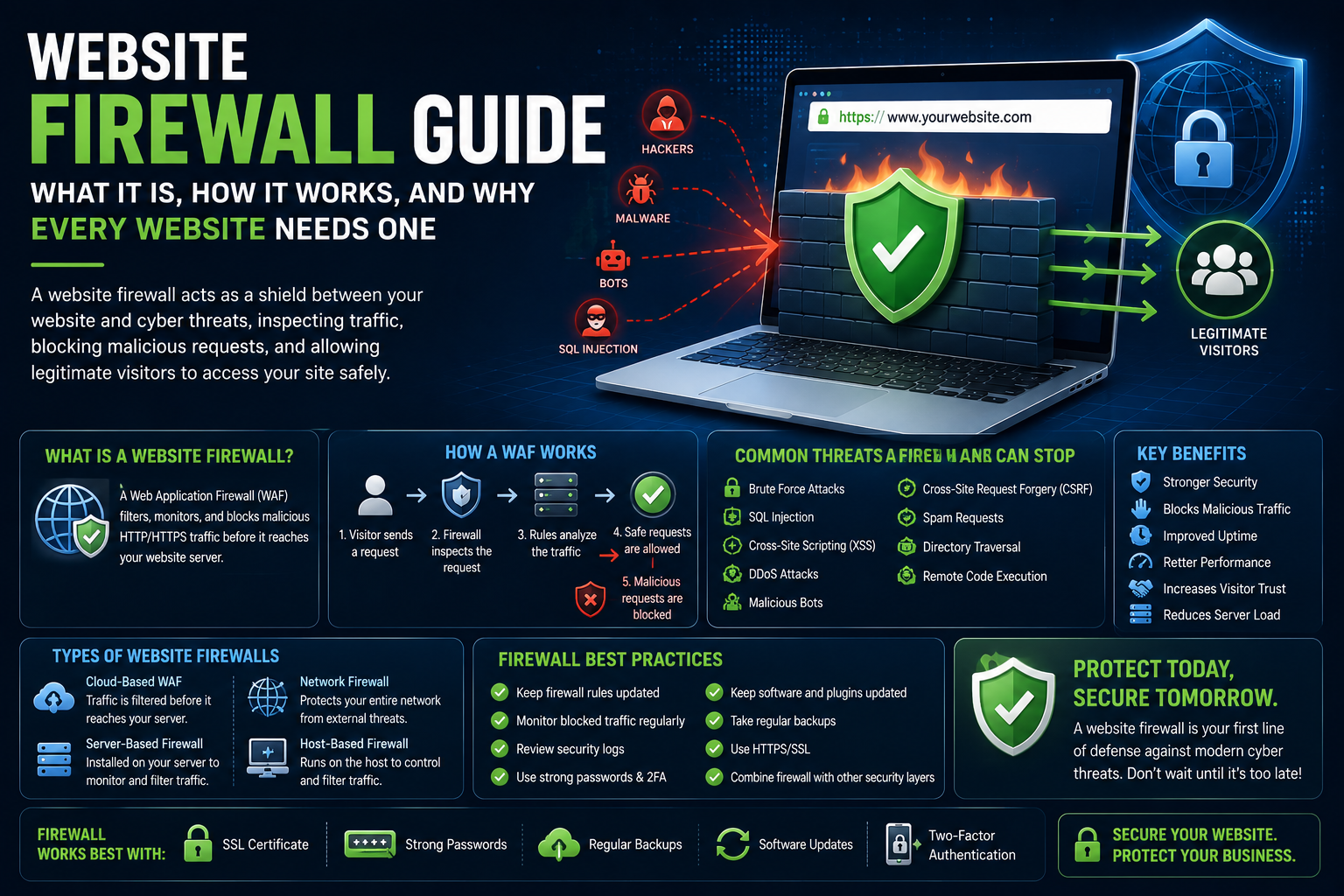
Website Firewall Guide: What It Is, How It Works, and Why Every Website Needs One
Introduction
Modern websites face a constant stream of automated attacks. From malicious bots and brute force login attempts to SQL injection and cross-site scripting (XSS), cybercriminals continuously scan websites looking for weaknesses they can exploit.
A website firewall is one of the most effective ways to protect your website before threats reach your server. Acting as a security barrier, it analyzes incoming traffic, blocks suspicious requests, and allows legitimate visitors to access your website safely.
Whether you manage a WordPress blog, an online store, a SaaS platform, a membership site, or a corporate website, implementing a website firewall is an essential part of a comprehensive security strategy.
What Is a Website Firewall?
A website firewall—often called a Web Application Firewall (WAF)—is a security solution that filters, monitors, and blocks malicious HTTP and HTTPS traffic before it reaches your website.
Unlike traditional network firewalls, a WAF focuses specifically on protecting web applications and websites.
It examines incoming requests, identifies suspicious patterns, and blocks potentially harmful activity while allowing legitimate users to continue browsing normally.
Why Every Website Needs a Firewall
Cyber threats are becoming more sophisticated and more frequent.
A website firewall helps you:
Prevent unauthorized access
Reduce malware infections
Block malicious bots
Protect customer information
Improve website uptime
Reduce server load
Maintain visitor trust
Even small websites benefit from proactive protection.
How a Web Application Firewall (WAF) Works
A WAF acts as a protective layer between visitors and your website.
A simplified process looks like this:
A visitor sends a request.
The firewall inspects the request.
Security rules evaluate the traffic.
Safe requests are allowed.
Suspicious or malicious requests are blocked.
This filtering process helps prevent attacks before they reach your website.
Types of Website Firewalls
Website firewalls are available in several forms.
Common options include:
Cloud-based WAF
Server-based firewall
Network firewall
Application firewall
Host-based firewall
Each type provides different levels of protection depending on your infrastructure and requirements.
Common Threats a Firewall Can Stop
A website firewall helps defend against many common attacks, including:
Brute force attacks
SQL injection
Cross-Site Scripting (XSS)
Cross-Site Request Forgery (CSRF)
DDoS attacks
Malicious bots
Spam requests
Directory traversal attacks
Remote code execution attempts
Blocking these threats early reduces the likelihood of successful attacks.
Benefits of Using a Website Firewall
Implementing a firewall provides several advantages.
Benefits include:
Stronger website security
Improved uptime
Reduced malicious traffic
Better website performance
Lower server resource usage
Faster threat detection
Increased customer confidence
A firewall complements other security practices such as backups, updates, and strong authentication.
Website Firewalls for WordPress
WordPress websites are common targets because of their popularity.
A firewall can help protect:
Administrator login pages
Contact forms
WooCommerce stores
Membership portals
APIs
Uploaded files
Combining a firewall with regular WordPress updates provides stronger overall protection.
Cloud-Based vs. Server-Based Firewalls
Both approaches have advantages.
Cloud-Based Firewalls
Filter traffic before it reaches your server
Reduce server load
Easy to deploy
Often include DDoS protection
Server-Based Firewalls
Installed directly on your hosting environment
Greater configuration flexibility
Can integrate closely with server settings
Require ongoing maintenance
Choosing the right solution depends on your technical requirements and hosting environment.
Firewall Best Practices
To maximize protection:
Keep firewall rules updated.
Monitor blocked traffic regularly.
Review security logs.
Combine firewalls with strong passwords.
Enable Multi-Factor Authentication.
Maintain regular backups.
Keep website software updated.
A firewall works best as part of a layered security approach.
Common Firewall Mistakes
Avoid these common issues:
Assuming a firewall replaces backups
Ignoring software updates
Using default configurations without review
Failing to monitor security alerts
Overlooking legitimate traffic issues
Relying on a firewall alone
Website security requires multiple complementary protections.
Final Thoughts
A website firewall is one of the most valuable components of a modern website security strategy. By filtering malicious traffic before it reaches your server, a Web Application Firewall helps protect websites against a wide range of cyber threats while improving reliability and visitor confidence.
Combined with software updates, strong authentication, malware monitoring, SSL certificates, backups, and regular security reviews, a firewall provides an important layer of defense that helps keep your website secure over the long term.
Frequently Asked Questions
What is a website firewall?
A website firewall filters incoming traffic and blocks malicious requests before they reach your website.
What is a Web Application Firewall (WAF)?
A WAF is a firewall specifically designed to protect websites and web applications from online attacks.
Can a firewall stop malware?
A firewall can block many malicious requests that deliver malware, although no single security measure provides complete protection.
Does every website need a firewall?
Yes. Websites of all sizes can benefit from filtering malicious traffic and reducing attack exposure.
Does a firewall improve website performance?
By blocking harmful traffic and bots, a firewall can reduce unnecessary server load and contribute to more stable performance.
Comments (0)