
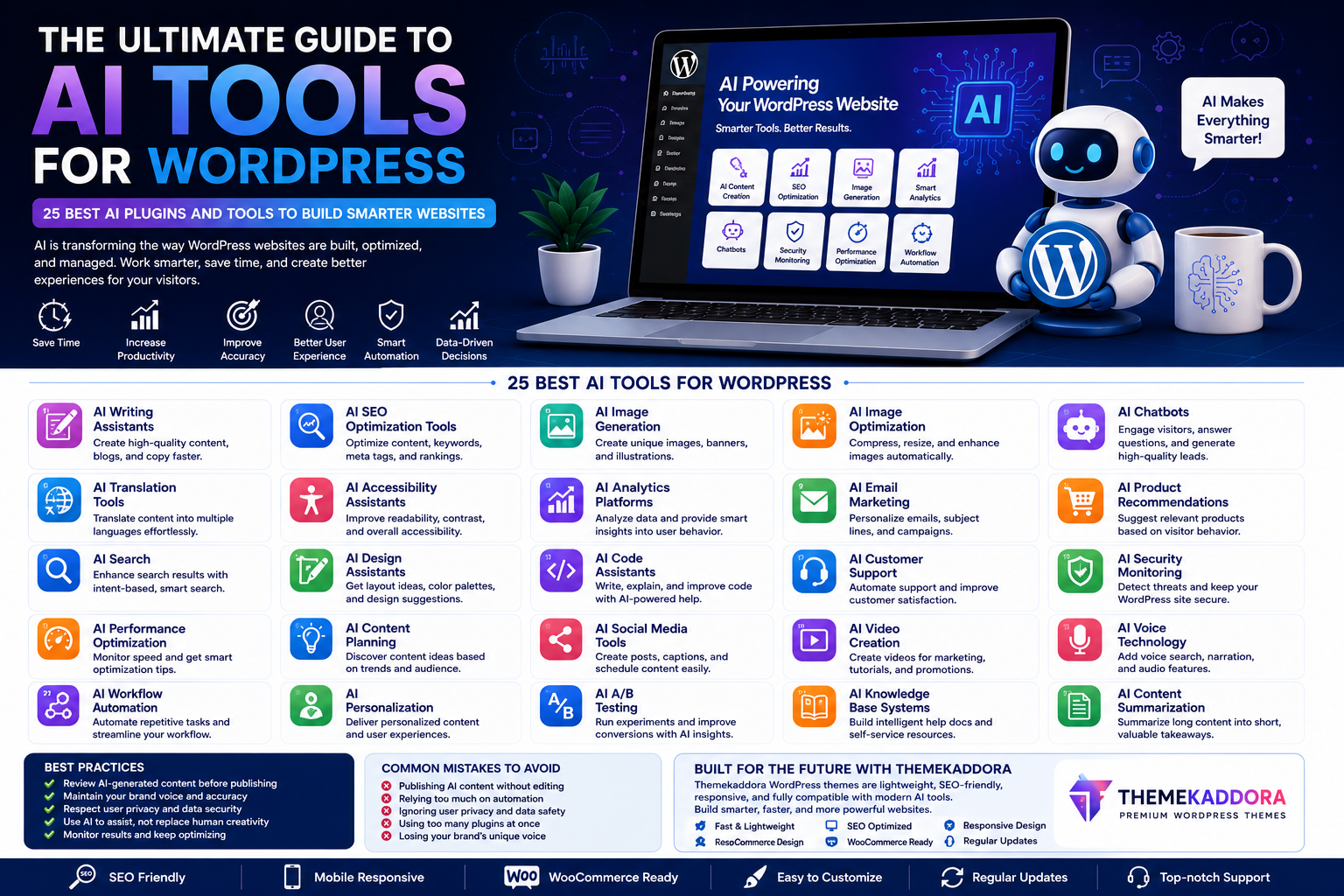
The Ultimate Guide to AI Tools for WordPress: 25 Best AI Plugins and Tools to Build Smarter Websites
Introduction
Artificial Intelligence (AI) has rapidly become one of the most transformative technologies in website development. Tasks that once required hours of manual effort—such as writing content, optimizing SEO, designing layouts, answering customer questions, and analyzing website performance—can now be completed more efficiently with AI-powered tools.
For WordPress users, AI offers opportunities to streamline workflows, improve website quality, and deliver better experiences for visitors. Whether you're a blogger, freelancer, agency owner, eCommerce entrepreneur, or small business owner, AI can help you save time while focusing on strategic growth.
In this guide, you'll discover 25 categories of AI tools that can help you build smarter, faster, and more effective WordPress websites.
Why AI Matters for WordPress
Artificial Intelligence enhances website management by automating repetitive tasks and providing data-driven insights.
Benefits include:
Faster content creation
Improved SEO optimization
Better customer support
Personalized user experiences
Enhanced website security
Workflow automation
Smarter analytics
Increased productivity
Rather than replacing human creativity, AI serves as a powerful assistant that helps website owners work more efficiently.
What Makes a Good AI Tool?
Before integrating AI into your WordPress website, evaluate tools based on:
Ease of use
Integration with WordPress
Data privacy practices
Customization options
Performance impact
Documentation and support
Long-term reliability
Selecting the right tools ensures they add value without creating unnecessary complexity.
25 Types of AI Tools Every WordPress Website Can Benefit From
1. AI Writing Assistants
Generate blog drafts, landing pages, FAQs, product descriptions, and marketing copy.
2. AI SEO Optimization Tools
Receive suggestions for keywords, metadata, content improvements, and internal linking.
3. AI Image Generation
Create unique illustrations, blog banners, hero images, and marketing graphics.
4. AI Image Optimization
Compress, resize, enhance, and optimize images for faster loading.
5. AI Chatbots
Provide instant answers, capture leads, and improve customer support availability.
6. AI Translation Tools
Translate website content into multiple languages for international audiences.
7. AI Accessibility Assistants
Improve readability, accessibility, alternative text, and navigation.
8. AI Analytics Platforms
Analyze visitor behavior, traffic sources, and conversion opportunities.
9. AI Email Marketing
Create personalized campaigns, subject lines, and customer segmentation.
10. AI Product Recommendations
Deliver personalized shopping experiences based on visitor behavior.
11. AI Search
Help visitors find relevant content using intelligent search functionality.
12. AI Design Assistants
Generate layout ideas, typography suggestions, and color palettes.
13. AI Code Assistants
Help developers write, explain, and improve WordPress code more efficiently.
14. AI Customer Support
Automate common support requests while improving response times.
15. AI Security Monitoring
Detect suspicious activity and identify potential security risks.
16. AI Performance Optimization
Monitor website speed and recommend improvements.
17. AI Content Planning
Generate topic ideas based on search trends and user interests.
18. AI Social Media Tools
Create captions, hashtags, publishing schedules, and campaign ideas.
19. AI Video Creation
Assist with promotional videos, tutorials, and product demonstrations.
20. AI Voice Technology
Support voice interactions and audio accessibility features.
21. AI Workflow Automation
Automate repetitive website management tasks.
22. AI Personalization
Customize content and recommendations for different visitor segments.
23. AI A/B Testing
Identify optimization opportunities using intelligent experimentation.
24. AI Knowledge Base Systems
Improve customer self-service with searchable AI-powered documentation.
25. AI Content Summarization
Create summaries for articles, newsletters, and social media posts.
Best Practices for Using AI
To get the most value from AI:
Review AI-generated content before publishing.
Verify facts and statistics.
Maintain your brand voice.
Protect customer privacy.
Combine AI with human creativity.
Continuously monitor performance.
AI works best when guided by thoughtful human oversight.
Why Your WordPress Theme Matters
AI tools can enhance your website, but they perform best on a solid technical foundation.
A modern WordPress theme should provide:
Responsive layouts
Fast loading performance
SEO-friendly architecture
Accessibility support
WooCommerce compatibility
Flexible customization
A quality theme ensures AI-powered enhancements contribute to a better overall user experience.
Why Choose Themekaddora WordPress Themes?
Themekaddora develops WordPress themes designed for modern websites that embrace new technologies.
Benefits include:
Lightweight architecture
Responsive design
SEO-friendly code
WooCommerce compatibility
Fast performance
HTML5 & CSS3 standards
Easy customization
Cross-browser compatibility
Regular updates
Professional support
These features create a strong foundation for websites that integrate AI-powered tools and workflows.
Common AI Mistakes to Avoid
Avoid:
Publishing AI-generated content without editing
Ignoring accuracy checks
Overusing automation
Neglecting user privacy
Losing your brand's unique voice
Installing unnecessary AI plugins
AI should enhance your website—not make it feel impersonal.
Conclusion
Artificial Intelligence is changing the way WordPress websites are created and managed. From writing content and improving SEO to automating customer support and analyzing visitor behavior, AI offers practical solutions that save time and improve efficiency.
However, technology alone isn't enough. The most successful websites combine AI with thoughtful strategy, valuable content, excellent user experience, and a reliable technical foundation.
Themekaddora WordPress themes provide responsive design, fast performance, SEO-friendly architecture, and flexible customization, making them an ideal choice for businesses looking to build smarter WordPress websites with the help of AI.
Frequently Asked Questions (FAQs)
What are AI tools for WordPress?
AI tools assist with content creation, SEO, design, customer support, image optimization, analytics, and workflow automation within WordPress.
Can AI replace web designers and developers?
No. AI is best used as an assistant that supports professionals by automating repetitive tasks and providing helpful recommendations.
Are AI plugins suitable for beginners?
Yes. Many AI tools are designed to simplify WordPress tasks and help beginners create better websites with less effort.
Do AI tools improve SEO?
AI can assist with keyword research, content optimization, metadata suggestions, and internal linking, but human expertise is still essential for a successful SEO strategy.
Why choose Themekaddora WordPress themes?
Themekaddora themes offer responsive layouts, clean code, WooCommerce compatibility, SEO-friendly architecture, and performance-focused design, providing an excellent foundation for modern AI-powered WordPress websites.
Comments (0)