
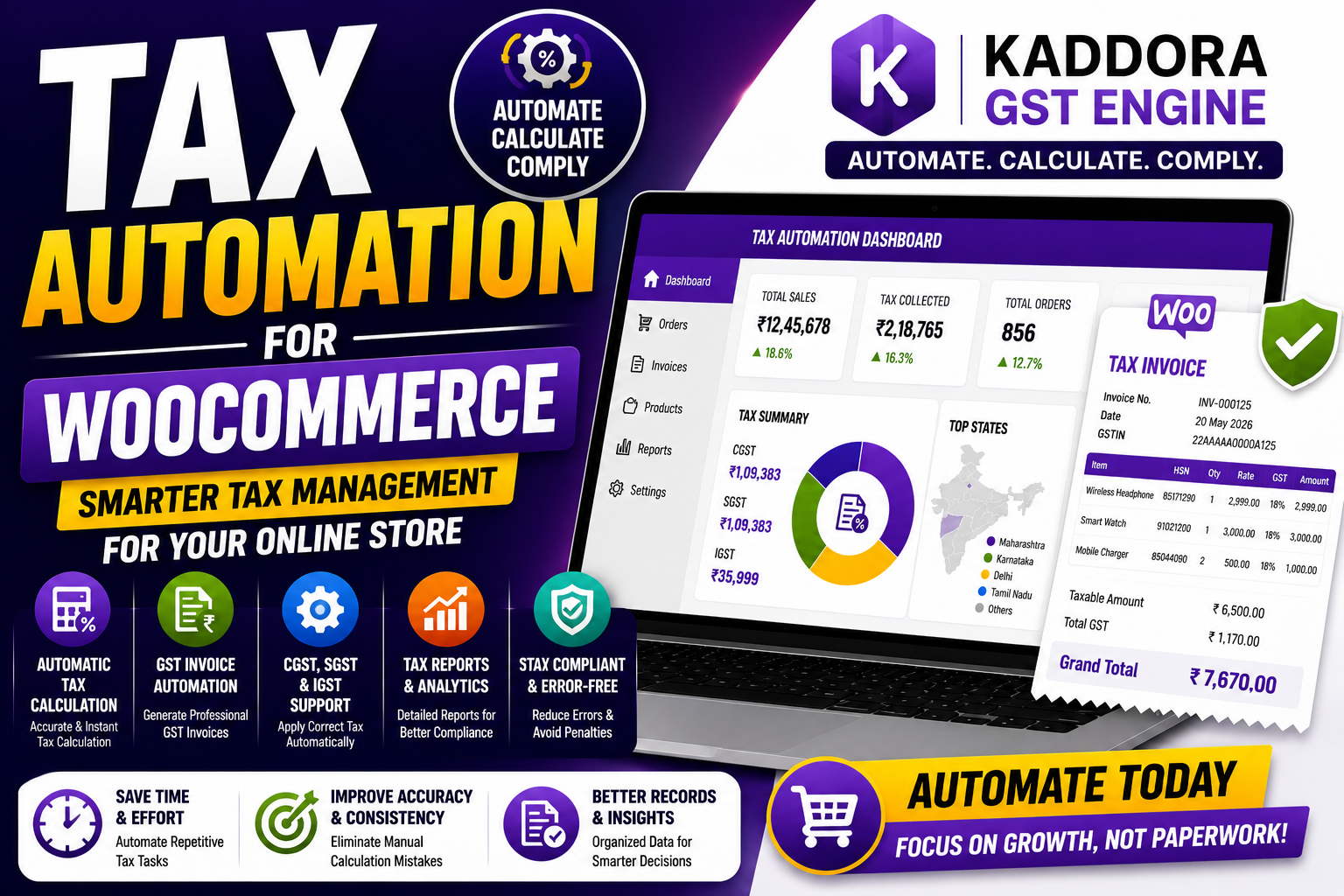
Tax Automation for WooCommerce: Complete Guide to Smarter Tax Management
Managing taxes manually in WooCommerce can quickly become one of the most time-consuming parts of running an online store. Every order requires accurate tax calculations, the correct tax rates, compliant invoices, and well-organized records. As your business grows, these repetitive tasks increase the risk of human error and consume valuable time.
That's where tax automation becomes essential.
Tax automation allows WooCommerce store owners to calculate taxes automatically, generate compliant invoices, maintain organized reports, and ensure consistency across every order. Instead of spending hours on administrative work, you can focus on growing your business.
In this guide, you'll learn what tax automation is, why it matters, its biggest benefits, implementation best practices, and how Kaddora GST Engine simplifies tax management for Indian WooCommerce stores.
Quick Answer
What is tax automation for WooCommerce?
Tax automation for WooCommerce is the process of automatically calculating taxes, applying the correct tax rules, generating tax-compliant invoices, maintaining tax records, and producing reports without manual intervention. It improves accuracy, saves time, and supports business compliance.
Why Manual Tax Management Becomes Difficult
Manual tax handling may work when your store processes only a few orders.
However, as your business grows, it often leads to:
Incorrect tax calculations
Wrong GST rates
Invoice mistakes
Duplicate work
Accounting delays
Human errors
Compliance challenges
Automation removes these repetitive tasks while improving consistency.
How Tax Automation Works
A tax automation system integrates directly with WooCommerce and performs repetitive tax tasks automatically.
For each order, it can:
Calculate applicable tax
Apply the correct GST rules
Generate invoices
Record tax details
Organize reports
Store transaction history
This creates a standardized workflow for every sale.
Benefits of Tax Automation
1. Automatic Tax Calculation
Taxes are calculated instantly based on:
Product tax class
Customer location
Shipping charges
Store tax settings
Benefits
✔ Faster checkout
✔ Accurate calculations
✔ Reduced manual work
2. Better Compliance
Automation helps businesses consistently apply tax rules and reduces the likelihood of filing errors or incorrect tax collection.
3. Professional Invoice Generation
Every order can automatically generate a tax-compliant invoice containing:
Invoice number
Customer details
Product details
GST breakdown
Total tax amount
This improves transparency and simplifies accounting.
4. Faster Order Processing
By eliminating manual tax calculations, orders move through your workflow more quickly.
This improves both operational efficiency and customer experience.
5. Reduced Human Errors
Manual calculations often result in:
Incorrect tax amounts
Missing invoice details
Wrong GST components
Duplicate records
Automation minimizes these risks.
6. Organized Tax Reports
A tax automation solution keeps all tax records in one place, making bookkeeping and return preparation significantly easier.
7. Business Scalability
Whether your store processes 20 orders or 5,000 orders each month, automation scales without increasing administrative workload.
Best Practices for WooCommerce Tax Automation
Configure Tax Rules Carefully
Ensure every product is assigned the correct tax category.
Maintain Accurate Product Data
Keep tax classes and product information consistent across your catalog.
Test Tax Calculations
Create sample orders to verify:
Tax calculations
Invoice generation
Customer information
Tax components
Review Reports Regularly
Monthly reviews help identify inconsistencies before they become compliance issues.
Keep Software Updated
Update WooCommerce and your tax plugin regularly to maintain compatibility and access the latest improvements.
How Kaddora GST Engine Simplifies Tax Automation
Kaddora GST Engine is designed specifically for Indian WooCommerce businesses that need reliable tax automation.
Key Features
Automatic GST calculation
GST-compliant invoice generation
CGST, SGST & IGST support
Product-wise tax rules
HSN code support
Automated tax reports
WooCommerce integration
Beginner-friendly dashboard
Optimized performance
Instead of manually managing taxes for every order, the plugin automates the complete workflow while improving compliance and reducing operational effort.
GST Automation for WooCommerce
Common Tax Automation Mistakes
Avoid these common mistakes:
❌ Incorrect tax settings
❌ Outdated GST rates
❌ Missing HSN codes
❌ Manual invoice editing
❌ Ignoring test orders
❌ Skipping report reviews
❌ Using multiple conflicting tax plugins
Keeping your tax setup simple and regularly reviewed reduces long-term issues.
Tax Automation Checklist
✅ Automatic Tax Calculation
✅ GST Invoice Generation
✅ Product Tax Rules
✅ HSN Code Support
✅ CGST / SGST / IGST Configuration
✅ Organized Tax Reports
✅ WooCommerce Integration
✅ Monthly Reviews
✅ Regular Plugin Updates
Frequently Asked Questions
What is tax automation in WooCommerce?
Tax automation automatically calculates taxes, applies tax rules, generates invoices, and organizes reports, reducing manual work and improving compliance.
Why should I automate taxes?
Automation improves accuracy, saves time, reduces administrative effort, and supports better financial record keeping.
Does WooCommerce include tax automation?
WooCommerce provides basic tax settings. Advanced automation typically requires a dedicated tax or GST plugin.
Can tax automation generate invoices?
Yes. Modern tax automation tools generate professional, tax-compliant invoices with complete tax details.
Which WooCommerce plugin is suitable for tax automation?
For Indian businesses, Kaddora GST Engine offers comprehensive tax automation with GST calculation, invoice generation, HSN support, reporting, and WooCommerce integration.
Final Thoughts
Tax automation has become an essential part of running an efficient WooCommerce store. By replacing repetitive manual tasks with automated processes, businesses can improve tax accuracy, reduce administrative work, and maintain stronger compliance.
Whether you're a small online retailer or a fast-growing eCommerce brand, automating your tax workflow helps create a smoother experience for both your team and your customers.
Automate WooCommerce Taxes with Kaddora GST Engine
Comments (0)