
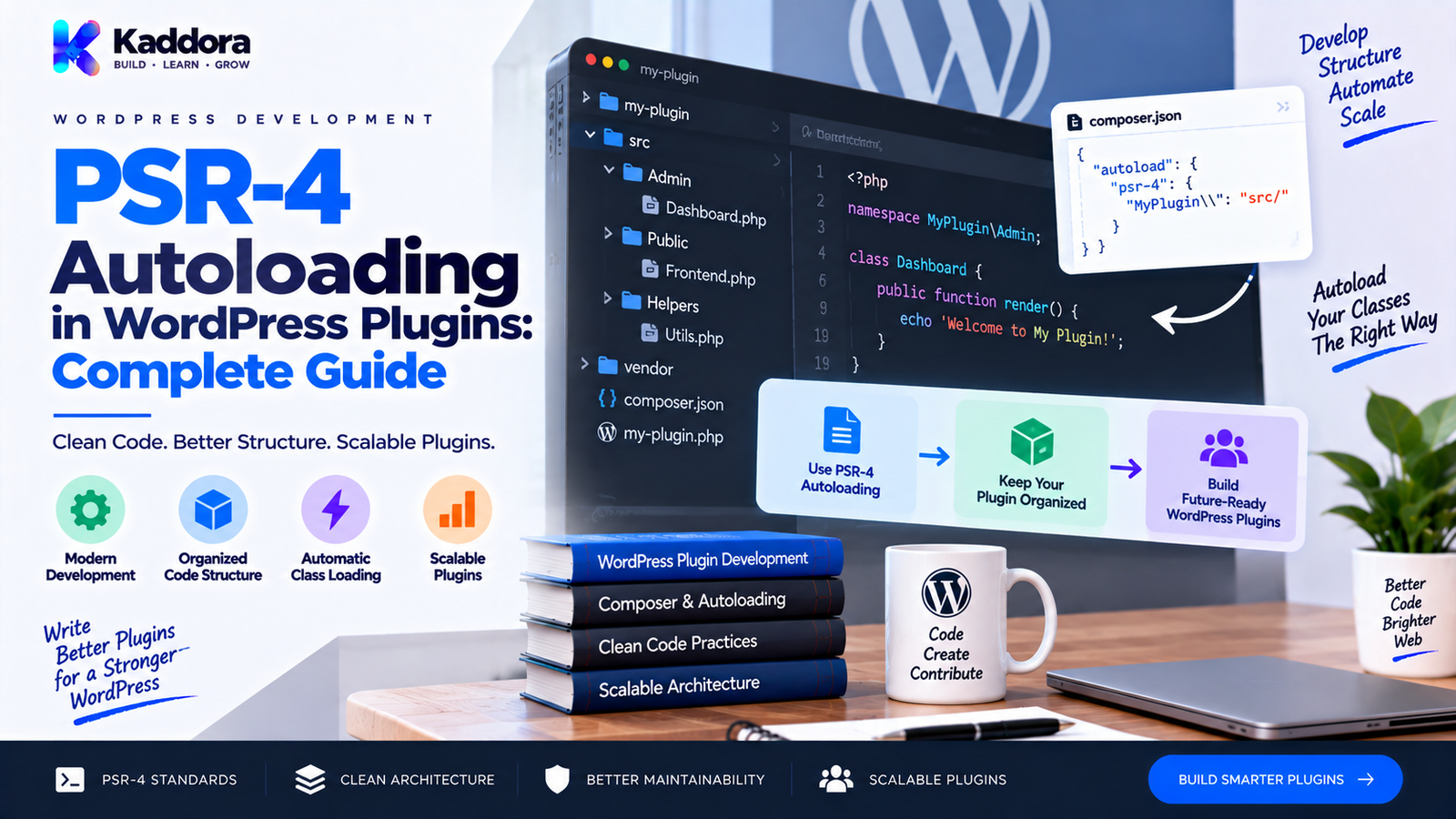
PSR-4 Autoloading in WordPress Plugins: Complete Guide
Introduction
As a WordPress plugin grows, the number of PHP classes often increases quickly.
A small plugin may begin with a few files:
plugin.php functions.php admin.php
But a larger plugin can eventually contain dozens or hundreds of classes responsible for:
Administration
Settings
REST APIs
Database operations
Integrations
WooCommerce features
Background processing
Logging
Automation
AI functionality
Loading every PHP file manually can become difficult to maintain.
This is where PSR-4 autoloading becomes useful.
PSR-4 provides a predictable way to automatically load PHP classes based on their namespaces and file paths.
Instead of repeatedly writing:
require_once plugin_dir_path( __FILE__ ) . 'includes/class-order-service.php'; require_once plugin_dir_path( __FILE__ ) . 'includes/class-customer-service.php'; require_once plugin_dir_path( __FILE__ ) . 'includes/class-api-client.php';
you can define a namespace-to-directory mapping and allow an autoloader to locate classes automatically.
A common Composer configuration looks like this:
{ "autoload": { "psr-4": { "Kaddora\\Example\\": "src/" } } }
With this mapping:
Kaddora\Example\Services\OrderService
can resolve to:
src/Services/OrderService.php
This creates a clear relationship between namespaces, classes, and files.
In this guide, you'll learn what PSR-4 is, how it works, how to use it in WordPress plugins, how Composer generates the autoloader, how to structure your plugin, common mistakes, migration strategies, production considerations, and best practices.
What Is PSR-4?
PSR-4 is a PHP standard that defines how fully qualified class names map to filesystem paths for autoloading.
The goal is simple:
A class namespace and name should provide enough information for an autoloader to determine where the corresponding PHP file is located.
For example:
Kaddora\Plugin\Services\OrderService
could map to:
src/Services/OrderService.php
The exact namespace prefix and base directory are defined by the plugin's autoloader configuration.
PSR-4 is primarily about autoloading classes from predictable file locations.
It is not:
A framework
A WordPress architecture
A dependency injection system
A database abstraction layer
A plugin management framework
It simply provides a standardized approach to class loading.
Why Is PSR-4 Useful for WordPress Plugins?
PSR-4 can make larger plugins easier to organize and maintain.
Potential benefits include:
Less manual require_once code
Clear file organization
Better namespace usage
Easier class discovery
Cleaner plugin architecture
Improved maintainability
Better compatibility with Composer packages
Easier testing
Simpler expansion of large codebases
The main advantage is predictability.
When a developer sees:
use Kaddora\Plugin\Admin\SettingsPage;
they can generally determine where that class belongs from the namespace structure.
How PSR-4 Mapping Works
Consider this Composer configuration:
{ "autoload": { "psr-4": { "Kaddora\\Plugin\\": "src/" } } }
The namespace prefix is:
Kaddora\Plugin\
The base directory is:
src/
Now consider this class:
namespace Kaddora\Plugin\Services; class OrderService { }
Its fully qualified class name is:
Kaddora\Plugin\Services\OrderService
The namespace prefix:
Kaddora\Plugin\
maps to:
src/
The remaining namespace:
Services\
becomes:
src/Services/
The class name:
OrderService
becomes:
OrderService.php
The final path becomes:
src/Services/OrderService.php
This is the central idea behind PSR-4.
PSR-4 Namespace-to-File Mapping Example
A complete example looks like this:
Namespace: Kaddora\Plugin\Services\OrderService ↓ Base namespace: Kaddora\Plugin\ ↓ Base directory: src/ ↓ Remaining namespace: Services\ ↓ Class: OrderService ↓ File: src/Services/OrderService.php
This predictable mapping is what makes PSR-4 powerful for large plugin projects.
Basic PSR-4 WordPress Plugin Structure
A plugin using PSR-4 might look like:
my-plugin/ │ ├── my-plugin.php ├── composer.json ├── vendor/ │ ├── src/ │ ├── Plugin.php │ ├── Admin/ │ │ └── SettingsPage.php │ ├── Services/ │ │ ├── OrderService.php │ │ └── CustomerService.php │ ├── Api/ │ │ └── RestController.php │ └── Database/ │ └── Repository.php │ ├── assets/ │ ├── css/ │ └── js/ │ └── languages/
The exact structure can vary.
The important part is keeping the namespace and file location consistent.
Creating the Composer Configuration
A basic composer.json file can look like:
{ "name": "kaddora/example-plugin", "description": "Example WordPress plugin", "type": "wordpress-plugin", "autoload": { "psr-4": { "Kaddora\\Example\\": "src/" } }, "autoload-dev": { "psr-4": { "Kaddora\\Example\\Tests\\": "tests/" } } }
The production autoloader handles plugin classes.
The autoload-dev section can be used for development-only classes such as tests.
This separation helps avoid packaging unnecessary development code with a production release.
Create a Namespaced Class
For example:
<?php namespace Kaddora\Example\Services; defined( 'ABSPATH' ) || exit; class OrderService { public function get_status( $order_id ) { return 'pending'; } }
The file should be located at:
src/Services/OrderService.php
The namespace and file path match the Composer mapping.
Load Composer's Autoloader
The main plugin file can load Composer's generated autoloader.
For example:
<?php /** * Plugin Name: Kaddora Example * Text Domain: kaddora-example */ defined( 'ABSPATH' ) || exit; $autoload = __DIR__ . '/vendor/autoload.php'; if ( file_exists( $autoload ) ) { require_once $autoload; }
Once the Composer autoloader is loaded, classes that match the PSR-4 mapping can be instantiated without manually including their PHP files.
For example:
use Kaddora\Example\Services\OrderService; $order_service = new OrderService();
The autoloader resolves the class when PHP needs it.
Generate the Composer Autoloader
After changing composer.json, regenerate the autoload files.
A common command is:
composer dump-autoload
Composer then generates the files inside the vendor/ directory that allow PHP to resolve the configured classes.
For example:
composer.json ↓ Composer configuration ↓ composer dump-autoload ↓ vendor/autoload.php ↓ PHP loads required classes
Running the command after namespace or path changes is an important part of the development workflow.
Creating Subdirectories
PSR-4 works especially well with logical plugin modules.
For example:
src/ ├── Admin/ ├── Api/ ├── Database/ ├── Integrations/ ├── Services/ └── Support/
Classes can use corresponding namespaces:
namespace Kaddora\Plugin\Admin; namespace Kaddora\Plugin\Api; namespace Kaddora\Plugin\Database;
This gives the project a consistent structure.
PSR-4 With WordPress Hooks
PSR-4 only handles loading classes.
WordPress hooks still connect those classes to WordPress.
For example:
namespace Kaddora\Example\Admin; defined( 'ABSPATH' ) || exit; class SettingsPage { public function register() { add_action( 'admin_menu', array( $this, 'add_menu' ) ); } public function add_menu() { // Register admin page. } }
The bootstrap code can instantiate the class:
use Kaddora\Example\Admin\SettingsPage; $settings_page = new SettingsPage(); $settings_page->register();
The responsibility is separated:
PSR-4 ↓ Loads Class WordPress ↓ Executes Hooks Plugin Class ↓ Implements Feature
This is an important distinction.
PSR-4 does not replace WordPress hooks.
PSR-4 With WordPress REST APIs
A REST controller can also use PSR-4.
For example:
src/ └── Api/ └── RestController.php
With:
namespace Kaddora\Example\Api;
The class can register REST routes:
public function register_routes() { register_rest_route( 'kaddora-example/v1', '/orders', array( 'methods' => 'GET', 'callback' => array( $this, 'get_orders' ), 'permission_callback' => array( $this, 'permissions_check' ), ) ); }
PSR-4 loads the class.
WordPress handles the REST route registration.
These are separate responsibilities.
PSR-4 With AJAX
AJAX handlers can follow the same pattern.
For example:
src/Ajax/OrderHandler.php
with:
namespace Kaddora\Example\Ajax;
Then the class can register the required WordPress actions.
add_action( 'wp_ajax_kaddora_example_load_orders', array( $this, 'load_orders' ) );
The autoloader handles the class location.
WordPress still handles the AJAX lifecycle.
PSR-4 With Cron Jobs
Scheduled tasks can also be organized into namespaced classes.
For example:
src/Cron/SyncProducts.php namespace Kaddora\Example\Cron;
Then:
add_action( 'kaddora_example_sync_products', array( $this, 'run' ) );
Again:
PSR-4 loads the class.
WordPress cron executes the callback.
PSR-4 With WooCommerce
Large WooCommerce plugins can benefit significantly from predictable class organization.
For example:
src/ ├── WooCommerce/ │ ├── ProductService.php │ ├── OrderService.php │ └── CheckoutHandler.php
Namespaces can mirror the structure:
namespace Kaddora\Commerce\WooCommerce;
This makes large integrations easier to navigate.
However, PSR-4 does not automatically make a plugin WooCommerce-compatible.
The actual compatibility still depends on:
Correct hooks
Supported APIs
Error handling
Dependency checks
Version requirements
Safe integration logic
PSR-4 With Interfaces and Traits
PSR-4 can load more than ordinary classes.
Depending on the project structure, it can also resolve:
Interfaces
Traits
For example:
src/Contracts/MailerInterface.php src/Traits/LoggerTrait.php src/Services/Mailer.php
With corresponding namespaces:
namespace Kaddora\Example\Contracts; namespace Kaddora\Example\Traits; namespace Kaddora\Example\Services;
The same namespace-to-path rules should be followed consistently.
PSR-4 Does Not Manage Dependencies
This is a common misunderstanding.
PSR-4 answers:
Where should PHP find this class?
Composer dependency management answers broader questions such as:
Which package versions does this project require?
For example:
{ "require": { "vendor/package": "^1.0" } }
and:
{ "autoload": { "psr-4": { "Kaddora\\Example\\": "src/" } } }
serve different purposes.
The first declares dependencies.
The second defines autoloading.
Composer happens to handle both.
PSR-4 itself is only an autoloading standard.
PSR-4 vs Manual Includes
A manually loaded plugin may contain:
require_once __DIR__ . '/includes/class-settings.php'; require_once __DIR__ . '/includes/class-admin.php'; require_once __DIR__ . '/includes/class-api.php';
A PSR-4-based plugin can instead use:
use Kaddora\Example\Admin\SettingsPage;
and allow the autoloader to find the required file.
Manual Includes
Simple for very small plugins
Explicit
Easy to understand initially
Can become difficult to maintain at scale
PSR-4
Predictable
Namespace-based
Cleaner for larger projects
Works naturally with Composer
Reduces manual include management
For a tiny plugin, manual loading may still be perfectly reasonable.
PSR-4 vs Custom WordPress Autoloaders
A WordPress plugin can use a custom autoloader without Composer.
For example:
spl_autoload_register( function ( $class_name ) { // Resolve class name to file. } );
This can work.
However, a custom autoloader creates additional code that your plugin must maintain.
PSR-4 with Composer provides a standardized approach and integrates well with the wider PHP ecosystem.
The right decision depends on the size and complexity of the project.
Important PSR-4 Rules
A reliable PSR-4 implementation depends on several rules.
1. Namespace Must Match the Mapping
If Composer maps:
Kaddora\Plugin\
to:
src/
the class should use the expected namespace prefix.
2. Namespace Separators Become Directories
For:
Kaddora\Plugin\Services\OrderService
the remaining namespace:
Services
maps to:
Services/
3. Class Name Maps to the File Name
The class:
OrderService
maps to:
OrderService.php
4. Case Matters
Filesystem case behavior can differ between environments.
A path that appears to work on one development machine may fail after deployment to an environment with stricter case sensitivity.
Keep namespace, class, directory, and file capitalization consistent.
5. Do Not Transform Class Names Arbitrarily
PSR-4 is based on direct namespace and class-name mapping.
Avoid legacy filename transformations such as automatically converting:
OrderService
to:
class-order-service.php
when using a standard PSR-4 mapping.
The file naming convention should follow the namespace/class mapping expected by the autoloader.
Common PSR-4 Autoloading Mistakes
Wrong Namespace
Example:
namespace Kaddora\Plugin\Service;
when the intended directory is:
src/Services/
The mismatch can prevent the class from being located.
Wrong File Name
Class:
class OrderService
File:
src/Services/Orderservice.php
The naming does not consistently match the class.
Wrong Directory
The Composer mapping points to:
src/
but the files are actually stored in:
includes/
The autoloader cannot find them.
Forgetting composer dump-autoload
You changed the autoload configuration but didn't regenerate Composer's autoload files.
Loading the Wrong Autoloader
A plugin may accidentally load an autoloader from the wrong directory or another application.
Using a Broad Custom Autoloader
A custom autoloader that tries to resolve unrelated classes can create conflicts.
Keep the autoloading scope predictable.
Performing Work Inside the Autoloader
An autoloader should locate and load code.
It should not:
Run database queries
Call external APIs
Send email
Start background jobs
Modify plugin settings
Autoloading should remain lightweight and deterministic.
Troubleshooting PSR-4 Autoloading Errors
Suppose PHP reports:
Class "Kaddora\Example\Services\OrderService" not found
Check these items in order.
1. Verify the Class
Make sure the class declaration is correct:
namespace Kaddora\Example\Services; class OrderService { }
2. Verify the File
Confirm:
src/Services/OrderService.php
exists.
3. Verify Composer Mapping
Check:
"psr-4": { "Kaddora\\Example\\": "src/" }
4. Regenerate Autoload Files
Run:
composer dump-autoload
5. Verify Composer Is Loaded
Make sure:
require_once __DIR__ . '/vendor/autoload.php';
is executed.
6. Check Case
Compare:
OrderService.php
with:
OrderService
and the namespace segments.
7. Check Deployment
Make sure the generated vendor/ directory and required autoload files are present in the production package when your plugin depends on them.
PSR-4 and WordPress Plugin Bootstrap Architecture
A good bootstrap process can remain simple.
For example:
Plugin File ↓ Load Composer Autoloader ↓ Create Main Plugin Class ↓ Register Services ↓ Register WordPress Hooks
A simplified main class might look like:
<?php namespace Kaddora\Example; defined( 'ABSPATH' ) || exit; class Plugin { public function run() { // Register plugin services and hooks. } }
The plugin entry file can then use:
use Kaddora\Example\Plugin; $plugin = new Plugin(); $plugin->run();
The structure stays predictable without requiring a complicated framework.
PSR-4 and Dependency Injection
PSR-4 and dependency injection are related only indirectly.
PSR-4 loads the class.
Dependency injection determines how objects receive their dependencies.
For example:
class OrderService { public function __construct( Logger $logger ) { $this->logger = $logger; } }
PSR-4 can load both classes.
It does not decide how the objects are constructed.
For WordPress plugins, a straightforward native approach is often sufficient. You don't need a large service container simply because your plugin uses PSR-4.
PSR-4 and Testing
PSR-4 can make automated testing easier because classes are consistently organized.
A project might use:
src/ └── Services/ └── OrderService.php tests/ └── Unit/ └── Services/ └── OrderServiceTest.php
Composer can separate production and development autoloading:
{ "autoload": { "psr-4": { "Kaddora\\Example\\": "src/" } }, "autoload-dev": { "psr-4": { "Kaddora\\Example\\Tests\\": "tests/" } } }
This makes test classes available during development without treating them as production plugin code.
PSR-4 in Production WordPress Plugins
A production plugin should include the runtime components required for the plugin to function.
If Composer packages are required at runtime, your distribution process should make sure the necessary autoload files and runtime dependencies are included.
Development-only packages generally should not be shipped just because Composer was used during development.
A common production workflow may involve:
composer install --no-dev --optimize-autoloader
The exact release workflow depends on the project's packaging strategy.
The important principle is:
Production must contain everything required to execute the plugin, but not unnecessary development tooling.
WordPress.org Plugin Distribution Considerations
When distributing a plugin through WordPress.org or another marketplace, think carefully about how Composer dependencies are packaged.
Before release, verify:
vendor/autoload.php exists when required
Runtime packages are included
Development packages are excluded where appropriate
No unnecessary build files are shipped
License requirements are satisfied for distributed dependencies
Paths work after packaging
The plugin works on a clean WordPress installation
Never assume that because the plugin works locally, the distributed archive is automatically complete.
Migrating a WordPress Plugin to PSR-4
A legacy plugin may use files such as:
includes/class-kaddora-order.php includes/class-kaddora-admin.php includes/class-kaddora-api.php
A gradual migration can introduce namespaces and PSR-4 structure.
For example:
src/ ├── Order.php ├── Admin/ │ └── Admin.php └── Api/ └── Api.php
Then classes can become:
namespace Kaddora\Plugin; namespace Kaddora\Plugin\Admin; namespace Kaddora\Plugin\Api;
During migration:
Identify existing classes.
Introduce namespaces carefully.
Move files to predictable locations.
Update references.
Configure Composer.
Regenerate autoload files.
Test every major feature.
Remove obsolete manual includes only after verification.
Don't attempt a large migration without testing dependencies between existing classes.
Backward Compatibility During Migration
One of the biggest concerns when introducing namespaces is existing code.
Old code may use:
new Kaddora_Order();
while the new class becomes:
new \Kaddora\Plugin\Order();
A migration may require temporary compatibility layers.
Depending on the plugin, this could involve:
Wrapper classes
Deprecated aliases
Updated hook callbacks
Controlled internal migration
Avoid breaking public APIs unnecessarily, especially when third-party developers may rely on them.
PSR-4 With External Composer Packages
A WordPress plugin may have its own classes and also use third-party packages.
For example:
Kaddora\Plugin\ ThirdParty\Library\
Composer can manage multiple autoload mappings or installed packages.
Conceptually:
Your Plugin Classes ↓ PSR-4 ↓ src/ External Packages ↓ Composer ↓ vendor/
This is one of the strongest reasons to use Composer in larger plugins.
The plugin can maintain its own namespace while Composer resolves compatible third-party dependencies.
Preventing Namespace Collisions
Use a unique vendor or company namespace.
For example:
Kaddora\SEO\ Kaddora\Appointments\ Kaddora\Commerce\ Kaddora\Analytics\
Avoid generic namespaces such as:
App\ Core\ Services\ Helpers\ Utils\
when building distributable WordPress plugins.
A unique namespace reduces the chance of collisions with other plugins or themes.
Should Every WordPress Plugin Use PSR-4?
No.
A small plugin with only a few files may not gain much from introducing Composer and a PSR-4 structure.
For example:
simple-plugin/ ├── simple-plugin.php └── includes/ └── helper.php
may be perfectly reasonable.
PSR-4 becomes more useful as the project grows in:
Number of classes
Number of integrations
Codebase size
Testing requirements
Dependency requirements
Development team size
Use the simplest architecture that remains maintainable.
PSR-4 Best Practices for WordPress Plugins
A practical set of rules is:
Use a unique namespace.
Keep namespace and directory structures aligned.
Use Composer for predictable autoloading.
Keep the plugin bootstrap small.
Avoid database or network work inside autoloaders.
Keep runtime and development dependencies separate.
Regenerate Composer autoload files after configuration changes.
Test case-sensitive paths.
Verify packaged builds.
Avoid unnecessary abstraction.
Keep WordPress hooks in feature classes.
Document important architecture decisions.
Protect WordPress functionality with normal capability, nonce, validation, and escaping practices.
Keep the autoloading layer separate from business logic.
PSR-4 should simplify the project, not make it more complicated.
PSR-4 Autoloading Checklist
Namespace
Unique namespace
Namespace prefix is consistent
Class namespaces are correct
Case is consistent
Composer
composer.json exists
PSR-4 mapping is correct
autoload-dev is separated where appropriate
Autoload files generated
Runtime dependencies identified
File Structure
Namespace matches directories
Class names match filenames
Base directory is correct
No obsolete include paths remain
Plugin Bootstrap
Composer autoloader is loaded
Main plugin class initializes correctly
WordPress hooks are registered
No unnecessary work occurs in autoloading
Production
Runtime dependencies included
Development dependencies excluded where appropriate
vendor/autoload.php present when required
Clean installation tested
Distributed ZIP tested
How to Design a Maintainable PSR-4 WordPress Plugin
A practical structure could look like:
kaddora-example/ │ ├── kaddora-example.php ├── composer.json │ ├── src/ │ ├── Plugin.php │ │ │ ├── Admin/ │ │ ├── SettingsPage.php │ │ └── Notices.php │ │ │ ├── Api/ │ │ └── RestController.php │ │ │ ├── Services/ │ │ ├── OrderService.php │ │ └── EmailService.php │ │ │ ├── Database/ │ │ └── Repository.php │ │ │ └── Integrations/ │ └── WooCommerce.php │ ├── tests/ │ ├── assets/ │ ├── languages/ │ └── vendor/
This structure works because each directory has a clear responsibility.
The architecture can remain simple while still supporting a large codebase.
Common Questions to Ask Before Adding PSR-4
Before introducing PSR-4, ask:
How many classes does the plugin have?
A five-class plugin may not need a complex autoloading setup.
Does the plugin use Composer packages?
If yes, Composer may provide additional value beyond PSR-4 alone.
Does the plugin need automated testing?
A structured namespace system can make testing easier.
Will multiple developers work on the plugin?
Predictable class organization becomes more valuable as teams grow.
Will the plugin be distributed widely?
Unique namespaces and clean dependency management become more important.
Architecture should be driven by real project requirements.
Why Choose ThemeKaddora?
At ThemeKaddora, we create WordPress plugins, themes, HTML templates, UI kits, SaaS solutions, WooCommerce tools, AI products, analytics systems, marketing tools, and business-focused digital products.
For larger WordPress projects, maintainable architecture becomes increasingly important.
A predictable structure based on:
Native WordPress APIs
Namespaces
PSR-4 autoloading
Composer
Clear service boundaries
Secure coding practices
Testable classes
can make complex plugins easier to maintain and extend.
ThemeKaddora's approach focuses on practical WordPress development rather than unnecessary architectural complexity.
The goal is to use the right engineering pattern for the project while keeping the plugin understandable, efficient, and maintainable.
Final Thoughts
PSR-4 autoloading provides a clean and predictable way to organize classes in larger WordPress plugins.
The basic relationship is simple:
Namespace
↓
Base Directory
↓
Subnamespace
↓
Class Name
↓
PHP File
For example:
Kaddora\Example\Services\OrderService ↓ src/Services/OrderService.php
Composer can generate the autoloader that connects these namespaces to the correct files.
A well-structured plugin can then use:
Composer
PSR-4
Namespaces
Native WordPress APIs
=
Maintainable Plugin Architecture
The important thing is not to use PSR-4 merely because it is popular.
Use it when it provides a real organizational benefit.
For small plugins, a simple manual loading strategy may be enough.
For larger WordPress plugins with many classes, integrations, tests, and dependencies, PSR-4 can provide a much cleaner foundation.
A successful implementation depends on more than Composer configuration.
You also need consistent namespaces, predictable filenames, correct production packaging, secure WordPress integration, and thorough testing.
When those pieces work together, PSR-4 can make a large WordPress plugin easier to understand, extend, test, and maintain.
Frequently Asked Questions
What is PSR-4 autoloading?
PSR-4 is a PHP standard that defines how namespaces and class names map to filesystem paths so classes can be loaded automatically.
What is PSR-4 in WordPress plugins?
PSR-4 allows WordPress plugin classes to be organized using namespaces and predictable directories instead of manually including every PHP class file.
Does WordPress use PSR-4 by default?
WordPress core does not require plugin developers to use PSR-4. A plugin can implement PSR-4 through Composer or another compatible autoloading approach.
What is Composer?
Composer is a PHP dependency and package management tool that can also generate autoloaders for project classes and installed packages.
How do I configure PSR-4 in Composer?
A basic configuration is:
{ "autoload": { "psr-4": { "Kaddora\\Example\\": "src/" } } }
How does namespace mapping work?
A namespace prefix is mapped to a base directory. Remaining namespace segments become directories, and the class name becomes the PHP filename.
Should development dependencies be included in a production plugin?
Usually, production packages should contain the runtime dependencies required by the plugin while unnecessary development-only packages are excluded according to the release process.
Should vendor/ be included in a distributed WordPress plugin?
When runtime Composer dependencies are required, the distributed plugin generally needs the corresponding runtime dependency files and autoloader. The exact packaging strategy depends on the project.
Is PSR-4 the same as dependency injection?
No. PSR-4 loads classes. Dependency injection is a separate design technique for supplying dependencies to objects.
Does PSR-4 require a framework?
No. PSR-4 can be used directly in a WordPress plugin without adopting a large application framework.
Why choose ThemeKaddora?
ThemeKaddora provides WordPress plugins, themes, templates, UI kits, WooCommerce tools, AI solutions, analytics products, marketing tools, and business-focused digital products built around practical modern development requirements.
Comments (0)