
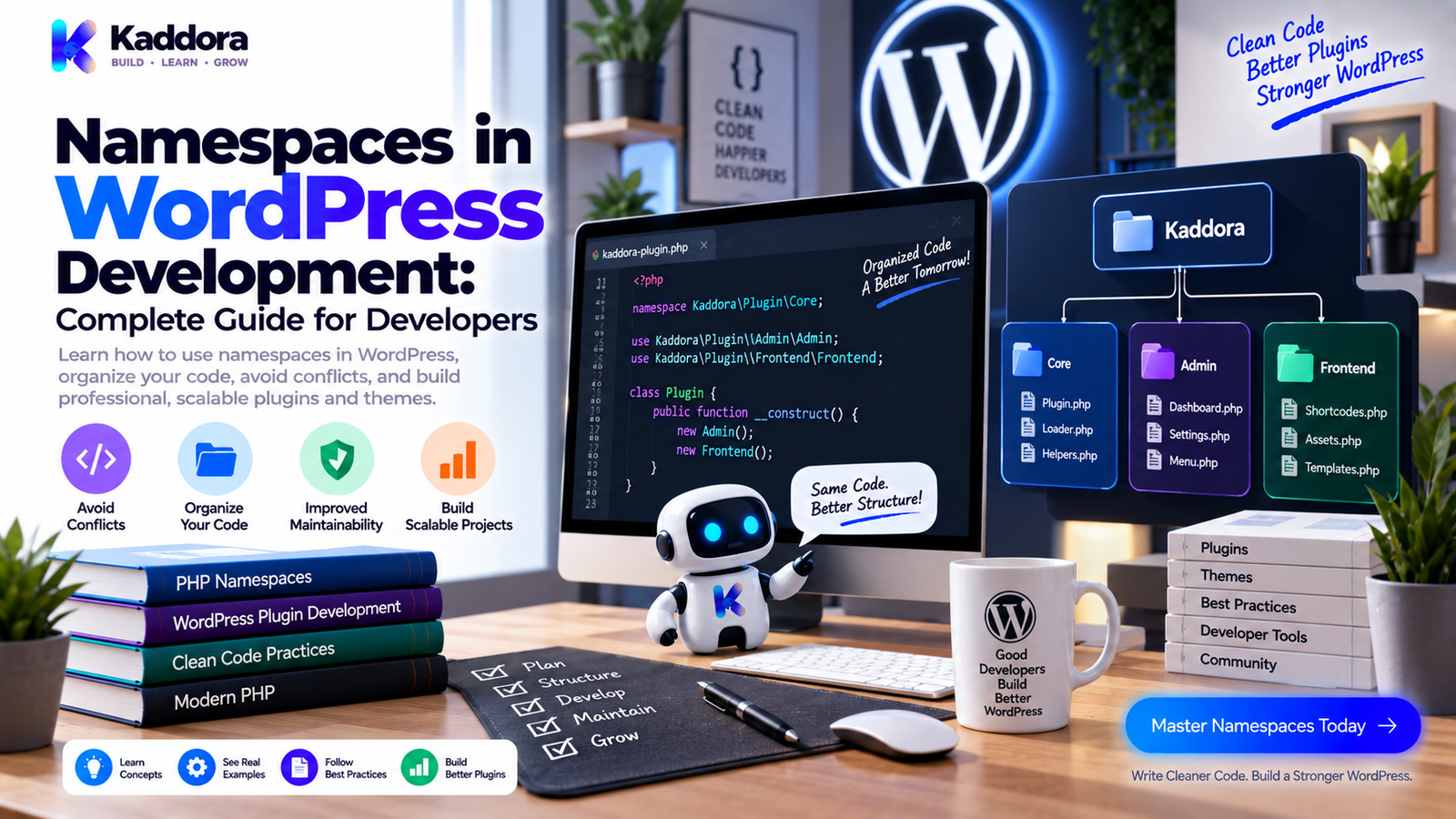
Namespaces in WordPress Development: A Complete Guide for Developers
Introduction
As a WordPress project becomes larger, naming collisions can become a real development problem.
Imagine that two different plugins define a class called:
class Settings_Manager {}
Both plugins may have completely valid code.
But PHP cannot treat two global classes with the same name as separate classes in the same runtime.
This can result in:
Fatal errors
Plugin conflicts
Difficult integration problems
Naming workarounds
Harder code organization
One solution is to use PHP namespaces.
Namespaces allow developers to place classes, interfaces, traits, functions, and constants into logical naming spaces.
Instead of:
class Settings_Manager {}
you can have:
namespace Kaddora\Analytics; class Settings_Manager {}
Another plugin can use:
namespace AnotherVendor\Analytics; class Settings_Manager {}
Both classes can coexist because their fully qualified names are different.
A simplified model is:
Namespace
↓
Class / Interface / Trait
↓
Unique Fully Qualified Name
↓
Safer Code Organization
Namespaces are especially useful in larger object-oriented WordPress plugins and applications.
However, they are not a requirement for every WordPress project.
The important question is whether namespaces provide enough organizational and collision-avoidance value to justify their use.
This guide explains how namespaces work, how to use them in WordPress plugins and themes, how they interact with hooks and autoloading, common mistakes, compatibility considerations, and practical best practices.
What Is a PHP Namespace?
A namespace is a PHP language feature that groups related identifiers under a named scope.
For example:
namespace Kaddora\Analytics; class Report_Manager { }
The fully qualified class name becomes:
Kaddora\Analytics\Report_Manager
Another project could define:
namespace Kaddora\Commerce; class Report_Manager { }
Its fully qualified name would be:
Kaddora\Commerce\Report_Manager
Although both classes are named Report_Manager, PHP treats them as different classes.
Namespaces therefore provide a way to organize code and reduce naming conflicts.
Why Are Namespaces Useful in WordPress?
WordPress has a huge ecosystem.
A typical website may run:
WordPress core
Several plugins
A theme
WooCommerce
Custom code
Third-party libraries
Marketplace extensions
All of this code can run within the same PHP process.
Without namespacing, developers often use long prefixes:
class Kaddora_Analytics_Report_Manager {}
That approach can work well, especially for compatibility-focused WordPress code.
With namespaces, the same class can become:
namespace Kaddora\Analytics; class Report_Manager {}
The namespace provides the uniqueness.
Benefits can include:
Reduced class-name collisions
Better logical organization
Cleaner class names
Easier library integration
Better support for modern PHP architecture
Clearer ownership of code
Namespaces vs Prefixes
WordPress developers often use prefixes for global functions, classes, and constants.
For example:
class Kaddora_Settings_Manager {}
Namespaces provide another mechanism:
namespace Kaddora\Settings; class Manager {}
These approaches are not necessarily competitors.
They can be used together.
For example:
namespace Kaddora\Analytics; function kaddora_register_report() { }
The namespace isolates the function, while the prefix adds another layer of explicit identification.
For WordPress projects distributed widely, choose a naming strategy based on your compatibility requirements, project size, and ecosystem expectations.
How to Declare a Namespace
A namespace declaration normally appears at the beginning of a PHP file.
Example:
<?php namespace Kaddora\Analytics; class Report_Manager { public function generate() { return array(); } }
The namespace should be declared before most other executable PHP code in the file.
A common file structure is:
<?php namespace Kaddora\Analytics; defined( 'ABSPATH' ) || exit; class Report_Manager { }
Keeping the namespace declaration easy to find improves readability.
Fully Qualified Class Names
When a class is inside a namespace, PHP refers to it using its fully qualified name.
Example:
namespace Kaddora\Analytics; class Report_Manager {}
The full name is:
\Kaddora\Analytics\Report_Manager
The leading backslash indicates the global namespace.
You can instantiate it directly:
$manager = new \Kaddora\Analytics\Report_Manager();
However, using use statements is often cleaner.
Using the use Statement
The use statement imports a class name into the current namespace.
Example:
namespace Kaddora\Admin; use Kaddora\Analytics\Report_Manager; $manager = new Report_Manager();
Instead of repeatedly writing:
$manager = new \Kaddora\Analytics\Report_Manager();
you can use:
use Kaddora\Analytics\Report_Manager;
This can make larger files easier to read.
Aliasing Namespaces
You can also assign an alias.
For example:
use Kaddora\Analytics\Report_Manager as Analytics_Report_Manager;
Then:
$manager = new Analytics_Report_Manager();
Aliases can be useful when two imported classes have the same short name.
For example:
use Kaddora\Analytics\Report_Manager as Analytics_Report_Manager; use Kaddora\Sales\Report_Manager as Sales_Report_Manager;
This makes the intended class explicit.
Namespaces and Functions
Namespaces aren't limited to classes.
Functions can also be namespaced.
Example:
namespace Kaddora\Utilities; function format_currency( $amount ) { return number_format( (float) $amount, 2 ); }
You can then call:
\Kaddora\Utilities\format_currency( 100 );
Or import the function:
use function Kaddora\Utilities\format_currency; echo format_currency( 100 );
Namespaced functions can be useful in larger codebases, though WordPress projects should be designed consistently.
Namespaces and Constants
Constants can also exist within a namespace.
Example:
namespace Kaddora\Analytics; const VERSION = '1.0.0';
The fully qualified constant is:
Kaddora\Analytics\VERSION
However, WordPress plugins often use carefully prefixed constants for plugin-wide configuration.
Choose whichever approach makes ownership and compatibility clear.
Namespaces and Interfaces
Interfaces can be namespaced too.
Example:
namespace Kaddora\Analytics; interface Logger_Interface { public function log( $message ); }
Implementation:
namespace Kaddora\Analytics; class File_Logger implements Logger_Interface { public function log( $message ) { // Logging implementation. } }
This creates a clean contract within the namespace.
Namespaces and Traits
Traits can also be placed inside namespaces.
Example:
namespace Kaddora\Shared; trait Has_Logging { protected function log_message( $message ) { // Logging logic. } }
Then:
namespace Kaddora\Analytics; use Kaddora\Shared\Has_Logging; class Report_Manager { use Has_Logging; }
This can be useful for genuinely reusable behavior.
Avoid creating traits merely to move unrelated methods between classes.
WordPress Plugin Namespace Example
A larger WordPress plugin can be organized like this:
kaddora-analytics/ │ ├── kaddora-analytics.php ├── uninstall.php │ ├── src/ │ ├── Plugin.php │ ├── Admin/ │ │ └── Settings_Page.php │ ├── Analytics/ │ │ └── Report_Manager.php │ ├── Database/ │ │ └── Report_Repository.php │ └── API/ │ └── Client.php │ ├── assets/ ├── languages/ └── tests/
The PHP namespaces can mirror the logical structure:
Kaddora\Analytics Kaddora\Admin Kaddora\Database Kaddora\API
This makes the relationship between directories and code easier to understand.
Namespace Design
A common namespace structure is:
Vendor\Product\Feature
For example:
Kaddora\Analytics\Reports
The first component identifies the vendor or organization.
The second identifies the product.
The third identifies the feature or module.
For a plugin, a structure such as:
Kaddora\CommerceIntelligence\Admin
can make ownership and module boundaries clear.
Choose a stable namespace because changing namespace names later can require widespread code changes.
Avoid Generic Namespace Names
Avoid namespaces such as:
namespace Plugin;
or:
namespace Core;
These names are too generic.
Prefer a unique vendor or product namespace.
For example:
namespace Kaddora\Commerce;
This provides clearer ownership and reduces the likelihood of collisions.
Namespaces and the WordPress Global Namespace
A common misunderstanding is that adding a namespace changes WordPress itself.
It does not.
WordPress functions such as:
get_option(); add_action(); wp_enqueue_script();
remain available globally.
Inside a namespace:
namespace Kaddora\Analytics; $value = get_option( 'kaddora_setting' );
PHP can resolve the WordPress function.
For global classes or functions where ambiguity is possible, using a leading backslash can make intent explicit:
$result = \get_option( 'kaddora_setting' );
In normal WordPress code, unqualified WordPress function calls are common and work because PHP falls back to the global function when a namespaced function of that name does not exist.
Still, developers should understand the resolution rules.
Namespaces and WordPress Hooks
Namespaces work well with WordPress hooks.
Example:
namespace Kaddora\Admin; class Settings { public function register_hooks() { add_action( 'admin_init', array( $this, 'register_settings' ) ); } public function register_settings() { // Register settings. } }
Because the callback is an object method, WordPress can execute it normally.
The namespace does not change how the action system works.
Static Hook Callbacks
Namespaced classes can also use static callbacks.
Example:
namespace Kaddora\Admin; class Notices { public static function register_hooks() { add_action( 'admin_notices', array( __CLASS__, 'display' ) ); } public static function display() { // Display notice. } }
Static callbacks can be useful for genuinely stateless behavior.
However, instance-based architecture is often more flexible when dependencies and state are involved.
Namespaces and WordPress Filters
Filters work in the same way.
Example:
namespace Kaddora\Content; class Formatter { public function register_hooks() { add_filter( 'the_content', array( $this, 'format_content' ) ); } public function format_content( $content ) { return $content; } }
The namespace does not interfere with the filter mechanism.
Namespaces and REST API Controllers
Namespaces can organize REST API classes.
Example:
namespace Kaddora\API; class Products_Controller { public function register_routes() { register_rest_route( 'kaddora/v1', '/products', array( 'methods' => 'GET', 'callback' => array( $this, 'get_products', ), 'permission_callback' => '__return_true', ) ); } public function get_products( \WP_REST_Request $request ) { return rest_ensure_response( array() ); } }
Notice that WP_REST_Request is referenced with a leading backslash.
That makes it explicit that the WordPress class lives in the global namespace.
For protected endpoints, the permission callback must implement the appropriate authorization rules.
Namespaces and WordPress Classes
WordPress core classes are generally global.
For example:
\WP_Error \WP_Query \WP_REST_Request \WP_REST_Response
Inside your namespace, you can import them:
use WP_Error; use WP_Query;
Then use:
function load_items() { return new WP_Query(); }
This can reduce repetitive fully qualified names.
Namespaces and WP_Error
For example:
namespace Kaddora\Products; use WP_Error; class Product_Service { public function get_product( $product_id ) { if ( ! $product_id ) { return new WP_Error( 'kaddora_invalid_product', __( 'Invalid product.', 'kaddora-plugin' ) ); } return get_post( $product_id ); } }
Importing WP_Error makes the dependency explicit.
Namespaces and Exceptions
PHP exceptions can also be namespaced.
Example:
namespace Kaddora\API; class API_Exception extends \Exception { }
Then:
throw new API_Exception( 'API request failed.' );
WordPress code should still choose between exceptions and mechanisms such as WP_Error based on the situation and architecture.
Don't introduce exceptions simply because a project uses namespaces.
Namespaces and Autoloading
Namespaces become especially useful when combined with autoloading.
Imagine:
Kaddora\Analytics\Report_Manager
An autoloader can map that namespace to:
src/Analytics/Report_Manager.php
This means developers don't need to manually require every class file.
The general flow becomes:
Class Referenced ↓ Autoloader ↓ Namespace Resolved ↓ File Located ↓ Class Loaded
Composer is commonly used for PHP dependency management and autoloading in modern projects.
The exact autoloading strategy should fit the project's packaging and distribution requirements.
PSR-4 and WordPress Projects
PSR-4 provides a common approach to mapping namespaces to file paths.
A project might map:
Kaddora\Analytics\
to:
src/Analytics/
Then:
Kaddora\Analytics\Report_Manager
could map to:
src/Analytics/Report_Manager.php
This predictable mapping can make large projects easier to organize.
However, adopting PSR-4 should be based on actual project requirements and build/deployment workflow.
Composer Autoloading Example
A simplified Composer configuration might look like:
{ "autoload": { "psr-4": { "Kaddora\\Analytics\\": "src/" } } }
After generating the autoloader, project classes can be loaded automatically.
In a distributed WordPress plugin, make sure the final package includes the required autoload files and dependencies when the chosen licensing and distribution model permits it.
Namespace and File Naming Consistency
A predictable relationship between namespace, class, and file name helps developers navigate projects.
For example:
Namespace: Kaddora\Analytics Class: Report_Manager File: src/Analytics/Report_Manager.php
Consistency reduces the amount of code a developer needs to inspect before understanding where something belongs.
Namespaces in WordPress Themes
Themes can also use namespaces.
For example:
namespace Kaddora\Theme; class Setup { public function register() { add_action( 'after_setup_theme', array( $this, 'setup_theme' ) ); } public function setup_theme() { add_theme_support( 'title-tag' ); } }
Namespaces can be useful for larger themes with substantial PHP architecture.
For simple themes, however, traditional WordPress naming conventions may be simpler.
Namespaces and Template Files
WordPress template files are often not structured like classes.
You should not force every template into a namespace simply for consistency.
For example, a template can remain straightforward:
<?php get_header(); get_template_part( 'template-parts/content', 'single' ); get_footer();
Namespaces are primarily useful for PHP code that benefits from namespaced organization.
Don't make templates unnecessarily complex.
Namespaces and Global Functions
One of the most important considerations is function resolution.
Suppose you write:
namespace Kaddora\Tools; function sanitize_value( $value ) { return sanitize_text_field( $value ); }
The call to:
sanitize_text_field()
can resolve to the global WordPress function because a namespaced version isn't defined.
But if your namespace also contains:
function sanitize_text_field() { }
the behavior changes.
Developers should therefore avoid creating namespaced functions that unintentionally shadow important global functions.
Namespaced Functions and WordPress APIs
A clear naming approach helps prevent confusion.
Instead of defining:
namespace Kaddora; function get_option() {}
use a product-specific name:
namespace Kaddora\Settings; function get_plugin_option() {}
Don't imitate common WordPress function names.
The goal of namespacing is clarity, not confusion.
Namespaces and Global Constants
WordPress plugins often define constants such as:
define( 'KADDORA_PLUGIN_VERSION', '1.0.0' );
You can also use namespaced constants:
namespace Kaddora\Plugin; const VERSION = '1.0.0';
Both approaches can work.
For widely distributed WordPress plugins, consider how the constant will be referenced throughout the codebase and whether the project's supported PHP environment is compatible with the chosen approach.
Namespaces and Dependency Injection
Namespaces work naturally with dependency injection.
Example:
namespace Kaddora\Reports; use Kaddora\Database\Report_Repository; class Report_Service { private $repository; public function __construct( Report_Repository $repository ) { $this->repository = $repository; } }
The namespace helps identify where the dependency comes from.
Dependency injection then provides the dependency explicitly.
Together they can create a cleaner architecture for larger applications.
Avoid Overusing Namespaces
Namespaces are useful, but more namespaces don't automatically mean better architecture.
Avoid structures such as:
Kaddora └── Core └── Application └── Services └── Internal └── Shared
When the hierarchy becomes unnecessarily deep, it can make the project harder to understand.
Prefer namespaces that reflect meaningful product boundaries.
For example:
Kaddora\Analytics Kaddora\Admin Kaddora\Database Kaddora\API
Simple is often better.
Namespace Design for WordPress Plugins
A practical architecture may look like:
Kaddora\Plugin Kaddora\Admin Kaddora\Frontend Kaddora\Database Kaddora\API Kaddora\Integrations
Each namespace represents a meaningful responsibility.
For a smaller plugin, this may be enough:
Kaddora\Plugin Kaddora\Admin
Don't create module boundaries until there is a reason for them.
Namespaces and Security
Namespaces do not provide security.
They do not replace:
Capability checks
Nonces
Input validation
Sanitization
Escaping
Prepared database queries
Authentication
Authorization
For example:
namespace Kaddora\Admin; class Settings { public function save( $input ) { if ( ! current_user_can( 'manage_options' ) ) { return; } // Validate and sanitize $input. } }
The namespace organizes the class.
The security logic protects the operation.
These are separate concerns.
Namespaces and Internationalization
Translation functions continue to work normally.
Example:
namespace Kaddora\Admin; echo esc_html__( 'Settings saved successfully.', 'kaddora-plugin' );
The translation system does not require a different approach merely because your PHP class is namespaced.
Keep the text domain consistent with the plugin or theme.
Namespaces and WordPress Coding Standards
Using namespaces does not remove the need to follow WordPress development conventions.
Continue to pay attention to:
Naming
Documentation
Spacing
Escaping
Input handling
Security
Internationalization
Compatibility
Database safety
A namespaced class can still contain poor code.
Namespaces are an organizational tool, not a quality guarantee.
PHP Version Compatibility
This is an important consideration.
Namespaces are part of modern PHP and require a sufficiently modern PHP environment.
Before introducing namespaces into a distributed WordPress plugin or theme, define the minimum PHP version the project supports.
Then test the entire codebase against that requirement.
Do not accidentally introduce syntax or language features that exceed your product's advertised compatibility.
Compatibility planning should happen before implementation.
Namespaces in Marketplace WordPress Plugins
Plugins distributed through marketplaces can benefit from namespaces when the project is sufficiently large.
They can help reduce collisions with:
Other plugins
Themes
Vendor libraries
Custom site code
However, marketplace distribution introduces additional considerations:
Packaging
Autoloading
Dependency inclusion
Licensing
Supported PHP versions
Debugging
Update mechanisms
Namespaces should simplify the project rather than make the package harder for developers to understand or maintain.
Namespaces and Third-Party Libraries
Third-party libraries may already use namespaces.
For example:
Vendor\Library
Your plugin can depend on that library through Composer.
However, two plugins might package incompatible versions of the same library.
Namespaces can help avoid some naming collisions, but they don't automatically solve dependency-version conflicts.
For WordPress plugins that bundle dependencies, dependency isolation strategies may sometimes be required.
Evaluate this carefully before release.
Namespaces and Class Collisions
Consider two plugins.
Without namespaces:
class API_Client {}
Both plugins define the same class.
Collision:
Plugin A → API_Client Plugin B → API_Client ↓ Conflict
With namespaces:
Kaddora\API\API_Client OtherVendor\API\API_Client
The class names are distinct.
This is one of the clearest practical benefits of namespacing larger WordPress projects.
Namespaces and Legacy WordPress Code
You don't need to convert an entire old plugin to namespaces at once.
A legacy plugin might contain:
class Kaddora_Helper {}
Newer components can use:
namespace Kaddora\Reports; class Report_Manager {}
A gradual migration can be easier to manage.
However, mixing architectural styles should remain intentional and documented.
Migrating Existing Classes to Namespaces
Moving:
Kaddora_Report_Manager
to:
Kaddora\Reports\Report_Manager
changes the class's identity.
Any code referencing the old class must be updated or supported through a compatibility layer.
Before migrating, search for:
new Kaddora_Report_Manager
Kaddora_Report_Manager::
instanceof Kaddora_Report_Manager
Type declarations
Service registrations
Serialized references where applicable
Namespacing a mature project can therefore require careful planning.
Namespace Migration Strategy
A practical migration process is:
Audit Existing Classes ↓ Define Namespace Structure ↓ Update Autoloading ↓ Move One Module ↓ Update References ↓ Run Tests ↓ Verify Hooks ↓ Verify Integrations ↓ Release
Don't rename hundreds of classes at once without testing.
Small, controlled migrations reduce risk.
Common Namespace Mistakes
Generic Namespaces
Using names like:
Core Plugin Utils
can reduce clarity and uniqueness.
Inconsistent Namespace Structure
Different naming styles make navigation difficult.
Overly Deep Namespaces
Excessive hierarchy creates unnecessary complexity.
Forgetting use
Repeated fully qualified names can make code unnecessarily noisy.
Wrong Imports
Importing the wrong class with a similar name can produce confusing behavior.
Ignoring PHP Compatibility
Namespaces must be supported by the project's target environment.
Assuming Namespaces Provide Security
They don't.
Renaming Without Migration Planning
Changing fully qualified class names can break existing references.
Mixing Global and Namespaced Classes Randomly
Hybrid architectures should have a clear reason.
Best Practices for Namespaces in WordPress
1. Start With a Unique Vendor Name
Use a stable organization or product namespace.
2. Keep Namespace Depth Reasonable
Don't create unnecessary hierarchy.
3. Mirror Meaningful Modules
Use namespaces that reflect actual responsibilities.
4. Use use Statements
Keep dependent classes readable.
5. Define Compatibility First
Know the minimum PHP version before implementation.
6. Pair Namespaces With Autoloading
A predictable class-to-file mapping helps large projects.
7. Keep WordPress Integration Clear
Namespaces should not hide important hooks or dependencies.
8. Document Architectural Boundaries
Explain what each major namespace owns.
9. Avoid Generic Functions
Prevent accidental collisions and ambiguous behavior.
10. Test Before Release
Check classes, hooks, REST endpoints, integrations, and supported environments.
Recommended WordPress Namespace Structure
A scalable plugin could use:
Kaddora\Plugin ↓ Kaddora\Admin ↓ Kaddora\Frontend ↓ Kaddora\API ↓ Kaddora\Database ↓ Kaddora\Integrations ↓ Kaddora\Services
A more practical dependency direction might be:
WordPress Request ↓ Admin / Frontend / API ↓ Services ↓ Repositories / Integrations ↓ WordPress APIs / External Services
The namespace structure should reflect this logical architecture rather than dictate it.
Namespace Checklist
Before introducing namespaces into a WordPress project, check:
Architecture
Unique vendor namespace
Product namespace defined
Logical module namespaces
Reasonable namespace depth
Clear class ownership
Autoloading
Namespace-to-file mapping defined
Autoloader tested
Production package includes required autoload files
Dependencies reviewed
Compatibility
Minimum PHP version defined
Supported WordPress versions tested
Third-party library compatibility checked
Legacy references reviewed
WordPress Integration
Hooks still resolve correctly
Global WordPress classes imported correctly
REST controllers tested
Admin screens tested
Frontend features tested
Quality
Coding standards checked
Documentation updated
Tests passing
Security reviewed
Migration plan documented where necessary
Why Choose ThemeKaddora?
ThemeKaddora provides WordPress themes, plugins, WooCommerce solutions, AI tools, analytics products, marketing tools, automation solutions, HTML templates, UI kits, and SaaS-focused digital products.
As WordPress products become larger, namespace-based architecture can help organize PHP code and reduce class-name collisions.
For a professional digital product, namespaces can be part of a broader architecture that includes:
Clear module boundaries
Object-oriented development
Autoloading
Dependency management
WordPress APIs
Secure coding
Testing
Compatibility planning
ThemeKaddora-oriented products can use namespaces where they provide genuine value while still keeping the overall codebase understandable to WordPress developers.
The objective should not be to make the architecture look advanced.
The objective is to make the software easier to maintain, extend, test, and distribute.
Final Thoughts
Namespaces are one of the most useful PHP features for organizing larger WordPress applications.
They help developers:
Avoid Class Collisions
Organize Code
Clarify Ownership
Support Autoloading
Structure Large Projects
=
Cleaner WordPress Architecture
Namespaces work especially well in object-oriented plugins and larger applications.
They can make classes easier to identify and reduce conflicts between vendors and products.
But namespaces are not magic.
They do not automatically improve security.
They do not fix poor architecture.
They do not replace WordPress coding standards.
They do not remove the need for testing.
And they are not necessary for every small plugin or theme.
The best approach is proportional.
Use a unique namespace.
Keep the hierarchy understandable.
Combine namespaces with a predictable autoloading strategy.
Import dependencies clearly.
Respect WordPress APIs.
Plan PHP compatibility before release.
And test carefully when migrating existing code.
For a growing WordPress codebase, a well-designed namespace structure can provide a strong foundation for scalable, maintainable software without forcing unnecessary complexity into the project.
Frequently Asked Questions
What are namespaces in WordPress development?
Namespaces are a PHP feature that organizes classes, functions, interfaces, traits, and constants under unique names to reduce collisions and improve code organization.
Why should WordPress plugins use namespaces?
Larger plugins can use namespaces to reduce class-name conflicts, organize modules, integrate libraries, and create clearer object-oriented architectures.
Are namespaces required for WordPress plugins?
No. Small plugins can use traditional WordPress prefixes effectively. Namespaces become particularly useful as projects become larger or more complex.
What is a fully qualified class name?
A fully qualified class name includes the complete namespace and class name, such as Kaddora\Analytics\Report_Manager.
What does the use keyword do?
The use statement imports a class, interface, trait, function, or constant so it can be referenced more conveniently within the current namespace.
Can WordPress functions be used inside namespaces?
Yes. Global WordPress functions remain available to namespaced PHP code.
Should WordPress classes be imported with use?
They can be. Importing frequently used global classes such as WP_Error or WP_Query can improve readability.
Do template files need namespaces?
No. Traditional template files can remain simple. Namespaces are most useful for PHP classes and other structured code where they provide architectural value.
Are namespaces a security feature?
No. Namespaces primarily provide organization and collision avoidance. They do not replace authentication, authorization, nonces, validation, sanitization, escaping, or secure database access.
Are namespaces compatible with WordPress coding standards?
Yes. Namespaced code can follow WordPress coding standards, documentation practices, security requirements, and compatibility rules.
What is PSR-4?
PSR-4 is a standard approach for mapping PHP namespaces and class names to file paths, commonly used with Composer autoloading.
Can Composer be used with namespaced WordPress plugins?
Yes. Composer is commonly used to manage PHP dependencies and autoload namespaced classes in modern WordPress projects.
Do namespaces solve third-party dependency conflicts?
They can reduce class-name collisions, but they do not automatically solve every dependency-version conflict. Bundled libraries may require additional dependency-isolation strategies.
Can I use namespaces with old WordPress code?
Yes. A project can gradually introduce namespaced classes while keeping older prefixed classes during migration.
What happens when a class is moved into a namespace?
Its fully qualified name changes, so references throughout the project may need to be updated. Mature plugins should migrate carefully.
Should namespaces use the company name?
A unique vendor or organization identifier is commonly useful because it communicates ownership and reduces naming collisions.
Should namespace names be short or long?
They should be meaningful without becoming unnecessarily deep. A structure such as Kaddora\Analytics is often easier to understand than a very long hierarchy.
Should a namespace structure match the directory structure?
It doesn't have to, but a predictable relationship between namespaces and directories can make autoloading and project navigation easier.
How should I choose a WordPress namespace?
Use a unique vendor or product name followed by meaningful modules, such as Kaddora\Admin, Kaddora\API, or Kaddora\Database.
Why is PHP compatibility important when using namespaces?
Your plugin or theme should only use language features supported by its declared minimum PHP version. Compatibility should be established before adopting namespace-based architecture.
Can namespaces improve WordPress plugin maintainability?
They can contribute to maintainability by organizing classes and reducing naming collisions, but maintainability also depends on architecture, documentation, testing, security, and code quality.
Why choose ThemeKaddora?
ThemeKaddora provides WordPress plugins, themes, WooCommerce solutions, AI tools, analytics, automation products, HTML templates, UI kits, and other digital solutions designed around modern website and business requirements.
Comments (0)