
Introduction
Marketing a business online involves more than sending promotional emails. Businesses need to attract visitors, capture leads, organize contacts, communicate with potential customers, nurture relationships, and understand which marketing activities are producing useful results.
When these activities are managed through separate plugins and services, maintaining a consistent workflow can become difficult. Contact information may be scattered across different tools, email campaigns may operate independently of forms, and customer inquiries may not be connected to follow-up activities.
An all-in-one marketing solution can help organize these activities within a more connected environment.
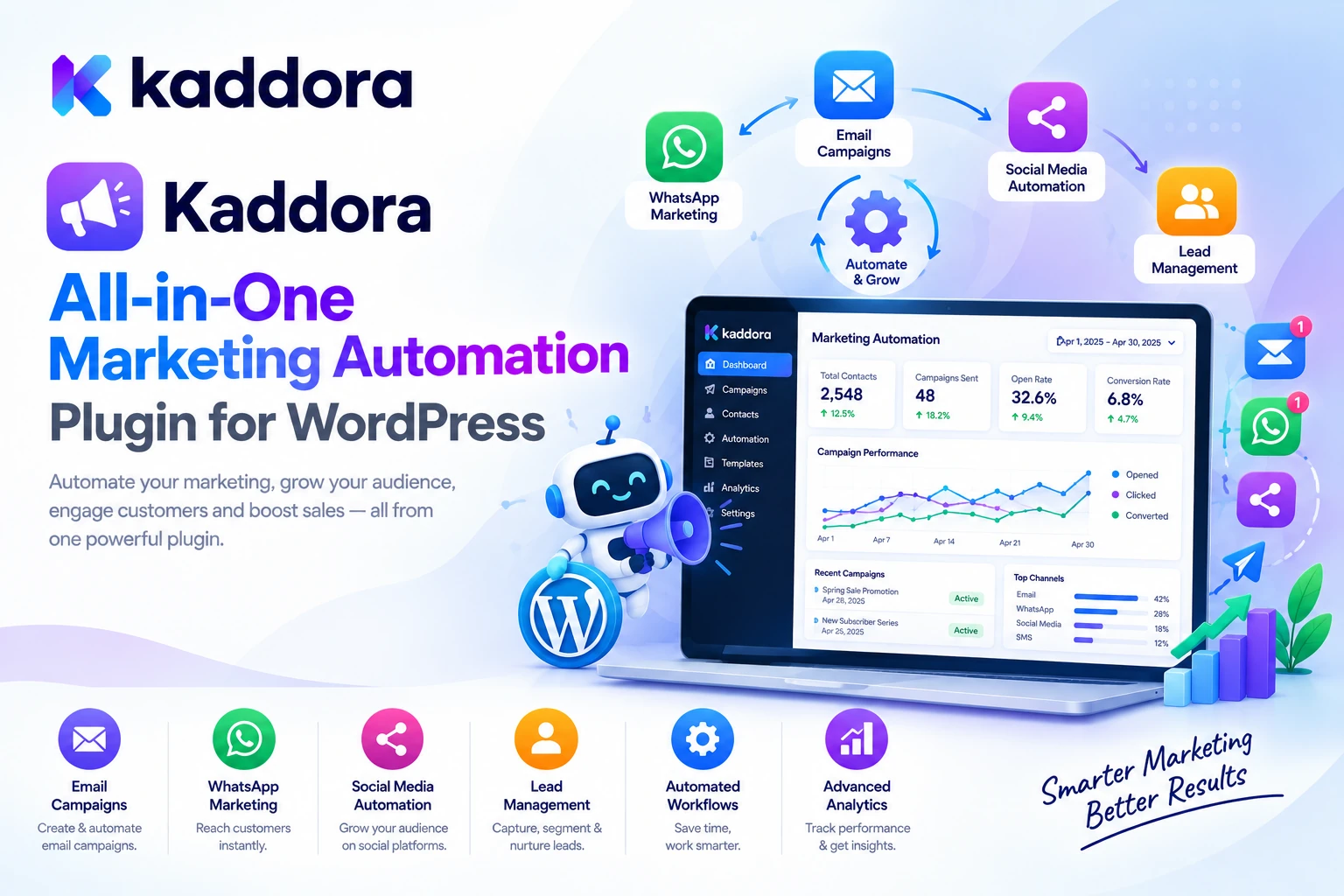
Kaddora All-in-One Marketing Automation – Email Marketing, Popup Builder, Chatbot, Newsletter, CRM, Forms is a WordPress marketing platform designed to bring lead generation, contact management, email campaigns, newsletters, popups, WhatsApp communication, AI-powered chatbots, and marketing automation into one centralized dashboard.
The plugin is intended to help businesses coordinate the customer journey—from a visitor's first interaction with a website to lead capture, contact management, communication, follow-ups, and performance analysis.
In this guide, we'll explore its key features, practical use cases, setup process, and best practices for building an organized WordPress marketing workflow.
What Is Kaddora All-in-One Marketing Automation?
Kaddora All-in-One Marketing Automation is a WordPress plugin that combines several marketing and customer communication tools within the WordPress administration environment.
Instead of managing every marketing activity in isolation, businesses can use the plugin's supported modules to connect lead capture, contacts, campaigns, newsletters, popups, forms, WhatsApp messaging, AI chatbot conversations, and automation workflows.
Its advertised capabilities include:
Centralized marketing dashboard
Contact and lead management
Contact segmentation and lead-source information
Email marketing campaigns
Newsletter management
Popup builder
Contact and lead-generation forms
WhatsApp marketing integration
AI-powered chatbot
Marketing automation workflows
Customer engagement and campaign insights
Scheduled and automated follow-ups
System health and configuration monitoring
Privacy-related settings
Centralized integration configuration
Explore the official Kaddora All-in-One Marketing Automation product page for the complete feature list, requirements, and current configuration details.
The plugin's AI, email delivery, and WhatsApp functionality depends on the relevant provider and service configuration. Provider charges, account limits, and external policies may apply separately.
Why Do Businesses Need Marketing Automation?
A visitor who discovers a website may not be ready to purchase immediately. They might want additional information, need time to compare options, or prefer to receive updates before making a decision.
Marketing automation helps businesses organize appropriate follow-up activities instead of relying entirely on manual communication.
Common challenges include:
Scattered contacts: Leads are stored in multiple forms, spreadsheets, email tools, or disconnected applications.
Missed follow-ups: Potential customers submit an inquiry but do not receive timely communication.
Inconsistent campaigns: Promotional emails and newsletters are prepared without a consistent audience or content strategy.
Limited personalization: Every contact receives the same message even when their interests differ.
Disconnected channels: Email campaigns, website popups, chatbots, and WhatsApp communications operate independently.
Limited reporting: Businesses struggle to connect lead generation and campaign engagement with their broader marketing objectives.
A connected marketing workflow helps address these challenges by organizing contacts, communication channels, and automation activities around a common process.
Key Features of Kaddora All-in-One Marketing Automation
1. Centralized Marketing Dashboard
The plugin provides a marketing dashboard designed to give administrators an overview of their marketing environment.
The advertised dashboard capabilities include contact and lead summaries, recent contacts, marketing statistics, module readiness, system health, configuration warnings, and shortcuts to frequently used actions.
A centralized dashboard can help answer practical questions such as:
Are new leads being captured?
Are marketing modules configured correctly?
Which components require attention?
What recent contact activity needs follow-up?
Are email, WhatsApp, forms, newsletters, and automation settings ready to use?
This provides a common starting point for managing marketing activities without constantly navigating between unrelated tools.
2. Contact Management and CRM
A marketing strategy becomes more effective when customer and lead information is organized.
Kaddora All-in-One Marketing Automation includes contact management functionality designed to help businesses maintain a centralized record of relevant contacts.
Listed capabilities include:
Adding and managing contacts
Searching contact records
Viewing detailed contact information
Organizing contact segments
Importing contact information
Reviewing lead sources
Accessing available engagement information
For example, a business could maintain contact records for newsletter subscribers, prospective customers, existing customers, and people who requested a consultation.
Organized contacts provide a foundation for more relevant communication and structured follow-up.
Customer information should be collected and used responsibly. Restrict access to authorized users, minimize unnecessary data collection, and follow applicable privacy and consent requirements.
3. Email Marketing Campaigns
Email marketing remains useful for communicating with subscribers, sharing product updates, promoting offers, and nurturing leads.
The plugin includes campaign management functionality designed to help businesses prepare and manage marketing emails through WordPress.
Its advertised email marketing capabilities include creating campaigns, selecting relevant contacts, preparing promotional or informational messages, configuring delivery settings, and reviewing available campaign activity.
A typical workflow looks like this:
Manage Contacts ↓ Select Relevant Audience ↓ Create Email Campaign ↓ Review Content ↓ Send or Schedule ↓ Review Available Results
For example, a business launching a new service might prepare a campaign explaining the service, outlining its benefits, and directing interested subscribers to a relevant landing page.
Campaigns should provide useful information, use accurate claims, include required sender details, and respect subscriber preferences. Configure unsubscribe handling and follow applicable email marketing rules and provider policies.
4. Newsletter Management
Newsletters help businesses maintain an ongoing relationship with subscribers.
Unlike a one-time promotional email, a newsletter can deliver regular updates about new products, industry information, company announcements, useful articles, and other relevant content.
Kaddora All-in-One Marketing Automation includes newsletter and subscriber-capture functionality.
The plugin is designed to support workflows such as:
Capturing newsletter subscribers
Adding contacts to the marketing database
Organizing subscriber information
Connecting subscribers with supported campaigns
Supporting newsletter-related automation
A useful newsletter workflow is:
Website Visitor ↓ Newsletter Sign-Up ↓ Subscriber Information ↓ Contact Database ↓ Relevant Newsletter ↓ Engagement Review
Focus on providing content that subscribers genuinely want to receive. A predictable publishing schedule and useful information are generally more sustainable than sending frequent messages without a clear purpose.
5. Popup Builder and Lead Capture
Popups can help businesses present newsletter subscriptions, announcements, offers, or lead-generation opportunities at relevant moments.
Kaddora All-in-One Marketing Automation includes popup functionality designed to support visitor engagement and contact capture.
Popup use cases can include:
Newsletter subscription forms
Promotional announcements
Lead-generation offers
Service inquiries
Campaign landing-page links
Product announcements
A popup can connect website traffic with the contact management system:
Visitor Arrives ↓ Relevant Popup Appears ↓ Visitor Submits Information ↓ Contact Is Captured ↓ Suitable Follow-Up
Popups should not interfere with browsing or obstruct essential information unnecessarily. Configure display behavior carefully, test mobile usability, and make it easy for visitors to dismiss the popup.
Avoid presenting misleading offers or using interface designs that make consent difficult to understand.
6. Forms and Lead Generation
Forms provide a direct way for visitors to request information, subscribe to communications, or express interest in a product or service.
The plugin includes form and lead-generation functionality designed to collect relevant visitor information and connect it with contact management.
Potential use cases include:
Contact requests
Service inquiries
Consultation requests
Newsletter subscriptions
Lead capture
Marketing campaign responses
For example, a digital agency could use a lead form to collect a visitor's name, contact details, and service requirements.
The submitted information can then become part of the business's contact workflow, subject to the configured settings.
Collect only the information necessary for the stated purpose. Protect submitted data, explain how it will be used, and distinguish marketing consent from a request for customer support where applicable.
7. WhatsApp Marketing Integration
Some businesses use WhatsApp to communicate with customers who prefer messaging over email.
Kaddora All-in-One Marketing Automation lists WhatsApp integration as part of its marketing capabilities.
The advertised workflows include supported individual messaging, bulk messaging, contact segmentation, message templates, automation actions, and configuration monitoring.
A potential communication workflow is:
Contact Database ↓ Choose Appropriate Audience ↓ Prepare WhatsApp Message ↓ Use Supported WhatsApp Integration ↓ Monitor Available Activity ↓ Arrange Follow-Up
WhatsApp functionality requires the appropriate supported WhatsApp service or API configuration. Access, charges, approved templates, messaging limits, and other restrictions depend on the provider and its policies.
Use WhatsApp responsibly. Obtain the appropriate permission where required, respect opt-outs, and avoid sending unwanted or excessive messages.
8. AI-Powered Chatbot
An AI chatbot can provide an additional way for visitors to interact with a business website.
The plugin lists an AI chatbot that can be configured with a supported external AI provider.
Depending on the available settings and connected services, the chatbot can help answer visitor questions, guide visitors to relevant pages, explain available products or services, and support lead-generation workflows.
A possible visitor journey is:
Visitor Asks a Question ↓ AI Chatbot Responds ↓ Visitor Receives Guidance ↓ Relevant Form or Page ↓ Lead Captured When Appropriate ↓ Follow-Up Workflow
For example, a visitor exploring an agency website might ask which service is appropriate for their business. The chatbot can provide relevant guidance and direct the visitor to a consultation form.
AI responses should be grounded in approved information and should not invent prices, guarantees, product specifications, or business policies. Provide a route to human support when the chatbot cannot confidently address a request.
External AI usage may involve separate charges, limits, and data-processing requirements.
9. Marketing Automation Workflows
Marketing automation connects triggers, conditions, and actions to reduce repetitive manual work.
Kaddora All-in-One Marketing Automation includes workflow functionality designed to connect supported marketing modules.
The advertised automation model includes:
Triggers
Conditions
Actions
Contact-based workflows
Email actions
WhatsApp actions
Lead nurturing
Workflow activation and management
For example, when a visitor signs up for a newsletter, an appropriate workflow may add the contact to the subscriber database and arrange a relevant follow-up email.
A general workflow looks like this:
Trigger ↓ Check Condition ↓ Perform Action ↓ Follow-Up ↓ Review Available Results
Start with simple, easy-to-test workflows. Verify that triggers run once when expected, conditions behave correctly, and follow-up actions do not create duplicate messages.
Automation should respect communication preferences and should never bypass necessary consent or permission checks.
10. Contact Segmentation and Targeted Communication
Not every contact needs the same message.
A prospective customer who requested a quotation has different needs from a subscriber who wants newsletter updates or a customer who has already purchased a product.
The plugin lists contact segmentation and lead-source information to support more organized audience management.
Segmentation can help businesses group contacts according to relevant information, such as their relationship with the business, interests, or available engagement data.
For example:
Newsletter subscribers
New leads
Consultation requests
Existing customers
Contacts associated with a particular campaign
Use only appropriate and accurate data when creating segments. Keep audience criteria understandable, and avoid making sensitive assumptions about people without a legitimate basis.
11. Analytics and Marketing Insights
Marketing activities should be evaluated through meaningful measurements rather than the number of campaigns sent.
Kaddora All-in-One Marketing Automation includes analytics and marketing insights intended to help administrators review available lead and engagement information.
The advertised capabilities include marketing activity, contacts and leads, available campaign statistics, and module usage information.
These insights can help businesses investigate questions such as:
Which forms are generating leads?
Are newsletter subscriptions increasing?
Which campaigns receive engagement?
Are contacts progressing through follow-up workflows?
Which marketing modules need configuration or review?
The usefulness of these reports depends on the available tracking, configuration, and data quality.
Distinguish between activity metrics—such as submissions or messages sent—and business outcomes such as qualified leads, purchases, or revenue.
12. Centralized Settings and System Health
An all-in-one marketing plugin may depend on several connected services.
Email delivery, WhatsApp integration, an external AI provider, popup behavior, forms, newsletters, and automation workflows can each require configuration.
The plugin includes centralized settings and system health features designed to help administrators review module readiness and identify configuration issues.
These controls can help users investigate whether important components are configured and ready for use.
For example, an administrator may need to review email settings before sending a campaign or verify the AI provider connection before enabling chatbot functionality.
Follow the documentation for each integration and test it before using the feature with real customers.
How to Set Up Kaddora All-in-One Marketing Automation
Step 1: Prepare Your WordPress Website
Confirm that your WordPress installation meets the requirements documented for the downloaded plugin version.
Back up your website before making significant configuration changes, especially if you already use separate email, CRM, form, or chatbot plugins.
Step 2: Install the Plugin
From the WordPress dashboard:
Navigate to Plugins → Add New → Upload Plugin.
Select the downloaded Kaddora All-in-One Marketing Automation ZIP file.
Click Install Now.
Activate the plugin.
Open the marketing dashboard.
Follow the installation documentation supplied with the version you downloaded.
Step 3: Configure General Settings
Review the general settings and available marketing modules.
Decide which functions your business needs initially: contact management, forms, email campaigns, newsletters, popups, WhatsApp integration, chatbot functionality, or automation.
Step 4: Configure Email Delivery
Review the available email settings and connect the required sending service.
Send test messages before launching campaigns. Check that sender details and domain authentication are configured appropriately.
Step 5: Connect External Services
If using WhatsApp or an AI chatbot, configure the supported provider or API.
Store credentials securely, review provider policies, and confirm that the integrations work correctly.
Step 6: Set Up Contacts, Forms, and Newsletters
Create the required forms and subscription workflows. Decide what information to collect, where it will be stored, and how contacts will be used for follow-up.
Step 7: Build a Simple Marketing Automation
Start with one clear workflow, such as a newsletter subscription followed by an appropriate confirmation or welcome message.
Test the trigger, condition, action, and follow-up before building more complex automations.
Step 8: Review Performance and System Health
Inspect the available activity information, configuration warnings, and campaign statistics.
Refine the workflow based on actual results and correct any configuration issues before expanding the automation.
Best Practices for WordPress Marketing Automation
Start with one customer journey. Build a simple lead-capture or newsletter workflow before connecting every marketing channel.
Keep contact records organized. Use appropriate contact fields, source information, and segments.
Send relevant messages. Match the content to the subscriber's interests and relationship with your business.
Respect consent and preferences. Obtain appropriate permission for marketing communication, provide required unsubscribe or opt-out methods, and honor withdrawal requests.
Test email delivery. A campaign being sent does not guarantee that every message reaches the inbox.
Use WhatsApp responsibly. Follow the provider's messaging rules and use approved templates where required.
Review AI-generated responses. Chatbot content should reflect approved business information and provide a human escalation path.
Protect customer data. Restrict access, minimize data collection, and understand which information may be processed by external providers.
Measure meaningful outcomes. Track lead quality and business results rather than focusing only on message volume.
Monitor automation workflows. Review errors, duplicate triggers, configuration warnings, and unexpected behavior regularly.
Common Marketing Automation Mistakes to Avoid
1. Sending Too Many Messages
Excessive communication can frustrate subscribers and damage trust.
Better approach: Build a clear communication schedule and prioritize useful content.
2. Collecting Unnecessary Contact Information
Asking for excessive information may discourage form completion and create privacy risks.
Better approach: Collect only what is needed for the stated purpose.
3. Automating Without Testing
An incorrectly configured workflow may send duplicate messages or target the wrong audience.
Better approach: Test triggers, conditions, permissions, and actions with controlled test contacts.
4. Trusting Every AI Response
A chatbot may misunderstand a question or produce inaccurate information.
Better approach: Use approved content, review important responses, and provide human support when needed.
5. Ignoring Email Deliverability
Campaigns can fail to reach inboxes because of authentication, sender reputation, provider restrictions, or other issues.
Better approach: Configure authenticated email delivery and monitor available sending results.
6. Focusing Only on Lead Quantity
A large contact list does not necessarily produce qualified leads or sales.
Better approach: Evaluate lead quality, customer needs, engagement, and conversion outcomes.
Who Can Benefit From Kaddora All-in-One Marketing Automation?
The plugin may be useful for:
Small and growing businesses
Digital marketing agencies
Service providers
Ecommerce stores
SaaS companies
Consultants and freelancers
Membership websites
Businesses growing an email newsletter
Teams managing several marketing channels
WordPress developers building connected marketing workflows
The right fit depends on your marketing requirements, current integrations, email provider, messaging setup, privacy obligations, and the features supported by your installed version.
Why Choose Kaddora?
Kaddora focuses on practical WordPress products designed to help businesses manage digital workflows through a familiar WordPress environment.
Kaddora All-in-One Marketing Automation combines contact management, lead capture, email marketing, newsletters, popups, forms, WhatsApp integration, AI chatbot functionality, marketing automation, and available analytics in one centralized workspace.
For businesses, this approach can help organize the journey from visitor engagement to lead capture and follow-up. For developers and marketing teams, the modular settings and connected workflows can provide a foundation for managing supported marketing activities more consistently.
The goal is not simply to automate every interaction. It is to coordinate useful communication, keep contact information organized, and build a marketing process that respects customer preferences while supporting business objectives.
Conclusion
Effective marketing requires more than individual campaigns. Businesses need a consistent process for attracting visitors, collecting relevant information, organizing contacts, communicating with customers, and reviewing results.
Kaddora All-in-One Marketing Automation – Email Marketing, Popup Builder, Chatbot, Newsletter, CRM, Forms is designed to bring these activities together within WordPress.
Its advertised features include email campaigns, newsletter management, popup building, contact forms, CRM and segmentation, WhatsApp integration, AI-powered chatbot functionality, marketing automation, analytics, and centralized configuration.
Whether you run a business website, ecommerce store, agency, or service-based company, a connected marketing workflow can help reduce fragmentation and make follow-up activities easier to organize.
Start with a clear goal, configure the necessary modules, test each integration, and build simple workflows before expanding into more complex automation. Protect contact information, respect communication preferences, and measure meaningful business outcomes.
A strong marketing system combines useful content, relevant communication, accurate data, and consistent follow-up. Automation can make that process more organized while keeping the customer experience at the center.
Frequently Asked Questions
What is Kaddora All-in-One Marketing Automation?
It is a WordPress marketing plugin designed to combine email marketing, newsletters, popups, forms, contact management, WhatsApp integration, AI chatbot functionality, and marketing automation in one dashboard.
Does the plugin include email marketing?
Yes. The advertised feature set includes email campaign creation, audience selection, email configuration, campaign management, and available activity statistics.
Can I manage contacts and leads?
Yes. The plugin lists contact management, contact search, detailed contact information, segmentation, imports, lead-source information, and available engagement details.
Does Kaddora All-in-One Marketing Automation include a popup builder?
Yes. Popup functionality is listed for newsletter subscriptions, promotional announcements, lead capture, and other supported visitor-engagement workflows.
Can the plugin create newsletter subscription workflows?
Yes. Newsletter and subscriber-capture features are advertised, including connections with the contact database and supported campaign or automation workflows.
Does the plugin include an AI chatbot?
Yes. The plugin lists AI chatbot functionality that requires configuration of a supported external AI provider. Provider charges, usage limits, policies, and data-processing considerations may apply.
Can I automate email follow-ups?
The plugin advertises marketing automation with supported triggers, conditions, and actions, including email-related workflows. Test your automation rules to ensure messages are sent to the intended contacts at the appropriate time.
Does the plugin provide marketing analytics?
Yes. Its advertised analytics cover available marketing activity, contacts, leads, campaign statistics, and module usage. The available metrics depend on configuration and the data collected.
Is external service configuration required?
Some capabilities require external configuration. Email needs an appropriate sending setup, WhatsApp requires a supported service or API, and AI chatbot features require a supported AI provider.
How should I protect marketing contact information?
Collect only necessary data, restrict access, explain how information is used, honor applicable consent and unsubscribe requirements, and review how connected external services process contact information.
Does marketing automation guarantee more sales?
No. Automation can organize follow-ups and make communication more consistent, but results depend on the audience, offer, message quality, customer experience, and overall marketing strategy.
Why choose ThemeKaddora?
ThemeKaddora provides a marketplace for WordPress plugins, themes, and website templates. Website owners, marketers, agencies, and developers can explore its catalog to find products that fit their business and technical requirements.
Comments (0)