
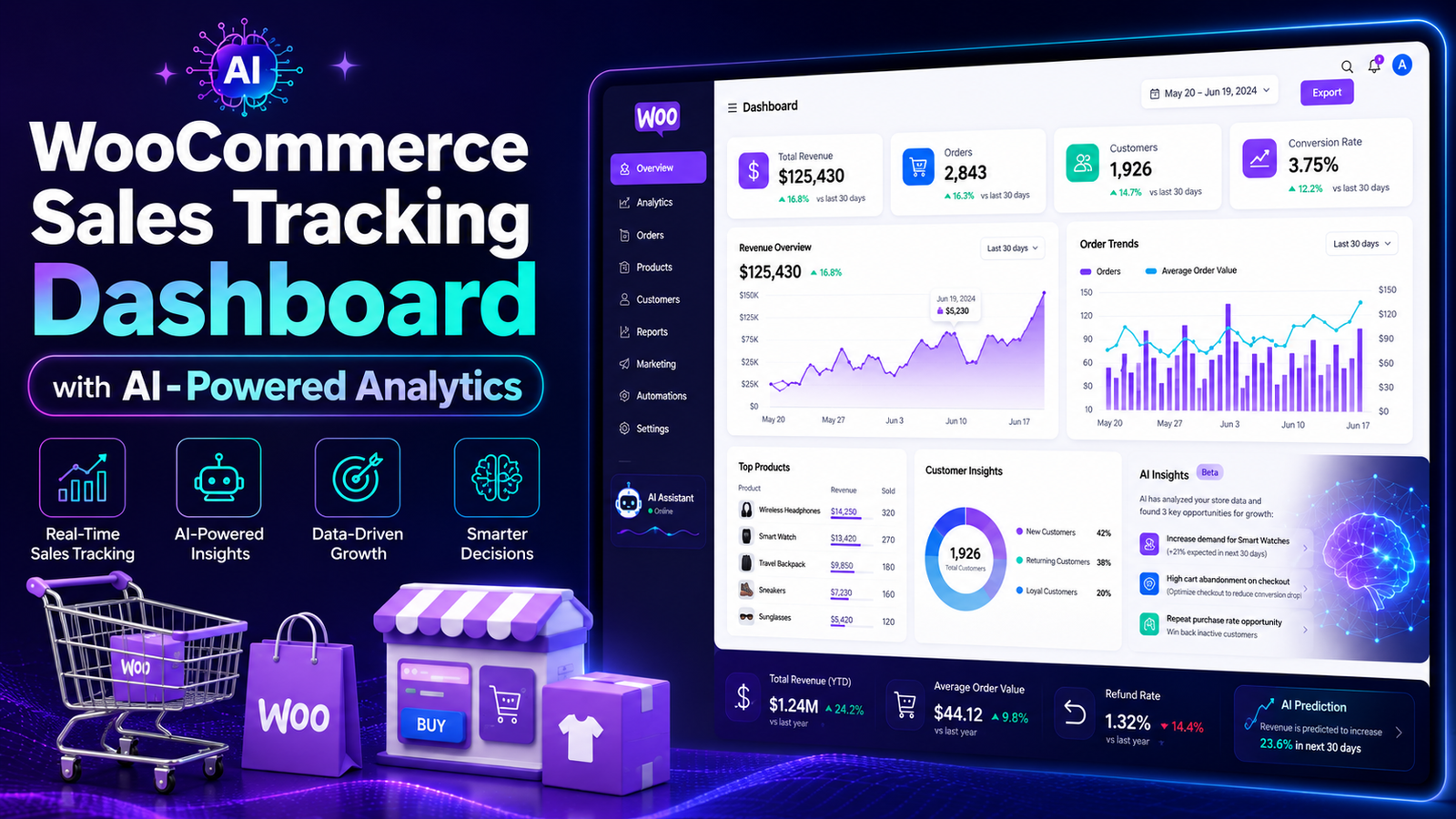
How to Track WooCommerce Sales
Tracking sales is one of the most important tasks for every WooCommerce store owner. Without accurate sales data, it's difficult to know which products are performing well, which marketing campaigns are driving revenue, or where your business needs improvement.
Fortunately, WooCommerce provides basic reporting tools, and advanced analytics solutions can give you even deeper insights into your store's performance.
In this guide, you'll learn how to track WooCommerce sales step by step, the key metrics to monitor, common mistakes to avoid, and how AI-powered analytics can help you make smarter business decisions.
Quick Answer
How do you track WooCommerce sales?
You can track WooCommerce sales by monitoring revenue, orders, average order value, conversion rate, customer behavior, and product performance through WooCommerce reports or advanced analytics tools. Reviewing these metrics regularly helps you identify trends and optimize your store for growth.
Why Sales Tracking Matters
Sales tracking isn't just about knowing how much money you've made. It helps you understand what's driving your business and where you can improve.
Benefits include:
Measure business growth
Identify best-selling products
Evaluate marketing campaigns
Understand customer behavior
Improve inventory planning
Increase profitability
Make data-driven decisions
Step 1: Review WooCommerce Orders
Start by checking your recent orders.
Review information such as:
Total orders
Order value
Customer details
Purchased products
Refunds
Order status
This gives you a snapshot of your store's daily activity.
Step 2: Monitor Revenue
Track revenue over different periods:
Daily
Weekly
Monthly
Quarterly
Yearly
Comparing performance over time helps identify growth trends and seasonal patterns.
Step 3: Analyze Product Performance
Every product contributes differently to your revenue.
Track:
Best-selling products
Low-performing products
Revenue by product
Product categories
Sales trends
Use these insights to optimize pricing, promotions, and inventory.
Step 4: Measure Average Order Value (AOV)
Average Order Value shows how much customers spend per order.
Increasing AOV can significantly improve revenue without increasing traffic.
Strategies include:
Product bundles
Upselling
Cross-selling
Free shipping thresholds
Step 5: Monitor Customer Behavior
Understanding your customers helps improve retention and conversions.
Track:
Repeat purchases
Customer lifetime value (CLV)
Purchase frequency
Top customers
Geographic locations
These insights support better personalization and marketing.
Step 6: Track Conversion Rate
Conversion rate measures the percentage of visitors who complete a purchase.
A low conversion rate may indicate issues such as:
Poor user experience
Slow website speed
Complicated checkout
Pricing concerns
Weak product pages
Improving these areas can lead to more sales.
Step 7: Generate Sales Reports
Regular reporting helps you identify trends before they impact your business.
Useful reports include:
Revenue reports
Product reports
Customer reports
Tax reports
Refund reports
Marketing performance reports
Weekly and monthly reviews provide a clearer picture than checking sales occasionally.
Step 8: Use AI-Powered Sales Analytics
Basic reports tell you what happened.
AI-powered analytics help explain why it happened and suggest what to do next.
AI can:
Detect revenue trends
Identify high-value customers
Forecast future sales
Highlight declining products
Recommend growth opportunities
Generate automated insights
This saves time and supports better decision-making.
Key Sales Metrics to Track
Every WooCommerce store should monitor:
Total Revenue
Total Orders
Average Order Value (AOV)
Conversion Rate
Customer Lifetime Value (CLV)
Repeat Purchase Rate
Refund Rate
Best-Selling Products
Sales by Category
Revenue Growth
Tracking these consistently provides a complete view of your store's performance.
Common Sales Tracking Mistakes
Avoid these common mistakes:
❌ Checking only total revenue
❌ Ignoring customer behavior
❌ Not reviewing reports regularly
❌ Tracking too many unnecessary metrics
❌ Making decisions without data
❌ Forgetting seasonal trends
❌ Using disconnected reporting tools
Best Practices for WooCommerce Sales Tracking
Review Reports Weekly
Regular reviews help you identify opportunities and problems early.
Focus on Actionable KPIs
Monitor metrics that directly impact business growth.
Compare Historical Data
Evaluate month-over-month and year-over-year performance.
Combine Multiple Metrics
Revenue alone doesn't tell the whole story. Analyze customer behavior, conversions, and product performance together.
Use Automation
Automated dashboards reduce manual work and provide real-time visibility into your business.
How Kaddora AI Sales Analytics Helps
As your WooCommerce store grows, manually reviewing spreadsheets and basic reports becomes inefficient.
Key Features
AI-powered sales insights
Real-time revenue tracking
Product performance analysis
Customer behavior reports
Sales trend monitoring
Automated dashboards
Forecasting insights
WooCommerce integration
Easy-to-use interface
With intelligent reporting and real-time analytics, you can spend less time collecting data and more time growing your business.
WooCommerce Sales Tracking Checklist
✅ Track Revenue
✅ Monitor Orders
✅ Review Product Performance
✅ Measure AOV
✅ Analyze Customer Behavior
✅ Track Conversion Rate
✅ Generate Weekly Reports
✅ Compare Historical Data
✅ Use AI-Powered Analytics
Frequently Asked Questions
How do I track WooCommerce sales?
You can track WooCommerce sales using built-in reports or advanced analytics tools that monitor revenue, orders, products, customer behavior, and key business metrics.
Which metrics are most important?
Revenue, average order value, conversion rate, customer lifetime value, repeat purchase rate, and product performance are among the most valuable metrics.
Does WooCommerce include sales reports?
Yes. WooCommerce includes basic reporting features, while dedicated analytics plugins provide deeper insights and automation.
Can AI improve WooCommerce sales tracking?
Yes. AI identifies trends, predicts future sales, highlights opportunities, and provides actionable recommendations that go beyond traditional reports.
Which plugin is best for WooCommerce sales tracking?
If you want real-time dashboards, AI-powered insights, revenue analysis, and customer analytics, Kaddora AI Sales Analytics is built to help WooCommerce businesses make smarter, data-driven decisions.
Final Thoughts
Tracking WooCommerce sales is more than monitoring revenue—it's about understanding your customers, products, and overall business performance.
By regularly reviewing key metrics and using AI-powered analytics, you can uncover growth opportunities, improve marketing strategies, and make informed decisions with confidence.
Comments (0)