
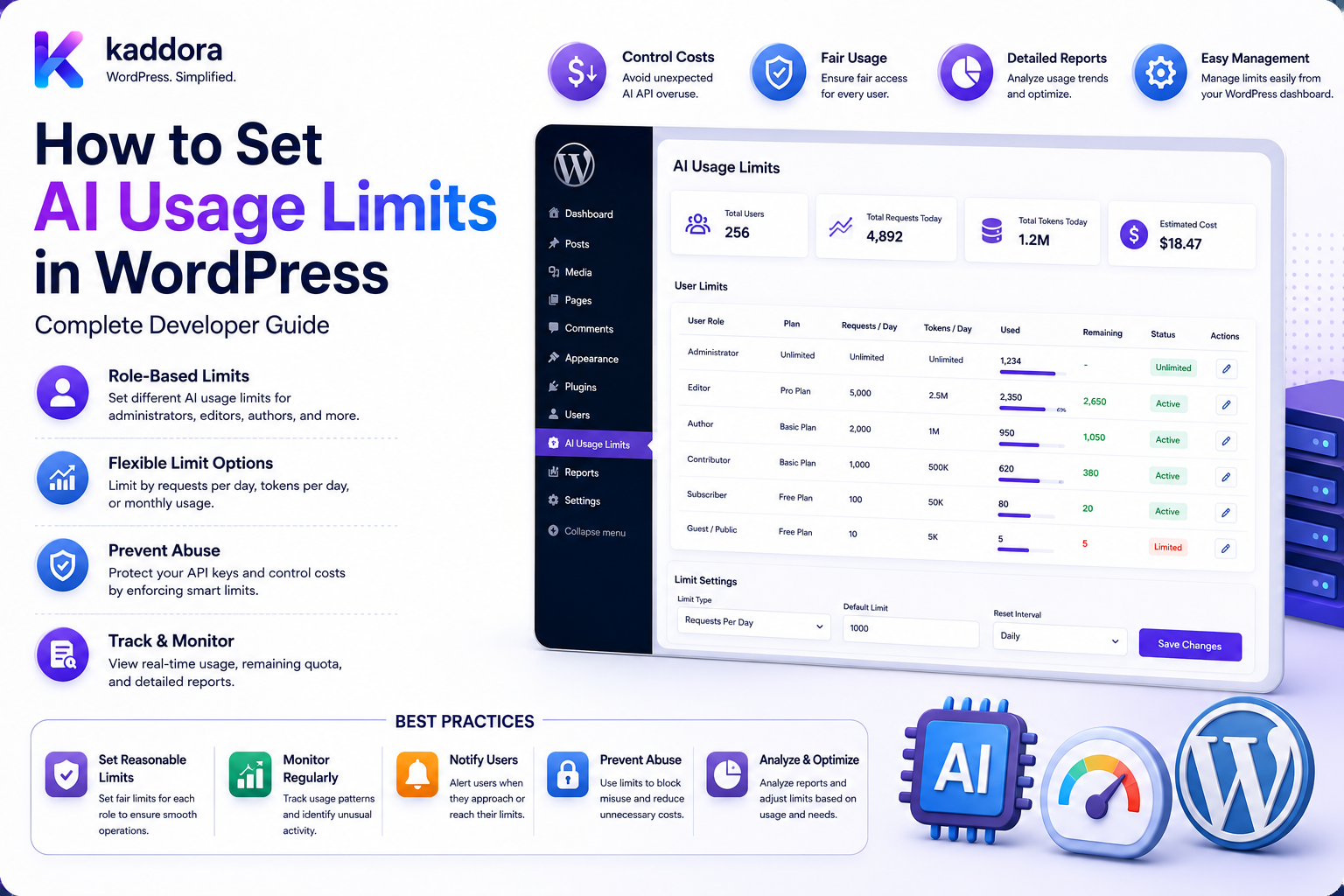
How to Set AI Usage Limits in WordPress: Complete Developer Guide
Introduction
AI features can add significant value to WordPress plugins and SaaS products.
Users can use AI to:
Generate Content Analyze SEO Summarize Documents Classify Comments Score Leads Analyze Products Answer Questions Generate Recommendations
But unrestricted AI usage can become difficult to control.
A user may accidentally trigger hundreds of expensive requests.
A public AI feature may be abused by automated scripts.
A shared API account may be consumed by one customer before other customers can use the service.
For example:
10 Users × 1,000 Requests = 10,000 AI Requests
At SaaS scale:
1,000 Tenants × 10,000 Credits = 10,000,000 Potential Credits
This is why production AI systems need clear usage limits.
A robust architecture can enforce:
Per-Request Limits Rate Limits User Quotas Site Quotas Tenant Budgets Feature Quotas Plan Limits Concurrency Limits Credit Limits Monthly Budgets
The complete workflow can be:
User Request ↓ Authentication ↓ Authorization ↓ Tenant / Site Resolution ↓ Rate Limit ↓ Quota Check ↓ Credit / Budget Check ↓ Concurrency Check ↓ Cache Check ↓ AI Request ↓ Usage Finalization
The key principle is:
AI usage limits must be enforced on the server using explicit, atomic, auditable policies rather than relying on frontend counters or user-provided usage values.
What Are AI Usage Limits?
AI usage limits define how much AI processing a user, website, tenant, feature, or plan can consume.
Limits can be based on:
Requests Credits Tokens Estimated Cost Time Concurrent Jobs Input Size Output Size
For example:
Free User: 100 Credits / Month
or:
Pro User: 10,000 Credits / Month
Why Do WordPress AI Plugins Need Usage Limits?
Usage limits help:
Prevent unexpected bills
Reduce abuse
Protect API quotas
Improve fairness
Support SaaS plans
Control expensive features
Prevent runaway jobs
Protect server resources
Usage Limits vs Rate Limits
These concepts are related but different.
Rate Limit
Controls:
How Fast Requests Arrive
Example:
10 Requests / Minute
Usage Quota
Controls:
How Much Is Consumed
Example:
10,000 Credits / Month
Most production systems need both.
Usage Limits vs Budgets
A budget is usually expressed as cost:
Monthly AI Budget: ₹5,000
A quota can be expressed as:
50,000 Credits
They can coexist.
Usage Limits vs Concurrency
Concurrency controls how many AI jobs can run at the same time.
For example:
Maximum Active Jobs: 3
A user may have:
10,000 Credits
but still be limited to three simultaneous tasks.
Build a Usage Policy First
Before implementing code, define:
Who Has a Limit? What Is Limited? When Does It Reset? What Happens at the Limit? Who Can Change It? How Is Usage Counted?
Limit by User
Example:
User: Editor Monthly: 5,000 Credits
This is useful for shared websites.
Limit by Site
A WordPress site can have:
Site Budget: 50,000 Credits / Month
All users draw from the same pool.
Limit by Tenant
For WordPress SaaS:
Tenant A: 100,000 Credits Tenant B: 25,000 Credits
This helps align usage with subscription plans.
Limit by Plan
For example:
Free: 500 Credits Pro: 10,000 Credits Enterprise: Custom
The exact values should match actual product economics.
Limit by Feature
A product may allocate different quotas:
SEO: 2,000 Credits Document AI: 5,000 Credits Chat: 10,000 Credits
This prevents one feature from consuming the entire allowance.
Limit by Model
Different models may have different costs.
For example:
Efficient Model: 1 Credit Advanced Model: 5 Credits
This allows cost-aware routing.
Limit by Request Size
A user may have remaining credits but submit:
500,000 Words
in one request.
Set limits for:
Prompt Size File Size Document Pages Output Size
Limit by Batch Size
A bulk feature should not allow:
1,000,000 AI Jobs
from one request.
Define:
Maximum Batch Size
and require additional approval for unusually large jobs.
Limit by Concurrent Jobs
For example:
User: Maximum 5 Active AI Jobs
This protects both the provider and WordPress infrastructure.
Hard Limits
A hard limit blocks the operation:
Quota Reached ↓ Request Denied
This provides predictable cost control.
Soft Limits
A soft limit warns the user:
80% Used ↓ Warning
The user can continue until the hard limit is reached.
Warning Thresholds
Common thresholds might include:
75% 90% 100%
The actual policy depends on the product.
Grace Limits
Some SaaS products may allow a small temporary overage:
Quota: 10,000 Grace: 500
This should be deliberate and financially controlled.
Reset Periods
Usage can reset:
Hourly Daily Weekly Monthly Billing Cycle
Daily Limits
Useful for:
Public AI Tools Chatbots High-Frequency Features
Example:
100 Requests / Day
Monthly Limits
Useful for:
SaaS Plans Paid Plugin Plans AI Credit Systems
Billing-Cycle Limits
Subscription products may reset when the billing cycle renews:
July 15 → August 15
rather than on calendar month boundaries.
Timezone Handling
If resets are time-based, define which timezone controls the reset.
Possible approaches include:
UTC Tenant Timezone Site Timezone Account Timezone
Use one documented policy.
Usage Window Design
A sliding window can enforce:
100 Requests in Any Rolling 60 Minutes
This differs from a calendar-hour quota.
Choose according to the abuse and cost model.
Fixed Window vs Sliding Window
Fixed Window
12:00–13:00
Sliding Window
Last 60 Minutes
Sliding windows can provide smoother traffic control but require more tracking.
Token Limits
If provider usage is available at the token level, you can define:
1,000,000 Tokens / Month
This more closely follows actual model usage.
Request-Based Limits
A simpler model:
1,000 AI Requests / Month
is easier for users to understand.
However, it treats a tiny request and a huge document as equivalent.
Credit-Based Limits
Credits can represent relative task cost:
SEO: 1 Credit Document: 20 Credits Advanced Reasoning: 10 Credits
This often works well for commercial products.
Cost-Based Limits
Internal systems can track:
Estimated AI Cost: ₹4,200
and enforce:
Monthly Budget: ₹5,000
Actual provider billing should be reconciled where possible.
Usage Hierarchy
A multi-layer system might use:
Global Policy ↓ Plan ↓ Tenant ↓ Site ↓ User ↓ Feature ↓ Request
The effective policy must be deterministic.
Parent Budget Rule
Suppose:
Tenant: 10,000 Credits
and:
User: 5,000 Credits
Multiple users must still remain within:
Tenant: 10,000
unless controlled overage is explicitly supported.
Effective Limit
The effective limit might be:
min( User Limit, Site Limit, Tenant Limit, Plan Limit, Feature Limit )
The exact hierarchy should follow the application's policy.
Policy Engine
A policy engine can evaluate:
User Plan Tenant Site Role Feature Model Time Usage
and return:
Allowed Limit Remaining Reset Time Credit Cost
Example Policy Decision
User: Editor Plan: Pro Feature: Document AI Remaining: 1,200 Credits Request Cost: 50 Result: Allowed
Usage Enforcement Flow
A complete request flow can be:
Request ↓ Authenticate ↓ Authorize ↓ Resolve Tenant ↓ Resolve Policy ↓ Rate Limit ↓ Input Size Check ↓ Quota Check ↓ Credit Reservation ↓ Concurrency Check ↓ Cache ↓ AI
Authenticate First
Never allow users to choose another identity with:
user_id=100
Resolve the authenticated account on the server.
Authorization Before Quota
A user who lacks access to:
Document AI
should be rejected before spending quota.
Quota Does Not Grant Permission
Remaining credits do not mean:
Permission: Yes
The application must check both.
Credit Reservation
Before expensive work:
Check Balance ↓ Reserve Credits ↓ Start Job
This helps protect against concurrency races.
Atomic Reservation
Two requests should not both see:
100 Credits Remaining
and each reserve:
80 Credits
Use transaction-safe or atomic accounting.
Credit Ledger
Record transactions such as:
Grant Reserve Consume Release Refund Expire
This provides an audit trail.
Usage Table
A dedicated usage table can contain:
ai_usage ├── id ├── user_id ├── site_id ├── tenant_id ├── task ├── model ├── provider ├── credits ├── tokens └── created_at
The exact schema depends on scale and reporting requirements.
Usage Aggregation
For large systems, avoid calculating monthly usage by scanning millions of rows on every request.
Use:
Raw Events + Aggregated Counters
where appropriate.
Usage Counter
Conceptually:
user_monthly_usage = 3,200
Update it atomically when consumption occurs.
Raw Usage Events
Keep detailed events where needed:
Request ID Task Model Usage Status Timestamp
These help with billing reconciliation and debugging.
Quota Reset
At reset time:
Usage: 9,500 Reset ↓ 0
For credit systems, reset behavior may instead grant a new monthly allowance.
Expiring Credits
Some products may define:
Monthly Credits: 10,000 Unused: 2,000 Expire: End of Billing Cycle
Others may allow rollover.
Define the policy explicitly.
Credit Rollover
A rollover system might allow:
Unused: 2,000 Next Cycle: 10,000 + 2,000
This affects product economics and should be controlled.
Usage Limits and Cached Responses
If a cache hit avoids a provider request:
Cache Hit → No Provider Usage
The product must decide whether cached operations consume credits.
Define Cache Credit Policy
Possible choices:
Cache Hit: 0 Credits
or:
Cache Hit: 1 Credit
Either can work if communicated clearly.
Usage Limits and Retries
A task can involve:
Primary Attempt Retry Fallback
Define whether usage is charged:
Per Logical Task
or:
Per Provider Attempt
Retry-Aware Quota
A robust accounting system tracks:
Logical Job ID Attempt Number Actual Provider Usage
This prevents retry loops from creating hidden consumption.
Usage Limits and Background Jobs
A queued task should carry:
User Tenant Task Quota Reservation Job ID
When it executes, the system should revalidate any conditions that are allowed to change.
Queued Job Policy
Suppose:
User: Pro
creates a job.
Before execution:
User: Free
The application must define whether the job uses:
Original Policy
or:
Current Policy
Cancelling Jobs After Quota Changes
When quota is reduced, queued jobs can be:
Cancelled Paused Allowed
according to product policy.
Concurrency Controls
A user might have:
50,000 Credits
but only:
3 Active Jobs
This protects the provider and infrastructure.
Batch Limits
For a bulk task:
Maximum: 500 Items
A request for:
5,000
can be split into smaller jobs or rejected.
File Limits
For document AI:
Maximum Size: 25 MB Maximum Pages: 100
Actual limits depend on the product and provider.
Input Token Limits
If the model supports a known input limit, validate or estimate input size before creating the request.
This prevents predictable provider failures and unnecessary processing.
Output Limits
Set:
Maximum Output
for generated text and structured responses.
Public AI Endpoint Protection
For a public endpoint:
POST /ai/generate
combine:
Authentication / Guest Controls Rate Limit Quota Input Size Limit Concurrency Abuse Detection
as appropriate.
Guest Limits
Public users can have:
5 Requests / Hour
or:
10 Credits / Day
Guest restrictions are usually harder to enforce strongly than authenticated account limits.
IP Rate Limiting
IP-based controls can help reduce bursts, but an IP should not be treated as a perfect user identity.
Shared networks and changing addresses make IP-only controls insufficient for many products.
Device and Session Signals
Additional abuse signals can include:
Session Account IP Device Signals
Use such signals carefully and consistently with applicable privacy requirements.
User-Level Feature Access
A plan may permit:
SEO AI: Yes Document AI: No
A usage limit should not be the only feature-access control.
Plan-Based Model Restrictions
For example:
Free: Efficient Model Pro: Advanced Model Enterprise: Approved Models
The server must enforce the mapping.
Dynamic Model Downgrade
When the user approaches a limit:
Advanced Model ↓ Budget Warning ↓ Efficient Model
can be used if product policy permits.
Usage Limit Notifications
Notify users before limits are reached.
For example:
You have used 90% of your monthly AI credits.
Reset Notifications
The dashboard can display:
Credits Reset: September 15
This makes usage policies easier to understand.
User Usage Dashboard
Useful fields include:
Plan Limit Used Remaining Reset Date Top Features Current Jobs
Admin Usage Dashboard
Administrators may need:
Top Users Top Tenants Feature Usage Model Usage Provider Cost Rate-Limit Events Quota Failures
Cost Monitoring
Track:
Estimated Cost Actual Provider Usage Retries Fallbacks Cache Hits
where available.
Usage Anomaly Detection
A sudden spike:
Normal: 500/day Today: 25,000
may indicate:
Bug Abuse Automation
The system can throttle or alert according to policy.
Emergency Throttling
Administrators may need to:
Throttle User Pause Feature Pause Tenant
during incidents.
AI Kill Switch
A global emergency control:
AI Enabled: No
can stop AI requests without removing the plugin.
Feature-Level Kill Switch
You can disable only:
Bulk Document AI
while keeping:
SEO AI
enabled.
Usage Audit Logs
Record:
Quota Changed Credits Granted Credits Used Credits Refunded User Suspended Plan Changed
This makes billing and support issues easier to investigate.
Privacy and Usage Data
Usage information can still be personal or commercially sensitive.
Limit retention of:
Prompts Responses Customer Metadata Document References
to what is actually needed.
User Deletion
When a user is deleted or anonymized, define how:
Usage Events Credits Jobs Caches Logs
are handled.
Tenant Isolation
In SaaS:
Tenant A ≠ Tenant B
Every usage record must be scoped correctly.
Never Trust Tenant IDs
Do not allow:
tenant_id=other
from the browser to determine where usage is recorded.
Resolve tenant context server-side.
Cross-Tenant Quota Attack
Without proper isolation, one user could attempt to consume another tenant's allowance.
Every quota query and credit transaction must enforce tenant ownership.
WordPress Multisite Limits
For multisite:
Network ↓ Site A ↓ Users
you may use:
Network Shared Budget + Site-Specific Quotas
according to the product design.
Network vs Site Budget
Define whether:
Site A: 10,000 Site B: 10,000
means:
20,000 Total
or whether all sites draw from:
Network: 10,000 Total
Usage Policy API
A service can return:
Allowed Remaining Limit Reset At Credit Cost
for a requested feature.
Example API Response
{ "allowed": true, "remaining": 1200, "credit_cost": 20, "reset_at": "2026-09-15T00:00:00Z" }
The exact schema depends on the application.
Usage API Security
Protect usage endpoints with:
Authentication Capability Checks Tenant Scope User Ownership
The frontend should not be able to modify usage through the same API.
Frontend Counters Are Not Enforcement
Displaying:
1,000 Credits Remaining
in JavaScript does not protect the quota.
The backend must enforce the rule.
WordPress AJAX
A secure flow can be:
AJAX Request ↓ Nonce Verification ↓ Capability Check ↓ User Resolution ↓ Quota Check ↓ AI
Nonce verification does not replace authorization.
WordPress REST API
Similarly:
REST Request ↓ Authentication ↓ Authorization ↓ Tenant Resolution ↓ Quota ↓ AI
WP-CLI
Server-side automation can also consume AI.
Define whether:
WP-CLI
uses:
Administrator Budget
or a dedicated:
Service Account Budget
Scheduled AI Jobs
Do not assume scheduled jobs are free from usage limits.
Every automated task should still pass through the same central policy system.
System-Generated AI Tasks
Some plugins generate AI jobs without a direct user action.
For example:
Post Published ↓ Automatic SEO Analysis
Define which account/site/tenant is charged for such work.
Usage Attribution for Automation
Possible models:
Site Account Tenant Account Feature Budget System Budget
Choose explicitly.
Usage Limits and Pricing Plans
A commercial AI plugin might map:
Basic → 1,000 Credits Pro → 10,000 Enterprise → Custom
The plan system should remain the source of entitlement information.
Usage Limits and Add-On Credits
Customers may purchase additional credits:
Plan: 10,000 Extra: 5,000
Credit buckets should have a clear consumption order.
Credit Bucket Priority
For example:
Included Credits → Bonus Credits → Purchased Credits
or another documented policy.
Credit Expiration
Different credit types may have different expiration dates.
The ledger should make expiration explicit.
Usage and Refunds
If an operation fails before meaningful provider consumption:
Reserved Credits → Release
If provider usage occurred:
Record Actual Consumption
The accounting policy must be consistent.
Usage and AI Retries
A failed request may create:
Attempt 1 Attempt 2 Fallback
Track all attempts while maintaining one logical job identity.
Usage and Cache Hits
A cache hit can avoid AI provider usage.
However, whether it consumes user credits is a product-policy decision.
Document it clearly.
Usage and Cost-Based Budgets
An internal budget system might calculate:
Estimated Month-to-Date Cost: ₹4,700 Budget: ₹5,000
At the threshold:
Throttle / Pause / Downgrade
according to policy.
Budget Forecasting
A system can estimate:
Current Daily Cost: ₹200 Projected Monthly: ₹6,000
This can warn administrators before the budget is exceeded.
Forecasts are estimates, not guarantees.
Budget Alerts
Useful thresholds include:
50% 75% 90% 100%
Usage Limit Testing
Test:
Below Limit Exactly at Limit Above Limit
Concurrency Testing
If:
Limit: 3 Jobs
start:
10 Jobs
simultaneously and verify only the allowed number proceeds.
Quota Race Testing
Suppose:
10 Credits
and two requests each cost:
8 Credits
The system must reject or delay one request rather than consuming 16.
Rate Limit Testing
If:
10 Requests / Minute
send:
20 Requests
and verify the excess requests are blocked or queued according to policy.
Batch Limit Testing
Set:
Maximum: 100 Items
and test:
99 100 101
Parent Budget Testing
Test:
Tenant: 100 Credits User A: 80 User B: 80
with simultaneous requests.
Combined consumption must remain within the allowed parent budget.
Plan Change Testing
Test:
Free → Pro Pro → Free
with:
Existing Credits Queued Jobs Current Usage
Subscription Reset Testing
Test:
Before Reset At Reset After Reset
and verify allowance calculations.
User Deletion Testing
Delete a test user and confirm:
Usage Credits Jobs Cache
follow the defined retention and deletion policy.
Cross-Tenant Testing
Attempt:
Tenant A User → Tenant B Usage
and verify the request is denied.
Common AI Usage-Limit Mistakes
Client-Side Enforcement
Frontend counters are not security controls.
Trusting User IDs
The server must identify the authenticated user.
Trusting Tenant IDs
Tenant scope must come from trusted context.
No Atomic Accounting
Concurrent requests can overspend.
Requests-Only Accounting
Different AI tasks can have dramatically different costs.
No Concurrency Controls
Users can create expensive bursts.
No Parent Budgets
Users can collectively exceed site or tenant limits.
Unlimited Public Access
Guest AI endpoints can be abused.
No Batch Limits
One request can create millions of jobs.
No Request-Size Limits
Huge prompts can create unexpected provider costs.
No Retry Accounting
Failed requests can silently consume large amounts.
No Cache Policy
The product may charge cached work inconsistently.
No Usage Transparency
Users cannot understand their remaining allowance.
No Reset Policy
Quota behavior becomes confusing around billing periods.
No Emergency Controls
An incident can continue generating costs.
AI Usage-Limit Checklist
- [ ] Define usage unit - [ ] Define user limits - [ ] Define site limits - [ ] Define tenant limits - [ ] Define plan limits - [ ] Define feature limits - [ ] Define model limits - [ ] Define request-size limits - [ ] Define output-size limits - [ ] Define batch limits - [ ] Define concurrency limits - [ ] Define rate limits - [ ] Define reset period - [ ] Define timezone - [ ] Define rollover policy - [ ] Define credit expiration - [ ] Build policy engine - [ ] Add authentication - [ ] Add authorization - [ ] Resolve tenant server-side - [ ] Add atomic credit reservations - [ ] Add usage ledger - [ ] Add usage counters - [ ] Add queue controls - [ ] Add retry accounting - [ ] Add cache policy - [ ] Add anomaly detection - [ ] Add usage dashboard - [ ] Add admin dashboard - [ ] Add alerts - [ ] Add audit logs - [ ] Add emergency throttling - [ ] Add AI kill switch - [ ] Test quota boundaries - [ ] Test concurrency - [ ] Test parent budgets - [ ] Test plan changes - [ ] Test cross-tenant access
Best Practices for Setting AI Usage Limits in WordPress
A professional WordPress AI usage system should:
Define the unit of consumption clearly, such as requests, credits, tokens, or cost.
Use multiple controls rather than relying on one quota.
Combine total quotas with rate limits and concurrency controls.
Enforce all limits server-side.
Resolve user, site, and tenant identity from trusted authentication context.
Keep authorization separate from usage entitlement.
Use atomic reservations or transaction-safe accounting for concurrent requests.
Maintain a credit ledger instead of relying only on one mutable balance.
Support plan, tenant, site, user, feature, and model policies where required.
Apply request, file, batch, prompt, and output size limits.
Define reset periods and timezones explicitly.
Handle billing-cycle resets and subscription upgrades/downgrades consistently.
Define whether credits roll over, expire, or reset.
Define how cached responses affect credit consumption.
Define how retries and fallback models affect usage.
Reserve usage for expensive queued jobs before processing when appropriate.
Revalidate queued jobs against current or snapshotted policy according to a documented rule.
Prevent child users from collectively exceeding parent budgets.
Use queue concurrency and request deduplication to control burst traffic.
Protect public AI endpoints with appropriate abuse controls.
Track actual and estimated usage separately where necessary.
Provide transparent user dashboards showing limits, consumption, remaining allowance, and reset timing.
Provide administrative alerts for usage spikes and approaching budgets.
Add emergency throttling and AI kill switches.
Protect usage records, credits, provider credentials, and tenant information.
Maintain audit logs for grants, deductions, refunds, policy changes, and administrative actions.
Retain detailed usage data only as long as operational and business requirements justify.
Test boundary conditions, concurrent requests, retries, cached requests, plan changes, resets, bulk operations, and tenant isolation.
Why choose ThemeKaddora?
ThemeKaddora provides WordPress plugins and digital products designed for website owners, developers, agencies, and businesses.
Its product categories include solutions for:
WooCommerce
AI
Analytics
Marketing
Automation
Productivity
Business growth
ThemeKaddora focuses on practical functionality, modern WordPress development, performance, compatibility, and professional website requirements.
When searching for a WordPress plugin alternative, businesses should evaluate the actual problem first and then choose a solution that provides long-term value.
Conclusion
Setting AI usage limits in WordPress is fundamentally a resource-governance problem.
A practical architecture is:
WordPress Feature ↓ Authentication ↓ Authorization ↓ Policy Engine ↓ Rate Limit ↓ Quota ↓ Credit Reservation ↓ Concurrency ↓ Cache / Queue ↓ AI Provider ↓ Usage Finalization
The first principle is define exactly what you are limiting.
Requests, credits, tokens, cost, concurrency, and input size solve different problems.
The second principle is use layered controls.
A monthly quota cannot prevent a burst of thousands of requests arriving at once.
The third principle is make enforcement server-side.
Frontend counters are useful for display but cannot be trusted for security or billing.
The fourth principle is make accounting atomic.
Concurrent requests must not be able to spend the same allowance twice.
The fifth principle is protect parent budgets.
Individual user limits must still fit within the site's or tenant's available budget.
The sixth principle is define reset and expiration behavior.
Users need to know when allowances reset, whether unused credits roll over, and what happens after a plan change.
The seventh principle is make queues quota-aware.
Background jobs should not bypass usage controls simply because they execute later.
The eighth principle is account for retries, fallbacks, and cache hits.
These behaviors can significantly change the real amount of AI processing consumed.
The ninth principle is monitor usage continuously.
Usage spikes can indicate abuse, software bugs, or unexpectedly expensive workflows.
The tenth principle is provide emergency controls.
Administrators should be able to throttle users, pause expensive features, or disable AI during an incident.
For ThemeKaddora, a complete AI usage-governance platform can support:
Per-User Limits Per-Site Quotas Per-Tenant Budgets Plan-Based Limits Feature Quotas Model Restrictions AI Credits Rate Limiting Concurrency Controls Batch Limits Usage Dashboards Cost Attribution Retry Accounting Queue Controls Usage Alerts Anomaly Detection Audit Logs AI Kill Switches Multi-Tenant Isolation
The most important principle is:
Set AI usage limits as a server-controlled policy system that combines quotas, rate limits, concurrency, credits, budgets, and request-size controls while maintaining atomic accounting and clear user-facing rules.
A professional WordPress AI usage system should be:
Server-Enforced
→ Layered
→ Atomic
→ Quota-Aware
→ Rate-Limited
→ Concurrency-Controlled
→ Cost-Aware
→ Auditable
→ Transparent
→ Tenant-Safe
When these principles are applied, WordPress AI plugins and SaaS platforms can provide powerful AI functionality without allowing accidental overuse, abusive automation, retry loops, oversized requests, or uncontrolled tenant consumption to create unpredictable costs and unstable infrastructure.
Frequently Asked Questions
What are AI usage limits in WordPress?
AI usage limits define how much AI processing a WordPress user, site, tenant, feature, or subscription plan can consume.
What should I use to measure AI usage?
You can measure requests, credits, tokens, estimated cost, or a combination. Credits are often useful for product-facing limits because different tasks can have different costs.
What is the difference between a quota and a rate limit?
A quota controls total consumption over a period, while a rate limit controls how quickly requests can arrive.
Why do I need concurrency limits?
Concurrency limits prevent a user from launching many expensive AI operations simultaneously, even when they still have remaining credits.
Should usage limits be enforced in JavaScript?
No. JavaScript can display usage information, but the backend must make the actual enforcement decision.
Can WordPress user roles define AI limits?
Yes. Usage policies can vary by role, but WordPress capabilities should remain responsible for permission checks.
Can AI limits vary by subscription plan?
Yes. Plans can provide different quotas, models, features, and concurrency limits.
Can one user have several AI limits?
Yes. A user can have a monthly credit quota, daily rate limit, feature-specific allowance, batch limit, and concurrency limit simultaneously.
Can AI limits apply to WordPress SaaS tenants?
Yes. Tenant budgets can be combined with individual user limits and feature-level quotas.
What happens when a user reaches the limit?
The system can block the request, queue it, downgrade the model, request additional credits, or apply controlled overage depending on the product policy.
Should AI credits expire?
They can, but the product should clearly define whether credits reset, expire, roll over, or remain available.
Why choose Themekaddora?
Themekaddora provides lightweight, responsive, SEO-friendly WordPress themes with fast performance, WooCommerce compatibility, flexible customization, accessibility-conscious design, modern templates, regular updates, and professional support—providing a strong foundation for businesses building digital products and product-focused websites.
Comments (0)