
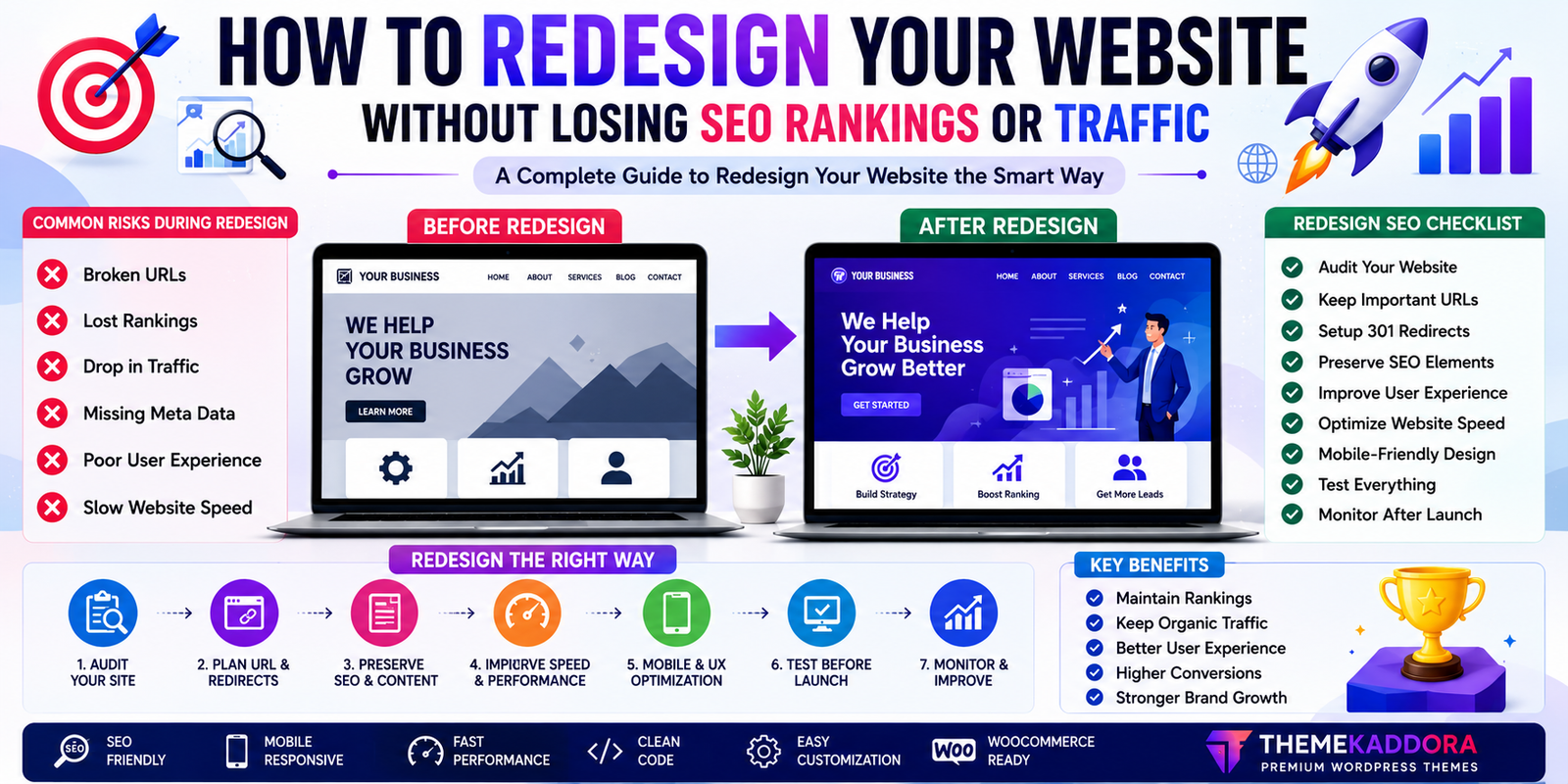
How to Redesign Your Website Without Losing SEO Rankings or Traffic
Introduction
A website redesign is an opportunity to modernize your online presence, improve user experience, and support new business goals. However, if the redesign is handled incorrectly, it can lead to a sudden drop in search rankings, organic traffic, and lead generation.
Many businesses invest in a beautiful new website only to discover that important pages are no longer indexed, internal links are broken, or valuable SEO signals have been lost.
The good news is that these issues are often preventable.
With proper planning and a structured approach, you can refresh your website while protecting the search visibility you've worked hard to build.
This guide explains how to redesign your website without sacrificing SEO performance or disrupting your visitors' experience.
Why Businesses Redesign Their Websites
A redesign may be necessary when:
The website looks outdated.
The design isn't mobile-friendly.
Pages load slowly.
Navigation is confusing.
Branding has changed.
New services or products need to be showcased.
The website is difficult to maintain.
Conversions have declined.
A redesign should improve both appearance and functionality.
Common SEO Risks During a Redesign
Without careful planning, a redesign can cause:
Broken URLs
Missing pages
Lost metadata
Reduced page speed
Poor internal linking
Duplicate content
Crawl errors
Declining rankings
Understanding these risks is the first step toward avoiding them.
Step 1: Audit Your Existing Website
Before making changes, evaluate your current website.
Review:
Top-performing pages
Organic traffic
Popular keywords
Backlinks
Internal links
Conversion pages
Existing content
Knowing what already works helps you preserve valuable assets.
Step 2: Keep Important URLs Whenever Possible
Search engines and users become familiar with your existing URLs.
If a page is performing well, avoid changing its URL unless there is a compelling reason.
Maintaining consistent URLs helps preserve search visibility.
Step 3: Plan Redirects Carefully
If URLs must change, create appropriate redirects from the old pages to their new locations.
Redirects help visitors and search engines find the correct content while reducing the risk of lost traffic.
Avoid redirect chains or redirecting multiple pages to a single unrelated destination.
Step 4: Preserve High-Quality Content
A redesign is not the time to remove valuable content without evaluation.
Keep pages that:
Answer customer questions
Rank well in search results
Generate leads
Attract backlinks
Support your marketing strategy
Improve existing content where appropriate instead of replacing it unnecessarily.
Step 5: Maintain SEO Elements
Review important on-page SEO components, including:
Page titles
Meta descriptions
Heading structure
Image alt text
Internal links
Canonical tags
Consistency helps search engines understand your updated website.
Step 6: Improve User Experience
A redesign should make your website easier to use.
Focus on:
Clear navigation
Readable typography
Responsive layouts
Logical page structure
Accessible design
An improved user experience benefits both visitors and search performance.
Step 7: Optimize Website Speed
Performance plays an important role in user satisfaction.
To improve loading speed:
Optimize images
Remove unnecessary plugins
Minify CSS and JavaScript where appropriate
Use reliable hosting
Choose a lightweight theme
A faster website encourages visitors to stay longer.
Step 8: Test Everything Before Launch
Before publishing the redesigned website, verify:
Navigation menus
Contact forms
Internal links
Search functionality
Mobile responsiveness
Checkout process (if applicable)
Testing helps identify issues before visitors encounter them.
Step 9: Monitor Performance After Launch
Once the redesign is live, monitor:
Organic traffic
Search rankings
Crawl errors
Page speed
User behavior
Conversion rates
Early monitoring allows you to resolve issues quickly.
Website Redesign SEO Checklist
Before launching your redesigned website, confirm that you have:
✅ Audited existing content
✅ Preserved important URLs where possible
✅ Configured redirects
✅ Reviewed page titles and metadata
✅ Checked internal links
✅ Optimized images
✅ Tested page speed
✅ Verified mobile responsiveness
✅ Confirmed analytics tracking
✅ Tested all forms and key functionality
Signs Your Website Needs a Redesign
Your website may benefit from a redesign if you notice:
Outdated appearance
Poor mobile usability
Slow loading pages
High bounce rates
Low engagement
Difficult navigation
Declining conversions
Branding inconsistencies
Addressing these issues can improve both user experience and business performance.
Why Your WordPress Theme Matters
A WordPress theme influences much more than aesthetics.
The right theme supports:
Responsive design
Fast performance
SEO-friendly architecture
Accessibility
Flexible customization
WooCommerce integration
Modern layouts
A well-built theme provides a solid foundation for long-term growth.
Why Businesses Choose Themekaddora Themes
When redesigning a website, businesses often look for a theme that balances design, performance, and flexibility.
Themekaddora WordPress themes offer:
Lightweight architecture
Responsive layouts
SEO-friendly code
WooCommerce compatibility
Fast loading performance
Modern business designs
Easy customization
Cross-browser compatibility
Regular updates
Professional support
These features make redesign projects more efficient while supporting future growth.
Common Website Redesign Mistakes
Avoid:
Removing valuable content
Changing every URL unnecessarily
Forgetting redirects
Ignoring mobile testing
Neglecting page speed
Losing analytics tracking
Publishing without quality assurance
Overlooking accessibility
Planning and testing reduce the risk of costly mistakes.
Conclusion
A successful website redesign should improve your online presence without sacrificing the SEO performance you've already earned.
By preserving valuable content, maintaining important SEO elements, optimizing performance, and thoroughly testing before launch, you can create a modern website that continues to attract visitors and support business growth.
Choosing a high-quality WordPress theme is an important part of that process. Themekaddora themes combine responsive design, clean code, SEO-friendly architecture, and flexible customization to help businesses redesign their websites with confidence.
Frequently Asked Questions (FAQs)
Will a website redesign hurt my SEO?
A redesign doesn't have to harm SEO if it's planned carefully. Preserving valuable content, maintaining important URLs where possible, and implementing proper redirects can help protect search visibility.
Should I change my URLs during a redesign?
Only when necessary. If URLs change, ensure appropriate redirects are in place so users and search engines can reach the new pages.
How can I keep my search rankings after a redesign?
Audit your existing website, preserve strong-performing content, maintain SEO elements, improve performance, and monitor results after launch.
Why is testing important before launching a redesigned website?
Testing helps identify broken links, form issues, mobile usability problems, and other technical errors before visitors encounter them.
Why choose Themekaddora for a website redesign?
Themekaddora WordPress themes are built with responsive layouts, SEO-friendly architecture, WooCommerce compatibility, clean code, and performance-focused design, making them a strong foundation for modern website redesign projects.
Comments (0)