
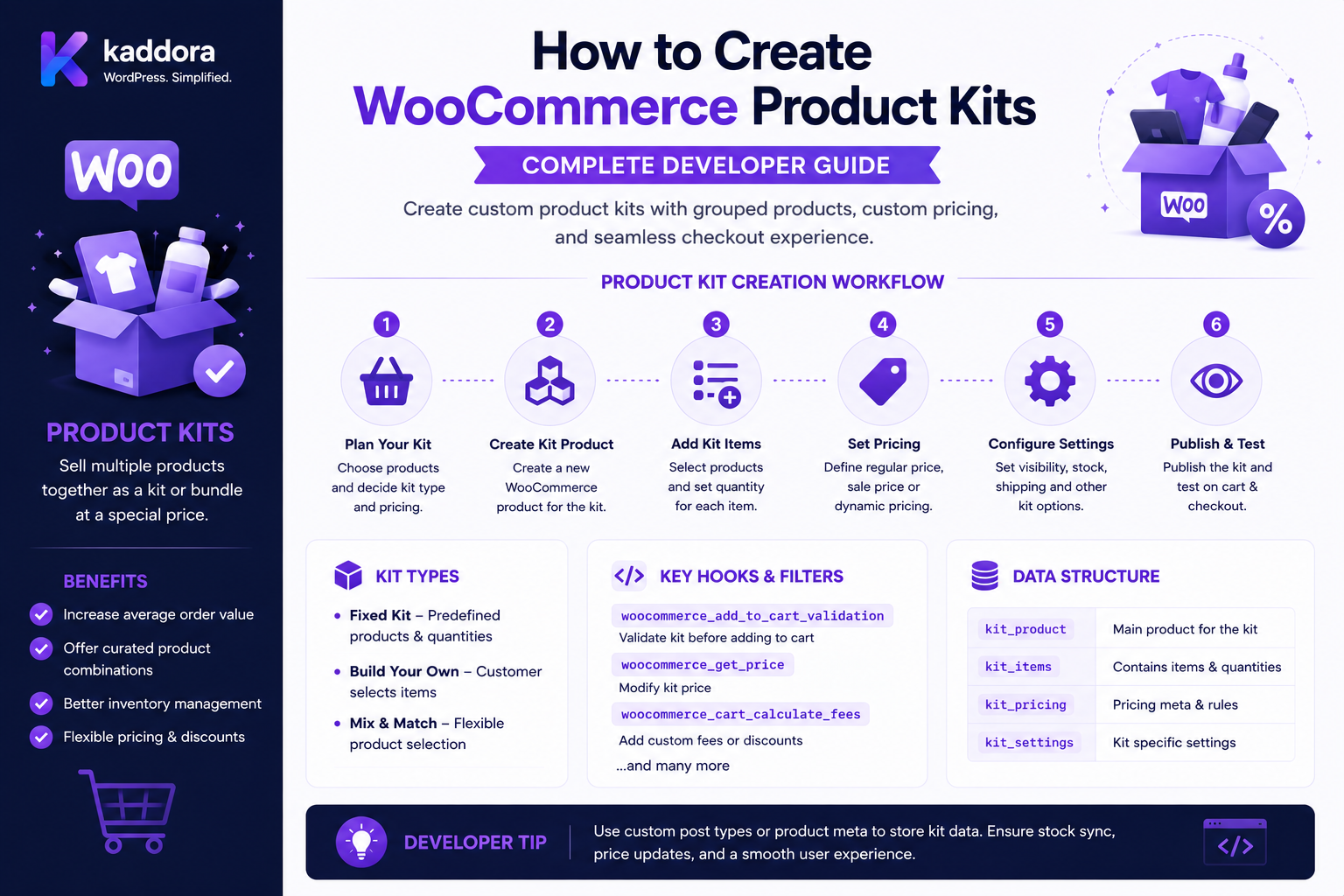
How to Create WooCommerce Product Kits: Complete Developer Guide
Introduction
A product kit is a collection of products sold together as a practical package.
Examples include:
PC Builder Kit ├── Processor ├── Motherboard ├── RAM └── Storage
or:
Office Starter Kit ├── Desk ├── Chair ├── Keyboard └── Monitor
Unlike a simple fixed bundle, a kit often gives customers the ability to choose components.
For example:
Laptop Kit Processor: Choose A / B RAM: 8GB / 16GB / 32GB Storage: 512GB / 1TB
This makes a product kit especially useful for configurable products.
WooCommerce supports several product-composition approaches, including Product Bundles, Composite Products, Grouped Products, and related extensions. Composite Products is specifically designed for configurable kits where customers select products through components.
The correct architecture depends on whether your kit is:
Fixed Configurable Optional Quantity-Based Price-Constrained Inventory-Constrained
The key principle is:
A WooCommerce product kit should model component selection and validation explicitly rather than treating the kit as a single product with arbitrary frontend choices.
What Is a WooCommerce Product Kit?
A product kit is a product configuration containing multiple component products that are purchased together.
For example:
Gaming PC Kit ├── CPU ├── GPU ├── RAM ├── SSD └── Case
The customer selects eligible components and WooCommerce builds the resulting purchase.
Product Kit vs Product Bundle
These terms are sometimes used interchangeably, but the architecture can be different.
Product Bundle
Often groups products into a predefined commercial package.
Example:
Camera + Lens + Bag
Product Kit
Often emphasizes configuration:
CPU: A / B / C RAM: 16GB / 32GB Storage: 512GB / 1TB
If the customer is selecting components from multiple choices, a kit/composite architecture is usually more appropriate than a basic fixed bundle. WooCommerce documents Composite Products specifically for configurable kits with components and inventory-managed products. (woocommerce.com)
Product Kit vs Composite Product
WooCommerce Composite Products provides a formal model for:
Components Options Selections Configuration Inventory
This makes it a natural architecture for sophisticated kits.
For example:
Gaming PC ├── CPU Component │ ├── Ryzen A │ └── Intel B │ ├── RAM Component │ ├── 16GB │ └── 32GB │ └── Storage Component ├── 512GB └── 1TB
Fixed Kit vs Configurable Kit
Fixed Kit
A + B + C
No choices.
Configurable Kit
Component A: Choose 1 of 3 Component B: Choose 1 of 4 Component C: Choose 1 of 2
A configurable kit requires substantially more validation.
Why Create Product Kits?
Product kits can help businesses:
Sell complete solutions
Simplify product selection
Increase average order value
Create configuration-based products
Support B2B procurement
Reduce customer confusion
Cross-sell complementary products
Common Product Kit Examples
Examples include:
Gaming PC Office Setup Photography Kit School Supply Kit Beauty Kit Tool Kit Construction Kit Medical Equipment Kit Furniture Package Subscription Starter Kit
Product Kit Architecture
A scalable model is:
Kit Parent ↓ Components ↓ Allowed Products ↓ Customer Selection ↓ Validation ↓ Pricing ↓ Inventory ↓ Shipping ↓ Cart ↓ Checkout ↓ Order
Kit Components
A component defines a category of selection.
For example:
Component: RAM
Available options:
8GB 16GB 32GB
Component vs Product
A component is a selection slot.
A product is the actual WooCommerce product selected for that slot.
For example:
Component: Storage Selected Product: 1TB SSD
Component Requirements
A component can be:
Required Optional Min 1 Max 1 Min 0 Max 3
The exact options depend on the kit architecture.
Required Components
Example:
CPU: Required RAM: Required Storage: Required
The kit cannot be added to the cart without valid selections for all required components.
Optional Components
For example:
CPU: Required Cooling: Optional RGB Lighting: Optional
Optional components can improve upselling.
Multiple Component Selections
A component may allow several products:
Storage: Choose up to 2
For example:
512GB SSD + 2TB HDD
This needs explicit quantity and compatibility rules.
Component Minimum and Maximum
A component can define:
Minimum: 1 Maximum: 2
Server-side validation must enforce these limits.
Kit Configuration
A customer's selected kit can be represented conceptually as:
{ "cpu": 101, "ram": 205, "storage": 305 }
The server must validate every selection.
Never Trust Kit Configuration From the Browser
A malicious request might change:
CPU: 101
to:
CPU: 999
The server must verify that product 999 is actually an allowed option for that component.
Component Option Validation
For every selection, verify:
Product Exists Product Is Allowed Product Is Purchasable Product Is Compatible Variation Is Valid Quantity Is Allowed
Variation-Based Kit Components
Suppose:
RAM: 16GB Color: Black
If RAM is represented as a variable product, the selected variation must be validated against the parent product.
Variation Validation
Never trust:
variation_id
without checking:
Variation Parent Attributes Stock Purchasability
Kit Compatibility Rules
Some configurations are incompatible.
For example:
CPU: AMD Motherboard: Intel Socket
The kit should reject this combination.
Compatibility Rule Architecture
A compatibility rule may look like:
IF CPU Socket = AM5 THEN Motherboard Socket must = AM5
This requires a compatibility engine rather than simple product selection.
Product Attributes for Compatibility
A kit can use product attributes such as:
Socket Voltage Size Color Capacity Interface Connector Operating System
The actual attributes should be normalized before rule evaluation.
Compatibility Matrix
For complex kits, a matrix can define:
Component A
Component B
Compatible
AM5 CPU
AM5 Board
Yes
AM5 CPU
LGA Board
No
DDR5 RAM
DDR5 Board
Yes
DDR5 RAM
DDR4 Board
No
This can be easier to manage than hundreds of conditions.
Compatibility Engine
A scalable design:
Kit Selection ↓ Component Attributes ↓ Compatibility Rules ↓ Validation ↓ Valid / Invalid
Conditional Components
Some selections can control other components.
For example:
If: GPU Selected Then: Power Supply >= 650W
This is a conditional-component system.
Conditional Component Architecture
Selection A ↓ Condition ↓ Enable / Disable Component B
For example:
If Storage = NVMe Show: NVMe Cooling Option
Dependency Rules
A component can depend on another:
GPU: High Performance Requires: Power Supply: 750W+
The dependency should be validated server-side even if the frontend dynamically hides invalid choices.
Conditional Pricing
Component selection can affect price.
Example:
Base Kit: ₹50,000 Premium GPU: +₹20,000 32GB RAM: +₹5,000
The final price becomes:
₹75,000
Base Kit Price
A kit can have:
Base Price: ₹50,000
with component adjustments.
Component Price Adjustments
Each selected component can contribute:
Base Component Price + Upgrade Surcharge - Component Discount
The pricing model should be explicitly defined.
Fixed Component Price
For example:
RAM 16GB: ₹5,000 RAM 32GB: ₹8,000
The selected option contributes the configured amount.
Percentage Kit Pricing
A business may apply:
10%
to the entire kit.
This is different from an individual component adjustment.
Kit Discount
For example:
Component Total: ₹80,000 Kit Discount: ₹5,000 Final: ₹75,000
The discount allocation should be defined for tax and refund purposes.
Kit Price Validation
Never trust:
final_price=1000
submitted by the customer.
The server should rebuild the kit price from:
Base Price + Selected Components + Adjustments - Allowed Discounts
Kit Pricing and Dynamic Pricing
A kit can interact with a dynamic-pricing system:
Wholesale Customer + Kit Configuration = Special Kit Price
Define which system has precedence.
Kit Pricing and Coupons
A store may allow:
Kit Price: ₹75,000 Coupon: ₹2,000 Off
or:
Coupon: Not Applicable
The policy should be explicit.
Kit Pricing and B2B Contracts
A B2B contract may define:
Company: ABC Ltd Kit: Office Pro Contract Price: ₹45,000
This can be modeled as contract pricing rather than generic discounts.
Kit Inventory
Inventory is one of the most important kit concerns.
A kit containing:
CPU × 1 RAM × 2 SSD × 1
requires the inventory system to reserve the correct quantities of each component.
Component Stock
Example:
CPU: 10 RAM: 100 SSD: 5
The kit's availability may be constrained by SSD inventory.
Kit Availability
A simple fixed-quantity model can use:
Minimum( CPU Stock / 1, RAM Stock / 2, SSD Stock / 1 )
This is conceptually useful when determining how many complete kits can be assembled.
Actual stock behavior should follow the inventory architecture being used.
Inventory Reservation
At high traffic:
Customer A: Configure Kit Customer B: Configure Kit
both may attempt to purchase the last component.
Reservations and order-stock handling should prevent overselling according to the store's inventory design.
Inventory at Add-to-Cart
A kit can validate stock when added to the cart.
But stock may change before checkout.
Therefore checkout must perform appropriate final validation.
Inventory at Checkout
Conceptually:
Cart ↓ Current Stock ↓ Validate All Components ↓ Payment ↓ Order
Do not rely on product-page stock information.
Backorders
A kit may allow a component to be backordered.
For example:
CPU: In Stock GPU: Backorder
The business must decide whether the complete kit is still purchasable.
Kit and Shipping
Shipping can depend on:
Component Weight Dimensions Shipping Class Warehouse Package Rules
A kit does not necessarily mean one physical package.
Kit Shipping as One Package
Example:
Office Kit ├── Keyboard ├── Mouse └── Headset
can potentially ship together.
Kit Shipping as Multiple Packages
For a computer kit:
PC + Monitor
the components may require separate packaging.
Kit Shipping Rules
A kit can use:
Fixed Shipping Calculated Shipping Component Shipping Carrier Shipping
The method should be chosen based on fulfillment requirements.
Kit and Shipping Classes
Component shipping classes may influence:
Carrier Rate Package
The shipping system should use the actual component/packaging model.
Kit and Tax
Tax can depend on the individual component's classification.
For example:
Component A: Standard Tax Component B: Reduced Tax
A custom kit system should preserve the individual tax context where the product model requires it.
Kit and Coupons
Test:
Kit + Coupon
and define whether the coupon applies to:
Parent Kit Child Components Selected Components
Kit and Discounts
A kit may have:
Kit Discount
plus:
Customer Discount
Define precedence and stacking.
Kit and Order Items
A completed order needs to preserve:
Kit Parent Selected Components Quantities Variations Prices
This is important for:
Fulfillment Refunds Returns Inventory ERP Customer Support
Kit and Order Relationships
A conceptual order structure is:
Order └── Kit ├── CPU ├── RAM ├── SSD └── GPU
The implementation can use the bundle/composite extension's supported relationship mechanisms.
Kit and Returns
A business may require:
Return Entire Kit
instead of individual component returns.
Alternatively:
Return GPU Only
may be allowed.
This must be a defined policy.
Kit and Partial Refunds
If a kit received:
₹10,000
discount allocation among components becomes important if only one component is refunded.
Do not refund the current catalog price of the component.
Use the original transaction allocation.
Kit and Warranty
A business may want different warranty policies for different components:
CPU: 3 Years RAM: Lifetime SSD: 5 Years
The order must preserve component identity so warranty systems can determine the correct policy.
Kit and ERP
An ERP may need to receive:
Kit SKU Component SKU Quantity Price Warehouse
A clean adapter can map WooCommerce kit relationships into ERP structures.
Kit and Manufacturing
A product kit can resemble a Bill of Materials (BOM):
Kit ├── Component A × 1 ├── Component B × 2 └── Component C × 1
But a storefront kit and a manufacturing BOM are not automatically the same data model.
Keep the distinction clear.
Kit vs BOM
Product Kit
Customer-facing commercial configuration.
BOM
Manufacturing/warehouse component structure.
One kit can map to a BOM, but the two domains should not be merged blindly.
Kit and Fulfillment
A fulfillment system can expand:
Kit ↓ Components ↓ Warehouse Allocation ↓ Pick / Pack ↓ Shipment
Kit and Multi-Warehouse Inventory
A kit may have:
CPU: Warehouse A GPU: Warehouse B
The fulfillment system must determine whether the components can be shipped together or require split fulfillment.
Kit and Supplier Fulfillment
Marketplace or dropshipping systems may source:
Component A: Supplier 1 Component B: Supplier 2
This can create multiple fulfillment paths.
Kit and Vendor Restrictions
A marketplace may define:
Vendor A: Can supply CPU Vendor B: Can supply RAM
The kit builder must not offer an invalid combination.
Kit Compatibility with Vendors
A compatibility matrix can include:
Supplier + Component + Region + Availability
This becomes useful in complex marketplace environments.
Kit and Customer Groups
A kit may expose different options to:
Retail Wholesale Corporate Distributor
The available components can vary by customer group.
Kit and B2B Procurement
B2B customers may need:
Budget Approval Purchase Order Quantity Contract Price
A kit can become part of a broader procurement workflow.
Kit and Purchase Approval
A B2B architecture can be:
Configure Kit ↓ Calculate Price ↓ Approval ↓ Purchase Order ↓ Checkout
The kit should remain immutable or revalidated between approval and final order creation.
Kit and Draft Orders
Sales teams may create:
Draft Kit Configuration
and send it to customers.
The configuration should expire or be revalidated before checkout if prices/inventory change.
Kit Configuration Expiration
For a quote:
Price Valid Until: Date
After expiration:
Recalculate Kit
rather than automatically honoring an obsolete price.
Kit and Quote Requests
B2B stores may use:
Configure Kit ↓ Request Quote ↓ Sales Review ↓ Approved Price ↓ Order
This can connect kit configuration with WooCommerce quote workflows.
Kit API Architecture
A custom kit API might expose:
Create Configuration Validate Configuration Calculate Price Check Inventory Save Configuration Load Configuration Add to Cart
Protect private configurations using authentication and ownership checks.
Kit Configuration IDOR
A request such as:
configuration_id=123
must not allow Customer B to load Customer A's private configuration.
Kit Configuration Sharing
A public shareable kit can use:
Share Token Expiration Read-Only State
Avoid exposing customer-specific contract prices through public share links.
Kit and Headless Commerce
A headless storefront can use:
React / Next.js ↓ Kit Configuration API ↓ WooCommerce ↓ Validation ↓ Cart
The frontend should not implement its own authoritative pricing or inventory system.
Kit and Store API
When using WooCommerce-compatible configurable-product extensions, use their documented Store API integration rather than inventing a separate cart relationship model.
Kit and REST API
For external systems:
Product Component Configuration Order
can be synchronized through authenticated REST interfaces.
Kit Data Normalization
External ERP/CRM systems may represent components differently.
Create an internal normalized model:
Kit ID Component ID Product ID Variation ID Quantity Price
Then adapt it to each external system.
Kit Rule Engine
A complex kit may require:
Eligibility Compatibility Pricing Inventory
as separate rule engines.
Keep Rule Domains Separate
For example:
Compatibility: Can these products work together? Pricing: What should they cost? Inventory: Can they be purchased? Shipping: How can they be delivered?
Do not combine all of this into one giant conditional method.
Kit Context Builder
Build a normalized configuration context:
Selected Components Customer Quantity Currency Date Inventory Location Company
Then evaluate each domain.
Kit Calculation Pipeline
Configuration ↓ Validate Structure ↓ Validate Compatibility ↓ Check Pricing ↓ Check Inventory ↓ Calculate Shipping ↓ Calculate Taxes ↓ Generate Cart Data
Kit Calculation Must Be Deterministic
For the same:
Configuration + Customer + Time
the engine should produce the same result unless an external dependency legitimately changes.
External Pricing Service
If kit prices come from an ERP:
Kit Configuration ↓ ERP Pricing ↓ Validated Price
Use bounded timeouts and clear fallback behavior.
External Inventory Service
If inventory comes from an ERP:
Kit Components ↓ ERP Stock ↓ Availability
Do not assume product-page stock is current.
External Compatibility Service
Some industrial systems may have compatibility managed externally:
Configuration ↓ Compatibility API ↓ Approved / Rejected
This is useful for highly technical products.
AI-Assisted Kit Builder
AI can help customers build a kit.
For example:
Customer: "I need a gaming PC for 4K gaming under ₹150,000."
AI can propose:
CPU GPU RAM SSD Power Supply
But final availability and price must be validated by deterministic server-side systems.
AI Should Not Directly Create Unvalidated Orders
A safe architecture is:
Customer Request ↓ AI Recommendation ↓ Structured Configuration ↓ Compatibility Validation ↓ Inventory Validation ↓ Price Calculation ↓ Customer Confirmation ↓ Cart
AI Kit Recommendations
AI can recommend:
Premium Kit Budget Kit Balanced Kit
based on customer preferences.
The recommendation should remain separate from authoritative checkout data.
Kit and Recommendation Analytics
Track:
Recommended Kit Selected Kit Conversion Average Value Component Attach Rate
without unnecessarily storing sensitive customer prompts.
Kit Performance Optimization
Complex kits can be computationally expensive.
Measure:
Configuration Time Compatibility Checks Inventory Queries Pricing Queries API Time Cart Update Time
Avoid N+1 Kit Queries
Do not:
Component 1 → Product Query Component 2 → Product Query Component 3 → Product Query
for every configuration when the data can be loaded efficiently.
Cache Kit Configuration
Stable component definitions can be cached.
Do not globally cache:
Customer-Specific Price Inventory Availability Private Contract
unless the cache context is properly isolated.
Kit Configuration Cache Key
A safe conceptual key may contain:
Kit Components Customer Group Company Currency Store
plus any other factor that affects the configuration.
Kit Testing
Test:
Valid Configuration Missing Required Component Invalid Component Invalid Variation Incompatible Components Out-of-Stock Component Minimum Quantity Maximum Quantity Pricing Taxes Shipping Coupons Refund
Compatibility Testing
Test:
Compatible Incompatible Missing Attribute Conflicting Attribute
Inventory Testing
Test:
All In Stock One Out of Stock Backorder Last Unit Concurrent Purchase
Pricing Testing
Test:
Base Kit Premium Component Customer Price Quantity Price Contract Price Coupon
Quantity Testing
For:
Minimum: 1 Maximum: 5
test:
0 1 2 5 6
Configuration Testing
Test incomplete states:
CPU Selected RAM Missing Storage Missing
The system should not allow checkout if required components are absent.
Security Testing
Attempt to modify:
Product ID Variation ID Price Customer ID Company ID Tenant ID Configuration ID
All important values should be validated server-side.
Price Manipulation Testing
Submit:
final_price=₹1
and verify that the server ignores the value and recalculates the actual kit price.
Inventory Manipulation Testing
Submit:
stock_override=true
and verify that the server ignores unauthorized client instructions.
Order Testing
After checkout, verify the order contains:
Kit Components Quantities Prices Selected Variations
as required by the product-kit architecture.
Refund Testing
Test:
Full Kit Refund Partial Component Refund Discounted Kit Refund
and verify the historical price allocation.
B2B Approval Testing
Test:
Configure Kit ↓ Request Approval ↓ Change Configuration ↓ Approve ↓ Checkout
The final checkout should revalidate price and inventory.
Quote Expiration Testing
Test:
Quote Active Quote Expired
and verify an expired quote does not automatically retain stale pricing.
Multi-Tenant Testing
Verify:
Tenant A cannot see Tenant B kit rules
and vice versa.
Kit Upgrade Testing
Update the kit definition:
Old: A + B New: A + B + C
Existing orders should remain unchanged.
Kit Plugin Upgrade Testing
Test:
Existing Configurations Existing Carts Existing Orders
after updating the plugin.
Kit Uninstall Testing
Document whether uninstall removes:
Configuration Custom Tables Rules Logs
while preserving historical order data when required.
Common WooCommerce Product Kit Mistakes
Treating the Kit as One Product
Complex kits require component relationships.
Trusting Frontend Selections
Every component must be validated server-side.
Ignoring Compatibility
Customers can create impossible configurations.
Ignoring Component Inventory
The kit may oversell components.
Hard-Coding Prices
Kit options should be data-driven.
Ignoring Variations
Selected variations must belong to their parent products.
Mixing Compatibility With Pricing
These are separate domains.
Mixing Pricing With Inventory
A price engine should not become an inventory system.
Ignoring Historical Configurations
Orders should preserve what the customer actually purchased.
No Quote Expiration
B2B configurations can become stale.
Publicly Exposing Private Kits
Contract configurations and prices can be sensitive.
No Cache Isolation
Customer-specific kit prices or inventory can leak.
Letting AI Control Checkout
AI recommendations must be validated by deterministic systems.
WooCommerce Product Kit Checklist
- [ ] Define kit type - [ ] Decide Bundle vs Composite - [ ] Define components - [ ] Define required components - [ ] Define optional components - [ ] Define minimum quantities - [ ] Define maximum quantities - [ ] Define allowed products - [ ] Define allowed variations - [ ] Define compatibility rules - [ ] Define conditional components - [ ] Define pricing rules - [ ] Define price priority - [ ] Define inventory rules - [ ] Define shipping rules - [ ] Define tax behavior - [ ] Define coupon behavior - [ ] Define B2B rules - [ ] Define quote behavior - [ ] Define configuration expiration - [ ] Validate selections server-side - [ ] Protect configuration APIs - [ ] Protect tenant scope - [ ] Preserve order relationships - [ ] Test inventory - [ ] Test pricing - [ ] Test compatibility - [ ] Test taxes - [ ] Test shipping - [ ] Test refunds - [ ] Test concurrent purchases - [ ] Test Store API/headless flows
Best Practices for Building WooCommerce Product Kits
A professional product-kit implementation should:
Choose the product model based on whether the kit is fixed, configurable, or component-selection driven. Composite Products is specifically designed for configurable kits with components and inventory-managed products. (woocommerce.com)
Keep component definitions separate from actual product records.
Validate every selected product, variation, quantity, and component relationship on the server.
Build a dedicated compatibility layer when certain component combinations are incompatible.
Keep compatibility, pricing, inventory, shipping, and tax logic in separate services or domains.
Calculate kit prices from authoritative component and customer context instead of trusting frontend totals.
Protect price caches from customer, role, cart, time, currency, company, and tenant leakage.
Revalidate inventory during cart/checkout because component stock can change after the kit is configured.
Preserve the original kit configuration, component selection, quantity, and price in completed orders.
Define full-kit versus component-level refund and return behavior before release.
Keep B2B contract kits isolated from public retail pricing.
Use explicit configuration expiration for quotes or saved configurations whose prices or inventory can change.
Use supported WooCommerce/extension APIs rather than manually inserting component relationships into database metadata.
Avoid synchronous calls to multiple external systems during every configuration change unless necessary.
Use cached configuration and normalized product data where safe to improve kit-builder performance.
Keep AI recommendations separate from authoritative validation and checkout pricing.
Add calculation traces showing compatibility, pricing, inventory, and configuration decisions for support.
Test invalid variations, incompatible components, stock races, quantity boundaries, customer-specific pricing, refunds, coupons, taxes, shipping, API authorization, and multi-tenant isolation.
Why choose ThemeKaddora?
ThemeKaddora provides WordPress plugins and digital products designed for website owners, developers, agencies, and businesses.
Its product categories include solutions for:
WooCommerce
AI
Analytics
Marketing
Automation
Productivity
Business growth
ThemeKaddora focuses on practical functionality, modern WordPress development, performance, compatibility, and professional website requirements.
When searching for a WordPress plugin alternative, businesses should evaluate the actual problem first and then choose a solution that provides long-term value.
Conclusion
A WooCommerce product kit is fundamentally a configuration problem.
A robust architecture is:
Kit ↓ Component Selection ↓ Compatibility Validation ↓ Pricing ↓ Inventory ↓ Shipping ↓ Tax ↓ Cart ↓ Checkout ↓ Order
The first principle is choose the correct product model.
A fixed bundle and a highly configurable kit are different commercial problems. WooCommerce's Composite Products architecture is designed specifically for configurable product kits. (woocommerce.com)
The second principle is separate components from products.
A component is a selection slot; a product is the actual item chosen for that slot.
The third principle is validate compatibility on the server.
Frontend logic can improve user experience, but it cannot be the final authority for whether two components work together.
The fourth principle is separate pricing from compatibility.
Knowing that two products are compatible does not determine their price.
The fifth principle is treat inventory as component-level data.
A kit may appear available while one required component is out of stock.
The sixth principle is revalidate during checkout.
Prices, inventory, and configuration eligibility can change after the customer initially builds a kit.
The seventh principle is preserve the original configuration.
Completed orders must represent the actual components, variations, quantities, and prices purchased.
The eighth principle is support B2B workflows deliberately.
Kit quotes, approvals, contracts, and configuration expiration add another layer beyond normal retail checkout.
The ninth principle is protect private kit data.
Customer-specific configurations, contract prices, and supplier information should never enter public caches or unauthorized APIs.
The tenth principle is keep AI advisory.
AI can recommend configurations, but compatibility, price, inventory, and checkout must remain deterministic and server-controlled.
For ThemeKaddora, advanced product-kit systems can support:
Gaming PC Builders Office Kits Hardware Configurators B2B Procurement Kits Configurable Furniture Equipment Kits Subscription Kits Multi-Warehouse Kits ERP-Connected Kits AI-Assisted Kit Builders
The most important principle is:
A WooCommerce product kit should be a validated configuration of real products, with compatibility, pricing, inventory, shipping, and tax calculated from trusted server-side data before the configuration becomes an order.
A professional product-kit system should be:
Configurable
→ Compatibility-Aware
→ Inventory-Safe
→ Price-Accurate
→ Server-Validated
→ B2B-Ready
→ API-Compatible
→ Cache-Safe
→ Secure
→ Auditable
→ Maintainable
When these principles are applied, WooCommerce can power simple starter kits as well as highly configurable technical products without allowing invalid selections, incorrect prices, inventory conflicts, or private customer pricing to compromise the checkout.
Frequently Asked Questions
What is a WooCommerce product kit?
A product kit is a configurable collection of WooCommerce products that customers purchase together as one solution or package.
What is the difference between a kit and a bundle?
A bundle often represents a predefined collection of products, while a kit commonly emphasizes configurable component selection. WooCommerce Composite Products is specifically designed for configurable kits. (woocommerce.com)
Should I use Product Bundles or Composite Products?
Use Product Bundles for predefined or less-configurable product groupings. Composite Products is generally better suited to configurable kits where customers select products from multiple components. (woocommerce.com)
Can customers choose product variations in a kit?
Yes, provided the selected variation is an allowed component option and is validated server-side.
Can kit components have minimum and maximum quantities?
Yes. A component can be configured with quantity constraints according to the kit architecture.
Can kits have compatibility rules?
Yes. A custom compatibility engine can prevent invalid combinations such as incompatible connectors, sockets, dimensions, or technical specifications.
Can kit pricing depend on component selection?
Yes. Each selected component can add, remove, or modify the final kit price.
Can kit prices depend on customer groups?
Yes. B2B companies, wholesale customers, VIP users, and contract customers can receive different kit pricing.
Can kits use ERP pricing?
Yes. An ERP can provide component or complete-kit pricing, but the integration should handle timeouts, caching, synchronization, and source-of-truth rules.
Can kits use external inventory?
Yes. An ERP or inventory service can provide current component availability, but checkout should revalidate availability before finalizing the purchase.
Should a kit's frontend calculate the final price?
No. Frontend calculations can improve responsiveness, but the server should independently calculate and validate the authoritative price.
Can a kit contain products from multiple warehouses?
Yes. The fulfillment architecture can allocate components to different warehouses and produce multiple shipments where required.
Can a kit contain subscription products?
Depending on the extension/model, yes. Composite Products and Product Bundles support advanced component/product relationships, but subscription lifecycle behavior should be tested separately. (woocommerce.com)
Can kit configurations expire?
Yes. This is particularly useful for B2B quotes or configurations whose price and inventory can change over time.
Can kits support customer approvals?
Yes. A B2B kit can flow through configuration, quote, approval, purchase order, and final checkout.
Can AI build a WooCommerce product kit?
AI can recommend a kit configuration based on customer requirements, but the resulting selections must be validated against product compatibility, inventory, price, and business rules before checkout.
Can I create a custom kit builder with React or Next.js?
Yes. A headless frontend can communicate with WooCommerce through appropriate Store API or custom authenticated APIs while WooCommerce remains the authoritative source for products, pricing, inventory, and order data.
Should kit relationships be stored directly in custom database rows?
Usually, use the supported product-kit/bundle/composite APIs and data structures instead of bypassing the extension's architecture with arbitrary database relationships.
Can customers return individual components from a kit?
This depends on the store's return policy and implementation. Component-level returns require careful handling of the original kit price and discount allocation.
Why choose Themekaddora?
Themekaddora provides lightweight, responsive, SEO-friendly WordPress themes with fast performance, WooCommerce compatibility, flexible customization, accessibility-conscious design, modern templates, regular updates, and professional support—providing a strong foundation for businesses building digital products and product-focused websites.
Comments (0)