
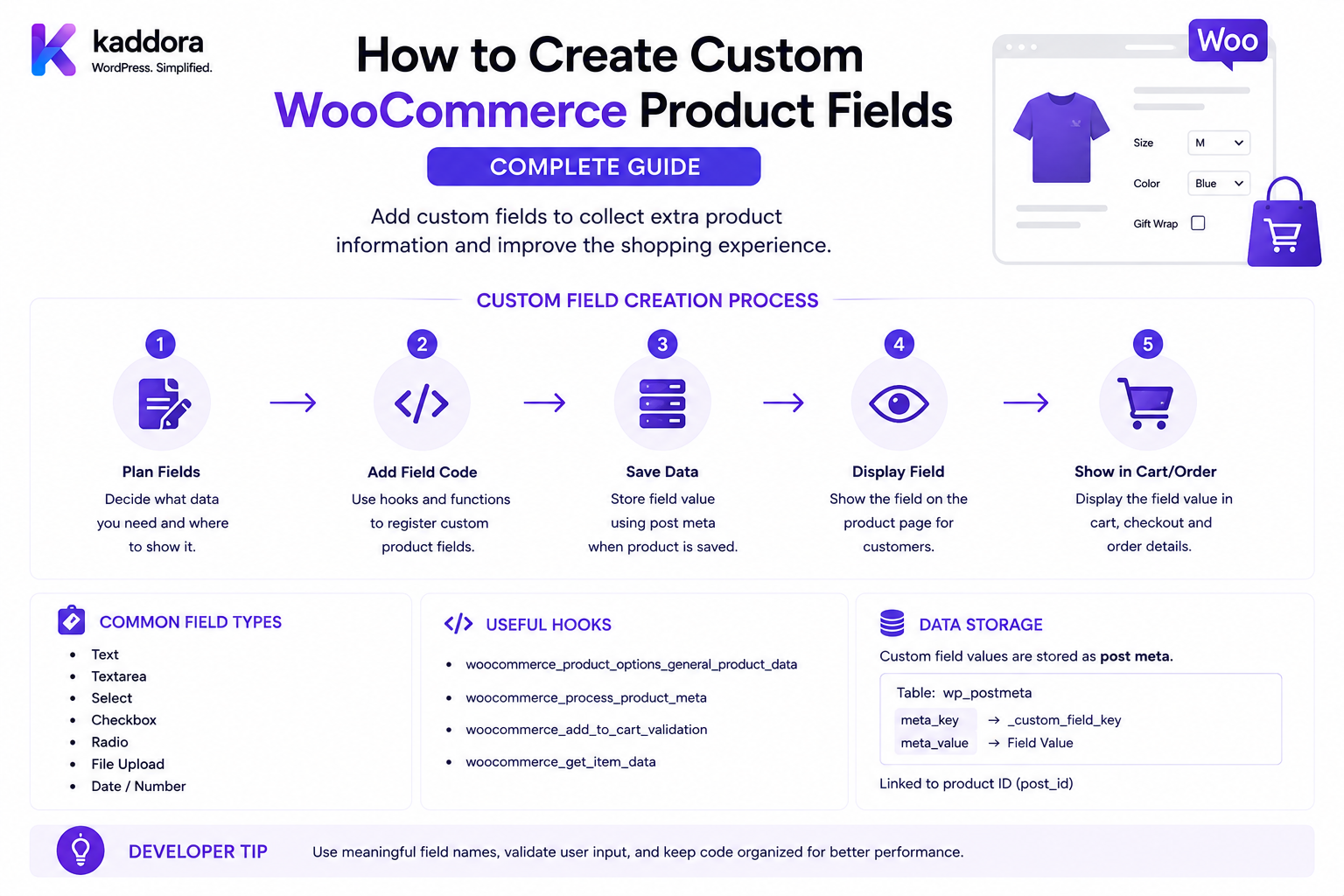
How to Create Custom WooCommerce Product Fields: Complete Guide
Introduction
WooCommerce products already contain many standard properties:
Name SKU Price Description Weight Dimensions Stock Categories Tags Images Tax Class
But many businesses need additional product information.
For example:
Manufacturer Model Number Material Country of Origin Warranty Period Installation Time Technical Specification Internal Product Code Supplier ID ERP Reference Custom Label
A business may also need custom fields that influence how a product behaves:
Requires Installation Allow Customization Special Handling Warranty Eligible B2B Only Manufacturing Code
This is where custom WooCommerce product fields become useful.
A custom product field is additional structured information attached to a WooCommerce product or variation.
A simplified architecture looks like:
WooCommerce Product ↓ Custom Field Definition ↓ Product Value ↓ Validation ↓ Admin / Storefront / API
For customer-facing configuration, custom product fields are different from product add-ons. A product field describes product data; an add-on generally represents a customer-selected option during purchase.
The key principle is:
Custom WooCommerce product fields should model structured product information without duplicating data WooCommerce already provides, and every field should have a clearly defined owner, data type, validation strategy, visibility rule, and lifecycle.
What Is a Custom WooCommerce Product Field?
A custom product field is additional data associated with a WooCommerce product.
For example:
Product: Office Chair Custom Fields: Material: Mesh Warranty: 3 Years Manufacturer: Example Corp
The field values become part of the product's metadata or another dedicated data structure.
Custom Product Field vs Product Add-On
These concepts are often confused.
Custom Product Field
Usually stores information about the product itself.
Example:
Manufacturer: Example Corp
Product Add-On
Usually stores what the customer chooses while purchasing.
Example:
Gift Wrap: Yes
A useful distinction is:
Product Field = Product Data Product Add-On = Purchase Configuration
Custom Product Field vs Product Attribute
WooCommerce attributes are designed for reusable product properties and variation-defining characteristics.
For example:
Color Size Material
A custom field may be better for:
Manufacturer Part Number ERP Product ID Warranty Terms Internal Supplier Code
Do not create custom metadata when a standard WooCommerce product attribute or field already represents the same concept.
Custom Product Field vs Taxonomy
A taxonomy is useful when the value needs:
Grouping Filtering Archives Reusable Terms Relationships
For example:
Brand
may be better represented by a taxonomy than by free-text metadata.
Custom Field vs Taxonomy Decision
Use a field when:
One Product + One Structured Value
Use a taxonomy when:
Many Products + Reusable Classification
The correct choice depends on how the data will be queried and managed.
Custom Product Field Architecture
A simple implementation can use:
Product ↓ Field Definition ↓ Field Value
A scalable implementation can use:
Field Registry ↓ Validation Rules ↓ Product Values ↓ Admin UI ↓ REST / Store API ↓ Frontend
Step 1: Define the Field Requirement
Before creating a field, determine:
What does it represent? Who uses it? Who edits it? What data type is it? Is it searchable? Is it public? Does it affect pricing? Does it affect shipping? Does it affect inventory?
This prevents unnecessary metadata.
Step 2: Define the Data Type
A field should have an explicit type.
Common types:
Text Textarea Integer Decimal Boolean Date URL Email Select Multi-Select Color Reference ID
The type should determine validation and storage behavior.
Text Field
Example:
Manufacturer: Example Corp
Use text fields for short structured values.
Textarea Field
Useful for:
Technical Notes Installation Instructions Care Instructions Internal Description
Avoid storing huge documents in product metadata when a dedicated content or document system is more appropriate.
Integer Field
Example:
Warranty Months: 36
Validate that the value is actually an integer.
Decimal Field
Example:
Package Volume: 2.75
Be explicit about units.
Boolean Field
Example:
Requires Installation: Yes
Store a normalized boolean rather than arbitrary strings such as:
"yes" "true" "enabled" "1"
unless your field layer defines the representation consistently.
Date Field
Example:
Warranty Expiry: 2027-08-30
Store dates consistently and define timezone semantics where timestamps are involved.
Select Field
Example:
Product Grade: ├── Standard ├── Premium └── Enterprise
A select field is often safer than free text because allowed values are controlled.
Multi-Select Field
Example:
Compatible Platforms: ├── Windows ├── macOS └── Linux
Store normalized values rather than one unstructured string.
URL Field
Example:
Manufacturer Documentation: https://example.com/docs
Validate and sanitize the URL before displaying it.
Email Field
Example:
Supplier Contact: supplier@example.com
Use appropriate email validation.
Reference Field
A product field may reference another object:
Supplier: Supplier #123
This should be validated as a real relationship rather than storing arbitrary IDs without verification.
Product Meta Storage
WordPress provides post metadata for storing additional product information.
Conceptually:
update_post_meta( $product_id, '_kaddora_manufacturer_code', $value );
For simple fields, WooCommerce/WordPress metadata can be appropriate.
Use WooCommerce product APIs where practical instead of treating the product as an ordinary WordPress post in every part of your code.
Why Namespaced Meta Keys Matter
Avoid generic keys like:
_color _code _status
Use a unique prefix:
_kaddora_manufacturer_code _kaddora_warranty_months
This reduces collisions with other plugins.
Avoid Leading-Key Conflicts
WooCommerce and other extensions already use many metadata keys.
Before creating a field, check whether the concept already exists.
Do not create:
_kaddora_weight
when WooCommerce already provides product weight.
Product Object APIs
When building product functionality, use WooCommerce product objects where appropriate:
$product = wc_get_product( $product_id );
Then retrieve or update the field through the appropriate abstraction.
This keeps the extension easier to maintain.
Field Registry
A scalable plugin can maintain a field registry:
Field: Manufacturer Code Type: text Required: yes Visible: Admin + API Searchable: yes
Another field:
Field: Warranty Months Type: integer Required: no Visible: Admin + Storefront
Field Definition vs Field Value
Keep the definition separate from the product's value.
Definition
Warranty Months Type: integer Min: 0 Max: 120
Product Value
36
This allows one reusable definition to apply to many products.
Global Field Definitions
A plugin can define:
Global Product Fields
that apply across a product catalog.
For example:
Manufacturer Material Warranty Country of Origin
This provides consistent product data.
Product-Specific Fields
Some fields may apply only to certain products.
For example:
Laptop: Processor TDP Chair: Seat Height
The field registry can define product/category scope.
Field Groups
A product editor can organize fields into groups:
Product Specifications ├── Manufacturer ├── Model └── Material Warranty ├── Warranty Months └── Warranty Type ERP ├── ERP Product ID └── Supplier ID
This creates a better admin experience.
Adding Fields to the Product Edit Screen
WooCommerce product administration provides extensibility points for adding custom UI to product editing screens.
A plugin can add:
Manufacturer Code Warranty Period Supplier Reference
to an appropriate product-data panel or custom section.
The exact admin hook should match the WooCommerce product-edit architecture and supported version.
Save Product Fields
When saving product data:
Product Submission ↓ Permission Check ↓ Nonce Verification ↓ Field Validation ↓ Sanitization ↓ Save
Do not save arbitrary POST values directly.
Capability Checks
Only users with the appropriate product-editing capability should be able to change fields such as:
Cost Supplier Internal ERP ID Contract Code
A field can contain commercially sensitive information even though the product itself is public.
Nonce Verification
For custom admin forms, use WordPress nonce protection to prevent unauthorized form submissions.
A nonce is not a replacement for capability checks.
Use both where appropriate:
Nonce + Capability + Validation
Field Sanitization
Sanitize based on field type.
Examples:
Text → sanitize_text_field() Textarea → appropriate textarea sanitization URL → esc_url_raw() Email → sanitize_email()
The exact sanitizer should match the data.
Validation vs Sanitization
These are different.
Sanitization
Cleans the value.
Validation
Determines whether the value is acceptable.
For example:
Warranty Months: "abc"
Sanitization does not magically turn this into a valid integer.
Validate the type:
Integer Required
Range Validation
For:
Warranty: 0–120 months
reject:
-10 500
Enum Validation
For:
Grade: Standard Premium Enterprise
reject:
UltraSecretGrade
unless it is an allowed value.
Product Reference Validation
If:
Supplier ID: 123
represents a real supplier record, verify that record exists and belongs to the correct store/tenant.
Custom Field Visibility
Not every field should appear everywhere.
Possible visibility:
Admin Only Admin + REST Admin + Storefront Admin + ERP Internal Only
Define this explicitly.
Public vs Private Product Fields
For example:
Material: Public Supplier Cost: Private
Do not expose private fields through product APIs accidentally.
Product Field and Store API
WooCommerce's Store API is designed for customer-facing storefront/cart/checkout functionality, while broader store-management data is handled through authenticated REST APIs.
If custom product fields need to appear in a Store API response, add only the information that should genuinely be public.
Extending Store API Product Data
WooCommerce provides Store API extensibility mechanisms for exposing additional product/cart-related data where appropriate.
A custom field plugin can expose:
Product Specification
without exposing:
Supplier Cost
Product Field and REST API
An authenticated REST integration may need:
ERP Product ID Supplier ID Manufacturer Code
WooCommerce's REST API can be extended to expose custom product information.
Protect private fields using appropriate authorization.
Do Not Expose Internal Fields Publicly
If your product has:
internal_margin = 35 supplier_cost = 420
these should not accidentally become part of:
Public Product API
Custom REST API Schema
A custom API can expose:
{ "manufacturer_code": "ABC-123", "warranty_months": 36 }
while keeping internal fields out.
Field API Validation
When accepting product-field updates through REST:
Authenticate ↓ Authorize ↓ Validate Product ↓ Validate Field ↓ Validate Value ↓ Save
Product Field and Headless Commerce
A headless storefront may use:
Next.js ↓ WooCommerce API ↓ Product Fields ↓ Product Page
Only public fields should be available to the frontend.
Product Fields and Search
Custom product fields often need search functionality.
For example:
Manufacturer: Sony
A merchant may want:
Search: Sony
to find matching products.
This requires a deliberate indexing/query strategy.
Metadata Search
WordPress metadata can be queried, but large-scale catalog search using many meta_query operations can become inefficient.
If the field becomes a major search/filter dimension, consider whether:
Taxonomy Custom Index Search Engine Dedicated Table
would be more appropriate.
Product Field and Filtering
Example:
Material: Leather
could support:
Filter: Leather
At scale, taxonomies or a dedicated search/index architecture can be better than repeatedly querying arbitrary metadata.
Product Field and WooCommerce Product Filters
Custom fields can feed custom filtering interfaces.
For example:
Warranty: 3+ Years
The filter engine can query the field according to its data type.
Product Field Data Types and Search
Use typed semantics:
Integer: 36 Text: Mesh Boolean: Yes
Avoid storing every value as an arbitrary string when numeric comparison is important.
Product Field and Sorting
A field might be used for:
Sort by Warranty Sort by Capacity Sort by Rating Factor
Sorting numeric values as strings can produce incorrect results.
For example:
"100" "20" "3"
does not sort numerically.
Product Field and Reporting
ERP/analytics systems may need:
Supplier Manufacturer Warranty Category
Use stable field identifiers so reports do not break when display labels change.
Field Key vs Label
These should be separate.
Internal Key
warranty_months
Display Label
Warranty Period
Do not use display labels as database identifiers.
Field Key Stability
Once a product field is used in production:
warranty_months
should remain stable.
Changing it can break:
Reports Imports APIs ERP Search
Field Migration
If a field changes:
supplier_code → supplier_reference
migrate existing data rather than simply creating a second field and abandoning the first.
Field Versioning
For enterprise catalogs:
Field Definition v1 Field Definition v2
may help manage schema changes.
Product Fields and CSV Import
Large product catalogs often require:
CSV Import
for custom fields.
The import process should:
Parse ↓ Validate ↓ Normalize ↓ Save ↓ Report Errors
CSV Field Validation
For:
warranty_months
the import should reject:
"thirty-six"
if the field requires an integer.
Import Error Reporting
A useful report can show:
Row: 127 Field: warranty_months Value: abc Error: Expected integer
This is much more useful than silently skipping the value.
Product Field Export
Export stable identifiers:
SKU Manufacturer Code Warranty Months Supplier ID
rather than depending solely on display labels.
Product Fields and Bulk Editing
Merchants may need to update thousands of products.
A custom admin UI can support:
Select Products ↓ Edit Field ↓ Validate ↓ Bulk Update
Bulk operations should be batched to avoid memory/time issues.
Product Field and Scheduled Updates
Some fields can be time-dependent:
Promotion Start Promotion End
But if the value changes product pricing, use a proper pricing system rather than merely changing a metadata field and expecting WooCommerce to understand it.
Product Fields and Pricing
A custom field can influence pricing:
premium_material = yes
then:
Price + ₹500
But this creates a pricing dependency.
The pricing engine must read the field authoritatively and cache safely.
Product Field and Inventory
A field such as:
supplier_stock_code
does not necessarily manage stock.
If a field represents actual inventory, use WooCommerce's inventory architecture or an appropriate inventory service instead.
Do not create:
_custom_stock
and expect WooCommerce inventory to automatically honor it.
Product Field and Shipping
Example:
oversized = yes
could influence shipping.
But the shipping method must explicitly read this field and incorporate it into shipping rules.
A custom field alone does not automatically change shipping.
Product Field and Tax
A field might classify:
tax_category = reduced
but tax behavior should ideally use WooCommerce's supported tax class/rate architecture rather than a private field that creates a competing tax system.
Product Field and Product Attributes
If:
Color
needs customer-facing filters and variation support, use WooCommerce attributes where appropriate.
If:
Manufacturer Part Number
is internal catalog information, metadata may be sufficient.
Product Field and Brands
A brand is often better represented by a taxonomy because:
Sony Samsung Dell
are reusable terms across many products.
Product Field and Categories
Categories should remain WooCommerce taxonomy concepts.
Do not create:
custom_category = "Electronics"
when the standard product category already represents that business concept.
Product Field Normalization
A custom field engine should normalize values.
For example:
" Yes " "yes" "YES"
should resolve to one boolean representation if the field type is boolean.
Field Default Values
A field can define:
Default: Standard
Use defaults only where they make business sense.
Do not silently create data that the merchant never intentionally provided.
Required Product Fields
Some catalogs may require:
Manufacturer Code: Required
before a product can be published.
This is a product-data governance feature.
Product Publication Validation
A custom catalog system can enforce:
Product ↓ Required Field Validation ↓ Publish
This is particularly useful for large marketplaces.
Product Field Governance
Fields can have:
Required Optional Admin Only Read Only Editable Computed
A computed field should not be manually editable.
Computed Product Fields
Example:
Warranty End Date
could be calculated from:
Warranty Start + Warranty Months
Do not store redundant computed values unless caching them has a clear benefit.
Derived Fields
Another example:
Product Weight
may already come from WooCommerce.
Do not create a second computed weight field.
Product Field and External Data
A field can store a reference:
ERP Product ID: ERP-12345
The ERP remains the source of truth for ERP data.
WooCommerce stores the mapping/reference.
External Data Synchronization
A clean integration:
ERP ↓ Product Sync ↓ Validate ↓ WooCommerce Field
For outbound:
WooCommerce ↓ Field Change ↓ ERP Adapter ↓ ERP
Sync Conflict Resolution
If:
ERP: ABC WooCommerce: XYZ
define which system wins.
Possible strategies:
ERP Wins WooCommerce Wins Latest Update Wins Manual Review
Product Field and Multi-Tenant Commerce
For SaaS stores:
Tenant A └── manufacturer_code Tenant B └── manufacturer_code
The field definition and values must remain within the correct tenant.
Tenant Isolation
Never trust:
tenant_id
submitted by a public user to select which product field belongs to them.
Resolve tenant context from trusted authentication/server state.
Product Field IDOR
Protect custom field-management endpoints against:
field_id product_id tenant_id
manipulation.
Product Field Security
Test attempts to modify:
Internal Supplier Cost ERP IDs Private Notes Contract Codes
from unauthorized roles.
Product Field Data Leakage
Review:
REST APIs Store APIs HTML JavaScript Logs Exports Search
for accidentally exposed private metadata.
Product Field and Object Caching
Product objects can be cached.
If a custom field affects:
Price Availability Shipping
cache invalidation becomes important.
Update the relevant product/cache state whenever the underlying field changes.
Product Field and Price Cache
Suppose:
premium_material = yes
affects price.
Changing the field from:
yes
to:
no
must invalidate the appropriate pricing cache.
Product Field and Search Index
If the field is searchable through Elasticsearch/OpenSearch or another index:
Field Change ↓ Product Updated ↓ Search Index Update
The synchronization should not be forgotten.
Product Field Performance
For a catalog of:
100,000 Products
avoid running dozens of metadata queries per product during every storefront request.
Use:
Batched Queries Indexing Caching Dedicated Tables Search Engine
when appropriate.
When to Use a Dedicated Table
A custom field may deserve a dedicated data structure when it requires:
Frequent Queries Complex Relationships Large Volumes Versioning Audit Trails Many-to-Many Relationships
Do not force every data model into post metadata.
Product Field vs Custom Table
Metadata
Good for:
Simple Product Attribute Occasional Lookup Small Data
Custom Table
Better for:
High-Volume Data Complex Queries Relationships Historical Versions Analytics
Product Field and Audit History
For business-critical fields:
Supplier Contract Price Compliance Code
you may need:
Old Value New Value Changed By Changed At
Metadata alone may not provide the required history.
Product Field Audit Architecture
Field Update ↓ Validation ↓ Save ↓ Audit Record
Product Field Calculation Trace
For a computed field:
Input: Warranty Start Input: 36 Months Output: Warranty End
Internal traces can make support easier.
Product Field and Compliance
Some fields may contain compliance information:
Certification Safety Standard Origin Regulatory Code
Access and update permissions may need additional controls.
Product Field and Localization
Product catalogs may operate in multiple languages.
Keep:
Internal Field Key
stable while translating:
Display Label
Do not use translated labels as identifiers.
Product Field and Units
For numeric specifications:
Width: 100 Unit: cm
or:
Width: 39.37 Unit: in
Store a normalized base unit where appropriate.
Unit Conversion
A field system should distinguish:
Value Unit
rather than storing:
"100cm"
as one unstructured string if numeric comparison is required.
Product Field and Product Variations
A field can apply:
Parent Product
or:
Specific Variation
Be explicit about the scope.
Parent vs Variation Field
For example:
Manufacturer: Parent-level Weight: Variation-level
The system needs a clear inheritance model.
Variation Override
A useful architecture:
Parent: Warranty = 12 Months Variation: Warranty = 24 Months
The variation-specific value overrides the parent if the field definition permits it.
Field Inheritance
Potential rules:
Variation Value → Parent Value → Default
The hierarchy should be deterministic.
Product Field and Bulk Variation Data
Large variable products may contain hundreds of variations.
Avoid running a full custom-field query for every variation during each request.
Use appropriate batching and caching.
Product Field Testing
Test:
Create Edit Delete Required Optional Type Validation Range Enum URL Email Variation Inheritance REST Store API Search Import Export
Product Field Boundary Testing
For integer:
0 1 Max Max+1 Negative
For text:
Empty Minimum Length Maximum Length Oversized
Product Field API Testing
Test:
Authorized Read Authorized Write Unauthorized Read Unauthorized Write Invalid Product Invalid Field Invalid Value
Product Field Import Testing
Test:
Valid CSV Missing Column Wrong Type Invalid Enum Duplicate Product Unknown Product
Product Field Search Testing
Verify:
Exact Match Partial Match Numeric Range Empty Value Missing Value
depending on the search architecture.
Product Field Cache Testing
Change a field that affects:
Price Search Availability
and verify the storefront reflects the new result immediately or within the documented cache-invalidation window.
Product Field Upgrade Testing
After a plugin update:
Existing Fields Existing Values Existing Products API Responses Reports
should remain compatible.
Product Field Migration
If a field changes type:
Text → Integer
do not silently cast invalid values.
Perform a migration:
Read ↓ Validate ↓ Transform ↓ Write ↓ Report Failures
Common Custom Product Field Mistakes
Duplicating WooCommerce Fields
Do not recreate SKU, weight, price, or stock as custom metadata.
Using Metadata for Everything
Some data belongs in taxonomies, products, attributes, or dedicated tables.
No Data Type
Every field should have an explicit type.
Trusting Admin Input
Admin data still requires validation and capability checks.
Exposing Private Fields
Internal supplier/ERP fields should not become public API data.
Unstable Field Keys
Changing field identifiers can break integrations.
No Migration Strategy
Field schema changes require planned data migration.
N+1 Queries
Large product catalogs can become slow.
No Cache Invalidation
Fields affecting price/search/availability must invalidate relevant caches.
Mixing Product Data and Customer Configuration
Product fields describe the product; add-ons describe the customer's purchase configuration.
No Tenant Isolation
SaaS product data must remain tenant-scoped.
Custom WooCommerce Product Fields Checklist
- [ ] Define field purpose - [ ] Check existing WooCommerce fields - [ ] Check product attributes - [ ] Check taxonomies - [ ] Define data type - [ ] Define field key - [ ] Define display label - [ ] Define scope - [ ] Define visibility - [ ] Define required state - [ ] Define default - [ ] Define validation - [ ] Define sanitization - [ ] Add admin UI - [ ] Add capability checks - [ ] Add nonce protection - [ ] Save through supported APIs - [ ] Add REST support if needed - [ ] Add Store API support if needed - [ ] Add search support if needed - [ ] Add import/export - [ ] Add audit trail if required - [ ] Add migration strategy - [ ] Add cache invalidation - [ ] Protect private fields - [ ] Protect tenant scope - [ ] Test variations - [ ] Test APIs - [ ] Test search - [ ] Test imports - [ ] Test upgrades
Best Practices for Creating Custom WooCommerce Product Fields
A professional product-field system should:
First determine whether the data already belongs in WooCommerce's standard product fields, attributes, taxonomies, or variations.
Use a stable internal field key separate from the translated/display label.
Define a strict data type for every field.
Validate and sanitize values according to that type.
Use product metadata for simple fields and consider dedicated tables or search indexes for large or relationship-heavy data.
Add custom admin fields through supported WooCommerce/WordPress extensibility points rather than modifying core product screens.
Protect admin field updates with appropriate capabilities and nonce verification.
Separate public, internal, computed, and API-only field visibility.
Never expose supplier costs, internal margins, ERP references, contract information, or other sensitive metadata through public APIs.
Use taxonomies for reusable classification concepts such as brands where appropriate.
Use WooCommerce attributes when a field needs variation, filtering, or catalog semantics.
Keep product fields separate from product add-ons and customer purchase configuration.
Preserve stable field keys across integrations, reports, imports, and APIs.
Provide migrations when a field's type or schema changes.
Add cache invalidation when a field affects price, availability, search results, or other cached product behavior.
Use batched queries, indexing, caching, or dedicated storage for large catalogs rather than repeatedly executing per-product metadata queries.
Scope product fields by tenant in multi-tenant systems using trusted server-side context.
Expose only the required public fields through Store API or storefront responses.
Document external integrations such as ERP synchronization and clearly define which system is authoritative.
Add audit history for financially, legally, or operationally important fields.
Test field creation, editing, deletion, validation, imports, variations, APIs, search, caching, migrations, permissions, and upgrade compatibility.
Why choose ThemeKaddora?
ThemeKaddora provides WordPress plugins and digital products designed for website owners, developers, agencies, and businesses.
Its product categories include solutions for:
WooCommerce
AI
Analytics
Marketing
Automation
Productivity
Business growth
ThemeKaddora focuses on practical functionality, modern WordPress development, performance, compatibility, and professional website requirements.
When searching for a WordPress plugin alternative, businesses should evaluate the actual problem first and then choose a solution that provides long-term value.
Conclusion
Custom WooCommerce product fields are fundamentally a product-data modeling problem.
A scalable architecture is:
Field Definition ↓ Product Value ↓ Validation ↓ Storage ↓ Admin ↓ API / Storefront ↓ Search / ERP / Reports
The first principle is do not duplicate existing WooCommerce concepts.
If the data is already represented by price, SKU, weight, stock, attributes, tax class, or taxonomy, use the appropriate existing abstraction.
The second principle is define the field type before implementing storage.
Text, integer, decimal, boolean, date, select, and relationship fields need different validation and query behavior.
The third principle is separate field definitions from values.
A reusable field registry allows the same field definition to be applied consistently across a large catalog.
The fourth principle is keep internal and public data separate.
A manufacturer's name may be public while a supplier cost or ERP reference must remain private.
The fifth principle is use the right data structure for the query pattern.
Simple product metadata can work well for occasional lookups, while heavily searched, relationship-rich, or high-volume data may need taxonomies, custom tables, or a dedicated search index.
The sixth principle is protect product-edit operations.
Capability checks, nonce verification, sanitization, and validation are all part of a secure admin workflow.
The seventh principle is make integrations stable.
Internal field keys should not change simply because a display label was translated or renamed.
The eighth principle is treat schema changes as migrations.
Changing a field from text to integer or changing its semantics requires controlled transformation of existing data.
The ninth principle is handle caching deliberately.
A field that influences price, availability, or search must trigger the appropriate cache/index updates.
The tenth principle is keep product data separate from purchase configuration.
A product field describes the product; a product add-on describes what a customer chose during a purchase.
For ThemeKaddora, a structured product-field platform can support:
Product Specifications ERP Fields Supplier Data Compliance Data Warranty Information Technical Attributes B2B Catalog Fields Custom Search Fields Product Data Governance Headless Commerce ERP Synchronization AI-Assisted Product Enrichment
The most important principle is:
Design custom WooCommerce product fields as typed, validated, permission-aware product data with stable identifiers and deliberate storage, API, search, and integration behavior.
A professional product-field system should be:
Typed
→ Validated
→ Structured
→ Permission-Aware
→ API-Compatible
→ Searchable
→ Cache-Aware
→ Migration-Friendly
→ Tenant-Safe
→ Maintainable
When these principles are followed, WooCommerce can support sophisticated product catalogs without turning product metadata into an unstructured collection of keys that becomes difficult to query, secure, migrate, or integrate.
Frequently Asked Questions
What is a custom WooCommerce product field?
It is additional structured information attached to a WooCommerce product or variation that is not adequately represented by the platform's standard product data.
Should I use custom fields for SKU or price?
No. WooCommerce already provides standard product fields for those concepts.
What is the difference between a product field and a product attribute?
Product attributes are designed for reusable product characteristics and variation/catalog functionality, while custom fields are useful for additional structured product data.
Should I use a taxonomy or custom field?
Use a taxonomy when the value is a reusable classification shared across many products and needs filtering/grouping. Use a field when the value is product-specific structured information.
Where are simple custom product fields stored?
They can be stored as WordPress/WooCommerce product metadata, provided metadata is appropriate for the size, query pattern, and complexity of the data.
When should I use a custom database table?
Consider one for high-volume data, complex relationships, frequent queries, versioning, audit history, or analytics requirements that do not fit efficiently into product metadata.
Can custom product fields appear on the product page?
Yes, public fields can be rendered in the storefront when the business requires them.
Can custom product fields be exposed through REST API?
Yes. Custom product data can be exposed through appropriately authenticated REST extensions, but private fields should not be included in public API responses.
Can custom fields be exposed through Store API?
Yes, where the storefront actually needs the information. Only fields intended for customer-facing use should be exposed.
Can custom fields affect pricing?
Yes, but once a field affects pricing it becomes part of the pricing context. The pricing system must calculate the authoritative price server-side and account for appropriate caching.
Can custom fields affect shipping?
Yes. A shipping extension can use a field such as an oversized-product flag when determining shipping availability or rates.
Can custom fields affect tax?
Technically yes, but tax behavior should preferably use WooCommerce's tax classes and tax configuration rather than creating a parallel tax system through arbitrary metadata.
Can fields apply only to certain product categories?
Yes. A field registry can define product/category scope.
Can fields be inherited by variations?
Yes. A custom architecture can define parent-level defaults and variation-level overrides, but the inheritance model should be explicit.
Can custom fields be imported from CSV?
Yes. A custom import process can parse, validate, normalize, and save field values.
How do I validate custom product fields?
Validate according to the field type, such as integer ranges, decimal ranges, allowed enum values, URLs, email addresses, dates, and referenced-object ownership.
Should field keys ever change?
Avoid changing production field keys casually. They may be referenced by APIs, reports, search indexes, ERP integrations, and existing data.
What happens if I change a field's data type?
Perform a controlled migration that validates and transforms existing values. Do not silently cast invalid production data.
Can custom product fields be used with ERP systems?
Yes. Fields such as ERP Product ID, supplier reference, manufacturer code, and warehouse code can provide synchronization mappings.
Should ERP fields be public?
Usually not when they contain internal operational or commercial information. Expose only fields that customers actually need.
Can AI populate custom product fields?
Yes. AI can help enrich product catalogs, generate descriptions, normalize specifications, or suggest field values, but generated data should be validated before being treated as authoritative product data.
Why choose Themekaddora?
Themekaddora provides lightweight, responsive, SEO-friendly WordPress themes with fast performance, WooCommerce compatibility, flexible customization, accessibility-conscious design, modern templates, regular updates, and professional support—providing a strong foundation for businesses building digital products and product-focused websites.
Comments (0)