
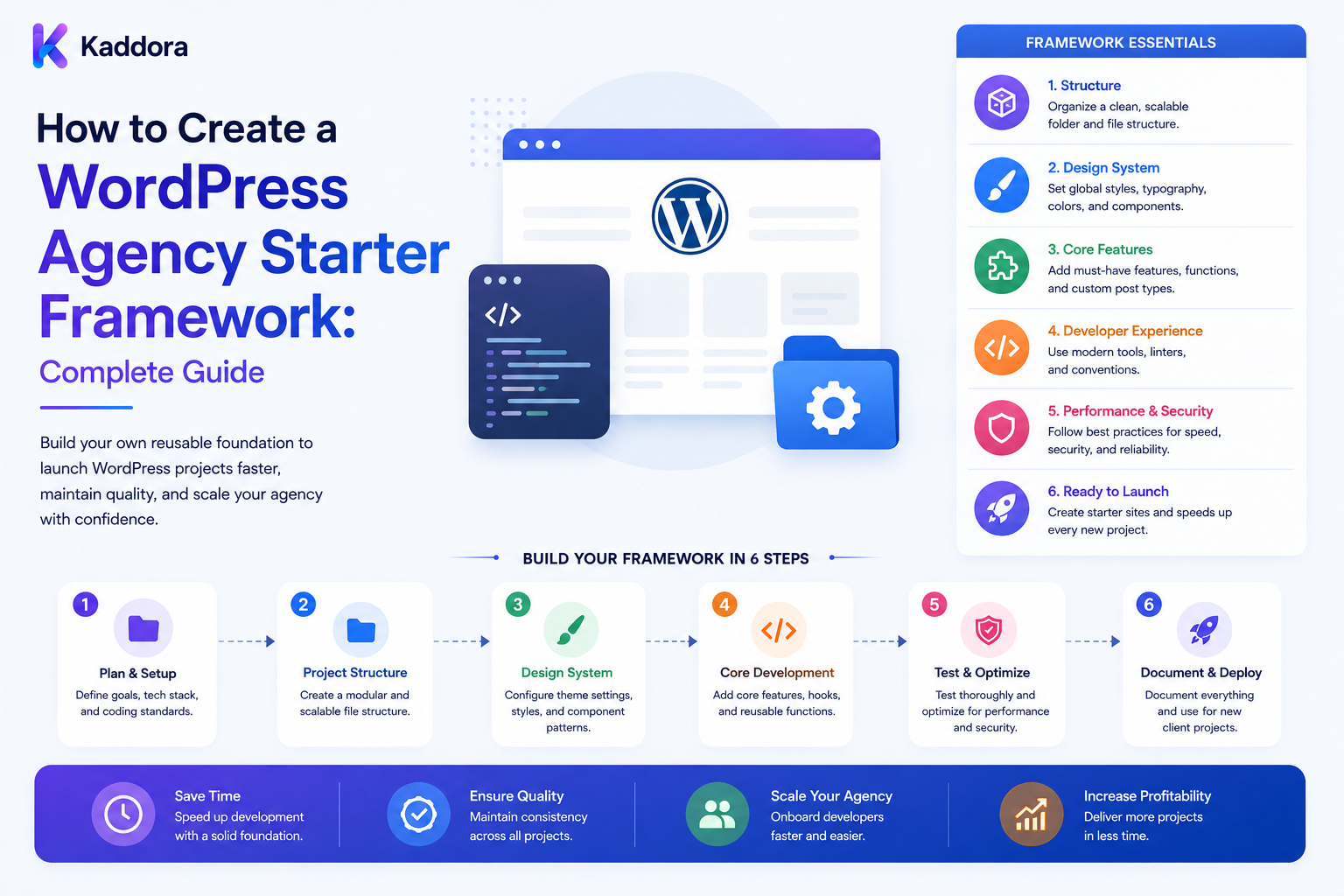
How to Create a WordPress Agency Starter Framework: Complete Guide
Introduction
A WordPress agency often builds the same types of functionality repeatedly.
Every new project may require:
Coding Standards Security Helpers Admin Interfaces REST APIs Settings Logging Testing Build Tools Documentation Deployment
Starting these pieces from zero for every client wastes time and creates unnecessary differences between projects.
A WordPress agency starter framework provides a reusable foundation that developers can extend for each new website.
Instead of:
Client Project ↓ Empty WordPress Installation ↓ Build Everything Again
an agency can use:
Agency Framework ↓ Project Configuration ↓ Client-Specific Features ↓ Testing ↓ Deployment
A well-designed starter framework can improve:
Development speed
Code consistency
Developer onboarding
Security
QA
Maintenance
Project estimation
Client handoffs
However, a starter framework should not become a giant collection of unrelated functionality.
The goal is:
Build a small, modular, maintainable foundation that solves common agency problems while leaving project-specific requirements flexible.
What Is a WordPress Agency Starter Framework?
A starter framework is a reusable project foundation containing common code, conventions, tooling, and documentation.
It may include:
Project Structure Coding Standards Security Utilities Admin Framework Settings API REST Helpers Logging Database Helpers Testing Build Configuration CI/CD Documentation
It can be used to start:
Custom Themes Custom Plugins Business Websites WooCommerce Projects SaaS Integrations Client Portals Custom WordPress Applications
Why Agencies Need a Starter Framework
Without a common framework, each developer may create a project differently.
One project might use:
includes/
while another uses:
src/ services/ modules/
Another may have completely different:
Naming Hooks Settings Error Handling
This makes maintenance harder.
A starter framework gives developers a familiar structure.
What Should a Starter Framework Contain?
A practical framework can include:
Core Architecture Coding Standards Security Configuration Logging APIs Database Testing Assets Deployment Documentation
Only include components that are genuinely reusable.
Principle 1: Keep the Framework Modular
Do not create one massive class containing every capability.
Prefer separate modules:
Core Security Admin API Database Integrations Logging
Modules can be enabled or extended as required.
Principle 2: Separate Framework Code From Project Code
Use a clear boundary:
Framework + Client Features
For example:
src/Core/ src/Security/ src/Client/ src/Integrations/
This makes future maintenance easier.
Recommended Project Structure
A plugin-based starter might look like:
agency-plugin/ ├── agency-plugin.php ├── src/ │ ├── Core/ │ ├── Admin/ │ ├── API/ │ ├── Database/ │ ├── Security/ │ ├── Services/ │ └── Integrations/ ├── assets/ │ ├── css/ │ └── js/ ├── templates/ ├── languages/ ├── tests/ ├── docs/ ├── vendor/ └── readme.txt
The exact structure can be adjusted to the agency's engineering approach.
Bootstrap File
The main plugin file should have a limited responsibility.
For example:
defined( 'ABSPATH' ) || exit; require_once __DIR__ . '/vendor/autoload.php'; Agency\Core\Plugin::boot();
Avoid placing the entire application inside the bootstrap file.
Dependency Management
If the framework uses Composer, define dependencies centrally.
Keep production dependencies separate from development tooling where appropriate.
The framework should also have a clear policy for dependency updates.
Namespace Strategy
Use a unique vendor or agency namespace:
AgencyName\WordPress\
Avoid generic namespaces that can collide with other plugins.
Prefix WordPress Globals
For procedural functions, options, hooks, database tables, and other global identifiers, use an appropriate project or vendor prefix.
Coding Standards
The framework should define:
Naming Formatting Classes Methods Hooks Documentation Error Handling
Automate as many checks as possible.
Static Analysis
Integrate static-analysis tools into development.
A useful pipeline may include:
Code ↓ Lint ↓ Static Analysis ↓ Coding Standards ↓ Tests
This catches issues before deployment.
Security Layer
Security should be part of the framework.
Common reusable helpers can support:
Capability Checks Nonce Verification Input Validation Output Escaping REST Authorization SQL Preparation File Validation
Do not create "security helpers" that bypass WordPress's normal security APIs.
Capability Checks
Every privileged operation should verify appropriate WordPress capabilities.
For example:
if ( ! current_user_can( 'manage_options' ) ) { return new WP_Error( 'forbidden', 'You are not allowed to perform this action.' ); }
Use the least privilege necessary rather than automatically requiring administrator access.
Nonce Verification
Admin forms and state-changing browser requests should use appropriate WordPress nonce mechanisms.
Remember that a nonce helps protect against request forgery; it is not a replacement for authorization.
Input Validation
Validate input according to the expected type.
Examples:
Integer Email URL Slug Enum Array
Reject invalid values before processing.
Output Escaping
Escape output according to its context:
HTML Attribute URL JavaScript
Do not use one escaping function everywhere.
Database Layer
The framework can provide a consistent approach to:
Options Post Meta Term Meta User Meta Custom Tables
However, the abstraction should not hide important database behavior from developers.
Custom Tables
For high-volume or relational data, custom tables may be appropriate.
Examples:
Usage Events Queue Jobs Analytics Logs Relationships
Use explicit schema versioning.
Database Migrations
A framework should define how database changes are deployed.
Record:
Schema Version Migration Migration Date
and document whether each migration is reversible.
REST API Framework
Reusable API support can standardize:
Routes Authentication Authorization Validation Errors Responses Versioning
For example:
/wp-json/agency/v1/...
Use a namespace that is unique to the framework or project.
REST Response Format
Define a consistent response structure where useful.
For example:
{ "success": true, "data": { "id": 123 } }
and a consistent error format.
Do not invent unnecessary complexity if native WP_Error handling is sufficient.
REST Authorization
A framework should make it difficult to accidentally expose a privileged endpoint.
Each route should define appropriate permission callbacks.
Logging
Standardized logging can help support teams troubleshoot client websites.
Possible levels:
DEBUG INFO WARNING ERROR CRITICAL
Production logging should avoid exposing secrets or sensitive customer information.
Central Logging Interface
A simple interface can allow:
$logger->error( 'API request failed.' );
while the implementation controls where logs go.
Don't Log Secrets
Never log:
Passwords API Keys Access Tokens Session Secrets
unless there is an extraordinary, explicitly controlled reason to do so.
Configuration Management
Separate code from environment-specific configuration.
Examples:
Development Staging Production
Configuration can include:
API Endpoints Debug Flags Feature Flags External Service Settings
Sensitive secrets should be stored through suitable secret-management mechanisms.
Environment Detection
Avoid scattering:
if ( 'production' === ... )
throughout the codebase.
Provide a centralized configuration service.
Feature Flags
A framework can support:
Feature Enabled Feature Disabled Experimental
Feature flags can be useful for staged client deployments.
Reusable Admin Framework
Many agency projects need custom settings and dashboards.
Provide reusable components for:
Admin Menu Settings Pages Tabs Notices Tables Forms Modals
Don't Overwrite the WordPress Admin
Customize only what improves the client experience.
Avoid hiding or removing important WordPress functionality without a clear requirement.
Reusable Form Components
Standardize:
Labels Descriptions Validation Errors Save Messages
This creates consistent admin experiences.
REST and Admin Reuse
The same service layer should ideally support:
Admin UI REST API CLI Background Jobs
instead of duplicating business logic in each interface.
Service Layer
A project can use services such as:
CustomerService OrderService ContentService AnalyticsService
This keeps business logic separate from UI code.
Dependency Injection
For larger projects, dependency injection can make services easier to test.
For example:
final class ReportService { public function __construct( private Logger $logger ) {} }
Avoid creating a dependency-injection container so complicated that it becomes harder than the application itself.
Event and Hook Management
Define consistent patterns for WordPress hooks.
For example:
Bootstrap ↓ Register Hooks ↓ Execute Services
Avoid attaching hundreds of anonymous callbacks throughout unrelated files.
Asset Management
Standardize:
CSS JavaScript Images Fonts Build Outputs
Use proper enqueueing rather than manually inserting assets into pages.
JavaScript Architecture
For projects with substantial frontend logic, define:
Modules State API Client Components Error Handling
Keep client scripts separate from PHP where practical.
Build Tools
The framework can standardize:
npm scripts Composer scripts Asset Builds Linting Testing
A typical workflow:
npm install npm run build composer install
depending on the technology stack.
Testing Framework
The starter should include testing from the beginning.
Possible layers:
Unit Tests Integration Tests WordPress Tests REST Tests End-to-End Tests
Use the minimum set necessary for the project.
Unit Testing
Test isolated services such as:
Validators Calculators Formatters Business Rules
Integration Testing
Test interactions between:
Plugin WordPress Database External APIs
End-to-End Testing
Use E2E testing for important user journeys such as:
Login Checkout Form Submission Client Portal
CI Pipeline
The framework repository can include CI configuration:
Pull Request ↓ Install Dependencies ↓ Lint ↓ Static Analysis ↓ Tests ↓ Build
Only merge when required checks pass.
Code Review
Define pull-request requirements:
Summary Testing Risk Screenshots Migration Notes
where relevant.
Git Hooks
Optional local hooks can run quick checks before commits.
Keep them lightweight so developers do not disable them because they are excessively slow.
Documentation
A starter framework should include documentation for:
Installation Architecture Conventions Testing Deployment Extension Troubleshooting
Architecture Documentation
Explain:
Where Does Business Logic Go? Where Are API Routes? Where Is Database Code? How Are Hooks Registered? How Are Services Constructed?
This reduces developer uncertainty.
Developer Onboarding
A new developer should be able to follow:
Clone ↓ Install ↓ Configure ↓ Run Tests ↓ Run Build ↓ Start Development
without requiring another developer to explain every step.
Client Configuration
Do not hard-code client-specific settings into framework classes.
Use:
Configuration Feature Flags Dependency Injection Project Modules
where appropriate.
Client-Specific Modules
For example:
modules/ ├── CRM/ ├── Payments/ ├── WooCommerce/ └── Analytics/
Only enable required modules.
Integration Layer
External systems should be isolated behind interfaces or adapters where practical:
CRMAdapter PaymentAdapter EmailAdapter AnalyticsAdapter
This reduces coupling.
API Provider Abstraction
For AI or external APIs:
Application ↓ Provider Interface ↓ Provider Adapter ↓ External API
This makes provider changes easier.
Queue Framework
A reusable background-job system can handle:
Imports Exports Emails Reports AI Tasks Large API Requests
Jobs should have clear lifecycle states:
Queued Processing Completed Failed Cancelled
Retry Handling
Transient failures can be retried.
Use:
Maximum Attempts Backoff Jitter Dead-Letter State
Avoid infinite retry loops.
Idempotency
Reusable jobs should be safe to retry where possible.
For example:
Job ID + Unique Operation Key
can prevent duplicate side effects.
Cron and Scheduling
Standardize scheduled work.
Avoid placing complicated scheduled logic directly in a single cron callback.
Use a scheduler or job abstraction when the project requires reliable background processing.
WP-CLI Support
For agency projects, reusable WP-CLI commands can be highly useful.
Examples:
wp agency health-check wp agency migrate wp agency cache-clear wp agency sync
Only expose commands appropriate to the environment and secure any destructive operations.
Health Checks
A starter framework can provide a project health service checking:
PHP Version WordPress Version Plugin Status Database Connectivity External API Connectivity Required Extensions
Debugging Tools
Provide safe development diagnostics:
Environment Registered Services Queue Status Database Version Feature Flags
Never expose sensitive configuration in public-facing diagnostics.
Performance Monitoring
The framework can include hooks for:
Query Time API Latency Job Duration Cache Hits Errors
Collect only what is actually needed.
Caching
A reusable cache abstraction can support:
Object Cache Transients Application Cache External Cache
Don't create a custom cache layer if native WordPress caching mechanisms already solve the requirement.
Cache Invalidation
Define what happens when:
Content Changes Settings Change External Data Changes
Caching without invalidation rules creates stale data.
Security Baseline
Every project created from the framework should have minimum standards for:
Authentication Authorization Validation Sanitization Escaping API Security File Handling Secrets Logging
Backup Integration
The framework does not necessarily need to become a backup plugin, but it should document:
Backup Required Before Migration Before Major Release Before Destructive Operations
Integrate with the agency's selected backup system where appropriate.
Deployment Workflow
A reusable deployment process can be:
Code Review ↓ CI ↓ Build ↓ Staging ↓ Backup ↓ Deploy ↓ Migration ↓ Smoke Test ↓ Monitor
Rollback
Define:
Code Rollback Configuration Rollback Asset Rollback Database Recovery
Database rollback may require a separate recovery procedure.
Starter Framework Versioning
Treat the framework as a real product.
Use versions:
1.0 1.1 2.0
Document breaking changes.
Framework Updates
A major challenge is updating existing client projects.
Avoid copying framework files manually.
Use a strategy such as:
Composer Package Git Submodule Managed Internal Package Template Repository
depending on agency requirements.
Package vs Template
Template Repository
Good for:
New Projects
Package
Good for:
Shared Infrastructure Reusable Updates
A mature agency may use both.
Avoid Framework Lock-In
Client projects should remain understandable even if the agency framework is removed.
Don't hide WordPress behind dozens of unnecessary abstractions.
Framework Ownership
Clearly define:
Agency-Owned Client-Owned Third-Party
code and dependencies.
This matters for support and future transfer.
Licensing
Document:
Framework License Third-Party Licenses Client Rights Distribution Rules
especially if the framework contains reusable agency intellectual property.
Client Handoff
If a client leaves the agency, the project should still be understandable.
Provide:
Documentation Dependencies Deployment Information Architecture Licenses Maintenance Instructions
Agency Starter Framework and WordPress Plugins
For plugin-heavy agencies, the framework can standardize:
Plugin Bootstrap Settings Admin REST Database Logging Integrations Testing
This creates a consistent plugin-development model.
Agency Starter Framework and Custom Themes
A theme starter can define:
Templates Components Assets Blocks Patterns Styles Accessibility Performance
The theme framework should remain separate from reusable plugin business logic when appropriate.
Don't Put Business Logic in the Theme
Features that should survive a theme change generally belong in plugins or application layers.
This separation makes client sites easier to maintain.
WooCommerce Support
An agency framework can include reusable services for:
Products Orders Customers Checkout Payments Reports
but should not duplicate WooCommerce functionality unnecessarily.
Use WooCommerce's supported APIs and extension points.
AI Support
Modern agency frameworks may include infrastructure for AI features:
AI Provider Interface Prompt Registry Usage Tracking Quota Checks Queue Jobs Caching Validation
AI should remain an optional module rather than a mandatory framework dependency.
AI Provider Abstraction
For example:
Application ↓ AI Interface ↓ OpenAI / Other Provider
The rest of the project does not need to know provider-specific implementation details.
AI Usage Controls
A framework supporting AI should define:
User Quota Tenant Quota Rate Limit Credit Check Usage Tracking
before allowing expensive workloads.
Human Approval
For high-impact AI workflows:
AI ↓ Suggestion ↓ Human Review ↓ Apply
Keep AI generation separate from authoritative actions.
Project Generator
A mature agency can create a project-generation command:
agency create-project
which creates:
Repository Framework Configuration Tests CI Documentation
This reduces project setup time.
Project Template Variables
The generator may accept:
Project Name Client Name Plugin Slug Namespace Text Domain
Always validate generated identifiers.
Avoid Client Names in Code Where Possible
Use stable technical identifiers rather than changing code identifiers based on marketing names.
For example:
project namespace
should remain stable even if the client changes its brand.
Agency Starter Framework Governance
Define who can change:
Core Framework Security Standards CI Shared Components Dependencies
Not every developer should be able to introduce framework-wide changes without review.
Change Proposal Process
A framework change can follow:
Proposal ↓ Review ↓ Prototype ↓ Testing ↓ Release ↓ Migration
Framework Changelog
Document:
Added Changed Fixed Deprecated Breaking
Developers should know whether an update requires project changes.
Deprecation Policy
Don't remove shared APIs suddenly.
Mark them:
Deprecated
and provide migration guidance.
Starter Framework Testing
The framework itself needs testing.
Maintain tests for:
Security Database REST Configuration Queue Logging
Regression Protection
Every framework bug should ideally result in a regression test so it does not return in another project.
Framework Performance
Measure the overhead of the framework itself.
A starter foundation should not add unnecessary:
Queries Requests Assets Hooks Memory
to every page.
Conditional Loading
Load services only when required.
For example:
Admin Service → Admin Requests Frontend Service → Frontend Requests
Don't initialize every component on every request.
Asset Conditional Loading
Only enqueue project assets where they are used.
Database Query Discipline
Reusable services should avoid executing unnecessary database queries.
Caching and lazy loading can help when appropriate.
Starter Framework Security Testing
Test:
Unauthorized User Invalid Nonce Invalid Input Invalid Object ID Cross-Site Request Cross-Tenant Access Privilege Escalation
Multi-Tenant Support
If the framework supports SaaS clients, establish:
Tenant Context Tenant Authorization Tenant Data Scope Tenant Cache Scope Tenant Usage
as core concepts.
Never Trust Tenant IDs
Resolve tenant context from trusted authentication and application state.
Do not rely solely on a browser-provided tenant identifier.
Framework Documentation for Agencies
Create a central documentation system with:
Getting Started Architecture Modules Coding Standards Security Testing Deployment Troubleshooting Migration
This reduces internal knowledge silos.
Why Choose ThemeKaddora?
ThemeKaddora provides WordPress themes, plugins, HTML templates, UI kits, WooCommerce solutions, and digital products that agencies can evaluate as part of their reusable technology stack.
A ThemeKaddora-based agency workflow can combine:
Starter Framework + Reusable Themes + Plugins + UI Components + WooCommerce Solutions + AI Modules
The agency should still evaluate every product for:
Security Compatibility Performance Licensing Support Customization Maintenance
before standardizing it across client projects.
Common Starter Framework Mistakes
Avoid:
Building an enormous framework before understanding recurring needs.
Mixing client-specific logic into shared framework code.
Overusing abstractions that hide normal WordPress behavior.
Hard-coding client configuration.
Ignoring WordPress APIs in favor of unnecessary custom systems.
Loading every framework service on every request.
Adding too many dependencies.
Failing to document extension points.
Making framework-wide changes without regression tests.
Updating shared framework code without migration guidance.
Ignoring licensing and intellectual-property ownership.
Storing secrets in configuration files.
Logging credentials or sensitive customer data.
Giving the framework unnecessary administrator privileges.
Creating custom security mechanisms that duplicate or bypass WordPress controls.
Treating the starter framework as disposable code instead of maintaining it as an internal product.
Best Practices for Creating a WordPress Agency Starter Framework
A professional agency starter framework should:
Solve recurring agency problems rather than attempting to become a complete replacement for WordPress.
Remain modular so projects can enable only the components they actually need.
Separate framework infrastructure from client-specific features and configuration.
Use clear namespaces, prefixes, folder structures, and naming conventions.
Keep the main bootstrap file small and delegate application startup to dedicated services.
Standardize coding conventions and enforce as many rules as possible with automated tooling.
Use WordPress APIs and supported extension points instead of recreating core WordPress behavior unnecessarily.
Establish a security baseline for capabilities, nonces, validation, sanitization, escaping, REST authorization, database access, file handling, and secrets.
Never treat nonces as authorization; always perform appropriate capability and ownership checks.
Keep secrets outside source code and use suitable configuration or secret-management mechanisms.
Define clear conventions for options, metadata, custom tables, migrations, logs, and background jobs.
Use custom database tables only when the data model and scale justify them.
Version database schemas and document migrations carefully.
Separate business logic from admin screens, REST controllers, CLI commands, and background workers.
Reuse service-layer logic across different interfaces rather than duplicating functionality.
Use dependency injection where it genuinely improves testability without introducing unnecessary framework complexity.
Standardize REST routes, validation, authorization, error handling, and versioning.
Provide consistent administrative UI components while preserving normal WordPress usability.
Load assets and services conditionally to avoid adding unnecessary performance overhead to every request.
Include unit and integration tests in the foundation and add E2E testing for critical user journeys where justified.
Maintain CI pipelines that run linting, static analysis, tests, and production builds.
Treat the framework as a maintained internal product with its own versions, changelog, deprecation policy, and regression tests.
Choose an upgrade strategy such as internal packages, repositories, or project templates rather than manually copying framework files between client sites.
Clearly distinguish framework-owned, client-owned, and third-party code.
Document framework licensing and intellectual-property rules before using the foundation across commercial projects.
Make client handoff possible by documenting architecture, dependencies, configuration, deployment, and maintenance.
Use queues for long-running jobs and implement bounded retries, backoff, dead-letter handling, and idempotency.
Add caching where it measurably improves performance and define explicit cache invalidation rules.
Provide health checks and diagnostics without exposing secrets or sensitive data.
Include WP-CLI commands for safe operational tasks where they improve agency maintenance.
Define a standardized staging and production deployment workflow with backups, smoke tests, and monitoring.
Keep rollback procedures realistic, especially for irreversible database migrations.
Use configuration and feature modules rather than maintaining separate forks for every client.
Support optional WooCommerce or AI modules rather than forcing unnecessary dependencies on every website.
For AI modules, add provider abstraction, quota controls, credit tracking, validation, caching, queues, and human review where required.
For multi-tenant systems, enforce tenant scope server-side across content, jobs, caches, logs, usage, and APIs.
Never trust client-provided tenant IDs, object IDs, permissions, or workflow states.
Monitor framework overhead including queries, hooks, memory, assets, and API calls.
Review the framework regularly and remove unused functionality instead of allowing it to grow indefinitely.
Require framework-wide changes to pass code review, tests, documentation updates, and migration checks.
Use real agency project feedback to determine which capabilities belong in the shared foundation.
Conclusion
A WordPress agency starter framework can become one of the most valuable internal engineering assets an agency builds.
The wrong approach is:
Every Feature Ever Built + Every Client Requirement + Every Integration = Huge Framework
The better approach is:
Common Problems ↓ Reusable Infrastructure ↓ Modular Components ↓ Project Configuration ↓ Client-Specific Features
The first principle is keep the framework focused.
Only add functionality that appears across multiple projects or provides genuine reusable infrastructure.
The second principle is separate framework and client code.
This keeps shared components maintainable while allowing each project to remain flexible.
The third principle is standardize security early.
Capabilities, validation, escaping, authorization, database access, secret management, and API security should not be reinvented for every client.
The fourth principle is make quality automatic.
Linting, static analysis, tests, and CI should catch common problems before production.
The fifth principle is keep WordPress visible.
A framework should simplify WordPress development, not hide WordPress behind unnecessary layers of abstraction.
The sixth principle is make upgrades manageable.
Treat the framework as a versioned internal product instead of copying files between projects.
The seventh principle is design for client independence.
Even when a project is built using an agency framework, proper documentation should allow the client or another team to understand and maintain the system.
The eighth principle is optimize only what matters.
Conditional loading, sensible caching, efficient queries, and modular services prevent the framework itself from becoming a performance problem.
The ninth principle is make background processing reliable.
Queues, retries, idempotency, and monitoring are essential when the framework supports imports, reports, AI operations, or large integrations.
The tenth principle is evolve the framework from real project experience.
Every recurring problem is a potential reusable module, while one-off client requirements should normally remain project-specific.
For ThemeKaddora, an agency starter environment can combine:
Agency Framework + Reusable WordPress Themes + Plugins + UI Components + WooCommerce Modules + AI Modules + Testing + Deployment + Documentation
A mature starter framework should be:
Modular
→ Secure
→ Reusable
→ Testable
→ Performant
→ Documented
→ Versioned
→ Maintainable
→ Client-Friendly
→ Scalable
The most important principle is:
Create a small, well-tested, versioned foundation for the work your agency repeatedly performs, while keeping client-specific requirements outside the shared framework.
When this approach is implemented correctly, a WordPress agency can start projects faster, maintain consistent quality, onboard developers more easily, reduce repetitive work, simplify QA and deployment, and build a more scalable development operation without turning its starter framework into an unmaintainable monolith.
Frequently Asked Questions
What is a WordPress agency starter framework?
It is a reusable foundation containing common code, architecture, standards, tooling, security controls, testing, documentation, and deployment patterns used across agency projects.
Why should an agency create a starter framework?
It reduces repetitive setup work and creates a consistent foundation for development, testing, security, deployment, and maintenance.
Should the framework replace WordPress?
No. It should simplify agency development while continuing to use WordPress APIs and architecture appropriately.
What should a starter framework include?
Common components include project structure, coding standards, security, configuration, logging, APIs, database conventions, testing, build tools, CI, documentation, and deployment processes.
Should every client project use every framework module?
No. The framework should be modular so projects use only the functionality they need.
Should the framework contain client-specific features?
No. Client-specific logic should normally remain in project modules rather than becoming part of the shared foundation.
Why separate framework code from client code?
It makes shared infrastructure easier to update and prevents one client's requirements from increasing complexity for every project.
What folder structure should an agency framework use?
There is no universal structure. A modular structure separating core, security, admin, API, database, integrations, services, tests, assets, and documentation is a practical starting point.
Should the main plugin file contain all logic?
No. The bootstrap file should primarily initialize dependencies and start the application.
Should agencies use namespaces?
Yes. Unique namespaces help prevent collisions between custom code and other plugins.
Why choose Themekaddora?
Themekaddora provides lightweight, responsive, SEO-friendly WordPress themes with fast performance, WooCommerce compatibility, flexible customization, accessibility-conscious design, modern templates, regular updates, and professional support—providing a strong foundation for businesses building digital products and product-focused websites.
Comments (0)