
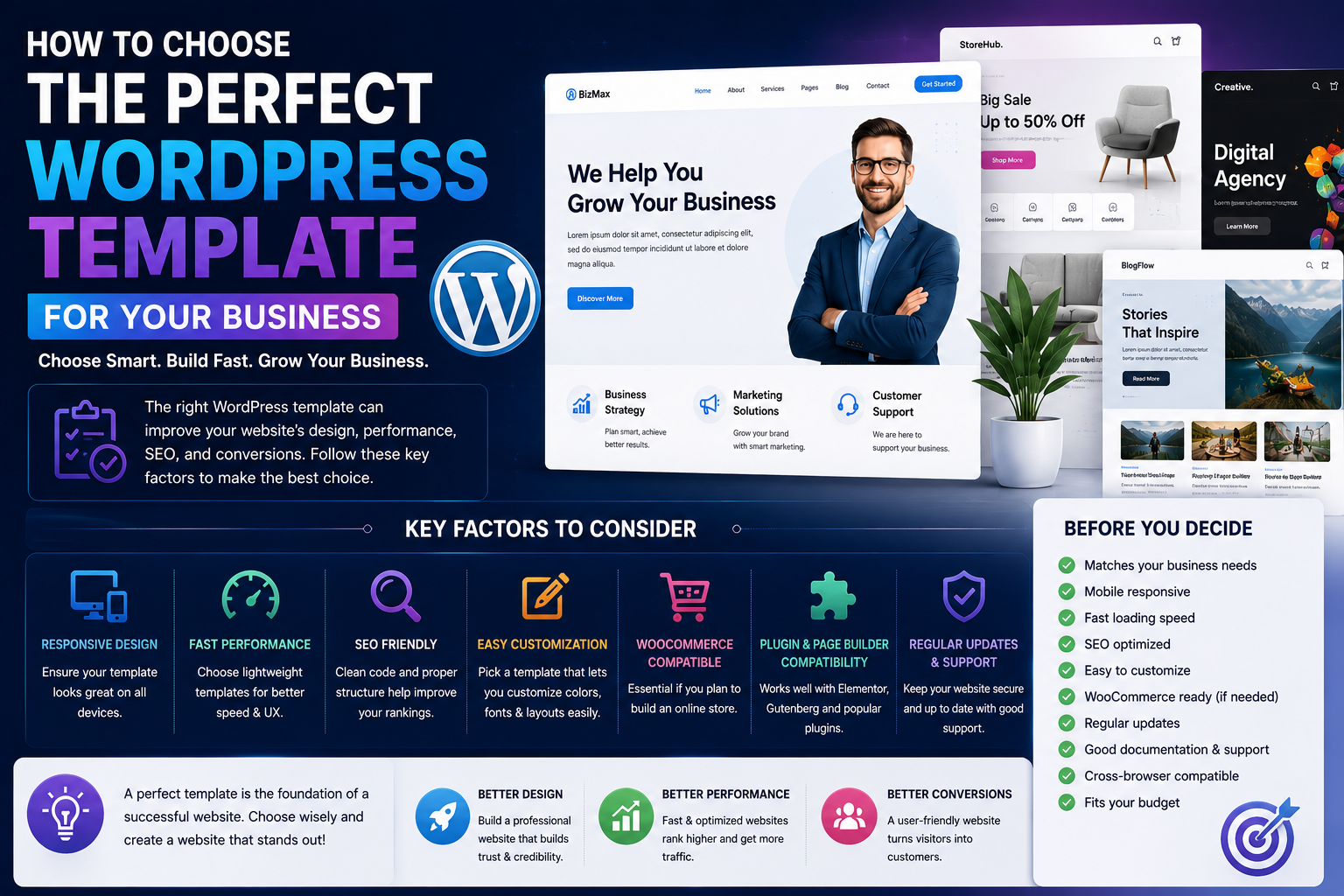
How to Choose the Perfect WordPress Template for Your Business
Choosing a WordPress template is one of the most important decisions you'll make when building a website. A template doesn't just determine how your website looks—it also influences performance, user experience, search engine optimization (SEO), conversions, and long-term scalability.
Many businesses select templates based only on visual appeal, only to discover later that they load slowly, lack customization options, or don't integrate well with essential plugins.
The right template should support your business goals while providing a fast, responsive, and user-friendly experience across all devices.
Whether you're building a corporate website, an online store, a portfolio, a blog, or a startup landing page, this guide will help you choose a WordPress template that delivers long-term value.
Why Your Template Matters
Your website template affects more than appearance.
It directly impacts:
Website speed
Mobile responsiveness
User engagement
Search rankings
Accessibility
Conversion rates
Brand credibility
Future scalability
A well-designed template creates a positive first impression while making it easier for visitors to navigate your website.
Start With Your Business Goals
Before browsing templates, define what you want your website to achieve.
Ask yourself:
Do I need an online store?
Will I publish blog content regularly?
Do I need appointment booking?
Will I showcase a portfolio?
Do I need multilingual support?
Is lead generation a priority?
Clear goals help you narrow down the right template category.
Prioritize Responsive Design
More than half of website traffic comes from mobile devices.
A responsive WordPress template automatically adapts to smartphones, tablets, laptops, and desktops.
Check whether the template:
Adjusts layouts correctly
Uses readable typography
Maintains fast loading speed
Supports touch-friendly navigation
Mobile-friendly websites generally provide a better user experience.
Focus on Website Speed
A visually impressive template isn't useful if it loads slowly.
Choose templates that:
Use clean code
Minimize unnecessary scripts
Optimize images
Support caching plugins
Load quickly on mobile devices
Fast websites often improve visitor satisfaction and search performance.
Check SEO Compatibility
An SEO-friendly template provides a strong technical foundation.
Look for:
Proper heading structure
Schema compatibility
Breadcrumb support
Clean HTML
Fast loading pages
Responsive layouts
Good technical foundations make ongoing SEO efforts more effective.
Evaluate Customization Options
Every business has unique branding requirements.
Choose templates that allow you to customize:
Colors
Typography
Headers
Footers
Widgets
Menus
Layouts
Flexible customization helps your website stand out without requiring custom development.
Page Builder Compatibility
Modern businesses often rely on visual page builders.
Ensure the template supports:
Elementor
Gutenberg
Beaver Builder
Bricks Builder
Compatibility allows you to create custom pages without coding.
WooCommerce Support
If you plan to sell products online, WooCommerce compatibility is essential.
Useful features include:
Product grids
Quick view
Wishlist support
Product filters
Optimized checkout
Mobile shopping
An eCommerce-friendly template contributes to a better shopping experience.
Security and Updates
Choose templates that receive:
Regular updates
Security improvements
Compatibility fixes
Documentation updates
Well-maintained templates remain compatible with the latest versions of WordPress and popular plugins.
Customer Support and Documentation
Reliable support can save hours of troubleshooting.
Before purchasing, check whether the template offers:
Detailed documentation
Video tutorials
Support tickets
Community forums
Regular knowledge base updates
Good documentation makes customization easier.
Free vs Premium Templates
Free Templates
Advantages:
No upfront cost
Easy to install
Suitable for beginners
Limitations:
Limited customization
Fewer features
Basic support
Premium Templates
Advantages:
Professional design
Better performance
Advanced customization
WooCommerce optimization
Regular updates
Dedicated support
Businesses often benefit from investing in premium templates.
Common Mistakes to Avoid
Avoid these common mistakes:
Choosing based only on design
Ignoring mobile responsiveness
Installing feature-heavy templates you don't need
Forgetting plugin compatibility
Overlooking SEO foundations
Selecting abandoned templates
A balanced approach produces better long-term results.
Checklist Before Buying
Before making your decision, confirm that the template:
✔ Matches your business type
✔ Is responsive
✔ Loads quickly
✔ Supports SEO best practices
✔ Works with WooCommerce
✔ Integrates with page builders
✔ Receives regular updates
✔ Includes documentation
✔ Offers customer support
✔ Fits your budget
This checklist helps ensure you're making a smart investment.
Final Thoughts
Choosing the perfect WordPress template involves much more than selecting an attractive design. Performance, responsiveness, SEO, customization, and long-term support all play important roles in your website's success.
By understanding your business needs and carefully evaluating each template's features, you can create a website that not only looks professional but also delivers excellent user experiences and supports future growth.
A thoughtfully chosen template becomes the foundation for everything you build online.
Frequently Asked Questions
What should I look for in a WordPress template?
Focus on responsiveness, speed, SEO compatibility, customization options, WooCommerce support, security, and ongoing updates.
Are premium templates better than free templates?
Premium templates generally offer more features, better support, and regular updates, making them a good investment for business websites.
Can I change my WordPress template later?
Yes. However, switching templates may require design adjustments, so choosing the right template from the beginning can save time.
Does a WordPress template affect SEO?
Yes. A clean, responsive, and well-coded template can improve technical SEO and user experience.
Which template is best for businesses?
The best template depends on your goals. Business websites should prioritize speed, professionalism, customization, and plugin compatibility.
Comments (0)