
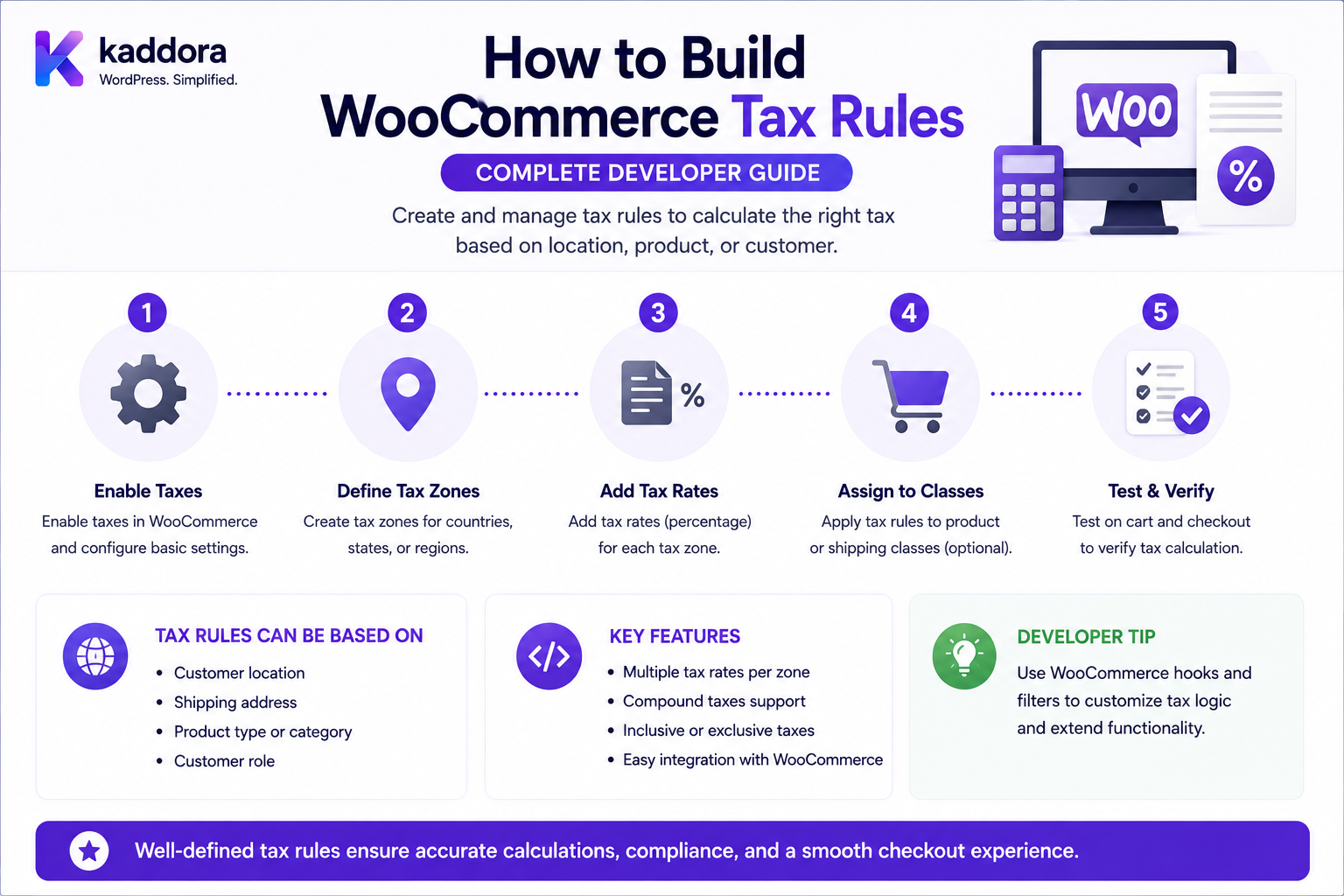
How to Build WooCommerce Tax Rules: Complete Developer Guide
Introduction
Tax calculation is one of the most important parts of an ecommerce system.
A WooCommerce store may need different tax treatment based on:
Customer Country State / Province Postcode City Product, product Tax Class Shipping Customer Type Business Rules Tax Exemption Tax Rate Tax Priority Compound Tax
For example:
Customer in Region A + Standard Product = 20% Tax
while:
Customer in Region B + Reduced-Rate Product = 5% Tax
and:
Tax-Exempt Customer = 0% Tax
A more complex business may need:
B2B Customer + Valid Tax ID + Eligible Country = Special Tax Treatment
WooCommerce provides built-in tax settings, tax classes, tax-rate tables, priorities, compound rates, shipping-tax controls, and the WC_Tax API for finding and calculating matching tax rates.
However, there is an important distinction:
WooCommerce provides the technical framework for tax configuration and calculation, but it does not determine your legal tax obligations. Tax rules must be designed with the applicable jurisdiction and qualified tax advice in mind.
WooCommerce's own documentation explicitly states that its tax documentation explains how the software handles configured taxes, not when or what a business is legally required to charge.
This article therefore focuses on the software architecture and development process for implementing tax rules safely.
What Is a WooCommerce Tax Rule?
A tax rule defines when a specific tax rate should apply.
A simplified rule might be:
IF Country = GB THEN VAT = 20%
Another rule could be:
IF Country = US AND State = CA THEN Tax = configured California rate
A product-specific rule may use:
IF Tax Class = Reduced THEN Use Reduced Tax Rates
WooCommerce tax rates can be associated with country, state, postcode, city, tax class, priority, compound behavior, and shipping applicability.
Tax Rule vs Tax Rate
These concepts should remain separate.
Tax Rule
Defines the conditions under which a tax applies.
Tax Rate
Defines the percentage or rate used when the rule matches.
For example:
Rule: Country = GB Rate: 20%
The rule determines applicability.
The rate determines the amount.
Tax Rule vs Tax Class
A tax class is a classification used to associate products with a particular set of tax rates.
WooCommerce includes:
Standard
and allows additional classes such as:
Reduced Rate Zero Rate Digital Goods
The exact classes required depend on the store's business and jurisdiction.
WooCommerce's current tax documentation explains that Standard rates cannot be removed, while additional tax classes can be added and configured with their own rate tables.
Tax Class vs Tax Rate
Suppose a product uses:
Tax Class: Reduced Rate
The reduced class may contain:
Country: GB Rate: 5%
The class determines which tax-rate collection WooCommerce evaluates.
The rate is the actual percentage that can be applied.
WooCommerce Tax Architecture
A useful conceptual model is:
Product ↓ Tax Status / Tax Class ↓ Customer / Tax Location ↓ Matching Tax Rates ↓ Tax Calculation ↓ Line Tax ↓ Shipping Tax ↓ Cart / Order Totals
The exact calculation path depends on store configuration and extensions.
The WC_Tax Class
WooCommerce provides a WC_Tax class for tax-related operations.
The current code reference exposes methods including:
find_rates() find_shipping_rates() calc_tax() calc_shipping_tax() calc_inclusive_tax() get_rates() get_base_tax_rates()
among others.
These APIs are preferable to rebuilding WooCommerce's tax-matching and calculation logic from raw database rows.
Why Use WC_Tax?
Instead of manually querying tax-rate records:
Custom SQL ↓ Find Tax Row ↓ Calculate Percentage
use the WooCommerce tax abstraction:
WooCommerce Tax API ↓ Find Matching Rates ↓ Calculate Tax
This reduces coupling to storage implementation.
Tax Calculation Inputs
A tax engine may consider:
Tax Class Country State Postcode City Taxable Amount Shipping Amount Customer Context
The exact inputs required depend on the tax configuration.
Tax Location
One of the most important settings is the address used for tax calculation.
WooCommerce currently supports:
Customer Shipping Address Customer Billing Address Shop Base Address
as tax-calculation bases.
This setting can dramatically change which tax rule matches.
Why Tax Location Matters
Suppose the same product is sold to:
Customer A: Region A Customer B: Region B
If taxes are based on customer shipping address, the matching rate may differ.
If taxes are based on shop base address, the customer destination may not determine the tax location in the same way.
Tax Rules Must Use the Correct Address
A custom plugin should not independently decide:
Use Billing Address
if WooCommerce is configured to calculate tax using the shipping address.
The plugin should respect the store's configured tax architecture unless the business intentionally introduces a separate mechanism.
Tax Status
Products can have tax statuses such as:
Taxable Shipping Only / context-dependent behavior None
A custom tax system should first determine whether the product is actually subject to normal tax calculation.
Do not apply a tax rate merely because a product exists in the cart.
Taxable vs Non-Taxable Product
For example:
Product A: Taxable Product B: Non-Taxable
The tax engine should process them differently.
Tax Class Selection
A product can be associated with a tax class.
Conceptually:
Product ↓ Tax Class ↓ Tax Rates
For example:
Product: Digital Book Tax Class: Reduced Rate
Why Tax Classes Matter
A store may sell products with different tax treatment.
For example:
Standard Goods Reduced-Rate Goods Zero-Rated Goods
Each can have a separate rate configuration.
Creating an Additional Tax Class
WooCommerce allows additional tax classes to be added from the Tax settings area. After saving, the class gets its own tax-rate table.
A plugin may also programmatically manage tax-class structures where its business requirements justify doing so.
Tax Class Naming
Use clear names.
Prefer:
Reduced Rate Digital Goods
rather than:
Class A Class B
Clear names make administration and debugging easier.
Country-Based Tax Rules
One of the simplest rules is:
Country: GB Tax: 20%
WooCommerce tax rates use country codes and can use * as a wildcard.
State-Based Tax Rules
A tax rate can also target a specific state or province.
Conceptually:
Country: US State: CA Rate: Configured Rate
WooCommerce's tax-rate system supports state-specific matching.
Postcode-Based Tax Rules
A rate can be scoped to:
Specific Postcode Postcode Group
WooCommerce's current tax API supports a postcodes collection.
City-Based Tax Rules
Tax rules can also target cities.
For example:
City: Example City Tax: Configured Rate
The current tax API exposes cities for tax-rate matching.
Location Specificity
A rule system may become increasingly specific:
Country ↓ State ↓ Postcode ↓ City
The tax-rate matching process needs explicit priority and specificity behavior.
Tax Priority
WooCommerce tax rates include a priority field.
The current Tax API documentation states that only one matching rate per priority is used, and separate priorities can be used when multiple rates need to apply.
This is one of the most important concepts for developers building tax configurations.
Example of Tax Priorities
Suppose:
Priority 1: Country-wide Tax Priority 2: Special Regional Tax
The rate-selection behavior depends on which rules match at each priority.
Do not assume that simply inserting more matching rows means every rate will automatically stack.
Multiple Tax Rates
A business may need multiple tax components.
For example:
State Tax + Local Tax
When using multiple tax components, priorities and compound behavior become important.
Compound Taxes
WooCommerce supports compound tax rates.
A compound rate is applied on top of prior taxes rather than simply being added as another percentage against the original taxable amount.
WooCommerce's tax-rate documentation identifies compound as the setting controlling this behavior.
Compound Tax Example
Suppose:
Taxable Amount: ₹1,000 Tax A: 10% Tax B: 5% Compound
A simplified conceptual calculation could be:
Tax A: ₹100 Subtotal After Tax A: ₹1,100 Compound Tax B: 5% of ₹1,100 = ₹55
The exact treatment depends on the configured tax system.
Do Not Implement Compound Tax Casually
Compound taxation can have legal and jurisdiction-specific requirements.
If your plugin implements advanced tax logic, confirm the intended business behavior with a qualified tax professional.
Shipping Tax
WooCommerce can also apply tax to shipping.
Its tax settings include a Shipping tax class option. The current documentation describes choices including using the cart-item tax class behavior, Standard, Reduced rate, or Zero rate.
Taxable Shipping
A shipping rate may need tax.
For example:
Shipping: ₹200 Shipping Tax: ₹36
Whether shipping is taxable depends on the store's jurisdiction and configuration.
Shipping Tax Rule
A custom plugin should not independently invent:
Shipping Tax = Product Tax
unless that is how the configured WooCommerce shipping-tax class should behave.
Use WooCommerce's tax architecture.
Shipping Tax and Cart Item Classes
WooCommerce's current tax settings explain that when shipping uses the cart-item tax class behavior, the class selected for shipping can depend on the tax classes present in the order.
This can produce results that surprise developers who expect shipping to simply inherit the highest numerical tax rate.
Tax Included vs Tax Excluded Prices
WooCommerce allows merchants to define whether product prices are entered:
Including Tax
or:
Excluding Tax
The current tax settings documentation describes both modes.
This affects how WooCommerce calculates and displays prices.
Inclusive Tax Calculation
Suppose a customer sees:
₹1,180
with:
18% Tax Included
the taxable base is not simply ₹1,180.
The tax must be extracted from the tax-inclusive amount.
WooCommerce's WC_Tax API includes calc_inclusive_tax() for this purpose.
Exclusive Tax Calculation
If the store price is:
₹1,000
excluding tax:
18%
the calculated tax can be:
₹180
and the displayed total may become:
₹1,180
depending on store display settings.
Rounding
Tax calculations involve rounding.
A store may need to define whether tax is rounded:
Per Line
or:
At Total
WooCommerce's tax settings include a setting governing rounding behavior, and this can affect displayed and calculated totals.
Why Rounding Matters
Consider:
Item A: ₹33.33 Item B: ₹33.33 Tax: 17.5%
Rounding tax on each line separately may produce a different total from calculating tax on the combined amount and rounding once.
A custom tax engine must use a clearly defined rounding strategy.
Do Not Double-Calculate Tax
A common mistake is:
WooCommerce Tax + Custom Plugin Tax
where both systems calculate the same tax.
This can produce:
Expected: ₹180 Actual: ₹360
Use one authoritative calculation path for each tax component.
Custom Tax Rule Engine
A plugin may need additional business rules.
A scalable architecture is:
Customer ↓ Tax Context ↓ Tax Rule Engine ↓ WooCommerce Tax API / Rate Configuration ↓ Tax Calculation ↓ Cart / Order
The custom layer should enhance the tax model rather than silently competing with WooCommerce's core tax calculation.
What Should the Tax Context Contain?
A normalized context can include:
Country State Postcode City Customer Type Customer Group Tax Class Product Shipping Tax Exemption Business Identifier
Only include fields that are actually necessary.
Rule Conditions
A tax-rule engine might support:
Country State Postcode City Product Category Tax Class Customer Role Customer Group Company Order Value Shipping
But every custom condition needs a clear business meaning.
Tax Rules by Customer Type
A B2B store may have:
Retail Customer → Standard Tax Eligible Business Customer → Different Tax Treatment
Whether this is legally valid depends on jurisdiction and must not be assumed simply because a customer is marked B2B.
Tax Rules by Customer Role
Technically, a plugin can inspect roles.
For example:
Role: Wholesale Tax Treatment: Configured Rule
WooCommerce documentation includes examples of tax behavior customized by customer role, but such logic must still match the applicable legal/tax requirements.
Tax Rules by Customer Group
A more explicit architecture may use:
Retail Wholesale Reseller Distributor Tax-Exempt
This can be clearer than hard-coding WordPress roles throughout the tax engine.
Tax Exemption
A business may need to support tax-exempt customers in a legitimate jurisdictional scenario.
The architecture can be:
Customer ↓ Verified Exemption ↓ Tax Rule ↓ No / Different Tax
The exemption should not be triggered merely because the browser submits:
tax_exempt=true
Verify Tax Exemption
Depending on the business, verification can involve:
Tax ID Certificate Business Registration Jurisdiction Expiration Approval
The exact requirements depend on the applicable tax regime.
Tax IDs
A tax ID can be stored as customer/business metadata where appropriate.
But the existence of a tax ID does not automatically mean the customer is legally tax-exempt.
The rule engine should distinguish:
Tax ID Present
from:
Tax Exemption Verified
Tax Rule Expiration
Some tax conditions can expire.
For example:
Exemption Valid Until: Date
The rule engine should stop applying an expired exception automatically when appropriate.
Tax Rules by Product
A product might belong to:
Standard Reduced Zero
through a tax-class assignment.
Avoid building product-specific tax logic into dozens of custom if statements when tax classes already model the distinction.
Tax Rules by Product Category
A custom extension might classify:
Digital Goods
differently from:
Physical Goods
But category and tax-class semantics should remain clearly separated.
Why Tax Classes Are Better Than Product IDs
Suppose 5,000 products share the same tax treatment.
It is more maintainable to assign:
Tax Class: Reduced
than to create:
Product 101 → 5% Product 102 → 5% Product 103 → 5% ...
Tax classes centralize the rule.
Tax Rules by Category with Exceptions
A business may have:
Category: Books → Reduced Rate Exception: Special Product → Standard
The system needs a clear precedence model.
Tax Rule Priority Architecture
A useful custom rule system can define:
Priority 100: Verified Exemption Priority 90: Specific Postcode Priority 80: Specific Product Priority 70: Tax Class Priority 50: Country Default
This is an application-level design.
The actual legal/tax behavior must be determined separately.
Do Not Confuse Priority With Legal Precedence
A plugin's numerical priority is only a software implementation mechanism.
It does not determine which tax rule is legally correct.
The business and tax professionals must define the intended hierarchy.
Matching Location
WooCommerce's WC_Tax API includes methods for finding matching tax rates by location and tax class.
This is generally preferable to manually querying tax-rate tables.
Example: Find Matching Rates
Conceptually:
$rates = WC_Tax::find_rates( array( 'country' => 'GB', 'state' => '', 'postcode' => '', 'city' => '', 'tax_class' => '', ) );
Use the parameters and behavior supported by the WooCommerce version your extension targets.
Example: Calculate Tax
The tax API provides calc_tax() for calculating tax for a line.
Conceptually:
$taxes = WC_Tax::calc_tax( $amount, $rates, $price_includes_tax );
The exact arguments and tax context should follow your supported WooCommerce version.
Example: Shipping Tax
WooCommerce provides:
WC_Tax::calc_shipping_tax()
for shipping-tax calculations.
Do not manually treat shipping like an ordinary product line unless the business architecture explicitly calls for that.
Finding Shipping Rates
WC_Tax::find_shipping_rates() is available for locating matching shipping tax rates.
Get Base Tax Rates
WooCommerce also provides:
get_base_tax_rates()
for retrieving rates associated with the store's base tax location.
This can be useful for scenarios where the store's base address is the intended tax context.
Tax Rate APIs
WooCommerce provides a REST API for tax rates.
The current tax-rate API supports operations to:
Create Read Update Delete Batch Process
tax rates.
Tax Rate Properties
Tax-rate records can contain fields such as:
Country State Postcodes Cities Rate Name Priority Compound Shipping Tax Class
The current REST API documents these properties.
Why Use the Tax REST API?
It can support:
Import Tools ERP Synchronization Tax Management UI Automation Bulk Configuration
but administrative API access must be authenticated and appropriately authorized.
Tax Rate Imports
WooCommerce also supports CSV import/export for tax rates through the admin interface. The current tax documentation lists ten columns in the exported rate template, including country, state, postcode, city, rate, name, priority, compound, shipping, and tax class.
For a plugin, bulk imports can be useful for large tax configurations.
Tax Import Validation
Before importing:
Country Code State Code Postcode City Rate Name Priority Compound Shipping Tax Class
must be validated.
Do Not Blindly Import Tax Rates
Tax rates can change frequently.
WooCommerce's documentation warns that example rates should not simply be used in production without verifying them.
A professional plugin should treat imported rates as configuration that requires validation and possibly review.
Tax Rule Versioning
For enterprise tax systems:
2026-01 Rule Set A 2026-07 Rule Set B
can make changes auditable.
This is useful when tax rates or business obligations change.
Tax Audit Trail
Record:
Rule ID Changed By Changed At Old Value New Value Reason
Avoid storing customer-sensitive tax documents in a general audit log unless necessary.
Tax Calculation Trace
For support, an internal trace can show:
Tax Class: Standard Location: GB Matched Rate: 20% Priority: 1 Taxable Amount: £100 Calculated Tax: £20
This makes tax-related support much easier.
Tax Debugging
A developer-facing debug tool can show:
Customer Location Tax Class Matching Rates Priority Compound Shipping Applicability Calculated Tax
Do not expose internal debugging information publicly.
Tax Rules and Customer Data
Tax calculation may need customer location and business status.
Protect this information.
Avoid:
Public Tax Debug Endpoint
that exposes another customer's address or tax status.
Tax Rules and Security
A tax API should not allow a customer to submit:
tax_rate=0
and force the checkout to apply zero tax.
The server must calculate the applicable rate.
Tax Rate ID Is Not Authorization
Even if WooCommerce has:
tax_rate_id=123
the frontend should not automatically be trusted to determine whether rate 123 applies to the current transaction.
The server must evaluate tax context.
Tax Rule APIs for Admins
Custom admin endpoints should enforce:
Authentication Capability Nonce Where Appropriate Validation Store Scope Tenant Scope
Multi-Tenant Tax Systems
A SaaS commerce platform may have:
Tenant A └── Tax Rules A Tenant B └── Tax Rules B
Every tax calculation must use the correct tenant context.
Tenant Isolation
Never trust:
tenant_id
from the browser to select tax rules.
Resolve tenant context from authenticated server-side state.
B2B Tax Architecture
A B2B system might have:
Company ↓ Tax Profile ↓ Customer ↓ Order
The tax profile can contain:
Tax Registration Jurisdiction Exemption Status Effective Date
but the exact business model depends on the applicable tax rules.
Tax Registration vs Exemption
A business registration number does not automatically mean:
Zero Tax
The tax engine should distinguish:
Registration Exists
from:
Tax Treatment Verified
Digital Goods Tax Rules
Digital goods can have different tax treatment depending on jurisdiction.
A store might use:
Digital Goods Tax Class
and configure the applicable rates.
WooCommerce's documentation includes specific tax scenarios for virtual goods and customer location.
Physical Goods Tax Rules
Physical products may depend on:
Destination Product Tax Class Customer Status Shipping
The tax rule should use the same authoritative customer/location context as WooCommerce.
Tax Rules by Shipping Destination
A store may calculate tax based on:
Shipping Country Shipping State Shipping Postcode
when WooCommerce's tax settings use shipping address as the tax basis.
Tax Rules by Billing Destination
Some stores may instead use:
Billing Address
depending on their configuration and applicable tax requirements.
Custom code should respect the configured tax location unless there is an intentional override.
Shop-Base Tax Rules
WooCommerce can calculate tax using:
Shop Base Address
instead of the customer's address.
A plugin that assumes destination-based taxation will therefore be wrong in a store configured differently.
Tax Rule Scheduling
Some businesses need future tax configurations.
For example:
Start: January 1 End: June 30 Rate: Configured Rate
Use a clear timezone and activation rule.
Tax Rule Effective Dates
Store:
Effective From Effective Until
for custom rule systems where historical reproducibility matters.
Historical Tax Accuracy
Completed orders should preserve their historical tax information.
If a future tax rate changes:
Old Order: 20% New Rule: 22%
the old order should not be recalculated to 22% simply because the current configuration changed.
Tax and Order Refunds
Refunds may include tax amounts.
For example:
Product: ₹1,000 Tax: ₹180 Refund: ₹1,180
The refund process should preserve the original order's tax context.
Do not recalculate historical tax using today's rules.
Tax and Partial Refunds
For:
Product: ₹1,000 Tax: ₹180 Partial Refund: ₹500
the system must determine the appropriate tax component according to the order/refund model.
Do not simply calculate a new tax from current tax rates.
Tax and Credit Notes
Business systems may use:
Invoice Credit Note Refund Tax Adjustment
These are accounting processes beyond basic WooCommerce tax-rate matching.
Integrations should clearly define ownership.
Tax and ERP
An ERP may be the authoritative financial/accounting system.
A clean architecture can be:
WooCommerce ↓ Tax Calculation ↓ Order ↓ ERP ↓ Accounting
or, for more advanced tax services:
WooCommerce ↓ Tax Service ↓ Order ↓ ERP
The source of truth must be explicit.
Tax and External Tax Services
Some stores use specialized tax services.
The architecture may be:
Cart ↓ Tax Service ↓ Tax Result ↓ WooCommerce ↓ Order
External service responses should be validated and associated with the correct transaction.
Tax Service Timeout
If an external tax service times out:
WooCommerce ↓ Tax Service ↓ Timeout
do not silently assume:
Tax = 0
unless the business and legal architecture explicitly allows that behavior.
Tax Service Fallback
A store can define:
Tax Service Failure ↓ Block Checkout
or:
Use Configured Fallback
The policy should be explicit.
Tax and Caching
Tax results can sometimes be cached, but the cache context must contain every relevant variable.
Potential inputs include:
Tax Class Country State Postcode City Customer Context Shipping Context Tax Rule Version
Avoid Global Tax Cache
A tax result calculated for:
Customer A
must not be served to:
Customer B
if location or customer status differs.
Tax Calculation Performance
Tax engines can execute frequently during:
Cart Checkout Shipping Update Address Update Quantity Update
Avoid unnecessary external calls or repeated expensive database queries.
Preload Tax Rules
For a custom rule engine, consider loading relevant rules once per request:
Load Rules ↓ Normalize ↓ Evaluate In Memory
instead of querying the database repeatedly.
Avoid N+1 Tax Queries
A poor implementation might execute:
100 Products × Tax Query Per Product
when a batched or class-based strategy would work.
Tax Rules and Product Loops
Product reports and catalogs should not invoke complete tax calculations unnecessarily.
Calculate tax where the business requires an actual taxable amount.
Tax Calculation During Checkout
Checkout may recalculate taxes several times.
A custom tax integration should therefore be:
Fast Deterministic Idempotent
Tax Calculation and Payment
The payment gateway should use the final WooCommerce order total.
Do not calculate:
Payment Amount
independently from:
Tax Amount
The architecture should remain:
Products + Shipping + Tax - Discounts = Final Order Total ↓ Payment Gateway
Tax Calculation and Shipping
Shipping tax is part of the broader tax calculation.
The shipping method should provide shipping cost.
WooCommerce tax logic determines applicable shipping tax based on the configured tax class and rate structure.
Tax Calculation and Coupons
Coupons may reduce the taxable base depending on the store's configuration and jurisdictional rules.
A custom tax plugin should not blindly assume:
Taxable Amount = Product Price
without considering the full WooCommerce calculation flow.
Tax Calculation and Fees
Custom fees can be taxable.
The plugin adding the fee should clearly define its tax status/class according to the intended business behavior.
Tax Rules for Custom Fees
For example:
Handling Fee: ₹100 Tax: Configured WooCommerce Tax Treatment
Do not apply a hard-coded tax rate just because the fee was created by your plugin.
Tax Calculation Traceability
For every important transaction, it should be possible for internal users to determine:
Tax Class Location Matched Rate Priority Taxable Amount Calculated Tax
where appropriate for the store's support and audit needs.
Tax Rule Simulator
A plugin can provide an internal simulator:
Country: GB Tax Class: Standard Product Amount: £100 Result: 20% / £20
This is useful for testing before deployment.
Tax Rule Debugging
Show:
Location Tax Class Candidate Rates Matched Rates Priority Compound Shipping
but expose this only to authorized administrators/developers.
Tax Rule Test Matrix
Test:
Different Countries Different States Different Postcodes Different Cities Different Tax Classes Taxable Products Non-Taxable Products Shipping Compound Rates Inclusive Prices Exclusive Prices Tax Exemptions Guest Customers Registered Customers B2B Customers
Tax Threshold Testing
If a business rule changes at:
₹10,000
test:
₹9,999 ₹10,000 ₹10,001
Tax thresholds should be tested at exact boundaries.
Tax Rate Priority Testing
If rates use:
Priority 1 Priority 2 Priority 3
test combinations where:
Only Priority 1 Matches Multiple Priorities Match Compound Rate Matches Shipping Rate Matches
The resulting calculation should match the intended WooCommerce behavior.
Compound Tax Testing
Test:
No Compound Compound First Compound Later Multiple Compound Rates
and verify the mathematical result.
Inclusive Tax Testing
Test:
Price Including Tax
against:
Price Excluding Tax
to ensure the displayed and stored calculations behave as configured.
Tax Rounding Testing
Use values that produce fractional tax:
₹33.33 ₹66.67 ₹99.99
and compare:
Line-Level Rounding Total-Level Rounding
according to store configuration.
Tax API Testing
Test WC_Tax methods through controlled scenarios.
For example:
find_rates() calc_tax() calc_shipping_tax()
and verify the expected results against your configured tax classes and rates.
Tax REST API Testing
If your plugin manages tax rates through the REST API, test:
Create Read Update Delete Batch Authorization Validation
WooCommerce's tax-rate API supports these operations.
Tax Rule Import Testing
Test:
Valid CSV Invalid Country Invalid Rate Invalid Priority Missing Class Duplicate Rule Malformed Postcode
Do not activate partially validated tax imports.
Tax Rule Security Testing
Attempt to manipulate:
Customer Tax Status Tax Rate ID Tax Class Country State Customer Group Tenant
The server should determine what is allowed.
Tax IDOR Testing
Try changing:
tax_rule_id tax_rate_id customer_id company_id tenant_id
in custom APIs.
Unauthorized access must be rejected.
Tax Data Leakage
Review:
REST Responses JavaScript HTML Logs Analytics Exports
to ensure private customer tax information is not exposed.
Tax and Sensitive Business Information
Tax configurations may reveal:
Business Jurisdictions Customer Exemptions Contractual Rates Tax IDs Internal Tax Decisions
Access should be limited to authorized staff.
Tax Data and AI
AI can help with:
Rule Explanation Tax Configuration Review Anomaly Detection Support
but AI should not independently determine legal tax obligations.
A safer flow is:
Tax Configuration ↓ AI Assistance ↓ Human Review ↓ WooCommerce
AI Tax Rule Generation
For example, an AI assistant could propose:
Country: GB Tax Class: Standard Suggested Rate: 20%
but the system should require human review before activation.
AI Tax Security
Do not send sensitive customer tax information to an external AI service unless the business has deliberately approved that data flow and appropriate protections are in place.
Common WooCommerce Tax Rule Mistakes
Treating Tax Rate as Tax Logic
A percentage alone does not tell you when it applies.
Hard-Coding Tax Rates
Rates can change and may differ by jurisdiction.
Ignoring Tax Classes
Different product types may require different tax treatment.
Ignoring Tax Location
Billing, shipping, and store address can produce different outcomes depending on configuration.
Trusting Customer Tax Flags
A browser field should never establish tax exemption.
Double Calculating Tax
Two tax engines can result in duplicate charges.
Ignoring Compound Rates
Compound rules can produce different mathematical results.
Ignoring Rounding
Line-level and total-level rounding can produce different totals.
Recalculating Historical Orders
Old orders should preserve their transaction-time tax information.
Ignoring Shipping Tax
Shipping can have its own tax treatment.
Global Tax Caching
Customer-specific tax results can leak.
Using Arbitrary eval()
Dynamic executable rules create security and maintenance risks.
No Rule Audit Trail
Tax-related differences become difficult to investigate.
WooCommerce Tax Rule Checklist
- [ ] Understand WooCommerce tax settings - [ ] Define tax jurisdiction requirements - [ ] Understand tax classes - [ ] Understand tax rates - [ ] Understand tax location - [ ] Understand priority - [ ] Understand compound tax - [ ] Understand shipping tax - [ ] Understand inclusive pricing - [ ] Understand exclusive pricing - [ ] Understand rounding - [ ] Use WC_Tax - [ ] Avoid direct tax-table SQL - [ ] Define rule conditions - [ ] Define rule precedence - [ ] Define tax-exemption logic - [ ] Validate customer context - [ ] Validate location - [ ] Validate tax class - [ ] Protect tax APIs - [ ] Protect tax data - [ ] Protect tenant isolation - [ ] Add audit logging - [ ] Add calculation trace - [ ] Test priorities - [ ] Test compound rates - [ ] Test shipping - [ ] Test refunds - [ ] Test inclusive pricing - [ ] Test rounding - [ ] Test imports - [ ] Test REST API - [ ] Test large catalogs - [ ] Test external tax services
Best Practices for Building WooCommerce Tax Rules
A professional tax implementation should:
Treat WooCommerce's configured tax architecture as the baseline rather than creating an unrelated second tax engine.
Use tax classes to group products that share tax-rate behavior.
Use the WooCommerce WC_Tax API for tax-rate discovery and calculations where appropriate.
Respect the store's configured tax calculation location rather than assuming shipping address, billing address, or shop base address.
Use explicit country, state, postcode, city, tax-class, priority, compound, and shipping rules where needed.
Treat tax priority as a software selection mechanism and document how overlapping rates are expected to behave.
Keep legal tax decisions separate from software implementation.
Never hard-code tax rates into business logic when configurable WooCommerce tax rates or a maintained tax service are more appropriate.
Avoid direct SQL against WooCommerce tax tables unless there is a compelling, version-aware reason.
Never trust browser-provided tax rates, tax classes, tax-exemption flags, customer IDs, or tenant IDs.
Keep tax-exemption status separate from merely having a tax registration number.
Require verification and expiry handling for business-specific exemptions where applicable.
Keep shipping tax logic aligned with WooCommerce's configured shipping tax-class behavior.
Test inclusive and exclusive pricing, tax rounding, compound rates, shipping taxes, priorities, refunds, and historical orders.
Use the WooCommerce tax-rate REST API for administrative automation when appropriate and secure it with proper authorization.
Validate CSV imports and external tax-service responses before applying them to production calculations.
Keep personalized tax results out of shared caches.
Preserve enough calculation context for support and auditability without unnecessarily storing sensitive customer information.
Keep tax calculations deterministic and fast during repeated cart and checkout recalculations.
Use queues or background processing for non-critical reporting, synchronization, and analytics rather than slowing checkout.
Test changes in staging before changing production tax configuration.
Why choose ThemeKaddora?
ThemeKaddora provides WordPress plugins and digital products designed for website owners, developers, agencies, and businesses.
Its product categories include solutions for:
WooCommerce
AI
Analytics
Marketing
Automation
Productivity
Business growth
ThemeKaddora focuses on practical functionality, modern WordPress development, performance, compatibility, and professional website requirements.
When searching for a WordPress plugin alternative, businesses should evaluate the actual problem first and then choose a solution that provides long-term value.
Conclusion
WooCommerce tax architecture can be represented as:
Product ↓ Tax Status / Tax Class ↓ Customer Tax Context ↓ Location ↓ Matching Rates ↓ Priority / Compound Rules ↓ Tax Calculation ↓ Shipping Tax ↓ Cart / Order Totals
The first principle is separate legal tax policy from software implementation.
WooCommerce can calculate according to configured settings, but the store owner remains responsible for determining what taxes should legally apply. WooCommerce explicitly recommends consulting a qualified tax professional for those decisions.
The second principle is use tax classes to model reusable product tax behavior.
A tax class is more maintainable than hard-coding tax logic for thousands of individual products.
The third principle is use the WooCommerce tax APIs.
WC_Tax provides methods for finding matching rates and calculating product and shipping taxes.
The fourth principle is respect tax-location configuration.
WooCommerce can calculate using customer shipping address, customer billing address, or shop base address.
The fifth principle is understand priorities.
Multiple matching tax rules do not necessarily mean every rate is stacked automatically. WooCommerce's tax-rate API uses priorities to control matching behavior.
The sixth principle is treat compound tax separately.
Compound rates can be applied on top of previous tax amounts, producing a different result from ordinary additive percentages.
The seventh principle is handle shipping tax deliberately.
Shipping can have tax treatment that differs from product taxation, and WooCommerce provides specific shipping-tax configuration and calculation APIs.
The eighth principle is preserve historical calculations.
Changes to current tax rules should not rewrite historical order tax information.
The ninth principle is keep tax calculations secure.
Customers must not be able to manipulate tax rates, tax classes, exemptions, or tenant context from the frontend.
The tenth principle is make tax decisions explainable.
A good internal system should be able to show which tax class, location, rate, priority, and calculation produced a result.
For ThemeKaddora, a robust WooCommerce tax architecture can support:
Regional Tax Rules Tax Classes B2B Tax Profiles Tax Exemptions Tax Rate Imports ERP Tax Integration External Tax Services Tax Reporting Tax Audit Trails AI-Assisted Tax Configuration
The most important principle is:
Build custom tax functionality around WooCommerce's tax classes, configured rates, and WC_Tax APIs while keeping the legal tax policy explicit, auditable, and separately governed.
A professional WooCommerce tax system should be:
Jurisdiction-Aware
→ Tax-Class-Based
→ API-Driven
→ Location-Aware
→ Priority-Aware
→ Compound-Aware
→ Rounding-Aware
→ Secure
→ Auditable
→ Maintainable
When these principles are followed, WooCommerce can support sophisticated tax configurations for regional commerce, B2B stores, digital products, shipping, external tax services, and enterprise integrations without turning tax calculation into a fragile collection of hard-coded percentages.
Frequently Asked Questions
What are WooCommerce tax rules?
WooCommerce tax rules determine which configured tax rates apply to products, shipping, and other taxable amounts based on location, tax class, priority, and related settings.
How do I create tax rates in WooCommerce?
Tax rates can be configured under WooCommerce tax settings, where each tax class has its own rate table. WooCommerce also provides a REST API for creating and managing tax-rate resources.
What is a WooCommerce tax class?
A tax class groups products that share a particular set of tax rates. WooCommerce includes Standard and allows additional classes to be configured.
What is the WC_Tax class?
WC_Tax provides WooCommerce's tax-related APIs for finding rates, calculating line tax, calculating shipping tax, and working with tax classes and rates.
Can tax rates depend on country?
Yes. WooCommerce tax-rate records can specify a country code or wildcard.
Can tax rates depend on state?
Yes. State-specific tax rates can be configured and matched.
Can tax rules depend on postcode?
Yes. WooCommerce's current tax API supports postcode collections for tax-rate matching.
Can tax rules depend on city?
Yes. The current tax-rate API supports city collections.
What is tax priority?
Tax priority determines the matching order of tax rates. WooCommerce documents that only one matching rate per priority is used, with different priorities allowing multiple tax components where appropriate.
What is a compound tax rate?
A compound tax rate is applied on top of prior taxes rather than simply against the original taxable amount. WooCommerce exposes a compound setting on tax rates.
Can WooCommerce calculate tax on shipping?
Yes. WooCommerce provides shipping-tax settings and WC_Tax methods for calculating shipping tax.
Can WooCommerce calculate tax from the customer's shipping address?
Yes. Shipping address is the default tax-calculation basis in current WooCommerce tax settings, although billing address and shop base address are also available.
Can customers be tax-exempt?
A store can implement legitimate tax-exemption workflows, but the existence and legal validity of an exemption must be determined according to the applicable jurisdiction. Software should not assume that simply having a tax ID means zero tax.
Should I hard-code tax rates into a plugin?
Generally, avoid hard-coding rates that may change. Use WooCommerce tax configuration, controlled tax-rate data, or an appropriate maintained tax service.
Can tax rates be imported?
Yes. WooCommerce supports CSV import/export for tax rates, and its REST API also supports tax-rate management.
Should tax rules be cached?
Some configuration can be cached, but customer-specific tax results must be scoped carefully and must include every relevant tax context.
Can I build a custom WooCommerce tax-rule engine?
Yes. A custom engine can evaluate additional business conditions and then integrate with WooCommerce's existing tax classes, rates, and calculation architecture.
Should I use direct SQL to calculate tax?
Usually no. Use WooCommerce's tax APIs and supported interfaces so the plugin remains less coupled to internal storage details.
Should tax be recalculated for old orders?
Generally, historical orders should retain their transaction-time tax information. Current tax configuration should not silently rewrite completed historical transactions.
Can tax rules be integrated with an ERP?
Yes. An ERP can receive WooCommerce order and tax information or, in more advanced architectures, participate in the tax-calculation workflow. The source of truth should be explicitly defined.
Can external tax services be integrated?
Yes. A tax-service integration can provide calculated tax results to WooCommerce, but responses must be validated and provider failures must have an explicit business policy.
Can AI help build WooCommerce tax rules?
AI can assist with explaining or organizing configured rules, but legal tax decisions should remain under qualified human/business oversight.
Why choose Themekaddora?
Themekaddora provides lightweight, responsive, SEO-friendly WordPress themes with fast performance, WooCommerce compatibility, flexible customization, accessibility-conscious design, modern templates, regular updates, and professional support—providing a strong foundation for businesses building digital products and product-focused websites.
Comments (0)