
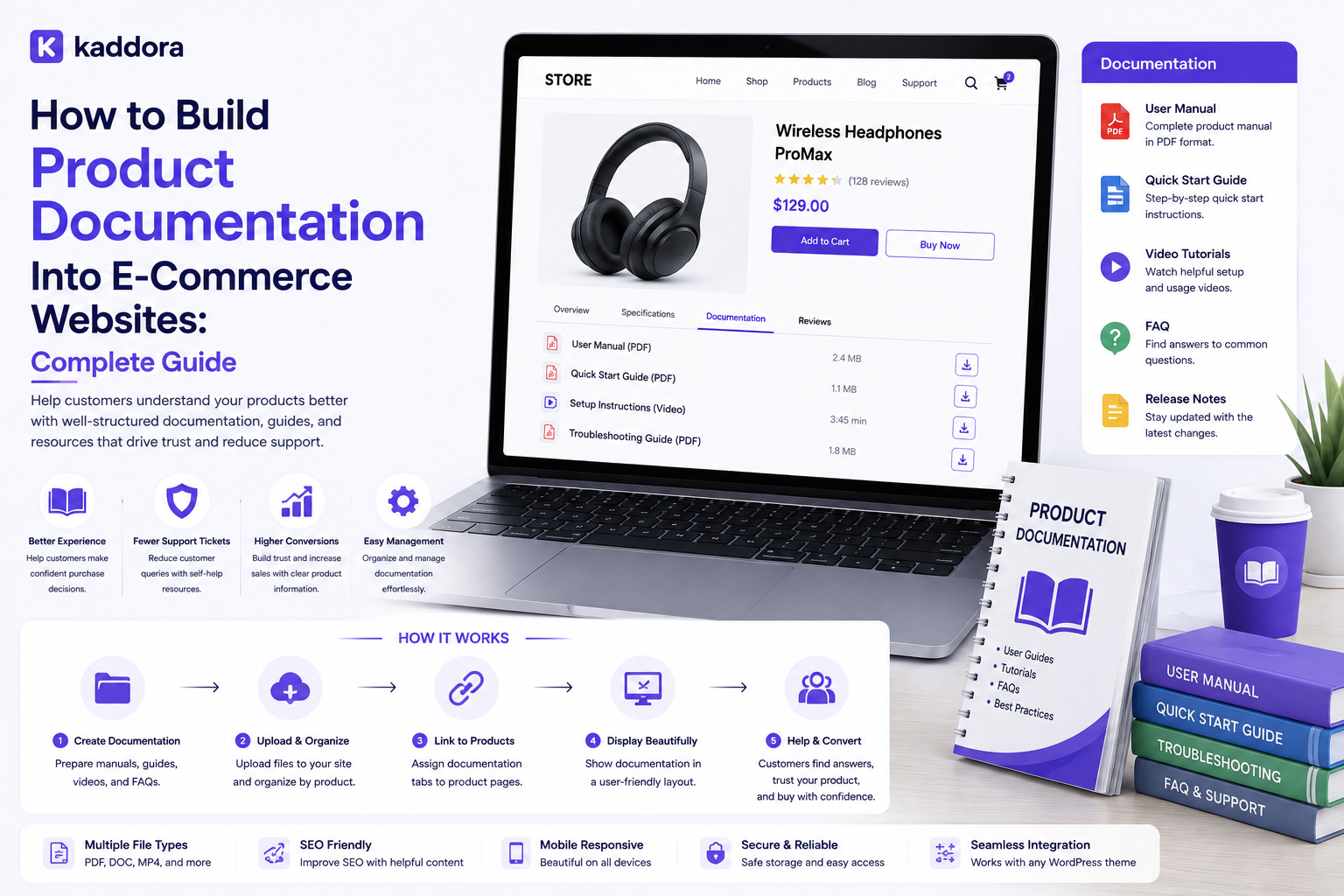
How to Build Product Documentation Into E-Commerce Websites: Complete Guide
Introduction
An e-commerce website should not only help customers purchase products.
It should also help them understand, install, configure, use, troubleshoot, and maintain those products.
This becomes especially important when selling:
Software
WordPress themes
SaaS products
Digital tools
Hardware
Complex business products
Courses
Subscription services
A basic product page may contain:
Product ↓ Description ↓ Price ↓ Buy
A product with integrated documentation can provide:
Product ├── Overview ├── Features ├── Requirements ├── Installation ├── Configuration ├── Usage ├── Troubleshooting ├── FAQ ├── Changelog └── Support
This reduces friction after purchase and can also reduce repetitive support requests.
For software products, documentation may be even more important:
Purchase ↓ Download ↓ Installation ↓ Configuration ↓ Activation ↓ Usage ↓ Updates
At every stage, customers can encounter questions.
A professional documentation architecture should therefore connect product information with structured, searchable, version-aware help content without tightly coupling every article to the storefront template.
A professional e-commerce documentation system should connect products to structured guides, installation instructions, requirements, troubleshooting, FAQs, versions, and support resources while providing secure customer-aware access, strong search, clear information architecture, and maintainable content workflows.
What Is Product Documentation in E-Commerce?
Product documentation is the structured information that helps customers understand and use a product.
It can include:
Product guides
Installation instructions
Setup guides
Configuration
Tutorials
FAQs
Troubleshooting
Changelogs
API references
Compatibility information
Why Product Documentation Matters
Good documentation can help:
Reduce customer confusion
Improve product adoption
Reduce support workload
Increase successful installations
Improve customer satisfaction
Help customers discover product capabilities
Support self-service troubleshooting
Start With Documentation Goals
Before building the system, define:
Who Is the Documentation For? What Problems Does It Solve? When Does the Customer Need It? Which Products Need It?
Documentation by Customer Journey
Documentation should align with the customer's journey:
Before Purchase ↓ Purchase ↓ Installation ↓ Setup ↓ Usage ↓ Troubleshooting ↓ Updates ↓ Advanced Usage
Documentation Types
A mature system may contain:
Getting Started Installation Configuration Tutorials Reference Troubleshooting FAQ Changelog
Product Documentation Structure
A useful structure is:
Product ├── Overview ├── Requirements ├── Installation ├── Configuration ├── Features ├── Tutorials ├── Troubleshooting ├── FAQ └── Changelog
Product-to-Documentation Relationship
Do not duplicate the entire documentation for every product page.
Instead, connect:
Product ↔ Documentation
through structured relationships.
Documentation Categories
Categories may include:
Getting Started Installation Configuration Features Integrations Troubleshooting
Documentation Articles
An article can contain:
Title Summary Body Product Category Version Status
Documentation Versioning
Software changes over time.
Documentation should therefore support:
Version 1.x Version 2.x Version 3.x
where required.
Version-Specific Documentation
A configuration option in version 3 may not exist in version 1.
Connecting articles to versions reduces confusion.
Latest Documentation
The system can identify:
Current Version ↓ Recommended Documentation
while still preserving older guides.
Don't Delete Historical Documentation
Older articles may still be useful for customers running previous versions.
Archive instead of destroying useful references when appropriate.
Installation Documentation
For software, installation should explain:
Requirements Download Installation Activation Verification
Requirements
Show:
WordPress PHP WooCommerce Browser Operating System
or other actual requirements.
Compatibility vs Documentation
Documentation can explain compatibility, but technical compatibility should come from verified product data.
Configuration Guides
Configuration articles can explain:
Settings API Keys Integrations Permissions Options
Never publish private credentials or secrets.
API Documentation
Digital products may require API documentation:
Endpoint Method Authentication Parameters Response Errors
Keep API Secrets Out
Documentation should use examples such as:
YOUR_API_KEY
instead of real credentials.
Tutorials
Tutorials can teach customers how to complete practical tasks.
For example:
Create Product ↓ Configure Settings ↓ Enable Feature ↓ Verify Result
Troubleshooting
Troubleshooting should be organized by problem.
Examples:
Installation Failed Activation Failed API Connection Error Slow Performance Unexpected Output
Error Messages
Include exact error messages where useful.
They help customers search documentation.
Searchable Documentation
A strong documentation search system should index:
Title Content Product Version Error Message Tags
Product-Aware Search
When a customer is viewing:
Product A
the documentation search can prioritize articles related to Product A.
Version-Aware Search
If a user operates:
Product: v3.2
version-relevant documentation should receive priority.
Search Synonyms
Customers may use different terms for the same problem.
For example:
"license error" "activation error" "activation failed"
Search can map related terminology where appropriate.
Documentation Recommendations
Product pages can display:
Installation Guide Getting Started FAQ Troubleshooting
Contextual Help
Help can be placed near:
Settings Features Checkout Downloads Account Dashboard
Don't Overload Product Pages
A product page should not contain every documentation article.
Show relevant resources and link to the full documentation experience.
Documentation URLs
Use predictable, readable paths such as:
/docs/product-name/ /docs/product-name/installation/ /docs/product-name/troubleshooting/
Documentation Information Architecture
Create a clear hierarchy:
Documentation ↓ Product ↓ Category ↓ Article
Breadcrumbs
Breadcrumbs can help users understand where they are:
Docs > Product > Installation > Configuration
Related Articles
At the end of an article, show:
Related Articles
based on product, category, version, and topic.
Documentation Cross-Linking
Connect relevant topics:
Installation → Activation → Configuration → Troubleshooting
Product Documentation and Support
Documentation should complement support rather than replace legitimate support channels.
Support Escalation
A useful workflow is:
Customer Problem ↓ Search Documentation ↓ Try Solution ↓ Still Failing ↓ Create Support Request
Documentation and Support Tickets
A support system can record which documentation article a customer viewed.
This may help support teams understand the issue.
Documentation Feedback
Allow users to indicate:
Helpful Not Helpful
or provide feedback.
Documentation Analytics
Track:
Views Searches Failed Searches Helpful Votes Support Escalations
Failed Search Analysis
If customers repeatedly search for:
"license activation"
and receive no useful result, the documentation team can create or improve an article.
Documentation Coverage
Monitor products with:
No Installation Guide No FAQ No Troubleshooting No Changelog
Documentation and SEO
Public documentation can also help search visibility when the content is genuinely useful and intended for public discovery.
Optimize:
Titles
Headings
Internal links
Search intent
Structured information
Descriptive URLs
Documentation and AEO
Clear question-and-answer sections can make documentation easier for answer systems and users to understand.
For example:
Question ↓ Direct Answer ↓ Steps ↓ Details
Documentation and GEO
Well-structured factual documentation can provide useful context for generative search systems when the content is publicly accessible and trustworthy.
Product Schema
Where appropriate, connect documentation with structured product information rather than duplicating product facts inconsistently.
Documentation Access Control
Not every document must be public.
Documentation can be:
Public Customer Only License Only Subscription Only Internal
Public Documentation
Useful for:
Installation Features Compatibility FAQ
where the business wants public discovery.
Customer-Only Documentation
Useful for:
Premium Features Advanced Configuration Support Resources
when access should be restricted.
License-Restricted Documentation
Some software may provide documentation only to licensed customers.
Subscription-Restricted Documentation
Premium support or advanced service documentation may depend on subscription status.
Server-Side Authorization
Protected documentation must be authorized on the server.
Do not rely only on hiding navigation links.
Object-Level Authorization
A request for:
article_id=123
must be checked against the authenticated customer's rights.
Tenant Isolation
For multi-business platforms:
Tenant A → Documentation A Tenant B → Documentation B
must remain isolated.
Documentation APIs
Possible endpoints include:
GET /docs GET /docs/products/{id} GET /docs/articles/{id} GET /docs/search
API Authentication
Private documentation APIs require suitable authentication.
API Rate Limiting
Protect search and article endpoints from excessive traffic.
Documentation Caching
Public articles can often be cached efficiently.
Private documentation requires user, customer, company, license, or tenant-aware cache boundaries where applicable.
Avoid Cache Leakage
A private article shown to one customer should not become visible to another through a shared cache.
Documentation Publishing Workflow
A professional workflow can be:
Draft ↓ Review ↓ Technical Verification ↓ Approval ↓ Publish ↓ Monitor
Technical Review
Product documentation should be verified against the actual product version.
Documentation Ownership
Define who owns:
Writing Technical Accuracy Screenshots Version Updates Approval
Documentation Status
Useful states include:
Draft Published Archived Deprecated
Deprecated Documentation
When a feature is removed:
Deprecated ↓ Replacement Guide
where possible.
Changelog Integration
When a product changes:
Release ↓ Changelog ↓ Documentation Update
Documentation Release Workflow
For software products:
New Version ↓ Review Changes ↓ Update Docs ↓ Publish Version ↓ Verify
Screenshots
Screenshots can improve installation and configuration guides.
Keep screenshots tied to the correct product version when the interface changes frequently.
Video Documentation
Some complex products may benefit from videos.
Use text alongside videos so customers can search and follow steps easily.
Downloadable Documentation
PDFs and other downloadable guides can complement online documentation.
Keep them versioned where necessary.
Documentation for Digital Products
For software stores, useful sections include:
Installation Activation Configuration Updates Troubleshooting
Documentation for Physical Products
Physical products may require:
Assembly Installation Usage Maintenance Warranty Troubleshooting
The same documentation architecture can support both.
Product-Specific Documentation
Connect every article to the products it actually covers.
Avoid vague categories that make search difficult.
Multi-Product Articles
A single article may apply to multiple related products.
Model many-to-many relationships where appropriate rather than duplicating the same content.
Documentation Reuse
Reusable content can include:
Common Installation Step API Authentication General Troubleshooting
This reduces duplication.
Avoid Excessive Duplication
If the same instruction appears in twenty articles, maintaining all twenty copies becomes risky.
Use reusable components or canonical articles where practical.
Documentation Components
A content system can include reusable blocks:
Warning Note Tip Code Example Steps FAQ
Code Examples
Code examples should be:
Tested Version-Aware Secure
Never place real secrets into examples.
Documentation Search Analytics
Monitor:
Search Query Result Count Click Resolution
to identify content gaps.
AI-Assisted Documentation
AI can assist with:
Drafting Summarization Article Classification FAQ Generation Content Gap Analysis Search Query Analysis
Human technical review remains important.
AI Documentation Safety
AI should not invent:
Features API Endpoints Compatibility License Terms Security Procedures
Source-Grounded AI
Use authoritative product specifications, code, release notes, and verified documentation as the source for AI-generated drafts.
Controlled AI Workflow
A safe process is:
AI Draft ↓ Source Verification ↓ Technical Review ↓ Approval ↓ Publish
Product Documentation and Product Pages
A product page can provide direct links:
Documentation Demo Features Requirements FAQ
Documentation and Product Search
Customers searching for a product should be able to discover related documentation where appropriate.
Documentation Migration
When moving from an old help system:
Old Docs ↓ Map ↓ Normalize ↓ Import ↓ Redirect ↓ Verify
URL Redirects
Preserve old documentation URLs where possible so users and search engines do not encounter unnecessary broken links.
Documentation Reconciliation
After migration, verify:
Articles Products Versions Links Images Files
Broken-Link Monitoring
Documentation sites can accumulate broken internal and external links.
Monitor and repair them.
Image Management
Keep documentation images:
Optimized Accessible Version-Aware
where required.
Accessibility
Documentation should support:
Clear headings
Keyboard navigation
Readable text
Descriptive links
Alternative text for meaningful images
Documentation Performance
Optimize:
Images CSS JavaScript Search Caching
without making the help experience difficult to use.
Mobile Documentation
Documentation should be easy to read on phones and tablets.
Documentation Security
Protect:
Private Articles Customer Data License Information API Documentation Internal Notes
with appropriate authorization.
Common Product Documentation Mistakes
Avoid:
Treating documentation as an afterthought.
Putting every guide directly into the product page.
Duplicating the same instructions across many articles.
Ignoring product versions.
Ignoring compatibility.
Deleting useful historical documentation.
Mixing public and private documentation without clear access rules.
Relying on hidden links for authorization.
Trusting browser-supplied article IDs.
Ignoring object-level authorization.
Ignoring tenant isolation.
Leaking private documentation through shared caching.
Publishing API secrets in documentation.
Publishing real customer credentials in examples.
Ignoring documentation search.
Ignoring failed search queries.
Ignoring outdated articles.
Ignoring deprecated features.
Ignoring screenshots after UI changes.
Ignoring mobile usability.
Ignoring accessibility.
Ignoring broken links.
Ignoring redirects during migration.
Duplicating product facts in multiple systems without ownership.
Allowing AI to invent product features or API details.
Allowing AI to publish unverified technical instructions.
Sending private credentials or secrets to AI.
Assuming every ThemeKaddora product requires the same documentation structure.
Why choose ThemeKaddora?
ThemeKaddora provides WordPress plugins and digital products designed for website owners, developers, agencies, and businesses.
Its product categories include solutions for:
WooCommerce
AI
Analytics
Marketing
Automation
Productivity
Business growth
ThemeKaddora focuses on practical functionality, modern WordPress development, performance, compatibility, and professional website requirements.
When searching for a WordPress plugin alternative, businesses should evaluate the actual problem first and then choose a solution that provides long-term value.
Conclusion
Product documentation should not be treated as a separate help page disconnected from the e-commerce experience.
It should be part of the product itself.
The wrong approach is:
Product Page ↓ Purchase ↓ Search Google ↓ Find Help
The better approach is:
Product ↓ Documentation ├── Getting Started ├── Installation ├── Configuration ├── Usage ├── Troubleshooting ├── FAQ └── Changelog
The first principle is structure.
Documentation should be organized around products, categories, versions, and customer tasks.
The second principle is version awareness.
Software documentation must stay aligned with the release the customer is actually using.
The third principle is searchability.
Customers should be able to find answers using product names, features, problems, and error messages.
The fourth principle is context.
A customer viewing a product should be able to access the most relevant documentation without searching through an unrelated knowledge base.
The fifth principle is security.
Private or license-restricted documentation must be protected through server-side authorization.
The sixth principle is content ownership.
Documentation should not become a second, conflicting source of truth for pricing, licensing, compatibility, or other frequently changing product data.
The seventh principle is support integration.
Documentation should help customers solve common problems while providing a clear path to human support when required.
The eighth principle is continuous maintenance.
Documentation becomes outdated when products change, so release workflows should include documentation review.
The ninth principle is measurement.
Failed searches, support escalations, article feedback, and content coverage reveal where documentation needs improvement.
The tenth principle is responsible automation.
AI can accelerate documentation creation and maintenance, but technical claims must remain grounded in verified product information and reviewed before publication.
For ThemeKaddora, documentation can support:
Products ↓ Versions ↓ Installation ↓ Configuration ↓ Usage ↓ Licensing ↓ Updates ↓ Troubleshooting ↓ Support
The exact structure should vary according to whether the product is a plugin, theme, HTML template, UI kit, SaaS application, or another digital offering.
A mature e-commerce documentation architecture can look like:
Catalog ├── Products ├── Versions ├── Compatibility └── Features Documentation ├── Categories ├── Articles ├── Guides ├── FAQs ├── Troubleshooting └── Changelogs Access ├── Public ├── Customer ├── License ├── Subscription └── Internal Search ├── Product Search ├── Documentation Search ├── Version Search └── Failed Search Analytics Support ├── Feedback ├── Escalation ├── Tickets └── Resolution Tracking Governance ├── Review ├── Approval ├── Versioning ├── Audit └── Monitoring
A professional e-commerce documentation system should be:
Structured
→ Searchable
→ Version-Aware
→ Contextual
→ Secure
→ Accessible
→ Maintainable
→ Support-Integrated
→ Measurable
→ Scalable
The most important principle is:
Build product documentation as a structured, searchable, version-aware part of the e-commerce experience, connect it to the products customers actually own, protect private content server-side, keep authoritative product data synchronized, and integrate documentation maintenance into the product release and support lifecycle.
When businesses implement this approach, customers can find installation and configuration instructions faster, understand product capabilities more clearly, troubleshoot common problems independently, access version-specific guidance, reduce unnecessary support requests, and receive a more complete post-purchase experience.
For ThemeKaddora, the practical relationship can be:
Customer ↓ Product ↓ Order ↓ License / Entitlement ↓ Version ↓ Documentation ↓ Installation / Configuration ↓ Updates / Support
This creates a product experience in which commerce, documentation, licensing, product versions, and support work together without collapsing them into a single system.
Frequently Asked Questions
What is product documentation in e-commerce?
Product documentation is the structured information that helps customers understand, install, configure, use, troubleshoot, and maintain a product.
Why is product documentation important?
It can reduce customer confusion, improve product adoption, support self-service, and reduce repetitive support questions.
What should product documentation include?
Installation, requirements, configuration, usage, tutorials, troubleshooting, FAQs, changelogs, and reference material are common examples.
Should documentation be part of the product page?
Relevant links should be part of the product experience, but the full documentation system should usually remain separate and structured.
Can WordPress manage product documentation?
Yes.
Can WooCommerce products have documentation?
Yes.
Should AI receive customer credentials?
No.
What is a safe AI documentation workflow?
AI Draft → Source Verification → Technical Review → Approval → Publish
Why choose Themekaddora?
Themekaddora provides lightweight, responsive, SEO-friendly WordPress themes with fast performance, WooCommerce compatibility, flexible customization, accessibility-conscious design, modern templates, regular updates, and professional support—providing a strong foundation for businesses building digital products and product-focused websites.
Comments (0)