
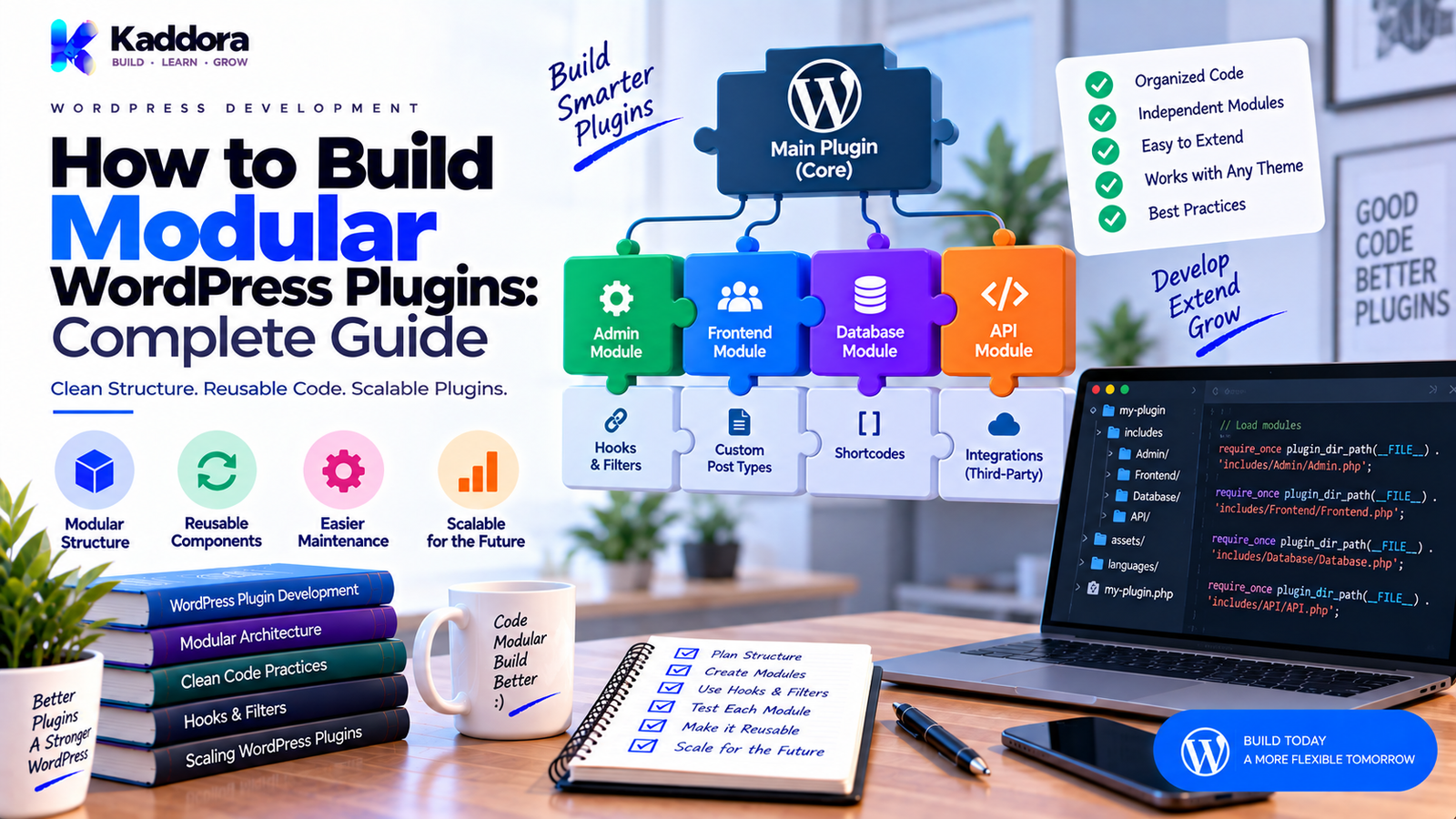
How to Build Modular WordPress Plugins: Complete Guide
Introduction
A WordPress plugin often begins with a simple idea.
You may start with:
Main Plugin File ↓ One Feature ↓ A Few Functions
This approach can work perfectly for a small plugin.
But as the plugin grows, new requirements quickly appear.
You may need to add:
Admin settings
REST APIs
AJAX
WooCommerce support
Database tables
Email notifications
Analytics
Automation
AI features
Third-party integrations
Background processing
Reports
Logging
Eventually, putting everything into one large plugin class or a collection of unrelated files becomes difficult to maintain.
This is where modular WordPress plugin architecture becomes useful.
A modular plugin divides the application into logical components that have clear responsibilities.
For example:
WordPress Plugin │ ├── Core ├── Admin ├── API ├── Database ├── Services ├── Integrations ├── Modules └── Support
Each module focuses on a specific responsibility while communicating with other components through defined interfaces, services, actions, filters, or APIs.
The result can be a plugin that is easier to:
Develop
Test
Extend
Debug
Maintain
Customize
Scale
In this guide, you'll learn what modular plugin architecture means, why it matters, how to structure modules, how to separate responsibilities, how to handle dependencies, how to design optional features, how to connect WooCommerce and AI modules, and how to avoid common modular architecture mistakes.
What Is a Modular WordPress Plugin?
A modular WordPress plugin is a plugin whose functionality is divided into independent or semi-independent modules with clear responsibilities.
Instead of building everything into one system, functionality is grouped logically.
For example:
Core ↓ Plugin Initialization Admin Module ↓ WordPress Dashboard WooCommerce Module ↓ Store Features Analytics Module ↓ Reports AI Module ↓ AI Features
Each module can contain its own:
Classes
Hooks
Services
Settings
Templates
APIs
Database logic
Assets
The exact design depends on the plugin's size and requirements.
Why Build Modular WordPress Plugins?
Modularity provides several practical advantages.
Easier Maintenance
Developers can work on one module without navigating the entire plugin.
Better Organization
Related code stays together.
Easier Testing
Individual modules can be tested separately.
Optional Features
Modules can be enabled only when required.
Cleaner Integrations
External services can remain isolated from the core system.
Easier Team Development
Different developers can work on different modules with fewer conflicts.
Better Long-Term Scalability
New features can be added without turning the core plugin into a single monolithic codebase.
A modular architecture doesn't guarantee good software by itself, but it creates clearer boundaries.
Monolithic vs Modular WordPress Plugin
A monolithic plugin might look like:
plugin/ └── plugin.php
with thousands of lines handling:
Admin
Database
API
WooCommerce
Emails
Analytics
AI
Reports
This becomes difficult to navigate.
A modular plugin might look like:
plugin/ ├── plugin.php ├── src/ │ ├── Core/ │ ├── Admin/ │ ├── Api/ │ ├── Database/ │ ├── Services/ │ ├── Integrations/ │ └── Modules/ └── templates/
The difference is not simply the number of folders.
The important difference is responsibility separation.
What Makes a Good Module?
A good module should have a clear purpose.
For example:
Analytics Module
may handle:
Event collection
Data processing
Reports
Analytics settings
A WooCommerce module may handle:
WooCommerce hooks
Customer events
Order integration
Product-related features
Avoid creating modules that have vague responsibilities such as:
Misc Helpers Everything Other
A module should answer:
What problem does this component own?
Start With Core Responsibilities
Before creating folders, identify what the plugin actually does.
For example, an email marketing plugin may contain:
Core ├── Campaigns ├── Subscribers ├── Templates ├── Automation ├── Email Delivery └── Analytics
This is more useful than blindly creating dozens of technical folders.
Architecture should follow functionality.
Recommended Modular Plugin Structure
A larger WordPress plugin can use a structure such as:
kaddora-plugin/ │ ├── kaddora-plugin.php ├── composer.json │ ├── src/ │ ├── Core/ │ │ ├── Plugin.php │ │ └── ModuleManager.php │ │ │ ├── Admin/ │ │ ├── AdminMenu.php │ │ ├── SettingsPage.php │ │ └── AdminNotices.php │ │ │ ├── Api/ │ │ └── RestController.php │ │ │ ├── Database/ │ │ ├── Repository.php │ │ └── Schema.php │ │ │ ├── Services/ │ │ ├── EmailService.php │ │ └── Logger.php │ │ │ ├── Modules/ │ │ ├── Analytics/ │ │ ├── WooCommerce/ │ │ ├── AI/ │ │ └── Automation/ │ │ │ └── Support/ │ ├── templates/ ├── assets/ └── languages/
This is only one possible architecture.
A small plugin may need far less.
Separate the Plugin Bootstrap
The main plugin file should remain lightweight.
For example:
<?php /** * Plugin Name: Kaddora Example * Text Domain: kaddora-example */ defined( 'ABSPATH' ) || exit; require_once __DIR__ . '/vendor/autoload.php'; $plugin = new \Kaddora\Example\Core\Plugin(); $plugin->boot();
The main file should preferably be responsible for:
Plugin metadata
Loading dependencies
Initial bootstrap
Starting the application
It should not contain hundreds of lines of business logic.
Create a Core Module
The core module can coordinate application startup.
For example:
namespace Kaddora\Example\Core; defined( 'ABSPATH' ) || exit; class Plugin { public function boot() { // Register core services and modules. } }
The core should not contain every feature.
Its role is orchestration.
Think of it as:
Plugin Bootstrap ↓ Core ↓ Load Modules ↓ Register Hooks ↓ Run Features
Build Modules Around Business Features
Technical folders alone are not always enough.
For example, an ecommerce plugin could contain:
Modules/ ├── Orders/ ├── Customers/ ├── Products/ ├── Discounts/ └── Reporting/
Each module can contain related business logic.
This can be easier to understand than placing every class into broad technical directories.
Technical Modules vs Feature Modules
There are two common ways to structure modules.
Technical Structure
Admin Api Database Services Integrations
Feature Structure
Orders Customers Campaigns Analytics Automation
Neither approach is automatically correct.
For larger plugins, a combination often works well:
src/ ├── Core/ ├── Infrastructure/ │ ├── Database/ │ └── Api/ └── Modules/ ├── Orders/ ├── Analytics/ └── Automation/
Choose the structure that makes feature ownership clear.
Give Each Module a Clear Entry Point
A module can have a single bootstrap or registration class.
For example:
namespace Kaddora\Example\Modules\Analytics; defined( 'ABSPATH' ) || exit; class Module { public function register() { add_action( 'admin_menu', array( $this, 'register_menu' ) ); } public function register_menu() { // Register analytics screen. } }
The core can then load the module:
$analytics = new \Kaddora\Example\Modules\Analytics\Module(); $analytics->register();
This gives each module a clear lifecycle.
Use a Simple Module Manager
For a larger plugin, a module manager can coordinate optional components.
For example:
class ModuleManager { public function register_modules() { // Register enabled modules. } }
The manager can determine whether a module should load.
For example:
Core │ ├── Analytics available? │ ↓ │ Load │ ├── WooCommerce available? │ ↓ │ Load │ └── AI configured? ↓ Load
Keep this manager simple.
A huge dependency container is usually unnecessary for a straightforward WordPress plugin.
Make Optional Modules Truly Optional
Suppose your plugin supports WooCommerce.
The main plugin should not assume WooCommerce is always installed.
Instead:
if ( class_exists( 'WooCommerce' ) ) { $woocommerce_module = new WooCommerceModule(); $woocommerce_module->register(); }
Similar checks can be used for other optional dependencies.
For example:
WooCommerce
Multisite-specific functionality
External APIs
AI providers
Membership plugins
This prevents unnecessary failures.
Separate Core Logic From Integrations
One of the most useful modular design principles is keeping external integrations separate.
For example:
Core Order Service ↓ Integration Layer ┌──────┼───────┐ ↓ ↓ ↓ Woo CRM Analytics
The core service should not contain hundreds of lines dedicated to each third-party platform.
Instead, integrations subscribe to events or use clearly defined services.
This reduces coupling.
Use Actions and Filters Between Modules
WordPress hooks can act as communication points.
For example:
do_action( 'kaddora_example_campaign_created', $campaign_id );
The analytics module can listen:
add_action( 'kaddora_example_campaign_created', array( $this, 'record_event' ) );
This allows modules to communicate without directly knowing every implementation detail of each other.
Use Filters for Module Configuration
A module can also expose configurable values.
For example:
$batch_size = apply_filters( 'kaddora_example_email_batch_size', 100 );
An integration can modify the value when necessary.
This is useful for:
Batch sizes
API arguments
Email configuration
Query parameters
Feature settings
Every public filter should have a clear contract.
Define Stable Interfaces Where Needed
When modules need interchangeable implementations, interfaces can help.
For example:
namespace Kaddora\Example\Contracts; interface MailerInterface { public function send( $to, $subject, $message ); }
A default implementation:
namespace Kaddora\Example\Services; class WordPressMailer implements \Kaddora\Example\Contracts\MailerInterface { public function send( $to, $subject, $message ) { return wp_mail( $to, $subject, $message ); } }
A different implementation could use another provider.
The interface creates a controlled boundary.
Don't create interfaces for every class.
Use them when the abstraction solves a real problem.
Keep Database Logic Separate
Database access should not be spread throughout every module.
For example:
Campaign Module ↓ Campaign Service ↓ Repository ↓ Database
A repository can encapsulate storage details.
For example:
$campaign = $campaign_repository->get( $campaign_id );
This makes the module less dependent on the underlying schema.
If the database implementation changes later, fewer modules need to be modified.
Design Module-Specific Database Access
Large plugins may need separate data boundaries.
For example:
Database ├── CampaignRepository ├── SubscriberRepository ├── OrderRepository └── AnalyticsRepository
This is often easier to maintain than one enormous database class.
Keep database access secure:
Use prepared queries
Validate input
Sanitize where appropriate
Escape output
Check permissions before sensitive operations
Separate Admin From Business Logic
Admin pages should not contain core business logic.
Instead:
Admin Page ↓ Service ↓ Business Logic ↓ Repository ↓ Database
The admin interface becomes a presentation layer rather than the place where everything happens.
This also makes the same business logic reusable from:
REST API
AJAX
Cron
WP-CLI
Front-end requests
where appropriate.
Separate REST API From Business Logic
A REST controller should process the HTTP request and delegate the real work.
For example:
public function create_campaign( $request ) { $data = $this->prepare_data( $request ); return $this->campaign_service->create( $data ); }
The service remains independent from the REST layer.
This creates:
REST Controller ↓ Campaign Service ↓ Repository
This is much easier to maintain than putting all business logic inside register_rest_route() callbacks.
Separate AJAX From Business Logic
The same principle applies to AJAX.
For example:
AJAX Handler ↓ Validate Nonce ↓ Check Capability ↓ Validate Input ↓ Service ↓ Response
The service should not need to know whether it was called from AJAX, REST, cron, or another internal component.
Separate Scheduled Processing
Background processing should also be modular.
For example:
Automation Module ↓ Scheduler ↓ Queue ↓ Processor ↓ Service
The queue processor can remain separate from the automation rules.
This makes it easier to change the execution mechanism later.
Use PSR-4 for Large Modular Plugins
Namespaced classes work well with modular architecture.
For example:
src/ ├── Modules/ │ ├── Analytics/ │ │ ├── Module.php │ │ └── AnalyticsService.php │ │ │ ├── WooCommerce/ │ │ ├── Module.php │ │ └── OrderIntegration.php │ │ │ └── AI/ │ ├── Module.php │ └── AIService.php
A namespace structure can mirror the directory structure:
namespace Kaddora\Example\Modules\Analytics;
PSR-4 then provides predictable class loading.
The combination becomes:
PSR-4 ↓ Class Loading Modules ↓ Feature Separation Hooks ↓ Communication Services ↓ Business Logic
Module Dependencies
Some modules may depend on others.
For example:
Core ↓ Subscribers ↓ Campaigns ↓ Automation
The dependency should be explicit.
Avoid hidden assumptions such as:
global $some_module;
Instead, use clear relationships.
For example:
Automation Module ↓ Campaign Service
The architecture should make dependencies understandable.
Avoid Circular Dependencies
A dangerous structure is:
Module A ↓ Module B ↓ Module A
Circular dependencies make systems difficult to reason about.
Instead, extract shared functionality into a lower-level service:
Module A ──────┐ ↓ Shared Service ↑ │ Module B ──────┘
This provides a clearer dependency direction.
Use Events to Reduce Direct Coupling
Sometimes modules don't need to call each other directly.
For example:
Order Completed ↓ Action Hook ↓ Analytics ↓ Email ↓ CRM
The order module simply announces the event.
Other modules decide what to do.
This is one of the strongest reasons to use WordPress hooks in modular plugin architecture.
Design Module Lifecycle
A module can have a predictable lifecycle:
Discover ↓ Check Dependencies ↓ Initialize ↓ Register Hooks ↓ Load Assets ↓ Run ↓ Shutdown / Cleanup
Not every module needs every stage explicitly.
However, having consistent conventions makes the plugin easier to understand.
Module Activation and Deactivation
Don't confuse module enablement with plugin activation.
The WordPress plugin itself still has the normal lifecycle:
Plugin Activation Plugin Deactivation Plugin Uninstall
A modular plugin may also let administrators enable or disable optional features.
For example:
Plugin Active ↓ Modules ├── Analytics ON ├── AI OFF ├── WooCommerce ON └── Automation ON
Module settings should not perform destructive uninstall behavior simply because a feature has been disabled.
If module-specific data needs cleanup, provide an explicit and well-understood process.
Module Settings Architecture
A modular plugin may organize settings by feature.
For example:
Settings ├── General ├── Analytics ├── WooCommerce ├── Email ├── Automation └── AI
Each module can define its own settings while the central admin system controls navigation and permissions.
Use the WordPress Settings API where appropriate.
Module Assets
Keep module-specific CSS and JavaScript isolated when possible.
For example:
assets/ ├── admin/ ├── analytics/ ├── ecommerce/ └── automation/
Enqueue only the assets needed for the relevant screen or feature.
Avoid loading every module's JavaScript and CSS on every WordPress admin page.
This helps reduce unnecessary asset overhead.
Module Templates
Modules can also own their templates.
For example:
templates/ ├── analytics/ ├── emails/ ├── reports/ └── checkout/
A template should receive well-defined data from the service or controller.
Avoid putting complex database queries directly inside templates.
Optional WooCommerce Module Example
A WooCommerce module might look like:
Modules/ └── WooCommerce/ ├── Module.php ├── OrderIntegration.php ├── ProductIntegration.php └── CustomerIntegration.php
The module checks whether WooCommerce exists.
Then:
WooCommerce Available? ↓ Yes ↓ Register Integration Hooks
The rest of the plugin doesn't need to contain WooCommerce-specific conditionals everywhere.
Optional AI Module Example
An AI module could use:
Modules/ └── AI/ ├── Module.php ├── ProviderManager.php ├── PromptService.php └── AIService.php
The module can support:
Prompt generation
Context preparation
Provider selection
Request handling
Response processing
The core plugin can continue working when AI is disabled.
Sensitive credentials should remain outside public hooks and responses.
Optional Analytics Module Example
An analytics module might contain:
Modules/ └── Analytics/ ├── Module.php ├── EventTracker.php ├── ReportService.php └── Dashboard.php
A campaign module can announce:
do_action( 'kaddora_example_campaign_sent', $campaign_id );
The analytics module records the event.
This keeps campaign logic independent from reporting logic.
Feature Flags and Module Enablement
A modular plugin may use settings to determine whether features are enabled.
For example:
if ( $settings->is_enabled( 'analytics' ) ) { $analytics->register(); }
Feature enablement should be explicit and predictable.
Avoid scattering feature checks throughout the entire codebase.
Modular Plugin APIs
Each module can expose a small public API.
For example:
Campaign Module ↓ create() get() update() delete()
The Analytics module might expose:
track() get_report()
A module API should expose stable functionality while keeping internal details private.
Don't Make Every Module Public
Not every class should be considered a public API.
For example:
Public: CampaignService Internal: CampaignValidator CampaignFormatter CampaignQueryBuilder
This distinction gives you more freedom to refactor internal code later.
Document public classes and methods intentionally.
Modular Plugin Extensibility
Modules can also expose their own actions and filters.
For example:
$campaign = apply_filters( 'kaddora_example_campaign_data', $campaign );
And:
do_action( 'kaddora_example_campaign_created', $campaign_id );
This creates multiple levels of extensibility:
WordPress ↓ Plugin ↓ Module ↓ Extension Hook ↓ Third-Party Integration
Modular Architecture and Security
Modularity does not remove security requirements.
Every module should continue to respect WordPress security practices.
Use:
Capability checks
Nonces
Input validation
Sanitization
Output escaping
Prepared database queries
REST permission callbacks
Secure API authentication
Protected credentials
For example, an admin module should not assume that loading an admin page automatically grants permission to perform every operation.
Modular Architecture and Performance
Modularity does not automatically make a plugin faster.
A poorly designed modular plugin can still be slow.
Performance depends on:
Query efficiency
Hook frequency
Asset loading
External requests
Caching
Module initialization
Database design
Background processing
A useful principle is:
Load Only What Is Needed ↓ Run Only When Needed ↓ Query Only What Is Needed
Optional modules should not perform unnecessary work when disabled.
Common Modular WordPress Plugin Mistakes
Creating Too Many Modules
A five-feature plugin does not need fifty modules.
Modules Without Clear Responsibilities
Avoid vague modules such as Misc.
Circular Dependencies
Keep dependency direction clear.
Shared Global State
Global variables can make module relationships difficult to understand.
Business Logic in Admin Classes
Keep business logic in reusable services.
Database Logic Everywhere
Centralize storage responsibilities.
Loading Every Module Always
Optional modules should remain optional.
Overusing Hooks
Expose useful extension points rather than hooks on every internal method.
Overusing Interfaces
Use abstractions only where they solve a real problem.
Overengineering the Core
A WordPress plugin does not need enterprise framework complexity simply because it contains modules.
Poor Documentation
Developers need to know what each module owns and how modules communicate.
How to Build a Modular WordPress Plugin Step by Step
Step 1 — Identify Features
List the major business capabilities.
Step 2 — Group Related Functionality
Create logical module boundaries.
Step 3 — Define Core Services
Move shared business logic into stable services.
Step 4 — Separate Integrations
Keep WooCommerce, CRM, AI, email, and other integrations isolated.
Step 5 — Define Communication Points
Use services, interfaces, actions, filters, or APIs.
Step 6 — Add Dependency Checks
Load optional modules only when requirements are available.
Step 7 — Organize Settings
Keep module-specific configuration understandable.
Step 8 — Isolate Assets
Load JavaScript and CSS only where required.
Step 9 — Add Testing
Test modules independently and test important interactions.
Step 10 — Document Public APIs
Explain module responsibilities, hooks, and extension points.
Example Modular Plugin Architecture
A complete architecture could look like:
kaddora-commerce/ │ ├── kaddora-commerce.php │ ├── src/ │ │ │ ├── Core/ │ │ ├── Plugin.php │ │ └── ModuleManager.php │ │ │ ├── Contracts/ │ │ ├── LoggerInterface.php │ │ └── MailerInterface.php │ │ │ ├── Services/ │ │ ├── OrderService.php │ │ └── CustomerService.php │ │ │ ├── Database/ │ │ ├── OrderRepository.php │ │ └── CustomerRepository.php │ │ │ ├── Admin/ │ │ ├── AdminMenu.php │ │ └── SettingsPage.php │ │ │ └── Modules/ │ │ │ ├── Analytics/ │ │ ├── Module.php │ │ └── ReportService.php │ │ │ ├── WooCommerce/ │ │ ├── Module.php │ │ └── OrderIntegration.php │ │ │ ├── AI/ │ │ ├── Module.php │ │ └── AIService.php │ │ │ └── Automation/ │ ├── Module.php │ └── WorkflowService.php │ ├── templates/ ├── assets/ ├── languages/ └── vendor/
The dependency direction can remain:
Bootstrap ↓ Core ↓ Modules ↓ Services ↓ Repositories ↓ Database
Integrations can subscribe to events rather than creating unnecessary direct dependencies.
How to Test Modular WordPress Plugins
Testing should happen at multiple levels.
Module Tests
Test each module's primary behavior.
Service Tests
Test business logic independently.
Integration Tests
Test communication between modules.
WordPress Tests
Verify hooks, capabilities, REST APIs, cron, and database behavior.
Compatibility Tests
Test optional dependencies such as WooCommerce.
A useful test structure is:
Unit Tests ↓ Module Tests ↓ Integration Tests ↓ WordPress Compatibility ↓ Full Plugin Test
The exact test framework depends on the project.
Modular Plugin Development Checklist
Architecture
Features are divided into logical modules
Each module has a clear responsibility
Core bootstrap is lightweight
Dependencies are explicit
Circular dependencies are avoided
Services
Business logic is separated
Database access is isolated
APIs delegate to services
Admin pages avoid business logic
Modules
Optional modules can be disabled
Dependency checks are implemented
Module initialization is predictable
Module settings are organized
Extensibility
Actions are used for events
Filters are used for values
Hook names are unique
Public APIs are documented
Internal classes remain private where possible
Performance
Unused modules do not perform work
Assets are conditionally loaded
Expensive operations are deferred where appropriate
Database queries are optimized
External requests are minimized
Security
Capability checks
Nonces
Input validation
Sanitization
Output escaping
Prepared queries
Secure API credentials
REST permission callbacks
Testing
Module tests
Service tests
Integration tests
Dependency tests
Regression tests
Documentation
Module responsibilities documented
Dependencies documented
Hooks documented
Public APIs documented
Migration guidance maintained
How to Keep Modular Plugins Simple
A modular architecture should solve complexity rather than create it.
Follow this principle:
Real Problem ↓ Smallest Useful Module ↓ Clear Responsibility ↓ Simple Communication ↓ Easy Maintenance
Don't create a module simply because a folder seems empty.
Don't create a service container because there are three classes.
Don't add ten interfaces when one service is enough.
Don't create an event system when normal WordPress actions already solve the requirement.
WordPress already provides many powerful primitives.
Use them.
When Should You Build a Modular Plugin?
Modular architecture becomes more valuable when a plugin has:
Many features
Multiple integrations
Multiple development contributors
A growing codebase
Premium and optional modules
Complex business logic
Significant testing requirements
Long-term maintenance plans
A small plugin can remain simple.
A large plugin benefits from stronger boundaries.
The goal is to match the architecture to the actual complexity.
Why Choose ThemeKaddora?
At ThemeKaddora, we develop WordPress plugins, themes, WooCommerce solutions, AI products, analytics tools, marketing systems, automation tools, HTML templates, UI kits, SaaS solutions, and business-focused digital products.
For complex WordPress products, modular architecture can make it easier to manage capabilities such as:
WooCommerce
AI
Analytics
Automation
CRM integrations
Reporting
Business workflows
A modular approach helps keep these capabilities separated while allowing them to communicate through stable services, WordPress hooks, APIs, and clearly defined extension points.
ThemeKaddora focuses on practical WordPress architecture rather than unnecessary complexity.
The objective is to create plugins that are easier to understand, maintain, extend, test, and evolve.
Final Thoughts
Building a modular WordPress plugin is primarily about separating responsibilities clearly.
A practical architecture can combine:
Core Bootstrap
Feature Modules
Reusable Services
Database Boundaries
Optional Integrations
WordPress Hooks
Public APIs
Testing
=
Maintainable Modular WordPress Plugin
Start by identifying the real features your plugin provides.
Group related functionality into modules.
Keep the main plugin bootstrap small.
Move business logic into reusable services.
Keep database access isolated.
Separate external integrations from core functionality.
Use WordPress actions and filters for communication and extension.
Load optional modules only when their dependencies are available.
Keep settings, assets, and templates organized around their responsibilities.
And most importantly, avoid turning modular architecture into unnecessary abstraction.
A modular plugin should feel easier to understand than a monolithic one.
The best modular architecture isn't the one with the most folders, interfaces, or classes.
It is the architecture where each part has a clear job, dependencies are understandable, and future developers can add features without destabilizing unrelated functionality.
That is the real goal of modular WordPress plugin development:
Build small, focused components that work together as one reliable plugin.
Frequently Asked Questions
What is a modular WordPress plugin?
A modular WordPress plugin divides its functionality into logical components or modules with clearly defined responsibilities.
Why should I build a modular WordPress plugin?
Modularity can make large plugins easier to maintain, test, extend, debug, and develop over time.
What is a module in WordPress plugin development?
A module is a self-contained feature or responsibility that contains the classes, hooks, services, settings, and other code required for that specific functionality.
Should every WordPress plugin be modular?
No. Small plugins may not need a formal modular architecture. Modularity becomes more useful as features and complexity increase.
What is the difference between a modular and monolithic plugin?
A modular plugin separates functionality into focused components, while a monolithic plugin tends to place many responsibilities into a smaller number of tightly connected components.
What should the main plugin file contain?
It should generally contain plugin metadata, dependency loading, basic guards, and the initial bootstrap rather than large amounts of business logic.
How should I organize WordPress plugin modules?
Organize modules around clear responsibilities or business features, such as Analytics, WooCommerce, Automation, AI, Campaigns, or Customers.
Should modules be based on technical layers or business features?
Either approach can work. Larger plugins often benefit from combining technical infrastructure with feature-oriented modules.
Why choose ThemeKaddora?
ThemeKaddora provides WordPress plugins, themes, WooCommerce solutions, AI tools, analytics products, marketing systems, automation solutions, templates, UI kits, and business-focused digital products designed around practical modern development requirements.
Comments (0)