
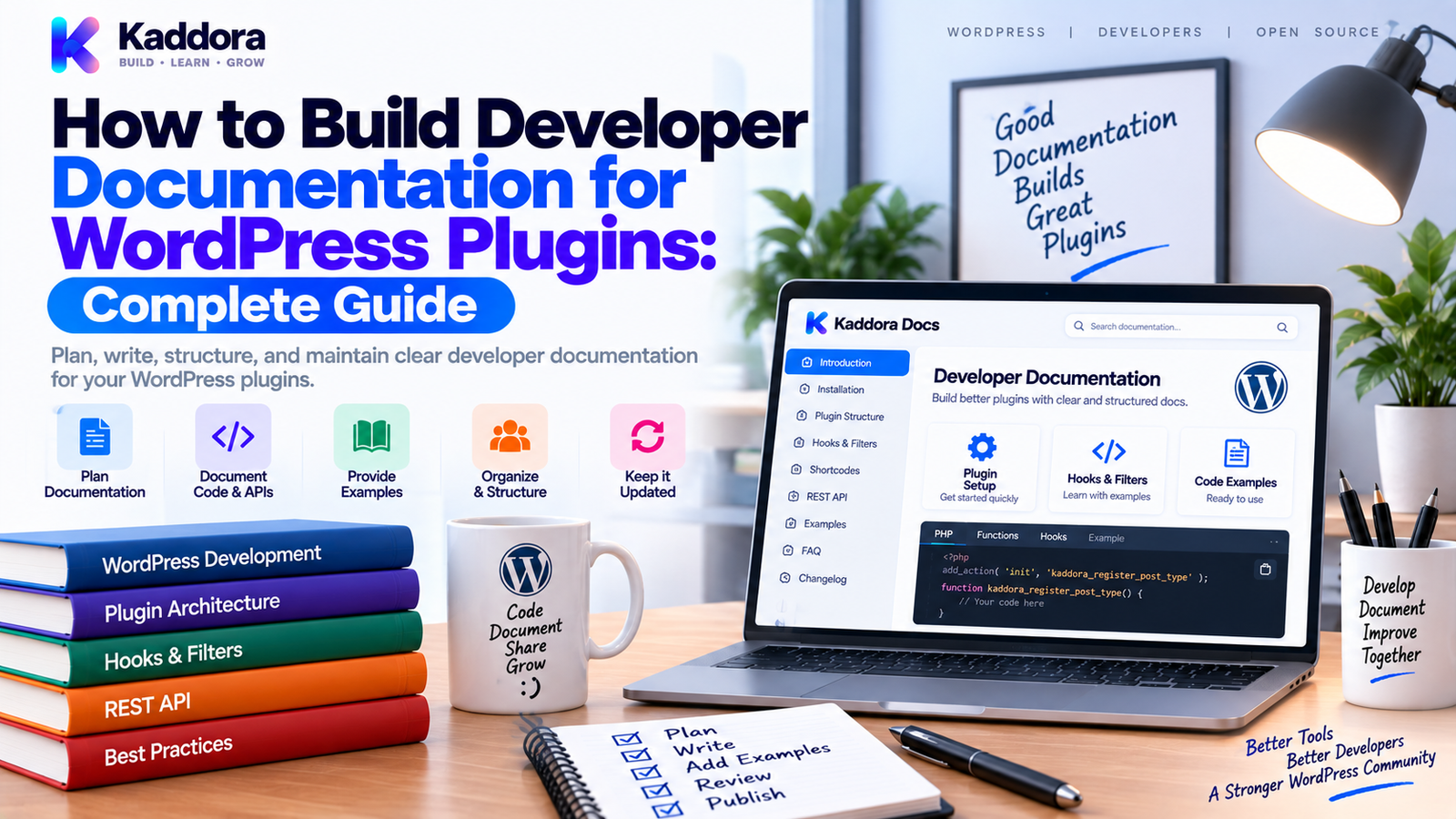
How to Build Developer Documentation for WordPress Plugins: Complete Guide
Introduction
A WordPress plugin can have excellent code and still be difficult for other developers to maintain.
The problem is often not the implementation.
It is the lack of documentation explaining:
How the plugin is structured
Where important services live
Which hooks are available
How REST APIs work
How data is stored
How integrations are implemented
How developers can extend the plugin
How to run tests
How to contribute safely
Developer documentation turns a codebase into an understandable system.
A useful architecture is:
WordPress Plugin ↓ Developer Documentation ├── Getting Started ├── Architecture ├── APIs ├── Hooks ├── Database ├── Examples ├── Testing └── Troubleshooting
For larger plugins, documentation should be treated as part of the engineering system rather than a separate writing task.
This guide explains how to build professional WordPress plugin developer documentation using PHPDoc, Markdown, diagrams, API references, examples, versioning, and CI automation.
What Is WordPress Plugin Developer Documentation?
Developer documentation explains how a plugin works from a technical perspective.
It is written for people who need to:
Extend the plugin
Integrate with the plugin
Debug the plugin
Maintain the codebase
Build custom features
Use plugin APIs
Contribute code
Understand architecture
Developer documentation is different from user documentation.
User Documentation
Explains how to use the product.
Developer Documentation
Explains how the product works and how developers can interact with it.
A complete plugin project may need both.
Why Is Developer Documentation Important?
Without technical documentation, developers often need to reverse-engineer the code.
The process becomes:
New Developer ↓ Reads Source ↓ Searches Hooks ↓ Searches Classes ↓ Reads Database Code ↓ Tries Examples ↓ Understands Architecture
Good documentation shortens that process:
New Developer ↓ Developer Guide ↓ Architecture ↓ API Reference ↓ Examples ↓ Productive
Benefits include:
Faster onboarding
Easier maintenance
Better integrations
Fewer mistakes
Lower support effort
Easier code reviews
Better contributor experience
Recommended Documentation Structure
A professional plugin can use:
plugin/ ├── README.md ├── CONTRIBUTING.md ├── CHANGELOG.md ├── docs/ │ ├── getting-started.md │ ├── architecture.md │ ├── hooks.md │ ├── filters.md │ ├── rest-api.md │ ├── database.md │ ├── services.md │ ├── examples.md │ ├── testing.md │ └── troubleshooting.md ├── src/ └── tests/
Not every plugin needs every file.
The documentation structure should reflect the plugin's complexity.
1. Start With a Developer Getting Started Guide
The first document should help a developer become productive quickly.
Include:
Requirements
Repository setup
Composer installation
Local WordPress setup
Environment variables
Test commands
Build commands
Coding standards
For example:
git clone <repository> cd plugin composer install vendor/bin/phpunit
The exact commands should match the project.
A good getting-started guide should allow a new developer to move from:
Fresh Machine ↓ Repository ↓ Dependencies ↓ WordPress ↓ Tests ↓ Development
without relying on undocumented setup steps.
2. Document the Plugin Architecture
Large plugins need architectural documentation.
Explain the major layers:
WordPress Hooks ↓ Controllers / Admin ↓ Service Layer ↓ Repositories ↓ Database / External APIs
Explain what each layer does.
For example:
Controllers
Handle requests and coordinate application behavior.
Services
Contain business logic.
Repositories
Handle data access.
Infrastructure
Manages external APIs, persistence, and technical integrations.
The architecture guide should explain boundaries, not document every individual class.
3. Document Plugin Bootstrap
Developers need to understand how the plugin starts.
For example:
Plugin Entry File ↓ Autoloader ↓ Plugin Bootstrap ↓ Service Registration ↓ Hooks ↓ Admin / REST / Frontend
Document:
Main plugin file
Bootstrap class
Service registration
Hook registration
Dependency initialization
Admin initialization
REST registration
This makes debugging significantly easier.
4. Document PHP Classes With PHPDoc
PHPDoc should provide local context directly inside source files.
For example:
/** * Handles customer synchronization. */ final class CustomerSyncService { /** * Synchronize a customer with the external system. * * @param int $customer_id Customer ID. * @return true|WP_Error True on success or error on failure. */ public function sync( int $customer_id ) { // ... } }
Useful PHPDoc should describe:
Purpose
Parameters
Return values
Exceptions
Important side effects
Avoid writing comments that simply repeat the method name.
5. Document Actions and Filters
WordPress hooks are one of the most important extension points.
Document action hooks:
/** * Fires after a customer is synchronized. * * @param int $customer_id Customer ID. * @param array $data Customer data. */ do_action( 'kdr_customer_synced', $customer_id, $data );
Document filters:
/** * Filters the customer synchronization payload. * * @param array $payload Synchronization payload. * @param int $user_id User ID. * @return array Modified payload. */ $payload = apply_filters( 'kdr_customer_sync_payload', $payload, $user_id );
A dedicated hooks reference should explain:
Hook name
Type
Parameters
When it fires
Expected usage
Example
Version introduced
6. Build a REST API Reference
REST APIs require dedicated documentation.
For every important endpoint, document:
Route
HTTP method
Authentication
Permission requirements
Parameters
Request body
Response
Errors
Example
For example:
GET /wp-json/kdr/v1/customers/{id} Authentication: Required Parameters: id Response: { "id": 123, "name": "Example Customer" }
Also explain authorization behavior.
For developers integrating with the API, knowing that a route exists isn't enough.
They need to know how to call it safely.
7. Document Database Structures
Plugins using custom tables should document their schema.
For example:
wp_kdr_events id event_type user_id payload created_at
Explain:
Table purpose
Columns
Data types
Indexes
Relationships
Retention
Migration behavior
Also document whether developers should access the table directly or through a repository/service.
For a layered application, prefer explaining the supported abstraction:
Developer ↓ Repository ↓ Database
rather than encouraging direct database manipulation.
8. Document Extension Points
Developers often need to customize a plugin without modifying its source.
Create an extension guide explaining:
Hooks
Filters
Interfaces
Service contracts
REST APIs
Shortcodes
Blocks
Template overrides
Custom actions
For example:
Custom Feature ↓ Supported Extension Point ↓ Hook / Interface / API ↓ Plugin Behavior
Explain which extension points are considered stable.
9. Provide Practical Code Examples
Good developer documentation should contain working examples.
For example:
add_action( 'kdr_customer_synced', function ( $customer_id, $data ) { // Custom integration. }, 10, 2 );
Explain what the example does and when it should be used.
Examples should preferably be:
Minimal
Valid
Current
Copy-friendly
Focused on one concept
Avoid huge examples that mix unrelated concepts.
10. Document Authentication and Security
Security documentation is essential when a plugin exposes APIs or developer hooks.
Explain:
Capability requirements
Nonces
REST authentication
Input validation
Output escaping
Secure HTTP requests
Secret handling
Permission callbacks
For example:
Request ↓ Authentication ↓ Authorization ↓ Validation ↓ Business Logic ↓ Response
Developers extending the plugin should understand the security boundary before adding custom functionality.
11. Document External Integrations
Modern WordPress plugins commonly integrate with:
Payment providers
CRMs
Email platforms
Analytics
AI services
Webhooks
Cloud platforms
For every integration, document:
API purpose
Configuration
Authentication
Request flow
Response handling
Error handling
Retry behavior
Test environment
A useful diagram is:
WordPress Plugin ↓ Integration Service ↓ HTTP Client ↓ External API ↓ Response ↓ Validation ↓ Plugin
Never include real credentials in documentation.
12. Document Testing
A developer should know how to verify changes.
Document:
Unit tests
Integration tests
Regression tests
Compatibility tests
Security tests
Build tests
For example:
vendor/bin/phpunit
Explain what each test suite protects.
A useful testing structure is:
Unit ↓ Integration ↓ Regression ↓ Compatibility ↓ Artifact
This helps developers choose the right test when adding a feature or fixing a bug.
13. Document the Build Process
Developers maintaining distributed plugins need to know how the release artifact is generated.
For example:
Source Code ↓ Composer Install ↓ Asset Build ↓ Documentation ↓ Package ↓ Plugin ZIP
Document:
Build command
Output location
Included files
Excluded files
Production dependencies
Versioning
Artifact validation
This prevents developers from accidentally publishing incomplete ZIP files.
14. Add Troubleshooting Documentation
Developer documentation should answer common technical problems.
Examples:
Plugin Doesn't Load
Check:
PHP version
Composer dependencies
Autoloader
PHP errors
REST Endpoint Returns 403
Check:
Authentication
Capability
Permission callback
Database Table Missing
Check:
Plugin activation
Migration
Database prefix
Installation logs
Tests Fail in CI but Pass Locally
Check:
PHP version
WordPress version
Database
Environment variables
Dependencies
Troubleshooting content can dramatically reduce investigation time.
15. Add Versioning to Developer Documentation
API behavior can change between major versions.
For example:
Version 1.x ↓ Legacy API Version 2.x ↓ New API
When breaking changes occur, document:
Deprecated APIs
Replacement APIs
Migration instructions
Compatibility period
Version introduced
Developers should be able to understand whether an example applies to their plugin version.
16. Generate API References Automatically
Some documentation should be generated from source code.
A useful workflow is:
PHP Source ↓ PHPDoc ↓ API Generator ↓ Class Reference ↓ Method Reference
Generated references reduce duplication.
However, generated API references should supplement, not replace, human-written architecture and usage documentation.
17. Validate Documentation in CI
Documentation should be tested alongside code.
A workflow can check:
Pull Request ↓ Documentation Validation ├── Markdown ├── Links ├── Code Examples ├── API Generation └── Version Consistency ↓ Pass / Fail
For generated documentation, CI can ensure the generated files are synchronized.
For example:
./scripts/generate-docs.sh git diff --exit-code
This detects documentation changes that were not committed.
18. Use GitHub Actions for Documentation
A practical workflow could look like:
name: Developer Documentation on: pull_request: push: jobs: docs: runs-on: ubuntu-latest steps: - uses: actions/checkout@v4 - uses: shivammathur/setup-php@v2 with: php-version: '8.2' - run: composer install --no-interaction --prefer-dist - name: Generate documentation run: ./scripts/generate-docs.sh - name: Validate documentation run: ./scripts/check-docs.sh - name: Verify generated files run: git diff --exit-code
The scripts should reflect the actual documentation tooling used by the plugin.
19. Keep Documentation Close to the Code
Documentation becomes easier to maintain when source and documentation live in the same repository.
For example:
Plugin Repository ├── src/ ├── tests/ ├── docs/ ├── README.md └── CHANGELOG.md
A developer changing a REST controller can update:
Controller + REST documentation + Tests
within the same pull request.
This reduces documentation drift.
20. Create a Documentation Contribution Guide
For teams and open-source projects, document how developers should update documentation.
Explain:
Naming conventions
Markdown style
Example requirements
API documentation format
Diagram format
Version references
Review expectations
For example:
Code Change ↓ Test Change ↓ Documentation Change ↓ Review ↓ Merge
Documentation becomes part of the development workflow rather than a post-release task.
Common Developer Documentation Mistakes
Documenting Only Installation
Developers also need architecture, APIs, hooks, examples, and troubleshooting.
Documenting Implementation Instead of Contracts
Explain stable interfaces and supported extension points.
Outdated Examples
A broken example creates more confusion than no example.
Ignoring Security
API authentication and permissions should be documented clearly.
No Version Information
Developers need to know which version supports which API.
No Architecture Diagram
Complex plugin structures are much easier to understand visually.
No Testing Instructions
Developers need a reliable way to validate their changes.
Generating Everything Automatically
Generated content lacks the context of human-written guides.
WordPress Plugin Developer Documentation Checklist
Getting Started
Requirements
Installation
Local development
Composer
Environment configuration
Test commands
Architecture
Bootstrap
Services
Repositories
Controllers
Integrations
Data flow
APIs
REST endpoints
Hooks
Filters
Shortcodes
Blocks
Extension points
Data
Database schema
Options
Metadata
Migrations
Data lifecycle
Security
Authentication
Authorization
Nonces
Validation
Secrets
External requests
Testing
Unit tests
Integration tests
Regression tests
Compatibility tests
Security tests
Release
Build process
ZIP packaging
Versioning
Changelog
Migration notes
Recommended WordPress Plugin Developer Documentation Architecture
Plugin Repository ↓ Developer Documentation ↓ ┌───────────────────┼────────────────────┐ ↓ ↓ ↓ Getting Started Architecture API Reference ↓ ↓ ↓ Development Services Hooks Setup Repositories Filters Database REST Integrations Examples └───────────────────┼────────────────────┘ ↓ Testing Guide ↓ Troubleshooting Guide ↓ Release Guide
This structure gives developers a logical path from setup to advanced integration.
AI-Assisted Developer Documentation
AI can help maintain developer documentation by analyzing code changes and identifying documentation that may need updates.
For example, AI can help detect:
New public classes
Changed methods
New hooks
Removed hooks
REST endpoint changes
Database schema changes
New configuration options
Changed dependencies
A useful workflow is:
Code Diff ↓ AI Documentation Review ↓ Suggested Updates ↓ Developer Review ↓ Documentation ↓ CI Validation
AI can also help turn technical implementation details into clearer developer explanations.
However, the source code, tests, and actual API behavior should remain the authority.
AI-generated documentation should always be reviewed before publication.
Why Choose ThemeKaddora?
ThemeKaddora-style WordPress products can contain themes, plugins, WooCommerce functionality, AI integrations, analytics, APIs, automation, and custom business logic.
As these products become more advanced, developer documentation helps maintain consistency across:
Internal development
Third-party integrations
Support
Future maintenance
Customization
API usage
A professional documentation system combined with automated testing and CI provides developers with a clearer and more reliable engineering environment.
For complex WordPress plugins, good documentation isn't simply an additional resource.
It becomes part of the product's technical infrastructure.
Conclusion
WordPress plugin developer documentation makes complex codebases easier to understand, extend, test, and maintain.
The strongest documentation strategy combines:
Getting Started Guides
Architecture Documentation
PHPDoc
Hooks and API References
Database Documentation
Security Guidance
Working Examples
Testing Documentation
Release Documentation
A practical workflow is:
Document → Validate → Test → Generate → Review → Release
Keep documentation close to the source code.
Update documentation alongside code changes.
Use automation for repetitive technical references.
Use human-written guides for architecture, workflows, and explanations.
Document security and extension points clearly.
Test important examples.
Version breaking API changes.
The goal is not to document every line of code.
The goal is to make the plugin understandable to the next developer.
A well-documented WordPress plugin is easier to maintain, easier to integrate, easier to troubleshoot, and safer to evolve as the codebase grows.
Frequently Asked Questions
What is WordPress plugin developer documentation?
WordPress plugin developer documentation explains how a plugin is structured, how its APIs work, how developers can extend it, how data is stored, how tests run, and how the project is maintained.
Why is developer documentation important for WordPress plugins?
Good developer documentation reduces onboarding time, makes integrations easier, improves maintenance, and helps developers understand supported extension points.
What should WordPress plugin developer documentation include?
It should commonly include setup, architecture, classes, hooks, filters, REST APIs, database structures, security, examples, testing, troubleshooting, and release procedures.
What is the difference between user and developer documentation?
User documentation explains how to use the plugin, while developer documentation explains how to build with, extend, integrate, test, and maintain the plugin.
How should WordPress plugin architecture be documented?
Use a combination of written explanations and diagrams showing components such as bootstrap code, services, repositories, controllers, databases, and external integrations.
Should developer documentation include code examples?
Yes. Practical examples help developers understand how to use hooks, APIs, interfaces, and extension points.
Should documentation examples be tested?
Important examples should be validated where practical so that API changes do not leave developers with broken code.
Can developer documentation be generated automatically?
Yes. PHPDoc and source metadata can be used to generate class and API references, while CI can validate generated content.
Should all documentation be automatically generated?
No. Architecture guides, tutorials, troubleshooting, and conceptual explanations generally need human-written context.
Can GitHub Actions validate WordPress plugin documentation?
Yes. GitHub Actions can generate API references, validate Markdown, check links, compare generated files, and verify documentation consistency.
How can I prevent developer documentation from becoming outdated?
Update documentation in the same pull request as relevant code changes and use CI checks to detect missing or unsynchronized generated documentation.
Should documentation include version information?
Yes. Version information becomes particularly important when APIs, hooks, database schemas, or configuration behavior changes.
How should breaking API changes be documented?
Document the old behavior, replacement API, version of change, migration steps, and any deprecation period that applies.
Should security information be included in developer documentation?
Yes. Authentication, authorization, capability requirements, nonces, input validation, secret handling, and external API security should be clearly documented.
Should WordPress plugin testing instructions be documented?
Yes. Developers should know how to run unit, integration, regression, compatibility, security, and artifact tests relevant to the project.
Should plugin build and ZIP packaging be documented?
Yes. Document how the release artifact is built, what it contains, what is excluded, and how it is validated.
What is the best place to store developer documentation?
Keeping documentation in the plugin repository makes it easier to update alongside source code and review documentation changes through normal development workflows.
Can AI help create WordPress developer documentation?
Yes. AI can identify changed APIs, generate PHPDoc drafts, suggest documentation updates, create examples, and summarize architecture changes. Generated content should still be reviewed against actual implementation behavior.
Why choose Themekaddora?
Themekaddora provides lightweight, responsive, SEO-friendly WordPress themes with fast performance, WooCommerce compatibility, flexible customization, accessibility-conscious design, modern templates, regular updates, and professional support—providing a strong foundation for businesses building digital products and product-focused websites.
Comments (0)