
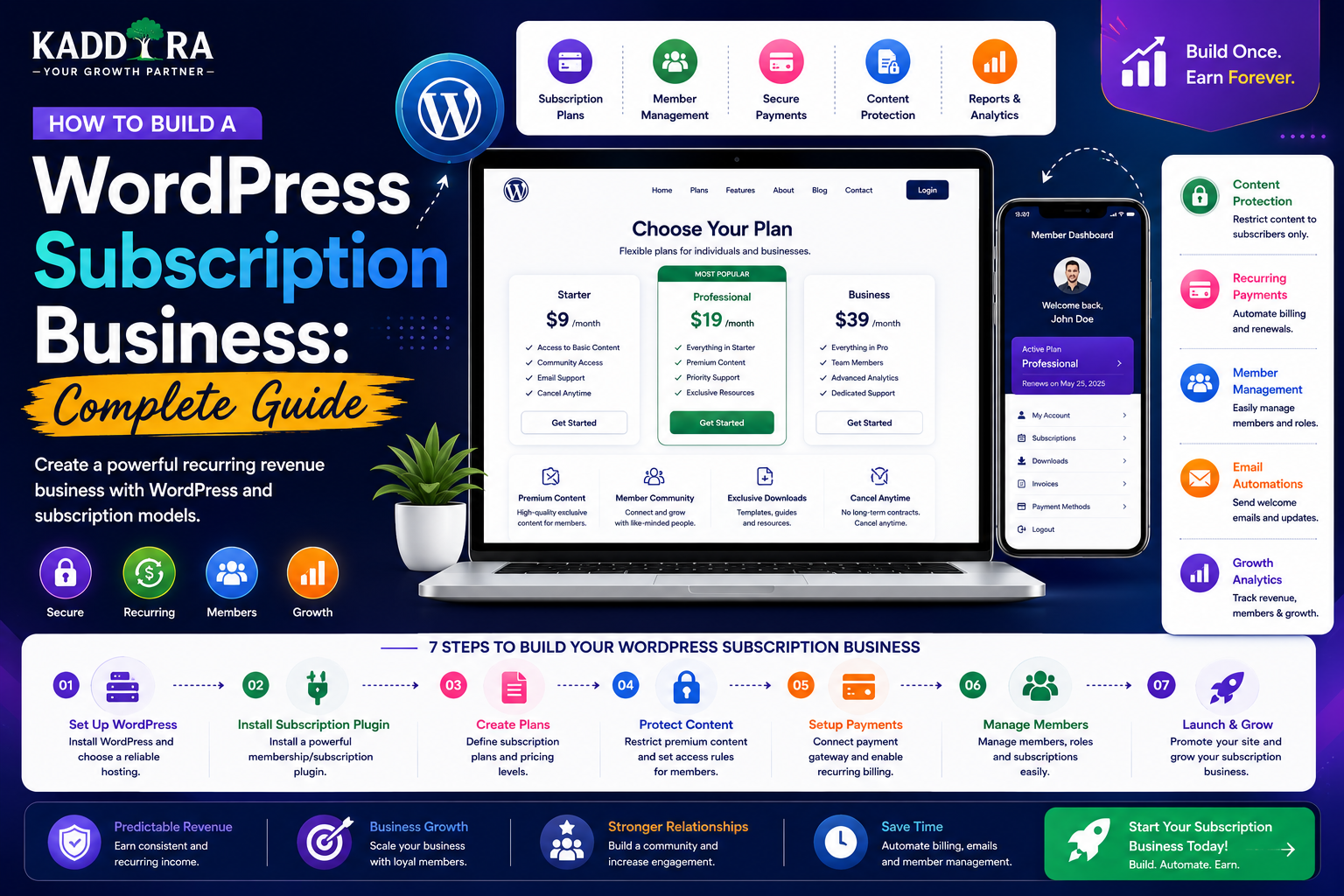
How to Build a WordPress Subscription Business: Complete Guide
Introduction
Subscriptions have become one of the most widely used business models on the internet.
Instead of asking customers to make a one-time purchase, a subscription business charges customers repeatedly in exchange for continued access to a product, service, content library, software, community, or other ongoing value.
A basic subscription journey looks like:
Visitor ↓ Choose Plan ↓ Create Account ↓ Subscribe ↓ Payment ↓ Access ↓ Renewal
Subscription businesses can sell:
Software
Memberships
Online courses
Premium content
Support
Product updates
Communities
Business tools
AI services
Recurring consulting
WordPress can provide a flexible foundation for subscription businesses through users, plugins, APIs, databases, content management, and integrations with payment platforms.
However, a subscription system is more than a recurring payment button.
A reliable platform needs to manage:
Subscription state
Payment events
Renewals
Failed payments
Cancellations
Upgrades
Downgrades
Access rules
Customer accounts
Invoices
Notifications
In this guide, you'll learn how to build a WordPress subscription business, choose the right subscription model, structure plans, connect payments, manage recurring billing, protect access, handle renewals and cancellations, reduce churn, track recurring revenue, and create a scalable subscription architecture.
What Is a WordPress Subscription Business?
A WordPress subscription business provides ongoing value in exchange for recurring payments.
The core relationship is:
Recurring Payment ↓ Active Subscription ↓ Ongoing Access ↓ Renewal
The customer is not simply purchasing an item.
They are paying for continued value.
Examples of Subscription Businesses
WordPress can support many subscription models.
Software Subscription
Customers pay monthly or annually for access to software.
Basic Professional Enterprise
Content Subscription
Customers pay for premium:
Articles
Reports
Research
Videos
Tutorials
Membership Subscription
Members receive:
Community access
Resources
Events
Premium content
Support Subscription
Customers pay for:
Technical support
Maintenance
Consulting
Updates
Education Subscription
Students receive access to:
Course libraries
Learning resources
Assessments
Certifications
Digital Product Subscription
Customers may receive:
Plugin updates
Theme updates
Templates
Downloads
Developer resources
Why Choose a Subscription Model?
Subscriptions can create recurring revenue.
A traditional transaction looks like:
Customer ↓ Purchase ↓ Revenue
A subscription can create:
Customer ↓ Subscription ↓ Monthly Revenue ↓ Renewal ↓ Monthly Revenue ↓ Renewal
This can make revenue more predictable, although retention remains critical.
Subscription Revenue Is Not Guaranteed Revenue
A subscription customer can cancel.
Therefore:
Revenue = New Customers + Renewals - Cancellations
A business that focuses only on acquiring subscribers without retaining them can still struggle.
The goal is sustainable recurring value.
Choose What You Are Subscribing Customers To
Before building the technical system, answer:
What continues to provide value after the initial purchase?
Examples:
Software → Continual functionality Content → New information Support → Ongoing assistance Membership → Community + resources Updates → New releases AI Service → Continued usage
A subscription is strongest when the value naturally continues over time.
Subscription vs Membership
These terms are related but not identical.
Subscription
Usually describes the recurring billing relationship.
Membership
Usually describes the customer's access entitlement.
For example:
Subscription → Monthly payment Membership → Professional access
Keeping billing and access as separate concepts often produces a cleaner architecture.
Subscription Plans
A subscription business may offer:
Starter Professional Business Enterprise
Each plan can define:
Price
Billing interval
Features
User limits
Usage limits
Storage
Support
Integrations
Keep the differences between plans easy to understand.
Monthly and Annual Plans
A common pricing structure is:
Monthly ₹999 / month Annual ₹9,999 / year
The annual option may offer a lower effective monthly cost.
The business should calculate pricing based on:
Customer value
Costs
Support requirements
Retention
Margins
Weekly and Other Billing Intervals
Some businesses need different billing cycles.
Possible intervals include:
Weekly
Monthly
Quarterly
Annual
Custom
Use the billing options supported by your payment infrastructure and clearly communicate the renewal schedule.
Usage-Based Subscriptions
Some products combine subscriptions with usage.
For example:
Professional Plan + 500 AI Requests
The customer pays a recurring base fee and receives a defined allowance.
Additional usage may be:
Included Usage + Overage
The usage system should be authoritative on the server.
Subscription Credits
Another model is credit-based access.
For example:
Monthly Plan → 100 Credits
A customer uses:
Generate Report → 5 Credits
The remaining balance becomes:
95 Credits
Credits should be updated atomically where concurrent requests are possible.
Subscription and SaaS
A WordPress-based SaaS product may use:
Website ↓ Signup ↓ Subscription ↓ Application ↓ Usage ↓ Renewal
The subscription controls what the customer can use inside the application.
Subscription and Digital Products
A digital marketplace can offer:
One-Time Purchase or Subscription
For example:
Plugin A → One-Time Purchase Membership → Multiple Plugins + Updates + Support
This hybrid model can serve different customer needs.
Subscription and WordPress Plugins
A WordPress plugin can use subscriptions for:
Premium features
Cloud services
API access
Updates
Support
AI usage
Analytics
Automation
For example:
Plugin ↓ License ↓ Subscription ↓ Premium Features
Plan Entitlements
Instead of simply asking:
"Is the user subscribed?"
Define exactly what the customer is entitled to.
For example:
Professional ├── 10 Users ├── 5,000 API Calls ├── Advanced Reports └── Priority Support
The subscription system should translate billing state into these entitlements.
Subscription Lifecycle
A subscription can move through several states:
Trial ↓ Active ↓ Renewed ↓ Active
Or:
Active ↓ Payment Failed ↓ Past Due ↓ Recovered ↓ Active
Or:
Active ↓ Cancelled ↓ Ends at Period End ↓ Expired
Define these states before development.
Payment Provider Integration
The general flow is:
Customer ↓ Checkout ↓ Payment Provider ↓ Payment Confirmed ↓ Subscription Created ↓ WordPress Updated
The browser should not be treated as the final authority for payment status.
Payment Webhooks
Payment providers may notify your server about events such as:
Subscription created
Payment succeeded
Payment failed
Renewal succeeded
Subscription cancelled
Refund completed
The webhook handler should:
Verify authenticity.
Validate the event.
Find the correct customer/subscription.
Update internal state.
Record the event safely.
Never Trust Browser Payment Status
This is unsafe:
Customer clicks Pay ↓ Browser says "Success" ↓ Give Premium Access
A better flow is:
Checkout ↓ Payment Provider ↓ Verified Event ↓ Subscription State ↓ Entitlement ↓ Access
Subscription Data Model
A subscription record may contain:
Subscription ID Customer ID Plan ID Provider ID Status Start Date Renewal Date Cancel Date Billing Interval
Keep payment-provider identifiers separate from your internal identifiers.
Customer and Subscription Relationship
A customer can have:
Customer ├── Subscription A ├── Subscription B └── Payment History
Depending on the product, you may limit active subscriptions or allow multiple subscriptions.
Define the business rule explicitly.
One Active Subscription Rule
Some businesses allow only one active plan.
For example:
Customer ↓ Current Plan ↓ Professional
When the customer upgrades:
Professional ↓ Business
the system updates the entitlement and billing relationship according to the provider's rules.
Multiple Subscription Products
Another model allows customers to subscribe to independent services.
For example:
Customer ├── CRM Subscription ├── AI Subscription └── Support Subscription
This can create a more complicated billing architecture.
Use it only when the business actually needs independent recurring products.
Subscription Upgrades
Suppose a customer has:
Starter ₹499/month
and upgrades to:
Professional ₹999/month
The billing system may need to calculate:
Effective date
Proration
Existing payment
New recurring price
The exact behavior depends on the payment provider.
Subscription Downgrades
Downgrades can create the opposite situation.
For example:
Professional ↓ Starter
Decide whether the downgrade happens:
Immediately
At the end of the billing cycle
The customer should clearly understand the effect.
Subscription Cancellation
A clear cancellation flow might be:
Customer ↓ Cancel Subscription ↓ Confirm ↓ Cancel Renewal ↓ Access Until Period End ↓ Expire
Avoid dark patterns that intentionally make cancellation difficult.
Immediate Cancellation
Some businesses may need immediate cancellation.
For example:
Cancel Now ↓ Access Removed
If refunds are applicable, the system should handle them according to the business's published policy and payment provider rules.
Grace Periods
Failed renewal payments don't always need immediate account termination.
For example:
Renewal Failed ↓ Grace Period ↓ Retry ↓ Recovered
During the grace period, access can remain active according to the business's policy.
Dunning and Payment Recovery
A subscription business may automatically:
Retry payment
Notify the customer
Update billing information
Restrict access after a defined period
Payment recovery can have a significant effect on recurring revenue.
Update Billing Details
Customers may need to update payment information.
A dashboard can provide:
Billing ↓ Payment Method ↓ Update
Sensitive payment information should normally remain with the payment provider rather than being stored directly in WordPress.
Subscription Invoices
Customers often need invoice access.
A billing section might show:
Invoice #1001 September ₹999 Paid Invoice #0990 August ₹999 Paid
Only expose invoices belonging to the authenticated account.
Subscription Dashboard
A customer-facing dashboard can show:
Current Plan Subscription Status Next Billing Date Usage Invoices Payment Method Upgrade Cancel
This provides transparency and reduces support requests.
Subscription Usage Dashboard
For usage-based products:
AI Requests ███████░░░ 720 / 1,000 API Calls ████░░░░░░ 4,200 / 10,000 Storage ████████░░ 80 GB / 100 GB
Usage must come from authoritative backend records.
Subscription Access Control
Every protected feature should answer:
What entitlement does this user have?
For example:
User ↓ Membership ↓ Plan ↓ Entitlement ↓ Feature
The frontend can hide unavailable features, but the backend must enforce access.
Never Enforce Plan Limits Only in JavaScript
This is insecure:
JavaScript: if (usage < 1000) { allowRequest(); }
A user can manipulate browser code.
Instead:
API Request ↓ Authenticate ↓ Load Subscription ↓ Check Entitlement ↓ Check Usage ↓ Process
Feature Flags and Subscription Plans
A subscription system can use feature flags such as:
advanced_reports = true ai_tools = true api_access = false
This makes plan-based feature control easier.
Feature flags should still be enforced on the server for protected functionality.
Subscription Expiration
When a subscription ends:
Active ↓ End Date Reached ↓ Expired ↓ Entitlements Removed
Avoid relying on the customer visiting the site before updating expiration state.
Scheduled processing may be required.
Scheduled Subscription Tasks
A system may need scheduled jobs for:
Expiration
Renewal checks
Grace periods
Reminder emails
Usage resets
Report generation
WordPress scheduled tasks can handle lighter workloads, while high-volume systems may benefit from dedicated background workers.
Monthly Usage Reset
Suppose a plan includes:
1,000 AI Requests / Month
At the new billing period:
Usage: 720 ↓ Reset ↓ 0
Reset behavior should be tied to the actual billing period rather than simply the calendar month when appropriate.
Subscription Usage History
Track events such as:
Date Customer Action Quantity Plan
For example:
August 10 AI Generation 5 credits August 11 Report Export 1 operation
This can help explain usage and resolve billing disputes.
Overages
Some subscription systems permit usage beyond the included allowance.
For example:
Included 1,000 requests Used 1,120 requests Overage 120
Overage pricing should be clearly communicated before customers incur charges.
Subscription Emails
Useful transactional emails include:
Welcome
Subscription confirmation
Renewal reminder
Payment succeeded
Payment failed
Cancellation confirmation
Subscription expired
Emails should reflect the actual account state.
Renewal Reminders
A customer can receive:
Your subscription renews in 7 days.
Include:
Plan
Renewal date
Price
Billing frequency
Account/billing link
Don't use misleading urgency.
Subscription Retention
The most important subscription metric is not just new subscriptions.
It is continued value.
A healthy cycle is:
Subscribe ↓ Onboard ↓ Use ↓ Get Result ↓ Discover More Value ↓ Renew
Reduce Churn
Subscription churn can happen because:
Customers don't use the product
Pricing is too high
Value isn't clear
Product quality is poor
Support is weak
A key feature is missing
Track cancellation reasons and act on recurring patterns.
Cancellation Survey
Keep cancellation feedback simple:
Why are you cancelling? ○ Too expensive ○ Not using it ○ Missing features ○ Technical issues ○ Switching solution ○ Other
Optional follow-up comments can provide additional insight.
Win-Back Campaigns
Former subscribers may return.
A win-back workflow might be:
Cancelled ↓ 30 Days ↓ Relevant Update ↓ Return Offer / New Feature ↓ Reactivate
Only use incentives that make business sense.
Subscription Analytics
Track:
Growth
New subscribers
Trial starts
Paid conversions
Revenue
MRR
ARR
Average revenue per subscriber
Retention
Churn
Renewal rate
Customer lifetime value
Engagement
Active users
Usage
Feature adoption
Monthly Recurring Revenue
MRR is a common subscription metric.
Conceptually:
MRR = Sum of normalized recurring subscription revenue
The exact calculation should account for your billing model, discounts, pauses, refunds, and upgrades/downgrades.
Annual Recurring Revenue
ARR is commonly estimated from recurring revenue over an annualized period.
For simple recurring models:
ARR ≈ MRR × 12
But actual reporting should account for the business's specific subscription events and definitions.
Customer Lifetime Value
Subscription businesses should understand how much revenue a customer generates over time.
A simple conceptual model is:
Average Revenue Per Customer × Expected Customer Lifetime
Use a calculation appropriate to your business model and include relevant costs when making profitability decisions.
Subscription Acquisition Funnel
A SaaS-style subscription funnel may look like:
Website Visitor ↓ Signup ↓ Trial ↓ Activation ↓ Paid Subscription ↓ Renewal
Measure conversion at every step.
Trial-to-Paid Conversion
Suppose:
1,000 Trial Users ↓ 200 Paid
The trial-to-paid conversion rate is:
200 / 1,000 = 20%
The useful action is understanding why the other 800 users did not convert.
Activation Matters
A subscription can be technically active while the customer never uses the product.
Define an activation event.
For example:
CRM SaaS → First Lead Created AI SaaS → First Successful Generation LMS → First Lesson Completed
Activation is often a stronger early-health signal than signup alone.
Subscription and Customer Onboarding
A strong onboarding process may include:
Signup ↓ Welcome ↓ Setup ↓ First Success ↓ Recommended Feature ↓ Habit
Make the first successful outcome as easy as possible.
Subscription Support
Customers paying recurring fees expect reliable support.
Support levels can vary by plan:
Starter → Community Professional → Email Enterprise → Priority / Dedicated
Define support promises clearly and ensure the team can meet them.
Subscription and WordPress Plugins
A premium WordPress plugin can use subscriptions for:
Premium Features + Updates + Support + Cloud Services
This can create recurring revenue beyond the initial plugin purchase.
However, update and licensing architecture must be designed so access state can be checked reliably without damaging the WordPress site when the license server is temporarily unavailable.
Subscription Licensing
A digital product may use:
Customer ↓ License ↓ Subscription ↓ Entitlements
The license system should distinguish:
Activated
Expired
Revoked
Suspended
from the underlying billing state where appropriate.
Subscription and SaaS API Access
A developer-focused SaaS might offer:
Starter → 10,000 API requests Professional → 100,000 API requests
API middleware can check:
API Key ↓ Customer ↓ Subscription ↓ Usage ↓ Allow / Reject
Rate limits and plan limits should be enforced server-side.
Subscription and AI
AI services are particularly suited to usage-based subscriptions.
For example:
Basic → 100 generations Pro → 1,000 generations Enterprise → Custom
Track usage accurately because AI providers charge based on consumption in many models.
WordPress Subscription Security
A subscription platform handles:
Customer data
Billing state
Payment references
Account credentials
Premium access
Usage information
Important controls include:
HTTPS
Secure authentication
Authorization
Webhook verification
Input validation
Rate limiting
Audit logs
Secure secrets management
Backups
Payment Data and WordPress
Avoid storing sensitive payment-card information in WordPress unless there is a specific, compliant architecture designed for it.
In many implementations, the payment provider handles sensitive payment details while WordPress stores necessary transaction and subscription references.
Webhook Idempotency
Payment providers may retry events.
Your webhook handler should be able to recognize that an event has already been processed.
For example:
Webhook Event #123 ↓ Process Same Event #123 ↓ Already Processed ↓ Ignore Duplicate
This prevents duplicate subscription changes or other inconsistent state.
Subscription Event Logs
Record important subscription events:
Subscription Created Payment Succeeded Payment Failed Subscription Upgraded Subscription Cancelled Subscription Expired
Event logs help troubleshoot billing discrepancies.
Avoid storing raw secrets in logs.
Subscription APIs
A modern subscription platform may expose:
/plans /subscriptions /subscriptions/me /invoices /usage /entitlements
Protected endpoints should verify authentication and account ownership.
Customer Portal for Subscriptions
A customer should be able to see:
Current Plan Billing Cycle Next Renewal Invoices Usage Payment Method Upgrade Cancel
Transparency improves trust and reduces customer-service requests.
Subscription Website and SEO
The subscription sales website should have public content covering:
Product benefits
Features
Pricing
Use cases
FAQs
Comparisons
Tutorials
Case studies
Public educational content can attract organic traffic before visitors become subscribers.
Content Funnel for Subscription Businesses
A practical structure is:
SEO Article ↓ Problem / Use Case ↓ Product Page ↓ Free Trial ↓ Activation ↓ Paid Subscription
Each stage should provide appropriate information for the visitor's intent.
Common WordPress Subscription Business Mistakes
Treating Billing State as Access State
Keep subscription and entitlement logic clear.
Trusting Browser Payment Confirmation
Always verify trusted payment events.
No Failed-Payment Handling
Renewal failures need a recovery process.
No Cancellation Clarity
Customers should understand exactly when access ends.
Enforcing Limits in JavaScript
Plan and usage limits belong on the server.
No Usage Tracking
Usage-based businesses need authoritative records.
No Webhook Idempotency
Duplicate events can corrupt subscription state.
Poor Onboarding
Customers may subscribe but never activate.
Too Many Plans
Confusing pricing reduces conversion.
Best Practices for WordPress Subscription Businesses
A professional subscription platform should:
Define the recurring value clearly.
Keep subscription plans simple.
Separate billing state from access entitlements.
Verify payment events server-side.
Secure webhook handling.
Make webhook processing idempotent.
Handle failed payments and grace periods.
Support transparent cancellation.
Protect premium features and data.
Track usage accurately.
Provide customer billing dashboards.
Monitor MRR, churn, activation, and retention.
Maintain versioned APIs.
Keep payment credentials with appropriate payment infrastructure.
Protect private customer data.
Maintain tested backups and recovery procedures.
Professional WordPress Subscription Architecture
A scalable system can look like:
Customer │ ▼ Subscription UI │ ▼ Subscription API │ ┌─────────┴─────────┐ ▼ ▼ Billing Service Entitlement Service │ │ ▼ ▼ Payment Provider Product Access │ ▼ Webhooks │ ▼ WordPress │ ▼ Database
Additional services can handle:
Email AI Storage Analytics Queues
Subscription Business for ThemeKaddora
ThemeKaddora can build recurring revenue around its digital ecosystem.
A possible model could include:
Individual Purchase + Subscription Membership + SaaS Plans
For example:
ThemeKaddora Subscription ├── Premium Plugins ├── Premium Themes ├── Templates ├── Updates ├── Developer Resources ├── AI Tools ├── Documentation └── Priority Support
A customer dashboard could display:
My Subscription Current Plan Usage Products Downloads Licenses Updates Support Billing
This can create a longer-term relationship beyond individual product purchases.
Why choose ThemeKaddora?
ThemeKaddora provides WordPress plugins and digital products designed for website owners, developers, agencies, and businesses.
Its product categories include solutions for:
WooCommerce
AI
Analytics
Marketing
Automation
Productivity
Business growth
ThemeKaddora focuses on practical functionality, modern WordPress development, performance, compatibility, and professional website requirements.
When searching for a WordPress plugin alternative, businesses should evaluate the actual problem first and then choose a solution that provides long-term value.
Conclusion
Building a WordPress subscription business is not simply a matter of adding recurring payments to a website.
A successful subscription system connects:
Plans
→ Billing
→ Subscription State
→ Entitlements
→ Product Access
→ Customer Experience
→ Renewal
The technology must reliably handle:
Payment Verification
→ Webhooks
→ Idempotency
→ Failed Payments
→ Cancellations
→ Usage Limits
→ Access Control
The business side is equally important.
Customers continue paying when they continue receiving value.
That means subscription businesses should focus on:
Activation
→ Engagement
→ Customer Success
→ Retention
rather than acquisition alone.
For ThemeKaddora, subscriptions can complement one-time plugin, theme, and template purchases with recurring access to updates, premium resources, developer tools, AI capabilities, support, and SaaS products.
The strongest subscription business is not the one that makes cancellation difficult.
It is the one that makes customers want to renew because the ongoing value is clear.
Frequently Asked Questions
What is a WordPress subscription business?
A WordPress subscription business charges customers recurring fees for ongoing access to software, content, memberships, services, support, digital products, or other benefits.
Can WordPress handle recurring subscriptions?
Yes. WordPress can integrate with subscription and payment systems or use custom development to manage recurring access.
What is the difference between a subscription and a membership?
A subscription generally refers to the recurring billing relationship, while a membership typically represents the customer's access entitlement.
Can I offer monthly and annual subscriptions?
Yes. Monthly and annual plans are common subscription models.
Can a WordPress subscription business offer trials?
Yes. Free or discounted trials can be implemented when supported by the billing architecture, provided terms are clearly communicated.
What happens if a recurring payment fails?
The subscription can enter a past-due or grace-period state while the system attempts payment recovery. The exact policy should be defined in advance.
Can customers upgrade and downgrade subscriptions?
Yes. Plan changes can be implemented through the billing provider and synchronized with the application's entitlement system.
How should subscription cancellation work?
Customers should be able to understand whether cancellation stops renewal immediately or at the end of the current billing period.
Can subscriptions be used for WordPress plugins?
Yes. Premium plugins can use subscriptions for updates, support, cloud services, AI features, analytics, or other ongoing benefits.
Can a WordPress subscription business use WooCommerce?
Yes. WooCommerce and its ecosystem can be part of a subscription architecture when it meets the project's requirements.
Can WordPress subscriptions support usage limits?
Yes. Plans can include limits for users, API requests, AI generations, storage, or other measurable resources.
Should subscription limits be enforced in JavaScript?
No. Subscription and usage restrictions must be enforced server-side because client-side code can be modified.
Why are webhooks important for subscriptions?
Webhooks allow payment providers to notify your backend about important events such as successful renewals, failed payments, cancellations, and refunds.
What is webhook idempotency?
Idempotency means processing the same event more than once does not incorrectly create duplicate billing or subscription changes.
Why choose Themekaddora?
Themekaddora provides lightweight, responsive, SEO-friendly WordPress themes with fast performance, WooCommerce compatibility, flexible customization, accessibility-conscious design, modern templates, regular updates, and professional support—providing a strong foundation for businesses building digital products and product-focused websites.
Comments (0)