
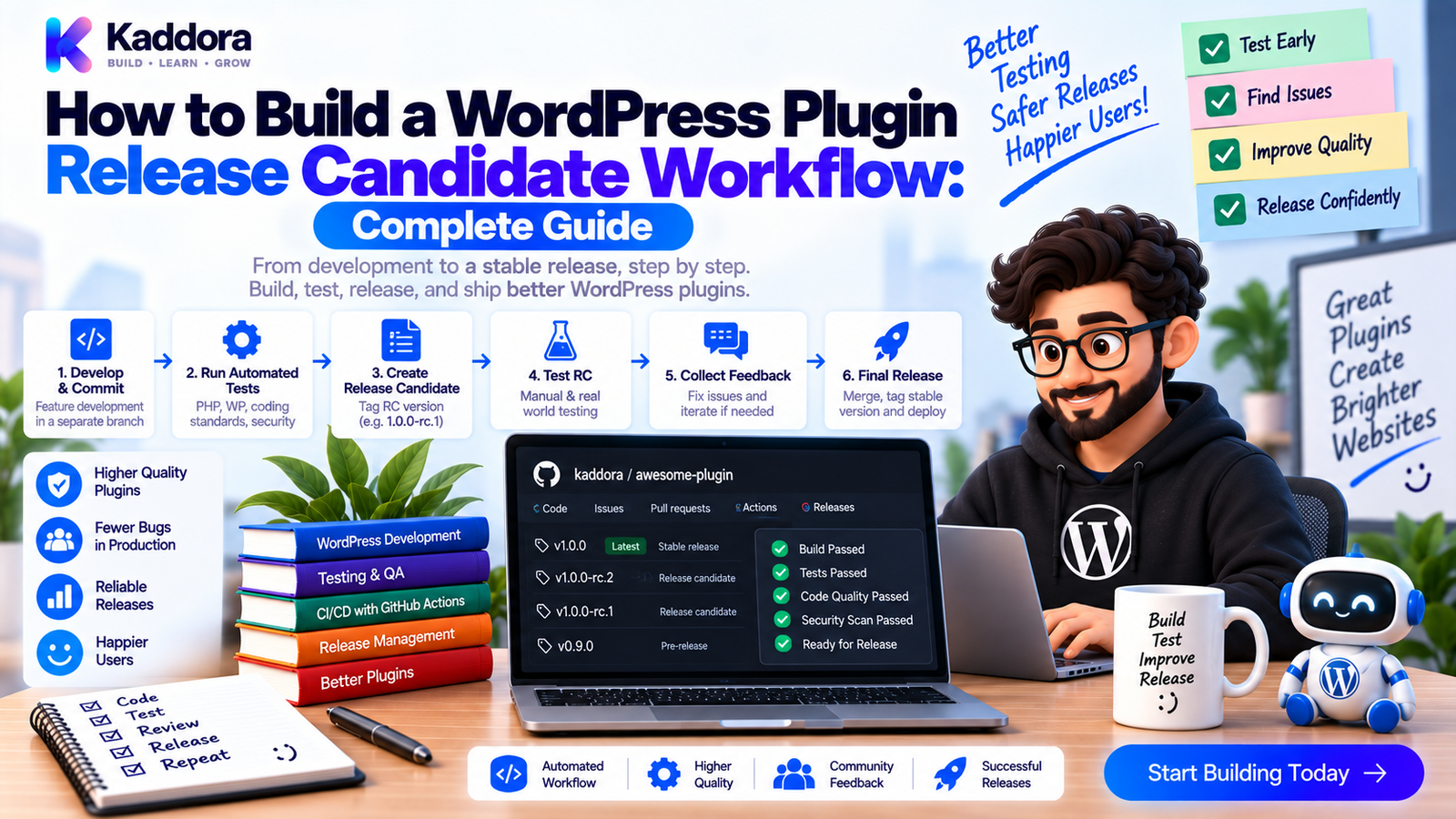
How to Build a WordPress Plugin Release Candidate Workflow: Complete Guide
Introduction
A WordPress plugin should not move directly from development to production simply because the code passes a few tests.
Between the development version and the final release, there should be a controlled validation stage.
This is where a Release Candidate (RC) becomes useful.
A release candidate is a version considered potentially ready for release after it passes the project's required checks. The purpose is to validate the complete plugin package, integration behavior, compatibility, security, documentation, and release metadata before publishing the final version.
A mature workflow can look like this:
Development ↓ Code Review ↓ Unit Tests ↓ Integration Tests ↓ Regression Tests ↓ Security + Dependency Checks ↓ Build Plugin ZIP ↓ Release Candidate ↓ Clean Installation Testing ↓ Compatibility Testing ↓ Approval ↓ Final Release
This guide explains how to build a repeatable WordPress plugin release candidate workflow using Git, GitHub Actions, Docker, PHPUnit, artifact validation, and controlled release gates.
What Is a WordPress Plugin Release Candidate?
A release candidate is a build that is considered complete enough for final validation before publication.
For example:
Plugin Version 1.4.0-rc.1
The exact naming convention can vary by project.
The important concept is:
Feature Complete ↓ Testing Complete ↓ Release Candidate ↓ Final Validation ↓ Stable Release
An RC should not be treated as just another development build.
It should represent a package that is close to what users will actually receive.
Why Use a Release Candidate Workflow?
Without an RC process, teams often discover release problems only after publishing.
For example:
Development ↓ Build ↓ Publish ↓ Missing File ↓ Customer Reports Failure
An RC workflow creates another safety layer:
Development ↓ Build ↓ Release Candidate ↓ Clean Install ↓ Compatibility Tests ↓ Security Checks ↓ Approval ↓ Publish
Benefits include:
Better release confidence
Repeatable validation
Safer packaging
Easier rollback
Fewer release-day surprises
Clear approval points
Better collaboration
Release Candidate Architecture
A production-oriented RC pipeline can look like this:
Git Repository ↓ Release Branch ↓ Automated CI Pipeline ↓ ┌───────────────────┼───────────────────┐ ↓ ↓ ↓ Unit Tests Integration Tests Security Scan ↓ ↓ ↓ Regression Compatibility Dependency Tests Tests Audit └───────────────────┼───────────────────┘ ↓ Build ZIP ↓ Release Candidate ↓ Clean WordPress ↓ Final Validation ↓ Approval ↓ Stable Release
Step 1: Define the Release Policy
Before automating anything, establish what qualifies as an RC.
Your policy should define:
Version format
Branch strategy
Required tests
Required security checks
Compatibility requirements
Artifact requirements
Approval requirements
Release criteria
For example:
RC Requirements ✓ Unit tests ✓ Integration tests ✓ Regression tests ✓ Security checks ✓ Dependency audit ✓ Compatibility tests ✓ Plugin ZIP validation ✓ Clean installation test ✓ Documentation review
This transforms the RC from an informal label into a real quality gate.
Step 2: Create a Release Branch or Tag
A release workflow might use:
main ↓ release/1.4.0 ↓ 1.4.0-rc.1 ↓ 1.4.0
The exact Git strategy depends on the project.
The important point is that the RC should come from a controlled code state.
Avoid building a candidate from an untracked developer working tree.
Step 3: Freeze Features Before the RC
Once the release candidate cycle begins, avoid adding unrelated features.
A useful model is:
Feature Development ↓ Feature Complete ↓ Release Branch ↓ Bug Fixes Only ↓ Release Candidate
This reduces the number of variables being tested.
Changes during the RC phase should generally be limited to:
Bug fixes
Security fixes
Compatibility fixes
Documentation corrections
Release metadata
Step 4: Run the Complete Test Suite
The RC should run more than unit tests.
A strong test sequence is:
Unit ↓ Integration ↓ Regression ↓ Security ↓ Compatibility ↓ Artifact Tests
This gives the candidate a much stronger level of validation.
Step 5: Validate Plugin Metadata
Before building the candidate, inspect the plugin metadata.
Important information can include:
Plugin name
Version
Text domain
Required WordPress version
Required PHP version
Author
License
Plugin headers
For example:
/** * Plugin Name: Example Plugin * Version: 1.4.0 * Requires at least: 6.3 * Requires PHP: 8.1 * Text Domain: example-plugin */
The metadata should match the release documentation and support policy.
Step 6: Validate Composer Dependencies
Before building the RC, validate the dependency graph.
Useful checks include:
composer validate --strict composer audit composer check-platform-reqs
Then execute the full test suite.
A dependency change during the RC cycle should trigger another complete validation cycle.
Step 7: Build the Actual Plugin ZIP
The RC should produce the artifact that will eventually become the stable release.
For example:
Source ↓ Build Script ↓ Plugin ZIP ↓ 1.4.0-rc.1
Don't manually create the package on a developer's computer if the project already has a reproducible build process.
Automation reduces packaging mistakes.
Step 8: Inspect the ZIP Contents
A simple artifact inspection can start with:
unzip -l dist/*.zip
Look for:
Main plugin file
src/
Required vendor/ files
Assets
Languages
Readme files
Required configuration
Also check for unwanted files:
.env .git/ node_modules/ debug.log local-config.php
The exact exclusions depend on your plugin architecture.
Step 9: Install the RC in a Clean WordPress Environment
This is one of the most important steps.
Use a clean environment:
Release Candidate ZIP ↓ Clean WordPress ↓ Install Plugin ↓ Activate ↓ Run Smoke Tests
This can catch:
Missing dependencies
Broken activation
Incorrect paths
Missing assets
Autoloading problems
Packaging mistakes
A plugin that works only in the development environment isn't fully validated.
Step 10: Run Integration and Regression Tests Against the RC
After installing the ZIP, execute tests against the installed artifact.
For example:
Build RC ↓ Install RC ↓ Load WordPress ↓ Integration Tests ↓ Regression Tests
This is stronger than testing the source code alone.
It validates the package users will actually install.
Step 11: Test Compatibility
The RC should pass supported environment tests.
For example:
RC ↓ ┌────────┼────────┐ ↓ ↓ ↓ PHP A PHP B PHP C ↓ ↓ ↓ WordPress WordPress WordPress ↓ ↓ ↓ Tests Tests Tests
The exact versions should match your documented support policy.
For plugin projects with WooCommerce or other dependencies, include the supported dependency combinations that matter.
Step 12: Run Security and Dependency Scans
Before approving an RC, execute security checks such as:
Composer audit
Secret scanning
Static analysis
WordPress coding standards
Dependency scanning
Artifact inspection
The pipeline becomes:
RC Build ↓ Security Scan ↓ Dependency Audit ↓ Artifact Scan ↓ Release Gate
A release candidate should not bypass security checks simply because it is temporary.
Step 13: Add GitHub Actions Automation
A basic RC workflow might look like:
name: WordPress Plugin Release Candidate on: workflow_dispatch: jobs: release-candidate: runs-on: ubuntu-latest steps: - uses: actions/checkout@v4 - uses: shivammathur/setup-php@v2 with: php-version: '8.2' coverage: none - run: composer install --no-interaction --prefer-dist - run: composer validate --strict - run: composer audit - run: vendor/bin/phpunit - run: vendor/bin/phpcs - run: vendor/bin/phpstan analyse - run: ./scripts/build-plugin.sh - run: unzip -l dist/*.zip
The build script should produce the actual candidate artifact.
The project can then install that artifact in a clean Docker environment and run integration tests.
Step 14: Use Manual Approval for Stable Release
An RC doesn't necessarily need automatic promotion to stable.
A useful model is:
Release Candidate ↓ Automated Checks ↓ All Passed ↓ Manual Review ↓ Approve ↓ Stable Release
Human approval is particularly useful for:
Major releases
Database migrations
Security-sensitive changes
WooCommerce changes
Payment integrations
Significant architectural changes
Automation handles repetitive checks.
Human review handles final business and release judgment.
Step 15: Record the RC Version
A release candidate should be identifiable.
For example:
1.4.0-rc.1 1.4.0-rc.2 1.4.0-rc.3
If an RC fails:
rc.1 → Failed ↓ Fix ↓ rc.2 → Passed
Don't silently replace the candidate artifact without changing its identity.
Clear versioning makes release history easier to understand.
Step 16: Test Upgrade Scenarios
Clean installation is only one scenario.
Existing users may have:
Version 1.3.x ↓ Version 1.4.0-rc.1
Test important upgrade paths when the plugin maintains persistent data.
Check:
Database migrations
Existing options
Existing metadata
Existing custom tables
Existing user settings
Existing WooCommerce data
A release candidate should protect current users, not just new installations.
Step 17: Test Rollback Planning
A mature release workflow considers what happens when a release fails.
For example:
Stable Release ↓ Unexpected Issue ↓ Rollback / Hotfix Decision ↓ Previous Stable Version
Before releasing a database-changing plugin version, understand whether rollback is safe.
Some schema migrations are not trivially reversible.
Maintain reliable backups and document recovery procedures where necessary.
Step 18: Validate Documentation and Release Notes
The RC should also include documentation review.
Check:
Changelog
Readme
Upgrade notes
Compatibility information
New feature documentation
Migration notes
Known issues
For example:
Version 1.4.0 Added: New analytics dashboard Improved: REST API performance Fixed: Order synchronization issue Requires: PHP 8.1+
Release documentation should match the actual implementation.
Step 19: Define the Final RC Gate
A practical RC quality gate can be:
RC Candidate ↓ ┌────────────────────┐ │ Unit Tests │ ├────────────────────┤ │ Integration Tests │ ├────────────────────┤ │ Regression Tests │ ├────────────────────┤ │ Security Scans │ ├────────────────────┤ │ Dependency Audit │ ├────────────────────┤ │ Compatibility │ ├────────────────────┤ │ ZIP Validation │ ├────────────────────┤ │ Clean Install │ └──────────┬─────────┘ ↓ Manual Review ↓ Stable Release
All release-blocking checks should pass before final publication.
Common WordPress RC Workflow Mistakes
Building the RC Manually
Manual builds are harder to reproduce.
Testing Only Source Code
The release ZIP can still contain packaging errors.
Skipping Upgrade Testing
Existing installations can expose migration problems.
Adding Features During RC
Feature churn makes validation less meaningful.
Ignoring Documentation
Release metadata can become inconsistent with the code.
Releasing Without Approval
Critical releases benefit from a final human checkpoint.
Ignoring Rollback
A production failure can become much more expensive without a recovery plan.
Using Unpinned Dependencies
Changing dependencies during the candidate cycle can make results difficult to reproduce.
WordPress Plugin Release Candidate Checklist
Code
Feature freeze completed
Code review completed
Unit tests passed
Integration tests passed
Regression tests passed
Security
Static analysis passed
Dependency audit passed
Secret scanning passed
Security tests passed
Compatibility
Minimum PHP tested
Current PHP tested
Minimum supported WordPress tested
Current WordPress tested
Required integrations tested
Artifact
RC ZIP built automatically
ZIP contents inspected
Clean installation tested
Plugin activation tested
Artifact tests passed
Upgrade
Existing installation tested
Database migrations tested
Existing data validated
Rollback plan reviewed
Release
Version updated
Changelog updated
Documentation reviewed
RC identified
Approval completed
Recommended WordPress Plugin RC Architecture
Git Repository ↓ Release Branch ↓ Automated CI Pipeline ↓ ┌─────────────────────────┼─────────────────────────┐ ↓ ↓ ↓ Unit Tests Integration Tests Security Checks ↓ ↓ ↓ Regression Tests Compatibility Tests Dependency Audit └─────────────────────────┼─────────────────────────┘ ↓ Build Plugin ZIP ↓ Release Candidate ↓ Clean WordPress ↓ ┌──────────────┴──────────────┐ ↓ ↓ Fresh Install Upgrade Test ↓ ↓ Smoke Tests Migration Tests └──────────────┬──────────────┘ ↓ Manual Approval ↓ Stable Release
This structure provides a controlled path from code changes to a production-ready WordPress plugin.
AI-Assisted Release Candidate Workflows
AI can help developers prepare and review an RC by:
Generating release checklists
Summarizing code changes
Identifying changed integration points
Suggesting regression tests
Reviewing CI failures
Drafting release notes
Identifying missing documentation
Explaining compatibility failures
AI can also compare the current release candidate with the previous stable version and highlight areas that deserve additional testing.
However, AI should not independently declare an RC production-ready.
Actual tests, security checks, artifact validation, and human release policy should determine whether the candidate is approved.
Why Choose ThemeKaddora?
For complex ThemeKaddora-oriented WordPress products involving WooCommerce, AI, analytics, REST APIs, automation, custom database tables, and business workflows, a release candidate process can provide an additional safety layer before publication.
A mature workflow can combine:
PHPUnit
Integration testing
Regression testing
PHP compatibility testing
WordPress compatibility testing
Dependency scanning
Security scanning
Docker
GitHub Actions
Plugin ZIP validation
This helps ensure that the version being released has been tested not only as source code, but as the actual product users will install.
Conclusion
A WordPress plugin release candidate workflow creates a controlled validation stage between development and stable publication.
The process should begin with a feature-complete codebase and continue through:
Freeze → Test → Scan → Build → Install → Validate → Review → Release
The most important principle is simple:
Test the same artifact you plan to distribute.
Run unit, integration, regression, security, dependency, and compatibility checks.
Test clean installation and important upgrade paths.
Validate plugin metadata and documentation.
Use CI to make the workflow repeatable.
Use manual approval when the release warrants additional review.
When a candidate fails, create a new candidate after the fix rather than silently changing the previous artifact.
A release candidate process may add another step to plugin development, but it significantly improves release discipline.
Instead of discovering packaging, compatibility, database, or security problems after publication, the RC workflow gives your team a controlled opportunity to identify and resolve them before users are affected.
The goal is not simply to produce a version number.
The goal is to produce a version you can confidently release.
Frequently Asked Questions
What is a WordPress plugin release candidate?
A WordPress plugin release candidate is a near-final plugin build that has passed the required development checks and is undergoing final validation before stable release.
Why should WordPress plugins use release candidates?
Release candidates provide an additional validation stage where teams can test packaging, compatibility, migrations, security, documentation, and real installation behavior before publication.
What is the difference between an RC and a stable release?
An RC is considered potentially ready for release but remains subject to final validation. A stable release is the approved version published for normal user consumption.
Should a release candidate contain new features?
Generally, the RC phase should be feature-frozen. Changes are usually limited to bug fixes, security fixes, compatibility fixes, documentation, and release metadata.
Should WordPress RC builds be tested with PHPUnit?
Yes. Unit, integration, and regression tests should be part of the RC quality process.
Should existing WordPress installations be tested?
Yes, especially when the plugin contains persistent data or database migrations. Existing installations can behave differently from clean installations.
Can GitHub Actions automate WordPress release candidates?
Yes. GitHub Actions can run tests, security checks, compatibility checks, build the plugin ZIP, and prepare artifacts for final review.
Should release candidates use Docker?
Docker can provide a reproducible environment for WordPress, PHP, database, and integration testing, making it useful for automated RC workflows.
Should security scans run on release candidates?
Yes. A release candidate should pass the security and dependency checks required by the project's release policy.
Should Composer dependencies be audited before an RC?
Yes. Dependency validation and security auditing can identify package problems before a candidate becomes a stable release.
How should RC versions be named?
Common patterns include versions such as 1.4.0-rc.1, 1.4.0-rc.2, and 1.4.0-rc.3. The exact convention should be consistent across the project.
What happens when an RC fails?
Fix the issue, rerun the relevant test suites, and create a new candidate version when appropriate. Keep failed candidate versions identifiable for release history.
Should the RC pipeline test multiple PHP versions?
Yes, when the plugin officially supports multiple PHP versions. The matrix should reflect the documented support policy.
Should the RC pipeline test multiple WordPress versions?
Yes. Supported WordPress versions should be validated according to the plugin's compatibility policy.
Should WooCommerce integrations be tested during an RC?
Yes, when WooCommerce support is part of the plugin. Important product, order, customer, analytics, REST, and workflow integrations should be validated.
Should an RC include release notes?
Yes. Changelogs, upgrade notes, compatibility requirements, known issues, and documentation should be reviewed before stable publication.
Should there be human approval before stable release?
For important releases, a final human approval step can provide an additional safeguard after automated checks pass.
Should a rollback plan exist for WordPress plugin releases?
Yes. Especially for releases involving database migrations or business-critical functionality, teams should understand recovery and rollback procedures before deployment.
Can AI help with release candidate testing?
Yes. AI can summarize changes, suggest regression tests, analyze failures, draft release notes, and identify areas requiring review. Actual release approval should remain based on executed tests and the project's release policy.
Why choose Themekaddora?
Themekaddora provides lightweight, responsive, SEO-friendly WordPress themes with fast performance, WooCommerce compatibility, flexible customization, accessibility-conscious design, modern templates, regular updates, and professional support—providing a strong foundation for businesses building digital products and product-focused websites.
Comments (0)