
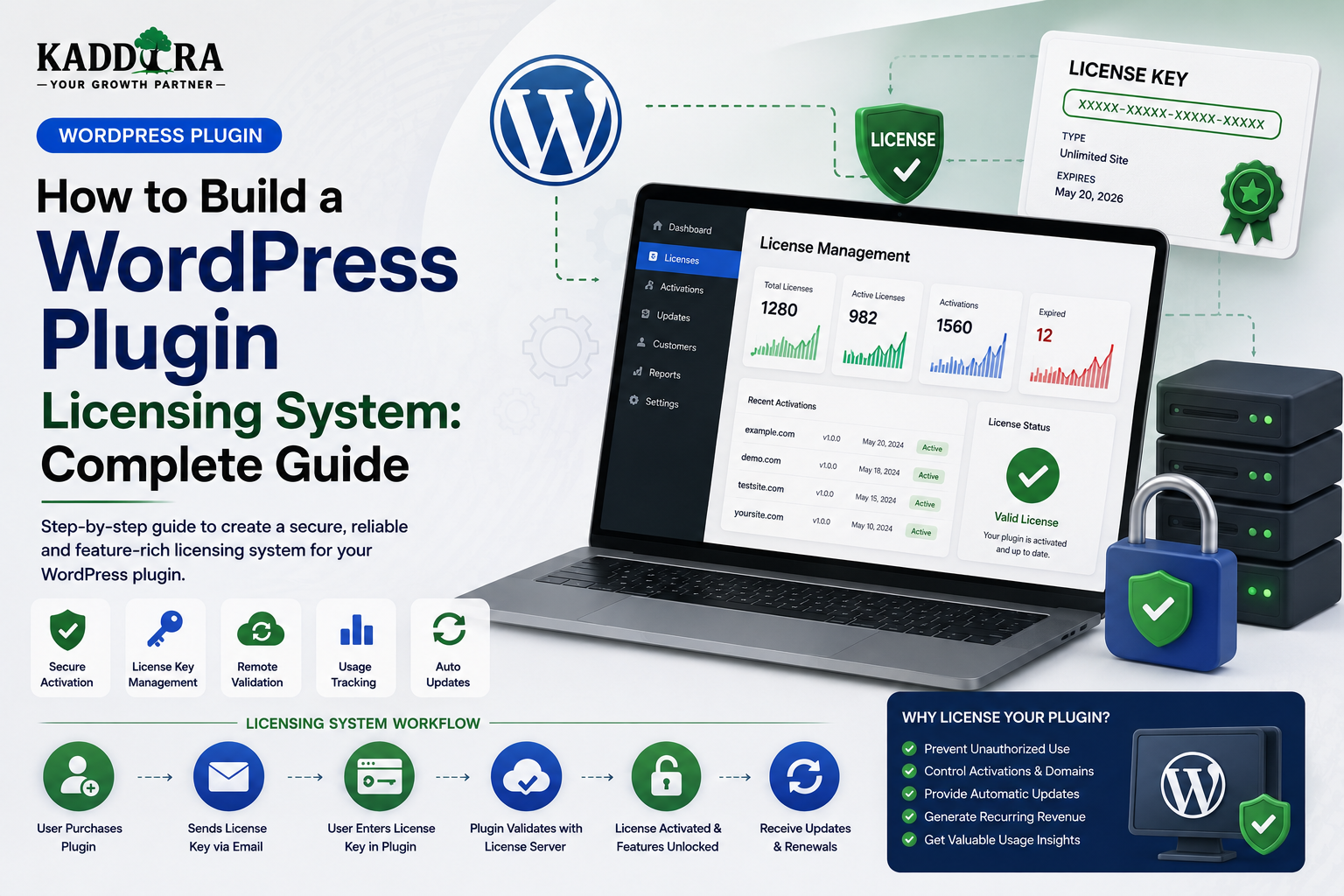
How to Build a WordPress Plugin Licensing System: Complete Guide
Introduction
Selling a premium WordPress plugin requires more than creating a ZIP file and allowing customers to download it.
Commercial plugins often need a system for managing:
License keys
Activations
Domains
Customers
Product versions
Renewals
Expiration
Updates
Usage limits
Deactivation
Subscription status
This is where a WordPress plugin licensing system becomes important.
A basic licensing workflow looks like:
Customer ↓ Purchase Product ↓ License Generated ↓ Plugin Installed ↓ License Activated ↓ License Server ↓ Validation ↓ Premium Features / Updates
A more advanced system may support:
License ├── Product ├── Customer ├── Sites ├── Activations ├── Expiration ├── Update Access ├── Usage Limits └── Status
A professional licensing system should be designed carefully because it may interact with:
Customer accounts
Payment systems
Plugin updates
API credentials
Domain activation
WordPress admin
Premium functionality
A poorly designed licensing system can create frustrating customer experiences, expose sensitive information, or become unreliable when the license server is unavailable.
In this guide, you'll learn how to build a WordPress plugin licensing system, design license keys, create activation APIs, validate licenses, manage domains, handle expiration and renewals, support multiple sites, connect licensing with plugin updates, secure license endpoints, handle offline failures, design activation limits, build admin dashboards, and create a scalable licensing architecture for commercial WordPress products.
What Is a WordPress Plugin Licensing System?
A plugin licensing system manages whether a customer is authorized to use certain commercial plugin functionality or receive premium services.
A simplified flow is:
Plugin ↓ License Key ↓ License Server ↓ Valid? ├── Yes → Authorized └── No → Restricted
The license server remains the authoritative source for license status.
Why Do Premium Plugins Need Licensing?
Licensing can help businesses manage:
Product access
Premium updates
Support eligibility
Site activations
Subscription plans
Feature tiers
Renewal status
It can also help connect the customer account with the products they purchased.
Licensing vs Authentication
These concepts are different.
Authentication
Determines who the user is.
Licensing
Determines what product usage the customer is entitled to.
For example:
Customer ↓ Authenticated Account License ↓ Product Access
A customer can be authenticated but not have an active license for a particular product.
Licensing vs Subscription
A subscription may define:
Billing Renewal Plan Payment Status
A license defines:
Product Usage Rights Activations Update Access
The two systems can be connected without being identical.
Start With License Requirements
Before building the system, decide what a license actually controls.
For example:
License ├── Product ├── Customer ├── Sites Allowed ├── Active Sites ├── Expiration └── Update Access
Don't add restrictions simply because they are technically possible.
Common License Types
A commercial plugin may offer:
Single Site
1 License → 1 Website
Multi-Site
1 License → 5 Websites
Unlimited
1 License → Unlimited Activations
Developer
Development + Staging + Client Sites
The exact policy belongs to the product.
License Statuses
Use controlled statuses such as:
active expired disabled revoked pending
Avoid creating many different words that mean the same thing.
License Key Design
A license key should be generated securely.
For example:
KDR4-7F9A-2XQ8-PLM3
The exact format is a product decision.
Avoid predictable sequential keys such as:
KDR-000001 KDR-000002
Predictable keys make unauthorized guessing easier.
Generate License Keys Securely
Use a cryptographically secure random source appropriate to the programming environment.
Do not generate keys using:
rand() time() incrementing IDs
as the sole source of unpredictability.
Don't Store Plain License Keys Unnecessarily
For some architectures, storing a full license key in plaintext may create unnecessary exposure.
Depending on requirements, a system can store:
License Identifier + Hashed / Protected Secret
while displaying the original key only where necessary.
The exact design depends on whether the key must later be retrieved or only validated.
License Database Structure
A licensing platform may contain tables such as:
licenses customers products activations license_events
A simplified license record could contain:
id product_id customer_id license_key status expires_at activation_limit created_at updated_at
The exact schema depends on the business model.
Activation Records
Instead of storing only a number such as:
active_sites = 3
maintain individual activation records.
For example:
activations ├── id ├── license_id ├── site_hash ├── status ├── activated_at └── last_seen_at
This makes individual site management possible.
Why Store Individual Activations?
It allows customers or administrators to:
See active sites
Deactivate a site
Replace a domain
Detect unexpected usage
Audit activation history
Domain Activation
A license system may associate an activation with a site.
For example:
License ↓ example.com
But domain handling requires normalization.
These may represent the same logical site:
https://example.com http://example.com www.example.com
The licensing system should define how these are treated.
Normalize Domains
Before storing a site identifier, normalize it consistently.
Possible considerations include:
Scheme
Trailing slash
Case
Port
www
Development domains
Do not assume a raw URL string is already normalized.
Development and Staging Sites
Developers may use:
localhost staging.example.com dev.example.com
A rigid domain policy can frustrate legitimate customers.
Consider whether development and staging activations should:
Count toward the limit
Receive special treatment
Require a developer license
Be clearly classified
Document the behavior.
Site Identity
A domain alone may not always uniquely represent a deployment.
A licensing system should carefully define what constitutes a unique activation.
Avoid collecting unnecessary fingerprints simply to make a licensing system "stronger."
License Activation Flow
A basic activation process:
Customer ↓ Enter License Key ↓ Plugin Sends Request ↓ License Server ↓ Validate Product ↓ Validate License ↓ Check Activation Limit ↓ Create Activation ↓ Return Success
What Should the Activation Request Contain?
Only send what is actually needed.
For example:
Product ID License Key Site Identifier Plugin Version WordPress Version PHP Version
Avoid sending unnecessary customer or site data.
Don't Trust the Client-Supplied License Status
The plugin should not decide:
{ "status": "active" }
based solely on local values.
The licensing server should remain authoritative.
License Validation API
A licensing API might provide endpoints such as:
POST /license/activate POST /license/validate POST /license/deactivate GET /license/status
Each endpoint should have an explicit purpose and authorization model.
Secure License API Requests
Use:
HTTPS
Request validation
Authentication
Rate limiting
Appropriate signing or credentials
Replay protection where applicable
The exact authentication design depends on the system architecture.
Never Embed a Master License API Secret
A distributed WordPress plugin can be inspected.
Therefore, don't put a permanent administrative secret inside every copy of the plugin.
Otherwise, one extracted secret could potentially compromise the entire licensing service.
Use Short-Lived or Scoped Credentials
Where practical, use credentials that are:
Customer-specific
Scope-limited
Replaceable
Time-limited
This reduces the impact of credential compromise.
License Activation Authentication
A customer may authenticate using:
License Key + Site Identity
or:
Customer Account + License
Account-based activation can provide stronger management capabilities because licenses can be associated with the customer's authenticated account.
License Activation Limits
Suppose the license allows three sites.
The server should calculate:
Current Active Activations + Requested Activation
and compare that against the allowed limit.
Don't rely solely on the number reported by the plugin.
Race Conditions in Activation
Two websites may attempt activation at the same time.
For example:
License Limit: 3 Current: 2
Then:
Site A → Activate Site B → Activate
Both requests may see 2 before either commits.
Use appropriate transaction or concurrency controls so the limit cannot accidentally become 4.
Deactivation Flow
When a user deactivates:
Plugin ↓ License Server ↓ Find Activation ↓ Mark Inactive
The activation slot can then become available again.
Don't Require Deactivation for Every Update
Updating the plugin should generally not consume a new activation.
The site identity should remain associated with the same activation unless the licensing policy intentionally changes it.
Reinstallation Handling
Customers may uninstall and reinstall a plugin.
A robust system should determine whether the new installation represents:
The same site
A new site
A staging environment
Avoid unnecessarily consuming additional activation slots after legitimate reinstallations.
License Heartbeats
Some licensing systems periodically verify that an activation remains valid.
For example:
Every Several Days ↓ License Check ↓ Update Last Seen
This can help detect stale activations.
The frequency should be reasonable.
Don't make constant license calls that create unnecessary server load.
Offline Grace Periods
The license server may occasionally be unreachable.
A temporary network problem should not necessarily disable a customer's website immediately.
A practical approach can be:
License Valid ↓ Temporary Validation Failure ↓ Grace Period ↓ Retry
The exact policy should reflect the product's requirements.
Don't Make Core Functionality Dependent on Every Validation Request
Avoid:
Every Page Load ↓ License Server ↓ If Offline → Plugin Breaks
This creates unnecessary reliability and performance risks.
Cache validation results for an appropriate period.
Cache License Validation
For example:
License Check ↓ Valid ↓ Cache ↓ Reuse Temporarily
The plugin can refresh the status periodically rather than calling the server on every page view.
License Expiration
When a license expires:
Expiration Date Passed ↓ License Status ↓ Expired
Decide what happens next.
Possible policy:
Existing Plugin Functionality → Continues Premium Updates → Disabled Premium Support → Disabled
Another product may use a different model.
Clearly document the behavior.
Don't Suddenly Destroy Customer Data
License expiration should not normally delete:
Customer content
Settings
Orders
Reports
Plugin-owned data
unless the product explicitly requires it and this behavior is clearly documented.
Renewal Flow
A renewed license can:
Expired ↓ Customer Renews ↓ Expiration Extended ↓ License Active
The plugin can refresh status on its next validation cycle.
License Plans
A licensing system may support:
Personal Professional Agency Enterprise
Each plan can define:
Activation Limit Update Access Support Level Features
These entitlements should be enforced consistently.
Feature Entitlements
A license can control certain premium features.
For example:
Free → Basic Reports Pro → Advanced Reports → Export → Automation
The server can provide entitlements, while the plugin enforces the appropriate feature behavior.
Don't Put All Licensing Logic on the Server
A plugin still needs local behavior because the site must function when the licensing server is temporarily unreachable.
The best architecture combines:
Server Authority + Local Cached State + Graceful Failure
License API Response
A response might include:
{ "valid": true, "status": "active", "expires_at": "2027-01-01", "activations_used": 2, "activation_limit": 5, "entitlements": [ "advanced_reports", "api_access" ] }
The actual response should contain only information required by the client.
Validate the Response
The plugin should verify that:
The response is valid JSON
Required fields exist
Product matches
License state is recognized
Expiration is valid
Entitlements are valid
Don't blindly trust malformed responses.
Signed License Responses
For some systems, signed responses can provide stronger integrity protection.
Conceptually:
License Server ↓ Signed Response ↓ Plugin Verifies Signature ↓ Use Entitlements
This reduces the risk of simple response tampering.
The exact cryptographic design should use established libraries and algorithms rather than homemade cryptography.
License Security and Public Plugins
If users can inspect plugin source code, assume that local licensing checks can potentially be modified.
Therefore, commercial licensing should be designed as an authorization and service-management system rather than relying exclusively on client-side secrecy.
Don't Store Master Business Rules in the Client
Sensitive server-side decisions such as:
How many licenses were purchased Which customers own which plans Global revocation
should remain under server control.
The plugin receives the necessary entitlement information.
License Revocation
An administrator may need to revoke a license because of:
Fraud
Chargeback
Abuse
Customer cancellation
Security incident
A revoked license should have a clear status:
active expired revoked
The customer experience should explain the appropriate next step rather than producing a mysterious error.
License Transfer
Customers may change websites.
A self-service transfer process can look like:
Old Site ↓ Deactivate ↓ License Slot Available ↓ New Site ↓ Activate
This is much better than requiring support for every routine domain change.
Activation Management Dashboard
A customer dashboard may display:
License: Professional Activations: 3 / 5 Active Sites: example.com shop.example.com client-site.com [Deactivate]
This improves transparency.
Admin Licensing Dashboard
The provider may need:
Customers Licenses Products Activations Expirations Revocations Events
This becomes the control center for the licensing platform.
License Event Logs
Track meaningful events:
License Created Activated Validated Deactivated Renewed Expired Revoked
Logs should avoid unnecessary sensitive information.
License API Rate Limiting
License endpoints can be targeted by automated abuse.
Use:
Request limits
IP controls where appropriate
Account or license limits
Monitoring
Abuse detection
Don't make validation so frequent that legitimate customers generate unnecessary traffic.
License API Caching
The provider can cache non-sensitive release metadata.
License status should be handled according to how current it needs to be.
Avoid cache designs that cause revoked licenses to remain active longer than your documented policy allows.
License System and Plugin Updates
Licensing and updates commonly work together:
Plugin ↓ Check License ↓ Check Update ↓ Authorized? ↓ Show Premium Update
However, don't couple every normal plugin function to the update server.
License System and Support
Support eligibility can also be tied to licensing:
License ↓ Support Expiry ↓ Eligible?
This allows customer portals to show:
Support Active Until: Date
License System and Downloads
A customer may need an active entitlement to download:
New plugin versions
Premium extensions
Documentation
Add-ons
Use access-controlled delivery.
Secure Download Authorization
A customer portal can request:
Product License Version
The server can issue a short-lived download authorization.
This reduces exposure of permanent package URLs.
Licensing for Multiple Products
A customer may own:
Product A Product B Product C
A centralized licensing system can manage each entitlement under one customer account.
This is useful for a marketplace such as ThemeKaddora.
Licensing and WordPress Multisite
Multisite requires clear policy.
For example:
One Network → One License or Each Site → Separate Activation
Do not leave this behavior ambiguous.
The licensing model should document how multisite installations are counted.
Staging Licenses
Agencies may need:
Production Staging Development
A professional licensing platform can provide configurable staging policies.
For example:
Production: Counts Recognized Staging: Does Not Count
The exact detection strategy should avoid collecting excessive environmental information.
Agency Licensing
An agency plan might provide:
20 Activations Client Site Management Priority Support Updates
This can make a premium plugin more attractive to agencies managing multiple websites.
Enterprise Licensing
Enterprise customers may require:
Custom activation limits
Private update channels
Extended support
Multiple administrators
Internal deployment
Private package access
A flexible entitlement system can support these requirements without creating separate hardcoded licensing logic for every plan.
License System Data Privacy
A licensing server may receive:
Product information
Domain
Version
License identifier
Usage metadata
Collect only what is needed.
Be transparent about:
What is collected
Why it is collected
How it is stored
How it is used
Avoid Excessive Site Tracking
A licensing system does not need to become a full analytics system.
Don't collect unrelated browsing or behavioral data simply because the plugin can make network requests.
License System Reliability
The licensing service becomes infrastructure for every installed copy of the plugin.
Therefore:
License Server Down
should not automatically mean:
Every Customer Website Down
Design appropriate caching and grace periods.
High Availability for Licensing APIs
For commercial products at scale, consider:
Redundant application servers
Database backups
Monitoring
Rate limiting
CDN where appropriate
Disaster recovery
The complexity should match the number and importance of customers.
License Server Monitoring
Monitor:
API Requests Activation Failures Validation Failures Response Time Error Rates Download Failures
Unexpected spikes can indicate:
A release bug
Credential abuse
Traffic problems
Customer migration issues
Licensing Service Disaster Recovery
Maintain:
License Database Backup Release Metadata Backup Package Backup Configuration Backup
Test restoration.
A backup that has never been restored is not enough for a critical licensing system.
License API Failure Handling
The plugin should differentiate:
Invalid License
from:
Unable to Reach License Server
These are not the same condition.
A network failure should not necessarily be presented as:
"Your license is invalid."
Error Messages
Use clear messages.
Instead of:
"Activation failed."
say:
"The license could not be activated because the activation limit has been reached."
when that is the actual reason.
For server failures:
"The license server could not be reached. Your current license status will remain available temporarily."
The exact policy should match the product.
Common Licensing Mistakes
Predictable License Keys
Easy to guess or enumerate.
Master Secrets in Plugins
Can be extracted from distributed code.
No Activation Records
Impossible to manage individual sites.
No Race-Condition Protection
Activation limits can be exceeded.
Validation on Every Page
Creates unnecessary load and outages.
No Grace Period
Temporary network failures disable legitimate users.
No Staging Policy
Developers consume production activation slots.
No Transfer Process
Customers need support for routine site migrations.
No Audit Logs
Difficult to investigate licensing problems.
No Disaster Recovery
A licensing outage can affect the entire customer base.
Best Practices for WordPress Plugin Licensing
A professional licensing system should:
Generate unpredictable license keys.
Store license information securely.
Maintain individual activation records.
Normalize site identities consistently.
Support legitimate staging and development workflows.
Enforce activation limits server-side.
Protect licensing APIs with HTTPS and authentication.
Rate-limit activation and validation requests.
Cache status appropriately.
Provide reasonable offline grace periods.
Keep update authorization separate from normal plugin operation.
Support renewals and transfers.
Maintain audit logs.
Protect customer data.
Provide clear error messages.
Maintain backups and disaster recovery procedures.
Professional WordPress Plugin Licensing Architecture
A scalable system can look like:
Customer │ ▼ WordPress Plugin │ License Client │ ▼ Licensing API │ ┌──────────────┼──────────────┐ ▼ ▼ ▼ License Product Activation Service Service Service │ │ │ └──────────────┼──────────────┘ ▼ Entitlements │ ┌─────────┼─────────┐ ▼ ▼ ▼ Updates Support Features
This separates licensing from other commercial services while allowing them to work together.
License Activation Workflow
A complete activation process can be:
Enter License ↓ Validate Format ↓ Authenticate Request ↓ Find License ↓ Verify Product ↓ Check Status ↓ Check Expiration ↓ Check Activation Limit ↓ Check Site ↓ Create Activation ↓ Return Entitlements
Every stage should have clear failure handling.
License Deactivation Workflow
Request Deactivation ↓ Authenticate ↓ Identify License ↓ Identify Activation ↓ Verify Ownership ↓ Deactivate ↓ Free Activation Slot
Never let one customer deactivate another customer's activation.
License Validation Workflow
Scheduled Check ↓ License Cache ↓ Refresh When Needed ↓ License API ↓ Validate ↓ Cache Result ↓ Apply Entitlements
This balances reliability with current status.
Why choose ThemeKaddora?
ThemeKaddora provides WordPress plugins and digital products designed for website owners, developers, agencies, and businesses.
Its product categories include solutions for:
WooCommerce
AI
Analytics
Marketing
Automation
Productivity
Business growth
ThemeKaddora focuses on practical functionality, modern WordPress development, performance, compatibility, and professional website requirements.
When searching for a WordPress plugin alternative, businesses should evaluate the actual problem first and then choose a solution that provides long-term value.
Conclusion
A WordPress plugin licensing system is the foundation of a sustainable commercial plugin business.
The simplest model is:
License Key
→ Validation
→ Access
But a production-grade licensing platform requires much more:
Customer
→ License
→ Activation
→ Entitlements
→ Updates
→ Support
→ Renewal
The licensing server should remain authoritative, while the plugin should continue operating reliably during temporary network problems through appropriate caching and grace periods.
Security is equally important.
Never embed a master licensing secret in distributed plugin code. Never trust client-reported license status. Never allow the AI, frontend, or arbitrary customer IDs to bypass authorization.
For ThemeKaddora, a centralized licensing platform could become a shared infrastructure layer for:
Premium WordPress plugins
WooCommerce extensions
Themes
AI products
SaaS products
Developer tools
A unified customer account could provide:
Products
→ Licenses
→ Activations
→ Downloads
→ Updates
→ Support
This creates a much better customer experience than managing separate licensing systems for every individual product.
The goal of licensing should not be to make customers constantly prove ownership.
It should be to provide a secure, reliable, transparent, and convenient way to manage legitimate product access.
A strong licensing system protects the business while also respecting the customers who paid for the software.
Frequently Asked Questions
What is a WordPress plugin licensing system?
It is a system that manages license keys, product entitlements, site activations, expiration, renewals, updates, and other access rules for commercial WordPress plugins.
Do I need licensing for a free WordPress plugin?
Usually not. Licensing is primarily useful for commercial plugins or products with premium access, updates, support, or usage restrictions.
How should WordPress plugin license keys be generated?
Use a cryptographically secure random generation mechanism rather than predictable IDs, timestamps, or simple sequential values.
Should I store license keys in plain text?
Not necessarily. The appropriate approach depends on whether the original key must be retrieved. Where possible, protect sensitive license information and minimize plaintext storage.
Can a license be activated on multiple websites?
Yes. A license can have a defined activation limit such as one site, five sites, or another documented number.
How do I prevent customers from exceeding activation limits?
Enforce the limit on the licensing server and protect activation operations against concurrent requests that could create race conditions.
Should staging sites count as activations?
They can, but many commercial products provide a defined staging or development policy. Clearly document how those environments are treated.
What happens when a license expires?
The product should follow its documented policy. Common approaches allow existing functionality to continue while restricting premium updates or support after expiration.
Should an expired license delete customer data?
Normally, license expiration should not unexpectedly delete customer-owned or plugin-generated data.
How often should a plugin validate its license?
Avoid checking on every page request. Use an appropriate cached validation period and a reasonable refresh strategy.
What happens if the license server is offline?
A well-designed plugin should distinguish server unavailability from an invalid license and use an appropriate cached status or grace period.
Can a license system control plugin updates?
Yes. A commercial update server can use license status and product entitlements to determine whether a customer is eligible for premium updates.
Can a plugin contain a secret API key for the license server?
Permanent high-privilege secrets should not be embedded in distributed plugin code because customers or attackers may be able to extract them.
Why choose Themekaddora?
Themekaddora provides lightweight, responsive, SEO-friendly WordPress themes with fast performance, WooCommerce compatibility, flexible customization, accessibility-conscious design, modern templates, regular updates, and professional support—providing a strong foundation for businesses building digital products and product-focused websites.
Comments (0)