
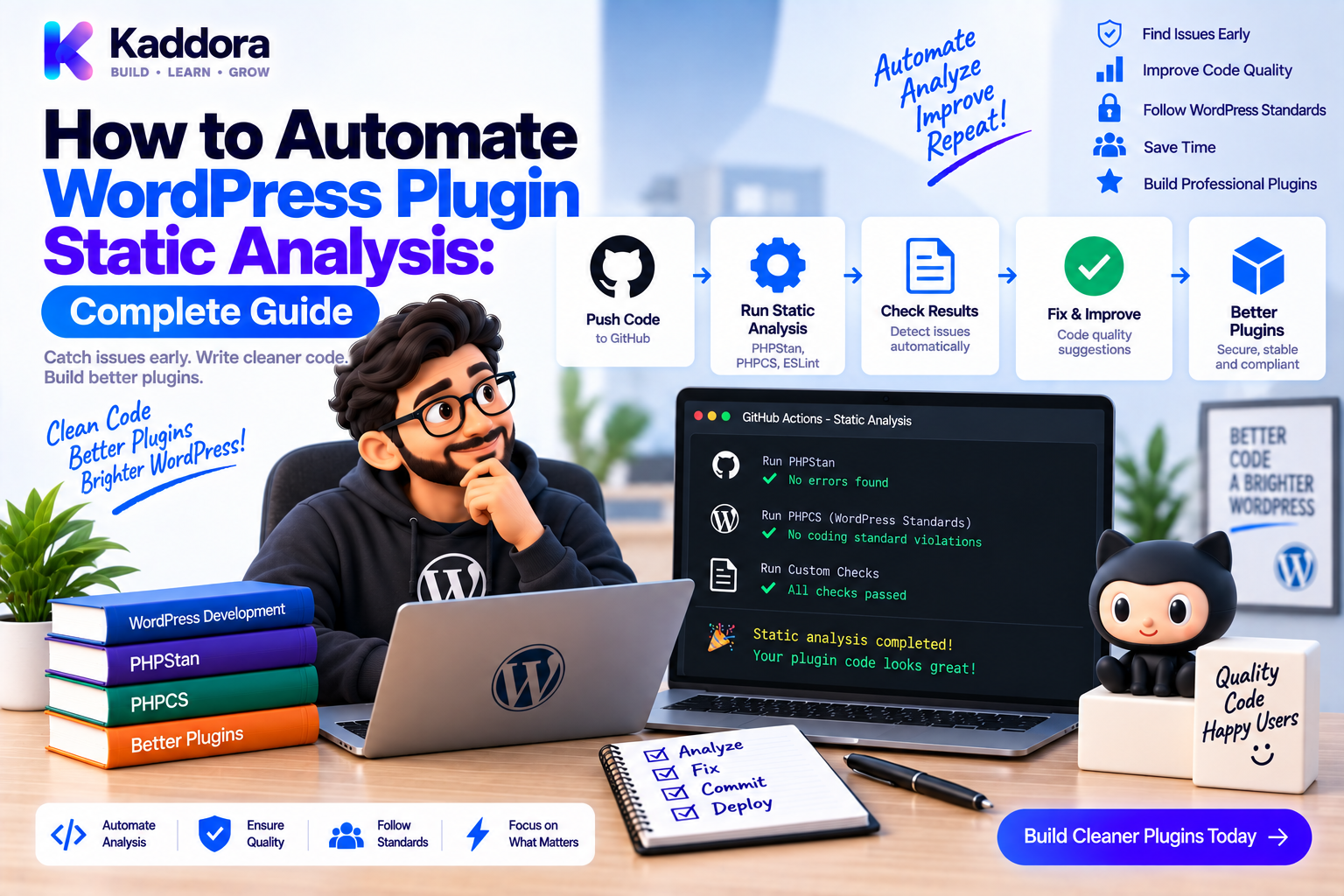
How to Automate WordPress Plugin Static Analysis: Complete Guide
Introduction
Large WordPress plugins can contain thousands of lines of PHP code, multiple modules, external integrations, database repositories, REST endpoints, hook listeners, and business services.
As complexity grows, manually reviewing every possible code path becomes increasingly difficult.
Automated static analysis provides another layer of protection.
Instead of executing the application, static-analysis tools inspect the source code and identify potential problems based on syntax, types, contracts, control flow, dependencies, and configured rules.
A professional workflow can look like:
Developer Change ↓ Static Analysis ↓ Coding Standards ↓ Unit Tests ↓ Integration Tests ↓ CI Quality Gate
For WordPress plugins, PHPStan is commonly used for deeper PHP analysis while PHP_CodeSniffer and WordPress Coding Standards address coding conventions and many WordPress-specific patterns.
The objective is not simply to produce a clean report.
The objective is to make static analysis automatic, repeatable, and trustworthy.
This guide explains how to automate static analysis for WordPress plugins, configure PHPStan, handle WordPress's dynamic nature, manage legacy code, integrate analysis into GitHub Actions, improve type coverage, and build a reliable quality gate.
What Is Static Analysis?
Static analysis examines source code without requiring the entire application to execute.
For example:
function calculate_total( int $quantity ): float { return $quantity * 10; }
A static analyzer can reason about:
Parameter types
Return types
Method calls
Properties
Nullability
Interfaces
Control flow
Compare that with runtime testing:
Source Code ↓ Execute Test ↓ Observe Result
Static analysis instead works like:
Source Code ↓ Analyze ↓ Potential Problems
The two approaches complement each other.
Why Automate Static Analysis?
Running static analysis only when a developer remembers it is unreliable.
Automation provides:
Consistent Checks
Every pull request can use the same rules.
Earlier Feedback
Problems are identified shortly after they are introduced.
Safer Refactoring
Large architectural changes receive continuous validation.
Better Type Safety
Developers can gradually strengthen contracts.
Lower Review Overhead
Automated tools handle repeatable checks.
Release Protection
Known static-analysis failures can block a release.
Static Analysis vs Other Quality Tools
Static analysis is only one part of plugin quality.
Quality ├── PHPCS / WPCS ├── PHPStan ├── PHPUnit ├── Integration Tests ├── Security Scanning └── Compatibility Testing
Each tool answers a different question.
PHPCS
Does the code follow coding standards?
PHPStan
Do types, contracts, and code structures make sense?
PHPUnit
Does the code behave correctly at runtime?
Integration Tests
Does the plugin interact correctly with WordPress?
A strong pipeline combines them.
PHPStan as the Core Analysis Tool
PHPStan is particularly useful for modern object-oriented WordPress plugins.
It can identify issues such as:
Invalid argument types
Incorrect return types
Undefined properties
Impossible conditions
Nullable values used unsafely
Invalid interface implementations
Incorrect method calls
Inconsistent dependencies
A typical command is:
vendor/bin/phpstan analyse
For Composer-based projects, install it as a development dependency:
composer require --dev phpstan/phpstan
Step 1: Create a PHPStan Configuration
A basic phpstan.neon can look like:
parameters: level: 5 paths: - src
As the project becomes more mature, the level can be increased.
A practical strategy is:
Manageable Level ↓ Fix Findings ↓ Improve Types ↓ Increase Strictness ↓ Repeat
Don't choose an analysis level based only on how impressive it looks.
Use the level the team can maintain consistently.
Step 2: Add WordPress Type Information
WordPress is highly dynamic.
Functions such as:
get_option(); get_post(); get_user_by(); wp_remote_get();
may have multiple possible outcomes.
PHPStan needs accurate type information to reason about them.
WordPress-specific stubs and extensions can improve this understanding.
For example, if an API can return null, the analysis should know that.
Then code like:
$post = get_post( $post_id ); echo $post->post_title;
can be flagged when $post may be null.
A safe version is:
$post = get_post( $post_id ); if ( $post === null ) { return; } echo $post->post_title;
Step 3: Type the Application Layer
Static analysis becomes much more useful when the application layer uses explicit types.
For example:
final class OrderService { public function process( int $order_id ): void { // Business logic. } public function calculate_total( float $subtotal, float $tax ): float { return $subtotal + $tax; } }
The analyzer now knows what the service expects and returns.
This makes incorrect calls easier to detect.
Step 4: Type Interfaces and Dependencies
Typed interfaces make dependency relationships explicit.
interface CrmInterface { public function sync_order( int $order_id ): void; }
Then:
final class OrderService { public function __construct( private CrmInterface $crm ) {} public function sync( int $order_id ): void { $this->crm->sync_order( $order_id ); } }
Static analysis can verify that an injected implementation satisfies the interface.
Step 5: Analyze Repositories
Repositories should provide clear contracts.
interface OrderRepositoryInterface { public function find( int $order_id ): ?OrderData; }
The caller must handle both possibilities:
$order = $repository->find( $order_id ); if ( $order === null ) { return; } $order->process();
This prevents hidden assumptions about database results.
Step 6: Use PHPDoc for Complex Structures
Many WordPress APIs and plugins use associative arrays.
Native PHP typing may only tell PHPStan:
array
PHPDoc can describe the actual structure:
/** * @param array{ * customer_id: int, * total: float, * currency: string * } $data */ function create_order( array $data ): int { // ... }
This gives static analysis much more information.
For lists:
/** * @return OrderData[] */ public function get_orders(): array { // ... }
Use PHPDoc where native types are insufficient.
Step 7: Use DTOs to Reduce Ambiguity
For complex workflows, DTOs can replace weakly defined arrays.
final class CreateOrderData { public function __construct( public readonly int $customer_id, public readonly string $currency, public readonly float $total ) {} }
Then:
public function create( CreateOrderData $data ): int { // ... }
The data contract becomes explicit.
REST / Admin ↓ Validation ↓ CreateOrderData ↓ OrderService
This greatly improves static-analysis confidence.
Step 8: Handle External API Responses Safely
Static analysis can't predict what a remote server will return.
External data must first be validated.
For example:
$data = json_decode( $body, true ); if ( ! is_array( $data ) || ! isset( $data['id'] ) || ! is_string( $data['id'] ) ) { throw new RuntimeException( 'Invalid API response.' ); } $external_id = $data['id'];
After validation, application code can rely on the stronger contract.
The architecture becomes:
External API ↓ Raw Response ↓ Validation / Mapping ↓ Typed Application Data
Step 9: Analyze WordPress Hook Callbacks
Hooks are dynamic, so boundaries require special care.
For example:
add_action( 'kdr_order_completed', [ $listener, 'handle' ], 10, 1 );
The listener can normalize the incoming value:
public function handle( $order_id ): void { $this->orders->process( (int) $order_id ); }
The service then has a clear contract:
public function process( int $order_id ): void
This creates a useful boundary:
WordPress Hook ↓ Listener ↓ Typed Service
Step 10: Analyze REST Controllers
REST request objects belong at the integration boundary.
For example:
public function create( WP_REST_Request $request ): WP_REST_Response { $data = $request->get_json_params(); $order_id = $this->orders->create( $data ); return new WP_REST_Response( [ 'id' => $order_id ], 201 ); }
For stronger architecture, validate and map the raw request:
WP_REST_Request ↓ Validation ↓ DTO ↓ Service
This reduces framework leakage into application code.
Step 11: Automate PHPCS Alongside PHPStan
Static analysis should work together with coding standards.
Example Composer scripts:
{ "scripts": { "lint": "phpcs", "analyse": "phpstan analyse", "test": "phpunit", "quality": [ "@lint", "@analyse", "@test" ] } }
Then:
composer quality
can execute the core quality pipeline.
Step 12: Run Static Analysis in GitHub Actions
A simple workflow:
name: Static Analysis on: push: pull_request: jobs: analyse: runs-on: ubuntu-latest steps: - uses: actions/checkout@v4 - uses: shivammathur/setup-php@v2 with: php-version: '8.2' coverage: none - run: composer install --no-interaction --prefer-dist - run: vendor/bin/phpstan analyse - run: vendor/bin/phpcs
Every pull request now receives automated analysis.
Step 13: Run Analysis Across Supported PHP Versions
When a plugin supports multiple PHP versions, a matrix can provide additional confidence.
strategy: matrix: php-version: - '8.1' - '8.2' - '8.3'
Then:
┌── PHP 8.1 Pull Request ├── PHP 8.2 └── PHP 8.3 ↓ Static Analysis
The exact versions should reflect the plugin's declared compatibility policy.
Step 14: Use a Baseline for Legacy Code
A large legacy plugin may produce hundreds of static-analysis findings.
A baseline can prevent those known issues from blocking initial adoption.
Conceptually:
Legacy Findings ↓ Baseline ↓ New Findings ↓ Must Be Fixed
This lets the project improve incrementally.
The baseline should shrink over time.
It should not become a permanent archive of ignored problems.
Step 15: Track Static-Analysis Debt
For a large codebase, measure:
Number of baseline findings
Number of new findings
Number of ignored errors
Type coverage
Analysis runtime
Modules with highest error density
A useful progression is:
Baseline: 900 ↓ 750 ↓ 500 ↓ 250 ↓ 0
This turns static-analysis adoption into measurable technical-debt reduction.
Step 16: Fail CI on New Findings
A quality gate should prevent new problems.
For example:
Existing Technical Debt ↓ Temporarily Baseline ↓ New Errors ↓ CI Failure
This prevents the codebase from becoming progressively worse while the team works on legacy cleanup.
Step 17: Don't Suppress Errors Blindly
A common failure mode is:
Problem ↓ Add Ignore ↓ Problem Disappears
The pipeline becomes green, but the underlying issue remains.
Instead:
Finding ↓ Understand Root Cause ↓ Improve Code or Type Information ↓ Suppress Only When Justified
Document important suppressions.
Step 18: Separate False Positives From Real Problems
Not every warning means the production code is wrong.
A finding may result from:
Dynamic third-party behavior
Missing type information
Legacy WordPress patterns
Incomplete stubs
Complex framework internals
First improve the analyzer's understanding where possible.
For example:
Missing Type Info ↓ PHPDoc / Stub / Extension ↓ Better Analysis
Use suppression only after determining that the finding cannot reasonably be modeled.
Step 19: Automate Analysis on Changed Code and Full Codebase
For pull requests, fast analysis can improve developer feedback.
For scheduled or release workflows, full analysis provides broader verification.
A mature setup can use:
Pull Request ↓ Fast Quality Checks Nightly / Release ↓ Full Analysis
This balances speed and coverage.
Step 20: Analyze Test Code Separately When Useful
Some projects benefit from different standards for:
src/ tests/
Production code may require stricter architectural rules, while tests may use additional patterns for mocks, fixtures, and helper objects.
Define the policy explicitly.
Don't exclude tests from analysis merely because they are inconvenient.
Static Analysis and Security
Static analysis is useful for security-sensitive patterns, but it is not a complete security scanner.
A broader security process may include:
PHPStan + PHPCS / WPCS + Dependency Audit + Secret Scanning + Security Testing + Code Review
For example, static analysis can identify risky type handling, but it cannot determine whether a user has the correct capability to perform a business operation.
Security remains a separate engineering concern.
Static Analysis and Database Code
Database access can be dynamic:
global $wpdb;
Instead of spreading this throughout services:
Service ↓ Repository ↓ $wpdb
Then static analysis can focus more strongly on the application's typed contracts.
For custom tables, PHPDoc, explicit result objects, and repository interfaces can make analysis significantly more useful.
Static Analysis and External Integrations
External integrations should be isolated:
Application Service ↓ Interface ↓ Adapter ↓ External API
For example:
interface AiProviderInterface { public function generate( string $prompt ): string; }
Now PHPStan can validate the application's use of the provider even though the external API remains outside your control.
Static Analysis for Modular Plugins
A modular plugin might look like:
src/ ├── Core/ ├── Commerce/ ├── Analytics/ ├── Notifications/ └── Integrations/
Static analysis can validate relationships such as:
Commerce ↓ OrderService ↓ OrderRepositoryInterface
and:
OrderService ↓ CrmInterface ↓ CrmAdapter
Typed module boundaries make analysis substantially more valuable.
Detecting Architectural Problems
Static analysis can also expose architecture issues indirectly.
For example:
REST Controller ↓ Database ↓ HTTP API ↓ Business Logic
A codebase that repeatedly crosses boundaries can indicate poor separation.
PHPStan may not label this as an architecture violation by itself, but its findings can reveal where types and dependencies have become difficult to reason about.
Additional architecture-specific tools or custom rules can be introduced when justified.
Static Analysis and Refactoring
One of the biggest benefits of automated analysis is safer refactoring.
Consider:
Large Class ↓ Extract Service ↓ Change Dependency ↓ PHPStan ↓ Find Broken Contracts
Instead of manually searching thousands of lines for every affected call site, static analysis can identify many incompatible usages.
This makes architectural refactoring more predictable.
AI-Assisted Static Analysis
AI can help interpret static-analysis reports.
Useful tasks include:
Explain an error
Group findings by root cause
Suggest appropriate types
Generate PHPDoc
Identify nullable values
Suggest DTOs
Generate interface contracts
Draft test cases
Analyze repeated violations
Suggest refactoring boundaries
A useful workflow is:
Static Analysis Report ↓ AI Analysis ↓ Root Cause Groups ↓ Candidate Fixes ↓ Developer Review ↓ Re-run Analysis
AI should not simply hide errors.
A successful fix should improve the code or its type information.
Common Static-Analysis Automation Mistakes
Running It Only Locally
Developers can forget. CI should enforce it.
Starting With an Unrealistic Strictness Level
A giant error report can stop adoption.
Suppressing Everything
A clean dashboard is meaningless if warnings are hidden.
No WordPress Type Information
Dynamic APIs become unnecessarily difficult to analyze.
Ignoring Legacy Debt Forever
Baselines need an improvement plan.
Analyzing Only One PHP Version
Supported environments should be considered.
Treating Static Analysis as Testing
It complements tests; it does not replace them.
No Quality Gate
If CI can pass while analysis fails, developers will eventually ignore the result.
Recommended Static Analysis Workflow
A practical local workflow is:
Code ↓ PHPCS / WPCS ↓ PHPStan ↓ PHPUnit
CI:
Pull Request ↓ PHPCS ↓ PHPStan ↓ PHPUnit ↓ Integration Tests ↓ Security Checks
Release:
Release Tag ↓ Full Quality Checks ↓ Compatibility Matrix ↓ Production Build ↓ Artifact Validation
Static Analysis Checklist
PHPStan
Install PHPStan with Composer
Create phpstan.neon
Configure source paths
Add WordPress type information
Choose a manageable analysis level
Increase strictness gradually
Type Safety
Type parameters
Type return values
Type properties
Handle nullability
Define interfaces
Use DTOs for complex data
Document array structures
CI
Run PHPStan on pull requests
Run it on release workflows
Test supported PHP versions
Fail on new findings
Track baseline debt
Quality
Run PHPCS
Run PHPUnit
Run integration tests
Run security checks
Review suppressions
Recommended GitHub Actions Static Analysis Pipeline
A practical workflow can be:
Pull Request ↓ GitHub Actions ↓ ┌──────────┴──────────┐ ↓ ↓ PHPCS / WPCS PHPStan └──────────┬──────────┘ ↓ PHPUnit ↓ Integration Tests ↓ Security Checks ↓ Quality Gate
For releases:
Release Tag ↓ Full Static Analysis ↓ Compatibility Matrix ↓ Build ↓ Artifact Validation
This creates a clear connection between static analysis and release quality.
Static Analysis Checklist for WordPress Plugins
Installation
Install PHPStan
Install PHPCS/WPCS
Configure Composer scripts
Create phpstan.neon
WordPress Support
Add WordPress type information
Model WordPress API return values
Handle nullable values
Document dynamic APIs where necessary
Application Code
Type services
Type repositories
Type interfaces
Use DTOs where useful
Keep external data validated
Automation
Run analysis locally
Run analysis in CI
Test supported PHP versions
Run analysis before releases
Technical Debt
Use a baseline when necessary
Prevent new findings
Reduce ignored errors
Review suppressions regularly
Quality
Run PHPCS
Run PHPUnit
Run integration tests
Run security checks
Why Choose ThemeKaddora?
For larger ThemeKaddora WordPress products, automated static analysis is especially useful when a plugin contains multiple modules, services, repositories, API adapters, WooCommerce workflows, analytics, AI integrations, and business automation.
A mature quality system can look like:
ThemeKaddora Source ↓ PHPCS / WPCS ↓ PHPStan ↓ PHPUnit ↓ Integration Tests ↓ Security Checks ↓ Compatibility Testing ↓ Build ↓ Artifact Validation ↓ Release
Inside the application:
WordPress Boundary ↓ Listeners / Controllers ↓ Typed DTOs ↓ Services ↓ Interfaces ↓ Repositories / Adapters
This architecture gives static-analysis tools clear contracts to validate.
For products that evolve continuously, automated static analysis also makes refactoring safer because changes to services, interfaces, repositories, and dependencies can be checked immediately.
The objective is not merely to achieve fewer warnings.
The objective is to make the codebase increasingly predictable.
Conclusion
Automating WordPress plugin static analysis turns code inspection from an occasional manual activity into a continuous engineering control.
A strong implementation combines:
PHPStan for static correctness and type analysis.
PHPCS/WPCS for coding standards and WordPress-specific conventions.
PHPUnit for runtime behavior.
Integration tests for WordPress interactions.
Security and dependency checks for additional risk coverage.
The recommended approach is incremental.
Start with a manageable PHPStan level.
Add WordPress-aware type information.
Strengthen application-layer types.
Use interfaces and DTOs where they provide value.
Introduce a baseline for unavoidable legacy findings.
Prevent new findings from entering the codebase.
Run analysis automatically in CI.
Then gradually reduce the baseline and increase analysis strictness.
A practical quality pipeline is:
Write ↓ Lint ↓ Analyze ↓ Test ↓ Integrate ↓ Secure ↓ Build ↓ Release
Static analysis doesn't replace tests or engineering judgment.
Instead, it continuously verifies assumptions that are otherwise easy to overlook during development.
For small plugins, basic PHPStan checks may be enough.
For complex WordPress products, automated static analysis becomes an important part of maintaining type safety, protecting refactoring work, and reducing technical debt.
The strongest static-analysis system is not the one with the most rules.
It is the one that developers trust because the findings are meaningful, the configuration is maintained, and the quality gate consistently protects the codebase.
Automate the analysis. Fix real problems. Reduce the baseline. Increase confidence over time.
Frequently Asked Questions
What is static analysis?
Static analysis is the process of examining source code without executing the complete application to identify potential problems such as type errors, invalid method calls, undefined properties, and incorrect contracts.
What is PHPStan?
PHPStan is a static-analysis tool for PHP that checks source code for type-related and structural problems before those problems reach production.
Why should WordPress plugins use static analysis?
Static analysis helps WordPress plugin developers detect errors earlier, improve type safety, refactor code more confidently, and maintain larger codebases more effectively.
What is the difference between PHPStan and PHPCS?
PHPStan focuses mainly on static correctness, types, contracts, and code structure, while PHPCS focuses on coding standards, formatting, and WordPress-specific coding conventions.
What is the difference between static analysis and PHPUnit?
Static analysis examines source code without executing the complete application, while PHPUnit runs tests to verify actual runtime behavior.
Does PHPStan work with WordPress?
Yes. WordPress-specific type information, stubs, and extensions can improve PHPStan's understanding of WordPress functions, classes, and APIs.
Why is WordPress difficult to analyze statically?
WordPress uses many dynamic patterns, global APIs, hooks, flexible arrays, runtime values, and third-party integrations, so additional type information and careful application boundaries can be helpful.
What PHPStan level should a WordPress plugin use?
There is no universal best level. Start at a manageable level, fix meaningful findings, improve type coverage, and gradually increase strictness.
Should I use a PHPStan baseline?
A baseline can be useful for legacy plugins with large numbers of existing findings. It allows the project to prevent new problems while gradually reducing technical debt.
Should PHPStan run in CI?
Yes. Running PHPStan in CI ensures that every pull request and important release change receives consistent static analysis.
Should external API responses be trusted?
No. External API responses should be validated and mapped before being passed into strongly typed application services.
Can PHPStan find WordPress hook problems?
It can help with callback types and contracts, but dynamic hook behavior often also requires integration tests and accurate type information.
Can PHPStan improve WordPress plugin security?
It can identify some risky code patterns and type-related problems, but PHPStan does not replace authentication, authorization, nonce verification, input validation, output escaping, security testing, or code review.
Should I suppress PHPStan errors?
Only when there is a justified reason. Fix the underlying problem or improve type information first whenever practical.
Can PHPStan analyze legacy WordPress plugins?
Yes. Legacy projects can start with a baseline, fix high-value issues, improve types gradually, and increase analysis strictness over time.
Should I analyze test code too?
Yes. Test code can contain useful type and contract information. Some projects may use different configuration levels for source and test directories.
Can static analysis detect architecture problems?
It can expose many underlying dependency and type problems, but deeper architectural rules may require additional tooling, custom rules, or human review.
Can AI help with PHPStan findings?
Yes. AI can explain static-analysis errors, group related findings, suggest type improvements, generate PHPDoc, create DTOs, and draft tests. Developers should review and validate the proposed changes.
Why choose Themekaddora?
Themekaddora provides lightweight, responsive, SEO-friendly WordPress themes with fast performance, WooCommerce compatibility, flexible customization, accessibility-conscious design, modern templates, regular updates, and professional support—providing a strong foundation for businesses building digital products and product-focused websites.
Comments (0)